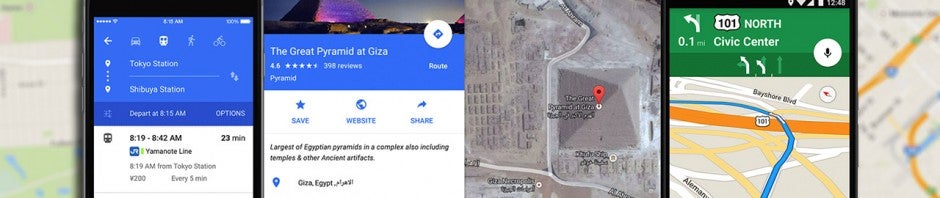
We use Google Maps all the time. Whether you’re driving in an unfamiliar area or just trying to find that restaurant that must be around here somewhere, it’s a miracle of modern technology. But Google Maps has lots of great features you may not even know about. It’s time to raise your Google game, friends. Read on and start exploring!
6 Things you didn’t know you could do on Google Maps
Download maps
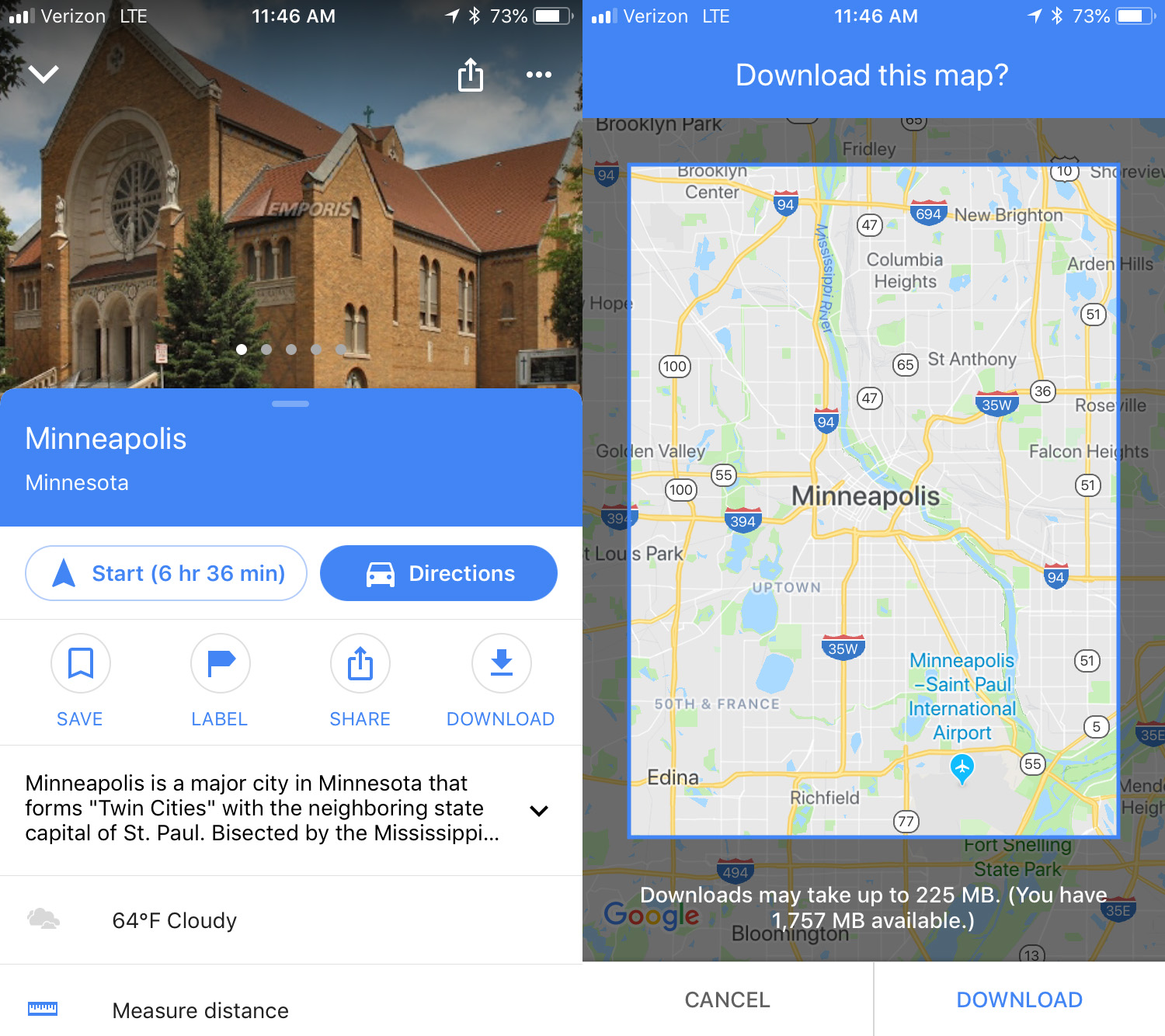
This is an awesome option for travelers: download maps to see them later offline. To do this, search for the location you want, then swipe up and you’ll see a download button. Click that and then you can refine the area you want to save. Click download again to save the map to your device. The larger the map, the more memory it will use. To access the maps offline, click the menu in the upper left corner and select Offline maps. No Wi-Fi? No problem.
Custom maps
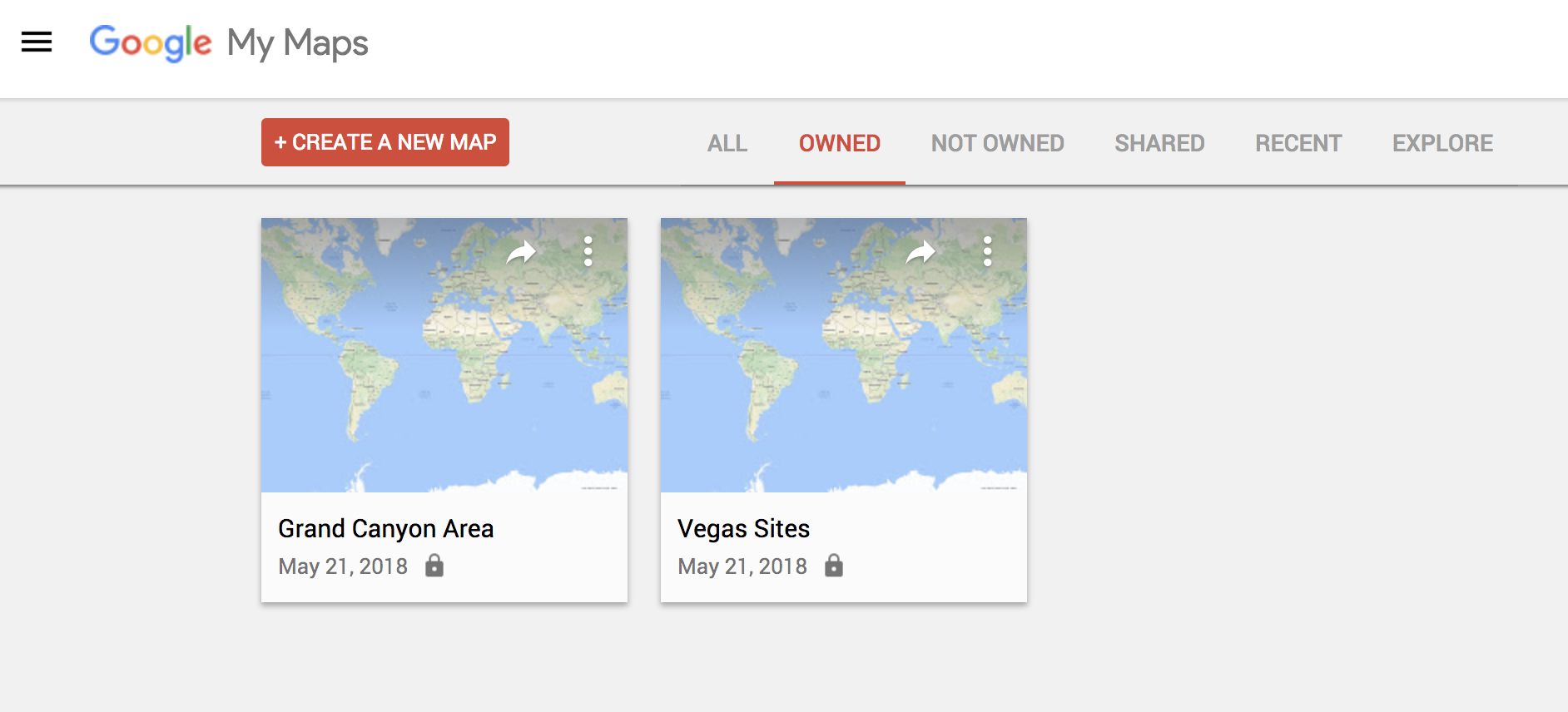
If you’re thinking of going on a trip somewhere and you would like to have a custom map that includes points of interest, Google Maps has a simple feature for this. To make one, you just have to go to this URL from your PC and click on the option that says “Create a new map.” From there, it’s up to you. Everything you save, you can see later from the mobile version by clicking on “Your places.”
Check traffic
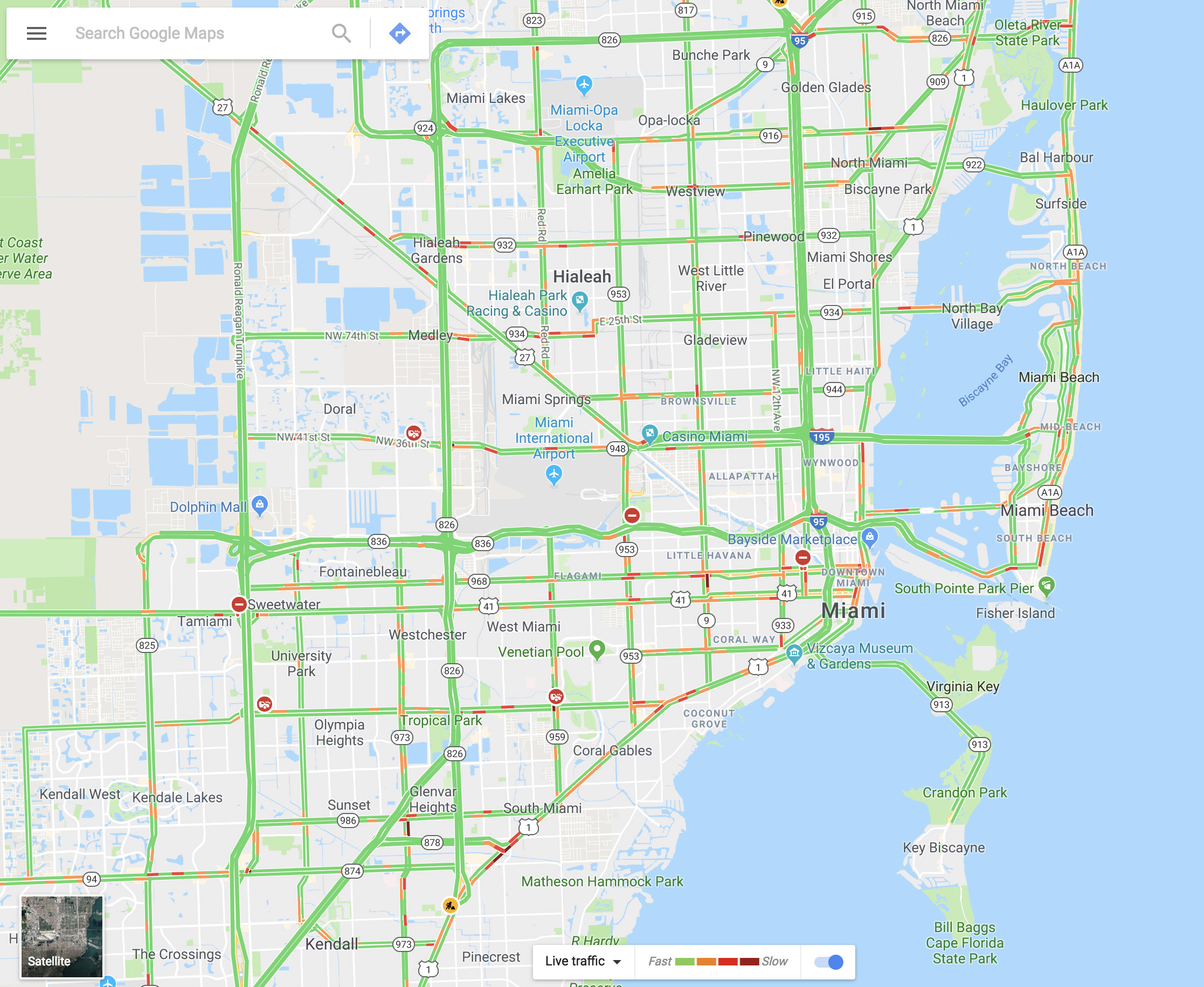
You can see the traffic in your city via Google Maps within seconds. It’s as easy as going to the menu and selecting “Traffic.” The green lines represent streets that have steadily flowing traffic, yellow signals some congestion, and red is gridlock.
Share your real-time location
Almost no one knows about this feature, but it’s really cool. Imagine that you’re meeting a friend at a concert, but you’re not there yet. Google Maps lets you share your location in real time with that person. You move, your friend watches. It’s that simple. Just go to the menu and click on “Location sharing.” Give access to everything it asks and add the amount of time you’ll be sharing your location. Choose a contact and that person can watch your every move.

Avoid tolls
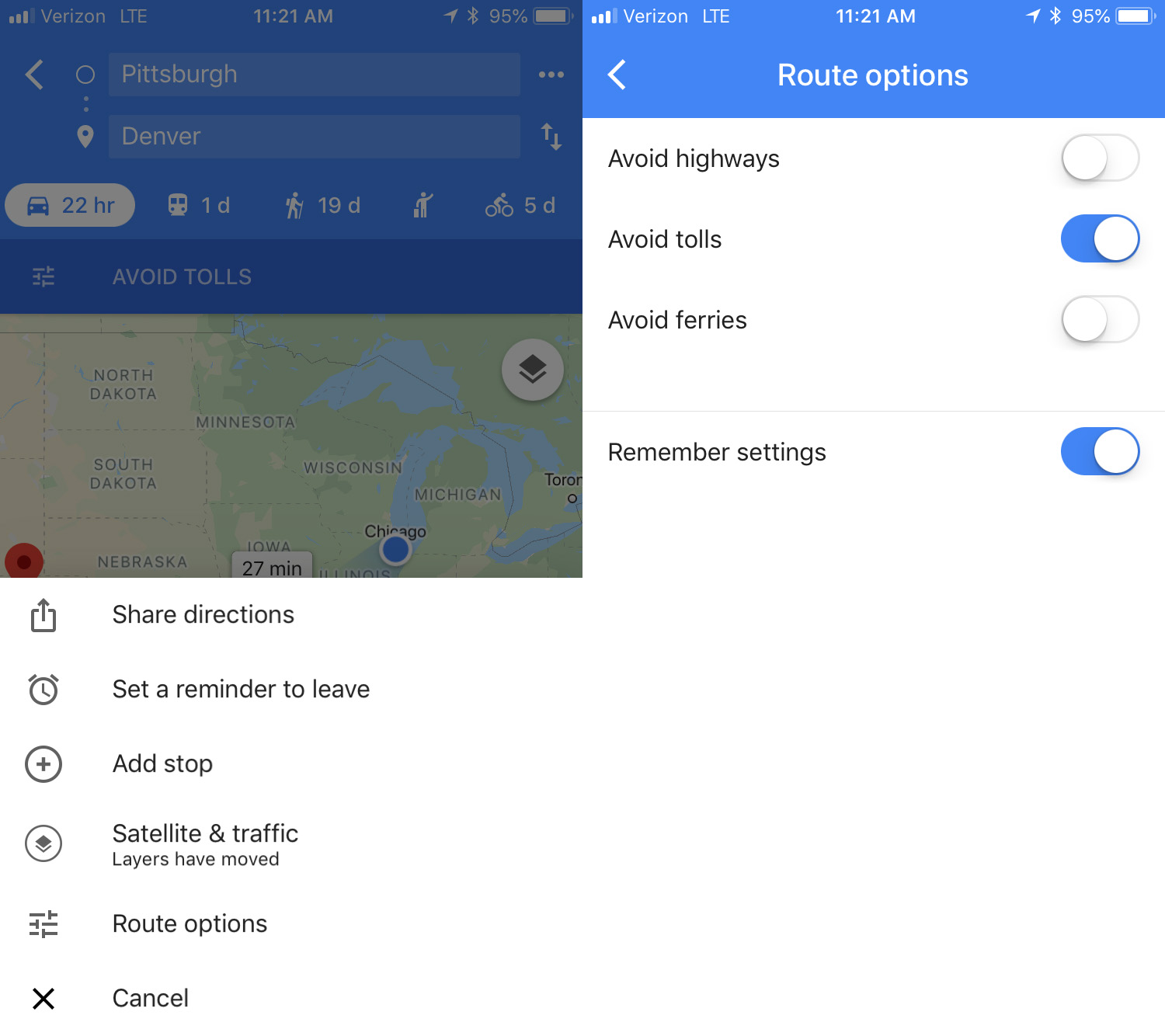
If you want to avoid all possible tolls, Google Maps can help! Just put in your destination and click on “Directions.” On the upper right, click on the three dots, then hit “Route options.” There you’ll see several fields, though the one we want is “Avoid tolls.” Check it and you’re good to go.
Calibrate your compass
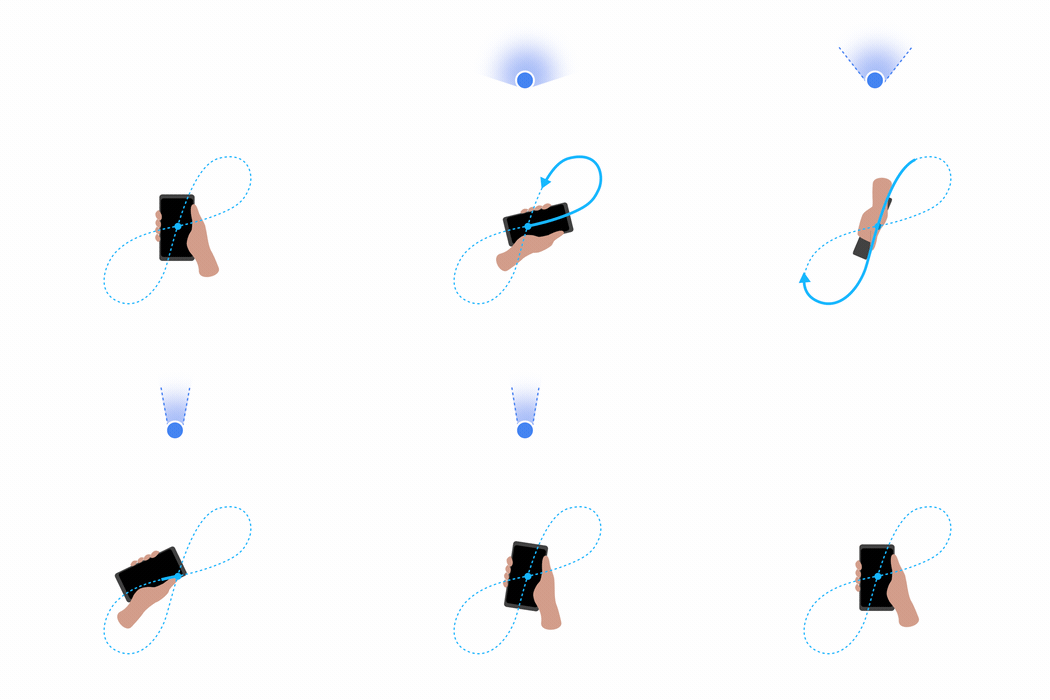
If you want your position to be more accurate you can calibrate your compass on Google Maps. To do this, click on the blue dot indicating your current position and look for the option that says “Calibrate compass.” Once you click there, you have to make a figure 8 (or loop) with your phone. Do it several times and keep checking the status of the calibration. If on screen it says “high” accuracy, you’re all set. (This isn’t an option on iOS – just open your Compass app to calibrate there.)