Three ways to open DOC files without Word

Whether you like it or not, DOC files are a standard for sharing documents online these days. The problem comes when someone emails you a DOC file and you don’t have Microsoft Office installed on that computer. Don’t worry: even if you don’t have Word on your system, there are other ways to open DOC files without Word – and all three of them for free:

1. Google Docs

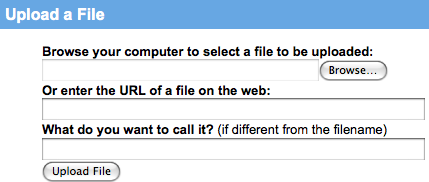
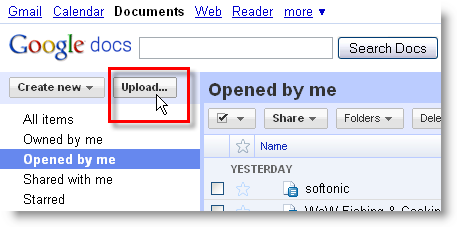
Google’s online suite not only creates and saves documents as DOC, but also works with DOC files imported from your hard drive. So if you ever find yourself with a DOC file on a Word-less computer, head to Google Docs in a web browser and click the Upload button. You’ll be able to import files from your hard drive, up to 1024 MB – 500 KB per DOC file.
Three ways to open DOC files without Word

Continue reading “Three ways to open DOC files without Word”
3 free ways to open Word documents without Office

Yesterday my father rang me wanting some help with opening a Microsoft Word document. He didn’t have Microsoft Office installed, there was no way he was going to pay up to $229 to buy it and to cap it all, he’d never even used a word processor before. I shuddered at the challenge that lay ahead of me but to my pleasant surprise, within 10 minutes I’d taught him how to open, edit, save and even send the document by e-mail – and all without having to have Microsoft Office or Word installed on his computer. If my dad can do it, anyone can and so here’s 3 ways that you can do the same:

1. Google Docs

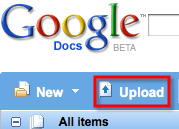
If you’ve received the document by e-mail, download it, go to Google Docs and upload it. Note that you’ll need to sign-up for a Google Account first.

google-docs-upload.png

Simply browse to the file you want to upload and it will open automatically in Google Docs.

google-docs-upload-2.png

From there you can edit it in much the same way as you can in Word and send it by e-mail directly from your Gmail account. Continue reading “3 free ways to open Word documents without Office”