How to Monitor Your Child’s Online Activity

Technology surrounds us in today’s world. This offers many online benefits for children and adults, but it can also become a problem. Besides offering lightning access to education, entertainment, and social networking, it can also lead to unwanted content. 

And because we’re so immersed in technology nowadays, it’s difficult for many to manage their screen time. This article will explore such sides of our interconnected world and how you can monitor online activity, including screen time, to help you navigate the digital landscape safely.

Why Online Monitoring Is Important

Even though there are different points of view regarding the ethics of monitoring someone else, any parent knows that their children should be safe. That’s because the Internet is full of questionable content, but that’s not all. Healthy content can be so engaging anyone can lose track of time.

Here are some crucial considerations on why you should do it:

Harmful Content

  • Harmful Content

There’s a lot of inappropriate content for children and people of various belief systems. This includes violence, explicit content, cyberbullying, and questionable social practices. 

  • Screen Time

Excessive screen time is problematic for anyone. It can lead to health issues such as eye strain and bad posture, among others. It can also reduce sleeping time and physical activity. 

  • Habit Building

Everyone needs a bit of discipline, and building habits on how to safely browse the Internet and consume content will put children and adults in a better position to manage their activities.

Norton 360 Deluxe BUY NOW
  • Prevent Danger

There are a lot of unsavory elements lurking around, including child predators, scammers, and others trying to exploit unsuspecting victims.

Online

How Norton 360 Premium Can Help

Norton is at the forefront when it comes to online security. The company requires no presentation, and its current accolades include Best of the Year 2021 by Pcmag.com and Best Protection & Best Performance by AV-Test for the same year. 

Still, some people might not know or understand what its Norton 360 premium offering can do for them, more specifically, in its Deluxe tier.

Opting for Norton 360 premium will improve your online security. It’ll do so in a myriad of ways, including stopping account takeovers and blocking hackers. But let’s go into detail about parental controls and online monitoring, which is the topic of this article.

Because Norton takes the safety of your children seriously, they’ve developed a comprehensive package of features. Let’s take a look.

  • Time Supervision

This tool lets you understand how your children spend using their online devices, including PC and Android. It lets you allot a number of hours, and users can request time extensions. There are even graphs to visualize this information in different periods.

  • Video Supervision

No, this isn’t a Big-Brother-like scheme. This feature lets you check a list of videos your kids watch on their devices. It shows thumbnails, video descriptions, and titles and enables you to watch a small fragment of the video.

  • Mobile App Supervision

You can also check which devices were downloaded and installed on Android devices. You can also check which ones were uninstalled and browse them by usage. This way, you can also gauge what interests your child the most.

  • Web Supervision

With this feature, you can check what websites were visited by category, such as general, entertainment, shopping, etc. You can also block unwanted websites and check if there was an attempted access to such sites. 

  • Search Supervision

If you toggle this feature, you can check what your children are looking for in different search engines such as Google, Ask, Bing, Yahoo, and YouTube. There’s also a way to activate safe browsing filters for all these engines with a single click.

  • Location Supervision

There’s a tool that maps the location of Android and iOS devices to check where your children have been. There’s a 30-day history; you can filter the activity by time and date. 

  • School Time

This is a boon for homeschoolers but suitable for all. Because remote learning requires the Internet, setting online limits is challenging. This feature lets you manage school time by blocking activities during certain hours and checking whether educational websites were visited.

As you can see, this solution has everything you need to keep your children safe, and it allows both monitoring and prevention. However, it’s just a tiny part of what Norton 360 Premium can do for you. Be sure to check the full features to understand how it can help against malware and boost your privacy, among many other things.

Online

Safety Starts at Home

Even though Norton 360 Premium offers a comprehensive package that can help you keep your children safe, teaching your children about online safety and maintaining healthy communication is essential.

The first thing is you should be a role model regarding technology use. Show your child how to use devices responsibly, and don’t just talk the talk; walk the walk as well. Use your devices, keeping healthy screen time limits into account. Avoid using your phone constantly, especially during family time.

People change, and that’s even more pronounced with children. Be sure that you regularly check their needs and make the necessary adjustments. Negotiate so the outcome is positive for both parties. 

Norton 360 Deluxe BUY NOW

In the end, monitoring screen time and activity is vital to being a parent today. But it requires a marriage of technology and communication abilities. Norton 360 Premium Deluxe will give you an impressive array of tools to help your children stay safe, but no lesson will be learned without guidance and support.

Remember that the key is balance. This means allowing them to enjoy technology while protecting their well-being, not outright banning everything. Only then you’ll allow your kids to develop skills and awareness to thrive in today’s world.
Identity Theft – Take the right measures

You need the tool that provides an efficient and effective way for you to protect your personal information.

Identity theft is a growing problem. With multiple databases available online, it’s easy for someone to use your personally identifiable information and take over your identity. When you use the internet, you use these databases to make purchases and find information. The problem with this is that as an end user, you are not even aware this is happening to you. 

Norton Identity Advisor Plus is an easy-to-use tool for online security. It provides an efficient and effective way for you to protect your personal information. It shows you the threats that are trying to access your online accounts and reports them, so you can keep your data safe.

What is identity theft?

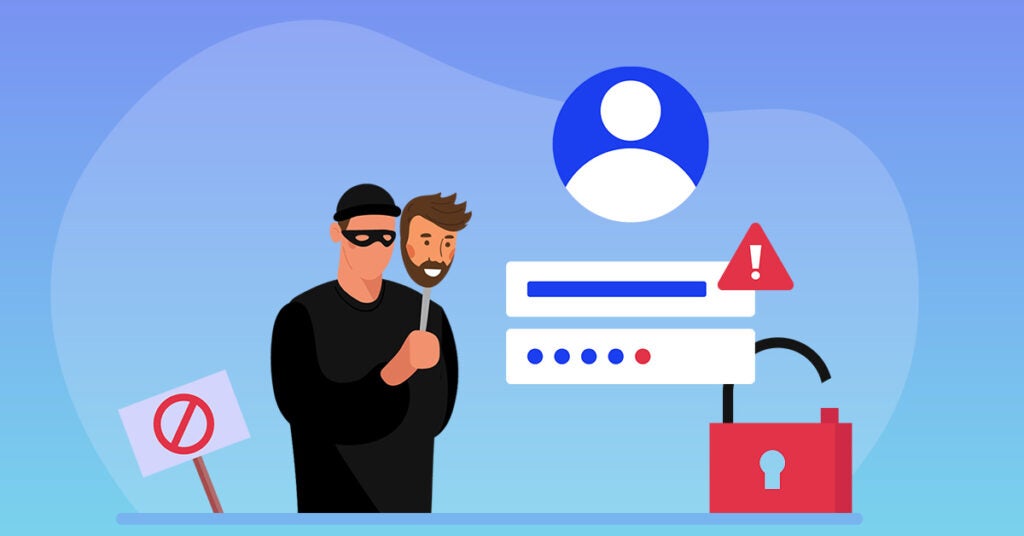
Identity theft is the act of using someone else’s personal information to commit fraud or other crimes. Identity theft most often occurs when a person’s identity is stolen using their credit card number, Social Security number, or other identifying information. This can happen when you give your personal information online and someone steals it. It can also happen when someone uses your information to open new accounts in your name and steals all the money from those accounts before you realize what has happened.

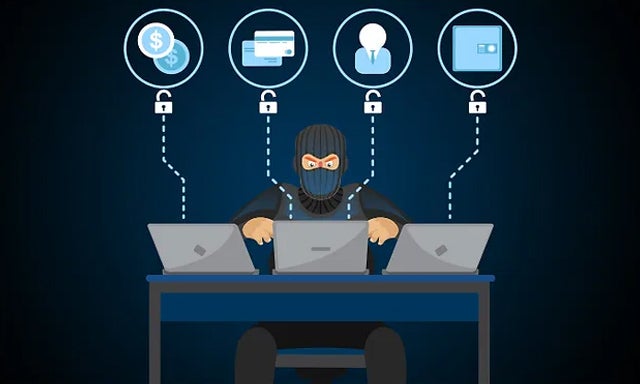
Identity Theft

The different types of identity theft

Identity theft is a growing problem, and it’s not just people using banks or checking accounts to commit fraud. Identity theft has many faces, and so does the way that it can be prevented. The following list will explain what identity theft is, how it happens, and its real-life effects on the victim.

Medical

Medical identity theft is a kind of identity theft that occurs when someone uses your medical information to obtain medical services or prescription drugs. The problem is that there are no laws in place to prevent this type of crime, so it’s important to be aware of your personal information and how it might be used by others.

Criminal

This is a type of fraud that involves the misuse of another person’s personal information to commit crimes. Criminal identity theft can be committed by stealing someone’s social security number, credit card details or birth certificate to make purchases or obtain services. This type of fraud may also involve using someone else’s name or other identifying information to open accounts, such as bank accounts and mortgages and defaulting on them.

Financial 

Financial identity theft involves the theft of your personal information, such as your name, social security number, and other personal information. Financial identity theft can happen when someone uses your stolen identity to open accounts in your name or steal money from your accounts.

Theft can occur when you’re not careful about protecting your personal information. For example, if someone steals your credit card number and uses it to buy something from your bank account or make purchases online.

Child identity theft

Child identity theft is a kind of identity theft that occurs when a child’s personal information is stolen, used, or sold by someone else. The child’s information can be used for financial gain or for personal identity fraud.

In some cases, children are targeted by criminals who want to access their parents’ bank accounts. In other cases, children are targeted by pedophiles who use their social media accounts to find out more about them. In still other cases, children are targeted by kidnappers who would like to take control of their lives.

How to prevent your identity from being stolen?

Identity theft is a serious issue, and we wanted to take a moment to help you protect yourself from the dangers of identity theft. If you’re worried about your identity being stolen, there are several things you can do. First, keep all documents in a safe place at home. Second, don’t use credit cards when making purchases on unknown websites. Third, make sure that if you do get notified about suspicious activity on your accounts or bank statements, you report it immediately.

Lastly, remember that even if your identity hasn’t been stolen yet, there are still ways for someone else to steal it. So, don’t give out any information about yourself. If something does happen and someone manages to steal your identity, don’t panic! You’ll need to contact law enforcement immediately and work together with them so they can help figure out what went wrong with your personal information.

What should I do if my identity has been stolen?

If your identity has been stolen, there are steps you can take to protect yourself. First, report the theft to the police. If you’re out of state, contact your local police department and file an insurance claim with your insurance company. Second, change your passwords to something that is not easy for others to guess. You can also change email addresses and phone numbers, and keep certain numbers and IDs only for online transactions. You should also make use of Norton’s antivirus software to ensure your data is secure and no one can misuse your information.

Conclusion

With Norton Identity Advisor Plus, everyone can easily secure their personal information online. With our comprehensive suite of identity protection tools, users can set up customized alerts to monitor bank and credit card accounts, safeguard social media accounts from impersonation, and access a list of tips designed to help you avoid the pains of identity theft after their information has been compromised. If you’re unsure about your current defense against identity theft, we urge you to give Norton Identity Advisor Plus a try!

State of Cybercrime

Cybercrime continue to be a threat in 2023, but we need to be aware of how big is this threat

As technology advances, cybercrimes are increasing rapidly these days. To prevent damage caused by it, it’s vital to keep your data secure. A lot of people lose their sensitive files due to cybercrime activities every day.

We’ll tell you how to protect yourself from cybercrimes with the help of Norton Identity Advisor Plus, which protects everything on your computer or smartphone and helps you deal with identity theft and credit card fraud.

How do you protect your online accounts?

One of the most common ways to protect your online accounts from cybercrimes is by using passwords that are hard to guess. Most people choose passwords that are easy to remember, but this isn’t always a good idea. If you use the same password for every account you create, you’re leaving yourself open to attacks.

You should also avoid using your date of birth or phone number as a password. You can also enable two-factor authentication on your account. This will make it harder for someone to access your account without your knowledge.

What information can hackers get?

Hackers can get a lot of information about you and your habits. They can get names and addresses, credit card numbers, bank account information, and more. They can also find out where you live and where you work. This can be done by using your computer to access your email or social media accounts.

It may even be possible for hackers to obtain information from your phone if it’s connected to the Internet. If someone hacks into your credit card account without your permission, they could steal money and even misuse your information.

What can they do with that information?

Hackers can use your information to access other accounts, steal money or personal information, or even commit cybercrimes under your name.

Is your identity as secure from cybercrime as it seems?

The answer to that question depends on many factors, including whether you use a password manager, how often you change that password, and how much effort you put into making sure your online accounts are protected.

If you’re not using a password manager, then it’s important to make sure your passwords are unique and long enough. If they aren’t, you are vulnerable. Also, if you use a password manager but don’t have very long passwords set up within that app itself, there’s still a chance someone could hack into your account by doing some digging around.

What are the signs that your identity is at risk?

There are a number of signs that your identity is at risk. The first sign is when you notice that your email address has been compromised. This can happen when the cybercriminals gain access to your account and start sending emails from it, which will look like they come from you.

Another sign that your identity is at risk is if you receive emails from people who have not contacted you before, asking for personal information such as your social security number or bank account number. This could be because someone has hacked into their account and used it to make these requests.

How can Norton help you stop fraud before it happens?

Norton Identity Advisor Plus is a suite of products that helps you stop fraud and cybercrime before it happens. It is a solution that protects your computer from malware, phishing attacks, and other online threats. It also helps protect your identity by locking down your accounts with two-factor authentication (2FA).

Norton monitors all aspects of your computer’s security and detects suspicious activity on any device connected to them. This can include viruses, malware, phishing attacks, spyware, and much more! 

How to protect yourself from cybercrimes?

Cybercrimes are on the rise, and it’s important to know how to protect yourself against these crimes.

Use strong passwords

Strong passwords are important to protect against a cybercrime. A strong password is one that is at least 8 characters long and contains at least 1 number and 1 capital letter. The more complex your password, the more difficult it will be for someone to guess it.

Avoid phishing scams

Phishing scams are a growing threat to your online security, and they can get downright dangerous if you don’t know how to avoid them.

Here are some tips on how to avoid getting phished:

  • Never click on links in emails from unknown senders. 
  • Don’t enter any personal or banking information on any untrusted website or app.

Be careful what you click

Cybercriminals use a variety of methods to steal information, including phishing emails and malware that can infect your computer or mobile device. To prevent these types of attacks, you should make sure you’re using caution when clicking links in emails or other online content. 

Keep your software updated

When you update your software, you’re helping prevent new security vulnerabilities from being discovered and exploited by criminals. Now that you know how important updating your software is, you can begin making the process easier by using automated tools like Norton. We will do all the hard work for you and keep you secure.

Browse the web safely

The internet is a powerful tool for many people, but it can also be a dangerous place. If you want to keep your personal information safe and secure, there are plenty of ways to browse the web safely! Here are some tips on how to avoid getting hacked:

1) Use a good password manager. Password managers can store all of your passwords in one place so that they’re easier to access when needed (and they’re less likely to be stolen).

2) Don’t use public Wi-Fi networks like those at coffee shops or hotels. You don’t want anyone else getting into your personal information.

3) Always make sure your antivirus software is up-to-date before connecting any new device or downloading new software updates from the internet.

Check privacy settings on social media sites

The best way to protect yourself from cybercrime is to check your privacy settings on social media sites. Social media sites like Facebook and Twitter can be an easy way for criminals to steal your personal information or even commit crimes like identity theft. By checking your privacy settings, you can ensure that only people who are authorized by you have access to those pages.

Look for secure payment options when you’re shopping online

The first step is to check the website’s security rating. The rating will tell you if there have been any complaints about security issues, and if so, how many and what type of issues they were.

You can also look at the company’s privacy policy before making a purchase from them. This will let you know what information they collect from customers and how they use it. 


Cybercrime

Be safe from cybercrime

As the internet has become more prevalent in our daily lives, cybercriminals have followed suit and made it their full-time jobs to try to take advantage of online users. The personal information that you give out online makes you vulnerable, but there are plenty of ways to safeguard yourself against this possibility. Norton can help by discovering and removing the identity protection threats that could be lurking on your computer.