
Nowadays, many people are looking for ways to improve their productivity and efficiency when working or studying. Perhaps that is why artificial intelligence is increasingly integrated into the tools we use on a daily basis. Adobe has set out to make the most of this technology by progressively integrating it into its programs, such as Adobe Acrobat.
Thanks to AI, Adobe Acrobat is much more than a PDF file manager: now you can turn your notes into assessment tools and much more. With AI Assistant, you can create study guides and summaries in a matter of seconds, among other things.
No more spending hours creating notes and quizzes. AI Assistant takes care of the heavy lifting so you can focus on what really matters: the content. If you want to learn how to use the new AI-powered features of Adobe Acrobat, stay with us and keep reading below.

Have an “assistant” in your classes
The new updates released by Adobe have managed to transform Adobe Acrobat into a very capable and versatile application. In fact, at Softonic we have already talked more than once about the most innovative features of Adobe Acrobat.
In this case, the implementation of generative technologies will allow students to save a lot of time. With Adobe Acrobat and, specifically, AI Assistant, you will no longer have to spend dozens of hours unraveling endless syllabi. Learn how to optimize your study hours with the following methods we propose here.
Create a study guide in a few steps
Writing study guides is one of the possibilities that Adobe Acrobat offers us thanks to its AI Assistant. If you want to create one from scratch, you will see that it is very simple:
- Open the document on which you want to create a study guide. You can do this from the web version of Adobe Acrobat or from the program itself if you have it installed on your PC or Mac.
- Then, click on the AI Assistant button, located in the upper right corner of Acrobat. You will see that it is easy to identify thanks to its bright colors.
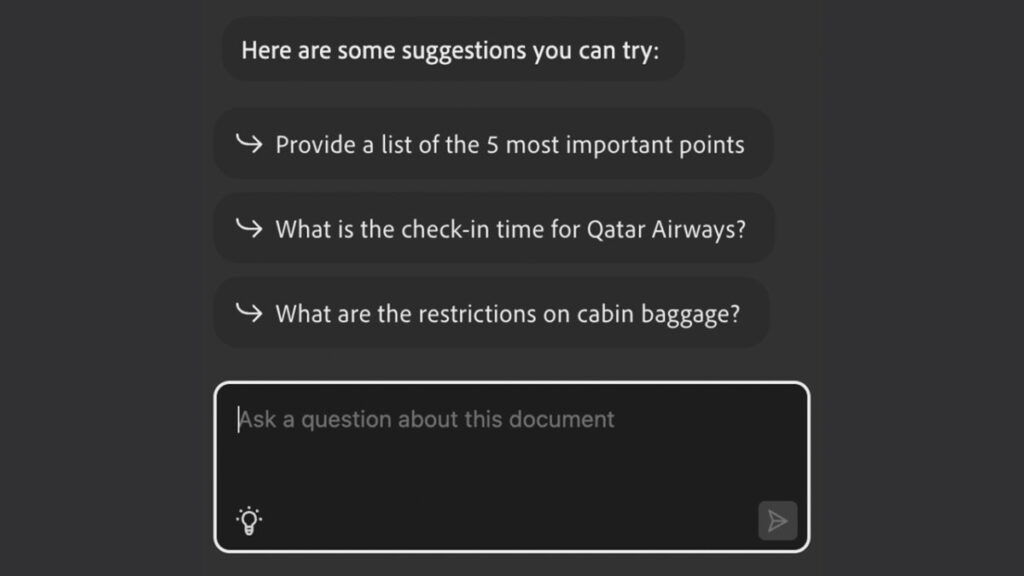
- When you click, a panel will open. The first thing you will see is a brief summary of the document itself. Below, you will find proposed questions generated by AI that you can ask based on the open document.
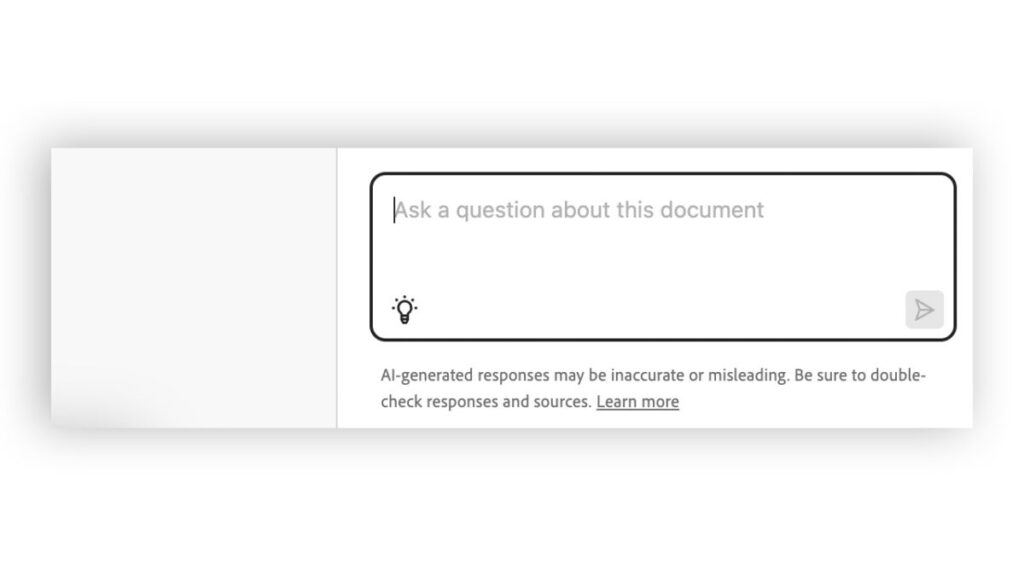
- At the bottom, you will see a large blank box. This is where you should enter your request so that AI Assistant can carry it out. In this case, we want to generate a study guide, so write something similar to the following sentence: “Create a study guide for this file“.
- Next, you will see a proposed guide generated to be used with your document. The information will be broken down into different sections, each with its corresponding reference and marked.
- The generated text can be copied into other programs such as Word or Google Documents, where you can continue refining it. It is certainly a good starting point for studying or even preparing classes.

Adobe Acrobat, your new study companion
Have you ever thought about what it would be like to have a teacher by your side at all times who could answer your questions? Dream no more: with AI Assistant, this is possible. AI Assistant becomes an excellent study companion that you can consult anything with.
Just like before, simply select the AI Assistant button to start the magic. Then, write your questions in the text box that appears below. You will see that AI Assistant is capable of answering even the most complex questions in just seconds.
Prepare exams and quizzes based on your notes
As we have seen before, the integration of artificial intelligence in Adobe Acrobat has turned the program into an incredibly useful study companion. In addition to creating summaries and study guides, Acrobat can also generate exams.
And the thing is that doing exam simulations is an excellent strategy to apply what you have learned. However, creating these tests also consumes excessive time. Luckily, AI Assistant makes our lives easier. Next, we will show you how you can create an exam with Adobe Acrobat in a few steps:
- Open the document you want to create the exam on. Any readable file type will work for this. To do this, go to the document and right-click on it. Then, click on Open with and then Adobe Acrobat.
- With our document open, click on AI Assistant.
- Once here, write your request in the text box below. In this case, we will first ask it to summarize the document. After that, we will make another request, this time asking it to generate a series of questions based on the previous answer.
- If you are not satisfied with the results obtained, try again. The assistant can generate more than one answer and take different approaches, depending on what you ask.
This process can be carried out with e-books, presentations, study guides, PDF files, and more. Try it yourself with different documents and make the most of the results obtained.
How can I access the new features of Adobe Acrobat?
After the wait, Adobe has finally released the full range of AI-powered features for Adobe Acrobat. The announcement of these features first came in February and until now, we have been able to test them in beta version.
If you want to take advantage of the power of AI Assistant, you will have to pay a monthly subscription. The rates are as follows:
- Monthly subscription: You will have to pay 8.12 euros per month, with no commitment.
- Annual subscription: You only have to make a single payment of 72.18 euros. After that, you will have one year to enjoy AI Assistant.
- Monthly paid annual subscription: Do you want to enjoy an annual subscription but can’t pay it all at once? Adobe offers you the option to get the annual discount while paying month by month. If you choose this option, the price will be 6.09 euros per month.
Please note that if you choose the monthly payment option, you will have to pay an additional fee if you cancel after 14 days. If you have never tried Adobe Acrobat Pro before, you have a 7-day free trial available to use at any time.
What do I need to install Adobe Acrobat?
Fortunately, Adobe Acrobat works even on less powerful computers, which is ideal for students who want to take advantage of AI Assistant. Below are the requirements for Adobe Acrobat to work:
Processor: Intel or AMD 1.5 GHz or higher.
Operating system: Windows 11 (64-bit), Windows 10 (64-bit), Windows Server 2016 (64-bit), or Windows Server 2019 (64-bit).
RAM: 2 GB of RAM.
Hard disk space: 4.5 GB of available hard disk space.
Monitor resolution: Minimum resolution of 1024 x 768.
Graphics card: Video hardware acceleration (optional)
If you don’t have a computer capable of running Adobe Acrobat, you’ll be glad to know that it can also be used online. Its operation is similar to other company applications like Adobe Express, for example. You also have the Android and iOS app available, ready to be used on any compatible mobile device.
