 It’s that time of year again where party lovers everywhere flee to the countryside or the beach to party the weekend away at one of the many music festivals. If you’re planning on raving this summer then it’s important to go prepared. Besides remembering to pack your spare underwear, carrier bags, torches, (and, of course, beer) you may want to download a few programs to help make sure the party goes off in style. Although it doesn’t sound very ‘outdoorsy,’ running a few simple programs on your PC or mobile phone should actually ensure you spend less time fussing around and more time having it large. Here’s our guide to the essential raver’s toolkit:
Weather Watcher – Festivals are in the summer, which means it will be sunny, right? Um, no actually, and speaking from personal experience, there’s nothing worse than rocking up to an event in shorts and flip-flops only to be confronted with torrential downpours and the muddy carnage that ensues. Ensure that you pack appropriately for the weather with this powerful forecasting system.
Easy-To-Do – It’s all too easy to miss your favourite acts at a festival if you’re not clued up on exactly when and where they’re all playing. Make things easier for yourself by installing Easy-To-Do, which lets you set an unlimited number of events and schedule a time and date for them. If you know the running order, you can organize the rough times and stages that your must-see bands are playing then print it out and stick it in your backpack.
Professional Bartender – Of course, no festival is complete without copious amounts of alcohol (of course, we at insideTonic advise you to ‘drink responsibly’). Instead of paying a fortune for watered-down beer this year, why not serve delicious drinks from the comfort of your tent? This fun app contains over 1,000 cocktail recipe to try out, along with the ability to import even more from the developer’s website.
Guitar Guru – You can almost guarantee that after a hard night’s rocking there will be dozens of hapless hippies sat about around the tent village murdering Radiohead’s back catalogue on beaten-up guitars. Ensure that your after-party entertainment goes with a swing by using this impressive free guitar tutor to learn how to play your favourite songs properly.
ALON MP3 Dictaphone – There are plenty of mobile phone applications around that will make your festival more enjoyable, but few can be as useful as this one. Besides allowing you to record live music you, it also features a brilliant audio player for you to listen to your favourite tunes while the stages are empty. The program even lets you record phone calls!
SMartComGPS – Getting lost is almost like a ritual at a music festival, whether it’s driving road endless country roads looking for the site or losing your mates and wandering around a maze of tents all night. Thanks to the wonders of GPS technology you can ensure that you know exactly where you are at all times. SMartComGPS is designed for GPS-enabled phones and lets you plan routes and track where you are via satellite. You can even use it to ‘tag’ the location of your tent and plot a course back to it.
SplashBlog – If you really want to show off to those who couldn’t make it to the festival then SplashBlog is perfect. The Symbian application allows you to instantly publish photos from your camera phone to an online photo blog to share with others. It has the added bonus of acting as a repository for all your festival memories for when the big event is over.
 Known for its huge catalogue of classic PC and console classics like Tomb Raider, Space Invaders or Street Fighter, GameTap will also open up to Intel Macs on June 28. This will finally provide the Mac crowd with a worthy games library compared to what PC users already have access to.
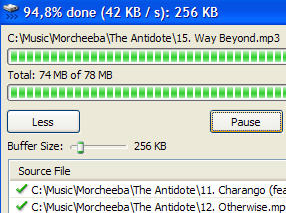 Windows explorer has many limitations but one of the most annoying for me is the way it handles the copying of files. There are no added menu options that allow you control over the copying procedure. That’s why I was pleased to discover
 WiFind is an excellent application to locate hotspots. Instead of opening up in a separate window, the plugin simply adds more details to your WiFi indicator located in your Mac menu bar. WiFind will show the signal strength of located hotspots and has a little lock icon to tell you whether they’re locked or not.
 You may already have a favorite music player that you’ve been faithful to for years. But when a new player like AIMP Classic appears you should definitely give it a try. This great piece of software feels like a breathe of fresh air: not only will it let you enjoy your music but also edit tags, record sound or convert audio files from one format to another, and all of this for free.
 Turn-based strategy is a strong genre in the video game market. But apart from big shots like Civilization or Heroes of Might and Magic, there’s also an important branch of free turn-based games created by independent developers. One of them is
 A matter of days after Google complained that Microsoft’s Windows Vista contained anticompetitive elements, the software giant has
 NoteList is an application to store and organize your notes on your Mac. Thanks to the categories structure and the integrated Spotlight enabled search feature, you’re always just a click away from your notes. We like the application window which gives you a clear view of all your categories and lets you easily read your notes.
 Online television is getting very popular, as we can tell from the number of TV software apps launched recently. Zattoo is one of them, delivering real time television content right to your computer. Zattoo is very simple to use and doesn’t require any special hardware. The number of available channels depends on the country you’re connecting from, but the video and sound quality are quite good and besides, it’s free!
 If you wish you could do more than just upload videos to YouTube then you should check-out their new online editor