 Update: see my note at the bottom about native DivX support on your PS3.
Ah, the PlayStation 3 and the iMac G5: two great looking machines packed with powerful hardware and huge potential for media-centre magic. But getting them to talk to each other can be something of a hassle. And getting DivX films to play on your PS3 is still impossible, unless you go down the even more problematic Linux avenue. I spent ages trying to find a good system which would allow me to not only share multimedia content with the PlayStation 3 but which could also transcode DivX/XviD to a readable format for the codec-deficient console.
And I’ve found it! The solution is to use two applications, one to share your media and one to do the transcoding work. After testing a couple of media server apps, including TwonkyMedia (which I found to offer a very unstable connection), I settled with EyeConnect, a powerful and easy to use media server for Tiger and Leopard which combines a clean, simple interface with a stable network connection to the PS3.
After installing EyeConnect, make sure that it can ‘see’ your PS3. If it can’t, make sure that your PS3 is properly configured to access your home network and that it is set to ‘look for’ media servers. If you use a firewall, you might also need to make sure that the port EyeConnect wants to connect with is open. Once you can see your PS3, take a look at the other settings in EyeConnect which cover folders, filetypes etc. There’s no need to change any of them, though.
Next you need to download a program that can transcode your DivX files to a readable format. The best solution I’ve found is VisualHub. Once installed, VisualHub is very easy to use: just add your DivX file to its queue, select an output folder (pick the same folder EyeConnect is using for movie files) and then select your transcoding options. The best quality will be found using the ‘VCD‘ template at maximum. Once you’ve started transcoding, take a look at the relevant folder on the XMB. You should see the DivX file you picked already there, even though the transcoding isn’t complete. In MPG format, there is some slight loss of quality but you can play with the display size in the PS3’s video menu to get optimal performance.
Hopefully, the PS3 will introduce native support for DivX, rendering the transcoding step unnecessary. But for now, this is a fairly simple system that works. Enjoy!
Update: DivX is coming to the PS3! Not sure when, but this would definitely negate the need for VisualHub. More news on this as it comes.
Update 2: DivX is now fully supported by the PS3. Make sure you install firmware 2.1 and you’ll be able to stream DivX/XviD movies straight from your Mac to your PS3 with EyeConnect. So there’s no need for VisualHub now. Incidentally, after a few weeks, I’m still really happy with EyeConnect. After the trial ran out, I didn’t hesitate to purchase a licensed copy. Which is pretty unusual for me.
 Genius is a clever application that allows you to memorize anything thanks to a learning method based on repetition. Create your own list of questions and answers and let the program challenge you. Your score will go up every time you answer correctly. Genius often repeats questions to make sure you’ve properly memorized an answer.
 Ever looked at companies like Coca-Cola or Schweppes and thought you could do better? Me neither, but nevertheless Lemonade Tycoon proves an interesting diversion, putting you in the position of boss of a fizzy drinks firm and challenging you to make as much cash as you can, starting off with just a little stall on the street corner and working your way to the very top.
 Protect your privacy from domestic spies with Free Windows Sweeper, a cleaning tool that removes all computer usage and Internet browsing traces from your computer in the blink of an eye. Simply check the elements you want to erase and click on “Clean”. The program also features a cookie manager and an index-dat viewer.
 I was really interested in buying Andy Warhol’s portrait of Elizabeth Taylor, then I heard it was
  Fed up with your boss ringing you on a weekend? Annoyed that your ex keeps calling to pester you? Tired of unwelcome sales calls? Then you need Call Firewall, an excellent Windows Mobile application that gives you the power to block unwanted calls. There are a wealth of filtering options, including black lists, white lists, and even a complete call blocker.
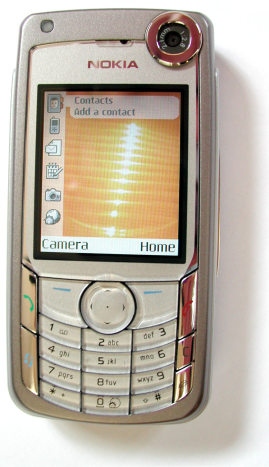 Tired of the same old background and colors on your mobile phone? Not really satisfied by the themes you’ve come across on the net? How about creating your own theme from scratch? It’s not as difficult as it sounds, all you really need is a good theme creator.
 A couple of days ago I had the strangest issue in Microsoft Word. Without apparently having changed anything in the program’s configuration settings, all web links inserted on any document started to appear as something like { HYPERLINK } plus the URL, instead of the typical Word blue link text. This was very uncomfortable, not only because it looked really awkward in the middle of my text, but also because you couldn’t open the links with Ctrl+click or any other keyboard shortcut.
 Remember, remember, the fifth of November. Yes, that’s right, tonight sees the celebration of Guy Fawkes night – an annual festival where the British risk life and limb setting things on fire in order to honour a man who tried to blow-up Parliament years ago. I’m sure the true meaning of Fireworks Night was lost a long time ago, but if you fancy cooing over some pretty explosions and can’t make it out tonight then check out these fine desktop downloads: