 One of the worst jobs I ever had was one where I had to type information from piles of order forms into a computer. After two weeks working there I had to quit because I was going cross-eyed and my fingers had started to wear away. If you have a similarly mind-numbing job or if you have to transfer data from a paper document to your PC for any reason then you don’t have to suffer like I do. You simply need to scan the docs and install an optical character recognition (OCR) software on your PC and the whole task can be done automatically.
As Wikipedia puts it, OCR is the process of “translating images of hand-written or typewritten data into machine-editable text.” In the past, OCR systems were a little crude and unreliable but today’s software is advanced enough to do the job with minimal mistakes.
If you have a printed document you want to transfer to your PC for editing or importing into a database then you may want to plump for Omni Page. It’s one of the most powerful OCR tools out there, boasting precision OCR analysis, advanced layout detection and logical form recognition technology. You can download a free trial of the software, although the full version will set you back a hefty $500. If this is too much for you then you could try a free, no-frills alternative such as Softi FreeOCR, but you’ll have to accept that the recognition is not so accurate.
If you want to import a paper document but don’t have a scanner in your house then give TopOCR a try. The OCR system in this one is specfically designed for digital cameras, allowing you to simply snap a picture of your document and transfer it to your PC. What if the paper-based data you have is handwritten rather than typed? Then you simply install EverNote, which lets you store and quickly scan, store and access handwritten notes and documents.
 So, the Oscars are over for another year, after an action-packed awards show last night. If you didn’t pick up an Academy award this year (and last face it, that’s probably most of us) then don’t worry because there is a way to help you at least pretend that you’re in an Oscar-winning film. I’ve picked out some of my favourites from past winners and come up with ideas of games to play that will help you reinact the action from the movies.
 Although it is true that more and more services are going to be web-based, giving you the benefit of having access to them from any device connected to the Internet, it is also true that users are still fond of double-clicking an icon on their desktop. This is probably because it’s still not very easy to stay online wherever you go (in fact, most areas don’t have free access to the Internet). I have the feeling that people still like working on their computer, with locally installed applications. So, what to do? Step up, Adobe Air….
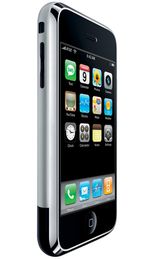 In January 2007 the iPhone was presented in society for the first time. A few months and two firmware updates later, the Apple device has already jumped overseas and European iPhone owners are gradually discovering the little wonders of this excellent piece of technology.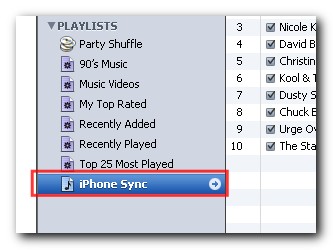

 When a Safari user finds an interesting link that he wants to share with his buddies, what he most likely does is select the ‘Mail Link to this Page’ function in the Safari menu. This normally opens up a new message from the Mac Mail.app and pastes the URL into it. All you have to do is then set a subject and select the email adresses of the people you want to send the URL to.





 Genealogy is an exciting science that can get you really hooked on. Though it sounds complicated at first sight – starting by that long, tricky name – genealogy can in fact become a hobby, that is, if you count with the right tools.
 Just when you thought Vista’s teething problems couldn’t get worse, Microsoft have
  GPS is surely one of the best things to happen to navigation in a long time. For map illiterates like me, the chance to just tap in a few coordinates and let a computer do the hard work is a dream come true. No more getting lost down dark alleys or wondering where the hell the A21 road turned into the A22 road. There are many useful little GPS add-ons that you can run in Windows that utilise GPS technology or extend the capabilities of your GPS device. These range from adding GPS functions to your photo collection to integrating your device with other navigational apps such as Google Earth. Here is a selection of 5 of the best:
 Following hot on the heels of announcing the