Interview: Opera’s Jon von Tetzchner

We have to innovate, we enjoy it, so let’s do it!

With the release of Opera 11, I talked to co-founder Jon Von Tetzchner to find out what makes the company behind this innovative browser tick. Back in 2005, Jon had proclaimed he would swim the Atlantic if Opera 8 got a million downloads in four days, so I asked him where he stood with Opera 11.

Do you have any plans to swim the Atlantic again?

When we had this competition thing, it was about getting one million downloads in four days, and now we have that in a single day! So from that perspective I would probably have to swim back and forth to the states multiple times just to cover that. I think I’ve had my swim, it was cold and it  would be even colder now!

Opera 10 was very innovative, what are the biggest developments in 11?

For Opera 11 we’ve taken a different approach. We’ve looked at what are the most important things for our users. What do they like best that we can improve on? And then we’ve looked at the things people are saying they would like to have.

So, for the first part, speed is important, Opera Turbo is important, and we made a smaller installer. But then we looked at tabs. A typical Opera user has around ten tabs open at any one time, and keeping track of these can become difficult, so a better organization is a benefit and this is why we’ve come up with tab stacking. We did the precursor of tabs back in 1994, with multiple windows inside one window, and we’ve been gradually improving this and I think tab stacking is an important improvement for anyone who has a lot of tabs.

Mouse gestures are a very popular feature in Opera, and we’ve made them easier to use in Opera 11, and more accessible to new users.

Turbo is very popular with people who have slow connections, and we’ve made it more efficient. The most user requested feature we’ve added is extensions. Continue reading “Interview: Opera’s Jon von Tetzchner”


Is Infinity Blade the best iOS game of 2010?

I’m still not really sure to make of Infinity Blade. I’ve been playing Epic’s new game on my iPad for the last few hours and finding it simply breathtaking.  Happily clubbing ruthless ogres, slicing up warlocks, and generally defending my bloodline – all in high definition cinematic amazingness – I was convinced Infinity Blade was my new favorite iOS game of the year.

However, now my adrenaline levels have returned to their usual level and my senses have returned I’m not so sure it is the best game of 2010, the accolade bestowed on Infinity Blade by IGN. After all, I remember thinking exactly the same when I first installed Rage – a game which disappeared off my radar about a day after I installed it, never to be played again.

Infinity Sword

Like Rage before it, Infinity Blade was always going to be a crowd-pleaser. The Unreal 3 game engine delivers a graphical and sonic experience that makes you feel like you’re in a film. And the touch gesture-based fighting system in Infinity Blade is so refined that you actually feel like you’ve done a round with Tyson when you finish each bout.

For a mobile phone game to make you feel like you’re in a film and also make you feel like you’re actually fighting a mean old boxer, it must be pretty good, right? Well yes, but Infinity Blade also manages to disappoint.

Its rail system approach means that there is no open world element to the game. You walk to one monster, beat him up, walk to the next monster, beat him up, walk to the next monster, beat him up, etc. until you eventually get to the God King. Then you beat him up too and it’s all over. It would’ve been much more interesting if you could actually walk around exploring and fight people at random.

So, unless multiplayer is added to Infinity Blade within the next couple of weeks, my vote for iOS game of the year will go elsewhere. But where? Probably the most deserving game is one that has kept me entertained on multiple bus, plane and train journeys throughout the weeks and months.
Continue reading “Is Infinity Blade the best iOS game of 2010?”

Get 12 free gifts from Apple this Christmas (if you’re in Europe)

12 Days of Christmas appApple is playing Santa Claus again this year, issuing a series of free festive gifts via its 12 Days of Christmas app for iPhone – but only in Europe.

The app allows users to download a different free digital treat every day from 26 December – 6 January, directly from their iPad, iPhone or iPod touch. Like all good Christmas presents, the gifts will be a surprise until the day they are released. According to Apple, the goodies will include music, TV shows, ebooks, apps and even a free movie.

Apple seems to be saying “Humbug” to US iPhone owners, unfortunately. Just as it was last year, it looks like the 12 Days of Christmas app will only be available in a selection of European iTunes App Stores, including the UK, Ireland, and Spain.

5 Mac alternatives to MS Office

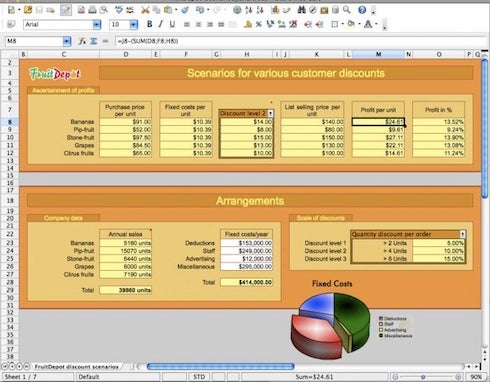
MS Office has been the leading Office suite for as long as I can remember. The problem with it is that it doesn’t come cheap at anything up to almost $500 depending on the version and license you want. In the old days, there wasn’t much you could do but shell-out the cash but nowadays, there are several free or cheap alternatives out there. Here are 5 of the best. Note that they’re all also available on Windows, except NeoOffice and iWork which are Mac only.

OpenOffice

Whenever people ask me what I can recommend as a free alternative to Microsoft Office, I’ll frequently recommend OpenOffice. OpenOffice is a multi-platform and multilingual office suite that is compatible with all other major office suites (meaning it will open and edit Word, Powerpoint documents etc) and best of all, its absolutely free to use.

ThinkFree Office

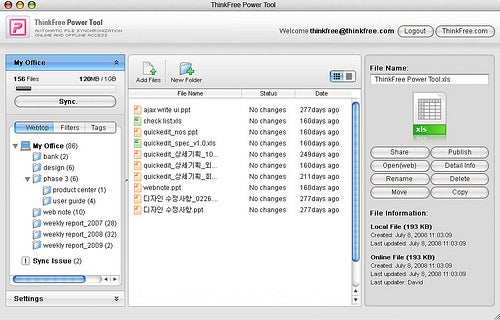
ThinkFree Office looks and feels very similar to MS Office and in some aspects seems to have copied it directly, especially in the way the word processor looks. ThinkFree Office consists of three segments. Write (word processor), Show (presentation tool) and Calc (a spreadsheet tool) and allows you to export to PDF. Unfortunately, despite the name Think Free Office isn’t free but it’s cheaper than MS Office.


Continue reading “5 Mac alternatives to MS Office”

Decorate your PC for Christmas

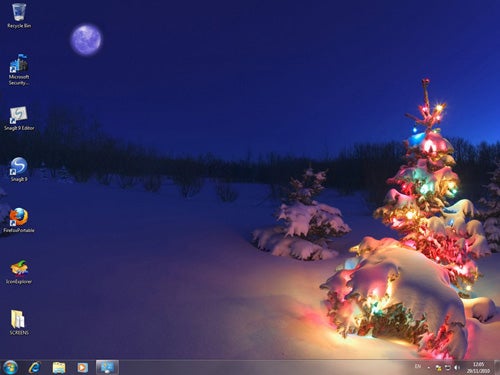
Christmas is just around the corner, which means you’ve probably started decorating your home: a Christmas wreath on your door, the Christmas tree in the living-room, and Santa figures, candles and tinsel all over the house. And what about your PC? Computers are already a very important part of our lives, so they also deserve to be part of the celebration. Take note of these tips and decorate your PC for Christmas in a few easy steps!

Holiday Lights Windows 7 Theme – This is the official Windows 7 theme released by Microsoft to celebrate the Holiday season. It includes 17 gorgeous images and also adds a frosted effect to Windows. Though it doesn’t feature accompanying icons or screensavers, the beauty of the wallpapers makes up for it.

Windows 7 Christmas Theme – Another Windows 7 Christmas theme, though not officially released by Microsoft. This one includes eleven high-quality wallpapers, plus a set of system icons and mouse cursors. All you need to install it is double click the .theme file inside the ZIP.


Continue reading “Decorate your PC for Christmas”

Free Browser Game: Paper Venture

Paper Venture is a cute hand drawn puzzle game where you have to guide a tiny character through one-screen maps full of perils that will stop him. You have a floating platform that you can use to carry the little guy over falls and deadly rotating blades. You can also use the platform as a wall so the walker turns around.

This isn’t the most challenging game, but its charming hand drawn, lined paper style, mixed with an interesting idea make Paper Venture a fun diversion. You’ll need a pretty steady hand at certain points, but the puzzles aren’t difficult to work out.  See if you can guide the little dude to safety for yourself in Paper Venture, over at Newgrounds. Requires Flash.

Create a new fashion look with Polyvore

Do you enjoy shopping but despise dealing with throngs of customers and pushy sales people? Me too. By the time I’ve gathered up enough clothing to want to try on, I’m already wishing I could head home. Especially during the holiday season, shopping can easily become more than a little stressful.

Luckily, for people like us there’s Polyvore. Hundreds of different clothing designers’ products are available at your fingertips on this site. You can mix and match shirts with pants, shoes, purses, and hair accessories. When you’re done, choose an appropriate background for your chosen attire to get an even better idea of how the outfit will look. You can even save your favorite collages on the profile of your Polyvore account. Then others can opt to “like” your collages or leave an appreciative comment if they so choose.

This is great for people who want to avoid the rush of the holiday shopping season or, in the alternative, compare prices between clothing brands. Polyvore even allows you to purchase products directly from their site if you’re comfortable buying without trying on. And, since you can connect to Twitter, Facebook, and Blogger, the ability to share your unique fashion ideas with friends and family is only a quick click away.

Why Google’s Chrome OS will fail

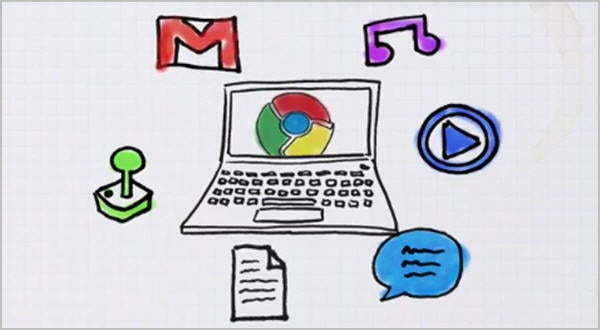
It’s never a good idea to bet against Google, though they’ve certainly made mistakes in the past, but the more I hear about Chrome OS the less I think it will be a success. Here are my three big problems with Chrome OS:

1: Over reliance on Cloud Computing

Firstly, while the growth of cloud computing is undeniable, I think Chrome OS takes it too far. As the Wikileaks controversy has shown us, putting your faith in the cloud can be dangerous if you ever find yourself on the wrong side of government.  Keeping your digital life synced with Chrome OS and Google’s cloud services means you have to trust that they will continue not to be evil.

Cloud computing also requires almost constant connectivity. It seems to me that instead of just relying on your computer, you also then have to rely on your connection and the remote cloud services you use. That’s more stuff to go wrong, which is bad odds. Will users really want to put so much trust in online services?

Can Chrome’s alleged speed and ease really be enough to sell the idea of living totally in the cloud? Current portable devices aren’t seriously hampered by local storage, especially as flash drives are becoming more widespread. Apple’s latest MacBook Airs have shown you can get plenty of local storage in a very light and very sexy package, running a proven full OS. Can Chrome OS really hope to beat that?

2: Antitrust

Currently, getting started with Chrome is a breeze, simply sign in to your Google account and you’re good to go. But as Microsoft found with Internet Explorer; too much integration can lead to charges of being anti-competitive. The European Union is already investigating the search giant for allegedly promoting its own services unfairly. Were Google forced to offer other online services as part of the Chrome OS experience, it would be much messier and perhaps lose much of its simplistic allure.

3: Android

This is the big one: With Android being the chosen OS for lots of tablet computers, is there really much space for this netbook OS? Android is better developed and already popular with consumers. It’s also well integrated into Google’s services, and the gap between using them from a mobile browser and a desktop is rapidly diminishing. What’s the big advantage of Chrome OS over Android? Even some ex-Googlers are predicting Android will kill Chrome OS before it really gets off the ground.

Top iOS Christmas specials

It’s not just the TV listings that are full of Christmas specials this holiday season – the App Store is too! Developers of popular iOS applications and games, such as Angry Birds, Weather HD and Amateur Brain Surgeon are entering into the festive spirit by releasing seasonal versions of their creations. Some come at a price, others simply out of the goodness of their hearts. Aw! Here are some of my favorites.

Angry Birds Seasons

When I wrote about the new Angry Birds advent levels at the start of the month, I was worried that just one new challenge a day wouldn’t satisfy my insatiable cravings for bird flinging. 13 days in, and now I’m wishing the developer, Chillingo, would stop adding more levels for a while, such is the fiendishly difficult nature of the challenges that have been served up so far. Price: 99 cents

Angry Birds Seasons

Weather HD: Christmas Edition

Weather HD is probably the most beautiful way of checking the forecast on your iPad, iPhone or iPod touch. The app displays the current conditions in the form of gorgeous high definition videos. The all-new seasonal videos in this Christmas edition make the chance of snow even more exciting and dramatic. Price: 99 cents

Weather HD Continue reading “Top iOS Christmas specials”

Another disappointing chapter in Monty Python gaming

Monty Python may be one of the best loved comedy names, but they’ve had a pretty turgid time when it comes to video games. From Virgin’s poor 1990 effort for 8 and 16-bit computer systems to Monty Python’s The Meaning of Life, a 1997 PC adventure game that garnered very average reviews, it seems no one has been able to catch the absurd genius in code.

Facebook is the next platform, where Zattikka are creating a social selection of mini-games based on the classic comedy series. The Guardian have a preview of one of these games, Camelot Smashalot, a kind of Flying Circus version of Angry Birds.

And guess what? It’s decidedly average, just dull gameplay with Python samples slapped on top. Of course, this is just a beta test, so there’s probably room for improvement, but I’m not very hopeful: The Ministry of Silly Games is shaping up to be a thoroughly uninspired selection of comedy flash games.

You can sign up for the beta testing here, and play the Guardian’s preview here.