How to: move text in Word 2010 using the Spike

Copy and paste is one of the most-used functions in Microsoft Word. In Word 2010, though, there’s a function called the Spike that can be even more useful for moving text and pictures around a document.

The Spike is an extended clipboard feature of Word 2010. It allows you to remove two or more items from different parts of a document and reinsert them as a group in a new location in the document.

This can be very handy for editing large documents, piecing together research projects, arranging agendas, compiling reports and more.
Continue reading “How to: move text in Word 2010 using the Spike”


Uninstall Windows Live Messenger with Revo Uninstaller

A while back, we showed you how to uninstall Windows Live Messenger 2011. However, if you are are still having problems uninstalling it or finding that components are left behind, there is another solution.

Here is a very simple step-by-step guide about how to completely uninstall Windows Live Messenger 2011 using Revo Uninstaller. Note that this method works for any version of Windows Live Messenger although older versions may not be listed on your system as “Windows Live Essentials”.

Continue reading “Uninstall Windows Live Messenger with Revo Uninstaller”

Microsoft Flight Beta first impressions

Too much input may cause an out-of-control situation!

Microsoft Flight, the latest in the long running simulator series, will be released as a free to play download on February 29. We had an opportunity to play with the closed beta to see what’s changed with this iconic game.

If you sign in with a Windows Live account, you get additional content, but from the off there is plenty to do in  Microsoft Flight. Setting off in an exclusive light aircraft, the Icon A5, you will be given a series missions around the island of Hawaii.

Continue reading “Microsoft Flight Beta first impressions”

Hands on: Chrome Beta for Android 4.0

The desktop version of Chrome is one of my favorite browsers. Considering that I’m entrenched in Google with Google+, Gmail, Google Music, and my Android phone running 2.3.4 (Gingerbread represent!); it’s nice to have everything connected.

On Android devices, depending on the hardware maker, the stock browser is bad. Meaning almost worthless to view anything. My 4G LTE connection doesn’t even help. Third party browsers like Dolphin Browser HD are great alternatives, but even they have loading issues.

Now Google has Chrome in Beta, I’m very interested if the speed of the desktop program can be matched on Android 4.0.

Even in beta, Chrome is almost perfect.

Continue reading “Hands on: Chrome Beta for Android 4.0”

Three ways to control uTorrent remotely

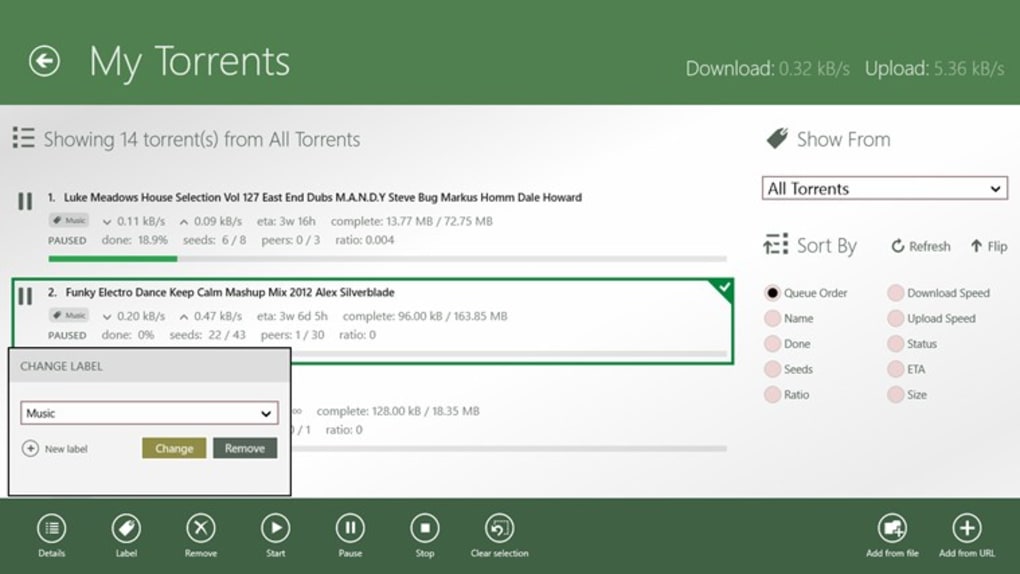
There are three simple ways to check and control uTorrent remotely: two browser-based, and a little Android app that is just as easy to use as the uTorrent desktop client.

First of all, you need to open Preferences in uTorrent, click on ‘Remote‘, then enable remote access. Give your computer a name and associated password and you’re ready to go:

To connect remotely, use one of the following three methods:

Continue reading “Three ways to control uTorrent remotely”

How to fix iOS connection error in Windows 7

Before iOS 5, I had no problems connecting my iPod Touch 3rd Gen or iPad 1 and 2 to my computer. Since iTunes 10.5, it sometimes didn’t recognize my pair of iPads sometimes, they did’t load in Windows 7, or a combination of both.

iTunes Wifi sync only gives you 5GB of storage, so isn’t a good sync solution if you have lots of music or video. I looked through one of Apple’s support pages and found that this didn’t solve the problem. The second support page solution also led to a dead end.

If you have tried Apple’s support pages and iTunes still doesn’t recognize your device, the solution is to run a registry cleaner like CCleaner.

Continue reading “How to fix iOS connection error in Windows 7”

Humble Bundle now on Android

Humble Bundle Inc have released another set of games, but this time also for Android and it’s a typically excellent selection.

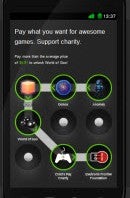
The Humble Bundle is a collection of games where you pay what you want, supporting developers and charities.

This means that you can pay almost anything for the three games that are part of the sale: Osmos, EDGE, and Anomaly Warzone HD are the three games that Humble Bundle is offering.

If you pay more than the average purchase price, you also get World of Goo included, one of the best indie games ever made. Additionally you get the same games on PC, Mac, and Linux as well as the soundtrack to each game.

Continue reading “Humble Bundle now on Android”