Windows 8 is finally here! With it comes a dramatic redesign and new Modern UI, Microsoft joins Apple in creating its own app store for Windows applications. While the core Windows 8 applications are great, you’ll probably want to download some third party applications from the Windows Store.
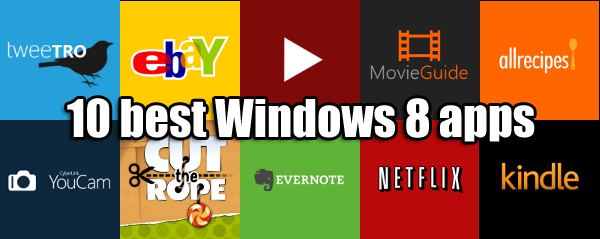
There are games, social networking apps, photography apps and more. To get you started, here’s a list of our 10 best Windows 8 apps that will take advantage of the new operating system.
For additional info about how to get started with Windows 8, including installation, check out our series of Windows 8 guides here.
TWEETRO
 If you’re looking for a solid Twitter app for Windows 8, look no further than Tweetro. Its layout isn’t like a normal Twitter application. It takes full advantage of the wide scrolling of Windows 8 apps. The default screen shows an area to send a tweet, your timeline, an area to browse photographs, and whatever other column you choose to add. Having the ability to just browse photographs is great and the ability to load a link in its own “card” within the app is awesome.
YOUTUBE PLAYER
 Google has yet to release a YouTube app for Windows 8 but there already is a YouTube app in the Windows Store. YouTube Player offers a basic YouTube watching experience. The main screen will show top rated YouTube videos, which can be a bit outdated but you can search for videos within the app. Videos play back smoothly and can be full screened. Unfortunately there’s a lot of mission features like history, favorites, playlists, and comments.
UPDATE: YouTube Player has updated to add YouTube account support. Users can now log in to access subscriptions, playlists, and favorites.
NETFLIX
 Netflix is a great movie and TV streaming service and it’s nice to have an official application made for Windows 8. Its interface has been completely redesigned to be touch friendly and shows tons of information by sliding from left to right. There’s a quick, dedicated search feature that shows thumbnails and descriptions for tv episodes and movies. The entire interface is smooth and works just like you would imagine Netflix to work on a tablet.
KINDLE
 Since Microsoft doesn’t have an ebook store, Amazon is more than happy to fill in this niché with its Kindle app for Windows 8. While there’s no built-in access to the Kindle Store on Amazon.com within the Kindle app, it will take you into the browser where you can purchase books. Other than that, the Kindle app for Windows 8 works great, allowing you to download books from your Kindle library. You can highlight, annotate, look up definitions, and change the reading settings from within the book.
EVERNOTE
 Evernote is a great service that syncs all of your notes and documents between devices. Quickly search through your notes or create new ones to quickly jot down your ideas. Notes are presented as little cards with the title and a few lines visible to help you distinguish between notes. You can sort by notebook or tags. If you have a camera on your Windows 8 device, you can even upload pictures to your notes.
CUT THE ROPE
 Cut the Rope isn’t a new game, but it’s nice to see it on Windows 8. Feed the adorable creature, Nom, candy to progress to the next level. Collect the stars in the level to complete every goal in the level. The game is still extremely fun and the graphics are great. The puzzles in Cut the Rope are challenging enough for both adults and children alike. Cut the Rope is a game that was designed with touch in mind and it works very well on a Windows 8 tablet or touch screen enabled PC.
YOUCAM
 Windows 8 includes its own Camera application but it’s pretty basic. If you’re looking for a camera application with more features, check out YouCam. The app includes a bunch of filters and effects that you can add to your photos. This can help make the photos you take with your tablet or webcam look a bit more unique. The filters are a bit gimmicky but it will serve as a quick application to snap photos and video.
ALLRECIPES
 Tablets and touch screen PCs make great kitchen companions. If you don’t know what to cook for dinner or are just looking for recipe ideas for the ingredients you have, AllRecipes is a great app. While recipes may be text heavy, there are still tons of pictures to guide you through making a dish. You can even browse comments and reviews of specific recipes to help you choose your next meal.
MOVIE GUIDE
 Unfortunately there’s no official IMDB app out for Windows 8 yet but Movie Guide will work as a solid replacement application for the time being. Its interface is well designed with large movie art serving as thumbnails. Tap on a movie and you’ll get information about the cast, plot, and ratings. There are trailers available but they can’t be played full screen. It’s a bit disappointing that Movie Guide didn’t include integration with Rotten Tomatoes. Still, it’s a solid app to look up quick information about movies.
EBAY
 If you like to shop online, eBay’s got you covered with their Windows 8 application. It’s well designed with your watch list, sales, and purchases available from the main screen. The whole interface is minimalistic, giving you the most important information up front. The only downside to the eBay application is that many features take you to the eBay website. Still, eBay is a great app for window shopping.
Do you have an app you love that’s not in this top 10? Let us know in the comments.





 You don’t have to upload photos from




 With the