Apple releases iTunes 11.0.2

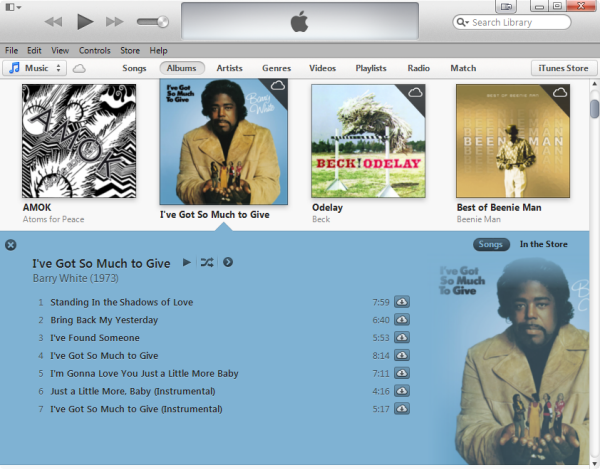
You can now download an update for iTunes 11, which improves the speed of syncing big playlists, and adds a Composers view to your media library.

iTunes 11.0.2 also fixes a problem some people had with purchases not appearing in their library. If you want to view your library by Composer, click Songs, then right click, and you’ll have the option of adding the Composer filter.

iTunes 11 was a welcome refresh for Apple’s media player, with a much cleaner interface and more modern design in general. Some people still believe it’s too resource heavy, but it’s hard to find a better, more complete application for your media library.

Download iTunes for Windows or OS X.

Download the latest Java for Mac update

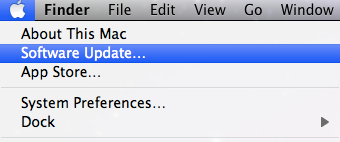
Apple has released an important Java for Mac update after it discovered Chinese hackers have managed to exploit yet another vulnerability in the Java plug-in. The Java update patches the security hole and you can install it by running System Update in OS X.

However, if you’re having problems updating, you can download the updates and install them manually. Remember that there are two versions of Java depending on which version of OS X you are using – one for Snow Leopard and one for those using Lion or above.

Download Java for OS X Snow Leopard 10.6.8

Download Java for OS X Lion 10.7+

If you’re sick and tired of the constant security vulnerabilities with Java for Mac, here are some reasons why maybe you can live without it altogether.

Swiftkey Flow added to updated Android keyboard app

One of the best keyboards for Android, Swiftkey, has been updated to version 4. This major update adds a feature called Swiftkey Flow, similar to Swype, which lets you write by swiping your finger around the keyboard.

Swiftkey was already a contender for the best Android keyboard app, and this new version makes its predictive text powers even greater. It predicts as you type, and even predicts the following word.

Swiftkey supports 54 languages, checks where you may have missed spaces in text, and has a range of color schemes to pick from.

Check out Swiftkey for Android: there’s a free trial version, the full paid app and a tablet version.

evasi0n jailbreak updated to work with iOS 6.1.2

jailbreak-iphoneiPhone users who jailbreak their phones usually have to wait a while before updating to the latest software as Apple usually patches the specific exploit that jailbreaking takes advantage of. Today iPhone jailbreakers can rejoice as the iOS 6.1.2 update that was just released today, can be jailbroken.

The evad3rs, the jailbreak team that’s responsible for the evasi0n jailbreak, have confirmed on Twitter that the latest 1.4 update will indeed jailbreak iOS 6.1.2. Apple rushed out both iOS 6.1.1 and 6.1.2 updates to fix critical bugs and haven’t had the time to patch the jailbreak exploit.

Check out the source link to download the latest version of the evasi0n jailbreak.

Source: evasi0n

Ubuntu for Phones developer preview launching February 21st, will include tablet version [video]

ubuntu iconThis Thursday Canonical will release its first developer preview of its Ubuntu for Phone operating system. Canonical has also confirmed that it will be launching a tablet optimized version of Ubuntu the same day.

The developer preview will work on a limited selection of phones, which includes the Galaxy Nexus, Nexus 4, Nexus 7, and Nexus 10. With this release Canonical hopes to attract developers to its platform to create enough applications for its October 2013 software launch (hardware will launch in Q1 of 2014).

With a tablet optimized version of Ubuntu, Canonical is setting the stage for a complete Ubuntu ecosystem from the TV to tablets. Interface elements of Ubuntu for phones will make its way onto the tablet version as well, but will feature powerful multitasking and a tablet optimized experience. Ubuntu for tablets will be able to run two applications simultaneously by swiping in from the right. This looks strikingly familiar to Windows 8’s “Split View” implementation that allows Modern UI apps to be run in a side bar. Continue reading “Ubuntu for Phones developer preview launching February 21st, will include tablet version “

Apple issues iOS 6.1.2 to fix Microsoft Exchange bug that killed batteries and consumed data

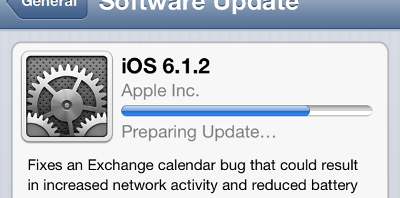
iOS 6 iconApple has been fast and furious with its software updates for iOS the past couple of weeks. Today, Apple released iOS 6.1.2 to patch a critical Microsoft Exchange bug that resulted in increased battery and data consumption. We previously thought iOS 6.1.2 would be released tomorrow but it’s nice to see the update pushed earlier.

The issue was discovered about a week ago so Apple has been proactive about patching their mobile operating system. There’s still no mention in the release notes for iOS 6.1.2 about the lock screen security flaw that allowed a device’s contacts, photos, and dialer to be accessed without a passcode.

To check for the iOS 6.1.2 update, go into your iPhone/iPad/iPod Touch’s Settings app and tap on “Software Update” With any luck, the update has already been downloaded and just needs to be installed. Read on to find direct links to the software. Continue reading “Apple issues iOS 6.1.2 to fix Microsoft Exchange bug that killed batteries and consumed data”

Firefox 19 adds PDF reader

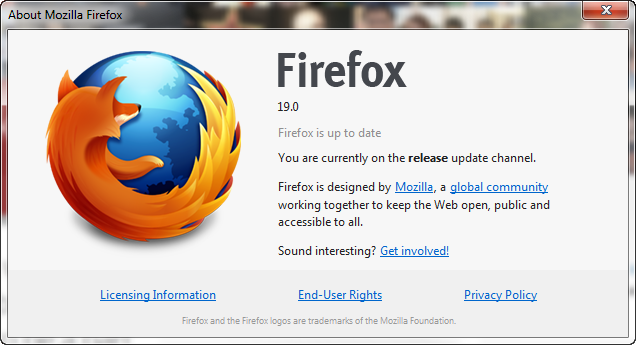
Firefox 19 is released today and will add an integrated PDF reader. Since Mozilla moved to faster iterations of Firefox, like Chrome, we rarely see big changes in updates, so a PDF reader is big news. You can already download it here for Windows and Mac.

From the Firefox beta notes, we can see the biggest changes are the new built-in PDF viewer and some startup performance bugs. First impressions are that startup is faster: Firefox now seems to open almost as quickly as Chrome, which is a great improvement.

iOS 6.1.2 could appear this Wednesday

The next update to Apple’s mobile operating system, iOS 6.1.2 could be rolled out as early as this Wednesday. It should fix both the lock screen security problem, and the Microsoft Exchange connectivity bug.

You can read about the lock screen vulnerability here. It basically means that someone could access your contacts list, call log and dialer, without entering your password. It’s not easy to do, so don’t worry too much about it!

The Microsoft Exchange bug causes synchronization problems for people connected to Exchange accounts. Apple has admitted these bugs exist, and that fixes are coming in a future software update.

German site ifun has cited sources saying we can expect this fix on Wednesday 20th February. Keep an eye on Software Update in General settings, to see when the update is ready.

Skype: “We monitor customer feedback and adjust our product constantly”

Since Microsoft announced that Windows Live Messenger users would have to move to Skype, we’ve been receiving lots of comments from you.

It’s clear that Skype and Messenger share some features, but are also very different. Skype is primarily designed for voice and video calls, whereas Windows Live Messenger works best as a chat app. Even though Skype has some features Messenger doesn’t, it also doesn’t replace all the features of Messenger.

We contacted Skype for comment about your most 5 common complaints. You can read their responses, and our advice below.

Continue reading “Skype: “We monitor customer feedback and adjust our product constantly””

Download videos on Mac with these RealPlayer alternatives

Mac users may have noticed problems when trying to download videos using RealPlayer, a lot of which can be attributed to confusion between RealPlayer Gold and RealPlayer SP. Despite all the confusion, however, RealPlayer downloader for Mac stopped working altogether after numerous incompatible updates to the software and to Mac’s OS X. Fortunately, there are video downloading alternatives for Mac which work much better than RealPlayer to help you download videos. I’ll go through three alternatives below.

MacTubes

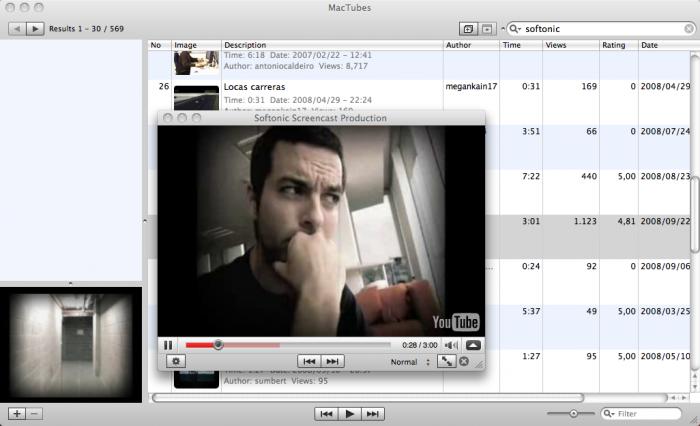
MacTubes lets you download YouTube videos onto your Mac, a function which never worked with RealPlayer downloader. MacTubes downloads YouTube video files directly to your desktop, where you can create playlists based on what you’ve downloaded or what videos you’ve searched.

If you’d rather not download Youtube videos but still want the convenience of watching them from your desktop, MacTubes also functions as a handy YouTube player that lets you create playlists and subscribe to video channels to watch directly from your desktop.
MacX YouTube Download

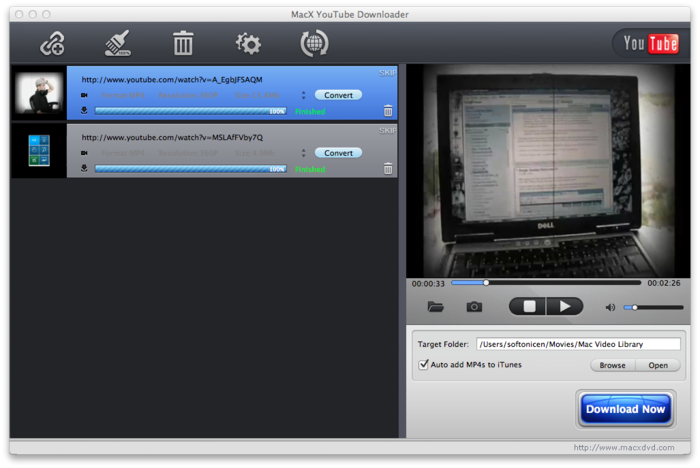
Designed specifically for Macs, MacX YouTube Download works as a separate, YouTube-only browser window. You can download YouTube videos and save them as FLV, MP4, AVI, MP3 or HD  files. All you have to do is search for a video in the browser window and hit the ‘Download Now’ button in the bottom-right hand corner of the screen.

The ‘Preferences’ option in the top-left hand corner of the screen lets you specify where you want to save files, in which format you want to save them (and in HD where possible), and also checks for automatic updates.
Flash Video Downloader

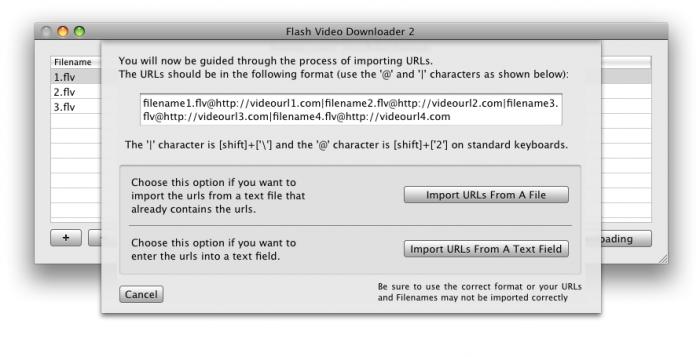
If you plan on downloading a lot of content, Flash Video Downloader is an easy-to-use and powerful tool that downloads videos from almost any Flash streaming site, including those that require a log-in or have video advertisements. The only requirement of using the tool is that the video be set to Autoplay, meaning that the video must be streaming as its being downloaded. This tool is good if you’re really eager to download videos, as the maximum batch download rate is five videos at one time.
Do you use any other software to download videos on your Mac?