Google I/O 2014: Android Auto coming later this year

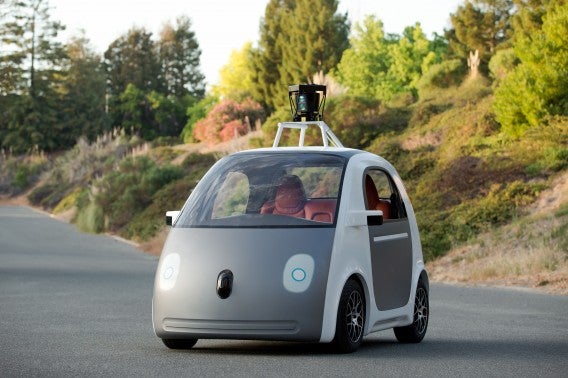
Google’s assault on the auto industry comes in the form of Android Auto. The operating system for the car interfaces with your Android phone and provides a driver-friendly experience with large buttons that are easy to touch. Android Auto can also detect when you’re in a car and will use your Android phone to display a driving interface.

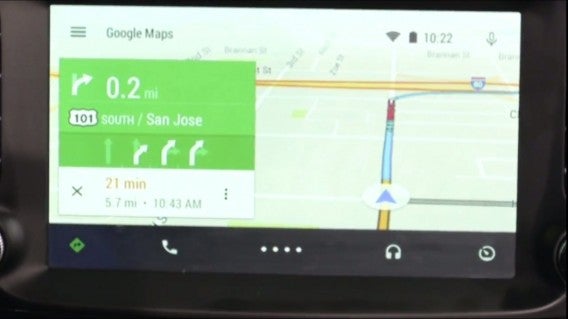
There are options for navigation, calling, and music. Voice controls are supported, and work exactly like they do on your phone. Messages can be read aloud and written so that you don’t have to take your eyes off the road, and the short demo showed off how fluid voice controls are for sending and receiving messages.

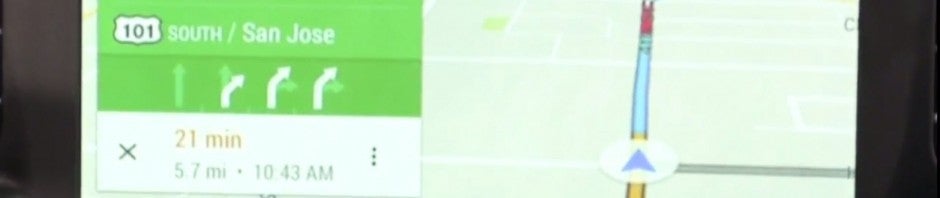
Android Auto nav

Image credit: Google

Android Auto is basically like using your Android phone in the car with a driver-friendly interface. The most important driving features are brought forward and redesigned for quick glancing and touching, and the interface is consistent with what we saw with Android L. Since Google basically knows everything about you, Google Now can pull up travel times and can quickly pull up navigation directions to your home or work.

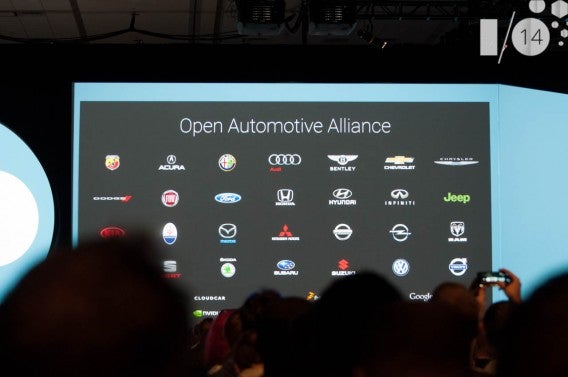
Open Automotive Alliance

Over 40 car manufacturers have already signed up to be part of the Open Automotive Alliance. There will be cars rolling off the dealership lot with Android Auto later this year.

Google is releasing a software development kit for developers today so that they can start making apps. We didn’t see Google demo any third-party apps like Pandora or Spotify in the car, but you can be sure they’ll be included in Android Auto.

Android Auto will debut with Android L later this year.

MORE NEWS FROM GOOGLE I/O:

Google I/O 2014: Android Wear is Google’s smartwatch, now available to order

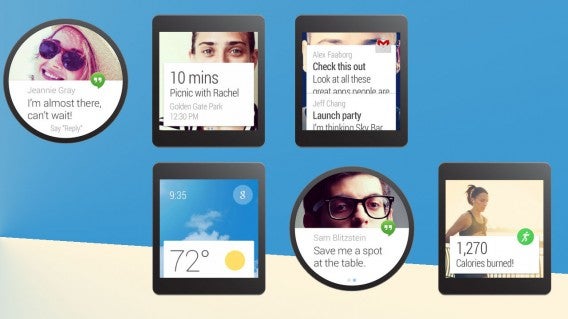
Google finally showed off its Android Wear smartwatch operating system at Google I/O 2014. Notifications are the centerpiece of the operating system, allowing users to quickly interact without taking out their phone.

The interface supports round and square faces, and looks beautiful on both screen types. We got to see music controls on Android wear, which supports swipe gestures and voice controls.

Android Wear Softonic

Android Wear’s interface resembles a stack of cards that you can swipe between. If you’ve used Google Now, it looks extremely similar. Notifications are placed above dynamic backgrounds, which change according to what the app can do. For example, a notification for an event can show a map in the background, which can expand when tapped on.

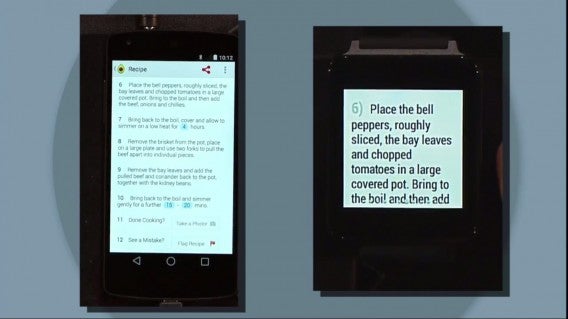
Android will play a crucial part with Android Wear. To install apps on Android Wear, all you have to do is install the app on your phone. Your phone can then interface with your Android Wear smartwatch to automatically push notifications to you or to offer actions you can perform on your wrist.

Android Wear phone and watch

Image credit: Google

And of course, fitness will play a huge part in Android Wear, taking on fitness trackers like Fitbit and Jawbone UP.

The first Android Wear smartwatches will be available to order later today in the Google Play Store.

MORE NEWS FROM GOOGLE I/O:

Google I/O 2014: Google teases the next version of Android

While we won’t be seeing a new version of Android just yet, Google teased the upcoming operating system at Google I/O 2014.

In addition to the major Android redesign, Android “L” will focus on polishing the operating system. There’s a new, faster runtime environment called ART, which will make apps work more fluidly and preserve your battery.

Notifications are getting a major overhaul as well. With Android L, you will be able to interact with notifications from the lock screen. Double tap the notification to jump to the app or swipe it away. Notifications in Android L are smart too; it’ll learn how you use your phone and will offer notifications in order of highest importance, a type of prioritization we’ve already seen with Google’s priority inbox for Gmail.

In-app notifications have been tweaked as well, and now allow you to reply or dismiss a notification easily.

Android L

Android L will also get updated security. The operating system can detect when your Android Wear watch is close and will unlock your phone automatically without needing to enter a pin. If the watch gets too far away, Android L will prompt the user for a password. Google is extending this security feature to its Chromebooks as well.

Google is also taking battery life serious with Project Volta. Developers will have a new battery tracking tool to see exactly what a device is doing with battery power. It’ll be much more advanced than the battery tracker currently in Android. The battery saver mode will turn off non-essential services to squeeze some more life out of your battery, something we’ve seen phone makers like Samsung implement into their handsets already.

No word about when we can expect to see Android L just yet.

Header image source: Google

MORE NEWS FROM GOOGLE I/O:

Google I/O 2014: Google rethinks Android design

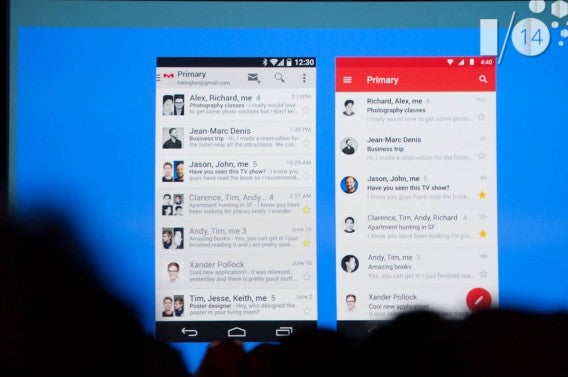
Android is getting a makeover. The company calls it “Material Design,” a new guideline for developers to create apps with. The redesign will debut with the upcoming version of Android, currently named “Android L.”

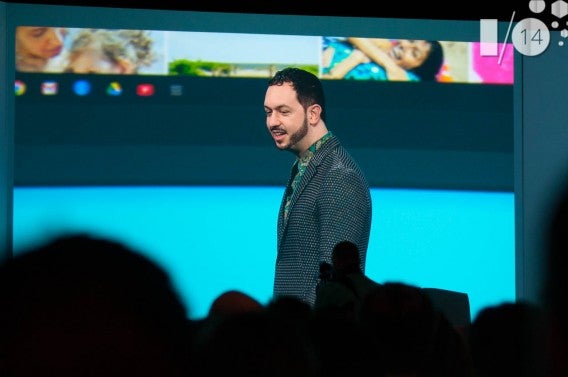
Matias Duarte

There are new grids, unified animations, and depth to make the Android interface feel more fluid. One of the biggest benefits of Material Design is that user experience will be the same across all devices.

“We wanted one consistent vision for mobile, desktop, and beyond, something clear and simple that people would intuitively understand,” said Google vice president of design Matias Duarte.

Material Design isn’t just coming to Android, but to the web as well. Using a library of prewritten software called Polymer, developers can easily create web interfaces that incorporate Material Design. This means web apps will be more powerful than ever, and will act and feel like native applications on Android.

MORE NEWS FROM GOOGLE I/O:

Google I/O 2014: Android One, a mobile operating system for emerging markets

Google revealed its new Android One operating system today at its Google I/O developer conference. Google already has 1 billion active Android users around the world, but there are still 5 billion other people in emerging markets that don’t have smartphones yet.

Android One will be stock Android, like you would find on Google’s Nexus line of devices. The operating system also allows carriers to push recommended apps to users. The operating system will also auto-update.

Android One will act as the reference operating system for emerging markets. Google is launching its own Android One smartphone, which will cost less than $100.

Image credit: Google

MORE NEWS FROM GOOGLE I/O:

Preview: Hands-on with Konami’s PES 2015

Every year, people ask the same question: PES or FIFAAfter playing this year’s magnificent title from EA, I was also able to preview Konami’s PES 2015 at E3.

In recent years, the world’s been waiting for PES to once again reach a competitive level on par with FIFA. This year, Konami promised to revolutionize the game after the disappointment of PES 2014, when, due to the changes in the new Fox graphics engine, they weren’t even able to introduce rain or snow.

The president of the European division of Pro Evolution Soccer, Shinji Hirano, said to MCV in February that “2014 was a year of transition for the franchise, but we know what went wrong, and we’re working on it. The next version will be totally different, so expect great things.”

PES 2015 Stadium

At E3 in Los Angeles, I was able to try out PES 2015 to see if his statement was correct. Walking into the Konami room, I played two games from the new title, set to be released in September. So, how does it compare to previous versions, and more importantly, to FIFA?

Freedom of movement and accuracy

There were two teams in the demo: Juventus and Bayern. Unable to stray my loyalties from my own soccer team from Turin, I challenged a Konami PR guy playing Bayern. It took a few runs and crosses before I was able to get a first impressions of the game, but it became clear during the second half and the second game.

From the beginning, and mindful of the old Pro Evolution Soccer, I immediately noticed greater freedom of movement with fewer rigid movements and less pre-defined, straight line running. To summarize, the classic PES problems of running trajectories, which already seemed to be partially solved in the 2014 version, seem to have finally disappeared.

The players appeared looser, and their movements more natural, keeping with the quality of the players. During a particularly crazy moment in the Juventus half of the field, for example, I ran a one-two between Kroos and Robben to put the Dutch footballer on his own, right in the penalty area.

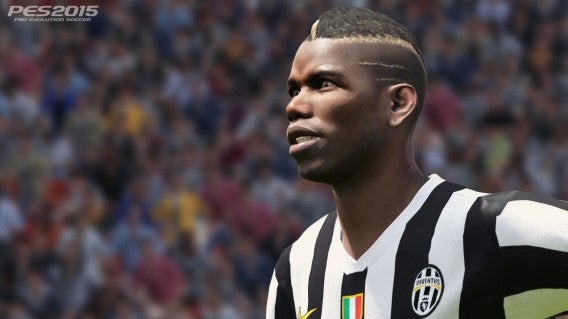
PES2015 Juventis PogbaJuventus’ Pogba

I dropped back slightly, and typical of a player who prefers to kick with his left foot instead of his right, Robben hit the ball with his outstep. The curve of the pass found Ribery who, just a few steps away from the goalkeeper, hammered the goal home.

The response to commands was accurate and timely, although I didn’t experiment with any crazy tricks with the ball. In this regard, expect major improvements over the previous year’s offering.

My first impression of PES 2015 is more room for the unpredictability that’s typical of football, a feeling that I got after just a few bounces of the ball, which appeared much less predetermined (although they sometimes took somewhat exaggerated trajectories).

Atmosphere, celebrations and replays

If there’s one aspect in which Pro Evolution Soccer has always managed to outpace FIFA, it’s the ability to reproduce the atmosphere of the game on your home screen, whether on PC or console.

In PES 2015, that feeling has improved even more. The team’s entry onto the field and the cheers from the bleachers immediately convey the feeling of the beautiful game, mainly due to better definition of the audience in the stands, and not only during cut-scenes, but during play too.

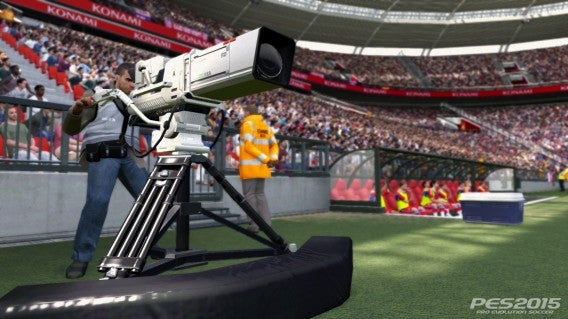
What impressed me most, however, was the celebration scenes. After putting the ball in the back of the net, Ribery ran towards the camera situated on the sideline, grabbed it with both hands, and started to shout into it directly, just like any soccer player basking in the glory of a goal would.

PES2015 Stadium CameraEven the stadium cameras show crazy detail

The details of the player’s face were faithfully reproduced in a very realistic way as well, a sign that the Fox engine is finally as good as it’s supposed to be. Even the replays in PES 2015 were convincing, with many shots from different angles.

On the right track

The PR guy that I challenged told me that PES 2015 is much more precise and defined than the previous edition, and although I didn’t see the menu that lets you change weather in the demo, he assured me that in the final version, we’ll see rain and snow.

There are still some aspects that need flushing out, like the way the ball bounces, as well as the problem of some trajectories being rather unnatural, although it’s important to point out that the fluidity of the movements of the ball on the field have definitely improved. Likewise, the “bowling ball” effect seems to have disappeared too.

The AI for teammates could also be improved. At times, it felt like I was left completely alone against opponents, since there doesn’t seem to be any space to include them. In this respect, FIFA is definitely ahead.

PES2015 LlorenteJuventus’ Llorente

The PES 2015 I’ve seen and played, however, is not the final game, and it could change considerably before its release, even if it is already at a very advanced stage of development.

Although some aspects could be improved, Konami appears to be on the right track with its new soccer game, thanks to a greater fluidity of gameplay, command response, and the power of the Fox graphics engine.

Faced with few improvements from the gameplay perspective (in comparison with FIFA 15), it’s on a more level playing field with FIFA, even if it’s not quite at the same standard yet.

To really determine who will win between PES 2015 and FIFA 15, all we can do is wait for the release of both games at the end of September.

If you want to see how FIFA 15 stacks up, check out our preview from E3.

What to expect at Google I/O 2014

Google’s annual developer conference, Google I/O, will take place tomorrow in San Francisco at 9:00 AM PDT. The conference will show off Google’s upcoming products and the tools developers need to create apps for its ecosystem.

This year’s Google I/O should be exciting with Google’s announcement of Android Wear, the company’s smartwatch platform.

Google will have a ton of announcements tomorrow but here are the most important ones to look out for.

Android Wear

Android Wear

Google announced Android Wear, it’s smartwatch platform, back in March of this year. Motorola and LG confirmed they will be making Android smartwatches and it’s likely Google will show them off during Google I/O.

Android Wear is a completely different take on wearable technology than Google Glass, which hasn’t really taken off. While Glass raised privacy concerns, Wear is more innocuous. Wear will serve up notifications and allow you to interact with them without reaching into your pocket or purse for your phone.

android-wear-header-002

Google Now will be an integral part of Wear, letting you use voice to perform actions. We’ve seen some screenshots of what the Wear interface will be like but we haven’t seen them being used in a live demo. Expect to see a lot about Android Wear tomorrow.

New version of Android?

A new version of Android is definitely coming but it remains to be seen whether it’ll be a dramatic update or something more subtle. Google has worked hard to separate its apps from the operating system, allowing more users to get the latest features without waiting for a system update.

With the introduction of Google Play Services, Google can now push updates to phones without waiting for mobile carriers to roll out operating system updates. With this ability, Google can offer major updates and new features without having to release a new version of Android.

However, there are rumors that Google is working on a complete redesign of Android called “Project Quantum.” “We need to stop thinking of ‘mobile’ as a distinct category,” said Matias Duarte, head of Android UX during an interview at the Accel Design Conference.

Gmail for Android leaked update header

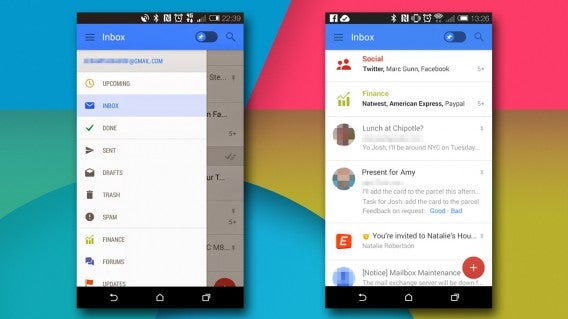
We’ve already seen leaked images of a new version of Gmail for Android and on the web that provides a unified experience.

Expect Google to focus on a unified design across all its platforms.

Google Play Fitness

With Android Wear on the way, you’d better bet Google is going to be integrating fitness into its wearables. However, Google doesn’t have a fitness hub like Apple’s Health app. That’s where Google Play Fitness comes in.

The app will allow developers to interface with, creating a hub for fitness data. You can bet Google Play Fitness will support third-party wearables like the Fitbit and Nike FuelBand.

For more on wearable apps, check out our comparison of popular health and fitness apps.

Android TV

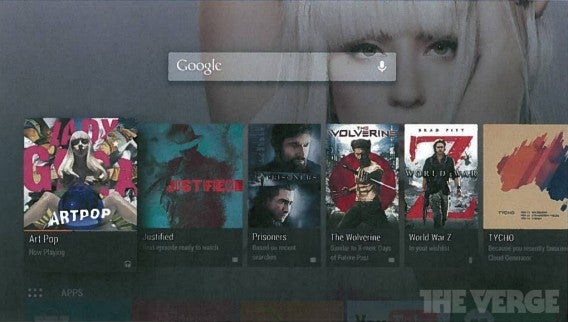
Android TV via The VergeImage credit: The Verge

Google had a smash-hit with its $35 Chromecast media streaming stick so why is it creating Android TV? While Chromecast is great for using quickly beaming content to your TV, it doesn’t have an interface for controlling media on the TV. Android TV will offer a more complete experience.

Android TV will be similar to Apple TV and other set-top boxes, integrating apps and games. This platform will also allow Google to sell you more content via its Google Play Store.

Google gave TV a shot with Google TV, but the product flopped because it was too complicated, expensive, and failed to attract developers. Android TV will be Google’s second chance at taking over your living room.

Android in the car

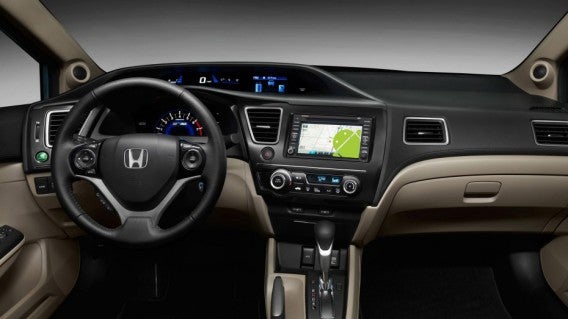
Android in the car

Google announced the Open Automotive Alliance earlier this year, which brought on partners like Audi, GM, Honda, and Hyundai. Android in the car will take on Apple’s CarPlay for controlling your car’s features. While Apple already showed off how CarPlay will work, we haven’t seen anything from Google yet.

Expect to see Google demo how Android will work in your car to control everything from your air conditioning to music.

Home automation

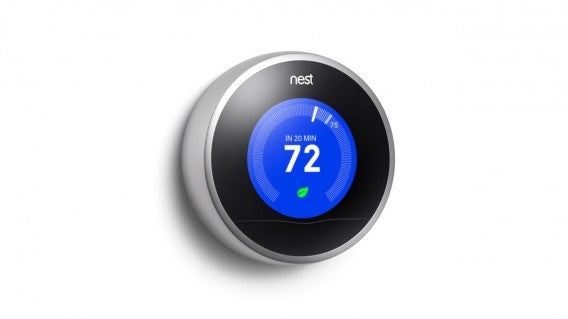
Nest thermostat

Google announced its Android@Home home automation group back in 2011 but we haven’t heard of it since. With its purchase of Nest and Dropcam, Google may finally be ready to take home automation seriously.

Nest allows users to control and monitor their home’s heating and cooling, while Dropcam offers a subscription based video security service. Google will likely announce a development platform for third-party developers to create hardware for.

Google Glass

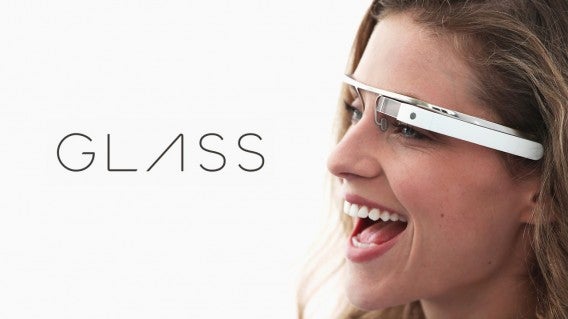
Google Glass header

Google Glass launched in February 2013 and hasn’t changed much since then. You can now get prescription and designer frames but the hardware itself has only seen one reiteration in over two years. (UPDATE: Google announced a refreshed version of Glass today, making it the second hardware revision in two years.)

Google made Glass available for everyone in the US to buy, but $1,500 is tough to swallow for an experimental product. Now with Android Wear on the horizon, is there a need for Glass? Both products share a lot of overlapping features but I’m almost certain Android wear will be many times less expensive.

We’ll see how Google differentiates the two products.

Crazy experiments and more

Google self-driving car

Google isn’t afraid to experiment and we’ll  likely see some new and crazy things from the company at I/O. Google’s self-driving cars have been in development for many years so we should be seeing a consumer version soon. Maybe not at Google I/O but soon.

Google also purchased the robotics company, Boston Dynamics, but we have no idea what it’s going to do with it. I don’t expect Google to announce any crazy robots tomorrow but we should be seeing more more wacky experiments from Google in the near future.

Google loves to surprise us (see Google I/O 2012’s sky divers) and the company may have some tricks up its sleeve for tomorrow.

Google I/O 2014 begins tomorrow, June 25th at 9AM PDT. Follow us on Twitter @Softonic_EN for live updates from the event.

Follow Lewis on Twitter @lewisleong

Comparison: Health & fitness apps for your smartphone

There are apps out there to count your steps, the number of calories you eat, and the hours you sleep. These apps are meant to help you take care of your health, something important to everyone, and what better way to help measure and monitor your health than something you carry around with you everywhere?

Your smartphone is almost always with you, complete with sensors, and connected to the internet at all hours, making it great to monitor your health. More companies are launching applications designed to improve and maintain your physical health, understood as a combination of physical activity, vital signs, and diet. I’ve selected the best health and fitness apps for mobile phones, comparing their functions so that you can choose the best one for you.

The best apps for health and fitness

There are tens of thousands of apps dedicated to health and physical exercise (over 30,000 for Android alone). Most are devoted to specific aspects of health, such as counting your steps, weight, or following a diet. I won’t include these in this comparison. Instead, following criteria based on quality and popularity, I chose four apps that record physical health as a whole, without focusing on a single aspect. Some are associated with a specific device, but almost all support manual data entry from your smartphone:

Sports and other physical activities

Monitoring physical activity is the biggest feature of most health apps. It’s a feature in almost all of them, but the process used to record data can vary.

FitBit counts steps taken, uploading data to various devices, and from there, calculating the intensity of the activity carried out, distance, and calories, although without using GPS. Other exercises like cycling or lifting weights can be entered manually. The catalog is huge, and it includes more miscellaneous actions, like mowing the lawn or traveling by bus.
Noom records physical activity using the sensors on your phone, GPS, and, if available, a Bluetooth heart rate monitor. It calculates distance, calories, and speed. The exercise interface isn’t as sophisticated as the other apps, but information is integrated with food intake (just like FitBit) to give you a picture of your calorie usage.

Apple Health can record all activities, but being a data aggregator, it lacks its own database. The data (distance, calories, and steps) can be entered manually, although you have to enter them through one of the many existing exercise apps like RunKeeper or Moves. It’s also compatible with a wide range of devices.

Bing Health & Fitness records activity using the phone’s sensors, although the type of activity is limited to 20 choices. You can track pace, speed, calorie consumption, and movement on a map, with a geographical history similar to apps you might use to measure a run. A unique feature is the panel which allows you to see the split times per mile.

Verdict: FitBit wins for the ease with which it allows you to record your physical activity, as well as its great catalog of activities. On the other hand, it doesn’t let you record runs.

Food, calories and hydration

The second major section of health and fitness is food: logging meals, getting nutritional advice, and noting the amount of water you’re drinking are staples in this category.

FitBit lets you enter food into its comprehensive database, which includes many ready made meals and fast food chains. Entering food is simple, and there’s also a favorites menu, but there are no details on the ingredients of each type of food. It can also record the water you drank over the course of a day.
Noom has a huge catalog of food that’s separated into three groups: light, medium, and heavy (and without calories). Noting each meal -including water – is fast, and the database is extensive, with foods from around the world; if one doesn’t exist, you can add it. You can also scan the barcode of some package to identify foods.

Apple Health has a complete menu in which different daily values can be noted down, including fat, carbohydrates, cholesterol, sodium, fiber, vitamins, and water. The data entry can be manual, but it’s clear that the system is intended to be used with other nutrition apps acting as catalogs.

Bing Health & Fitness uses a similar system to Noom, with food separated into times of the day. The database is available in many languages ​​and is pretty extensive. Unlike Noom, Bing Health & Fitness defines the amount of fat, protein, and carbohydrates for each food, but it’s a less intuitive system.

Verdict: It’s a tie between Noom and Bing; while Noom uses a more intuitive classification, the Bing Health & Fitness database seems more complete.
Sleep and other physiological indicators

Your health depends on more than just exercise and diet; quality of sleep is also a very important factor.  At the same time, other indicators, such as blood pressure or respiratory rate, can say a lot about your health.

FitBit records your sleep through hardware, but also allows you to manually make a note of the hours you sleep. If you’re using the hardware, FitBit can determine the quality of sleep from detected movements (your movements throughout the night). Heart rate, blood glucose, and blood pressure are entered from the website.

Apple Health also tracks sleep, along with many other physiological indicators (including analytic blood pressure and respiratory rate), but it can only be done by hand, or from data from other sensors.

Bing Health & Fitness and Noom, on the other hand, have no such function.

Verdict: FitBit wins this category because of how easy it is to record your sleep through its combination of hardware and software, and the possibility of keeping track of your blood pressure, heart rate and glucose.

Monitoring objectives and motivation

People tend to exercise to keep fit or lose weight. An exercise app should facilitate the identification of targets and monitoring through reminders and graphs.

FitBit defines targets for each indicator, like steps, calories burned, weight, or body fat. It’s easy to read and is intuitive, and badges are awarded whenever goals are exceeded. Moreover, the great advantage is the hardware, and its premium features help you keep on top of your goals and take accurate measurements.

Noom tries its best to track target goals. It gives you reminders to enter data for food, weight, and exercise, and has a system of “levels” with dots indicating your personal progress. The graphics are easy to read, but they’re not always obvious.

Apple Health is limited to displaying graphics (although very nice ones) in the main panel, but it doesn’t give you reminders or objectives, leaving the task to the wearable devices and other health apps. Although Apple Health collects data from various sources, the lack of an incentive system and goals is disappointing.

Bing Health & Fitness has graphics to let you check your intake, calorie consumption, and exercise, but they’re less comprehensive than those from Noom or FitBit. The version for Windows 8 is the most convenient to check, and only FitBit offers something better through its web interface.

Verdict: FitBit wins with its unique possibilities offered by the union of specialized hardware and software. The system of badges and quality graphics give it the top spot.

Let’s not forget your medical records & emergency contacts

Your phone can save your life: if you store medical records on it, physicians can access it to know what diseases you suffer from and what medications you might be taking.

Apple Health is an app that’s designed to collect data on all types of health issues, without making interpretations or giving advice (Apple states that that’s up to doctors). In its Medical ID section, you can enter diseases, medications, allergies, and other issues of interest. You can also add an emergency contact.

Bing Health & Fitness connects with HealthVault, Microsoft’s equivalent to Apple Health. It can’t create a full-fledged medical record on the app, but Bing Health & Fitness synchronizes its data with your HealthVault account, which is accessible from the web browser. HealthVault is great, but your data isn’t actually on the app.

Noom and FitBit are excluded because it doesn’t let you enter medical or physiological information of any kind: the focus is on solely exercise and diet.

Verdict: Apple Health wins for the quality and usefulness of the Medical ID card, which, privacy considerations aside, might just become a new standard.

Informative articles and tips

Not everything is about data. To look after your health, education is also important. Articles, recipes, diets, and exercise routines inform and motivate you to keep fit and stick with your goals.

Noom provides articles on nutrition and wellness, and the Pro version also gives recipes, along with questionnaires and small challenges, which aim to educate you on specific aspects of diet and exercise. The Pro version also receives newsletters regularly.

Bing Health & Fitness shows you articles and news from reputable magazines and newspapers about food, sport, and health, and has a large database of exercises. It even has videos with nutritional tips. Your symptoms checker can also help if you’re experiencing unexplained pain.

Again, Apple Health and FitBit don’t show this type of content, so they’re excluded.

Verdict: Bing Health & Fitness wins for the impressive amount of useful content in multiple languages, as well as its superb medical symptoms checker.

Socializing and support groups

FitBit attaches great importance to the social aspect, and from both the web and the app, you can follow your friends and send messages of encouragement. You can also share your achievements on social networks.

Noom has a great social aspect through the groups, a unique feature of the Pro version. Groups are mini-forums of people who share goals and physical characteristics, letting participants encourage each other and share their achievements and discoveries.

Apple Health and Bing Health & Fitness don’t offer anything remarkable in this section.

Verdict: Noom wins for its help and support groups, a well thought out and very well produced feature which is absent from most other industry applications.

Compatibility with apps and devices

FitBit is compatible with many apps. The hardware (FitBit One, FitBit Aria, etc.) is excellent, but for obvious reasons, it doesn’t support third-party devices.
Noom supports Bluetooth heart rate monitors, but uses the phone as the main source of data. Bing Health & Fitness, on the other hand, doesn’t connect to other sensors or apps.

Apple Health aims to be the center of information on health and wellness for the iPhone, and therefore has a communication standard (HealthKit) which all sensor manufacturers and app authors can use to submit theirdata.

Verdict: Apple Health wins for their potential compatibility with all devices and applications available for the iPhone.

And the winner is…FitBit
fitbit

The number of apps that can help you live a healthier life is overwhelming, and as you can see, there are many  ifferent approaches: while some opt to collect information from many sources (Apple Health), others prefer to use their own hardware (FitBit) or the same phone (Noom, Bing).

For its quality, the fact that it can be used for free, and the advantages of connecting with its own hardware and other apps, FitBit is the winner in this comparison, followed closely by Noom, which is ideal for those who only want to use the phone sensor. Bing takes third place as the best option for Windows Phone users.

If you want to know more about fitness apps or activity trackers, check out our article Fitness apps and location tracking: risk or reward?
Chinese developers release untethered iOS 7.1.X jailbreak to much controversy

A Chinese iOS development team named PanGu has released an untethered jailbreak for iOS 7.1.X devices but to much controversy.

The PanGu Team appears to be using an exploit that was disclosed to them during an iOS security training session given by Stefan Esser, also known as i0n1c in the jailbreak community. PanGu even acknowledges Esser’s help within the PanGu jailbreak tool. Esser took to Twitter to let everyone know he’s “in no way okay” with PanGu using the exploit he discovered.

Many iOS developers caution using the PanGu exploit as the Chinese developers are relatively unknown. Reknown iOS hacker, iH8sn0w, audited the PanGu code and found no “spyware” or “malicious trails.”

The PanGu tool is entirely in Chinese, making it difficult to use for non-Chinese speakers. However, there are plenty of sites detailing how to use the tool. Just do a quick Google search for a guide.

As usual with these jailbreak tools, proceed with caution and know that you void your phone or tablet’s warranty. PanGu also includes an option to install a pirate app store by default, making it even more questionable.

The PanGu jailbreak tool is available for Windows only, although the developers claim they’re working on a Mac version. Check out the source link if you want to give PanGu a try.

Source: PanGu.io

Via: 9to5Mac

Follow Lewis on Twitter @lewisleong

RELATED STORIES

Yahoo’s Aviate smart-launcher leaves beta with new interface and communication features

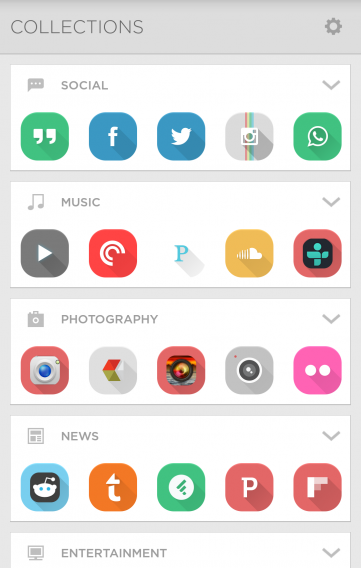
After months of beta testing, Yahoo’s Aviate smart-launcher is finally ready for prime time. Aviate learns how you use your phone and recommends apps based on your location and the time of day.

For example, Aviate will suggest news apps in the morning to get you caught up with the day’s headlines. The update also brings news summaries courtesy of Yahoo’s award-winning News Digest app. At night, Aviate may recommend the Kindle app for some reading before bed. It will learn how you use your phone and will update its recommendations. You can also add your own apps to speed up the process.

Default player


brightcove.createExperiences();

Aviate also gives you transit times, directions to your next meeting, and detailed information about nearby points of interest.

Today’s update features a slight redesign and quick access to communication apps. Swipe up from the bottom of the home screen to bring up a list of your favorite contacts to quickly call or text.

The launcher also supports icon packs so you can customize its looks a little. Although it doesn’t offer as many customization features as other launchers, Aviate does help you get things done faster.

Aviate icon pack

The Aviate update should be rolling out today, but some users are still seeing the old version, which requires a invite code. Check the download link below to see if you have access to the update.

Download Aviate for Android

Source: Aviate

Via: The Verge

Follow Lewis on Twitter @lewisleong

RELATED STORIES