Pro Evolution Soccer goes next gen

Konami released a trailer for Pro Evolution Soccer 2015, taking the popular soccer game to next gen consoles and PC.

The trailer is short, only showing a clip of gameplay. What we do see is vastly improved graphics, AI and more realistic physics.

The game will be available this fall for PlayStation 3/4, Xbox 360/One, and Windows PC. Be sure to check out our hands-on preview of PES 2015.

Default player


brightcove.createExperiences();

Follow Lewis on Twitter @lewisleong

RELATED STORIES

There’s a Legend of Korra game and we have a hands-on preview

Fans of The Legend of Korra animated series will be happy to know that Osaka-based PlatinumGames is developing a Korra video game. Known for fast-paced action games like Metal Gear Rising and Bayonetta, PlatinumGames is the perfect developer to create this game.

I got a chance to play an early alpha build of the game, and I can already tell you it’s going to be awesome. The creators of the Avatar series are extremely protective of their IP so it’s nice to hear that Platinum is working closely with them.

Default player


brightcove.createExperiences();

The game takes place immediately after the events of Book 2 of the animated series. Don’t worry, there aren’t any spoilers for the upcoming season of the show. In fact, the show will debut before this game. The Legend of Korra game is meant to be supplemental, not crucial, to the story.

Without giving too much away, Korra finds herself confronting a new villain after her bending is taken away by Chi blockers. You’ll have to progress through the game to regain your bending and to find out more about the mysterious crime organization in Republic City.

It’s interesting to see how Avatar creators have a unified story throughout each medium. There are comics, shows, and now a game, and they all share a consistent lore.

Legend of Korra mecha tank

While The Legend of Korra is big in the United States, it is relatively unknown in Japan. This meant Platinum had to do a ton of research before beginning development. They quickly fell in love with the game for its deep story and beautifully crafted universe.

I saw just how passionate Platinum is about creating this game, speaking with Atsushi Kurooka, a producer on the game.

“We wanted to make sure to stay faithful to the TV show but to also bring our own style of combat to the game. We wanted to make sure we didn’t disappoint [Korra] fans,” said Kurooka.

I’m a huge fan of the series and what I saw did not disappoint. The original voice cast returns for this game and the excellent soundtrack by Jeremy Zuckerman and Benjamin Wynn is lifted right from the show.

One of the most impressive things about The Legend of Korra game is its fluid combat. As the Avatar, Korra can bend all four elements: Air, Earth, Fire, and Water. Each element focuses around a different martial arts style, which is shown in the game.

Legend of Korra pro bending

Each bending style is useful for different situations. For example. Fire bending allows you to perform lightning quick moves while Earth bending is slow but powerful. You’ll have to figure out which type of bending to use against various enemies. You can switch bending styles quickly with the left and right shoulder buttons.

Animations are smooth and you can pull off ridiculously long combos like you can in Metal Gear Rising. Platinum went to great lengths to make sure the game runs at 60 frames per second. As a result, everything looks buttery smooth.

Art in the game is a mix of cel shading and hand-drawn art. Characters in the game are cel shaded while the backgrounds and level textures are hand-drawn. The early build I saw was missing some textures but the ones I did see were gorgeous.

Legend of Korra game Naga

Enemies in the game are a bit repetitive but Platinum makes sure to mix it up with some boss fights. In the demo, I got to fight against a Mecha Tank, which fans were introduced to in Book 1 of the show.

So is there anything bad about the game? Well for one, the game will be short. Expect about four hours of gameplay, though Platinum is also including a Pro-Bending mode. You can also replay the game to try and find all the items.

The Legend of Korra game will be released sometime this fall for $15. You will be able to download it for PlayStation 3, PlayStation 4, Xbox 360, Xbox One, and PC. There will also be a Nintendo 3DS version of the game as well, according to Destructoid.

Google is expanding platforms with Android L

Being at the Google I/O 2014 keynote was a surreal experience. Google had a livestream on YouTube but sitting in the audience and seeing demos live was an electric feeling.

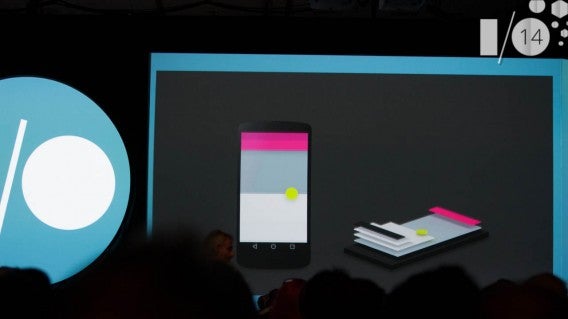
While I wasn’t able to sit down until fifteen minutes after the event started, watching the demo of Android L and the new Material Design guidelines made me excited. In ways, Material Design is a counterpoint to iOS 7‘s redesign.

But Android L goes beyond just mobile. Android Wear, Android Auto, and Android TV show how Google is expanding Android onto different platforms. Android apps are also coming to Google’s Chrome OS.

Material Design is a huge visual change for Android that will extend to third party apps as well. Google spent a lot of time talking about unifying its platforms by using a common design, allowing you the same experience on any device.

Material Design

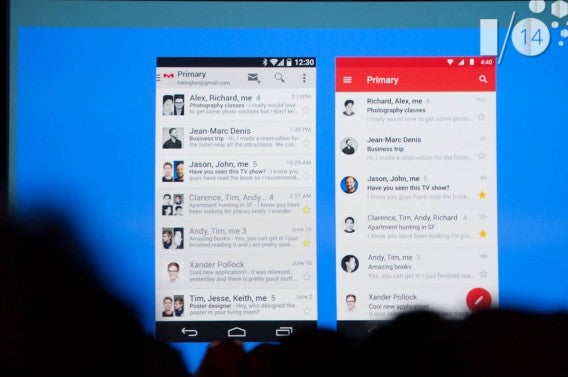
Google’s unification plan begins with Material Design. Android’s interface much more colorful and interactive. The Android L demo showed this by showing the difference between Gmail on a smartphone and tablet. Material Design simplifies design while still offering an easy-to-understand experience. The updates to Gmail and the dialer app are clear examples.
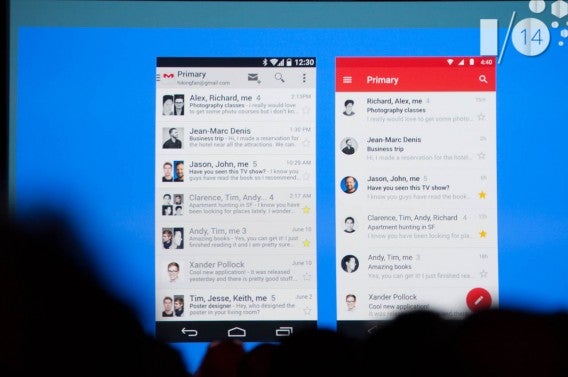
Android L Gmail redesign

Google was smart to show off Android L and release a developer preview so developers can update their apps with the new design guidelines. Even though Android L will ditch the old Android runtime, Dalvik, for ART (which will become official with Android L) and the new OS is designed for speed, the added animation elements may slow down less powerful devices.

The same question remains: will older devices be able to run Android L? Google Play Services does an excellent job of updating devices automatically, but these aren’t the same updating to a new operating system.

Android Wear

There hasn’t been a compelling reason to absolutely need a smartwatch. In some cases, being multiplatform weakens the use because developers have to provide access for multiple operating systems. Samsung has shown how locking a smartwatch to a device isn’t the best way to release one. The idea of Android Wear is more interesting because it doesn’t try to replace the smartphone, but enhance the experience with the most common uses.
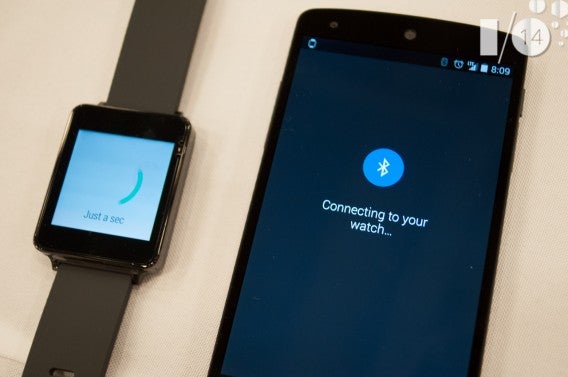
Android Wear Nexus 5 LG G Watch

The first Android Wear smartwatches will launch in the United States this July. Google’s apps currently take main stage for usability, but third-party apps should be coming soon. Since I use a lot of Google services like Google Now, I think that having the ability to view that information without taking my phone out will be really useful.
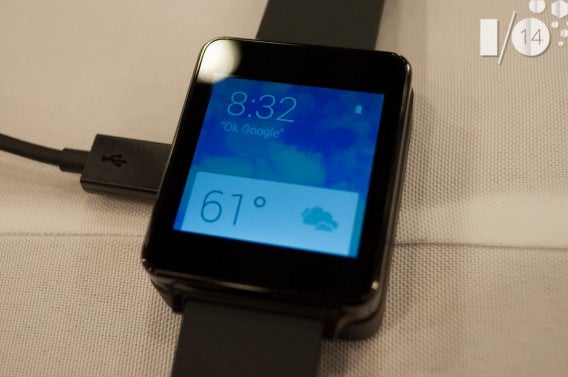
Android Wear LG G Watch

Android Wear is still in its infant stages. It’s going to be interesting to see how the platform matures as app developers start to modify apps to communicate with it.

If anything the proximity unlock for the smartphone through Android Wear is a cool feature. When Android L releases, it will let you unlock your phone through the Bluetooth connection it has to your Android Wear device. This means that you won’t have to enter a pin or passcode to unlock the device. Using proximity will tell your phone that you are nearby and unlock the phone automatically.

Android Auto

Two other announcements by Google were Android Auto and Android TV. Google has been vague about its automotive plans, but we finally have a clear vision from Google with Android Auto.
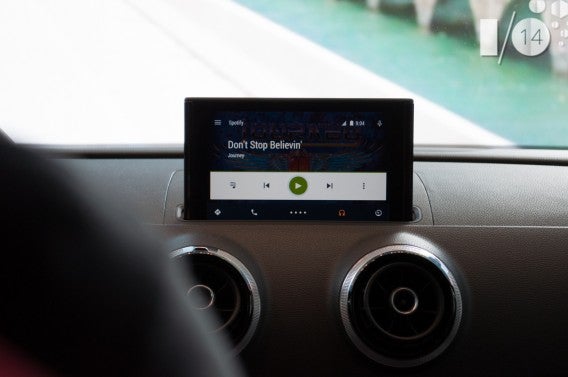
Android Auto Audi

Android Auto is a streamlined version of Android that’s streamed to an in-car dash display. Android Auto is designed for voice control so you don’t take your focus away from driving. It was funny to hear that Google wants Android Auto to make driving safer getting rid of distractions, but there were a lot of examples in the demo where the driver had to look at and touch the screen.
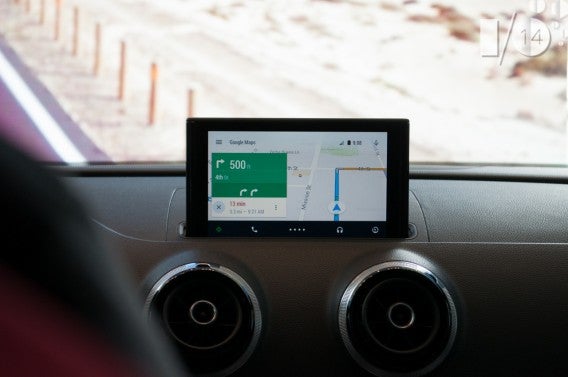
Android Auto Audi Google Maps

Android Auto will be available in a number of cars at the end of the year. You’re probably not going to buy a car because it has Android Auto, but it’s something to consider while car shopping.

Android TV

I use the Chromecast daily because streaming videos from YouTube is much more enjoyable on a bigger screen. Android TV is another platform designed to unify the usability of SmartTVs which is fragmented and generally an “add-on” function. With most apps available on other platforms like consoles or set-top boxes, the idea to unify the platform is a good idea.
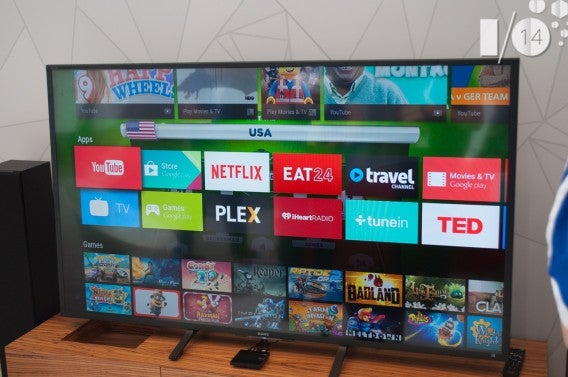
Android TV

But the inverse is that, you will either need to buy a new TV or new hardware that will support it. Razer announced a set-top box for Android TV, which is good for people who don’t want to buy a new TV.
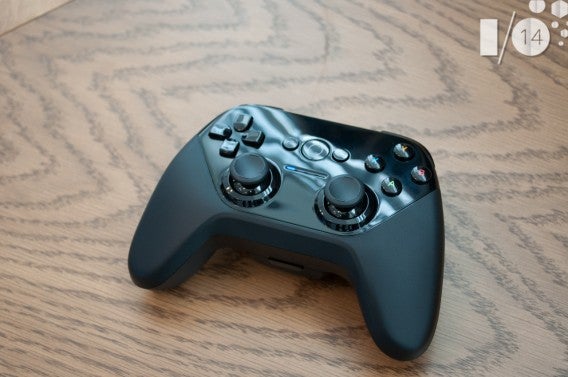
Android TV developers kit controller

Since I already own a Chromecast, the only real use I see for Android TV is to play games. The Chromecast does an excellent job streaming video through supported apps so I don’t know if it’s really necessary to “upgrade” to Android TV. The fall release will really show if the SmartTV platform can survive with Android.

Android and Chrome OS

There were a lot of rumors in the past that Chrome OS and Android would combine into one operating system. It doesn’t look like that will happen, but with the release of Android L, there will be a lot more communication between the two operating systems. Notifications from the phone will now display within Chrome OS and Android apps can be used on Chromebooks.

The example used in the keynote was Evernote, which makes sense, but wouldn’t it be just as easy to use the web app? I’m more interested in seeing apps that don’t have a web version being displayed on Chrome OS.

I think showing the communication between Android and Chrome OS is a response to Apple’s integration of iOS and OS X. Even though Chromebooks appear to be popular, this cross platform interactivity could be a feature that no one uses.

Android is going to be everywhere

The announcements from Google I/O 2014 show that Android is becoming more than a mobile platform. The versatility of the operating system will be shown off when Android L and other Android platforms release this fall. Android isn’t supposed to be a vertical platform, like Apple is with iOS and OS X. Google wants Android to grow on other platforms by allowing developers to design apps to work across multiple devices and it’s supplying the tools.

Connecting your entire life through Google, more specifically Android, may raise privacy concerns for some people. But if you use the different Google services on the web, connecting them through the Android OS isn’t that weird. As an Android user, you probably have Gmail, search for directions through Google Maps, and use the Google Play Store for apps.

Concerns about privacy and personal data are more important now, but a lot of apps you use collect data. The difference is that Google supplies tools for productivity and it takes security very seriously. Regardless of the weird acquisitions the company has made, Google wants a connected experience that can predict what you want to provide convenience.
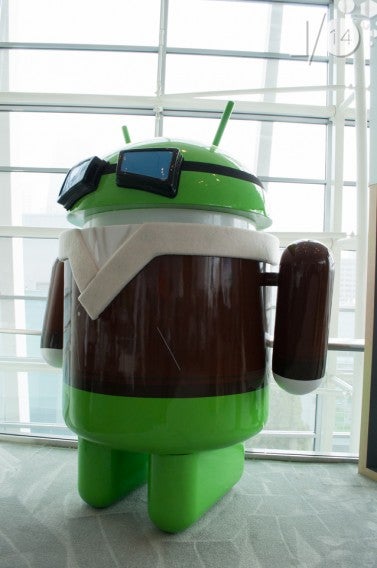
Android

The evolution of Android in L, Material Design, and other platforms is going to be interesting.  Android L is giving the operating system a redesign while connecting all the different new platforms. When these new projects launch in the fall, the differences between what was shown at I/O and the full release will likely be huge.

Follow me on Twitter: @chrislikesrobot

How to create and install presets in Adobe Lightroom 5

Adobe Lightroom 5 (for MaciPad and PC) is an excellent professional image-editing program that helps you turn every shot into the perfect picture. Among the many tools it offers, there’s a useful collection of presets (or templates) that allow you, with a single click, to apply a whole set of changes to a photo.

By default, there are quite a few to choose from. You’ll find them in the Presets menu, in the column at the left hand side of the Lightroom interface. In addition to using those which have been pre-installed, however, you can also create your own, or upload new ones by downloading them for free online.

Below, I’ll take you through how to create them, save them, and install new ones on your Mac. For this tutorial, I used a Mac with OS X 10.9 Mavericks, but the steps are almost identical on a Windows PC.

How to create and save a preset in Adobe Lightroom 5

1. Retouch a photo

Open a photo and make all the adjustments you want, altering any parameter you want among the many available in the program.

The tools that let you make adjustments are in the column on the right of the interface.

2. Create a new preset

When you’re satisfied with the result, you’re ready to save all the changes that you’ve made ​​as a preset.

In the Presets menu on the left hand side of the interface, click on the “+“.

The lowest key

3. Decide which parameters to include

A dialog box appears, from which you can give a name to the new template , as well as determine which of the fixes that you applied to the photo you want to include or exclude by adding or removing checkmarks.

Save new presets window

4. Save the new template

Click on the Create button. The preset will be saved, and you can apply it with a single click to any other photo. You’ll find it on the menu to the left – Presets> Default User.

New presets available in the left column of the interface

Unfortunately, at least for the moment, presets created on the desktop versions do not synchronize on Lightroom for iPad , but I’m expecting this feature to eventually be added to the already rich set of options in the Adobe virtual darkroom.

How to download and install presets from other users

There are many websites where you can find Lightroom templates shared by other users; you can even find some interesting ones on the Adobe blog itself, and loading these presets to use them in your Lightroom is easy.

The presets are usually compressed in ZIP format. Download the ones you want, and unzip them. You’ll see a file with the extension .lrtemplate: right-click on it, and copy it.

Then, open the Lightroom preferences by going to Apple Menu> Preferences, and in the Presets tab, click on Show Lightroom Presets folder.

Button displays the preset folder

Go to Develop Presets> User Presets and paste the files you copied there.

Paste Develop preset in the Presets folder 2

When you re-open Lightroom, in Preset> User Presets you’ll find your new template ready for use.

Apply the new preset downloaded

A final tip

If you’re venturing into the world of photo editing for the first time, you can find ready-made presets in Lightroom; these are also a great place to start to learn how to orient yourself among the many tools that the program offers.

Just open a photo, apply a preset, and study what parameters have been modified to get yourself the effect you want– it’s a really useful exercise that I highly recommend.

If you want to check out Adobe Lightroom for iPad, check out our review of the program.

How to deactivate Hangouts for Android in 15 seconds [Video]

Google Hangouts now receives SMS messages in the Android apps, a feature which irritates many users because of the fact that text messages and Hangout chats don’t sync in one conversation, even if they’re from the same contact. Luckily, there is a way of getting around this feature without deleting the app, and it’s as simple as disabling integration with SMS. Check out the video below for a quick tutorial on how to prevent Google Hangouts from receiving text messages.

Warning: Nexus smartphone users will have to install an alternative SMS app like Contacts+, Hello SMS or Go SMS Pro. Other phone models are normally equipped with a default alternative SMS app.

Default player


brightcove.createExperiences();


Now, you can peacefully receive texts and have chats via Hangouts without having to work through the confusion of multiple conversations with one person in the same app.

If you want even more tips for your Android device, check out how to detect malicious Android apps eating your battery life.

The 7 most important announcements from Google I/O 2014

Google’s annual developers conference just wrapped up with a ton of announcements from the company. All the news is a bit overwhelming, but here’s a wrap-up of the most important things the company announced.

Default player


brightcove.createExperiences();

Android’s getting a makeover

Google released a new set of design guidelines for developers today, giving Android a new look. The guidelines will help developers add depth to their apps using shadows and layering.

There are also new animations that developers can use to make navigation easier. Buttons can have pulsing effects, and tapped buttons will show ripples.

Material Design header

The redesign isn’t just affecting Android; the guidelines will help web developers create sites that act like apps. Google wants a single user experience across all its platforms, from the phone, to the web, and even the car.

“We wanted one consistent vision for mobile, desktop, and beyond, something clear and simple that people would intuitively understand,” said Google vice president of design Matias Duarte.

Google polishes the next version of Android

Android L

The next version of Android isn’t ready just yet, but Google showed us a preview of it today. Called Android “L” for the time being, the operating system will offer a polished experience, but no groundbreaking features.

Beyond its redesign, Android L will feature new notifications, which you can manipulate on the lock screen. Notifications are now prioritized, bringing the most important notifications to the top. Android L will learn how you use your phone and will prioritize notifications accordingly.

Battery Saver

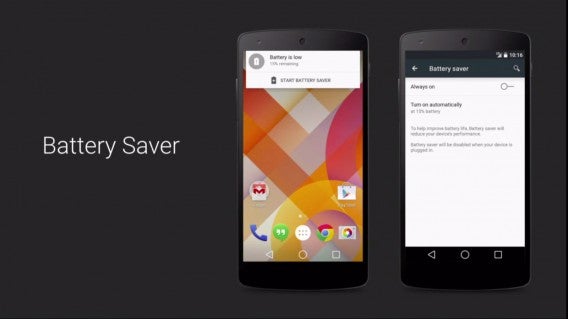
Google is also focusing on improving battery life with a new Battery Saver mode. This will turn off non-essential features on your device to help save some juice, and you can schedule how long you want Battery Saver to be enabled. Google’s new Android Runtime also promises speed and battery improvements.

Android Wear is finally available (sort of)

Android Wear Softonic

Google teased us with Android Wear back in March, and now, we can finally get our hands on it. Well, almost. Google now has LG and Samsung’s smartwatches running Android Wear, available for pre-order later today.

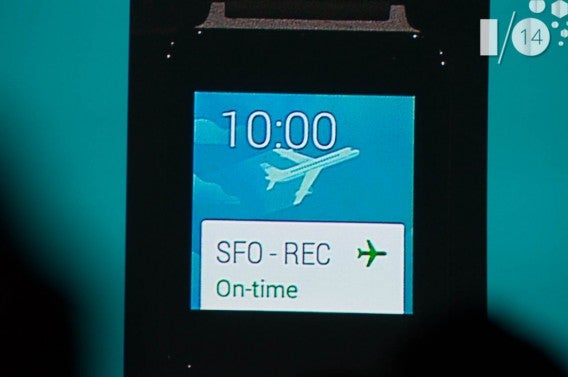
Of course, we got to see Android Wear in action. The interface is simple and shows notifications like cards; swipe left and right to access more information about a notification.

Voice commands are key to Android Wear, allowing users to send and receive messages by speaking. We also got to see Google’s smartwatch control music playback on an Android phone.

Android Wear also has the ability to interface with Google’s other hardware. If you have an Android Wear smartwatch and Android phone, you won’t have to enter a password for your phone. Android detects when a paired Android Wear device is nearby and unlocks the device, a feature which also works with Google’s Chromebooks.

Android Auto offers powerful tools for drivers

Android in the car header

Watch out Apple CarPlay: the short demo we saw of Android Auto showed a powerful driver-friendly interface that will launch sometime this year.

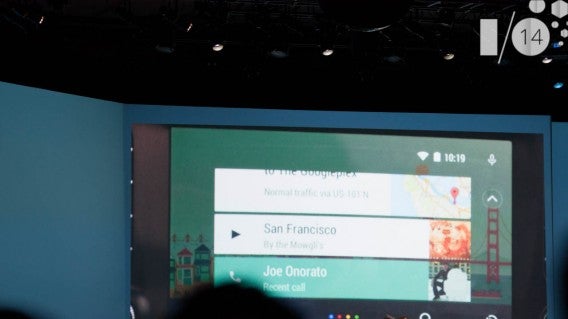
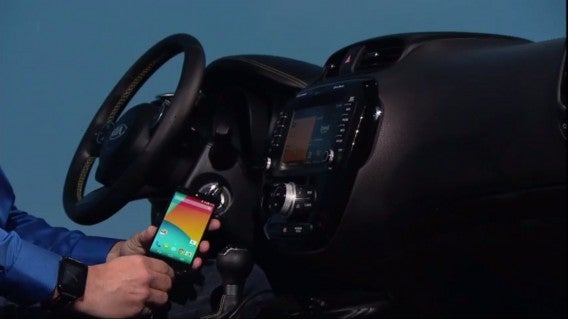
Android Auto runs off of Android L, Google’s upcoming update to Android. The system is contextually aware, so it knows when you’re in the car, and will mirror a driver-focused interface on your car’s head unit.

Android Auto header

Google Maps provides Android Auto navigation prowess, and Google’s excellent voice commands let you control everything. You can have messages read to you, and you can compose a response using your voice.

We also got a short glimpse of the music interface, though we didn’t get to see any third-party music apps running on Android Auto. Google released the software development kit today, so there should be plenty of apps when Android Auto launches later this year.

Android TV is taking on Apple TV, Amazon Fire TV, and Roku

Android TV Softonic header

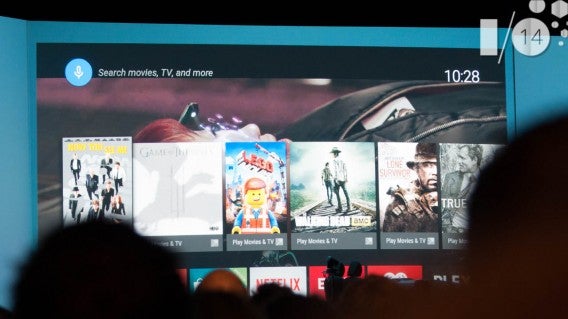
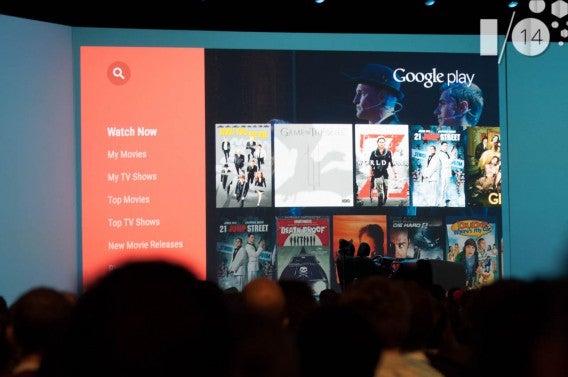
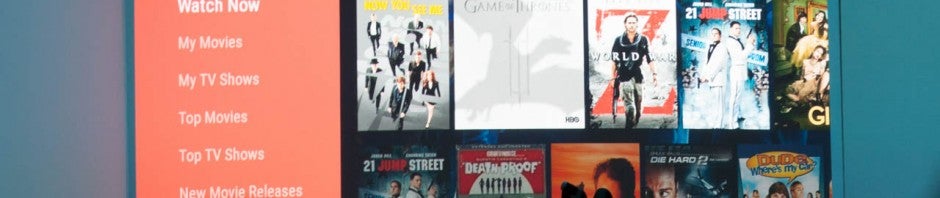
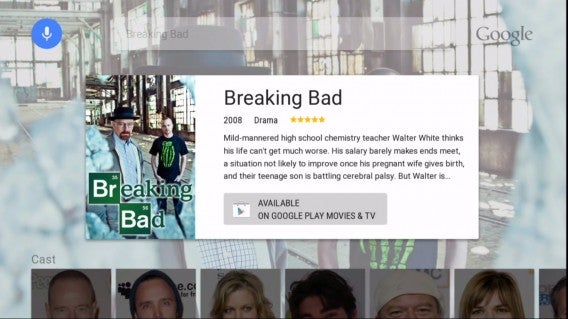
While the Chromecast only received minor updates, Android TV is a whole new take on living room entertainment. Android TV lets you watch movies, TV, and YouTube, as well as letting you game. It also supports casting media so that you won’t need both Android TV and Chromecast in your living room.

Android TV’s interface looks extremely similar to Netflix, which puts shows and movies in a card layout. Swipe left and right to browse different sections of content.

Android TV Softonic

What makes Android TV unique is that Google’s search engine is built-in. This means that you can tell Android TV to look up “Oscar nominated films from 2002”, and you’ll get a list of results. You can also look up information about a movie or show, similar to Amazon’s X-Ray feature for its Fire TV. Curious which actors are in a movie? Android TV can tell you.

Android TV also supports gaming, something the Fire TV also does. We also saw how various Android devices can function as a controller for gaming, and you can even use your Android Wear watch to navigate and issue voice commands.

Google Docs finally supports native editing for Office files

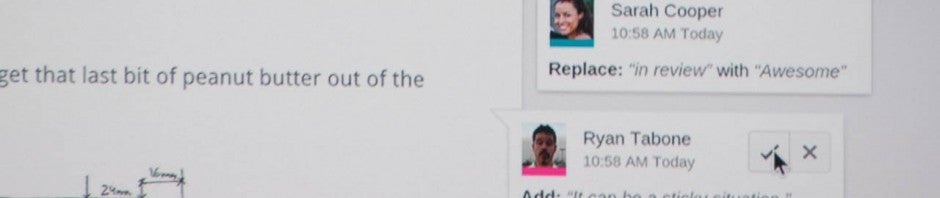
Google Docs suggested edits

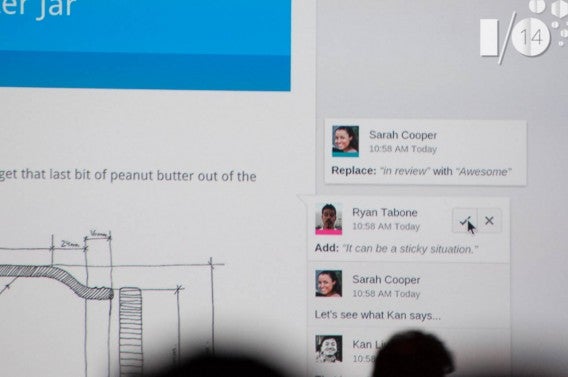
Google Docs can finally edit Office files without needing to convert them into another format. Editing Office files is now seamless and makes Google Docs a serious alternative to Microsoft Office.

To celebrate, Google released Google Slides for Android, letting you create presentations on the go No word on when iOS users can expect to see Slides.

Google wants to track your health and fitness

Google Fit header

Google Fit is the company’s new platform for all things related to health and fitness. It wants developers to create apps that can share information with Google Fit so that it can create a fitness profile for users. This allows Google to monitor your health and offer suggestions about how you can improve your health or workouts.

Don’t expect to see Google Fit any time soon though, as the software development kit will be coming in the next few weeks.

Google I/O 2014: Google Fit, a platform for tracking health and fitness

Google is combating Apple’s Healthkit with its own health and fitness tracking platform. Google Fit allows apps and devices to create a fitness profile for users, giving app developers a central hub where they can push their information to.

By logging data from all the different sensors included in various fitness trackers and Google’s own Android Wear smartwatches, Google Fit can compile the data to give users health related recommendations. Google Fit will be smart, analyzing your activity and providing recommendations on eating habits and your workout.

Google has partnered with popular fitness brands like Adidas, Nike, Basis, and more, and widely used running apps Runtastic and RunKeeper are already on board. As for the Google Fit software development kit, it will be arriving in the next few weeks.

MORE NEWS FROM GOOGLE I/O:

Google I/O 2014: Google Docs gets native Office editing

Google Docs can finally edit Office documents without conversion. Previously, Google Docs had to convert Office documents before users could perform edits.

Since Google Docs is available on mobile and desktop, you can work on your documents, spreadsheets, and presentations wherever you are and on any device. While Google Docs works best when you’re online, there is an offline mode for when you can’t find a connection. Your work will sync with the cloud as soon as you hop back online.

To celebrate, Google is releasing an Android version of Google Slides today. Google Docs and Slides are already available on Android and iOS.

Google Docs suggested edits

New to Google Docs are “suggested edits,” which allows collaborators to suggest edits. You can then approve or reject them, similar to Microsoft Word’s “Track Changes” feature.

Microsoft should be worried, as Google Docs, Sheets, and Slides are now a viable replacement for Office. While Microsoft Office costs $9.99 per month (or $99.99 per year), Google Docs is completely free.

Download Google Docs: Android | iOS

Download Google Sheets: Android | iOS

(NEW) Download Google Slides: Android

Header image source: Google

MORE NEWS FROM GOOGLE I/O:

Google I/O 2014: Chromecast gets minor updates

Even though Android TV was just announced, Google is still giving its Chromecast media streaming stick some love. There aren’t many major changes, but the few they announced make for a more polished experience.

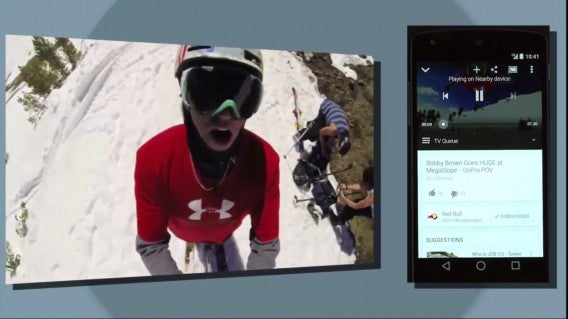
You can now cast media to a Chromecast without using Wi-Fi. This is useful if you don’t want to give your friends your Wi-Fi password, or if you just want to share a video as quickly as possible. Google’s using technology that detects phones that are in the same room as a Chromecast to prevent strangers from accessing your device.

Chromecast casting demo

Also new to Chromecast is the ability to change the wallpaper, called “Backdrops”. You can use your own photos, as well as choose the types of photos you want to show up on your Chromecast when it’s not in use. The feature will be coming later this summer.

Lastly, Chromecast finally support Android mirroring, allowing you to show off what you’re doing on your phone on your TV. No cables or complicated set up needed. This is great for giving demonstrations on your Android phone or tablet.

The Chromecast update will roll out automatically using Google Play Services sometime this year.

Image source: Google

MORE NEWS FROM GOOGLE I/O:

Google I/O 2014: Android TV is a smart operating system for your TV

Watch out Apple TV and Amazon Fire TV: Google’s Android TV is here, and it’s stunning. The interface is nothing new, featuring a series of cards you can swipe through like Netflix. What is new, is the ability to control your TV with any Android device, even your Android Wear smartwatch.

But doesn’t Google already have Chromecast for the TV? Yes, but Android TV is a much more powerful interface. In fact, Android TV supports casting, so you won’t need two devices in your living room.

Android TV Breaking Bad

Image credit: Google

Movies and TV shows work like they do on other platforms, but Android TV offers the power of Google’s search engine. Simply ask Google for something, and you’ll get it. Rich information about actors and YouTube interviews will show up as well, similar to Amazon’s X-Ray feature on the Fire TV.

Android TV will also offering gaming, which worked smoothly in the short demo we saw. You can control games using your Android device or a dedicated controller.

Android TV Softonic

And of course, you’ll be able to download apps and buy movies, games, and shows, all from Google Play.

MORE NEWS FROM GOOGLE I/O: