Nokia debuts a contextual Android launcher

Z Launcher is a brand new Android launcher from Nokia. There are ton of third-party launchers already but Nokia hopes Z Launcher’s gesture controls and contextual awareness will separate it from the rest.

The most compelling feature of Z Launcher is the way it learns which apps you use during different times of the day. Competitor launchers like Aviate (owned by Yahoo!) and Cover lockscreen (owned by Twitter) offer the same feature. Suggested apps may be hit or miss in the beginning as Z Launcher has to monitor your behavior over time.

Default player


brightcove.createExperiences();

Z Launcher also offers gesture controls, making it easy to search for things on your phone. Write a letter from anywhere on the launcher and it will return a list of results starting with that letter. Its search results show apps, contacts, and web results.

The launcher is currently in pre-beta and is not ready for prime time. The app isn’t available in Google Play yet, so you’ll have to download it from the Z Launcher site. If you want to test the launcher, you’ll have to sign up with your Google account.

You’ll also have to have a Nexus 5 or Samsung Galaxy S3/4/5 to run Z Launcher. Nokia will undoubtedly release it on more devices as development continues.

It seems strange for Nokia, now owned by Microsoft, to be creating a launcher for Android. But Microsoft only purchased Nokia’s phone business, not its technologies group, which developed Z Launcher. However, Microsoft doesn’t seem Android-adverse, releasing a series of Android phones earlier this year.

Source: Z Launcher

Via: The Verge

Follow Lewis on Twitter @lewisleong

RELATED STORIES

Slingshot isn’t Snapchat: 9 things to know about Facebook’s new app

Slingshot is Facebook’s latest application. Presented as an alternative to Snapchat (who Facebook unsuccessfully tried to purchase), the app lets you to share photos and short videos. After taking a closer look, however, Slingshot doesn’t have much in common with the popular self-destructing messaging app. To help you decide if you want to install it, here are nine differences between the two apps.

Sharing is required

The basic way of using Slingshot is unique. To view photos and videos from your friends, you’re required to send a message to them. This means that you can’t view anything sent to you unless you’ve participated in the conversation.

The hidden goal is to encourage interaction between people using the app. Slingshot also allows you to send photos or videos to all your contacts at once.

No countdown to destruction

Photos and videos do get destroyed in Slingshot, but instead of a countdown, the posts will erase after they’ve been closed, or when the person receiving the message responds with a reaction. When you start the app, content is displayed indefinitely, but if the message isn’t opened, it will be removed after 30 days. Slingshot also doesn’t require you to tap and hold the screen to view shared posts.

Advanced drawing

Slingshot lets you draw on photos before you send them, but an interesting addition is the full color chart, with options like choosing the size of the line. Unfortunately, you can’t draw on videos, and it doesn’t include filters, at least in version 1.

Slingshot Drawing

Automatic backup

Slingshot actually offers the option to automatically save all photos and videos sent through the app, completely opposite from Snapchat.

No notifications

The app doesn’t sent any type of notification that your message has been seen. It also doesn’t notify you if the receiver takes a screenshot.

Reactions

It’s possible to respond to a message with a reaction. The reply appears as a combination of two messages that you send. The concept is similar to frontback, an app that composes photos using the front and back cameras on your mobile device.

Slingshot Reaction

No text messaging or video

It’s possible to react to a reaction with a small bit of text, but Slingshot doesn’t have a chat function. Snapchat does have basic text messaging, which can be pretty useful.

Transparency about security

While it’s too early to determine the exact security level of Slingshot, basic tests show that there aren’t any traces of files downloaded to phones after messages are destroyed.

A big difference is the transparency Slingshot has about security. The Slingshot Help Center states that people can take screenshots, “so share responsibly”.

Different objectives

Slingshot isn’t here to replace Snapchat. The application don’t have the same purpose. Unlike Snapchat, Slingshot isn’t about sending messages that disappear or remain private.

The app is intended as a quick and convenient way to share photos and videos with a large number of friends. The fact that  they self-destruct is more of a practicality than anything.

Slingshot safe content

The audiences for both apps are diffferent because of the way they share content. Slingshot could actually be designed to be more suitable for younger audiences, something that Snapchat is trying to do.

Slingshot won’t replace Snapchat, but that doesn’t mean that Snapchat won’t try to become an alternative to Facebook.

If you don’t know much about Snapchat, read Snapchat: everything you ever wanted to know.

Call of Duty: Advanced Warfare takes story seriously in this trailer

Previous Call of Duty games have been criticized for being light on story but developer Sledgehammer Games hopes to change this. In the trailer below, we get to see the lengths the developers are going to make the story of Call of Duty: Advanced Warfare realistic.

Default player


brightcove.createExperiences();

Advanced Warfare takes places forty years in the future, which isn’t too far off. The game has to be futuristic but still grounded in reality. Sledgehammer consulted the US Army and Navy Seals to help with the story.

“Everything had to go through the filter of ‘Everything’s forty years in the future but it has to be real,'” says Sledgehammer Creative Director Bret Robbins.

The story of Advanced Warfare will focus around a single protagonist, which the developers hope will make the story more compelling.

Call of Duty Advanced Warfare will be available on November 4th for Xbox 360/One, PlayStation 3/4, and PC.

Source: Call of Duty (YouTube)

Follow Lewis on Twitter @lewisleong

RELATED STORIES

BlackBerry looks to Amazon’s Android Appstore for help

BlackBerry is slipping into a distant 4th place mobile operating system with Android, iOS, and Windows Phone stealing its thunder. The company hasn’t attracted many developers, leaving BlackBerry OS devoid of apps. In a fight to survive, the company has enlisted the help of Amazon. Over 200,000 Android apps from the Amazon Appstore will be making their way onto BlackBerry 10.3 this fall.

While some big name apps like Netflix, Minecraft, and Candy Crush Saga are all available in the Amazon Appstore, there are still many apps missing. There are no Google apps for Gmail, Calendar, or Hangouts. 200,000 apps is far fewer than the 1.2 million apps in Google Play.

BlackBerry says partnering with Amazon will give you “more choices for your valued content.” While this may be true, I’m sure the company would prefer you use their apps and services instead of Amazon’s.

Source: Inside BlackBerry

Via: Engadget

Follow Lewis on Twitter @lewisleong

RELATED STORIES

Battlefield Hardline beta now open to PC players

PC players now have access to Battlefield Hardline‘s beta. The game features cops vs robbers in an interesting departure from the company’s usual war settings. Those who sign up for the beta will also receive a bunch of perks listed below:

  • Instant Access into the Battlefield Hardline beta for PC (when selecting PC as your platform)
  • Weapon camo/skin in Battlefield Hardline
  • Weapon sight in Battlefield Hardline
  • Additional Battlefield Hardline content
  • Unique dog tag in Battlefield 4
  • Electronic Arts gave out beta access codes to a limited number of people during it’s E3 keynote last week. Now beta registration is open for all PC players.

    To keep gamer’s playing, EA is offering rewards for beta participants. Players who reach rank 10 will get a special Battlepack at launch. You can also get $1,000 in-game cash for enabling Facebook sharing. These perks are available to both PC and PlayStation 4 players.

    Battlefield Hardline will be released October 21, 2014.

    Source: Battlelog

    Follow Lewis on Twitter @lewisleong

    RELATED STORIES

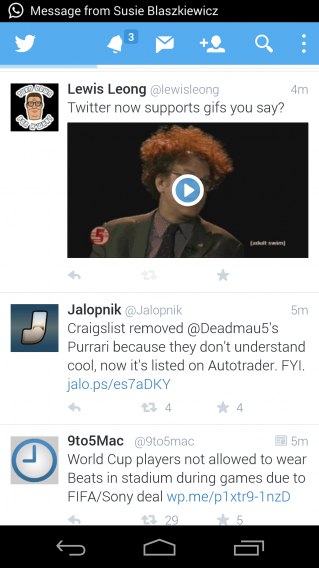
    Twitter finally gets support for animated GIFs

    There’s just something incredibly satisfying about sharing animated GIFs. Twitter understands this, so today, the company introduced support for GIFs in your timeline.

    YES YES YES

    GIFs in your timeline won’t animate until you click on them, which helps save bandwidth. Once clicked, a GIF will loop infinitely until you click on it again to pause.

    Things work the same in the mobile apps. GIFS show up with a blue “play” button, which expands the tapped tweet and starts playing the GIF.

    Facebook still hasn’t built animated GIF support into its timeline but added support for them in its messages yesterday. Unfortunately the feature currently only works on the web.

    Source: Twitter

    Follow Lewis on Twitter @lewisleong

    RELATED STORIES

    Adobe announces Creative Cloud for 2014 and new iOS apps

    When Adobe switched from the old Creative Suite to the new Creative Cloud, it angered a lot of people. But for creative professionals, the Creative Cloud suite may actually be a better option.

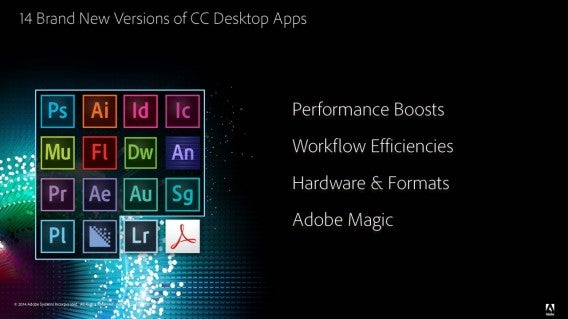
    After smaller updates to its individual apps in the suite, Adobe is updating Creative Cloud for 2014. This major release marks new versions for fourteen Creative Cloud desktop apps and new iOS apps.

    Adobe CC 2014 Desktop Apps

    There was a big focus on Creative Cloud services and how you can now connect to your files, photos, and other assets wherever you are. Adobe wants to give professionals access to all their files by using the cloud. Adobe wants all its apps to connect with each other to minimize the disruption between working on its desktop and mobile apps.

    One major question was why Adobe only released apps for the iOS platform and Scott Morris, Senior Marketing Director for Creative Cloud, stated that the majority of Adobe’s users were on iOS, but if there was enough interest for other platforms the company would work to support them.

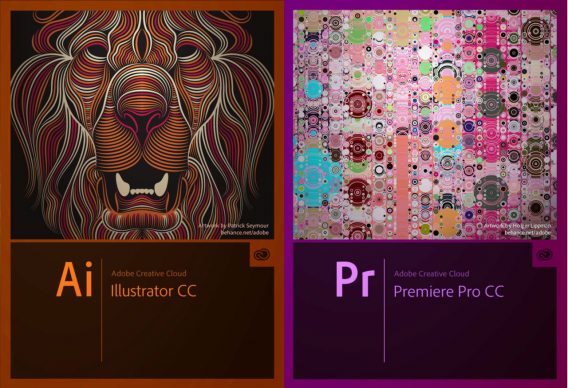
    Adobe Creative Cloud 2014 CC illustrator premiere pro

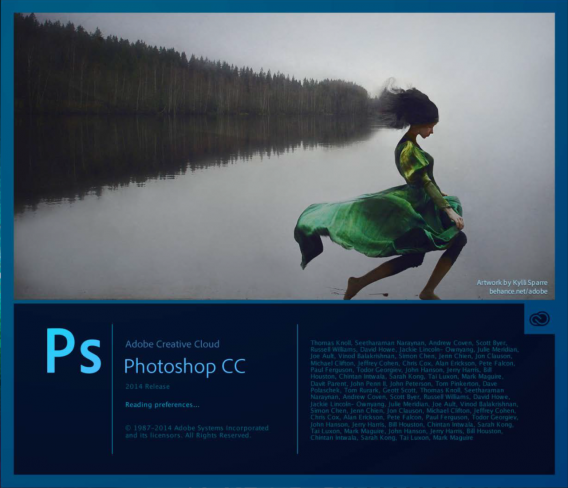
    This follows Adobe’s plan for a persistent Creative Cloud profile that will you can access from any platform. Adobe showed an example by editing a photo in Photoshop Mix and pushing the file through Creative Cloud to Photoshop CC 2014 on Mac. It is interesting to see that the major tools are available on the mobile app and pushing files (including individual layers) to the desktop is possible.

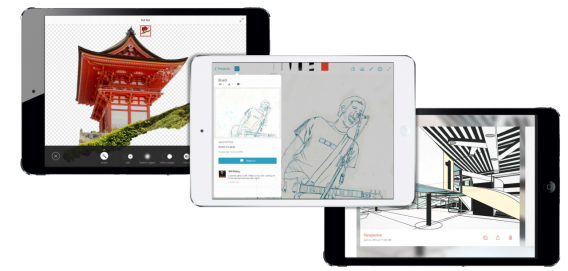
    Adobe spent a lot of time talking about Photoshop, which integrates with the new Adobe Photoshop Mix app for iPad.

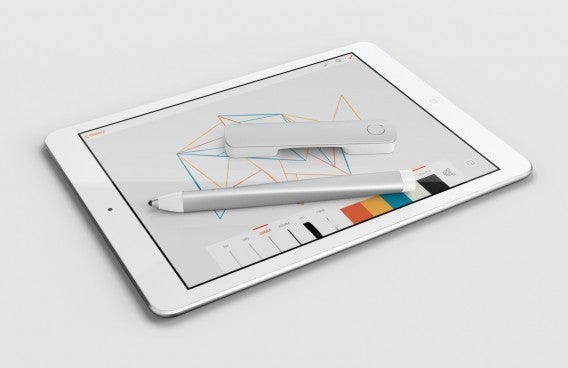
    adobe ink and slide

    There are also two pieces of hardware that Adobe is releasing in the form of Adobe Ink and Adobe Slide. Adobe Ink is an iPad-optimized stylus connected through Creative Cloud. Its connection to CC has extra support for access to files stored in CC. The stylus was designed to work with the iPad and its extended functions like copy and paste across devices is only supported on iPad. Adobe Slide is a three inch ruler designed for drafting. The ruler is designed to help with sketching on iPad.

    Both devices require iOS 7 or later to function. The two devices will be sold as a pair for $199.99 starting in the United States only.

    One of the final announcements was the Creative Cloud software development kit (SDK). This makes CC a bigger platform by allowing developers to access CC features. Photoshop Mix is the first app was developed with the CC SDK.

    Along with Creative Cloud 2014, Adobe is releasing apps for iOS. All these apps will be free with an Adobe account.

    Adobe Photoshop Mix Adobe Sketch Adobe Line

    Photoshop Mix

    Even though the iPad has already has Photoshop Touch, the app was released before the launch of Creative Cloud and designed to be familiar to desktop users. The new Creative Cloud connected Photoshop Mix is designed to showcase the potential for CC connectivity between desktop and mobile.

    adobe photoshop mix ipad

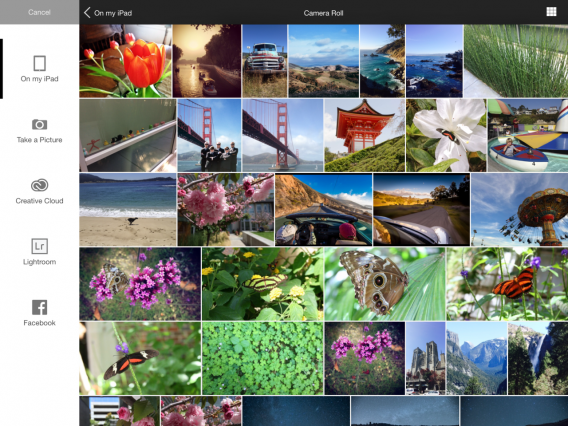
    With the apps, you can access local files and those stored in CC. Files include JPEG, PSD, and even layers within projects. Photoshop Mix can also access mobile uploads like those from Facebook or Instagram.

    When editing a file, these changes can be applied selectively and are built to be non-destructive so you can reverse any changes. Photoshop Mix also has what Adobe calls “looks” that function more like filters seem in many photo apps. “Cloud fill” is another feature that will use Adobe’s cloud processing power to complete specific computations that aren’t possible on iPad. The app also integrates with Lightroom Mobile.

    Default player


    brightcove.createExperiences();

    Adobe Sketch & Adobe Line

    Adobe Sketch is a “social sketching iPad app for free-form drawing,” designed for making mock-ups and drafts. Adobe Line is for “precision drawing and drafting.” The app is meant to be an app for digital drafting since it includes standard tools like rulers, T-squares, and templates. Both Sketch and Line also feel like they’re made to be paired with Adobe Ink and Slide for the best functionality.

    Lightroom mobile for iPhone

    There have been lots of rumors about Lightroom mobile for iPhone and now it’s finally here. I was shown a demo running on a iPhone 4s, which is likely the oldest iPhone model that can run Lightroom. The app can import photos from your camera roll for editing. The app will feature parity with the iPad version so you will have the same features on either version. A great feature is that you can edit both photos from the iOS camera roll and raw DSLR images with the app.

    lightroom mobile

    Creative Cloud for iOS

    The Creative Cloud app is designed as a file manager for assets stored in CC. It isn’t necessary to run any of the other apps, but will be useful for people who have a lot of files stored inside their Creative Cloud account.

    Massive update for Creative Cloud

    Adobe is using Creative Cloud 2014 as a benchmark version release. Since Creative Cloud is updated more frequently, it’s more difficult to specifically assign a release number to the included apps. The 2014 update is a significant release because it updates 14 different apps.

    Obviously a lot of these apps are used by creative professionals and casual users only need a few of the included apps.  Adobe’s goal of connecting the design workflow between desktop and mobile through Creative Cloud even more possible with the release of the Creative Cloud SDK. The question is if developers will embrace the SDK and connect with Creative Cloud.

    If you’re interested, below is the list of major updates for Creative Cloud 2014.

    Adobe Creative Cloud Photoshop CC 2014

    Photoshop CC

    • More powerful Smart Objects
    • Improved Layer Comps
    • Blur Gallery motion effects
    • Focus Mask
    • Improved Content-Aware technology

    Illustrator CC

    • Live Shapes
    • Pen Tool Preview
    • Anchor point enhancements
    • CSS extraction
    • Desktop fonts from Typekit

    InDesign CC

    • Drag and drop columns and rows within tables
    • EPUB fixed layout
    • Seamless update
    • Color swatch folders
    • Enhanced effects

    Muse CC

    • Native 64-bit support
    • In-Browsing Editing updates
    • Creative Cloud Add-ons
    • HiDPI support
    • Dark UI

    Premiere Pro CC

    • Live Text Templates
    • Masking and Tracking
    • Master Clip effect
    • Enhanced graphics performance in Mercury Playback Engine
    • Faster editing workflow

    After Effects CC

    • Keying effects
    • Live Text templates
    • Share masks with Premiere Pro
    • Kuler integration
    • Mercury Transmit

    Dreamweaver CC

    • Live Element Quick View
    • Live Insert
    • Live View property inspector
    • CSS Designer improvements
    • Site management – Certificate support

    Flash Pro CC

    • SVG export
    • Variable width strokes
    • Tweening for variable width strokes
    • Motion editor
    • WebGL for animation

    Edge Animate CC

    • Native HTML video
    • Sprite sheet import
    • Article linking for Adobe DPS
    • Actions Editor
    • Copy and past SVG from Illustrator

    Lightroom 5.5

    • Edit and organize images
    • Enhance smartphone and raw images
    • Automatically sync all mobile edits with Lightroom 5.5 on desktop
    • Support additional camera formats

    Related Articles

    Follow me on Twitter: @chrislikesrobot

    How to permanently delete a file

    When you ‘delete’ a file, your PC lies: it hasn’t really been eliminated, only hidden.

    Files are actually tough to get rid of. You need to do more than simply delete it or reformat the disk. Recovery tools are capable of finding traces of old data, especially if someone using them knows what to look for, or where to find it. To delete files, you’ll need special tools.

    What happens when you delete a file?

    The easiest way to understand why a PC doesn’t permanently delete files with the click of a button is to use a metaphor. Imagine that your hard drive is like a large field, where each file is a plot of land. Each plot has a different crop (data), an owner, permissions, and other properties.
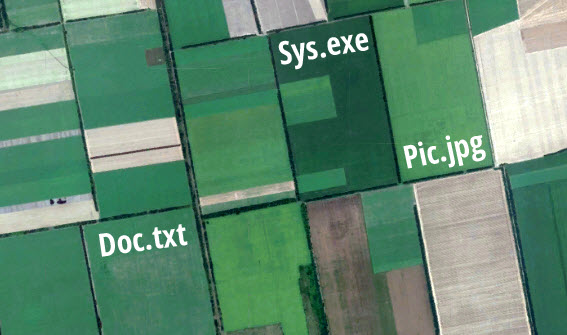
    Field of files

    Plots of land seen from space. If it were a hard disk, each would be a file.

    When you tell the system to delete a file, it takes the plot-file and removes the fences, allowing anyone to jump in and start growing a different crop. If someone comes to the plot before it has been invaded by weeds (temporary files), or before it has been farmed again, they can recover much of the previous crop (recover data).
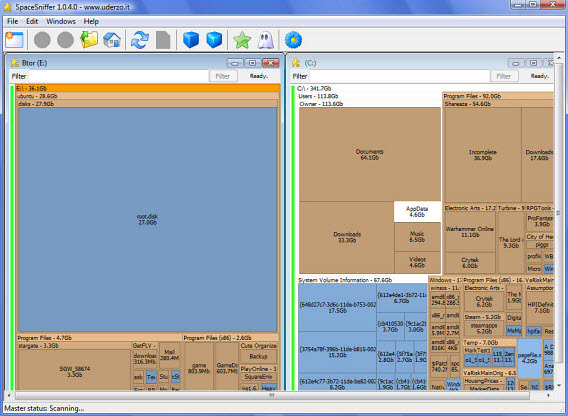
    SpaceSniffer

    With SpaceSniffer, the hard drive looks like fields…

    The only way to eliminate the newly released crop is by the secure deletion of data. Why doesn’t the OS do it? Because it’s a slow and difficult process. A quick deletion is very convenient because freeing up the space being used by a file takes much less time than actually erasing it.

    When should you delete a file forever?

    There are situations when you should delete files securely. By erasing data, you’re preserving confidentiality and privacy. Securely deleting files from a computer is the equivalent of shredding paper.

    This is especially important for shared or public computers, or when dealing with confidential information.

    Shared computers

    When working on a shared computer, it’s very important to delete files securely (source)

    If you want to delete a file once and for all, you have to use programs that make use of secure erasure methods. One of the most complete programs for Windows is Hardwipe. Here, I’ll explain how it works.

    1. Install Hardwipe

    The first thing you need to do is install Hardwipe. There are more secure erasure tools, some of which are included in antivirus and security suites, but I like Hardwipe because of its ease of use and all of the options it offers.
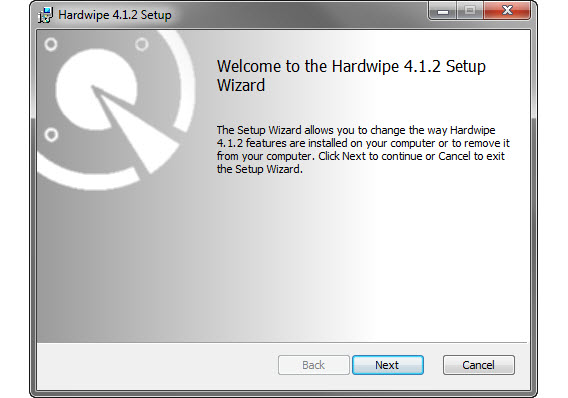
    Hardwipe setup

    Hardwipe is also available as a portable version. The language packs are downloaded separately.

    2. Open the Hardwipe options

    Before a secure erasure, I recommend you spending a minute or two setting up Hardwipe. Open it from the Start menu and go to Tools > Options. Then click on the Wipe Options tab.
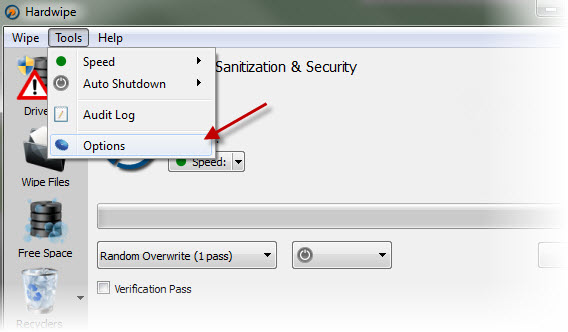
    Hardwipe options

    What you’ll see is the Hardwipe erasure options. In the first menu, you should see several methods– some names like Gutmann o DoD 5220 might even sound familiar. Each method is different in its efficiency and performance in the number of passes, security, and erasure speed.
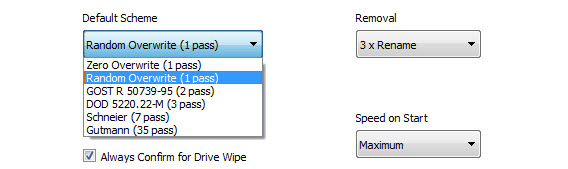
    A single zero or random overwrite, for example, is faster than the 35 pass of the Gutmann method, but is less effective with professional tools like those used in computer forensics, so it’s a matter of trying the different methods. I recommend you to start by using the DOD 5520.22-M (three pass).

    3. Right click on a file or folder and select Hardwipe

    Time to erase. When you want to delete a file or folder permanently, simply right-click to open the context menu of Windows, and then open Hardwipe’s menu and select the Wipe File option (secure erasure).
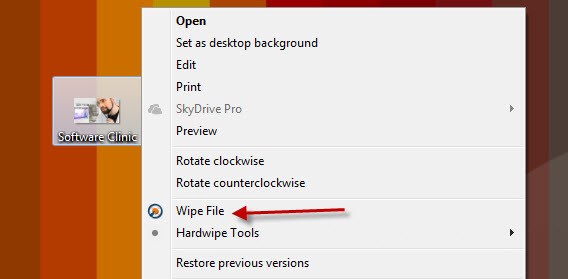
    Wipe file

    4. Wait until Hardwipe has finished

    It takes longer than normal to delete a fire securely. Depending on the method chosen and the amount of data to be deleted, it’ll take more or less time. The power of your PC also can also affect the erasure speed.
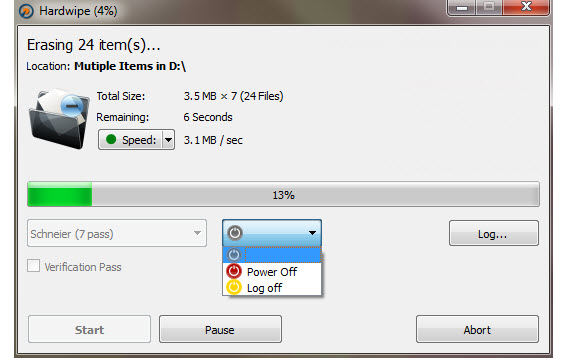
    Hardwipe erasing

    Hardwipe lets you set up if you want to turn off the PC once the deletion is completed.

    Don’t forget about the space you’ve freed up

    If you’ve deleted files previously, their ‘remains’ will be in the free space of your hard drive. Since you can’t select them –you can’t see them– you have to tell Hardwipe to free up the space.
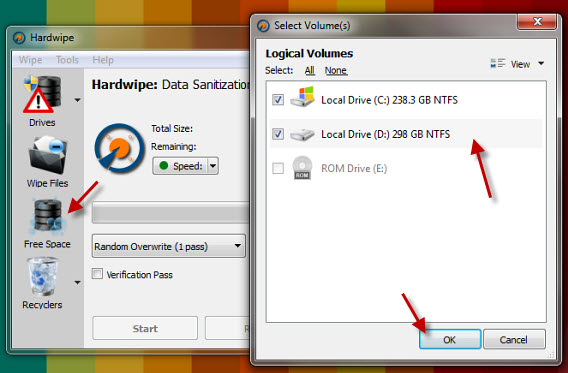
    Free up space

    From the Hardwipe window, click on the third button (Free Space), choose the drive and confirm. After deleting the free space, no traditional recovery program will be able to find any traces of the data on the hard disk.

    If you want to figure out which files are taking up the most space, check out our tutorial showing you how to use Space Sniffer.

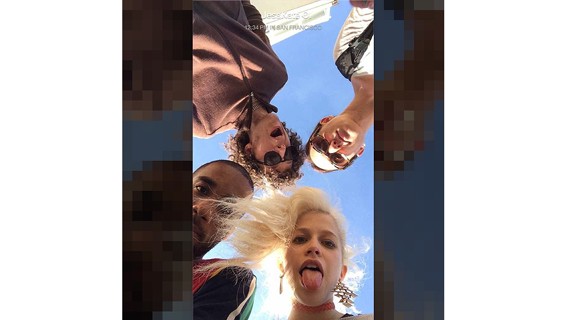
    Catlateral Damage lets you become a rampaging cat

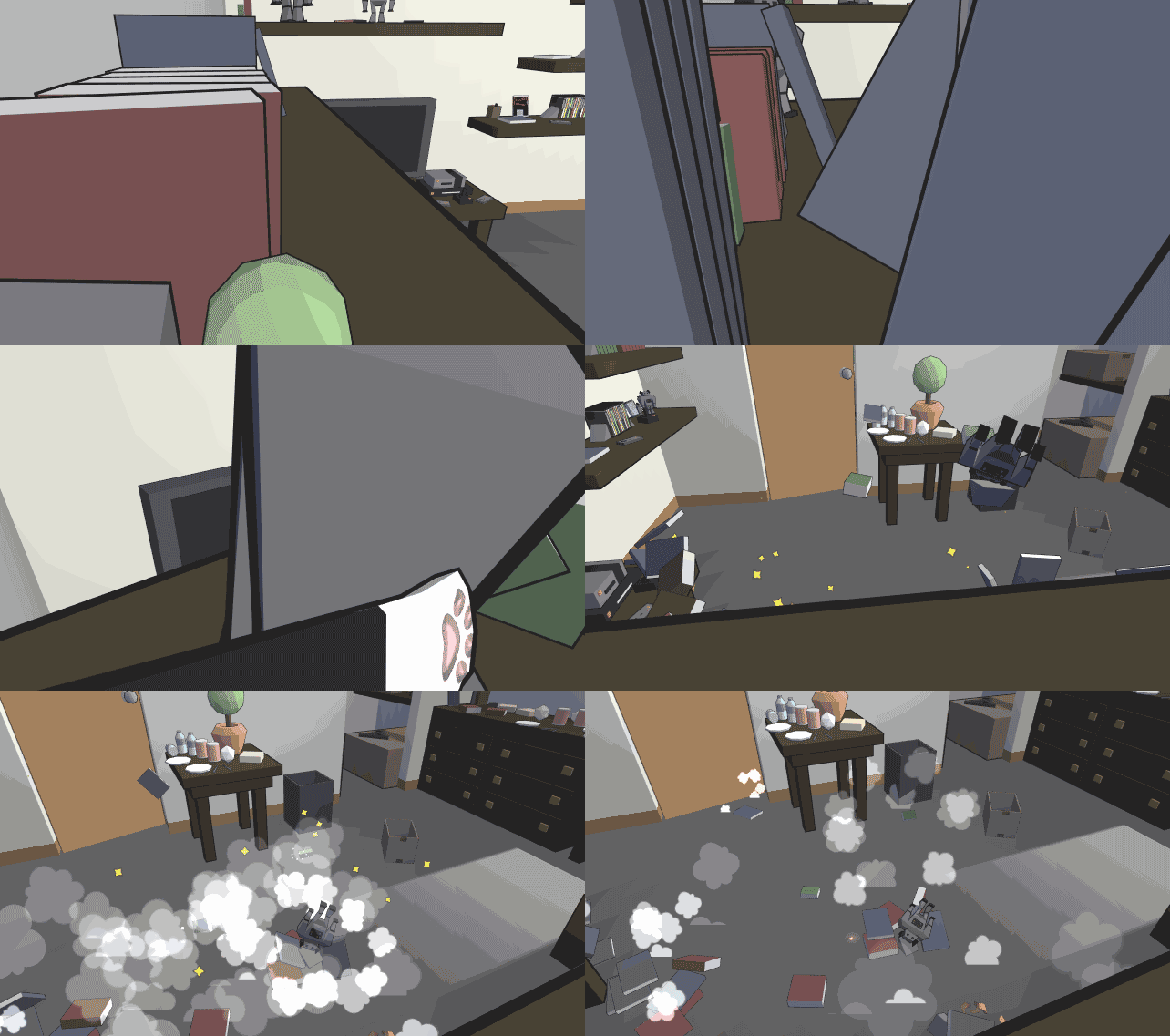
    If you’ve ever wondered what it would be like to be a cat, here’s your chance. A Kickstarter campaign has begun for Catlateral Damage, a first-person “destructive cat simulator.”

    The objective of the game is to destroy your owner’s things as quickly as possible within the time limit. There’s no story, just a high score to chase.

    Catlateral Damage is being developed by Chris Chung, who was inspired by his own cat, Nippy.

    Catlateral Damage Nippy

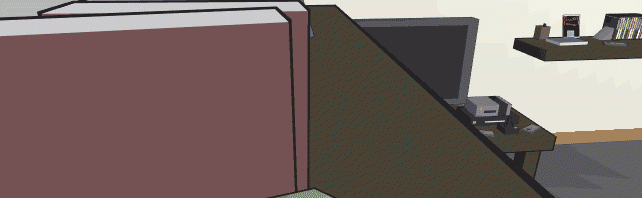
    The controls are simple: the mouse buttons let you swat with your paws and WASD keys control movement. Use the spacebar to jump onto furniture. Navigating levels from a cat’s perspective is intriguing, like cat parkour.

    Catlateral Damage promises procedurally-generated levels, so levels will be different each time you play. Chung plans to add more cats, special abilities, power ups, and more.

    Cat Damage gif

    Chung is seeking to raise $40,000 to bring the game to market. As of this writing, 863 backers have pledged $22,223. If you want to see Catlateral Damage become a real game, head over to the Kickstarter page and pledge.

    You can play an early web version of the game here.

    If you’re more into goats, there’s a game for you too.

    Source: Kickstarter

    Via: Polygon

    Follow Lewis on Twitter @lewisleong

    RELATED STORIES

    eBay Valet for iPhone helps you sell things for a steep price

    Selling your things on eBay can be a pain. If you don’t want to deal with shipping and lowball offers, eBay’s new Valet app will help sell things for you, but for a steep price.

    eBay Valet is the mobile for of eBay’s “Sell For Me” service, which has been available on the web for some time. To sell something, take a picture of the item and enter a description. Within 30 minutes, you’ll get a valuation of how much your item is worth. If you want to go through with the sale, eBay will send you a prepaid box to mail your item.

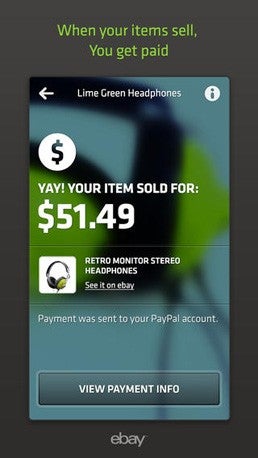
    eBay Valet selling priceOnce your item is sold, you’ll get 70% of the revenue and eBay keeps the rest. That’s a huge price, especially if what you’re selling is worth thousands of dollars.

    You will receive payment in your PayPal account, which is owned by eBay.

    eBay also has a few restrictions for its Valet service. Items cannot exceed 25 pounds and have to be in good condition. For a complete list of restrictions, check out eBay’s Sell For Me page.

    If you want to make selling items as simple as possible and don’t mind losing 30%, give eBay Valet a try.

    Source: eBay Valet (iTunes)

    Via: TechCrunch

    Follow Lewis on Twitter @lewisleong

    RELATED STORIES