Hay Day: the essential guide to the “The Town” update

Hay Day now has a new mode: The Town. Discover everything you need to know to master this update!

The Town is the biggest Hay Day (available on iOS and Android) upgrade to date. With this new option, our dominions expand from the rural surroundings of our farm and lands to a small town with typical buildings and even a train station.

How to get the new city? What are the buildings and advantages for each of them? In this guide, I’ll give you the information you need to get the most out of Hay Day, the new features and to have even more fun with the game, if that’s possible!

How do I get The Town?

The Town is a new game area in Hay Day. To access it you must meet the following requirements:

  • Have a minimum player level of 34
  • Repair the platform next to your house in the neighborhood

Once you’ve achieved these two objectives, the train platform will act as a connection between your normal neighborhood and The Town, and you can travel there whenever you want.

The town is a new empty location but it will be filled with buildings and services to attract visitors who will give you significant amounts of money.

What is reputation?

In this guide, you’ll see that we often mention the term Reputation. Reputation is a new indicator that applies only to your new town and increases depending on how many more people have visited. This level will limit you when it comes to improving your people, but is developed in such a way that you can go up without being blocked.

The basic buildings: the train station and the Town Hall

Worry about improving the railway station and the Town Hall, the two basic constructions of your town, before engaging in building construction.

Train station

Tourists will visit your town by train. If you click on it, you’ll see know when the next train arrives. At the beginning, you’ll get 3 visitors. This number increases if you make improvements. For example, the first improvement will bring you to 6 passengers each trip.

  • Materials needed to improve the building: tar buckets, bricks and drills.

Town Hall

With the City Council, you can know how many visitors are getting to your town and what each one of them does. When you start to play, your town will have a capacity of 9 concurrent visitors. Get building improvements to increase the ability of your people. For example, in the first improvement 3 more visitors will be added.

  • Materials needed to improve the building: stone blocks, hammers and buckets of paint.

6 service buildings

The Hay Day Town has, for now, 6 different service buildings. Unlike your farm buildings, they do not produce goods for themselves.  Instead, they’re places you can sell your products.

The strategy in The Town is to attract the largest number of potential visitors so that they can purchase your products.

Below are the buildings you’ll find in The Town and the requirements of reputation, money and time you need to create them as well as the time it takes to recover their stock and materials you’ll need to improve them.

Grocery store

  • Required reputation level : 1
  • Construction cost: 500 coins
  • Construction time: 14 seconds
  • Restocking time: 8 hours
  • Materials needed to improve the building: screws, adhesive tape and stone blocks

Cinema

  • Required reputation level: 2
  • Construction cost: 4,500 coins
  • Construction time: 5 hours and 30 minutes
  • Restocking time: 3 hours
  • Materials needed to improve the building: nails, hammers and wooden panels

Restaurant

  • Required reputation level: 3
  • Construction cost: 26,000 coins
  • Construction time: 1 day
  • Restocking time: 2 hours and 30 minutes
  • Materials needed to improve the building: wooden planks, screws and paint buckets

Hostal (“Bed & Breakfast”)

  • Required reputation level: 5
  • Construction cost: 45,000 coins
  • Construction time: 1 day and 8 hours
  • Restocking time: 8 hour
  • Materials needed to improve the building: drills, bricks and paint buckets

Spa

  • Required reputation level: 9
  • Construction cost: 62.000 coins
  • Construction time: 1 day and 12 hours
  • Restocking time: 4 hours
  • Materials needed to improve the building: drills, hammers and buckets of tar

Beach Cafe

  • Required reputation level: 13
  • Construction cost: 71,000 coins
  • Construction time: 2 days
  • Restocking time: 2 hours 30 minutes
  • Materials needed to improve the building:: drills, bricks and paint buckets

If you want more, build a personal train

With the tricks given so far, both your town’s Reputation and financial resources will improve. If you want it to happen faster, however, you can build a personal train that will allow neighbors come to your village, and you travel to theirs.

These are the requirements to repair your train, turning it into your personal train.

  • Required reputation level: 4
  • Construction cost: 13,000 coins
  • Repair time: 6 hours

The Town will make you want to play Hay Day again

In this guide, I’ve explained the basic principles of The Town, but this is Hay Day update hides many other things that you’ll be able to discover little by little.

For example, each village will be different, since you can add decorative objects, like you already do in your neighborhood. In addition, this new mode includes lots of achievements.

In any case, if you haven’t played Hay Day for a while, now is a good time to resume your game. With all the new features, you’re going to feel like you’re playing a whole new game.

Start playing Hay Day on iOS or Android.

Follow me on Twitter: @mariabaeta
The best Android games to train your brain

Do you miss Dr. Kawashima and his brain training exercises? What if I told you that you can beef up your gray matter and swell your IQ by playing on your Android smartphone?

In this new episode in our series on the best Android games, I’ll present you with five great games that may well awaken your creative side.

Einstein™ Brain Trainer HD

Einstein™ Brain Trainer Free Forget Dr. Kawashima! Professor Einstein is the new kid on the brain-training block. Fun games, bright graphics and engaging characters will make training your braining a very entertaining experience.

Easy to play, the Einstein™ Brain Trainer games are centered around mental calculations, spatial awareness and memorization. As well as testing your skills in each area, your final score will also be based on your speed. Pass as many of the rounds as possible to collect maximum points.

The game gets our approval thanks to perfect execution and challenging tests. It’s a entertaining game that will also strengthen your mental abilities, and it’s great!

Warning: The free version of Einstein™ Brain Trainer allows you to play just one session.

Download Einstein™ Brain Trainer Free

Einstein™ Brain Trainer Free

Brain Yoga

Brain Yoga Brain Training GameAs its title indicates, Brain Yoga is a zen game where you’ll find a selection of activities designed to stimulate your brain. With its relaxing music and Eastern-themed graphics, this title is a real invitation to relax.
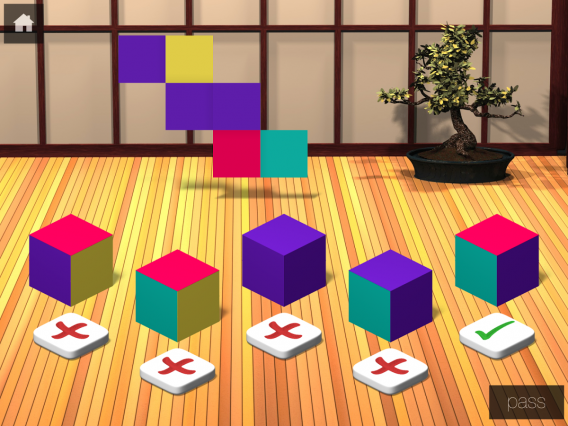
The strength of Brain Yoga is that although it’s difficult, it’s accessible. After each level, you can actually choose the difficulty of the following exercises. Another good point, Brain Yoga doesn’t impose any time limit so you can solve the puzzles at your own pace.

Memory, vocabulary, spatial visualization, and mental calculation are among the eight games included that cover a wide range of cognitive challenges. The perfect solution for stimulating your intellect without stress.

The free version of Brain Yoga only entitles you to one daily training session. Once that’s completed, you can still play other activities for free.

Download Brain Yoga

Brain Yoga

Monument Valley

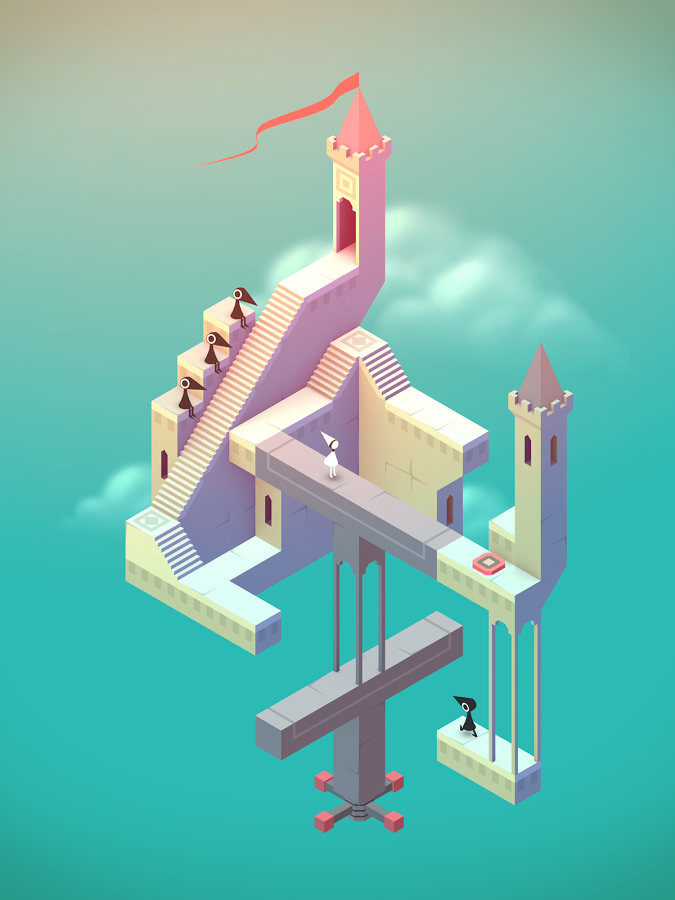
Monument ValleyDon’t be fooled by this faux Escher scene. Monument Valley will work your brain with environmental puzzles. In this masterpiece, you’ll play with perspectives and dimensions to guide little Ida to her goal.
But behind impeccable graphics and an enchanting atmosphere, Monument Valley conceals clever challenges that could well give even regular puzzle masters some trouble.

In each level, you must manipulate the environment and play with optical illusions to help the heroine get to the exit. You will constantly question intuition about space and perspective to overcome the mazes in the game

It’s the out-of-the-box thinking and enchanting world that make Monument Valley a unique experience of its kind. A game that’s not to be missed under any circumstances.

Download Monument Valley

Monument Valley

Puzzle Restorer

Puzzle Restorer

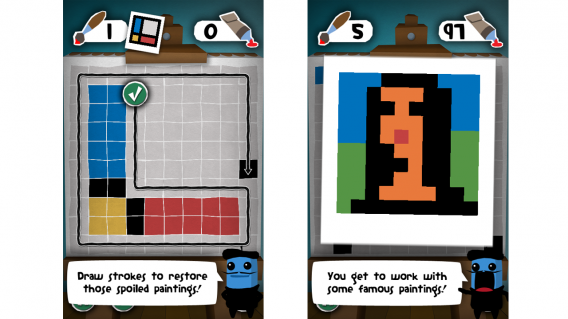
Puzzle Restorer invites you to use your brain to restore color to art, which are unusual. You will don your restoration painter’s smock to recreate pixelated versions of iconic art from history.

Specifically, your goal is to reproduce a pre-defined model by drawing continuous lines on a canvas. You will have a tube of gouache and your legendary techniques as tools! A good way to train your logical thinking and spatial representation while reviewing the history of art!

Download Puzzle Restorer

Puzzle Restorer

Best IQ Test

Best IQ Test

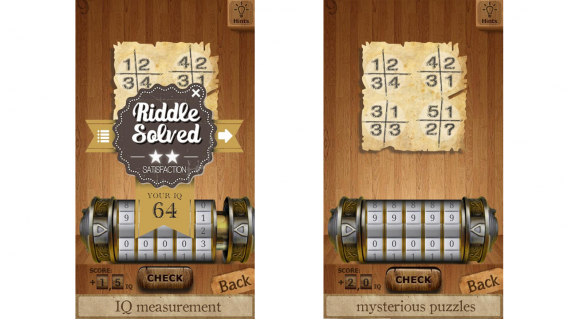
Best IQ Test is heavily focused on mental arithmetic. What’s that? You don’t have a head for math? Me either! And yet, I loved this game and its captivating puzzles.

In Best IQ Test, you’ll have to solve some pretty accessible exercises (I can’t give you any more clues than that!) that will make you rethink your math and multiplication in a fun way. The secret? The Best IQ Test exercises are actually puzzles. There’s no guidance to explain how to use it and so it’s up to you to choose the right approach to finding the solution.

And if you get stumped on a particularly twisted riddle, you can always buy a clue. You just need to spend a few IQ points, the currency of the game that fluctuates with your successes and failures. I was surprised that I liked it so much, and I think you should know that the sight of an equation now gives me chills!

Download Best IQ Test

Brain IQ Test

These 5 Android games are perfect for passing some time while flexing your mental muscles.

Did you like this article? So take a look at some of our previous articles in our Top 5 Android games series!

The Softonic Minute: Instagram, Google Maps, Mortal Kombat and Apple

Instagram gets a huge update, Google Maps take you to the World Cup, Mortal Kombat 10 debuts a new trailer, and Apple reveals plenty at WWDC. Check out this week’s latest software news in The Softonic Minute.

Default player


brightcove.createExperiences();

Massive Instagram update adds new effects

Facebook wants Instagram to be a serious photography app, and is introducing new effects and filters in a massive update with the ability to adjust the intensity of each filter, as well as control brightness, contrast, saturation, warmth, and more.

Google Maps targets the World Cup

Google Maps has been updated with information about the 12 World Cup stadiums for this year’s tournament in Brazil, letting you get in on the World Cup action before the June 12th kickoff. You can check out the stadiums here.

Mortal Kombat 10 revealed

The next installment in the Mortal Combat series has been announced with an awesome new trailer. The game is set to arrive on PCs and consoles in 2015. Check out the trailer here.

Apple reveals iOS 8 and OS X Yosemite at WWDC

Apple’s annual developers conference showed off the new iOS 8 for iPhone, iPad and iPod, as well as its newest version of OS X, Yosemite. Among developments in iOS are huge updates to iMessage and the keyboard, while OS X Yosemite showcases an improved Spotlight search.

World Cup 2014: Organize your World Cup party with these apps

There’s nothing better than enjoying a sports game with friends, and with the World Cup in Brazil just around the corner, there’s no better excuse to celebrate national pride and cheer on team USA than to throw a party with friends.

To make sure your viewing party kicks off without a hitch, your best bet is to get organized. Luckily, there are plenty of apps that can help you do just that, making your World Cup party as memorable as the games themselves.

Don’t let anyone forget the date

For such an important event, I recommend “formalizing” it somehow. The classic way is to create an event on Facebook or Google+ so that you can include a map of the location and details of the event, especially handy if you want people to bring stuff.

Still, not everyone is on Facebook, and if you want to invite people who aren’t using the social network, try web apps like DoodleFasterPlan or Congregar. All you have to do is create a user account, fill in the details of the event, and invite your friends, who will receive an e-vite. Theoretically, sending an e-vite makes it harder for friends to ignore because they’ll get plenty of notifications and reminders via email.

Don’t forget anything!

At this point, it’s smart to make a list of everything you have to do to prepare for the party. Apps like Checklist (available on Android, Kindle or online), Wunderlist (on iOS, Android, and web) or To do checklist (for iOS) let you create lists of things to do, which you’ll be able to check off as soon as you do them.

If you’re old school, you can also print off your list of things to do with the web app Printable Checklist.

Enough drinks and food for everyone

Even if you’re going the potluck route, you’ll also want to offer something for friends to nibble on when they arrive. If you want to be a bit more creative than chips and pretzels, you can impress your friends with snacks which are a bit more sophisticated but extremely easy to make.

Apps like Appetizers & Snack Recipes (available on iOS) or Snack Recipes (for Android) can help, offering a list of easy to make snacks to cater to any appetite. If you have a bit more time, you can download an app for lunch or dinner recipes, like the  legendary Epicurious (for Android and iOS).

Of course, with food comes drinks. If you love Gin and Tonics or Mojitos but have no idea how to make them, there are free apps that’ll teach you. You’ll find Cocktail Flow for Android and iOS, a step by step guide to the most popular cocktails. One of the great benefits of the app is that it tells you the approximate price of each ingredient so that you can keep your cash flow under control.

If you’ve spent too much on food and drink, it might be a good idea for everyone to chip in for the party, and there are even apps that help do that, creating a communal fund for expenses. Use Leetchi to get your money back from friends with no hard feelings.

A little pre-game soccer atmosphere

You might want to add a little atmosphere to the party before the game starts, and there’s no better way to do it than to try Spotify’s official World Cup playlist, with songs from artists as varied as Shakira, Rita Ora, Queen, Pharrell, Bill Withers, and Bonnie Tyler.

If you’re more interested in getting in on the action yourself, convince your friends to play a few games before the start of the match. FIFA 14 and PES 2014 are ideal for this, especially FIFA’s World Cup edition.

And the whistle blows!

With the help of these apps, all that’s left to do is sit on the couch, eat, drink and enjoy the game!

If you want to follow the entire World Cup tournament, check out our guide for tracking, following, and watching every game using apps.

Follow me on Twitter: @mariabaeta

GOG takes on Steam with DRM-free Galaxy gaming platform

Good Old Games (GOG) announced they will be creating a Steam competitor that will sell DRM-free games called GOG Galaxy. GOG hopes to give gamers 100% ownership, unlike games from competing platforms like Steam, Uplay, and Origin.

GOG Galaxy was born out of the frustration of gamers. Many game platforms require players to be connected to the internet, even to play offline. Take EA’s SimCity launch for example. Players were unable to play the game days after its launch, even offline, because EA’s activation servers were overwhelmed. EA eventually caved and launched an offline mode for the game.

Default player


brightcove.createExperiences();

Even the popular gaming platform, Steam, faces similar issues. Many games require an internet connection to check if the game has a valid license. Gaming platforms that use DRM have the ability to pull a game from its servers, making it unavailable to download even if someone already paid for it.

GOG Galaxy promises gamers they will never be forced to use features they don’t want to. GOG Galaxy will include a chat feature and achievement board but gamers aren’t required to use them. All games will be able to be played offline without first activating online.

Although GOG trashes its competition, it also wants to work with them. According to Destructoid, GOG Galaxy will work with Steam, letting players from both platforms play games together. GOG has not announced more partnerships but it’s hard to imagine other platforms playing nice.

GOG Galaxy is undoubtedly ambitious and it will be interesting to see what titles will be available for the platform. Popular game series like Assassin’s Creed and Battlefield will likely be exclusive to their own platforms but more open minded publishers may back GOG.

GOG Galaxy doesn’t have a release date, but more information will be revealed this year. You can sign up for news about GOG Galaxy as well as get a chance to participate in The Witcher Adventure Game closed multiplayer beta.

Source: GOG

Via: Ars Technica

Follow Lewis on Twitter @lewisleong

RELATED STORIES

Tinder Moments lets you share photos for 24 hours

Tinder isn’t just about finding your next date any more. The company wants to be a social network and messaging app with the introduction of Tinder Moments.

Moments are self-destructing photos that you can share with your matches. The photos are available to view for 24 hours and your matches can swipe right to like it or left to “nope.” You’ll get a notification when someone likes your Moment and you can start chatting.

Tinder Moments is definitely influenced by Snapchat’s disappearing photos and texts. The app has an uphill battle to move away from being known as an app for hook-ups to a full-fledged messaging app. By integrating features from other messaging apps, Tinder could succeed at being an app for friends. Shapchat faced a similar problem as it was first known as the app for sending explicit photos but is now used by many as a messaging platform.

To give Tinder a shot, check out the download links below.

Download Tinder: Android | iOS

Via: TIME

Follow Lewis on Twitter @lewisleong

RELATED STORIES

YouTube for Android finally adds streaming quality controls

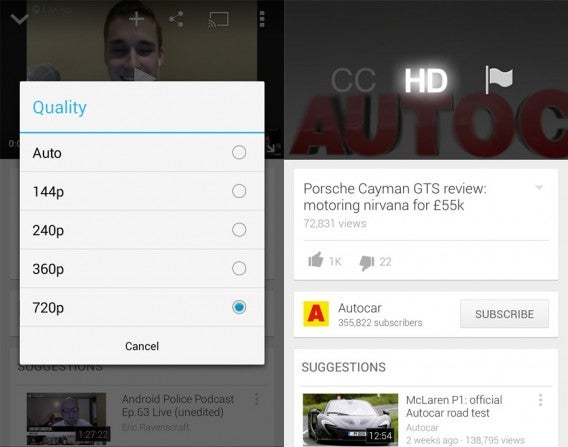
A minor update to YouTube for Android lets you select your streaming quality. Previous versions featured a simple toggle for high definition but it didn’t allow for specific control. With the new streaming quality menu, you can select anything under 720p.

YouTube Android update new and old

Left: New streaming options | Right: Old HD toggle

While auto streaming quality usually works well, there are times where YouTube stutters trying to stream high resolution video. To stop stuttering, you can select a lower resolution stream to ensure smooth playback.

The update is rolling out now to Google Play.

Download YouTube for Android

Follow Lewis on Twitter @lewisleong

RELATED STORIES

The best apps for Chromecast

Google’s Chromecast has almost reached its one year anniversary. The HDMI dongle serves as a bridge connecting Android and iOS compatible apps to your TV, with the ability to cast tabs from the Chrome browser.

If you’ve never used Chromecast before, the dongle itself doesn’t have any direct function other than to stream media. Even the Chromecast app for iOS and Android is only used to set up the device on a Wi-Fi network, as well as to control everything you see on screen.

Chromecast never positioned itself to replace set-top boxes or become the primary platform for streaming services, something that’s reflected in the small number of official apps on offer. Since Google opened the developer API, however, developers are able to code support for various apps. In reality, thought, Chromecast isn’t going to be a device you use all the time.

Still, the few official apps that are available prove useful for Chromecast. Below are the apps that cover the most common ways people use Chromecast (there are, of course, more apps, but some are from unknown developers and I’m hesitant to install them).

Best app for Chromecast: YouTube

YouTube is the reason I own a Chromecast. The fact is that there’s a ton of video content on YouTube, and a lot of video content producers release long-form videos with Let’s Play for games and video podcasts, which I watch often. I also discovered some TV networks who release full episodes of shows on YouTube, giving me the chance to catch up when I have time.

YouTube for Android Chromecast

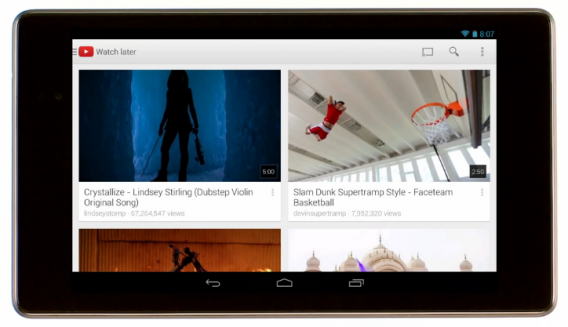
It’s more common for me to use YouTube and Chromecast rather than watching on a computer. YouTube on other platforms doesn’t work anywhere near as easy as it does through Chromecast, mainly because of the app. If you have subscriptions or use the Watch Later feature, it’s even easier to have a collection of videos to watch.

Paid streaming services: Netflix/Hulu Plus/HBO GO

You probably have a subscription to at least one of these paid services. The most logical is Netflix, but Hulu Plus and HBO GO have a lot of subscribers too. In fact, you may have subscriptions to all three. With these apps, you get access to the online libraries of streaming content, including TV shows, movies, documentaries, and original content.

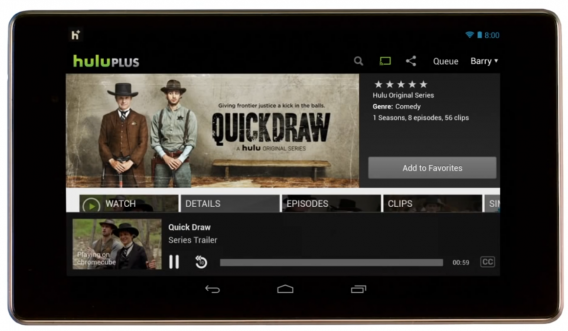
Hulu Plus on Android Chromecast

There’s service-specific exclusive shows and movies, depending on which one you have. There is a noticeable difference in video playback, at least on Netflix. Streaming through the Chromecast, the high definition video is crisp, but it can’t display the 1080p Super HD that I see when streaming Netflix on the PlayStation 4. It’s not noticeable on newer videos, but older movies that are “HD” have some issues.

All of these services have options on other platforms, but they work well through Chromecast as long as your Wi-Fi network is stable.

Music streaming: Google Play Music/Pandora/Rdio

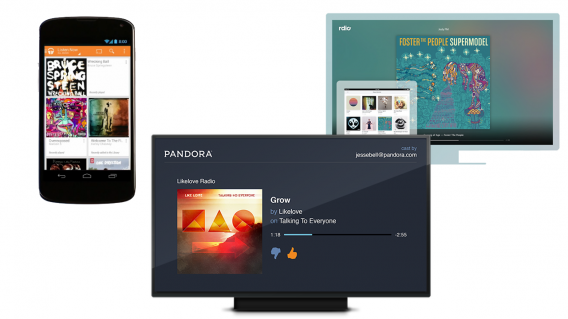
An obvious exclusion is Spotify, which doesn’t have official support, but Spoticast is a good alternative. As for the official apps, Pandora is available, though I personally don’t find the service all that helpful. Rdio also has Chromecast support, but Google Play Music is my favorite because it lets me stream my music. Depending on how you have the Chromecast set up (directly into the TV or through a mixer), you’ll be able to stream music from your Google Play Music account.

Google Play Music Pandora Rdio Chromecast

Another nice thing about Chromecast is that multiple people can use it as long as they’re on the same wireless network. This could lead to arguments, but if your friend has a Rdio account, they can stream their music to the Chromecast, which is great for parties.

Music streaming doesn’t take advantage of  the space offered by the TV though, and the apps all have sparse interfaces. It works when you need background music, but having the TV turned on to play music is a little bit annoying.

Personal media streaming: AllCast/Plex

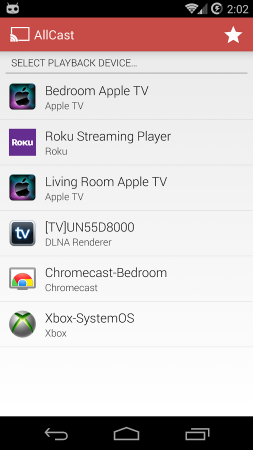
Plex and AllCast are built around the same idea – streaming personal media. Plex is an official app requiring a Plex Media Server to connect to your media, while AllCast is an app from ClockworkMod, a team that makes utility apps for the advanced Android user. AllCast is designed to be easier, and also supports multiple devices like Amazon Fire TV, Xbox 360, and some Smart TVs.

AllCast for Android Chromecast

Plex is a more developed platform that allows you to stream media from a lot of sources like Google Drive or Dropbox. The basic premise is that Plex will access your Plex Media Server and load the content through the Chromecast for streaming. The important aspect of Plex is that it’s your music, movies, and photos.

Using these apps is the perfect option for people with a lot of personal videos that they can’t find anywhere else.

A growing ecosystem

If you’re unsure if you need a Chromecast, then you probably don’t. It can serve as an excellent quick option to play media, but the number of officially supported apps remains small.

Since I use Chromecast mainly for YouTube or Netflix, I get a lot of use out of it, but only for those two services. It’s good for Google Play Music when I need background music, but my computer serves the same function.

WIth Google I/O coming at the end of June and the expected announcement of Android TV, the Chromecast may lose its purpose with the arrival of a new device–  unless Google has a way of implementing Android TV on the Chromecast with a firmware update.

Follow me on Twitter: @chrislikesrobot

Find out more about the excellent Google Play Music for iOS in this article: Google Play Music for iOS can replace the Music app

Angry Birds Stella gets September release date

Rovio, the developers of the infamous Angry Birds series, announced today the expected release date of its next game, Angry Birds Stella, in September. The game will most likely be available for both Android and iPhone at launch.

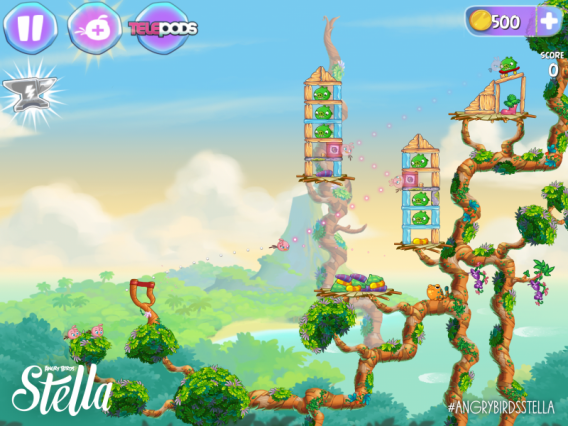
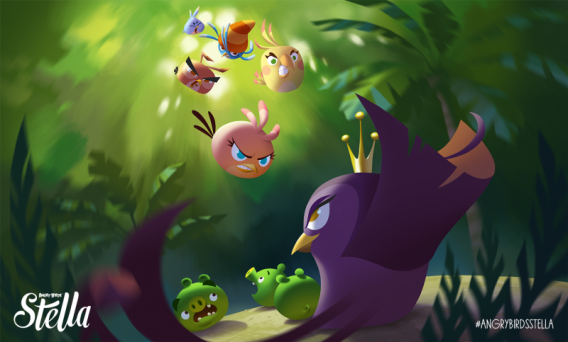
According to Rovio, the newest addition to the Angry Birds family is “fun, feisty and always up for a challenge”. The game features Stella and her friends Poppy, Willow, Dahlia, Luca, and Gale, playing in a new corner of the the Angry Birds universe: the Golden Island.

Angry Birds Stella

In what’s a first for the series, Angry Birds Stella seems to be targeting more of a female audience, telling a story about the power of female friendship. According to Rovio, the characters have “strong and quirky personalities that can sometimes clash, but their rock-solid friendship and love for fun keeps them together through every adventure.” While each character is unique, they’ll work together in the game to accomplish their goals.

Angry Birds Stella

This new game hopes to revive the series, which for the first time in its history, has shown disappointing financial results. With viral hits like Flappy Bird and others flooding the app store–a style which Rovio is trying to mimic with the upcoming RETRY– only time will tell if Angry Birds Stella will help bring the series back to the top of the charts.

[Source: Rovio]

Follow me on Twitter @suzieblaszQwicz

Related articles:

5 cool applications for gaming on Mac

If rumors are to be believed, Apple is about to unveil a revolutionary Apple TV capable of running native video games. We have no idea when, since it didn’t happen at the last WWDC, as was rumored, but we live in hope!

Fortunately for Mac owners, you won’t have to wait for this hypothetical Apple console to play on their Mac OS. Yes, you read that correctly! You can already turn your Mac into a true games platform with these five exceptional applications.

Steam

steamSteam is the benchmark for all online video game shops. With its ever-expanding catalog, the virtual store from Valve is a boon for all fans of video games. Much to the displeasure of Mac critics, the number of games compatible with Mac OS continues to grow.

With 891 Mac games (and counting) across all genres, Steam will delight everyone, from gaming novices to hardcore gamers. From Dota to Borderlands 2 through DustBioshock Infinite and Call of Duty, the vast majority of the games that really count are available on Mac.

Download Steam for Mac

Steam Mac

Steam is the benchmark for online game stores

GOG.com

gog.comThe creators of the GOG.com site (Good Old Games) are part of a truly separate species. These fanatics work day and night to extend the life of the greatest classic video games. Their aim? To enable new generations to play legendary games from the 80s and 90s. And they won’t settle for anything less!

Syndicate, Ultima, Thief, Baldur’s Gate, Alpha Centauri, Dungeon Keeper, Sim City 2000, Theme Hospital…Thanks to GOG.com, you can replay these cult titles on your Mac! And that’s not all: the online store also offers some of the best current games available, and always at very affordable prices.

Go to GOG.com

Gog.com

GOG.com lets you buy cult games from the 80s and 90s that you can’t find elsewhere …

OpenEmu

OpenEmuWe continue in the retro theme with OpenEmu, the ideal solution for replaying old console games on your Mac. Are your old game cartridges for Game BoySuper Nintendo or Sega Mega Drive gathering dust in your attic? Perfect. OpenEmu allows you to emulate your console to replay your favorites via an elegant interface that’s accessible to everyone.

An application that has a truly impeccable finish, it transforms emulation into real pleasure. Emulating is so much better than it used to be! And, so as not to spoil anything, OpenEmu has near-perfect compatibility with many of the Bluetooth controllers available on the market, including those for PlayStation 3 and 4, Xbox 360 and Wii.

Download OpenEmu

OpenEmu

OpenEmu is the emulation messiah for Mac…

Origin

OriginsSay what you want about Electronic Arts, but you can’t deny that the gaming giant’s catalog is the stuff of dreams. Sim CityThe Sims, as well as Dragon Age, Plants vs. Zombies, Lego, Tropico or even the Batman Arkham series…These exceptional games are available on Mac via Origin, the EA online store. Worst company in the world or not, EA helps (in its own way) to make the Mac a gaming platform in itself. It can’t be all bad!

Download Origin

Origins

The catalog of Mac games available on Origin is pretty tempting…

Humble Bundle

Humble BundleHumble Bundle is also great for players on Mac. This online shop offers weekly specials on packs of independent games which have been carefully selected. The site offers regular Bundles of games available on Mac and allows you to quickly create a nice collection without breaking the bank. Indeed, the secret of the Humble Bundle is that you set the prices yourself!

See a pack of games that interests you? Just choose how much you want to pay and proceed to the checkout! Simple, huh? In addition, a portion of the proceeds is automatically donated to a charity. Have fun and do a good deed? It’s win-win!

Go to Humble Bundle

The humble-bundle

Sword & Sorcery, LIMBO, Amnesia, Bastion, Braid and Super Meat Boy – all in a Humble Bundle!

So now you have everything you need to turn your Mac into a true gaming platform…but what’s that you say? You’re not completely satisfied with these five exceptional applications? No worries! Here, Nick explains how to run Slender on Mac, but the method can be used for running any Windows game on Mac.