Battlefield Hardline review

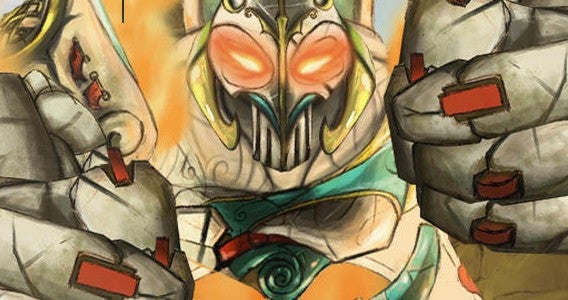
Battlefield has historically always been about fighting wars. While the main series focused on large scale battles and multiplayer, other games like Battlefield Bad Company 2 added an excellent story and humor to the serious franchise. Battlefield Hardline takes a similar approach to Bad Company.

Hardline uses the Battlefield name and Frostbite engine, but it puts more focus on the single player campaign than other games in the series. Multiplayer also changed by shrinking the 64 versus 64 battles of Battlefield 4 into smaller, objective-based matches.
Battlefield Hardline

A better, broader campaign with plot problems

Battlefield never had an amazing single player campaign. BF 4 took a Michael Bay approach by shoving huge fire fights anywhere possible. Hardline is very different with Visceral Games taking the lead and DICE assisting. It’s obvious that one of the main goals was to make the single player campaign compelling.

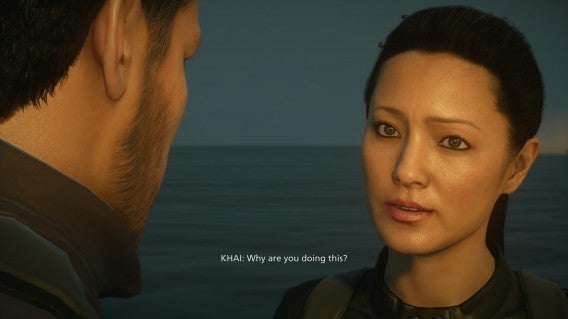
You play the entire game as Nicholas Mendoza, a Miami drug detective. Giving the main character a name, face, and spoken lines adds a lot of depth to previously silent protagonist of BF 4. The supporting cast is also fleshed out really well. Hardline’s cast consists of actors like Nicholas Gonzalez as Mendoza and Kelly Hu as Khai Minh Dao, his partner.
Battlefield Hardline

Instead of just using their voices, the cast had facial scans and what looks like motion capture to add realism to cutscenes. It makes Hardlines’ fictional Miami a lot more believable. There are some issues with audio and video sync later in the campaign, but the actors’ performances really help to sell the plot.

The campaign is broken down into ten episodes. It plays exactly like a mini-series with previews and recaps of episodes. While the overall story is interesting, there are a lot of missteps. Important characters in the beginning are set to the side and relationships between characters don’t make sense. There is also a lot story not even explained other than a couple lines. The single player campaign is fun, but there’s a lot of time spent listening to conversations. The length of individual episodes varies and what Electronic Arts considers gameplay could be simply driving toward a location.

You’re given a phone scanner early and can locate evidence hidden in levels. Collecting evidence unlocks new weapons, which are extremely necessary towards the end of the campaign. Picking up weapons also unlocks them, but the selection is small. You gain experience for completing levels and finding evidence.
Battlefield Hardline

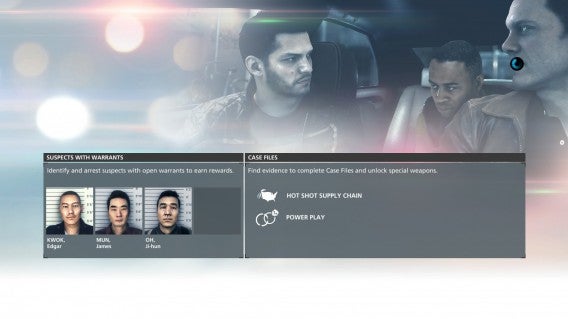
Since Mendoza is a cop, Visceral added the ability to arrest criminals. You can arrest any criminal, but there are more valuable criminals with warrants that you find by scanning enemies in different areas. If you can arrest them, you earn a huge experience point boost.

One problem with arresting criminals is the takedown animation is long and gets repetitive. Another annoying aspect is finding all the evidence. You can skip it if you want, but unlocking new weapons and attachments is related to how difficult the end of the campaign will be. New gadgets like the grappling hook and zipline are introduced, but after a couple levels, you don’t need them again. It’s like Battlefield Hardline wanted to include all these little things in the campaign but never found a way to keep them relevant.

In the end, I liked the single player campaign. It did get frustrating at times, especially considering you can’t throw grenades but enemies can. The plot is kind of stupid, but cop drama stupid so it’s forgivable. The episode format fits the story well, but it’s clear that the plot needed another five episodes to fully explain the holes it created.

Shrinking multiplayer

I loved playing Battlefield 4’s multiplayer in the 64 versus 64 matches. Hardline doesn’t have anything close but for the different modes, it makes sense. The maps are smaller and condensed, but there’s a lot more room for exploration and strategy. Again, not everything is a hit and there are some misses.

There are four classes: Operator, Mechanic, Enforcer, and Professional. Operator is the assault class, Enforcer is the support, and Professional is the sniper and recon. There are two upgrade paths: one is earning experience points and the other for earning money. Experience points don’t really do much and money is used to buy new class-specific weapons and gadgets. So even though you earn levels, you only need money to unlock the better weapons. Attachments are unlocked based off kill numbers, so to get new sights or grips, you need to kill a specific number of enemies. Once these unlock, then you need to buy the attachment.
Battlefield Hardline

I mainly play big map matches like Heist, Blood Money, or Hotwire with conquest and team deathmatch as breaks. Heist a is cops versus criminals mode where cops have to protect two packages and criminals need to steal and transport them to different drop off points. It’s the main multiplayer mode. Depending on the map you might be in the desert or inside a downtown city. Heist is a frantic back-and-forth battle that requires a lot of teamwork on both sides. Cops can win if they deplete all of the criminals respawn points.

Blood Money requires both sides to collect money from a central point and deposit it in their own vault. You can also steal money from the opposing sides’ vault to lower their amount too. Blood Money is a lot of fun, but has a problem with campers who simply sit and wait for pickups.

Hotwire is probably the weakest of the big map modes. You have to get different vehicles on the map and drive them at full speed to gain points. You can ride motorcycles, muscle cars, and even a semi dragging a fuel tank. The problem is that if you die and respawn, the objectives are always moving. Getting back into a vehicle might require you to camp at a specific location. It’s fun if you’re in a car, but kind of boring otherwise.

There are smaller modes like Rescue, a five-on-five hostage rescue game featuring a three minute timer and only one life for each player. Teamwork is the only way to really succeed because the wrong plan of attack can wipe out everyone quickly. Crosshair is another five-on-five mode where cops have to escort a VIP witness to an extraction point and criminals have to kill them. This mode also only gives you one life.

Battlefield Hardline

Battlefield Hardline includes conquest and team deathmatch, but in smaller forms. There are small and large conquest modes, but they don’t have the feel of BF4’s huge maps and this can lead to a lot of frustration. Since a lot of maps take place in houses, you may only get a couple steps before dying because there are six other directions people can fire from. There definitely needs to be a balance patch for multiplayer because there are definitely some hit detection issues and some weapons are overpowered.

But considering the chances EA took with Hardline, the game’s different modes give players more choices. The different modes cater to different play styles and the upgrade system leaves everything to the player.

You still earn Battlepacks by leveling up. Different prizes are boosts which can add different percentage boosts for experience, weapon paint jobs, or patches to customize your avatar. It’s not as good as weapon unlocks, but does give you a way to create your own personal multiplayer appearance.

Successful in trying something new

Battlefield Hardline shrank the massive scale of Battlefield 4 into two things: a concise story driven single player campaign and an intense multiplayer experience. Visceral definitely created an interesting plot for the campaign, even with its plot holes. It feels like a cop drama, but needed more polish.

The multiplayer works. The new cash upgrade system works a lot better for customization, but some of the modes need tweaks to make them more fun. Shrinking the number of players was smart, but I miss the massive scale fights that Battlefield 4 had.

Although Hardline is a tangent from the main series, Electronic Arts and Visceral Games experiment was a success in releasing a different Battlefield experience.

Review copy purchased for PlayStation 4

Related Articles

Nintendo will finally make games designed for smartphones

King’s Quest: stories like grandpa used to tell

DmC Devil May Cry: Definitive Edition review

Follow me on Twitter: @chrislikesrobot

Best apps for clothes shopping

Hands up if your idea of a perfect Saturday is anything but trailing through a shopping mall to find a new pair of shoes/jeans/dress/insert other clothing item here. But that doesn’t mean you don’t like to look good and buy cool clothes. So maybe you’ve already embraced the online shopping trend, but you find this doesn’t give you everything you need. There are a host of apps that cover the whole shopping experience, from creating a look, to getting your friends opinion, to finding the best price, right through to the actual purchase.

Everdrobe: Social Wardrobe

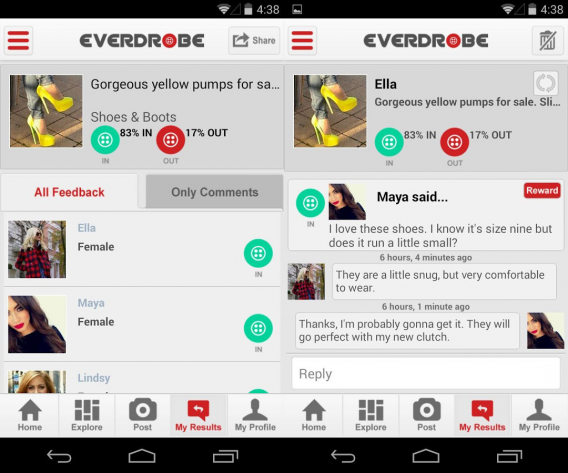
How many times have you been shopping and you really needed advice from your friends on whether to buy or not? Or have you ever bought some clothes, got home and not been sure if the outfit is quite right? With Everdrobe: Social Wardrobe, not only can you get help from your friends, but you can also put your question out to the general public (if you dare). It’s a little like Tinder for clothes: tap green if it’s “in”, or red if it’s “out”. There are also loads of ideas that can help you create your perfect look, plus you can buy and sell clothes to and from the other fashionistas using the app.

Download for Android | iOS

Pose

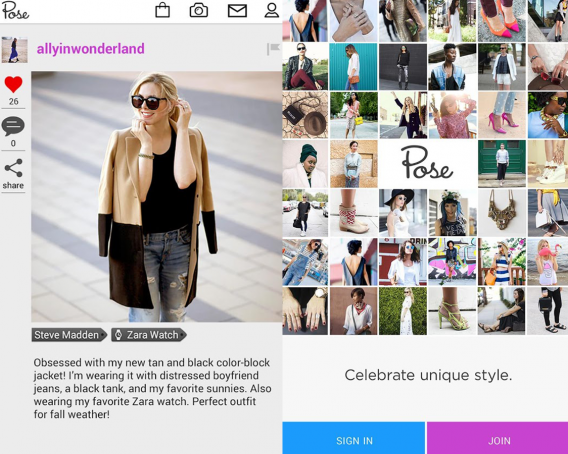
Social shopping is where it’s at and, to harness this trend, Pose has created a community for sharing the latest fashion trends. But it’s not just mere mortals that are posting their latest looks. Celebs, stylists, and fashion journalists also chip in with their thoughts (and outfits). Not only do you have the opportunity to virtually raid the wardrobes of these stylish shoppers, you can also trade items you own for their wares.

Download for Android | iOS

Polyvore

If I were to describe Polyvore in a nutshell, it would a Twitter-Facebook hybrid for the shopping scene. In a similar vein to Facebook, you can like or dislike items and looks and then add these to your collections. Your choices will then be fed into the algorithm to improve the products the app recommends to you via your Twitter-style feed (which is made up of recommendations plus content from people you follow). If you’re stuck for outfit ideas, you can also ask your community for help.

Download for Android | iOS

Gilt

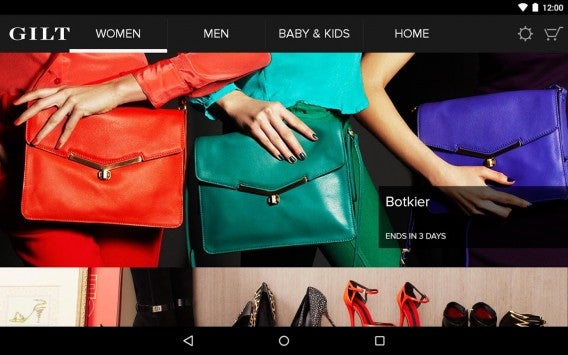
Gilt is a perfect app for designer clothes addicts on a budget. Instead of being a port of the website, Gilt is a mobile-focused product with exclusive deals that are only available in the app. The deals change daily and offer up to 70% off well-known brands. However, you do have to be dedicated (and in the right time zone) to take advantage of these offers as the sales start at 12PM ET and only last 36 hours.

Download for Android | iOS

Zappos

Zappos

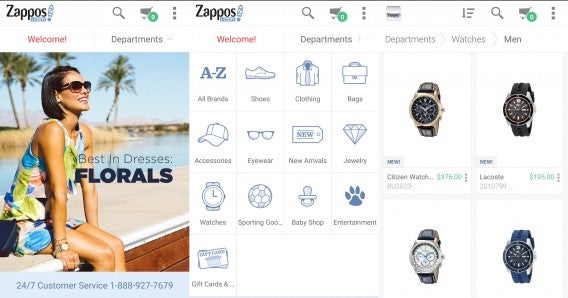
While most shoppers know Zappos for its excellent shoe shopping experience, it actually offers much more than just shoes. You can shop for clothes, bags, eye wear, jewelry, watches, and even baby stuff.

Zappos features great deals and its products have detailed descriptions to see if clothes and accessories will fit you. If it doesn’t fit or you don’t like it, Zappos has a great exchange and return policy. Shipping is also free with no minimum purchase requirement.

While other shopping apps pressure you with limited time deals, Zappos doesn’t, letting you browse for items like a traditional shopping experience (except virtually).

Download for Android | iOS

MYHABIT

MYHABIT

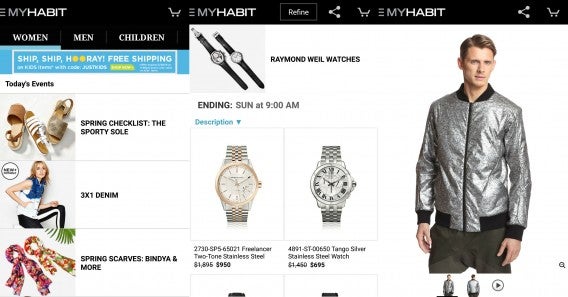
In addition to Zappos, Amazon has its own shopping deals app for fashionistas called MYHABIT. Like Gilt, MYHABIT focuses on providing daily deals so you’ll be checking back every day. The app features sections for women, men, children, and designer brands like Fendi and Versace.

MYHABIT features a lot of designer clothing but also sells furniture as well. The featured furniture isn’t your normal IKEA stuff so expect to pay a pretty penny for design.

Download for Android | iOS

Rue La La

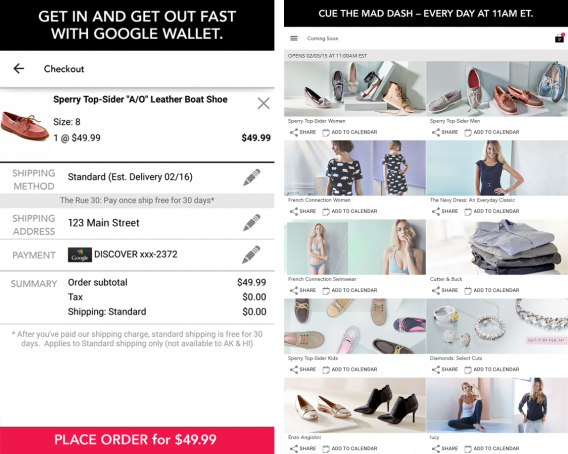
The French are a stylish lot, aren’t they? Rue La La is another app that allows you to indulge your clothes habit for less, and these sales get the jump on Gilt, starting at 11AM ET. The particular advantage of shopping with Rue La La is that it offers free shipping for the first 30 days after your purchase an item, and you can checkout in two steps instead of going through a lengthy sign up and purchasing process.

Download for Android | iOS

JackThreads

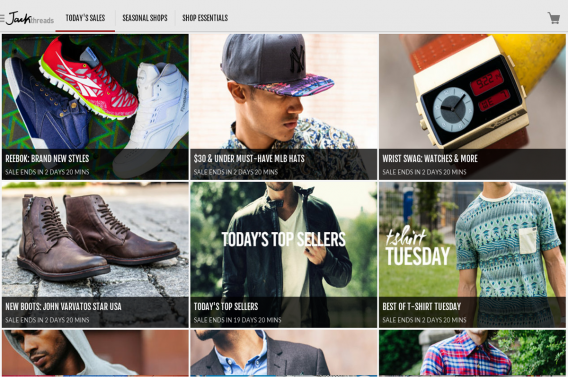
Guys like to shop for clothes too, but you might not realize it given that many fashion apps seem to be squarely targeted toward women. Not so JackThreads, which helps fashion-conscious men stay on trend by surfacing a daily dose of the latest trends from established brands such as Levis, as well as clothes that the company makes itself.

Download for Android | iOS

Wish

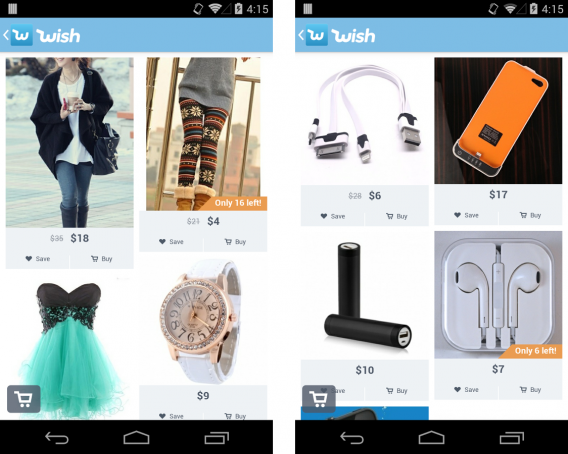
While Wish has been around for quite a while now, it still remains a fantastic example of how to provide a truly personalized shopping experience . In Amazon style, the idea is to create wish lists with all your favorite items that you want to buy but can’t at that point. You can create as many as you like then, instead of having to browse through the entire catalog, the app will you show you deals on items that are similar to the ones you have saved. The more you use Wish, the more the app learns about your preferences and the better (and more personalized) the shopping experience will be. The deals are excellent as well.

Download for Android | iOS

Snapette

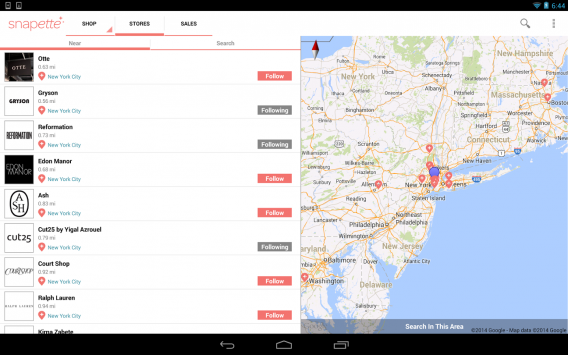
Even if you’re a dedicated, tech-savvy shopper, there are some items you’d probably prefer to buy in store. Snapette is ideal for this as, not only does it allow you to buy clothes online through a brand’s website, it also uses GPS to determine your location and serve you up offers at retailers nearby. Not only that, it also connects with WiFi and beacons in store to be able to direct you to the specific area in a shop where the product you’re searching for is located. If you’re worried about deals being out of date, then you can check out the real-time information that retailers send out about offers and in-store events.

Download for Android | iOS

Virtual Dressing Room

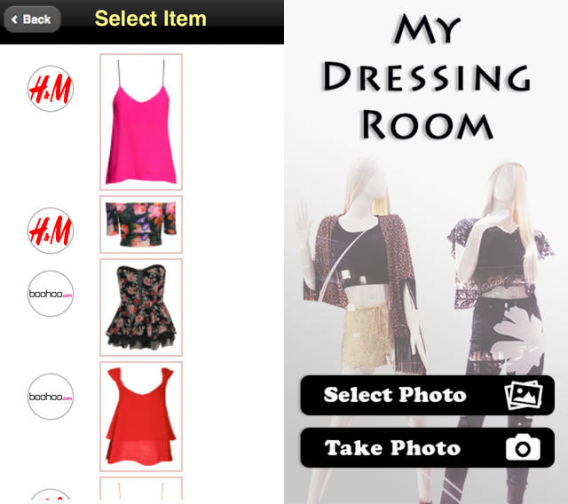
While there still isn’t a proper substitute for trying on clothes in a real fitting room (or in the privacy of your own home), if you want to get a rough idea of how an item of clothing will look, Virtual Dressing Room can help. First, either take a new photo or select an existing one, then chose a category of clothing (dresses, skirts, shorts, sun glasses, earrings, etc), select an item on the list, which includes retailers such as H&M, Forever 21, and Boohoo.com, and this item will be superimposed over your body (you can reposition it if necessary).

Download for Android | iOS

Related Articles

You go girl! Why so many apps for women are just plain sexist

11 reasons you will be wearing a smartwatch this year

Best free iPad apps

Follow me on Twitter: @karenmccandless

5 Apps to Try This Weekend – March 20th 2015

Today is International Happiness Day, and we are here to brighten up your weekend with five recommendation of apps to try.

We have a particularly cheery game to start with, the gleefully colorful rhythm game Planet Quest. However, for gamers who prefer a slower build to their joy, we also have Ori and the Blind Forest. Providing you can get past this exploration platformer’s Bambi-esq beginning, you are in for a real treat.

If games aren’t your thing we have Meerkat, a service that lets you live stream straight from your iPhone to Twitter. Don’t worry though Android users, we have Stre.am (Android | iOS) for you, which offers a similarly intriguing service.

If you find joy in using your time more productively, our last apps this week are Office 2016 for Windows Preview to improve your own efficiency, and Avast GrimeFighter (PC | Android) to improve your computer’s efficiency.

I hope all these apps make your day a happy one. Remember to subscribe and to check back next week for another 5 apps.

Related Stories

Five Apps to Try This Weekend – March 13th 2015

Five Apps to Try This Weekend – March 6th 2015

Five Apps to Try This Weekend – February 27th 2015

Follow me on Twitter: @DoFuss

App of the Week: Avast GrimeFighter

Softonic’s App of the Week highlights some of the coolest, most unique, and popular apps that have been released for Android, iOS, Windows, and Mac. This week we are having a look at Avast GrimeFighter, a handy tool to give your Android device a spring clean.

Avast GrimeFighter is the official mobile app version of the famous Windows antivirus program, designed to clean your phone’s memory and improve performance. By scanning your device, this lightweight app is able to remove unused and junk files to clear out precious space in its virtual brain.

“Advanced Cleaning” options offer you additional control over the process, letting you intelligently target specific information to remove, and even select data to sync with Dropbox before deletion – letting you keep treasured memories while still clearing space on your device.

Default player

<!–
By use of this code snippet, I agree to the Brightcove Publisher T and C
found at https://accounts.brightcove.com/en/terms-and-conditions/.
–>

<!–
This script tag will cause the Brightcove Players defined above it to be created as soon
as the line is read by the browser. If you wish to have the player instantiated only after
the rest of the HTML is processed and the page load is complete, remove the line.
–>
brightcove.createExperiences();

Avast GrimeFighter is a great option for those looking for an easy way to clean their phone.

Related Stories

App of the Week: Office 2016 for Mac

App of the Week: YouTube Kids

App of the Week: Pushbullet

Follow me on Twitter: @DoFuss

Diary of a fat man – MyPlate (sometimes life gets in the way)

It is an unfortunate truth that sometimes, despite a true desire to improve yourself, life can get in the way of diets. So, while this last fortnight has seen me looking at MyPlate (iOSAndroid), let’s not expect it to have had any real impact on my weight.

What went wrong? Well, unexpected visits and St. Patrick’s Day happened, all of which saw MyPlate tracking my failures in wonderfully approximated detail.

The most damaging of my issues was my friends’ (very welcome) visit from the UK. It has been eight months since I last saw them, and I owed them a good time, which meant lots of rum, paella, and cheese. None of which proved helpful in keeping me to the 2456 Cal diet recommended by MyPlate.

Post bar evening snack

Let’s have a look at Saturday night, or more importantly the post-paella cocktails. Six mixed drinks left me struggling to follow exactly how much alcohol (and thus calories) was in each – especially living in a country that doesn’t seem to adhere to strict measures (this is not a complaint).

If I were to guess, the zombies we drank (pictured) were close to half of a pint of near neat spirits. I used MyPlate to create a rough translation of this in calories, a staggering  450 Cal. And I had two. On top of this there was red wine, a Missionary’s Downfall, a White Russian, a Negroni, and a Bloody Mary (feel free to be impressed that I remember all that).

Zombie

What really impressed me was that, even when drunk, approximating all of this was simple. MyPlate offered good “natural” options that allowed me to estimate the amount I consumed, even when lacking in formal measures. I could measure rum by the measure, the ounce, the milliliter, or the glass – and sometimes was even offered the ability to choose between brands. Once I had selected my unit of measurement, I could then choose the number of servings to be added. Easy to understand, even when drunk.

This was far more natural than my previous attempts with Mango, allowing me to assess my eating without the need to carry scales everywhere I went. Plus, with more foods incorporated in the base app, it also felt easier to find a match for what I was eating.

Adding your food

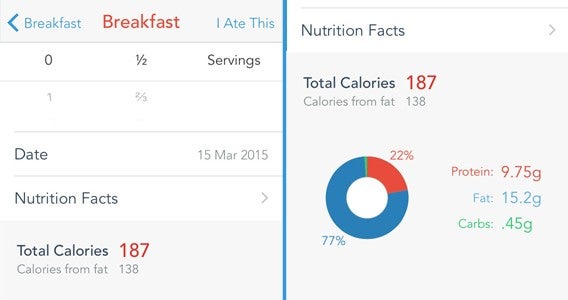
The bottom line, however, is that in one night I had a calorific intake of 4802 Cal. That’s nearly two times the prescribed calories suggested for weight loss. Not a great result for my diet, but a pretty good one for the usability of MyPlate.

Exercise was similarly streamlined, and utilized my iPhone’s gyroscope to measure the energy I burned passively throughout the day. This was another massive advantage over Mango because I walk a lot but don’t think to count it as exercise.

Check your progress

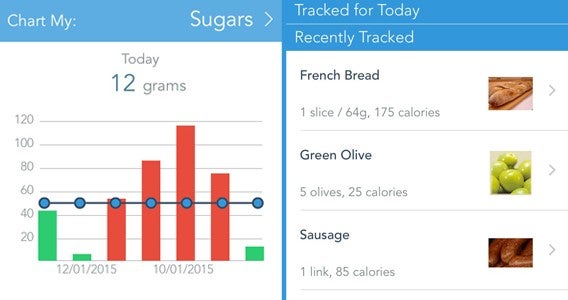
MyPlate certainly felt more suited to what I wanted than Mango. While offering a similar feature set, this week’s app gave a tighter calorie restriction that I (generally) managed to be comfortably within 50 cal of. It also gave a clearer view of my progress, with clean bar graphs instead of more stylized illustrations.

Not a good week for me then, but MyPlate certainly stands out as a great calorie tracking app. Next week I will be back on training apps, with Fitivity Home Exercise Program (iOSAndroid) while also getting to grips with Noom Coach (iOSAndroid) to keep my eating on track.

Related Stories

Diary of a fat man – Daily Yoga

Diary of a fat man – Mango

Diary of a fat man – weight loss and fitness apps

Follow me on Twitter: @DoFuss

Microsoft will fight Windows 10 piracy by giving it away this summer (update)

UPDATE: Microsoft backtracks giving away Windows 10 to pirates. For more info, read the expanded update at the bottom of this post.

Microsoft announced today that Windows 10 will be available this summer across 190 different countries. The company did not provide a more specific date but we expect they will as summer approaches.

Microsoft surprised by announcing Windows 10 would be a free upgrade for current Windows 7 or 8.1 users. The offer will be available for one year, but we don’t know how much Microsoft will charge for the upgrade after the one year window.

Today, the company surprised us even more by announcing the free Windows 10 update will be available to both “genuine and non-genuine” copies of Windows 7 and 8.1. Piracy has been a long standing problem with Windows and Microsoft has tried many things to prevent piracy, none of which have worked.

“We believe customers over time will realize the value of properly licensing Windows and we will make it easy for them to move to legitimate copies,” says Microsoft’s Windows chief Terry Myerson speaking with Reuters. The company even made Office free to use on phones and tablets. Microsoft really wants to win users over by building their products better than the competition.

Outlook for iOS

To that end, Microsoft is also tackling one of the biggest issues plaguing Windows: its size. Windows has always been a huge operating system as Microsoft has a good history of legacy support for older hardware and software. With Windows 10, the operating system will shed 6.6GB, making it not only smaller but quicker to install. Microsoft put Windows 10 on a diet by using disk compression to reduce system file and app sizes, without impacting performance.

The slimmed down Windows 10 also includes the added benefit of restoring your PC to a “clean” state with a revamped “refresh and reset” setting. The updated PC refresh feature restores your PC back to a completely clean operating system without needing to patch the system with updates afterward. The feature will no longer require a separate recovery image, often preinstalled by manufacturers, which means you can reset a PC out of the box to get rid of any manufactured preinstalled apps (aka bloatware).

UPDATE 3/19/15: More than a day later, Microsoft released an official statement about pirated copies of Windows and if they can be updated to Windows 10. While Myerson’s statement implies pirated copies would be able to upgrade to a full, genuine copy of Windows 10, the official statement says something different. Here’s what it says.

The consumer free upgrade offer for Windows 10 applies to qualified new and existing devices running Windows 7, Windows 8.1, and Windows Phone 8.1. Some editions are excluded from the consumer free upgrade—including Windows 7 Enterprise, Windows 8/8.1 Enterprise, and Windows RT/RT 8.1. Active Software Assurance customers in volume licensing have the benefit to upgrade to other Windows 10 enterprise offerings.

We have always been committed to ensuring that customers have the best Windows experience possible. With Windows 10, although non-Genuine PCs may be able to upgrade to Windows 10, the upgrade will not change the genuine state of the license. Non-Genuine Windows is not published by Microsoft. It is not properly licensed, or supported by Microsoft or a trusted partner. If a device was considered non-genuine or mislicensed prior to the upgrade, that device will continue to be considered non-genuine or mislicensed after the upgrade. According to industry experts, use of pirated software, including Non-Genuine Windows, results in a higher risk of malware, fraud (identity theft, credit card theft, etc), public exposure of your personal information, and a higher risk for poor performance or feature malfunctions.

The ambiguity and confusion arises from this sentence: “If a device was considered non-genuine or mislicensed prior to the upgrade, that device will continue to be considered non-genuine or mislicensed after the upgrade.” What does it mean to have a non-genuine copy of Windows? Does this mean trial versions of Windows  7 or 8.1 can be upgraded to Windows 10 to be “genuine” copies?

Ars Technica followed up with Microsoft and only received this vague reply: “We don’t have anything further to share outside of the statement at the moment.”

If Microsoft wants everyone to be united under Windows 10, it would be in its best interest to give pirates a genuine copy of Windows 10 and to win them over with killer apps and services. By offering a free copy of Windows to everyone, including pirates, Microsoft can ensure the security of its operating system by providing updates to all computers running Windows 10. Blocking out pirates will not break the cycle of Windows piracy since there will always be ways to get non-genuine copies of Windows.

UPDATE 5/18/15: Microsoft is backtracking on its promise to allow pirated copies of Windows to upgrade to Windows 10 for free. Windows chief Terry Myerson originally stated that pirated versions of Windows were eligible for free upgrades to Windows 10 but company representatives quickly qualified that promise with an ambiguous statement. Now the company has flat out stated that pirates will have to pay, but there will be some “very attractive Windows 10 upgrade offers” pirate users can look forward to.

Sorry pirates! No free Windows 10 for you.

Source: Windows Blog

Related Stories

Internet Explorer is dying: a history of the world’s most hated browser

What’s new in Office 2016 for Windows

King’s Quest: stories like grandpa used to tell

The best of GDC Play 2015

Watch our video review of the terrifying Five Nights at Freddy’s 3

Follow me on Twitter: @lewisleong

Nintendo will finally make games designed for smartphones

After years of financial struggles with the flop of the Nintendo Wii U, the iconic gaming company is finally ready to take smartphone gaming seriously. The company has always taken mobile gaming seriously, but only with its own handheld consoles.

While the new 3DS is doing well for the company, there’s much more potential bringing Nintendo games to Android and iOS. The company knows it has to get smartphone gaming right and has vowed to develop original games designed for mobile devices and not just port existing games to mobile. This is great news as ports and HD remakes of old games didn’t work well for Square Enix.

Nintendo is partnering with DeNA, a Japanese mobile game company, to bring its games to smartphones. DeNA is best known for its Mobage platform and social network for mobile games. Although DeNA’s roster of games isn’t that impressive, it’s the company’s experience with “mobile-optimized services” and infrastructure that Nintendo finds valuable.

The traditional console experience will still be a core focus for Nintendo. The company sees its mobile efforts as more of a way to whet the appetites of a broader gaming audience to get them to try Nintendo’s consoles.

In fact, Nintendo also revealed today that it is working on a new video game system codenamed “NX.” Whatever the console turns out to be, you can bet it’ll flesh out Nintendo’s console ecosystem, integrating mobile with its portable and traditional game consoles.

Source: AV Club

Related Stories

King’s Quest: stories like grandpa used to tell

5 Apps to Try This Weekend – March 13th 2015

Apps for good – the charities embracing smartphones to deliver their message

OlliOlli 2 review

DmC Devil May Cry: Definitive Edition review

Follow me on Twitter: @lewisleong

Internet Explorer is dying: a history of the world’s most hated browser

Microsoft has been dropping hints that it would be dropping the Internet Explorer brand from its browser for a while. It’s upcoming browser, codenamed Project Spartan, showed that the company was ready to ditch the infamous IE name. Well, the company is finally ready to move on from Internet Explorer, announced Microsoft marketing chief Chris Capossela.

“We’re now researching what the new brand, or the new name, for our browser should be in Windows 10,” said Caposella during Microsoft’s Convergence conference. “We’ll continue to have Internet Explorer, but we’ll also have a new browser called Project Spartan, which is codenamed Project Spartan. We have to name the thing.”

Internet Explorer will still be included in specific versions of Windows 10 for enterprise customers but most users won’t see IE again. Although it’s a little sad to see a twenty year old browser fade away, it makes sense for Microsoft to abandon the name. Internet Explorer has long been the butt of every browser joke for being slow, insecure, and unable to catch up to the more forward-looking Firefox and Chrome browsers.

Let’s take this time to say a proper goodbye to Internet Explorer with an abbreviated history of the most hated browser in the world.

Internet Explorer 1

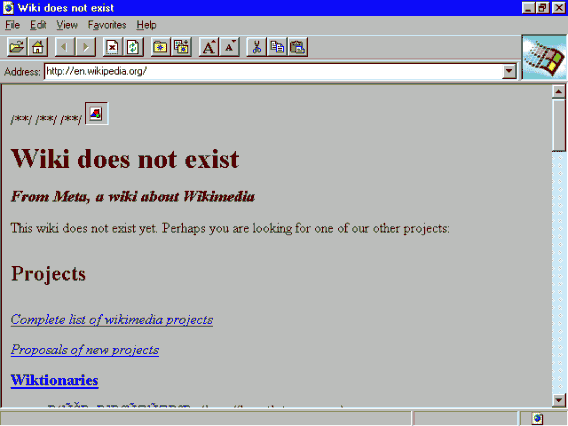
Internet_Explorer_1.0Image credit: Wikimedia

Release date: August 16th, 1995

The first version of Internet Explorer was extremely basic, featuring basic HTML rendering and not much else. Remember, HTML was still in its infancy and this first version of IE only supported twenty HTML tags.

Internet Explorer 2

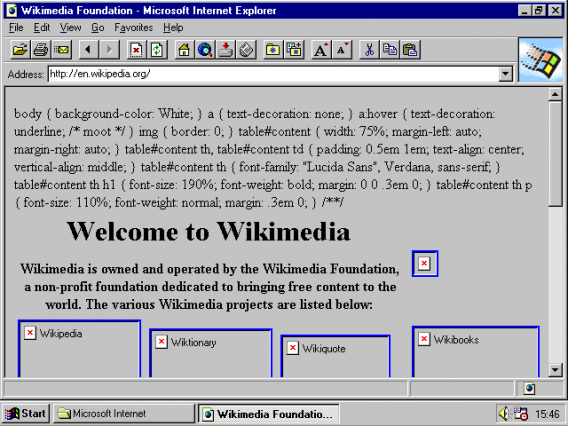
Internet_Explorer_2Image credit: Wikimedia

Release date: November 22, 1995

The second version of IE shipped with Windows 95 and Windows NT. It brought a ton of new functionality with support for SSL, cookies, and internet newsgroups. The browser even made it onto the Mac and Windows 3.1 in 1996.

While we’re used to our browsers being free, Microsoft charged $19.99 for its Internet Starter Kit for Windows 95, which included a how-to book, the browser and 30 days of internet access on MSN.

Internet Explorer 3

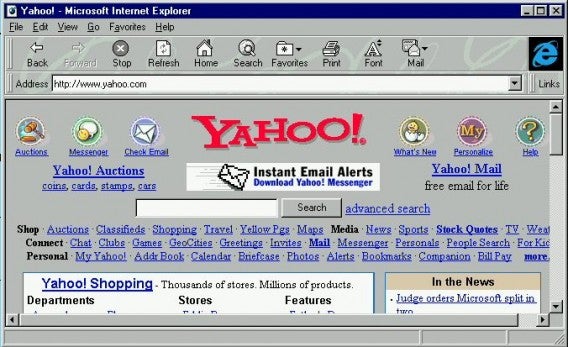
Internet Explorer 3Image credit: Browser Museum

Release date: August 1996

Version three of IE brought along support for Cascading Style Sheets (CSS), which we still use today. This web programming language allows web developers to change the formatting and look for documents, something the web still relies on to this day.

The interface was massaged heavily and simplified, with big buttons for “Back,” “Refresh,” and “Home” at the top. Microsoft also moved things around to make the browser easier to use. The “Links” toolbar could also be minimized when not in use.

This release of Internet Explorer also brought the iconic “e” logo that slowly evolved over the years.

Internet Explorer 4

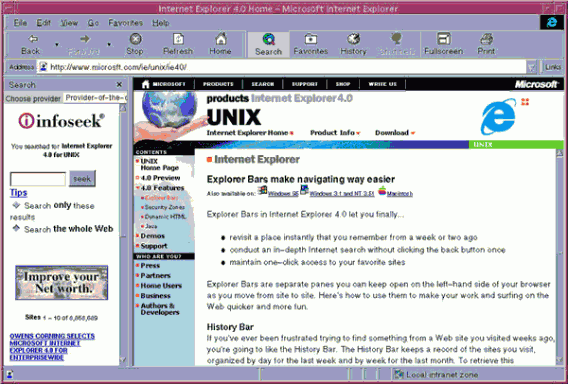
Internet_Explorer_4_for_SolarisImage credit: Wikimedia

Release date: September 1997

This is when things got interesting for Internet Explorer. Version 4 was the first version of IE to be bundled with Microsoft’s Windows operating system, sparking an antitrust lawsuit from the US Justice Department. The bundling of IE with Windows resulted in years of litigation not only in the US but in Europe as well.

By bundling IE with Windows, Microsoft controlled 60% of the browser market , making IE synonymous with the internet for many users.

Internet Explorer 5

Internet_Explorer_5Image credit: Wikimedia

Release date: March 1999

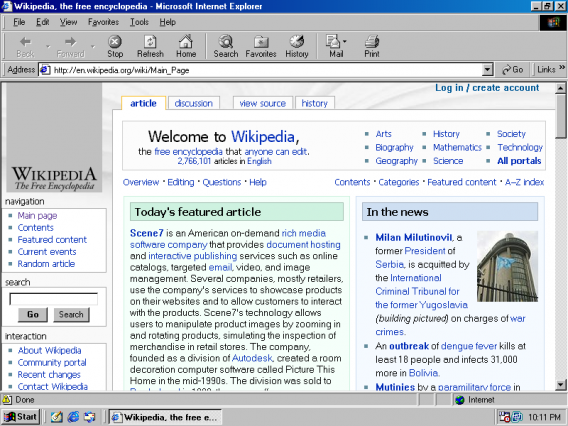
Version five of Internet Explorer didn’t change much visually but Microsoft ended up massaging the browser into an elegant tool (for the time). The browser came bundled with Windows 98 but Microsoft took great pains to ensure backwards compatibility, allowing IE 4 to be run alongside IE5 for legacy users.

Internet Explorer 6

internet-explorer-6-softonic

Release date: August 2001

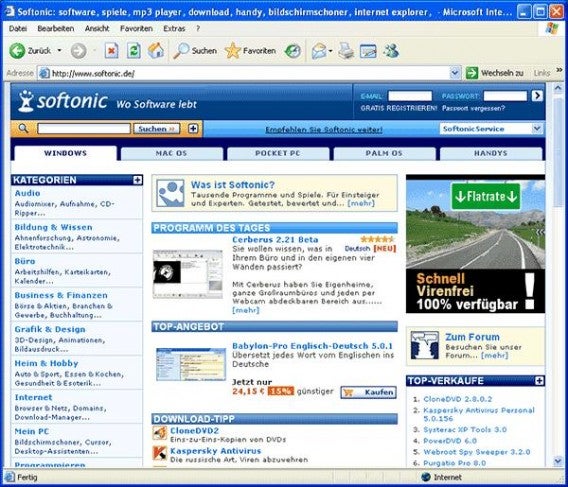
As the internet evolved, so did Internet Explorer. Pop-up ads were becoming a huge irritation for web users and Internet Explorer 6 was the first version of the browser to include a pop-up blocker. The browser also included a download manager and a tool to clear your browsing history.

IE 6 also brought along the new “information bar,” which was designed to reduce the possibility of users mis-clicking on links that tried to install unwanted software.
The browser was bundled with Windows XP and marked Microsoft’s discontinuation of Internet Explorer for Mac, forcing Mac users to use Safari. In fact, Microsoft decided that new Internet Explorer versions would only come with new versions of Windows, making IE an integral part of Windows.

IE6 also marked a turning point for the browser as Microsoft continued to squash competition and made the browser impossible to uninstall from Windows. IE market share skyrocketed to an astronomical 95%, giving Microsoft little incentive to innovate as it had done with previous versions. While Firefox was good about adopting web standards, Microsoft ignored them and it became a huge problem for web developers.

Masses of Internet Explorer users began migrating to Firefox because of compatibility issues, security holes, and constant crashing.

Internet Explorer 7

internet-explorer-7

Release date: October 2006

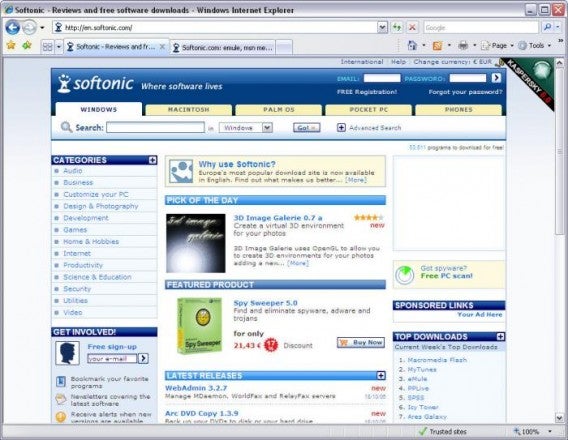
It took Microsoft over five years to release Internet Explorer 7 and by then, it was too little too late. Most savvy internet users jumped to Firefox. IE7 failed to win over defectors since it didn’t do anything markedly better than Firefox. It was a solid browser but it didn’t give Firefox users any reason to switch.

Microsoft also reversed its decision to only include new versions of IE with new versions of Windows.

Internet Explorer 8

internet-explorer-8

Release date: March 2009

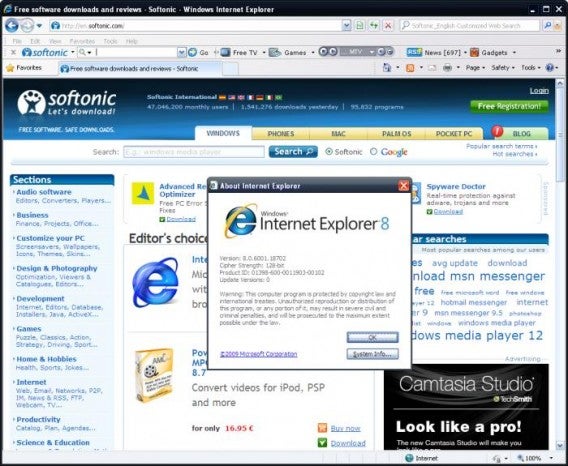
Internet Explorer 8 launched with Windows 7 and offered a nice browsing experience but it still failed to draw in users. Reviewers were impressed with IE8, noting it was much better than IE7 in terms of security, features, and supporting web standards.

Still, Microsoft was playing catch up to the competition and Internet Explorer market share continued to decline.

Internet Explorer 9

internet-explorer-9

Release March 2011

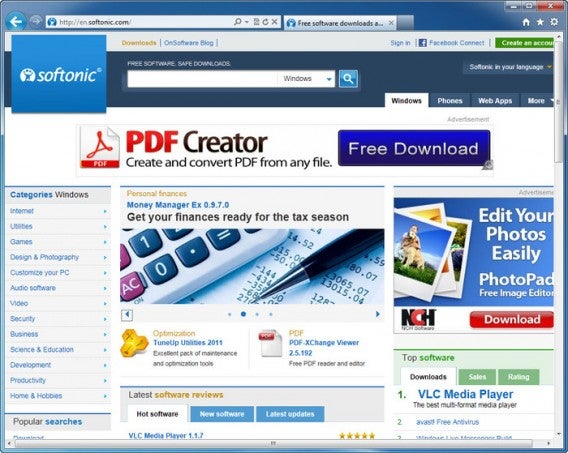
This was the first major update to Internet Explorer that wasn’t tied to the release of an operating system. The browser was well received for its minimalist design and support for HTML5. Tabs were grouped up top with the address bar, helping give the maximum screen real estate for web content.

The browser also hid a lot of extraneous features behind a menu button to help maximize space. This would prove a bit confusing for some users but it worked well to hide annoying things like toolbars and tools you only use once in a blue moon.

Internet Explorer 10

IE10-screenshot

Release date: August 2012

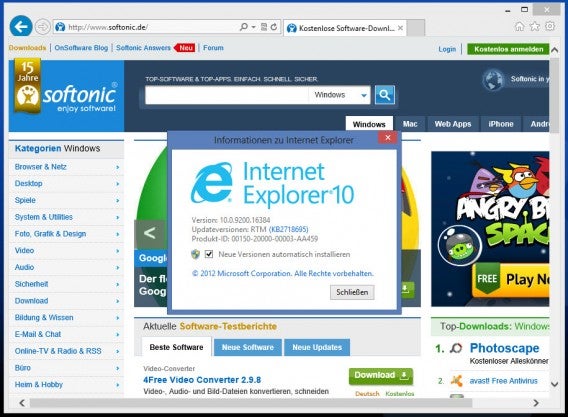
With the release of Windows 8 came the release of Internet Explorer 10. The browser featured two modes: one for the desktop and one designed for touch. Windows 8 confused users with its dual purpose operating system and new Start Menu, which didn’t help make IE10 any less confusing.

Windows 7 users who wanted to use the new browser were out of luck in the beginning. Microsoft released a preview later in the year and finally made it available for Windows 7 users in February 2013.

Internet Explorer 11

internet-explorer-11-for-windows-7

Release date: October 2013

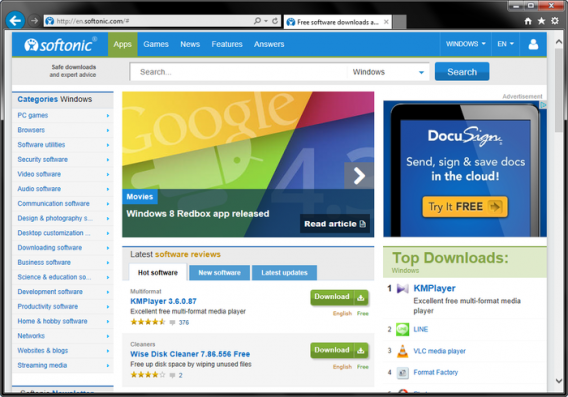
Internet Explorer 11 impressed with a speedy web browsing experience. It beat out both Chrome 30 and Firefox 26 in a couple of web browser benchmark tests. While Chrome was known as one of the fastest browsers available at the time, Internet Explorer actually took the crown for speed.

Both Chrome and Firefox slowly became bloated, using a ton of RAM but IE11 used less RAM than both competitors. It’s too bad that users still associated IE with security flaws and a bloated browsing experience.

The competition also offered more compelling ecosystems, offering syncing between devices and computers. IE remained a Windows only browser when its competition moved onto phones and tablets.

Goodnight, sweet prince

Project SpartanImage credit: Microsoft
Although the Internet Explorer name may be dead, Microsoft isn’t giving up on creating a great browser. The company’s upcoming browser, codenamed Project Spartan look promising but Microsoft still doesn’t know what to call it.

The company is committed to being active on social media, listening to the gripes of users and taking comments to heart. Hopefully Microsoft learned its lesson about resting on its laurels as it did when Internet Explorer controlled 95% of the browser market.

Related Stories

Windows more secure than OSX? Not so fast.

How Opera is different from Chrome and why you should try it

The best web browser for Android – Sam’s choice

Follow me on Twitter: @lewisleong

11 reasons you will be wearing a smartwatch this year

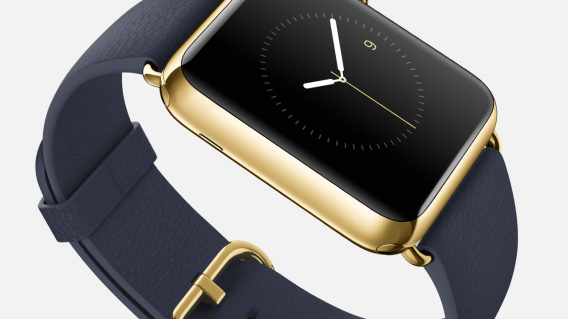
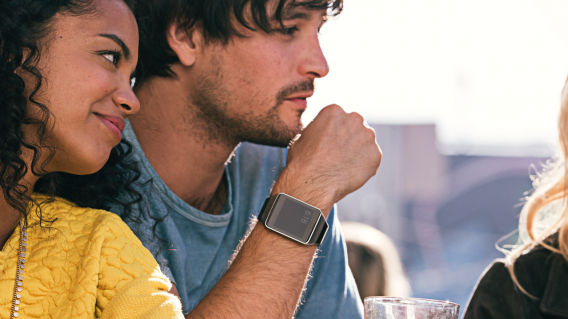
2015 is the year of the smartwatch. Not convinced? Here are 11 reasons you’ll be wearing one before the year ends:

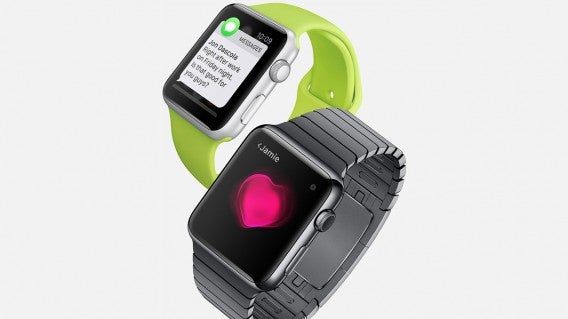
1: Apple made one!

Apple Watch Messages
Love it or hate it, Apple is great at convincing us we need something when perhaps we don’t. With Apple Watch just around the corner, a smartwatch just got that much harder to resist. Not many of us had smartphones or tablets before Apple showed us why we “needed” them, don’t bet against it doing it again.

2: … and Android users can play too!


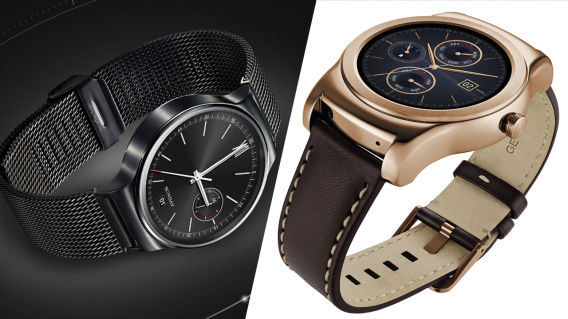
LG and Huawei are trying to grab the luxury smartwatch market too with the Huawei Watch and LG Urbane. Designed to look like classic luxury watches, it’s like having a Rolex you can talk to.

3: You want to get fit


Smartwatches want to make you healthier. By tracking your movement and heart rate, smartwatches will know how healthy you are and they can remind you to exercise more and get in shape. A smartwatch could be the personal trainer you’ve always needed. Or it could be the personal trainer you take off your wrist and “forget” to charge…

4: You want to live in the future


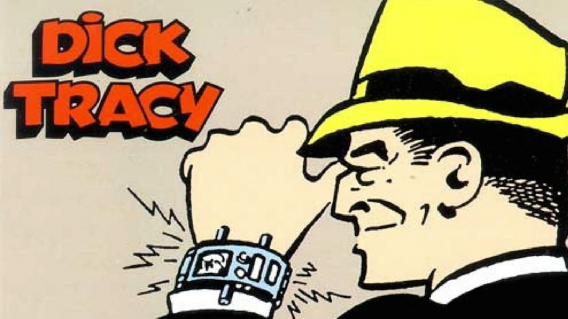
Let’s face it, making a call from your watch is only a step away from flying cars and hoverboards. If you grew up dreaming of that kind of future, it looks like it’s arrived. How could you resist?

5: You have too much money


What better way to prove it to everyone in 2015 than with an Apple Watch Limited Edition? Starting at a cool $10,000, it’s the ideal way to say “I can afford to spend this again next year when Apple Watch 2 comes out.”

6: You want to save your phone battery life


That huge screen on your phone eats your battery whenever it’s on. With a smartwatch, you’ll wake your phone less often, which could help it last longer. Or the constant Bluetooth tethering could run it down faster, but let’s not think about that too much.

7: You didn’t read this article

Jon Riggall explained gave you five reasons not to get a smartwatch, but you wouldn’t listen, would you?

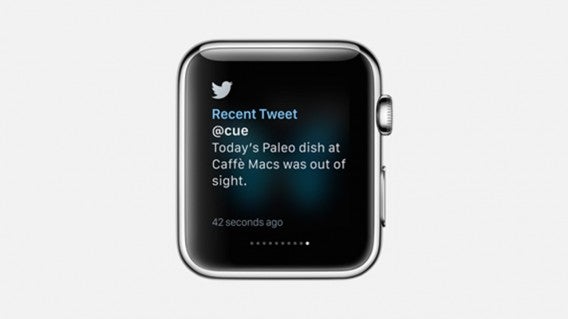
8: You’re a social media addict

Apple Watch Twitter
A smartwatch is the perfect way to keep track of social media – you can get all your Facebook, Twitter and Tumblr notifications delivered straight to your wrist. With the Apple watch, it will even alert you every time something happens (if you want it to).

9: You can check your smart watch more discretely than your phone

We’ve all been there – you pull out your phone to check Twitter or Facebook, and someone complains that “oh, people never have conversations any more, they are always staring at their phone!”

Instead of explaining patiently that it’s the 21st Century, that’s just how people live nowadays and stop being such a luddite, you just glance at your wrist instead. They will barely notice.

10: You want to be even more connected to the office

Imagine Outlook notifications on your wrist! You’ll be even closer to the office, wherever you are!

11. You want to be part of the crowd

Android Wear

If the industry analysts are correct, we’ll all have smartwatches eventually: you don’t want to be left out! Get one soon, and your friends will think you’re a trendsetter.

Related Stories

Best apps for the Apple Watch (so far)

Best Android Wear smartwatch apps

Best Android Wear watch faces

Plan the perfect St. Patrick’s Day

This Tuesday will see everybody turning Irish to celebrate St. Patrick Day, 24 hours of celebration that encourages people to drink like I do every day. Being well practiced in the art of surviving self-inflicted liver punishment, I thought I would share a few hints on how to (safely) enjoy your party.

And, in case you don’t know already, always remember to drink responsibly.

1. Never on an empty stomach

That’s right, if there is one thing the Irish know it is how to cook mouthwatering but heavy food. From champ to soda farls, these starchy munchables will ensure your belly is ready for almost anything you can throw at it.

Evernote Food

If you don’t know what these delicious dishes are, or how to make them, then Evernote Food (AndroidiOS) is on hand to help. While it may not offer all the recipes you are after in-app (this one for champ is good), it does let you easily create notes to refer back to while you are shopping and cooking.

Great, now I’m hungry.

2. Meeting up

There is no fun in drinking alone, and figuring out where to meeting up can often be a chore – especially when St. Patrick’s Day is on a weekday and people are planning to join you at different times after work. This is when Citymaps (AndroidiOS) comes into its own.

Citymaps

This map app will let you see all of the points of interest around your current location. More importantly, it allows you to filter out unwanted noise – removing restaurants, shops, and gyms in order to focus on bars. You can also crate maps and routes that can be shared with friends who are logged in, helping you easily meet up without having to constantly explain which bars you are intending to visit.

3. Waiting alone

If you have the day free, you may find yourself with some time to burn while waiting for others to find you. Once you have fully exhausted all your bar man’s stories, Ku: Shroud of the Morrigan (Android iOS) is the game to keep you entertained.

Ku: Shroud of the Morrigan

I am sure you have plenty of games on your phone already, so why am I suggesting you get another – especially one you have to pay for (you may notice that this is the only app on this list that demands you part with drinking money). Well, there are two reasons. The first that it is set in Ireland and based around Celtic mythology, all of which is shown in a beautiful watercolor style. The second, and perhaps more importantly, is that it will support the Irish game development studio bitSimth continue to do fantastic work.

4. The beer

Clearly an important part of the day will be beering yourself into blissful intoxication. But, if you don’t feel like filling up on the Guinness for the whole day (and as big of a fan as I am off the black stuff I struggle after four), you may want to start looking for other places to find a good bevy.

Untappd
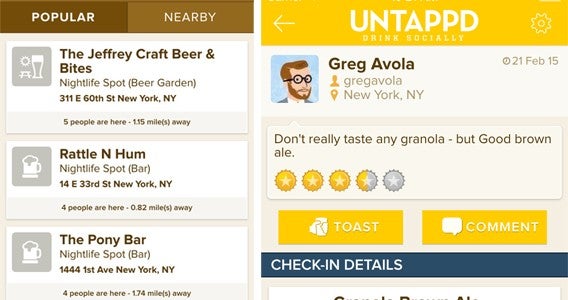
While it may not be perfect, a great starting place for this is Untappd (AndroidiOS). This social network of beer drinkers lets you search for nearby beers and bars, and see what others think of them. As it is community driven, your area will dictated the success of the app for you. For example, I am currently still struggling to find Wild Beer’s Madness IPA in the local area, but in London I could find what I was after every time.

5. When it hits “that time” of the evening

Once my Irish uncle starts singing Danny Boy (a troublingly accurate stereotype) I know the time for beer is done. Fortunately, this doesn’t mean an end to the drinking, simply a shift in gear. Next on the agenda is of course whisky.

Whisky drinkers will no doubt know their favorite tipple, but those looking for a recommendation could do worse than having a look at Distiller (Android | iOS). The search function on this app asks you some simple questions to work out your tastes, including your level of knowledge, the nationality of whisky you want, where you intend to enjoy it, and price.

Distiller

Oddly, I filled in everything to see where it would take me and it took me to my favorite whisky – the Japanese 12 year old Hibiki (I know, not very Irish) – so I guess there is something to it.

If you just want a taste of Ireland though, just go for Bushmills the oldest Pot Still on the Emerald Isle.

6. Get home safe

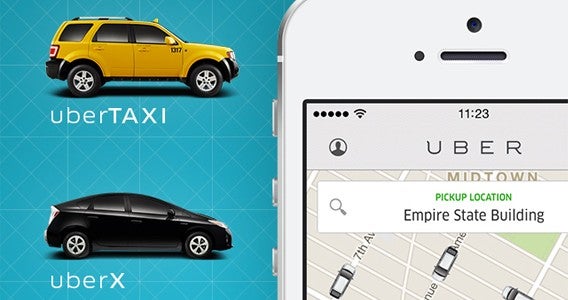
Okay, I know it’s a boring one, but as I said at the start drink responsibly and get home safe. For this, I recommend Uber (AndroidiOS), the private car / taxi app. This simple app lets you quickly and easily book a ride home for yourself (or a friend) even if you have no money left in your pocket because all payments are made through the app.

Uber

Uber isn’t in every city at the moment, but a great many are served. Check if you are, and if not make alternate plans for your return journey – even if that is just having the number of a local taxi firm.

Bottom line, don’t be tempted to drink and drive.

7. The morning after

Finally the morning after, and if you have been following my advice up to this point I hope you have taken the day off.

You do have a few options here, and staying in bed with a good dose of painkillers is certainly one of them. However, if you want to continue enjoying yourself then you could always try a little hair of the dog. Cocktail Flow (Android | iOS) is a good free cocktail recipe app to reveal the mystical healing properties of a Bloody Mary.

Cocktail Flow

This tomato and vodka based drink is actually far more present than it sounds, and can be made as spicy as you like. Usually the heat is added with a chilly sauce, but I prefer to use horseradish which adds a far more palatable kick when you are feeling fragile.

Alternately you could revisit step one. Soda farls, bacon, and fried eggs will cure most hangovers.

Related Stories

World Cup 2014: Organize your World Cup party with these apps

iPhone essentials: Super Bowl Survival kit

The best travel and transport apps of 2014

Follow me on Twitter: @DoFuss