Facebook cracks down on online impersonators

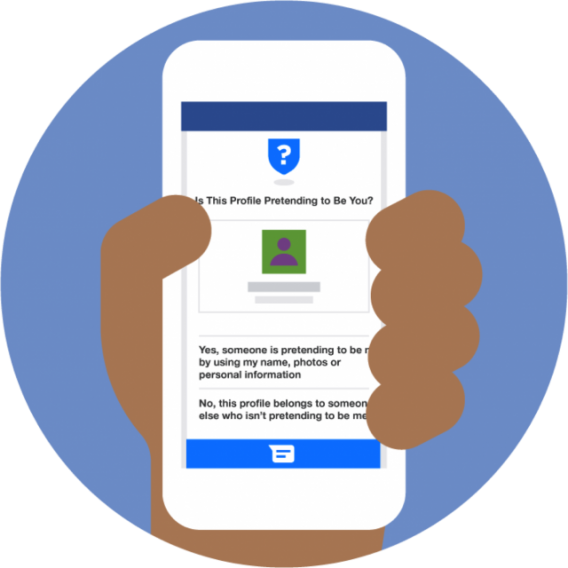
Impersonating someone’s social media account is one of the growing problems we have in the online world. Anyone, from anywhere, is able to create a Facebook account (or any other social network account for that matter), that mimics an existing user, usually to attack them or damage their reputation.

Well, it seems Facebook’s had enough, and has now created a tool that has the ability to automatically detect these false accounts. Although currently only available in 75% of countries, the tool recognizes if someone is using an existing photo and name, and then sends an alert to the existing user to inform them.

Antigone Davis, Facebook’s Head of Global Saftey told Mashable: “We heard feedback prior to the roundtables and also at the roundtables that this was a point of concern for women, and it’s a real point of concern for some women in certain regions of the world where it [impersonation] may have certain cultural or social ramifications.”

She also stated that these alerts are part of Facebook’s ongoing efforts to make users feel more safe on the network.

Instagram launches something that may make you use the app less

Those of you who have tried to use Instagram through the website were probably disappointed, and probably called it a day there and then. Apart from being able to flick through your photos and view your account, there wasn’t much else to play with.

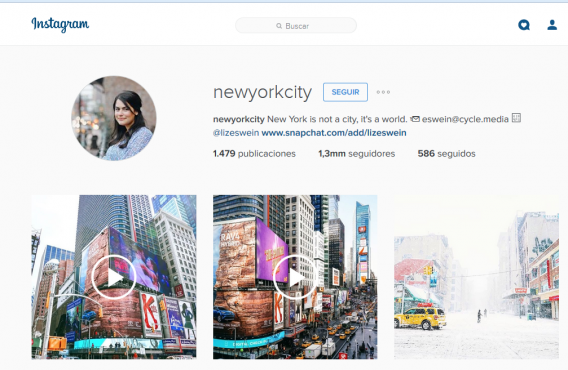
Say “hello!” to the new notifications tab! As you’ll see on the site, there is now a little heart icon in the middle of a speech bubble in the top-right corner, which shows you a feed of  activities related to your account (recent photo likes, comments and new followers).  You may have noticed that it’s the same icon that’s on the iOS and Android app, so don’t get too excited – not much has changed.

Obviously, you clearly can’t beat the app version of Instagram, but maybe, just maybe, this new feature will persuade you to use the web platform just a little bit more.

Batman vs. Superman: videogame showdown

This week we finally get to enjoy two iconic heroes coming together on the silver screen for the first time in Batman vs Superman: Dawn of Justice. While this is the first time the two will meet on celluloid, they have been battling each other for years in games – and today we are going to compare their digital personas to discover who is the most powerful.

Round 1 – Lego Batman 2 (Windows)

While it may focus its attention on Batman, Lego Batman 2 also features the rest of DC’s roster of characters. This offers us the chance to see both the Caped Crusader and the Kryptonian in action together.

Honestly, in this game, things do not go well for Gotham’s hero. While you may start as the Dark Knight, once Superman is added to your roster his sheer range of incredible powers make him easily able to dominate his broody counterpart. While these abilities are muted during the story, thanks to some cunning use of Kryptonite, once in free roam Superman simply cannot be beat.
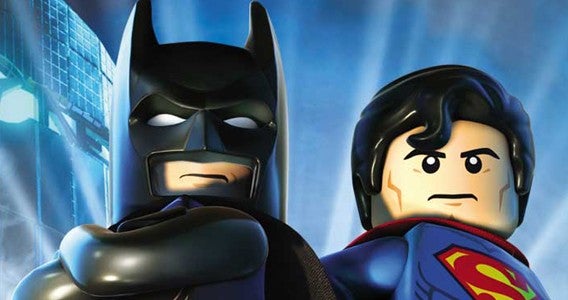
Superman wins round 1

To make things worse, if you are playing with a friend who is controlling The Last Son of Krypton, you can expect to be blasted into block by his heat vision on a regular basis by “accident”. Superman takes Round 1.

Round 2 – Injustice: Gods Among Us (Windows)

Injustice: Gods Among Us turns Superman into a Super-Villain, and then forces Batman to try and defeat his old friend in a one-on-one brawl.

Fortunately, thanks to some wonderful leaps in technology, a pill grants the full cast of DC characters their own super strength. This enables the Dark Knight to battle this crazed Superman on almost equal footing… except without freeze breath, heat visions, and flight. I guess the Kryptonian still has an advantage really.
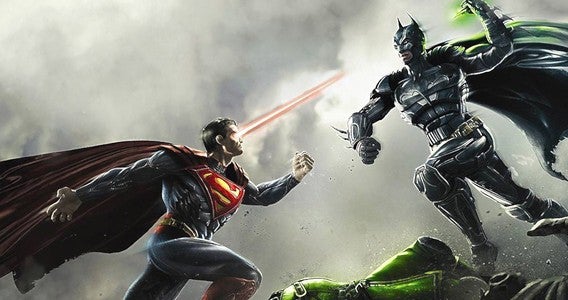
Round two goes to Batman

In fact, thanks to Batman’s various gadgets, the two are a fairly evenly matched – and even in tournament competition, they are both considered top tier fighters. However, given that in the story Bats comes out on top, we are going to give Round 2 to the Dark Knight.

Round 3 – Their games

As two of pop-culture’s most familiar faces, Batman and Superman have both had numerous games made about them over the years. However, one hero always emerges victorious.

Pulling up the rear, we have the infamous 1999 Superman for the N64. Filled with collision issues and a host of other bugs, this game was nearly unplayable. Unfortunately, things never get much better for Superman – with the sheer range and level of his powers making it seemingly impossible for developers to make a compelling game.
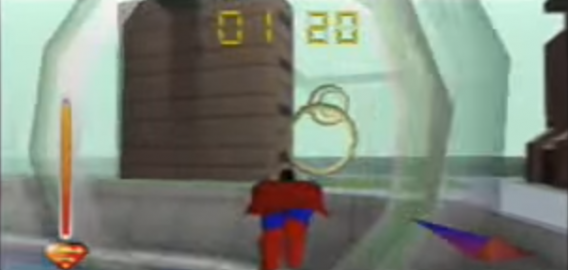
Hardly seems fair

Batman, on the other hand, has not only had a more prolific gaming career but also a far more successful one. Nowhere is this clearer than in the Arkham series (Windows). These titles set a new standard in hero games by brilliantly encapsulating everything Batman: from the stunning Gothic architecture to a chilling Joker performance by Mark Hamill.
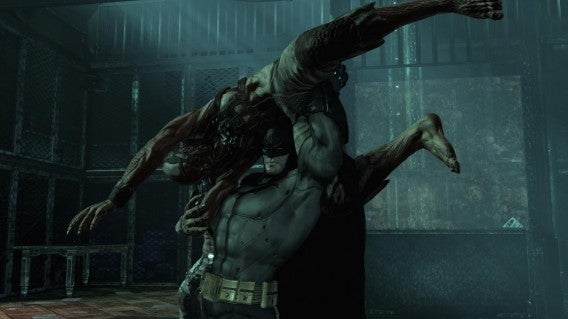
Yup, Batman drives him into the ground for the win

Yeah, Batman takes the final round – making him the overall winner.

I’ll be back in a week with more games. Until then remember to like, share, subscribe, and let us know if you think we picked the right winner in the comments.

Related Stories

Three alternatives to Nintendo’s Mario games on mobile

The three best card strategy games

The three best driving simulators

2016’s most anticipated games

Follow me on Twitter: @DoFuss

When Paid Skype Options Are Worth It

The free version of Skype is very functional. It allows you to make calls to others who have Skype on their computers, gives you access to one-on-one webcam chats, lets you send and receive unlimited instant messages and even share files. But there are times when the paid Premium version is well worth the cost. Skype credits can be used for a number of things, including adding more users to your group video chat sessions and getting discounts on other products and services. Here are the times when it’s worth investing in Skype Premium:

When You Need a Number Others Can Call

The free version of Skype doesn’t give you a phone number that friends, business contacts, and family can use to call you from their cell phones or landlines. If you need a number that others can call anytime from basically anywhere they have Internet service, Skype Premium is definitely worth it. This includes most businesses that can use Skype as a low-cost alternative to installing a landline. You can also use this service to forward your calls to other numbers, forward your voicemail to your email, and other high-level functions.

When You Need to Make Video Calls Among Multiple Users

Whether you’re using Skype as a video conferencing solution for business or just want to get all the old college buddies together for a face-to-face chat from cities all over, Skype Premium is an easy, affordable way to do this. Skype is a great alternative for people who don’t have their own computer or who can’t always get to their own device, such as those in the military or serving in overseas missions, because it works across multiple devices, including smartphones, tablets, desktop computers, and more.

When You Need to Call Outside the U.S. and Canada

The Skype free version allows you to make free Skype-to-Skype calls, but for those who need to call Mexico, Central or South America, Europe, Asia, Australia, or the Middle East regularly, the Skype Premium version makes your calling plan international. This is also important for businesses with overseas interests, as well as parents with children traveling abroad. If you stayed in the States but all your friends are going to college in Europe, Skype keeps you connected for an extremely affordable price, and Skype calls, especially through video calling, are usually of a higher quality than using free services like social media to stay in touch.

When You Need Live Customer Support

The paid version of Skype gives you access to live support. This is incredibly helpful for business users who need to access high-level features and functionality or need to use special equipment for their Skype calls to clients, business partners, and vendors.

For other online messaging solutions, take a look at Line!

The Interesting History of Grand Theft Auto

Grand Theft Auto is easily one of the most iconic game series of the past two decades, but it wasn’t always that way. The game is known for its third-person style and open worlds, but the first incarnation of the game, released in 1997, featured simple graphics and a bird’s eye view of the player’s vehicle. The concept was the same in that the player earned points for stealing cars and generally causing mayhem, but it was a far cry from today’s Grand Theft Auto games.

Grand Theft Auto Original
The original version of GTA featured 1990’s quality graphics and a top-down view.

Creating the Grand Theft Auto Universe

Due to the original’s success, Rockstar Games, one of the series’ publishers, quickly began work on sequels that would change the gaming industry forever. Grand Theft Auto 2, which was released in late 1999, and Grand Theft Auto 3, which was released in 2001, became instant hits due to the new third-person perspective, involved storylines, and an open-world design that allowed players to really get into the action.

Innovative Sequels

Rockstar Games then decided to deviate from the standard sequential releases to produce Grand Theft Auto: Vice City and Grand Theft Auto: San Andreas. Both were themed games with Vice City taking place in a fictional 1980s Miami and San Andreas taking place in a fictional 1990s Los Angeles. Both games received acclaim, but they also created controversy.

While the Grand Theft Auto series has always garnered some negative attention for its encouragement of carnage, Vice City and San Andreas upped the ante by including increased violence, bad language, and sexual themes.

Multiplayer Support Added

Although there were only a few years in between previous Grand Theft Auto titles, it was another four years before Grand Theft Auto IV was released in 2008. With this release came refined graphics, a larger open world, new vehicles and missions, and a multiplayer option that allowed up to 32 people to play various game modes simultaneously.

Now in First-Person Perspective

Taking an even longer break in between game production, Rockstar Games released Grand Theft Auto V in 2013 to much fanfare. One major innovative change in the game was the ability for the player to navigate in either third-person perspective, like in previous games, but also in first-person perspective. This change provided fans of first-person shooters with the chance to get into the Grand Theft Auto series where they may not have been as interested in the past.

What’s Next for Grand Theft Auto?

As for the future of the Grand Theft Auto franchise, there’s no doubt that Rockstar Games will continue to innovate, create new game modes, and give players many more explosions, car chases, and exhilarating thrills. If the previous Grand Theft Auto games are any indication of this, you can count on it!

If you love Grand Theft Auto: San Andreas, download Grand Theft Auto V today! You can also check out our GTA V video page on Softonic Games for tips, tricks and strategies.

7 Coolest Vehicles in Grand Theft Auto: San Andreas

From lowriders to tractors, Grand Theft Auto: San Andreas has a ton of vehicles to choose from. Here are some of the coolest:

1. AT-400

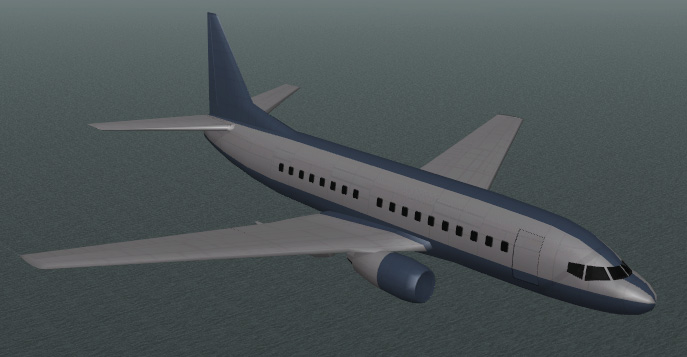
If you’ve ever dreamed of controlling a jetliner, then the AT-400 is for you! As one of the first controllable airplanes in the Grand Theft Auto series, it can be found in the southeast hanger of Las Venturas Airport. It’s also the largest vehicle available in the game.

Grand Theft Auto - San Andreas - AT-400

2. The Predator

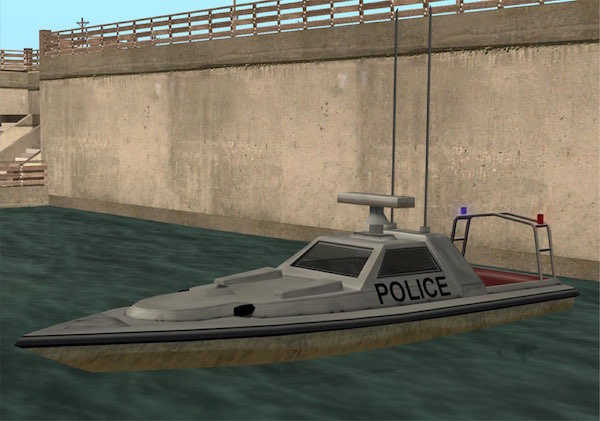
Although officially used as a police boat and appearing in all Grand Theft Auto games since GTA: III, the Predator can be hijacked and used to destroy other boats and property. Reaching impressive speeds, the Predator is a must ride for anyone wanting the full Grand Theft Auto experience.

Grand Theft Auto - San Andreas - Predator

3. HPV-1000

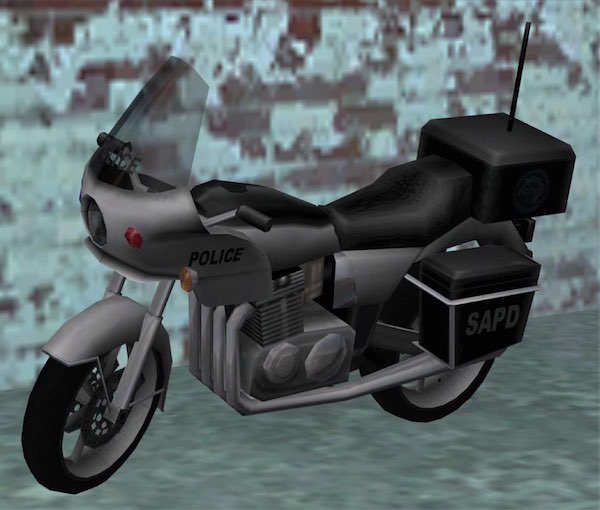
The HPV-1000 is the motorcycle used by the San Andreas Highway Patrol and features a sub-machine gun that can attack other vehicles, but the HPV-1000 is also lightning fast. The problem, however, is getting one. Not only do they zip around, but they also come complete with armed law enforcement that will fight hard to keep you from obtaining the bike.

Grand Theft Auto - San Andreas - HPV1000

4. The Mothership

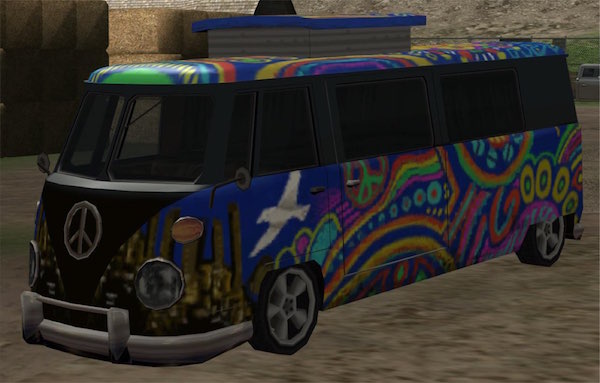
Much like the Camper, the Mothership is a tricked-out hippie van that features psychedelic paint. When you get behind the wheel, you can probably smell the remnants of the 1960s as you cruise through traffic in style. While the Mothership van only appears during three actual missions, you can steal it during the “Black Project” mission.

GTA - San Andreas - Mothership

5. The Windsor

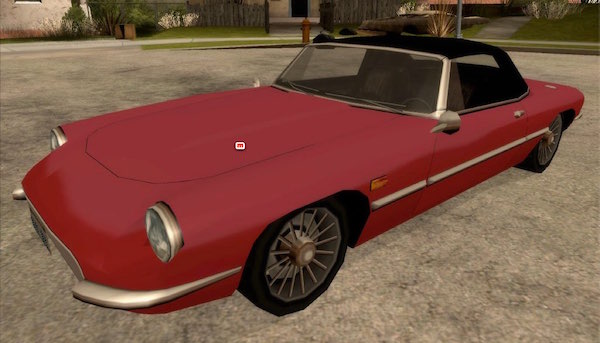
If you’re looking for class, then you’re looking for the Windsor. This car is the epitome of elegance and style, closely resembling a Jaguar from the 1960s. In addition to being a two-door convertible, the Windsor also shares attributes with the real-life Corvette, both in design and speed.

GTA - San Andreas - Windsor

6. Combine Harvester

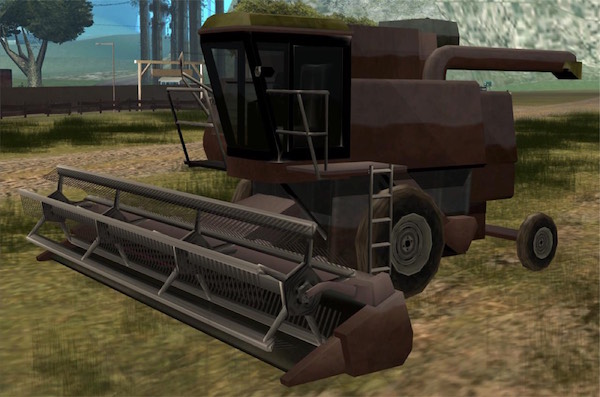
Once again, Grand Theft Auto: San Andreas provides a unique driving experience in the combine harvester. This vehicle is typically used to harvest wheat and other crops, but in Grand Theft Auto: San Andreas, it can also be used to wreak havoc. You can find the Combine Harvester at nearby farm locations and during various farm-related missions.

GTA San Andreas - Combine Harvester

7. The Voodoo

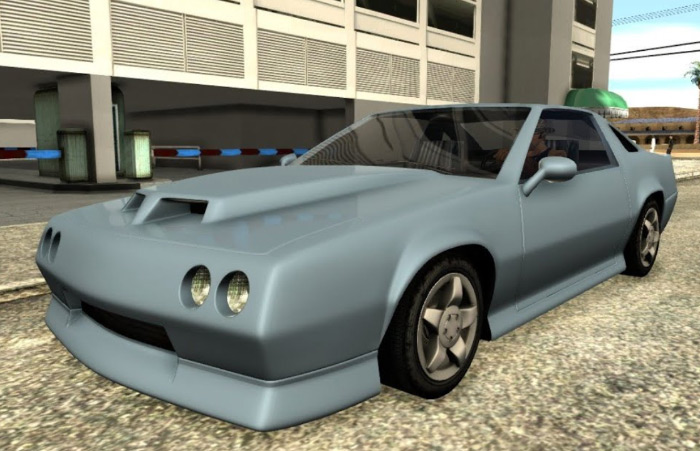
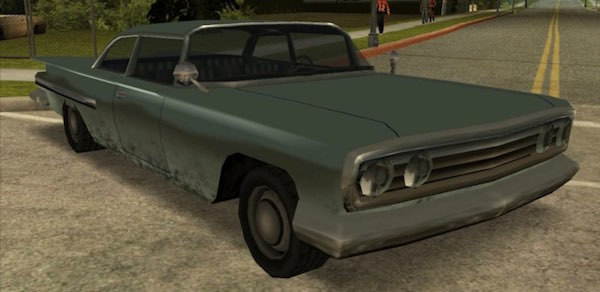
The Voodoo is based off of the 1960 Chevrolet Impala and is one of the most stylish vehicles in Grand Theft Auto: San Andreas. Used mostly by Haitians in the game, you can equip yourself with one of these rides in various locations, including in front of the Grove Street Families territories. But be careful … they aren’t always easy to take without a fight.

GTA - San Andreas - Voodoo

Want to record your gameplay in Grand Theft Auto: San Andreas? Check out this video: Rockstar Editor: Making Movies is Easy!

Looking for more information on GTA V? Check out our collection of videos tips and tricks on Softonic Gaming.

4 Awesome Easter Eggs in Grand Theft Auto: San Andreas

Easter eggs are always fun to find in video games, but Grand Theft Auto: San Andreas offers up some of the best. To get in on the fun of finding hidden Easter Eggs in the game, check out the following:

1. Gant Bridge

If you get to the top of Gant Bridge, you’ll find a sign that states “No Easter Eggs Up Here. Go Away.” But that’s not all; when you go to Katie Zhan’s house, there’s a visitor center below that contains facts about the Gant Bridge, including a joke about the bridge’s size in terms of the megabytes the actual bridge takes up on the player’s hard drive.

GTA San Andreas - Gant Bridge - Easter Eggs

2. Chaos Mode and State of Emergency

Attention: Possible spoiler ahead with a cheat code for PC users!!!!

Rockstar Games put out a game called State of Emergency in 2001. In this game, the player could enter the cheat code “Chaos Mode” in order to make everything go haywire. In Grand Theft Auto: San Andreas, the PC player can enter “STATEOFEMERGENCY” in order to enter Chaos Mode. This subtle nod to Rockstar Game’s past should not go unnoticed.

When you enter this code when playing on a PC, the entire city erupts in chaos with people running everywhere, buildings catching on fire, emergency vehicles out in full force, and violence erupting from all sides. If you want to experience all that Grand Theft Auto has to offer on PC, use this code and find out how wild things can get for yourself.

3. Poking Fun at Competitors

If you visit Unity Station, you can find a billboard that Rockstar Games used to poke fun at competitors. At the time of its development, Grand Theft Auto’s franchise was being challenged by, among other games, True Crime: Streets of L.A. The billboard mentioned above states, “True Grime: Sweeping Streets,” a direct dig at the competition.

You can also find a somewhat-veiled dig at the competition when you visit the War Memorial near Hippy Shopper in San Fierro. There, you’ll find a headstone etched with, “R.I.P. Opposition: 1997-2004”. This reference is aimed at rival game companies that tried to copy Grand Theft Auto’s style and tone. Keep in mind that the first Grand Theft Auto game came out in 1997.

4. North Rock

Because Grand Theft Auto: San Andreas was produced by Rockstar Games North, the game also features an actual rock named Rock North, a direct reference to the team that helped create the game.

Take a deeper look into the Grand Theft Auto universe; try Grand Theft Auto V today!

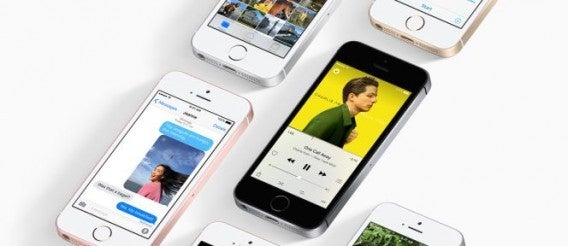
Looking for a cheap iPhone? Apple has just made your dreams come true with the new iPhone SE

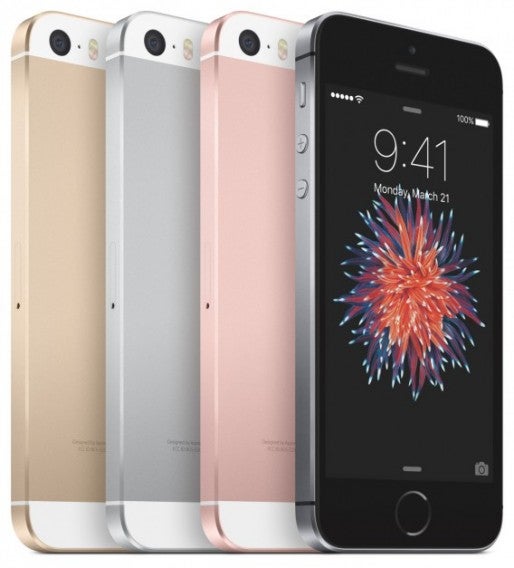
Your wish has finally come true! Apple has just announced its cheaper iPhone, and it’s certainly not showing any reservations in terms of performance or features! The new iPhone SE (Special Edition) boasts the iPhone 6S processor in a 4-inch body, with a 12MP camera and the sleek look of the iPhone 5. What’s not to love?

For many mobile users who have not yet dabbled in the world of iPhone, the iPhone SE is exactly what they’re looking for. It’s cheap (for Apple) and it’s small, but at the same time provides a processor and camera that are so good, it’s no surprise that Apple named it “the most powerful 4-inch smartphone ever.”

The introductory price for the device is $399 for the 16GB, and $499 for the 64GB, and available in the same colors as the iPhone 6. We can expect to see it on the shelves in some stores (in certain countries) by the end of this month, eventually hitting 100 countries by the end of May 2016.  Who’s interested?

Official Keynote:

Ever wondered what WiFi actually looks like?

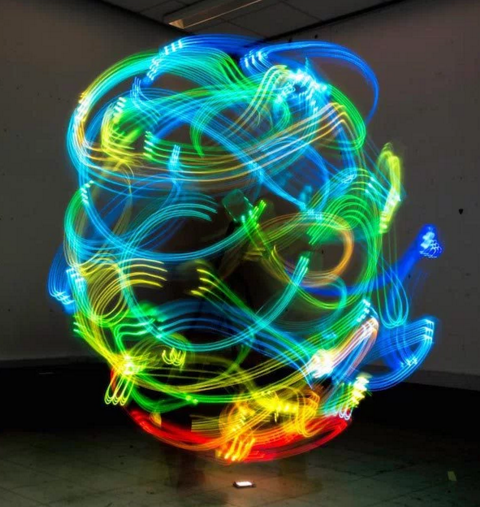
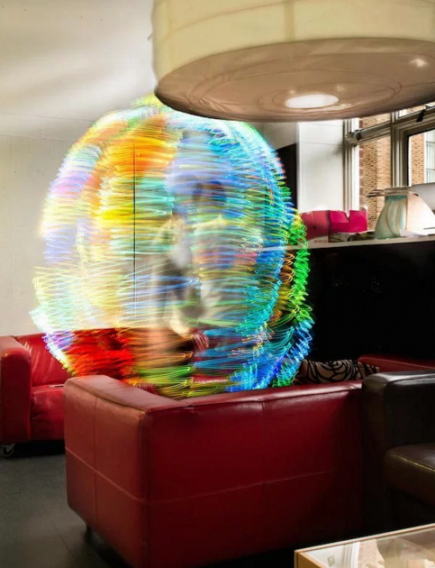
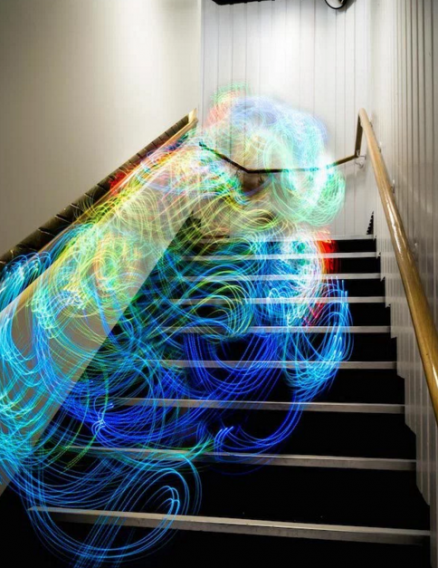
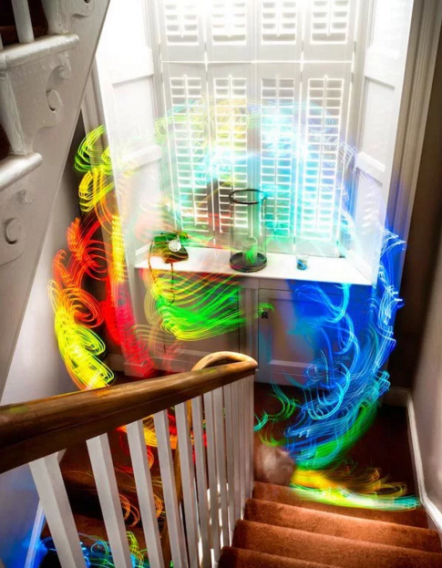
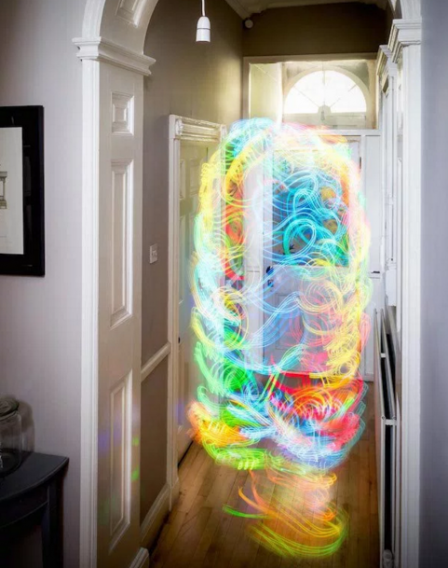
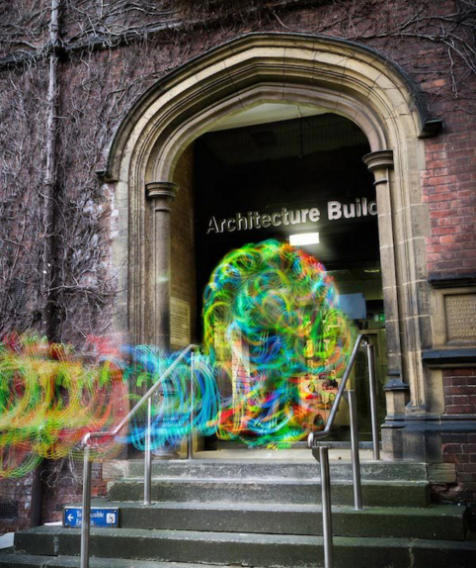
A bunch of photographs have recently surfaced on the web that demonstrate what WiFi actually looks like. The photographs were created by PhD student Luis Hernan who designed a specific system that scans for wireless networks, creating images where the different strengths of signal can be seen using colored LED lights. The red colors indicate high intensity, and the blue colors indicate low.

Luis explains on his website what his creations are all about: “I believe our interaction with this landscape of electromagnetic signals, described by Antony Dunne as Hertzian Space, can be characterized in the same terms as that with ghosts and spectra. They both are paradoxical entities, whose untypical substance allows them to be an invisible presence. In the same way, they undergo a process of gradual substantiation to become temporarily available to perception. Finally, they both haunt us.

Luis has even developed an app which apparently allows you to view the WiFi signals around you.

To learn more about Luis Hernan’s creations, here’s his website: www.digitalethereal.com

Google Photos has a revolutionary new feature: say goodbye to the albums you once knew!

Google Photos has outdone itself with its new update with the brand new feature “smarter albums”. But what do they do?

Imagine you’ve just returned from vacation. You’ve taken hundreds of photos, and you’re dreading that moment when you need to go through them to pick out the best of the bunch and share them on your social networks. Yeah, we know – it’s a chore.

Well, we bring you good news, because Google Photos now does it all for you! Not only does the application offer you what it considers to be the best photos and videos from your trip, it will also include maps and locations, offering you a “suggested album”, basically doing all the mundane work for you!

Check out the video here:

Google Photos is doing a great job at keeping up with the stiff competition by introducing many features such as this that make our lives easier, and it seems to be keeping them ahead of the game. The update is available on both the iOS and Android app, as well as the website itself.

It’s time to make some photo magic!