How to Delete Your Google Voice Search Data

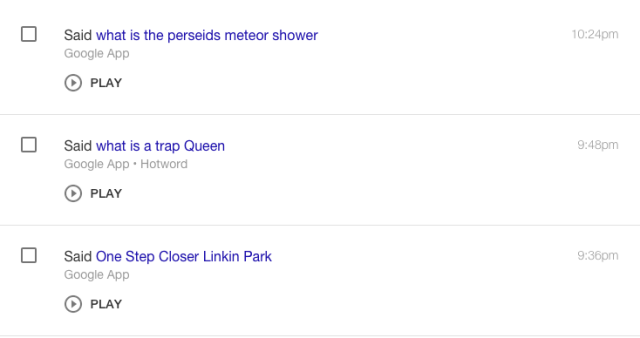
It might surprise you to learn that Google records all of your voice searches. In fact, Google records everything you type in or search by voice. Here’s how to find that data and remove it. (You can even listen to it first if you’d like.)

In June 2015, Google created a portal for Google account activities. This is where you can find and control your privacy settings. If you go to the Google activity page, you will likely find a whole lot of data if you’ve never cleared your browsing history. Everything you do via Google is stored there, including your voice searches.

As you can see, everything is there, including every audio file. This enables advertisers to reach you based on your searches.

How to delete your recordings:

1. Log into history.google.com

2. Click on “Delete activity by”

3. In the dropdown menu, select “all time”

4. Press Delete

Simple as that.

As far as we know, Google doesn’t use these recordings for some evil agenda; they are used primarily for ad targeting purposes and probably to improve language processing algorithms. That way, voice search will be able to distinguish accents and improve the user experience even more. But if you’re reluctant to let Google have all your data for its ad targeting, now you can wipe it away with a few satisfying clicks.

The New Internet Promises Complete User Privacy and Data Security

For the past four years, a Hong-Kong software engineer named Larry Salibra has been working on a decentralized internet where big companies like Facebook, Google, ad Alibaba will have no access to your personal data and browsing history. His creation is ready to come to life.

“It’s a really big change from the current internet … we [take] the value away from these big centralized companies like Facebook and Google and put data back into the users’ control…”

-Larry Salibra to the South China Morning Post

This is how the “New Internet” will operate

Salibra saw more possibilities for blockchain, and he wanted to implement those ideas into Blockstack. If you are unfamiliar with blockchains and Bitcoins, more info can be found here.

“By using bitcoin transactions and putting some special data into each transaction, we’re able to create a virtual blockchain on top of the bitcoin blockchain that just has Blockstack-specific data.”

Blockstack will enable users to buy an ID and share only the information that they want to share with the rest of the community. Everything that they want to keep private will be kept private. A decentralized internet also means that hackers won’t have access to any personal data unless they target an individual. And that would be expensive and time-consuming, according to Salibra.

Blockstack has been in development since 2013, and was created to counteract censorship. China’s government has a “great firewall” that blocks access to websites they don’t find fitting for their citizens. They can block anything from big websites like Facebook to small media outlets. Blockstack, being a decentralized internet, will not allow that; there is no way for anyone to control the flow of information on a Blockstack network.

“We envision a world where … if what they’re doing is illegal, you get a court order and you enforce that against them in the real world. You don’t want Google making its own decision about what’s acceptable or governments going to them to delete domains.”

Blockstack apps are currently distributed via regular internet domains, but once the “new internet” is up and running there will be no need for that. Blockstack will also allow software developers to earn money by creating new apps. Payments will be made with cryptocurrency only. App creators will register on a blockchain and will have full control over their creations. No one will be able to remove them except the creator.

In August it was announced that the budget for this project is 25 million USD and that Blockstack will be released for desktop computers in the first quarter of 2018. Users will access it via a browser that is developed by Salibra.

A mobile app is also being developed,but it is unclear if Google and Apple will approve the app for their devices.

Why Is Cuphead So Popular?

Who would have thought that in 2017 a 2D run-and-gun game could be so much fun? A lot of people had their doubts, but studio MDHR has done a truly amazing job with Cuphead. The game is taking the world by storm and seems ready to break some serious records. Why is it so popular? Let’s have a look.

When it was first announced in 2014, Cuphead promised a 1930s cartoon art style that got a lot of attention. Unfortunately, players had to wait three years for the game to be published. Some even lost hope in 2016 when there was close to no info about the game online. It finally launched on September 29 of 2017 and has been a smash hit.

The game looks even better than we could have hoped, and it is much harder than we could have guessed. Cuphead has set a new standard when it comes to difficulty, and people will probably have to rephrase the “Dark Souls of X” to “The Cuphead of X.” The game itself focuses mostly on boss fights. Classic levels are rare, and you only play them to collect coins that are spent on upgrades.

The boss fights are a story all on their own. I had a chance to play the game and called it a day after I had finished about five bosses. It took me about three hours to get past those five bosses on regular difficulty. The game makes you learn the patterns of boss attacks, but even if you know them all, it can still feel impossible to dodge them all.

Cuphead is hard and nerve-wracking, so what makes it so special?

Cuphead is a unique title that gives new meaning to video games as a whole. The art style is one of a kind. The team has captured the 1930s cartoon theme in the best possible way, and they’ve also made players realize how bad at gaming they really are. Another benefit: in the age of the microtransaction – witgh for example, cosmetics that you can buy for real money in full priced games – Cuphead comes out with a $20 price tag and for that you get everything. All of this has resulted in great review scores. The game is currently at 10/10 on Steam and has an 86 score on Metacritic.

With over 100,000 copies sold on Steam in the first 3 days and a ton of active players, Cuphead is on its way to set some serious records and break a lot of controllers in the process. Maybe big studios that highly depend on in-game currency and microtransactions will learn a thing or two from studio MDHR. As they have proven, good games can be made without additional monetization; you just have to put a lot of work into the creative process and give the players what they really want. Polished, finished games with a single price. Is that so hard?

10 Cut-Rate Gadgets You Can Buy Guilt Free

Who says you have to break the bank to enjoy some of the coolest technology around? Get more for less with these ten affordable gadgets that scream value for money… so now there’s no excuse not to treat yourself.

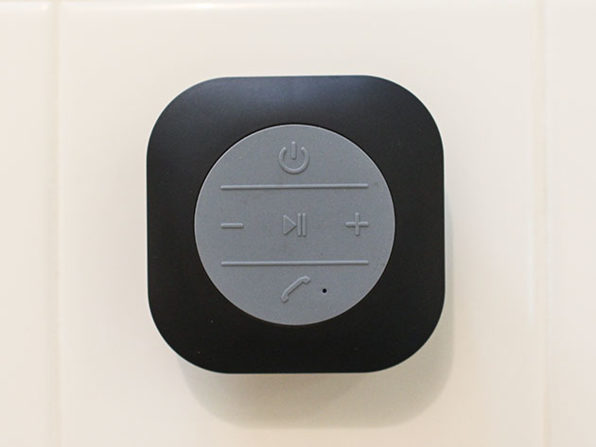
1. XXL Shower Speaker ($99,99 $19.99)

Sing along to your favorite hits with this IPX4-rated waterproof Bluetooth speaker that pumps out 3W of sound. With a 6-hour battery life and an upgraded sound chip, you’ll be rocking away to your morning scrub until you prune up like a tortoise. You can even make calls – perfect if you need to let your boss know you’ll be a bit late. With 80% off the retail price, you’d be a fool not to enjoy your showers with a song or two.

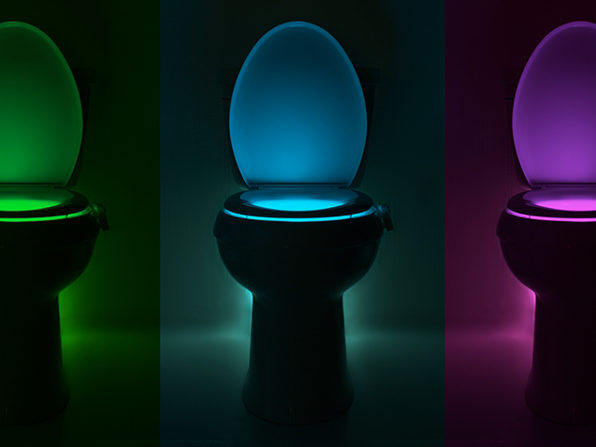
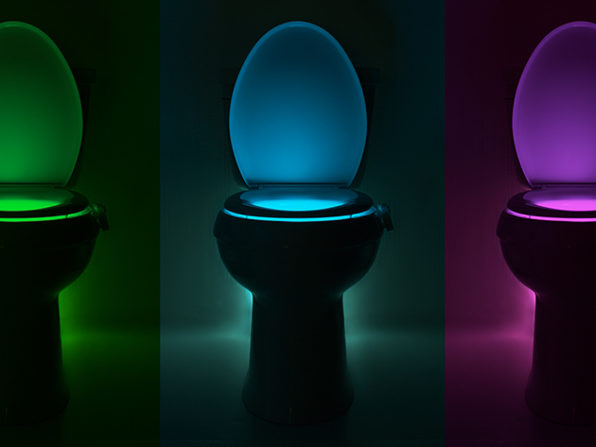
2. Illumibowl 2.0 ($14.99 $12.99)

Never miss the bowl again with this stylish nightlight for your toilet. No more squinting sleepily under the glare of your bathroom light; just a subtle glow that leads you to relief. With motion-sensing technology, it’s ready when you are, and a sumptuous selection of colors will ensure it matches the tasteful decor of your most private room. It’s going for $12.99 – a 13% discount off its retail price – so now’s the perfect time to grab one while stocks last.

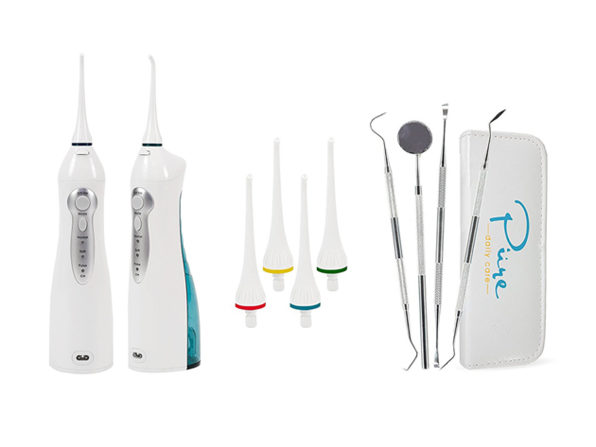
3. Aqua Water Flosser ($149.99  $33.99)

If seesawing a strip of plastic between your teeth sounds like torture, this water flosser is for you. Recommended by dentists, it directs a stream of water between your teeth to give them a thorough yet gentle clean. There are three modes to handle your specific needs, and it’s up to five times more effective than traditional flossing – making the fiddly wrap-it-around-your-finger technique seem medieval in comparison. Better yet, at $33.99 it comes with an enormous 77% discount. That’s a small price to pay for fewer visits to the dentist.

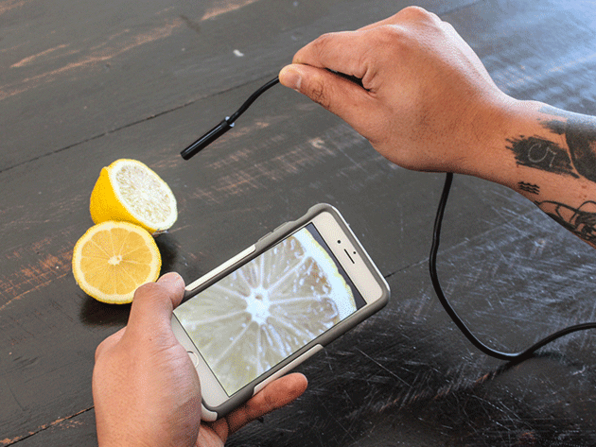
4. 1080p HD Waterproof WiFi Wireless Endoscopic Camera ($99.99  $39.99)

It bends. It twists. It gets into those hard-to-reach places… this Neva Tech endoscopic HD waterproof camera gives you an inside view of all those hidden areas your smartphone can’t reach. With 1080p recording and an IP68 waterproof rating, you can wirelessly send photos and videos to your smartphone and figure out exactly what’s clogging your pipes (you’ll probably want to wash it afterward, though). For a limited time only, you can own this flexible camera kit for just $39.99 – a huge 60% off the usual price.

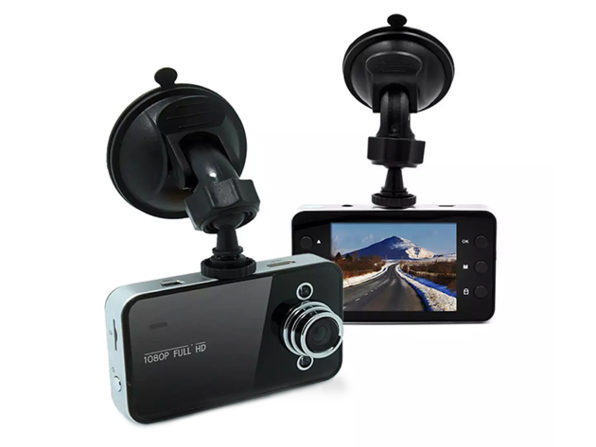
5. HD Dash Cam ($59.99  $24)

This suction-mounted dash cam records everything it sees – be it the dangerous driver in front, or the beautiful open road. Either way, you’ve got a digital copy of your driving experiences, which you can use to defend against costly crashes or relive memorable drives. With a motion sensor, infrared night vision, and a 4x optical zoom, you’re packing enough technology to capture every aspect of your trip in stunning HD detail – and at just $24, it comes with a massive 59% off the retail price.

6. Car Air Ionizer and Purifier ($24.99  $8.99)

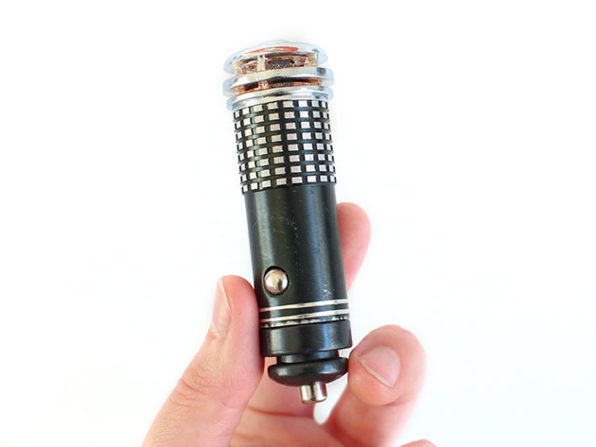
Dogs. Fried foods. Cigarette smoke. Bad cologne. Don’t you just hate getting into your car when it stinks? Well, now you can eliminate those odors and clear the air of nasty pollutants with this combined ionizer and purifier from Tate Selection. Simply plug it into your car’s cigarette lighter and in moments you’ll be breathing in fresh air. Everyone loves that new car smell, and for just $8.99 – 62% off the usual price – you can make it last even longer (for less than the cost of a car wash).

7. 3-in-1 USB-C, Lightning, and MicroUSB cables ($29.99  $9.99)

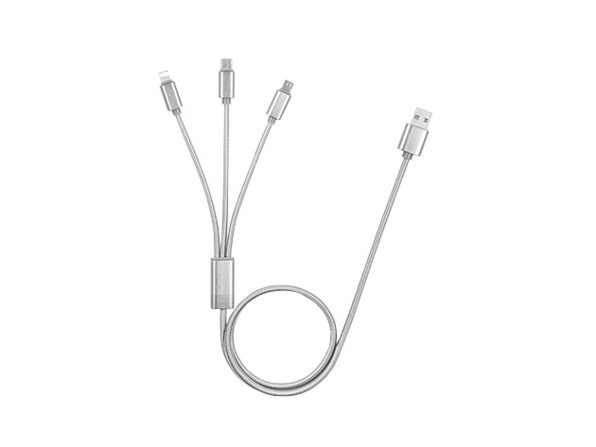
If like me, you have a ton of devices from different manufacturers, you’ll often find yourself tangled in cables or unable to find the one that fits. Thankfully, Rawtronics has the answer with this 3-in-1 USB-C, Lightning, and MicroUSB cable. Having each one is essential, but having them all on the same cord – that’s genius. Grab one now for just $9.99, saving 65% off the retail price.

8. FRESHeBUDS Pro Magnetic Bluetooth Earbuds ($119.95 $29.95)

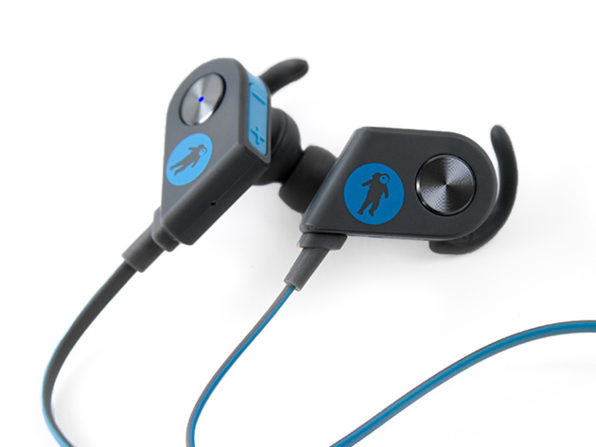
You’re not short of good earbuds these days, but rarely does a pair excel in every area. Some will sound great but have short battery life; others let you listen to calls but not talk. Thankfully, these Pro ‘buds from FRESHeBUDS are absolute winners. Dance the night away with a solid six hours of battery life. Listen and talk to your friends using the built-in microphone. Go running in the rain with the weather-and-sweat-proof coating. Impress your ears with audiophile sound quality. And if that’s not enough, they’re 75% off, so you can own these stunning earbuds for just $29.95.

9. Ultrabright 500 Lumen Military Tactical Flashlight – 2 pack ($100 – $17.99)

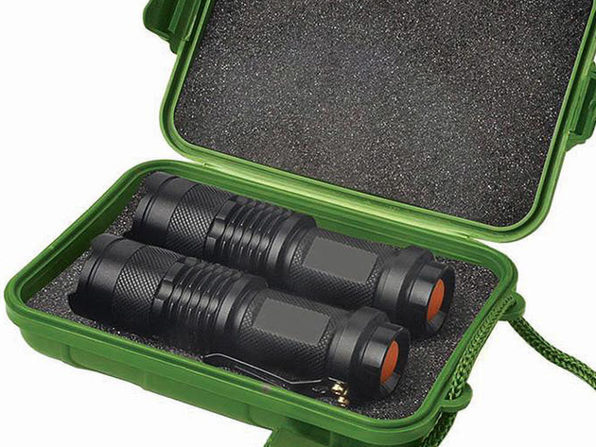
Don’t get caught in the dark with these super-luminous flashlights. Whether you’re scaring yetis away from your tent, exploring underground caves, or just trying to find the fusebox at midnight, these will do the job brilliantly. Built with military-grade aluminum for ultimate portability and a powerful 500-lumen reach of up to 1 mile, they’re the ultimate survivor’s tool. Stick one in your cupboard and one in your car for just $17.99 the pair – a whopping 82% off the retail price.

10. Outdoor Monocular Telescope with Portable Tripod ($199.99 – $54.99)

Observe stars, planets, and other stellar phenomena with this monocular telescope. With 90x magnification, you can examine moon craters, saturn’s rings, or the smudge of distant galaxies. Or simply stay terrestrial and explore birds and other wildlife in incredible detail without scaring them away. With a bright 50mm aperture you’ll enjoy jaw-dropping detail, even in low light. And at $54.99 – an incredible 72% off – stargazing has never been so affordable.

That concludes our list of great-value gadgets that give more for less. Did you see something you like? If not, why not share the article with friends and family – you never know who might need that glowing toilet bowl, especially if their aim’s a bit off!

Yahoo Announces That ALL Accounts Were Affected by 2013 Security Breach

When Yahoo announced in 2013 that it had been the victim of a cyber attack that compromised 1 billion Yahoo accounts, the world gasped at the insanely large number of people affected. This week, we learned from Yahoo that 1 billion accounts wasn’t the half of it; every single Yahoo account, all 3 billion of them, was compromised.

If you had a Yahoo email account, your account user information has been hacked – information including names, email addresses, passwords, birthdays, phone numbers and, in some cases, security questions.

If you took steps to protect yourself when the story first broke in 2013, good work! If you didn’t, now is the time to start changing passwords and security questions across all of your online accounts.

Via: Oath


Adobe Launches Photoshop Elements 2018: These Are the New Features

Today, Adobe launched the new 2018 versions of Photoshop Elements, Elements Organizer, and Premier Elements. All of them are packed with new features to help us with our photography.

Photoshop Elements 2018 has a new Automatic Selection tool that detects objects faster. Elements also has a new feature aimed at the age-old problem of closed eyes in a photo; if the photo is part of a series, then Photoshop will be able to copy in their open eyes from one of the other photos. The results look natural and organic.

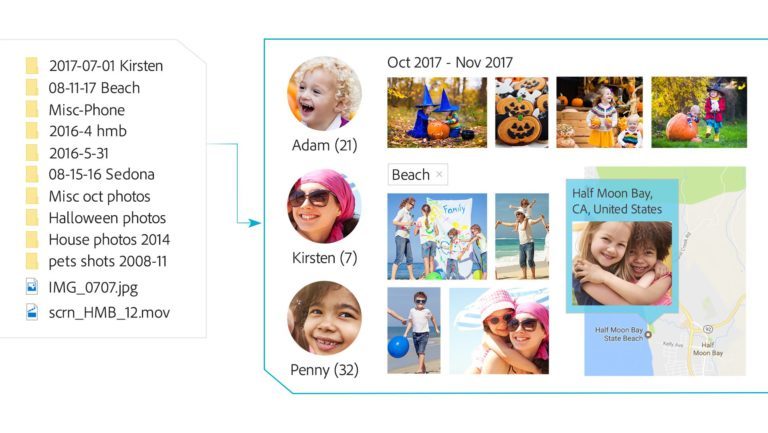
Elements Organizer 2018 has a new tool that uses facial recognition and image analysis to select the best photos. This makes it much easier to transfer selected photos and videos into a suitable gallery. In addition, Adobe has automated eight complex workflows like replacing backgrounds and adding artistic effects to make them easier and faster to perform.

Finally, Premiere Elements 2018 includes a feature called Spontaneous Moments. Spontaneous Moments helps you select the best frames from your video recordings to edit as photos. Premiere Elements will also automatically remove bad scenes and put together the best moments from all takes. Just like all other automated Adobe processes, it is customizable.

Will you try the Adobe’s newest versions? Let us know in the comments.

If you’re after free alternatives to photoshop then you should check out this article on making your photos breathtaking.


The top 10 photographers on Instagram

Avast 2018 Is Coming, With 2 Great New Features

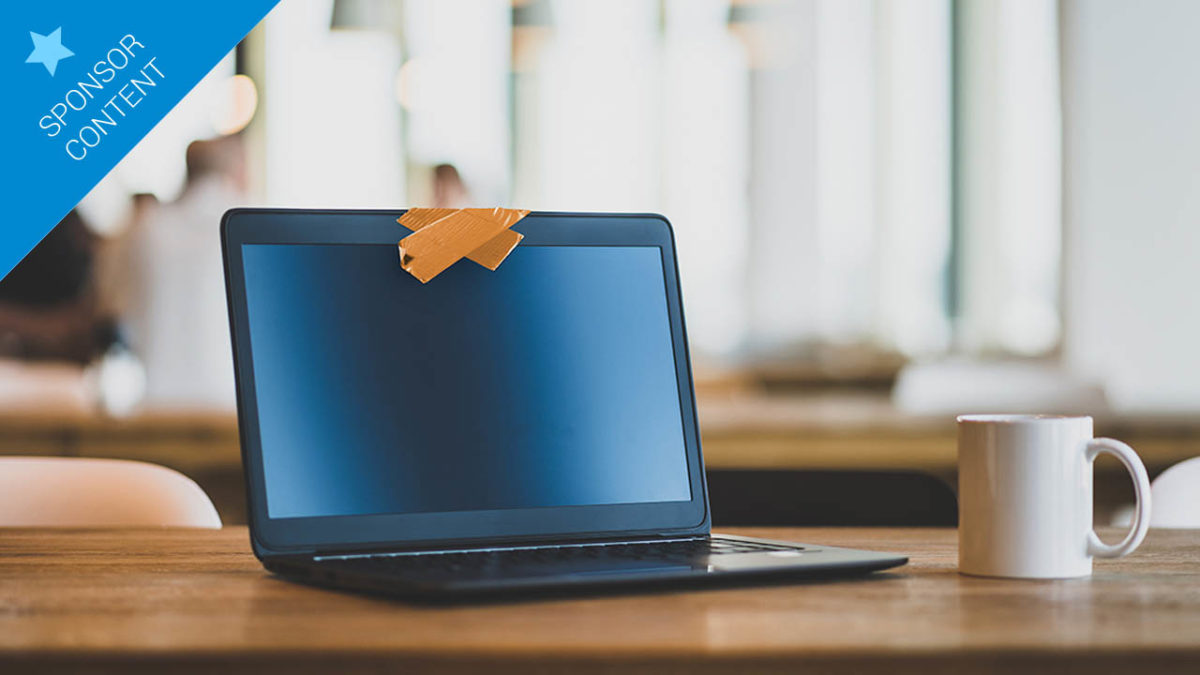
Do you have a sticker covering your webcam? Even Mark Zuckerberg has one! These stickers aren’t there for show; they are there because people are worried about who might be watching from the other side of the webcam. People are worried about how their webcam can affect their privacy.

We all have that niggling little fear of what a hacker could do if he was spying on our most private moments. Cyber-criminals could use our private photos and videos to blackmail us or even just harm us by distributing them throughout our social networks.

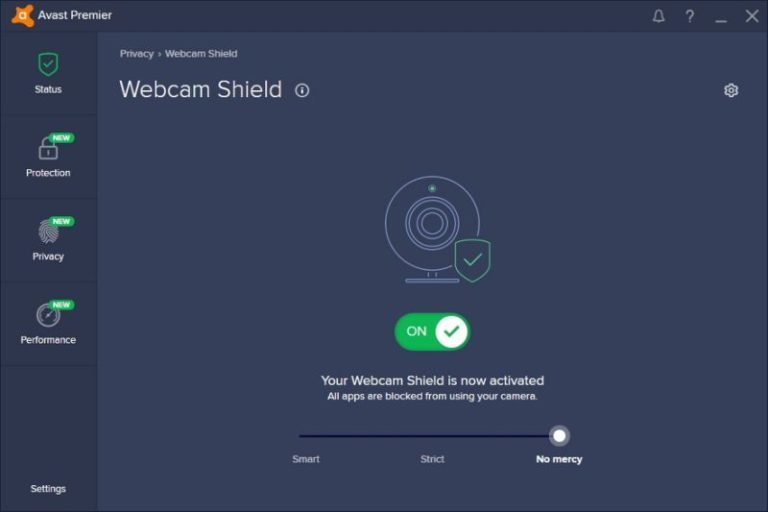
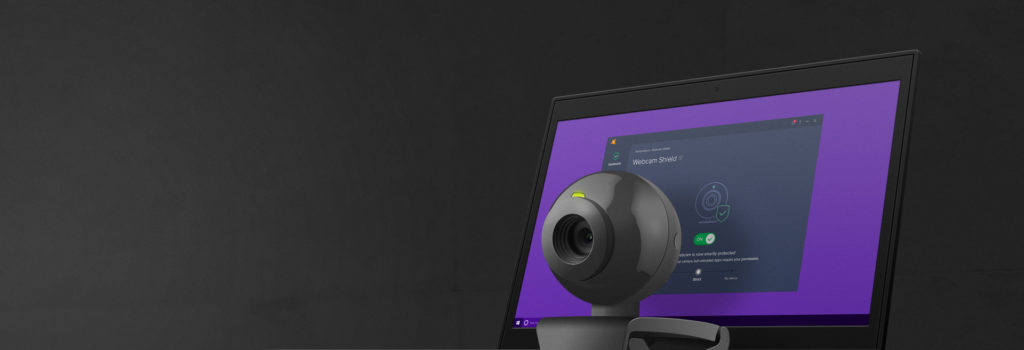
This is something that Avast has moved to address in the forthcoming Avast 2018 release, which includes a new Webcam Shield feature.

With Webcam Shield activated, Avast 2018 will only allow trusted apps to access your webcam. If something suspicious takes place, the system will warn you. Avast 2018 gives you total control over your trusted apps whitelist. There is even the nuclear option, which involves disabling the camera so that nobody – not even you – can use it. This, of course, is reversible, in case you decide you want to use the camera again in the future.

You get Webcam Shield with Avast Premier or with Avast’s brand new mega package for 2018: Avast Ultimate.

Avast Ultimate includes all four of Avast’s premium applications (Premier, Cleanup Premium, SecureLine VPN and Password Premium) at a special price. In fact, Avast Ultimate is approximately half the price you’d have to pay if you bought all of the premium applications separately.

Here’s a quick review of the four premium applications included in Avast Ultimate 2018.

Premier beefs up your security. In addition to detecting and removing viruses, ransomware, malware, Trojans, and much more, this anti-everything includes new features like the previously mentioned Webcam Shield, improved real-time protection, a Ransomware Shield, and an improved anti-phishing system.

The 2018 version of Avast Cleanup Premium has had a facelift, which makes it easier for you to clean, speed up and fix your beloved computer. It includes a brand-new control panel, which gives you at-a-glance access to the state of your computer and the ability to optimize six critical areas of your PC with a single click. On top of that, you’ll have easy access to the registry, hard disks, browsers, shortcuts and annoying ads or toolbars.

With Avast SecureLine VPN 2018, you’ll have guaranteed safe, private and unrestricted regional navigation no matter where you are. It has an improved and easier to use interface and more servers than ever before. Users of Avast SecureLine 2018 will be able to connect to servers in 53 countries around the world.

As secure passwords are becomingly increasingly complicated, there has never been a better time to start using a password manager. Avast Password Premium 2018 is a password manager you can trust. It will safely and securely store all of your most private information to keep it safe and also use it to automatically fill in web forms when you’re shopping online.

Avast Ultimate is not only a solution designed to say goodbye to the viruses and intrusions you can expect on a typical computer. If you have Avast Ultimate installed on your machine, not only can you forget about being spied on via your webcam; you can also forget about any type of threat that could come from the internet.


Apps That Will Make Your Life Easier

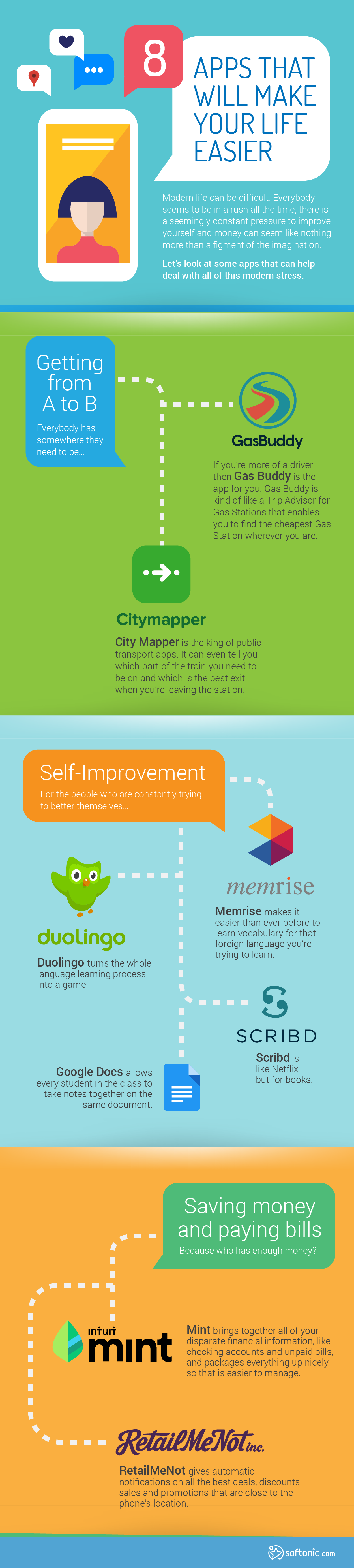
Modern life can be difficult. Everybody seems to be in a rush all the time, there is a seemingly constant pressure to improve yourself, and money can seem like a figment of the imagination.

Let’s look at some apps that can help deal with all of this modern stress. All links are at the bottom of the page…

Getting from A to B

Everybody has somewhere they need to be.

If the bus, subway, or train is your mode of transport, City Mapper (iOS) is the king of public transport apps. It can even tell you which part of the train you need to be on and which is the best exit when you’re leaving the station. It even allows you to share your live location with friends and family.

If you’re more of a driver, Gas Buddy (iOS) is the app for you. Gas Buddy is kind of like a Trip Advisor for Gas Stations, enabling you to find the cheapest gas station wherever you are.

Self Improvement

Here are some good choices for those who are constantly trying to better themselves.

Memrise (iOS) makes it easier than ever before to learn vocabulary for that foreign language you’re trying to learn.

Duolingo (iOS) turns the whole language learning process into a game.

Scribd is like Netflix for books.

Google Docs (iOS) allows every student in the class to take notes together on the same document.

Saving money and paying bills

Because who has enough money?

Mint (iOS) brings together all of your disparate financial information, like checking accounts and unpaid bills, and packages everything up nicely so that is easier to manage.

RetailMeNot (iOS) gives you automatic notifications on all the best deals, discounts, sales, and promotions that are close to the phone’s location. The app also offers coupon codes for online sales.

Tricks, Tips and Super Effective Apps for Getting a Good Night’s Sleep

We spend a third of our lives sleeping… or at least that’s what should happen in an ideal world. In reality, we sleep less than we should, because we undervalue the act of sleeping. We believe it’s enough to get under the covers and close our eyes. But there’s much more to sleeping than that. It’s important to sleep with a clear mind, with the brain prepared for the task of resting and a clear idea about the best time to wake up the next day.

Lucky for you, there are niche apps for each one of the processes above for getting to sleep (relaxation, mental preparation, and so on). Try these apps and some tips on how to use them, and wake up refreshed and rested.

First up: relax

The sleeping process starts long before you go to bed. Above all, it’s important to feel calm and quiet. Otherwise, when you close your eyes, your mind will recall all the problems awaiting you tomorrow, all the mistakes you made today…

sleep-deprivation-598x336

To avoid bad vibes that make it difficult to rest, I recommend that an hour or two before bed, you dedicate 5 or 10 minutes to guided meditationthat relaxation apps suggest.

Calm – Meditate, Sleep, Relax (also for iOS and Android) offers guided meditations of all kinds (not only for sleeping; also for managing stress and calming anxiety) of varying lengths (3, 5, 10, 15, 20 or 25 minutes).

Calm

This app, and others that you can easily find in your mobile store will help you meditate, but won’t become an overbearing virtual hand that emerges from your cell phone screen to take you by the neck and force you to stop doing whatever you were doing to relax already. The decision to invest 5, 10, or even one minute in your mental health depends on you.

Our Softonic Solutions users are talking about the best apps for falling asleep. Join the conversation now!

Stay away from light

Do you usually use your cell phone right before going to bed? Smartphones, TV, tablets and other devices emit what is known as blue light. When your eyes see this type of light, they send the following message to your brain: “Let’s not sleep yet, it’s still daytime!” The brain takes note and eliminates the production of melatonin, a hormone that prepares the body to go to sleep and regulates sleep. The result: If you mess around with your cell phone, you’ll later go to bed feeling restless.

luz-azul-smartphone-610x305

I’m not going to forbid you from peeking at your cell phone close to bedtime. But I do recommend that you activate Night Mode on your smartphone. Night Mode is a special filter that neutralizes the blue light starting at a certain hour, so it doesn’t affect the production of melatonin.

If you use an iPhone 5s or later, you can tinker with Night Mode from the Settings on your cell phone.

In the case of an Android, its equivalent feature, called “Nocturnal light,” can also be found in the “Settings” section.

androidpit-night-mode-android-nougat-w782


Don’t have access to Night Mode or don’t like the results? No problem: Myriad apps can add similar filters. On Android, one of my favorites is Twilight. It’s named after a special filter that activates after sunset.

Twilight

For iOS, F.lux is a similar app that’s 100% free but requires you to jailbreak your smartphone to install it.

flux-ab

Myths and facts about niche apps for sleep cycles

The moment of rest has arrived. The goal is not simply to sleep but to achieve profound and restful sleep. It would be easy to recommend niche apps for sleep cycles and that’s it, but before I start naming applications, I feel obligated to clarify a few myths about these types of apps.
sleepcycle_disturbed_sleep

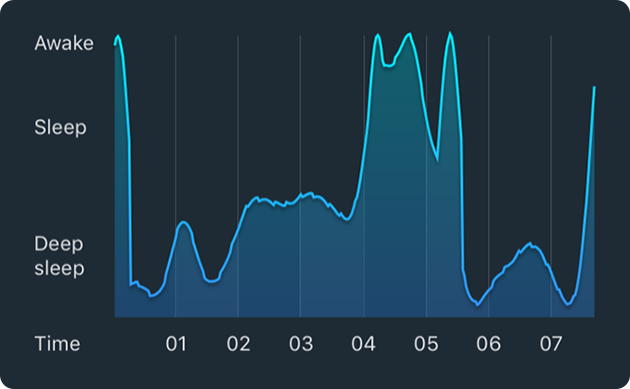
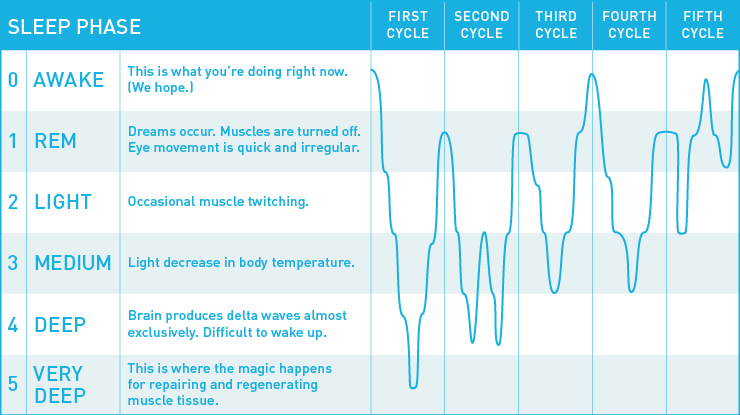
A sleep cycle lasts about 90 minutes. If sleep is interrupted before that respective hour and a half has passed, you’ll wake up tired and fatigued as if you had slept very little.
sleep-final

Image original source

Let’s assume that I want to go to sleep every day at midnight. Five sleep cycles are recommended, so it’s best for me to wake up at 7:30. If I wake up at 7, I’ll cut off the 5th cycle and feel tired; and if I wake up at 8, I’ll cut off the 6th additional cycle even before I’m even halfway through.

In theory, it’s easy to suggest sleeping every day from 12 to 7:30 for restful sleep. In practice, it’s much more complicated. What always happens when we say “All right, I’m going to sleep right now”? Our mind gets stressed and we end up falling asleep at 3 in the morning! We can’t 100% control when we sleep, and this means our plans of taking control of our own sleep cycles might be futile.

Niche apps for this resting period use systems that analyze your movements or listen to your sounds at night, to detect the exact moment you fall asleep. At that moment, a smart alarm is activated so you wake up at the best possible time.

http-mashable.comwp-contentuploads201006sleep-cycle

Doctor W. Christopher Winter, a specialist in medicine and neurology, warns that these applications aren’t 100% reliable. According to Winter, in order to know exactly when we fall asleep, other body functions need to be analyzed, such as breathing, ocular movement, and brain activity. Because these apps depend on only two variables (body movement + sounds), they lend themselves to misunderstandings.

These type of applications thus act as a guide. For example, they can tell more or less how many hours you sleep a day. I thought I slept a little over seven hours but after using an app, I found out that I sleep only six hours, thank you very much. Just knowing this fact let me make better decisions about my habits.

Additionally, they can help you detect activities that help or hurt your sleep. For example, if you don’t believe alcohol or coffee harms sleep, compare the analysis of days you drank these substances with days you drank nothing or less than usual.

Experiment with your body! You have my permission, and I’m sure Doctor Winter would give his approval as well.

Now let’s turn our attention to sleep cycle apps. On Android, my favorite is Sleep as Android (you have a two-week trial period before you have to pay).

sleep as android

On iOS, a great app is Sleep Cycle alarm clock (you can also install this on Android).

mas cosas

These two apps also have a cool feature that lets you calculate the best time to go to sleep or what time you should wake up if you go to sleep at a particular time. This feature works great if you plan to figure out all the variables that affect your sleep.

These apps will help us get restful sleep. But what about so-called deep sleep? Is there an app that helps you maintain that? The application Pzizz – Deep Sleep & Power Snap” (available both for iOS and Android) is at your service.

woman-sleeping-zoom-out@2x

While you sleep, this application helps you sleep peacefully and optimally by emitting a combination of music, voices and sound effects. This serene symphony will increase your chances of getting deep sleep.

Go to sleep!

My final recommendation is that you take it step by step. For example, first, you could get used to dedicating ten minutes a night to meditation or be mindful by reading on your cell phone with a special filter. Later, look into those habits to avoid or find out how many hours you really sleep. With patience and dedication, soon you’ll enjoy all the benefits of restful sleep.

Have a good night!

no-molestar


This article was originally published on March 9th 2017.
How to Save Articles to Read Offline on Google Chrome

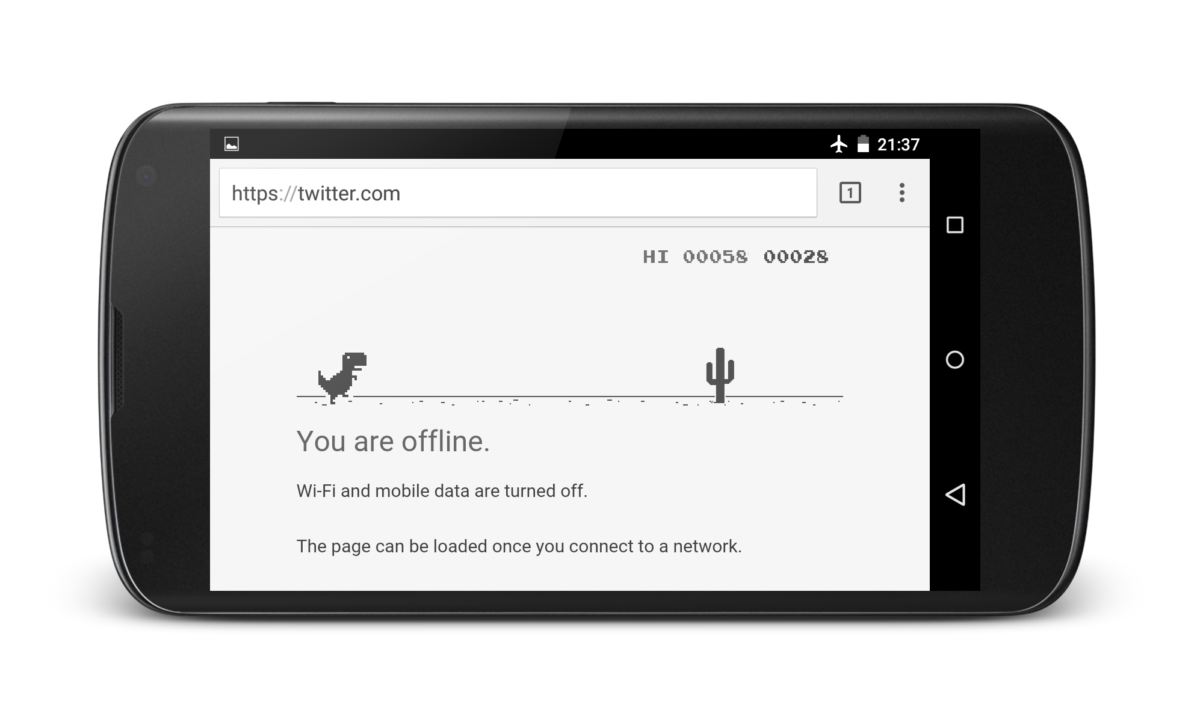
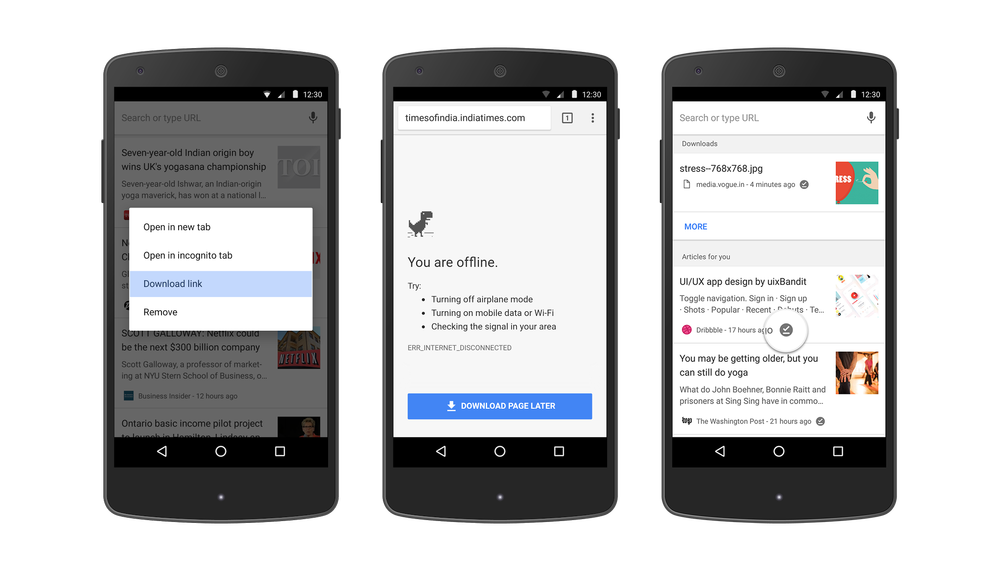
The latest update Google has brought to the Android version of their Chrome browser has made it even easier to save articles so that you can read them offline. Google first introduced offline reading to Chrome last year but so many web pages have been downloaded since then (a whopping 45 million) that they’ve decided to simplify the process. From now on you’ll be doing more than just racing dinosaurs through the desert when you’ve got no signal.

Let’s have a look at the new simplified process for saving articles for offline reading using Chrome on Android:

How to save Articles to Read Offline on Google Chrome

“First, you can now long press on any link and select “Download link.” This feature is also available when you long press an article suggestion on the new tab page.

In addition, the next time you run into Chrome’s offline dinosaur, you’ll see the “Download Page Later” button. If you tap it, Chrome will automatically download the page for you when you get back online.

We’re also making it easier for you to get back to the content you’ve downloaded. When you open a new tab, you will see articles that you have downloaded tagged with a new offline badge.  We will also show a list of your recent downloads right on the page for easy access.

Now you’ll always have a ready-to-go list of pages or articles to read even if you are out of data for the month or lose the network in a dead zone. Update to the latest version of Chrome and tap the download icon on any page to get started.”

Via: Google Blog

This article was originally published on May 10th 2017.