How to add free sound clips to your audio project

Adding clips from Freesound.org to your audio composition might sound like it will take a lot of research, finesse, and interminable digging to find and reformat just the right music or FX. Thankfully this is not the case; the process is quite simple and 100% free.

All you’ll need is the help of Freesound, one other free site, and your choice of audio editing software. We’d recommend Audacity or Free Audio Editor as neither of them will cost you a penny.

How to add Freesound clips to your audio project

1. Select your audio
Free sound editing

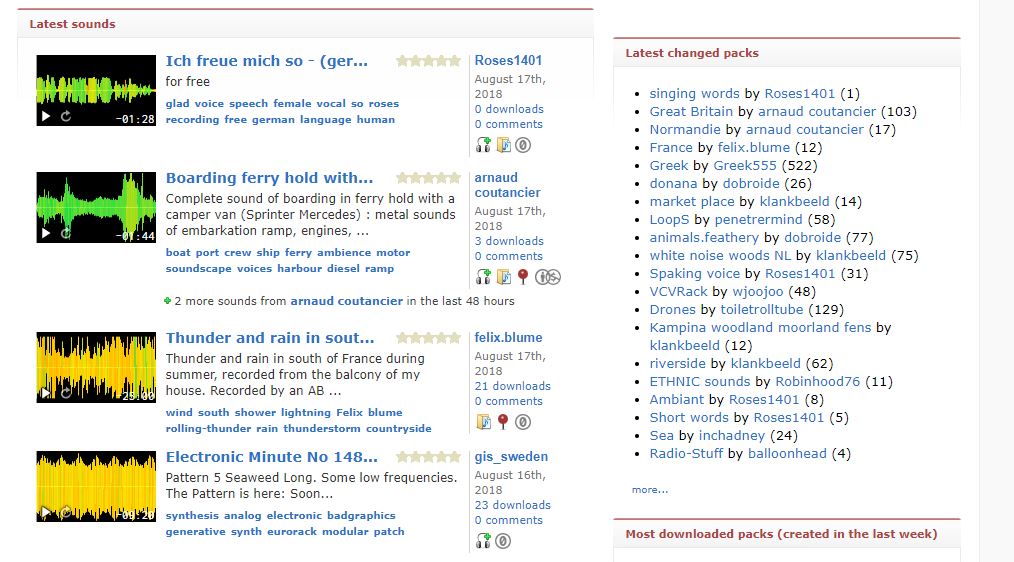
Straightforward enough! Once you’ve made a free account on Freesound, you’re free to browse and preview to your heart’s content until you find that perfect clip. Once you’ve got it, click on it and download it.

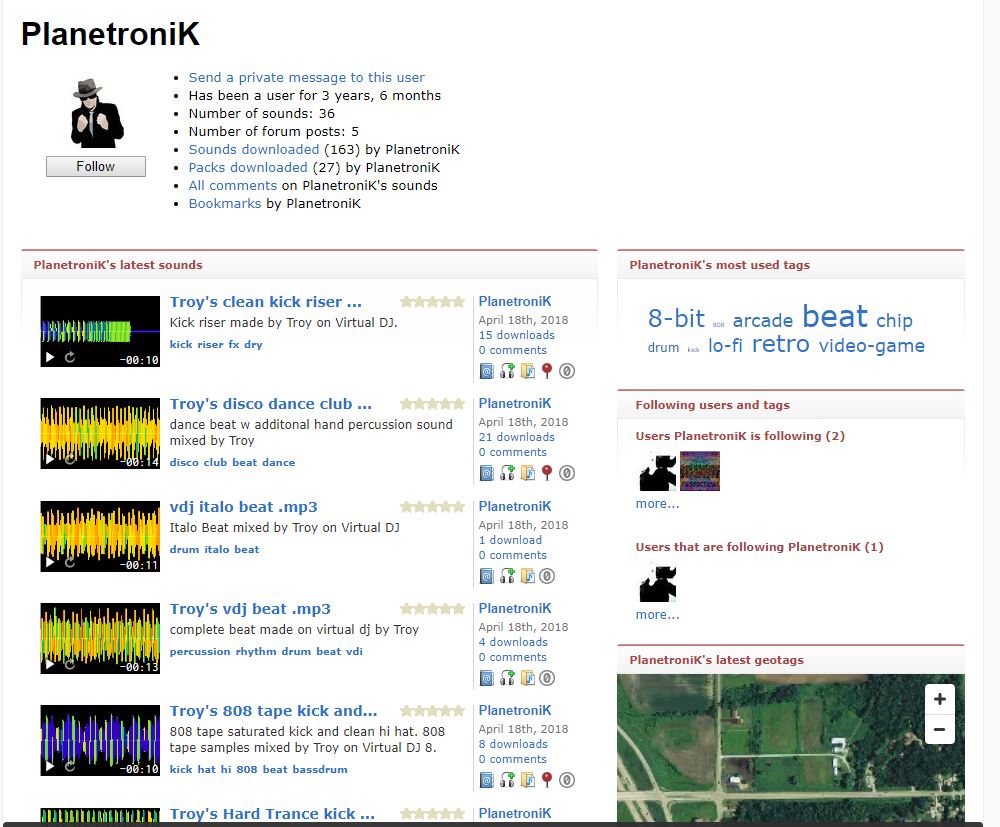
Be sure to put the file somewhere easily accessible, like a folder right on your desktop. Don’t forget to leave a ‘thank you’ comment on the uploader’s page, and to credit their work in your final product!
Adding sound to your project

2. Open your project

Boot up your choice of audio editing software. For the sake of argument, we’ll say you’ve chosen either Audacity or Free Audio Editor. Remember, they’re both free!


7
Free Audio Editor Free Download ►
7

3a. Import the new file with Audacity

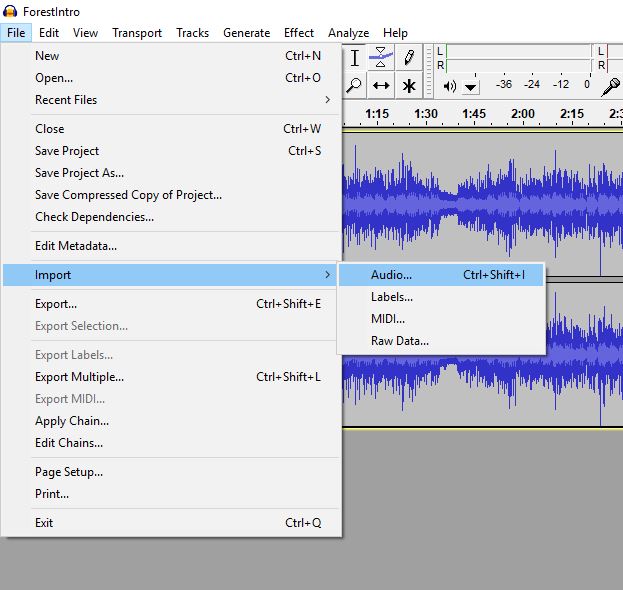
Audacity: If you’ve chosen Audacity, you’ll have a little more control over your work since you’ll be able to upload separate tracks. Once your main project file is open, go to File > Import > Audio and navigate to the folder where you dropped the new clip from Freesound. Just click ok and it will appear as a new track!
Editing audio

Lastly, you’ll need to line up your audio clip correctly with your main track. Find the precise spot on your main track where you’ll want the new audio to be. The zoom tool is your friend here, and can be activated by clicking the magnifying glass icon next to the record button.
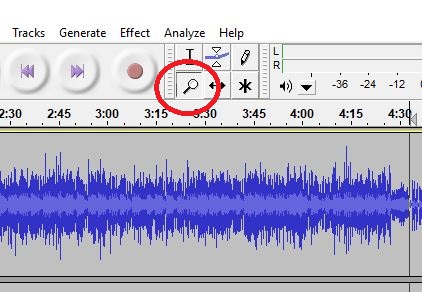
magnifying glass

Now carefully move your cursor straight down to your new FX track. Click once. Then navigate to Tracks > Align Tracks > Start to Cursor. Now your clip will appear right at that spot.
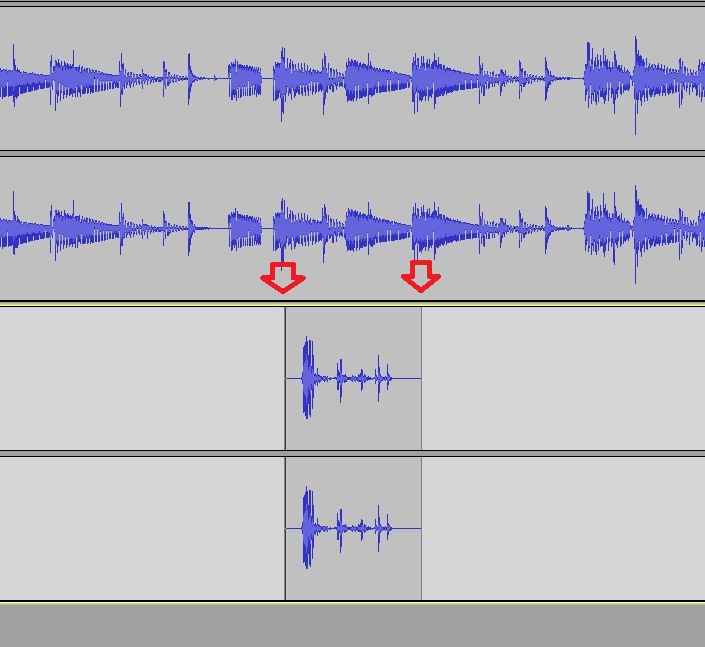
waveforms

Another method is to simply copy or cut your Freesound clip, pasting it further down on its own track. With either method, be sure to check your work as you go to make sure it syncs up well.

3b. Import the new file with Free Audio Editor

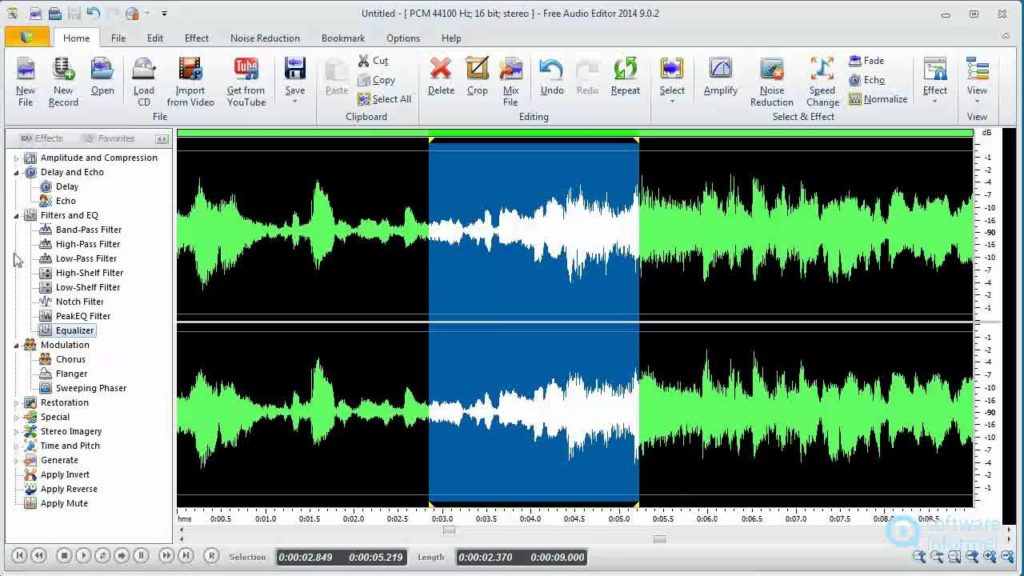
Free Audio Editor: Free Audio Editor will be slightly harder to work with given that you cannot add multiple tracks. Still, it’s easy enough if you’re willing to deal with some trial and error. Open up your main file and then open up your Edit tab up top. You’ll see two options here: Mix File and Insert File. Mix File will add your clip concurrent with the audio of your main track; the two will be playing simultaneously. Insert File will instead add the track by itself, squishing it between the audio around it. This is helpful if you want a complete break of your main file while the new track plays.
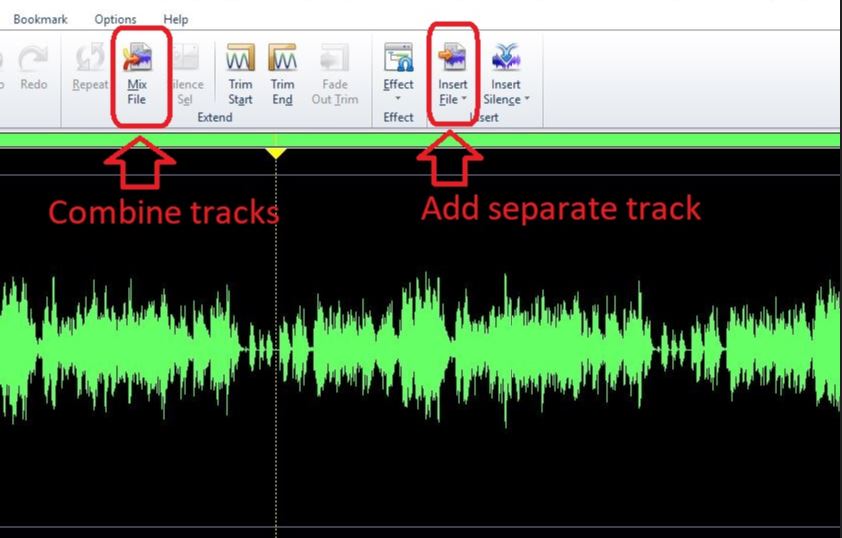
Audio editing

Find the right spot on your main file where you’ll want the new track to come in. Click there. Now choose whether you’ll want Mix File or Insert File and click whichever is better for your purposes. Navigate to the folder where you dropped your Freesound track, select it, and hit OK. Bam. Now it’s embedded in the main file!
4. Export your finished project

The last step is to export your master file after everything is edited. With either Audacity or Free Audio Editor, you’re going to run into a problem with this step: Both programs will only let you export as a .wav. Ugh.

Luckily there’s an easy way to convert your file format, and it’s totally free. Save your file as a .wav like it says. Be sure to save it to an easily-found location, like the folder where you placed the new Freesound clip. Now go to this free website. Media.io is a great free resource for changing file formats.

All you need to do is click where it says “add your files” and then navigate to the .wav you just saved. Select your file and hit ok, then choose what you want to change the file to via this drop-down:
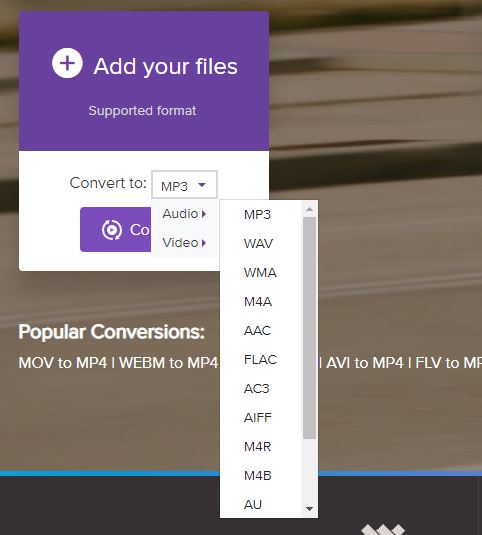
Changing file formats

Hit convert and you’ll magically have your finished file in whatever format you like. This is especially useful if you want to send your file over email, for example, as .wav files are on the larger side.

And that’s it! You’ve successfully added a Freesound clip to your composition and saved it as a new format. Congratulations!


How to use WhatsApp on your computer

Although there are some limitations, using WhatsApp on your computer has some advantages over using it on your phone. Here’s how to set it up on your PC or Mac.

Although WhatsApp is used primarily on your phone, you can actually use it on your desktop as well. This can be really useful if want to message people while on your computer, or if you’ve temporarily lost your phone and need to send some important messages.

How to use WhatsApp on your computer

There are two ways to go about using WhatsApp on your computer:

Using a browser

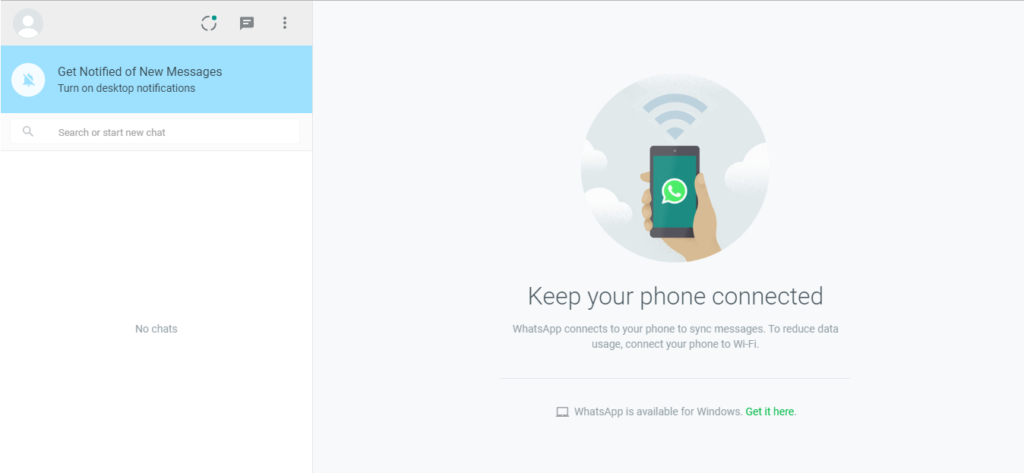
By going to the WhatsApp website, you can scan a QR code with your WhatsApp app on your phone in order to sync it with the browser. Not everything can be done through the browser version of WhatsApp, but it retains its basic functionality.

WhatsApp on PC

As you can see, the WhatsApp website explains exactly what you need to with the QR code to scan it. First, you open the app on your phone, then press Settings, then WhatsApp Web/Desktop. Your phone will open a camera that you can use to scan the QR Code.

WhatsApp on PC

Once that is done, you should see this screen with all your account information and messages on the left side. From here, you can send messages or adjust your account settings.

Installing the application

Instead of using the browser, you can install WhatsApp directly onto your desktop. This version of WhatsApp features full functionality, and runs much smoother (though it may not work on some older computer models). You will have to scan a QR code once installation is complete, just like with the browser version.

WhatsApp Free Download
8

The advantages of using WhatsApp on your computer

Although there are some limitations, using WhatsApp on your computer has some advantages over using it on your phone:

1. It is useful to send documents to your contacts that you have on your PC

In addition, PC connections tend to be faster, so your attachments will be sent and received sooner.

2. It is easier to write long texts without mistakes

You will avoid the embarrassment of falling prey to autocorrect! Your fast fingers on a phone could lead to a terrifying error. Installing Whatsapp on your computer allows you to work on other tasks at the same time and copy text from other websites more easily.

3. It is also practical to manage and delete chats

How many times have you wanted to review and delete conversations but avoided it out of laziness? With a keyboard and mouse, this process is much faster.

In addition to these three advantages, WhatsApp for PC and Mac has practically the same options as its app : creation and management of groups, configuration and editing of the profile, possibility of sending voice notes and/or photos (as long as you have microphone and/or camera on the computer, of course).

Beginner’s guide to Monster Hunter: World

Whether you’re a veteran Monster Hunter player or new to the series, here are a few tips to help you get started with Monster Hunter: World.

With Monster Hunter: World recently being brought to PC, a lot of new players have been struggling to get a grasp on the game. Whether you’re a veteran Monster Hunter player or new to the series as a whole, here are a few tips to help you get started:

Understanding the gameplay and environment

If you’ve never played a Monster Hunter game before, then the gameplay might be a little confusing to start out with. It’s easy to see that this game is a third-person action RPG about hunting monsters, but it’s a little more complicated than that.

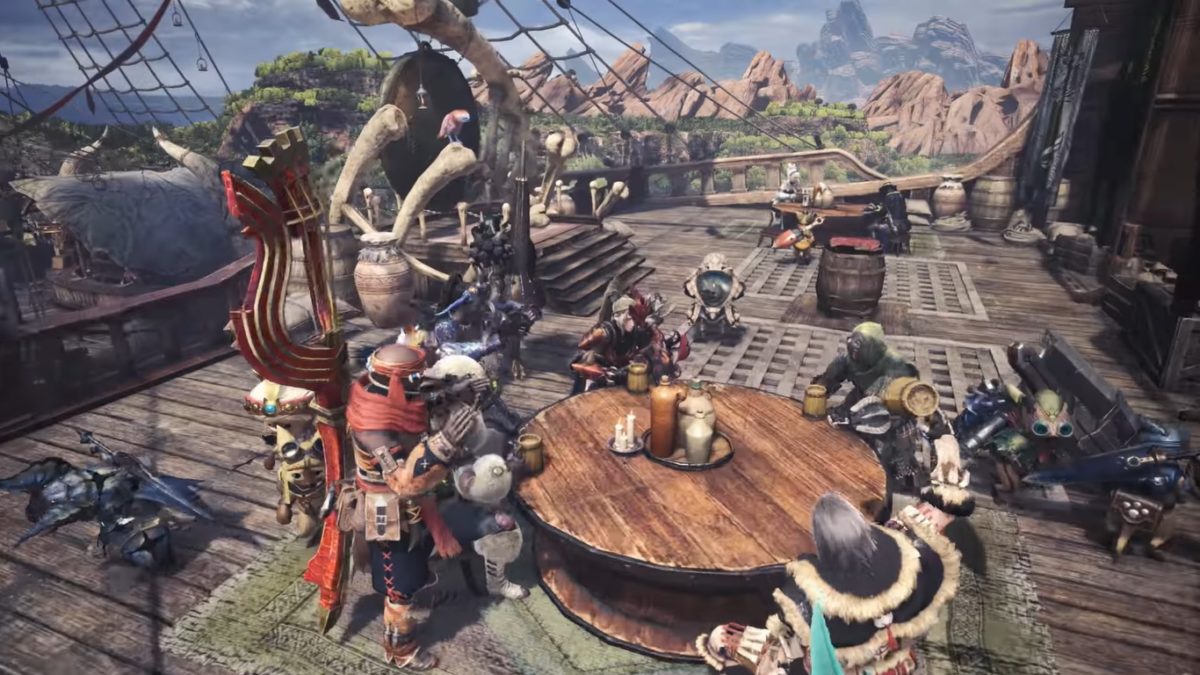
Something that can be a surprise to many new players is how the environment interacts with the combat of this game. If you’re used to games where the enemies have a consistent combat cycle, then Monster Hunter will be a big change for you. While many monsters are set to act in a particular pattern, these patterns can change a bit, and the environment can be affected heavily by your combat. This can cause some interesting things to occur, such as having you and the monster be healed by a certain plant, or being able to trap a monster inside of a field. The weather and daylight can also change while on a mission, which can affect other aspects of combat as well.

Monster Hunter: World

Another main gameplay element is crafting new armor and weapons from their trees (which work like skill trees, though they are mostly just stronger versions of the previous type) in order to make better ones. You gain materials for these from defeating monsters and completing quests.

Choosing your weapon

Something that can be really overwhelming for new players is picking out their first weapon. Each weapon has its own playstyle, and some are more complicated than others. Since these weapons are essentially this games version of “classes”, it would be good to try out a few before fully deciding on which one fits your playstyle the best. Here is a little about each one to help you decide:

  • Long Sword: A fairly mobile weapon compared to some of the heavier ones, the long sword features a number of dodging moves that can be really helpful in a pinch. The weapon also has some range which can be useful to keep yourself at a distance.
  • Great Sword: A slow but powerful weapon that limits mobility, which can make combos a little difficult. This weapon is best used for its charged attacks which are devastating, but require good positioning.
  • Dual Blades: Probably the fastest melee weapon in the game, using dual blades is all about pure unstoppable offense. You want to attack as much as possible in order to transform into your demon form and later, an archdemon form. These forms will increase your power and speed even more, so you essentially build up damage as you attack.
  • Sword and Shield: The recommended weapon for beginners. The shield can be used for blocking, which not all weapons have. On top of this, its attacks are fast and you can use items while your weapon is out.
  • Switch Axe: A combo based heavy axe that can switch into a sword to unleash large amounts of built up damage.
  • Charge Blade: Basically the reverse of the Switch Axe. Players start with a sword and shield and charge up a gauge that can be unleashed by switching to a heavy axe form.
  • Hammer: This weapon is stereotypical: “incredibly slow but massive damage.” You sacrifice mobility and speed for huge amounts of blunt damage that can stun enemies at a close range.
  • Hunting Horn: A more supportive weapon. This weapon plays similar to a bard, where you play songs to strengthen yourself and allies. But don’t let the “support” concept fool you, this horn can still do a lot of damage.
  • Lance: One of the few weapons to have a shield. It’s very safe because of how long the lance is, on top of this. It’s more about slow defense damage than large amounts of it.
  • Gunlance: A slow but powerful version of the lance (and shield) with a gun at the end. One of the more powerful defensive weapons, with large amounts of ranged damage.
  • Insect Glaive: One of the more complex weapons. It allows you to summon a companion called a Kinsect that gives you different buffs and heals, while you fight with a fast polearm.
  • Bow: One of the few ranged weapons in the game. Bows use different coats to deal different types of damage (such as poison). They are also able to charge their shots for heavier damage, in exchange for the slow charge time.
  • Light Bowgun: The most versatile of the ranged weapons, the light bowgun essentially lets you use a variety of damage types with its primary ammo, as well as some traps with its secondary ammo. It’s one of the most mobile ranged weapons as well, considering how light it is.
  • Heavy Bowgun: Similar to the light bowgun, but deals more damage in exchange for low mobility and high recoil.

Be sure to check out the training area to practice with whatever weapons you want to try out. This will help you get a feel for them and learn their controls.

Save frequently

There is no autosave for this game, so you’ll be sad if you expect it to save for you.

Monster Hunter: World Download Now ►
8

Use the multiplayer

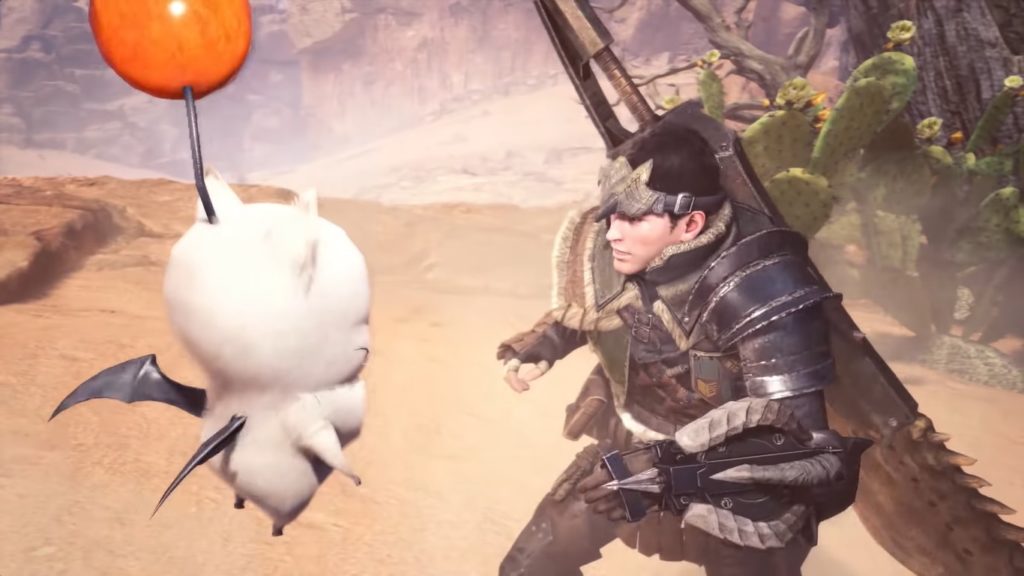
While solo players get to use an adorable Palico to fight with them, taking down monsters with your friends can be just as fun. In fact, the multiplayer can really help you progress when you’re struggling, and can be really enjoyable. The best way to use the multiplayer is by having a Squad with your friends (which essentially works like a small clan or guild). If you have a lot of friends who you want to play with, then using the Squad feature is the easiest way to manage your multiplayer experience.

Eat before going out on missions

You’ll receive buffs by eating before every mission, which are incredibly useful. These are particularly necessary for later missions in the game when the enemies start to be hard without proper preparation.

Monster Hunter: World

Don’t be afraid to follow the tutorials

Monster Hunter: World features a large amount of tutorial information. You can look up any information you’ve already read through later, and if you forget something then don’t be afraid to go back and check it. This will help optimize your experience so you never feel lost on what to do!

Overwolf will change the way you play games online

Overwolf is a gaming extension platform. Discover why pro gamers love it.

One of the biggest struggles while gaming is not being able to use third party resources without switching screens or minimizing your game. While gamers with dual screens don’t usually have this issue, but not everyone has that luxury. For most people, using things like web browsers, WhatsApp, or other applications require you to stop your game temporarily and move to a different screen. Non-gaming computers can also find these additional applications to be overwhelming, and can slow down the game itself. This is where Overwolf comes in.

WhatsApp Free Download
8

What is Overwolf?

Overwolf is a gaming extension platform. It housing a variety of apps that add overlays and functionality to games that they didn’t previously have. It’s similar to how many games innate addon functions work. A good comparison would be addons in World of Warcraft. These addons are created by third parties, and the game allows them to edit overlay functionality without Blizzard needing to do it themselves. This way, there are numerous possibilities for overlay functions, based off fan creation.

Overwolf works similar to this by allowing applications to change the overlay of a game that doesn’t innately feature addons like World of Warcraft does. The only difference is that Overwolf’s applications only affect the Overwolf overlay featured on top of the game, rather than World of Warcraft changing the UI itself. This works especially well for competitive online games that don’t have customizable overlays, like Heroes of the Storm, or League of Legends.

7
League of Legends Download Free ►
8

Why do eSports teams use it?

The main appeal of Overwolf is that it allows you to use other applications without minimizing your gaming browser. This means that streamers can use it to interact with their Twitch fans, and eSports teams can use it to interact with each other in ways that a game might not let them by itself.

Because Overwolf only affects the overlay of game, and not the actual gameplay, there are no concerns for cheating or affecting the game itself in some way. This means that eSports teams can use it without worrying about being accused of cheating with a third party extension, but they can also do things that they would normally have to minimize the game browser for. They may want to interact with their fans, or be reminded of important game information when it’s necessary (such as being reminded of an enemy hero’s ability in Heroes of the Storm that they may have forgotten in the moment).

Overwolf changes the gaming experience from being exclusively focused on the game itself. The application can be used for numerous activities, and can really enhance the experience of gaming. It’s no wonder that eSports players are taking advantage of this useful tool, instead of relying on background applications that they would need to switch screens to view.

9 websites for free book downloads (Kindle, ePub, PDF …)

Do you feel like reading without spending a penny and without crossing into the world of piracy? We’ve got 9 sites where you can search and download a ton of free books, completely legally.

Do you feel like reading without spending a penny and without crossing into the world of piracy? We’ve got 9 sites where you can search and download a ton of free books, completely legally.

Download free books with these 9 sites

1. Project Gutenberg

Project Gutenberg basically collects public domain books or texts donated by their authors. With 57,000 options, you’re sure to find something you’ll enjoy. Downloading free high-quality books to complete your collection of classics has never been so easy!

Project Gutenberg
Project Gutenberg

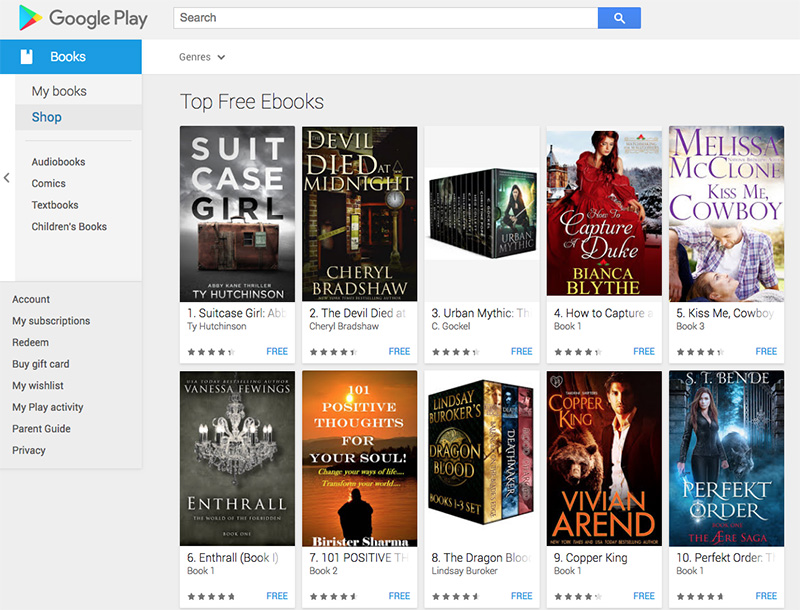
2. Google Play Store

We have good and bad news. The good news is that Google Play has many free books (including several from new authors). The bad news is that searching for free books is not easy unless you have a very specific title that you want to download.

Google Play Store
Google Play Store

3. LibriVox

Would you rather let someone else read to you? With LibriVox, you can download more than 24,000 audiobooks for free. And if you dare, you can create your own audiobook of one of your favorite novels.

LibriVox
LibriVox

4. Wattpad

Welcome to the realm of amateur writers. You will find all kinds of electronic books (although romance is tops here). Wattpad is a hub for unknown writers who want to share their stories. Not only will you be able to download free books, but you will have the opportunity to interact with your favorite amateur writers.

Wattpad
Wattpad

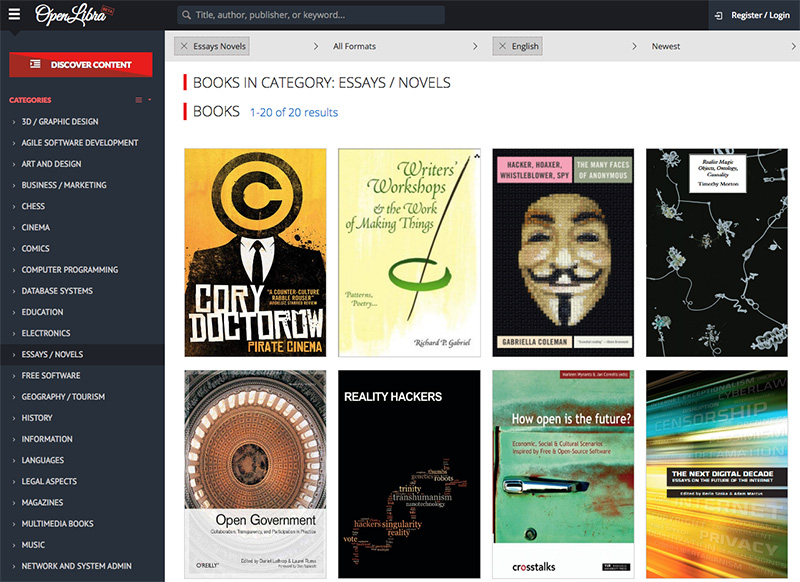
5. OpenLibra

If you want to expand your mind, OpenLibra brings you all kinds of books and essays on academic, technical, and computer subjects. Believe it or not, there are many books created especially for OpenLibra.

6. Bubok

Bubok is a portal where you can self-publish your books. You can download free books whenever the author allows it .

Bubok
Bubok

7. Free eBooks

Free eBooks for life! That’s the promise of this fantastic collection of free downloads of books. Whether you want to read fiction or nonfiction, Free eBooks delivers everything. It includes the option of searching the most popular electronic books to discover possible classics that you have overlooked.

Free eBooks
Free eBooks

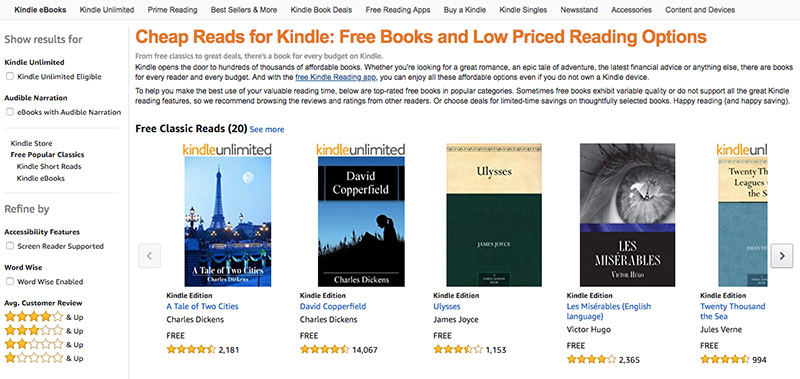
8. Amazon

The Amazon Kindle section has numerous free eBooks. Just remember that you need to install the Kindle app to read them. You don’t need a Kindle! The app works just fine on Android, iOS, Mac, and Windows platforms.

Amazon
Amazon

9. Wikisource

This library offers more than 400,000 texts and free books in English. You will find stories, essays, and novels. They’ve got history, law, geography, and even military and naval science. Feeling lucky? Puch the button for a “random work” and see what you learn.

Looking for more free books? Here are two more great options.

Top 6 apps for vegans and vegetarians

Most cooking apps aren’t geared towards vegans or vegetarians, which can be a little problematic for people who prefer that kind of diet. Many of those apps feature only a few recipes that could be vegetarian, and even fewer vegan ones. Luckily, our Softonic Solutions community has put together a list of the 11 best apps to try if you’re vegan. Here are a few of our favorites:

Veganagogo

Veganagogo is great for people who want something simple and easy to make. If you’re not the best chef, and are just trying to find something easy to make that fits your dietary preferences, then this app is perfect for you.

Veganagogo: Vegan Travel Download Now ►
7

Epicurious

This app is filled with unique recipes that you probably won’t find elsewhere. Definitely worth checking out if you’re interested in something unique to add to your cooking repertoire. Additionally, it features non-vegan dishes as well if you still eat meat, or have friends you would like to cook for who do.

Epicurious Download Free ►
7

HappyCow

Unlike the other apps on this list, HappyCow is actually based around helping you find vegan restaurants, rather than recipes themselves. While they do have some vegan and vegetarian recipes, this app is best used when trying to find places around you that might serve for a vegan diet.

HappyCow Vegan / Vegetarian Restaurant Guide Download Now ►
7

Allrecipes Dinner Spinner

Allrecipes is a great website for anyone who is looking for more recipes in general. They provide hundreds of recipes in all different kinds of cooking categories, including vegan and vegetarian. They are great for their versatility, especially if you’re someone looking to transition to a vegan diet from a meat-based one through a slow process.

Allrecipes Dinner Spinner Download Free ►
7

Green Kitchen

This app has a great interface for those who are looking for something simple and easy to follow. It categorizes each recipe, so you can easily find whether something is vegetarian, vegan, gluten-free, or raw.

Green Kitchen Download Now ►
7

I’m Hungry: Vegetarian Recipes

One of the best apps for people who are new to vegan/vegetarian diets and want to transition from a meat-eating diet, or who just want to incorporate more plant-based meals into their diet.

Solutions community member William Lopez vouches for it, saying I’m Hungry is a “really great starting place if you are new to being a vegan or vegetarian.” And Andy Wang says, “The recipes vary from the very simple to the overly complex, so chefs of all levels are able to take advantage of new recipes or just new takes on old recipes.”

I'm Hungry: Vegetarian Recipes Download Now ►
7

If you found this useful and are looking for more recipe apps, don’t forget to head over to our Softonic Solutions page.

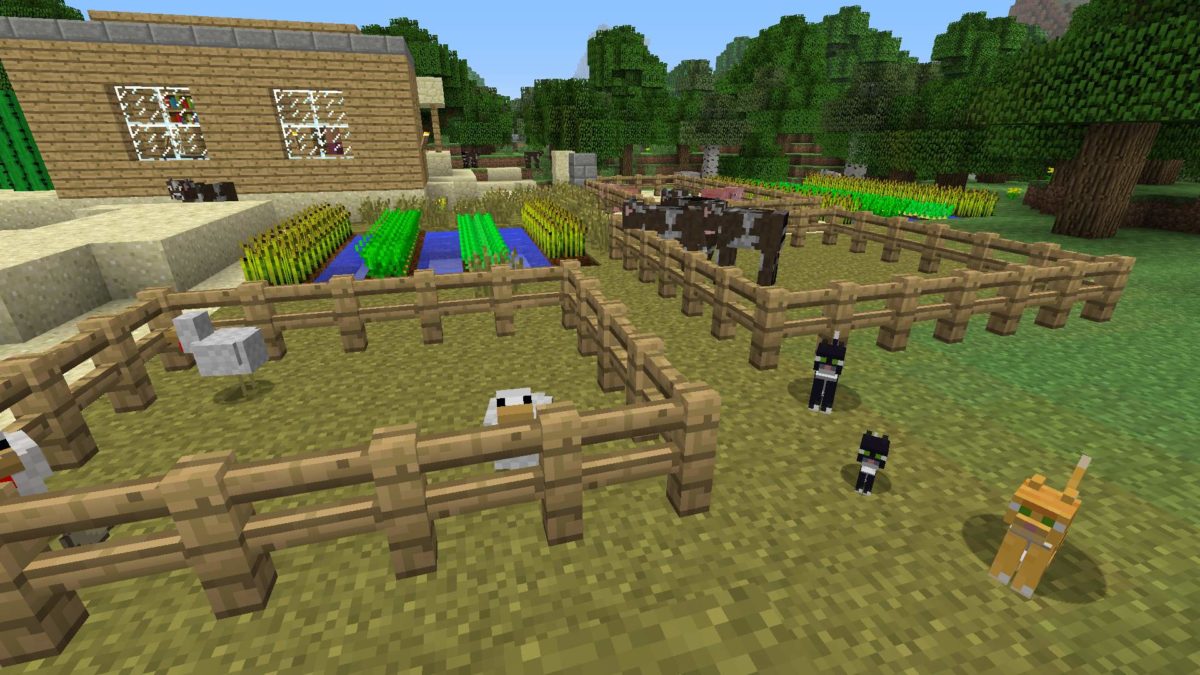
Top 5 Minecraft clones

When Mojang first created Minecraft, there was no way they would be able to predict the success it had. This success eventually inspired other game creators to make their own take on sandbox builders. Some of these have even reached their own levels of fame, while some haven’t seen much of the spotlight. We’ve gathered five of the best Minecraft clones out there that any fan of Minecraft would love:

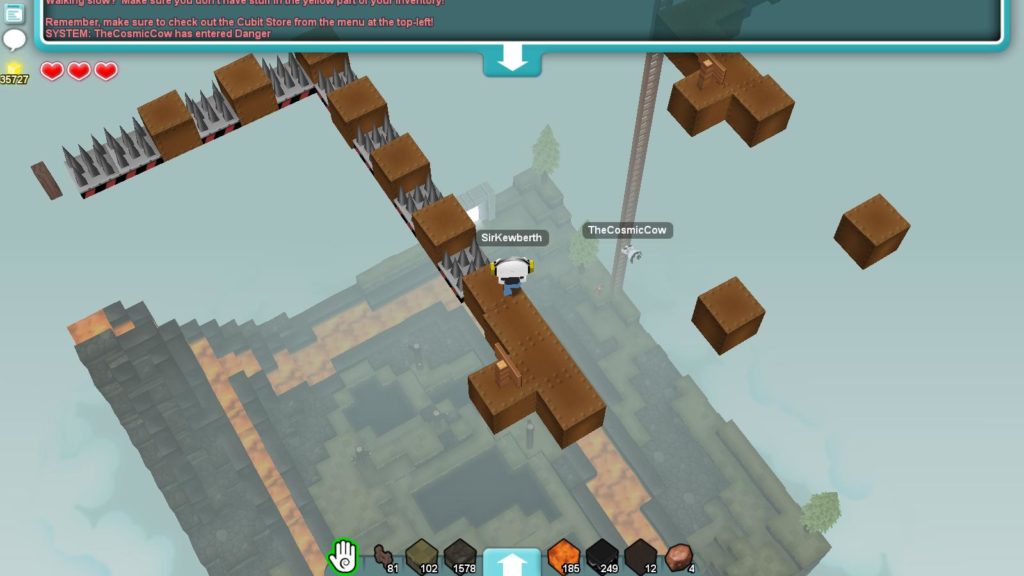
5. Cubic Castles

Cubic Castles features a more rounded block shape for its building, while retaining much of the building process that Minecraft has. The game is also a bit more action-oriented and features some traditional MMO mechanics. It’s a refreshing take on the Minecraft clone genre.

Cubic Castles Free Download ►
8

4. Trove

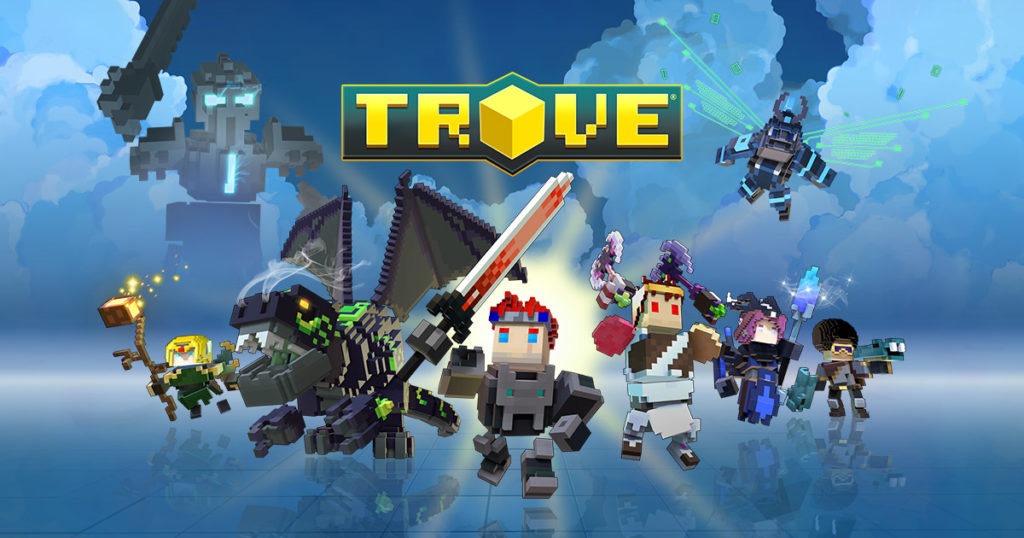
TroveTrove is a more combat-oriented version of Minecraft than most of its clones. This game is an MMORPG with unique character classes, while retaining the sandbox building of its original inspiration (Minecraft). Fans of MMOs and Minecraft will love the combination that Trove has created.

3. Dragon Quest Builders

Dragon Quest Builders

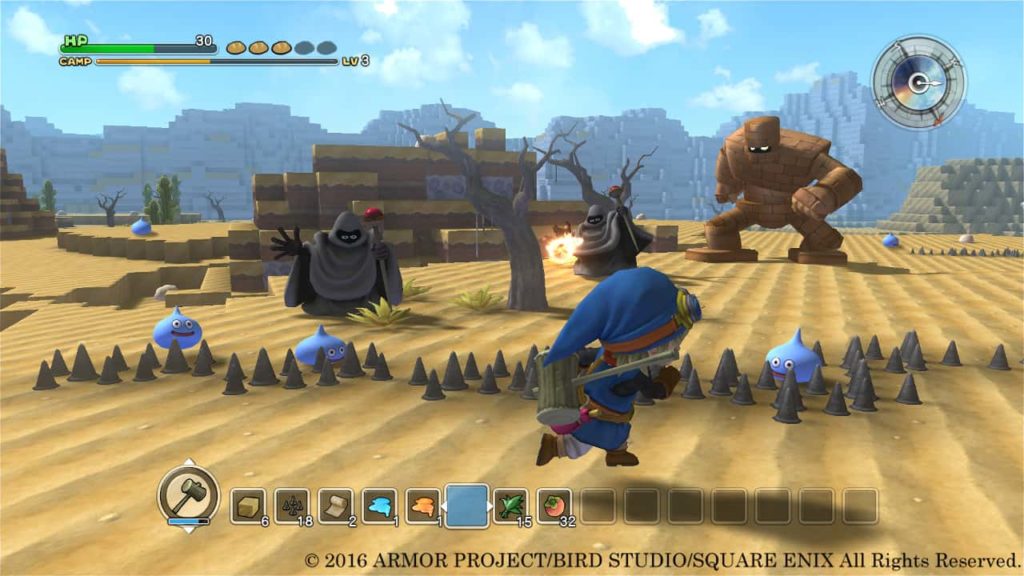
Longtime fans of the Dragon Quest franchise will love this spin-off. The art style is adorable and reminiscent of many modern Dragon Quest games. The game is somewhat of a cross between a city-builder, a tower defense game, and a Minecraft-eque sandbox builder. This combination creates a versatile and memorable game.

2. Lego Worlds

Lego Worlds

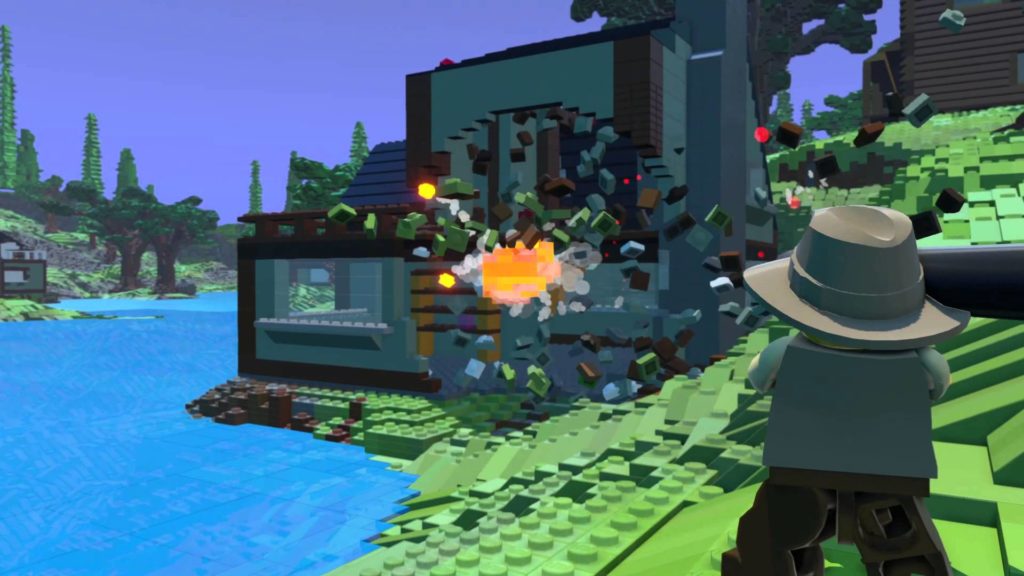
LEGO has created some of the funniest and most memorable game adaptations of movies. With such success, it is no wonder they’ve created a game that is based around their actual product: LEGOs. This combination of LEGOs and Minecraft is just as natural and well done as you would expect it to be.

LEGO Worlds Download Now ►
7

1. Terraria
Terraria

Often referred to as the “2D Minecraft”, Terraria has more to offer than what people give it credit for. It has the same sandbox building mechanics as Minecraft, but features a large variety of unique features, such as having different NPCs to help you out. There are also more biomes and enemies than in Minecraft, making the game a great and refreshing experience.

Terraria Download Now ►
7

Want to find more Minecraft-like games? Head on over to Softonic Solutions, where our community created an entire list of 22 games similar to Minecraft! If we’re missing your favorite, share it with Solutions!

Belgium outlaws paid loot boxes

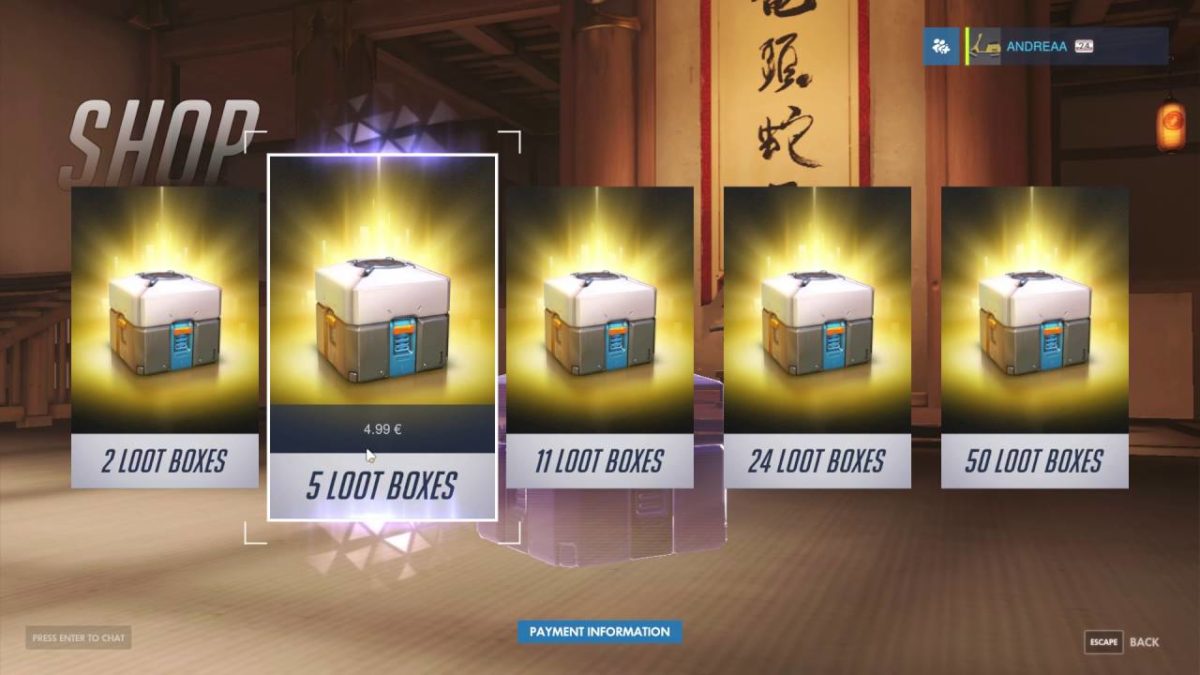
On the Blizzard forums, Community Manager Vaneras announced in a post that paid Overwatch loot boxes were being disabled in Belgium. This change also applies to Blizzard’s Heroes of the Storm.

Back in April, Belgian Minister of Justice Koen Geens announced that paid loot boxes in Overwatch, Counter-Strike: Global Offensive, and FIFA 18 violated the country’s anti-gambling laws. While this announcement was made months ago, Blizzard and FIFA publisher EA declined to comment until now. Given the choice between region-locking Belgium out of their games or removing paid loot boxes, Blizzard chose the latter.

Overwatch download now
8

The Belgian government’s pushback against loot boxes further adds to the conversation about the relationship between loot boxes and gambling. For years, cosmetics have been used by developers to gain additional revenue, providing players with costumes for their favorite characters in exchange for money. Games that have followed this model include League of Legends and DOTA 2.

However, developers discovered that they could make considerably more money by selling loot boxes that have a chance of including the skin the player wants, instead of selling them to the player directly. If a player wants a certain skin badly, they hypothetically would spend money on loot boxes over and over until they get it, making much more money for the developer than if they sold the skin directly.

Gamers everywhere have been highly critical of the loot box model. Despite this, many game franchises have added loot boxes to recent installments including Call of Duty, Star Wars: Battlefront, and Street Fighter, to extreme profitability. The loot box trend is only barely slowing down despite massive player opposition.

Not all hope is lost, however. Fortnite, a free game, doesn’t use a loot box system. Instead, players buy the content they want directly. This system, unlike loot boxes, does not resemble gambling at all. The absolutely massive success and profitability of Fortnite will likely inspire publishers to start moving away from the loot box model. Hopefully, publishers will follow suit and come up with systems that allow players to directly purchase the content they want, removing the gambling element from games completely.

Watch: Halo 2 soundtrack recording session revealed!

Martin O’Donnell is to the Halo franchise as John Williams is to Star Wars: His masterful understanding of narrative music added scope, energy, depth, and an exotic eeriness that played a critical – and largely underrated – role in making Halo one of the most memorable games on the market.

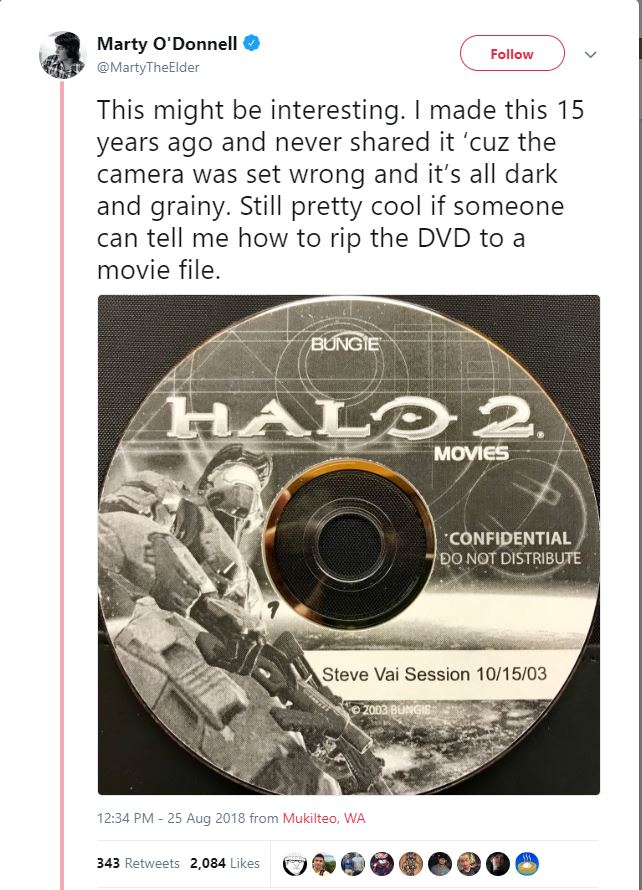
In an unexpected tweet three days ago, O’Donnell remarked that he unearthed footage of Bungie’s recording session with Steve Vai – in which the two collaborated to create the opening theme for Halo 2.

Recorded on October 15, 2003, this behind-the-scenes footage gives a thrilling insight into the professionalism and camaraderie that went on during this stage of the game’s development. The epic orchestral backing had already been completed, and Vai graced the studio with his trademark shredding and improvisational virtuosity. That’s right – Vai’s part was improvised in-studio on the day of recording. They played him what was already there, and asked him to layer on an awesome guitar solo.

So he did.

“The original thing is so well-known,” we see record producer and fellow guitarist Nile Rodgers explain to Vai. “Just play along, let’s just vibe. I just want to see what the sound is feeling like.” At the 8:55 mark we get chills as Vai leads into the famous melody that makes it to the final cut. The piercing whine of the electric guitar creates broad smiles and nodding heads around the room, and O’Donnell looks on beaming from behind him. It’s magical getting to witness such a historic moment in gaming.

If you’ve forgotten what the Halo 2 opening ended up sounding like, it went a little something like this:

“For all you youngsters out there, did you notice how much of Steve’s first take I used?” remarks O’Donnell. “And how much work it took to get the rest?”

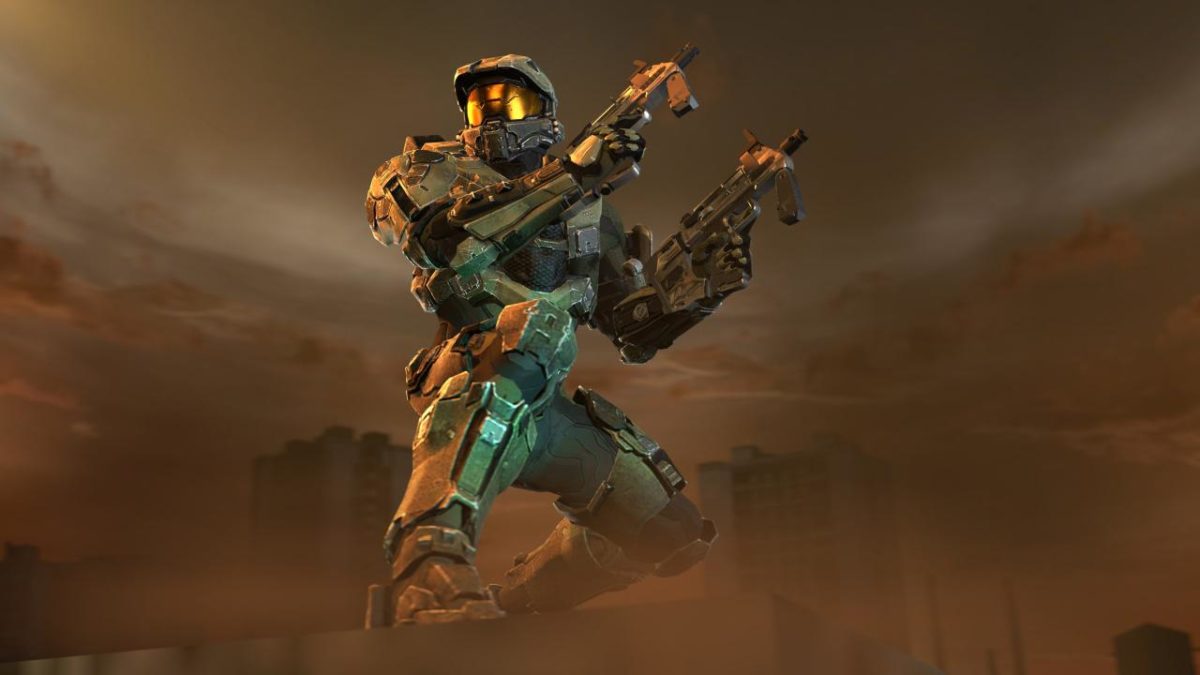
Halo

There’s no questioning the legacy that O’Donnell helped to create in the Halo franchise, and we’ve got our eye on him, Bungie, and Halo, and are excited to see what they give us next! In the meantime, check out O’Donnell’s twitter feed here to see and support more of his awesome work.

Fortnite gym: Advanced training

fortnite advanced training

Congratulations on making it to the third and final training of our Fortnite Gym! Here, the concepts we’ve discussed so far are taken to their absolute limit, and a few exceptional skills are offered. This section builds upon the others before it, so don’t forget to check those out before moving on.

You excited for this? We are!

Perfect your shooting

When you give 110% and its still not enough. from gaming

Why not start in with a simple truth? The master Fortnite player should be able to hit anyone anywhere at any time if any part of the enemy is showing. Now that you’ve taken time to breathe, to think carefully about your shots, and to gain experience with copious amounts of battle, these skills will slowly hone themselves to a razor edge.

The only thing we’ll add is that Fortnite muscle memory is a perishable skill. Try to be consistent, even if you can only hop on for a single game each day. That will keep you in shape for the next match!

Always know where your enemies are

Another bite of truth: once a Fortnite master spots an enemy, they never lose them.

Here’s a great build battle from Ninja to highlight this idea:

Whether by sight, sound, or good judgment, make sure you have a pinpoint idea of where enemies are at all times. Many excellent players die because they become confused during build battles. Before they know it, the enemy drops from above, swings in from the side, or drops them from below!

One solid technique to remember while building: your panels are transparent until they finish

Know yourself and your enemy

Sun Tzu, a Chinese tactician, argued that by knowing both yourself and your enemy you can win every battle you encounter. How does this translate to Fortnite?

The first is easy: know your own play style. Understand how you arrange your inventory, how you aim, how you prefer to build, how you scout a new location, and when you begin to play too erratically. Know your strengths and your weaknesses. Know yourself.

The second is harder, but can be roughly translated to: learn the patterns enemies show. You’ll come up against thousands (possibly millions) of enemy players in Fortnite, but you’ll begin to see common themes: some rush while others hang back, some build while others hide behind cover, some destroy your walls while others wait for you to peek. Again, figure out the strengths and weaknesses of typical “types”, then use those to your advantage.

It’s like Pokemon: if you can quickly detect how others fight, you can alter your personal strategy to best counter their moves.

And a quick example, for the nonbelievers… have you ever noticed how many snipers will stand in the open, waiting for a shot? Don’t give them the satisfaction: move somewhere else rather than trying to get a shot in… unless you’re definitely the better sniper.

Dodge, dip, duck, dive, and DODGE

The movie “Dodgeball” taught us a wonderful lesson: if you can dodge a wrench, you can dodge a ball!

In Fortnite, this means: learn to juke, son!

Remember, long ago, those enemies who dodged your fire (before you learned to hit anything, anytime, anywhere) just by crouching, then avoided your next shots with a quick jump? Every time you fired, they moved in unexpected ways to keep you missing.

Learn to do this!

Start by recognizing your basic options: jumping, moving side to side, crouching. Learn to move and use those in battle while still maintaining accuracy.

Next, add in the environmental factors: there are often cars, bushes, fences, trees, houses, mountain, rocks, etc. across the battlefield you can use for temporary, quick cover. Use your surroundings to your advantage.

Finally, remember there are items that help. Carry a port-a-fort and throw it down in the middle of battle. Use impulse grenades to shake things up or gain distance. Throw down a bounce pad for distraction, or for fun.

The point is don’t stand still and get shot!
Adopt psychological warfare

“Wut?”, you might be asking. “Am I a military interrogation specialist or a video game player?”

Simple answer: be both.

think
(Yes, technically I used that meme improperly. But still!)

Think about every time you were stressed in the middle of combat. Then, remember that scenario and use it against your opponents. For example:

Has an enemy ever “laser-ed” you? This is when an enemy unleashes a hail of bullets from a large-magazine weapon (think gatling gun or drum gun) and destroys every wall you try building until they have to reload or switch weapons. You may remember that even once they finished firing, you remained under cover for a few more seconds, hiding.

That was psychological warfare: unleashing a stream of fire to keep enemies down conveys the idea, “I am in control.” Once you think you’re up against a superior team, you stop playing to win and play to “not lose,” which subconsciously makes you weaker.

Think critically about those feelings and use them yourself!

Also, if someone does the same thing to you again, teach yourself to stay calm, then fire during a lull (but be careful, they may be waiting with a sniper). Or, on the other hand, scare them with accuracy! Most large-magazine weapons aren’t very accurate, so show that dude who’s boss with a well-placed shot from a high-damage weapon. A burst assault, sniper rifle, revolver or hand cannon will do! Even if the person keeps firing like mad, you’ll feel like you’ve gained the upper hand while they’ll begin to understand they’re outmatched. Psychological warfare. Boom.

Build like a monster

We’ve discussed building and building for combat. Now, it’s time to learn everything else:

1. The general rule is: have build materials!

Harvest as many build materials as you comfortably can during the first moments of the game and keep that going later on. The goal is to have at least 999 materials in total once you leave the first area. If you’re good, enemies you encounter will help by providing their materials…

2. Learn to alter

You can build walls, ramps, floors, and ceilings. Now figure out how to change them quickly: make doors, half-walls, and arches. Take panels from the floor and make ramps into stairs. Turn ceilings into half-panels. Learn to rotate ramps before the build so you can run down, rather than up.

Know this so well you can do it quickly under fire!

3. Use special items

Bounce pads, jump pads, spike traps, and bonfires all perform great functions. Utilize each: create spike traps to protect your back or repel other jump padders. Use bounce pads at the bottom of your fort so you can land softly if it’s destroyed. Use jump pads to scout or maneuver into enemy forts.

Once you get better, start using your imagination: build a spike trap over a bonfire to lure enemies in. Use horizontally-faced bounce pads to move around the map quicker.

4. Put it together and what have you got…

A building monster! Learning to build in Fortnite is like playing an instrument and singing: at first, you have to learn where to put your fingers. Then, you learn a few cords. Later, after a good deal of practice, you can play perfectly while singing at the same time.

You’ll get there!

Final congrats

On that note, this marks the end of our training. There’s no way to say this enough: have fun! No matter what, Fortnite’s about having fun, though winning just makes the game more entertaining! If at any point you’re not enjoying yourself, take a break for a while and relax. Then, get back in the action once you’re ready to roll.

Want to start over and rebuild your skills? Hit these other circuits in our gym:

Keep practicing, keep enjoying yourself, and we’ll see you on the battlefield!