Adding text to your TikTok videos on Android and iPhone devices is just one of the many features the app offers to help you create stunning videos. Although adding text to videos, slideshows, and clips is simple enough, it might take some practice to get the timing and quality just right.
How to Add Text to TikTok
Step 1: Open TikTok and Record Your Video
Open TikTok on your phone and sign in to your account if needed. Now record your video and tap on the check at the bottom right of the screen when done.
Step 2: Tap ‘Aa’
Tap the text option represented by ‘Aa’ at the bottom of the screen to add text.
Step 3: Type in Your Text
Type in your chosen text and use the available options to customize the text size, font, color and other features. Once you are happy with your text, tap on ‘Done’ in the top right of your screen. From this point on, you will be able to change the position and duration of your text.
Step 4: Finalize Your Text Settings
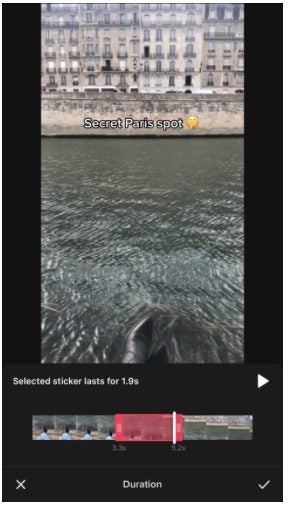
Move your text to where you want it on the screen. Tap on it to see further options, such as setting the duration or editing the text if you aren’t 100% happy.
Step 5: Preview
You can preview the video with your text by pressing the play button at the bottom of the screen. This enables you to see what it will look like, if the timing is correct or if you need to make any adjustments. Once you’re happy, you can tap on the green check at the bottom right of the screen. Once you do this, you will be taken through TikTok’s usual video process for posting your video.
Create a Beautiful Video Containing Text
TikTok makes it easy to create some stunning videos and add text for some extra bang.
Keeping parents up to date with their child’s progress in Google Classroom on Windows, Mac, and mobile devices is a critical part of being a teacher. Parents can’t assist their children if they are not aware of any concerns, such as assignments not being submitted, etc.
Let’s look at how teachers can invite parents to Google Classroom.
How to Invite Parents to Google Classroom
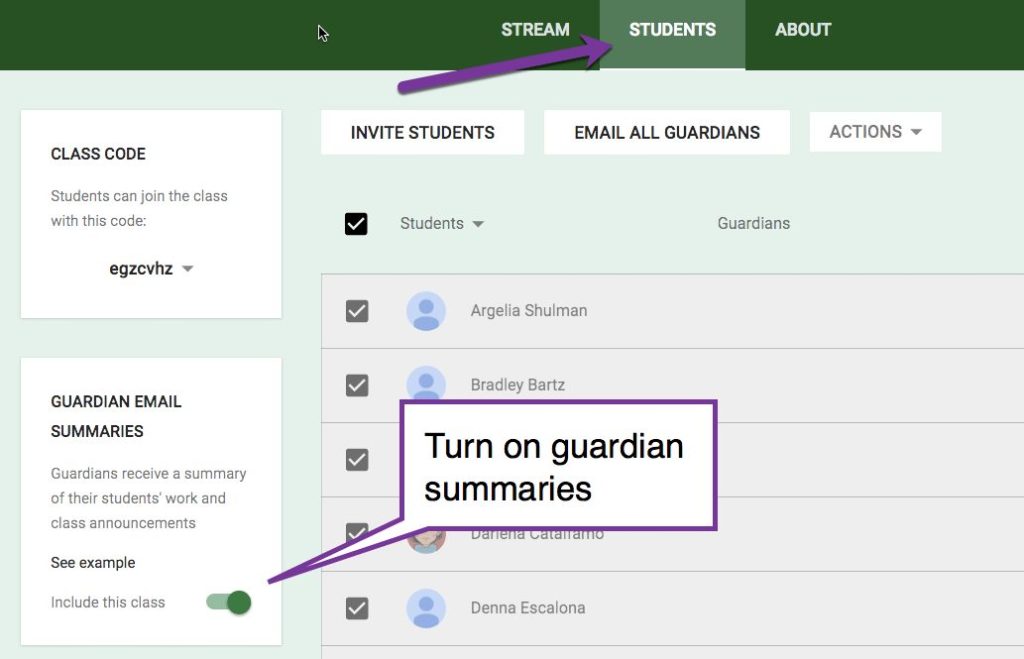
Step 1: Click on the ‘Students’ Section and Then ‘Settings’
Open the program and log in to your account. Click on the Students section at the top of your screen. Next, click on ‘Settings.’
Step 2: Enable the Guardians Function
Click the button next to ‘Include this class in guardian email summaries.’ This will ensure that parents have access to the summaries regarding their child’s performance. Exit the program entirely to give it a chance to set up the new feature and then reopen Google Classroom.
Step 3: Select the Class You Want to Add Parents To
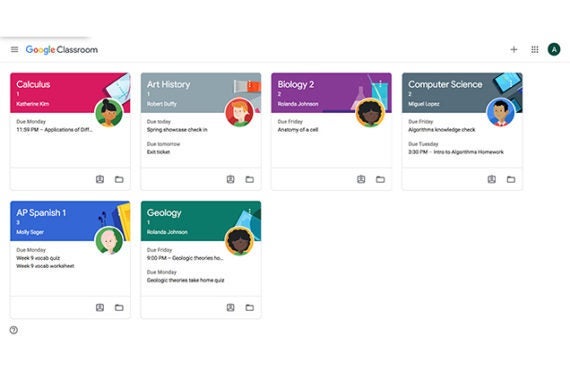
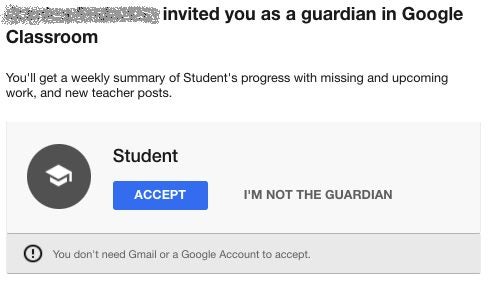
On the main page, select which class you would like to add parents too. Within the class, you want to change, navigate to the ‘Students’ section. Click on the student, and then click on the ‘Invite Guardian’ button, fill in the parent’s email address and click on ‘Invite.’
Keep Parents in the Loop
As you can see, it is effortless to keep parents in the loop and updated with their child’s progress or areas they may struggle in.
Google Classroom is available as a web-based program, and there is also an app version available for download on Windows, Mac and on phone. Your profile picture will be the same across all Google products. It is a simple process to change your picture. You can use images, avatars or even photos as your profile picture. Let’s take a look at how you can change your picture in Google Classroom.
How to Change Your Profile Picture on Google Classroom
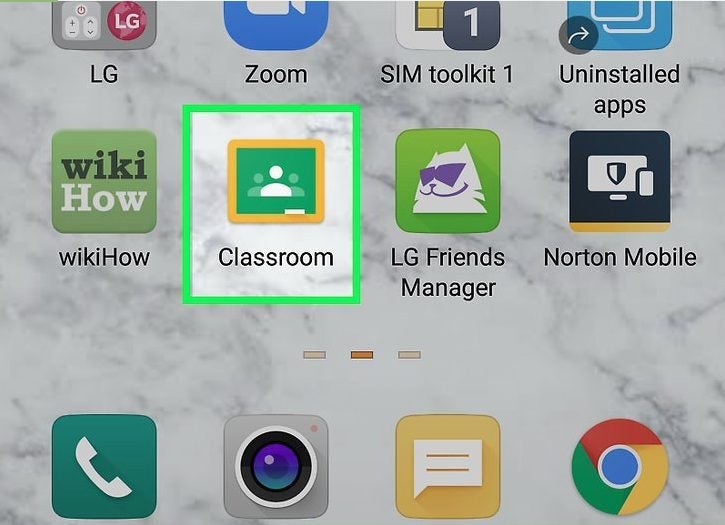
Step 1: Launch Google Classroom
Open the program on your chosen device or log in to the web-based version.
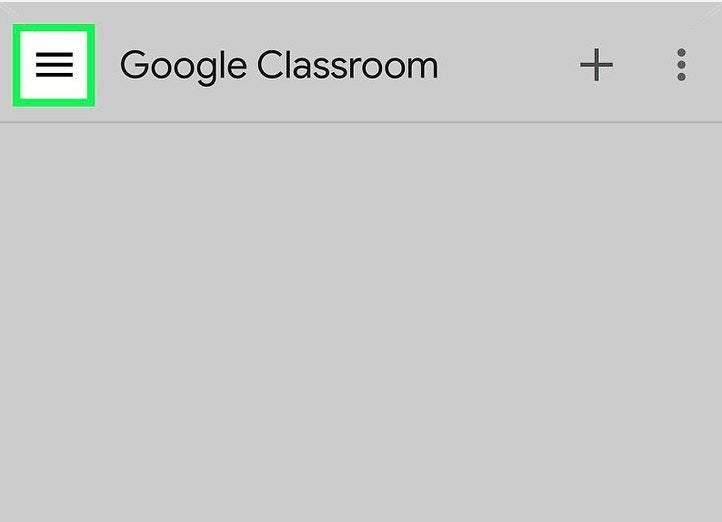
Step 2: Open the Menu
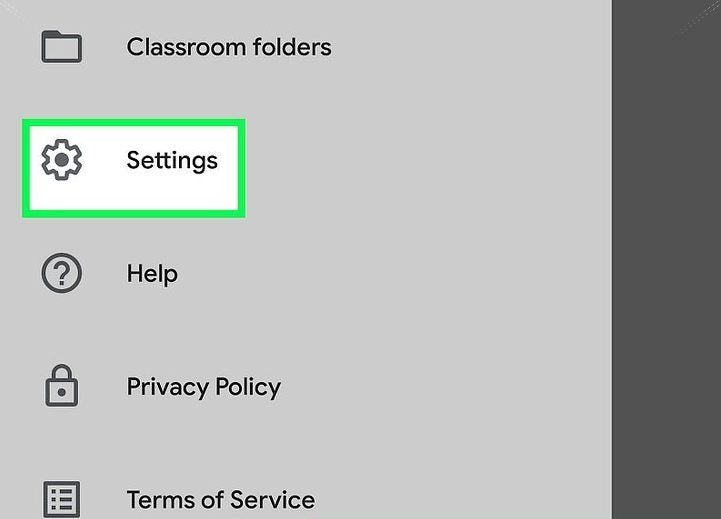
Click on the three horizontal lines or ‘burger’ to open the menu.
Step 3: Click on ‘Settings’
In the drop-down list that appears, click on the ‘Settings’ option.
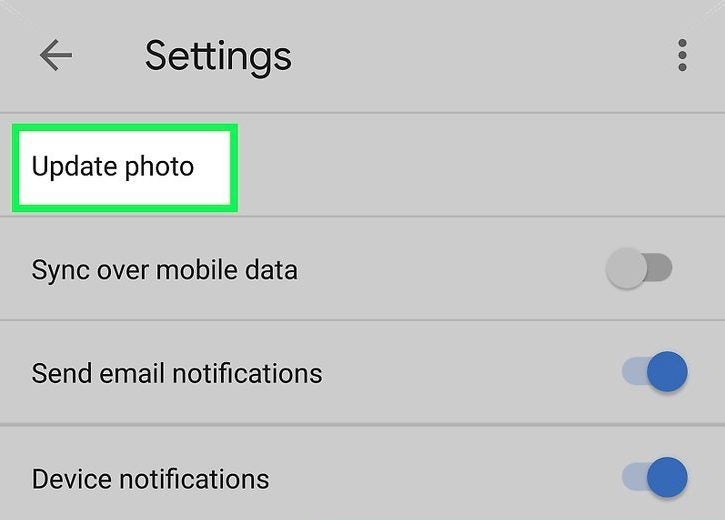
Step 4: Click on ‘Update Photo’
Click on the ‘Update Photo’ option. Be aware that on iPad, iPhone and Mac, you will first need to click on ‘Account Settings’ before you can tap on ‘Update Photo.’
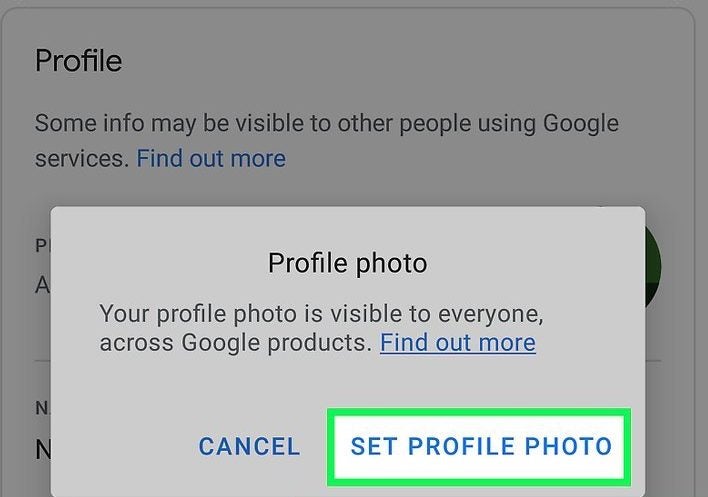
Step 5: Click on ‘Set Profile Photo’
A dialog box will pop up to confirm that you want to set a profile photo. There will also be a notification that this image will be used across all your Google profiles.
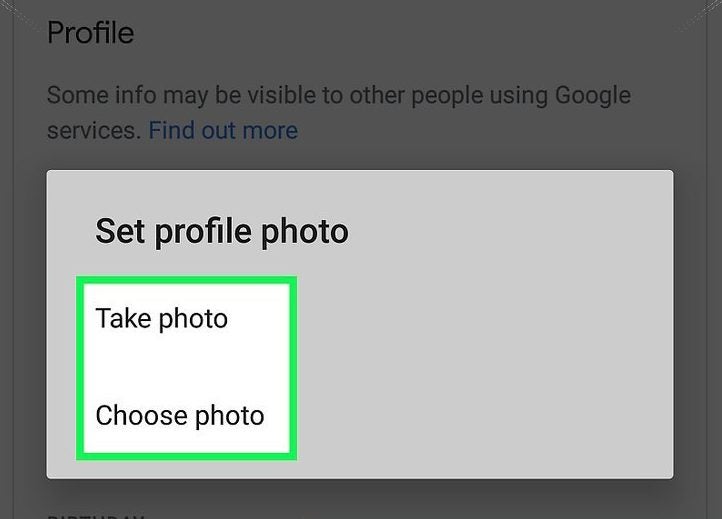
Step 6: Take a Photo or Choose a Photo
Now you can decide whether you want to take a photo or choose from a photo or other images such as avatars from your device. Click on ‘Accept’ or ‘Done’ once you’ve decided on an image, and your new profile picture will be set.
Depending on how your classroom is set up and restrictions placed by the administrator, you might not be able to change your profile picture, or banners on Google Classroom.
Click and Update
It is so easy to change your picture from any Google product. You can even choose to use photos, avatars or other images that fit your needs and personality.
If you enjoy using Google Classroom, you might also like Canvas and Blackboard Learn.
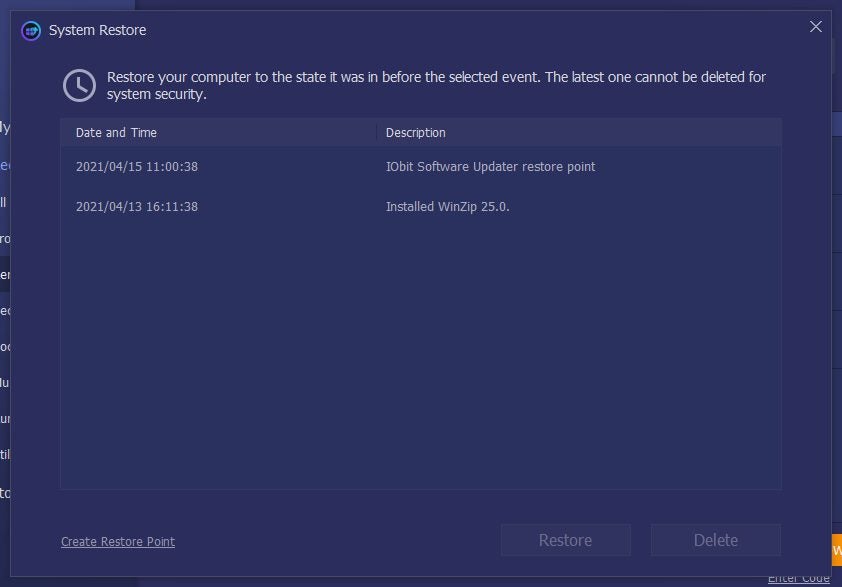
You’re hard at work on your computer when a sudden and annoying popup tells you that a software update is available. Thinking that you’ll get to it later, you click “cancel” rather than “install.” It’s a bad habit, but we’re all guilty of doing it at one point or another! Unfortunately, it can leave your software vulnerable to errors, data breaches, and failure. Luckily, IObit Software Updater can help keep your programs safe and up to date.
Keep all the applications on your computer up-to-date
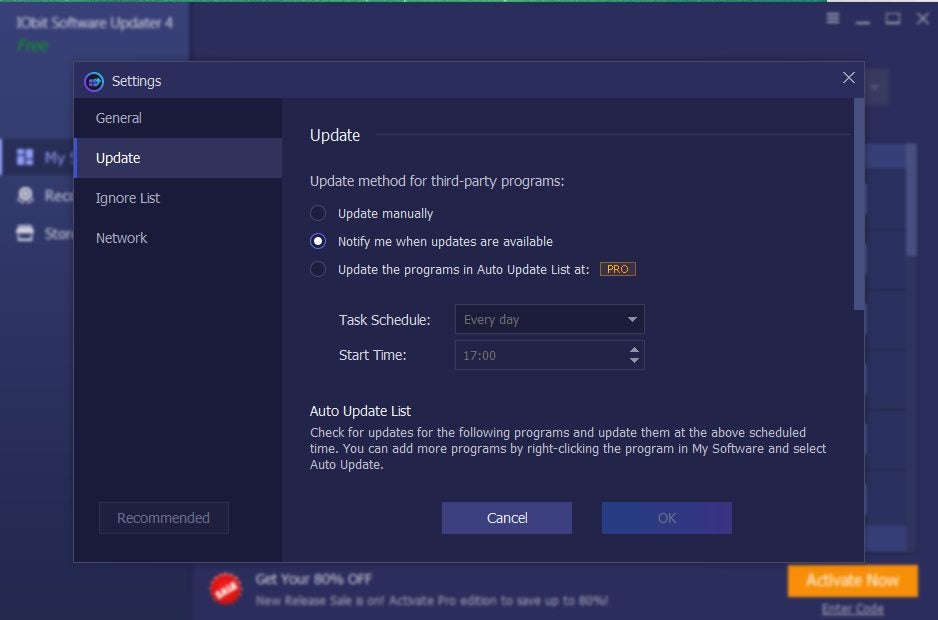
IObit is a simple, easy-to-use software updater that can help experienced and novice users perform single, bulk, and scheduled automatic program updates. Did you miss an update notification? Unsure about which patch you need to install? That’s where IObit Software Updater shines!
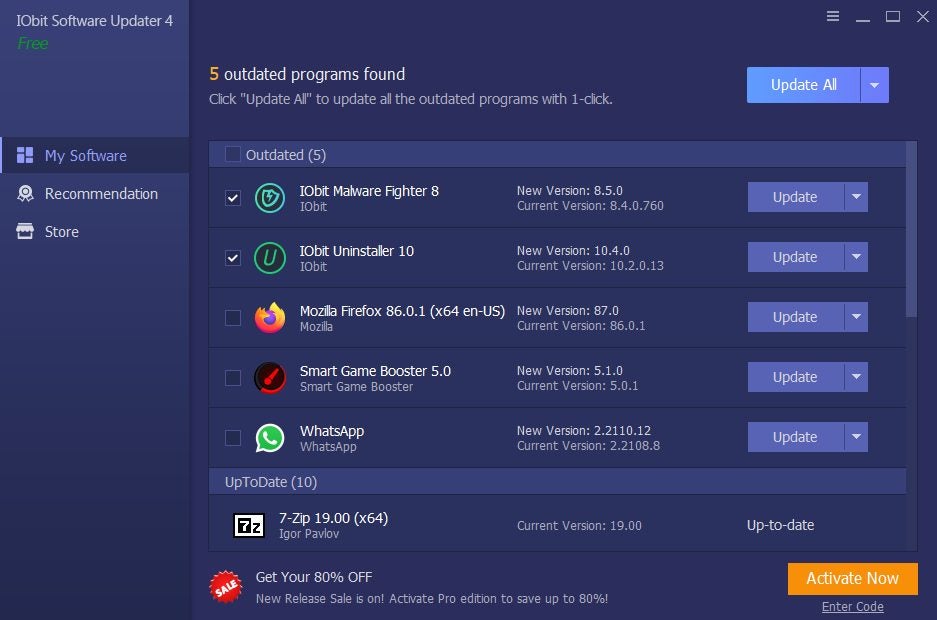
It can detect if your programs are outdated, and the intuitive user interface clearly shows which programs need to be updated. You’ll be able to see the latest recommended patches and updates to keep your computer or device running smoothly at a glance.
While the paid pro software has several advanced features, IObit also offers a robust free version. It’s available for Windows 10, 8/8.1, 7, XP, and Vista.
What’s New in This Version?
So, what’s new in IObit Software Updater 4? What makes this latest version stand out from the ones that came before? Aside from the excellent standard features in both the free and paid version, Software Updater 4 also comes with a few additional improvements that make it worth the download.
A Bigger, Better Software Database
The new software updater’s database is 40% bigger! Users can keep their systems secure and working at top speeds by keeping programs up to date with a single click. The latest version of IObit’s updater gives users access to patches and updates for over 260 Windows and third-party applications in various categories, including:
Browsers
Security
Social Media
Multimedia
Remote Work Tools
Runtimes
Utilities and Tools
The best part is that the database is also continuously updated with the latest versions of popular programs.
Safer Updates
Although updates are necessary, they aren’t always safe. Unfortunately, adware or malware can be bundled into your software downloads. Others may even masquerade as legitimate downloads, such as the Android “Critical Update” spyware that can take complete control of your device.
The IObit Software Updater performs all updates from the IObit database, giving the platform significant control over quality control. Before an update or patch is added, it must pass several strict manual security tests. Not only does it keep your system safe, but it also keeps it running smoothly and effectively.
Detect Software Vulnerabilities
Programs don’t always age well. Outdated software can develop bugs and security vulnerabilities, and there aren’t always patches available to fix these issues. If that’s the case, IObit Software Updater 4 can make recommendations for alternative software. It can also recommend replacements if any inferior tools you may be using.
Language Support
You don’t need to speak English to use IObit Software Updater 4. The program is meant to be used by users globally, and there are several language packs available for download. It currently supports 36 languages, ranging from Arabic to Vietnamese, and almost everything in between!
Conclusion
A software updater is a great way to keep your programs safe and up to date without annoying popups or manual installations. IObit Software Updater 4’s expansive database, OS compatibility, and security measures make it an excellent option. The best part is that you can use it for free or update to the pro version if you need the advanced features.
Keep all the applications on your computer up-to-date.
New ‘Vibes’ To Feature In-App Events That Will Last 48 Hours
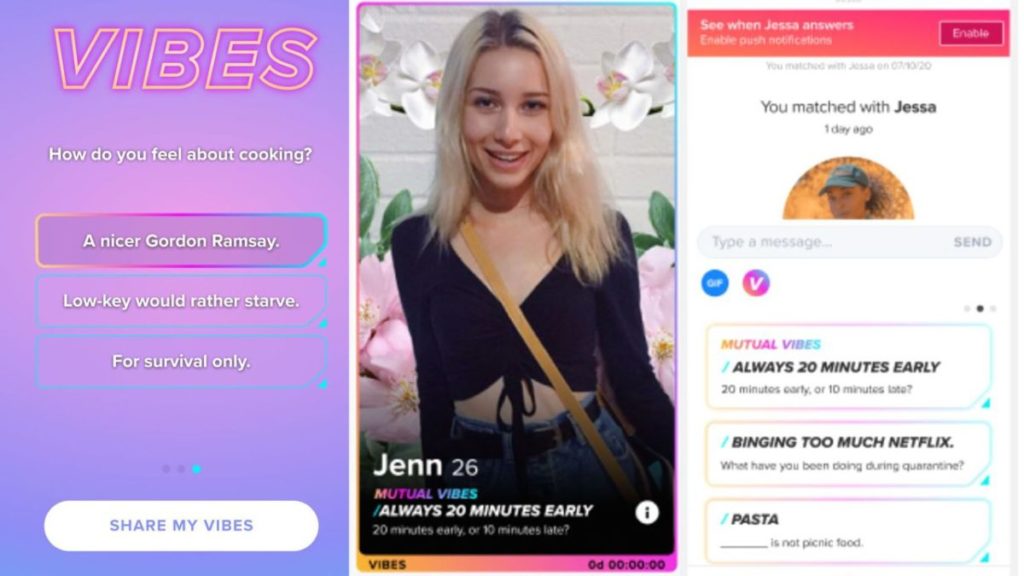
Dating app media giant Tinder has announced a new feature that’s set to measure your compatibility with other members. Vibes will showcase time-sensitive events where you can ask each other questions and see how closely matches you are. It combines functions from Swipe Night and Swipe Surge, but you’ll have 48 hours to complete the questionnaire.
Once completed, your responses will display on your profile for everyone to see. You’ll also see the answers in chat windows, showing you whether they’re compatible or not. You can also catch them in a lie if they state they like the same things as you, where the survey clearly shows they don’t.
One of the main reasons behind this new Vibes feature is to help members engage more. You can start a conversation with more than just ‘hey’ or “how are you doing?” When they see a topic they are both interested in, it can spark a chat that could last into the late hours of the morning. Of course, it’s also a great way to disrupt sleep patterns.
Who needs sleep when looking for love, right? You’ll receive a notification for when you can participate, or you’ll see a message when you log into your account. If you’ve already completed a survey, you might also receive an invitation to take part in Tinder video chats with someone that’s compatible.
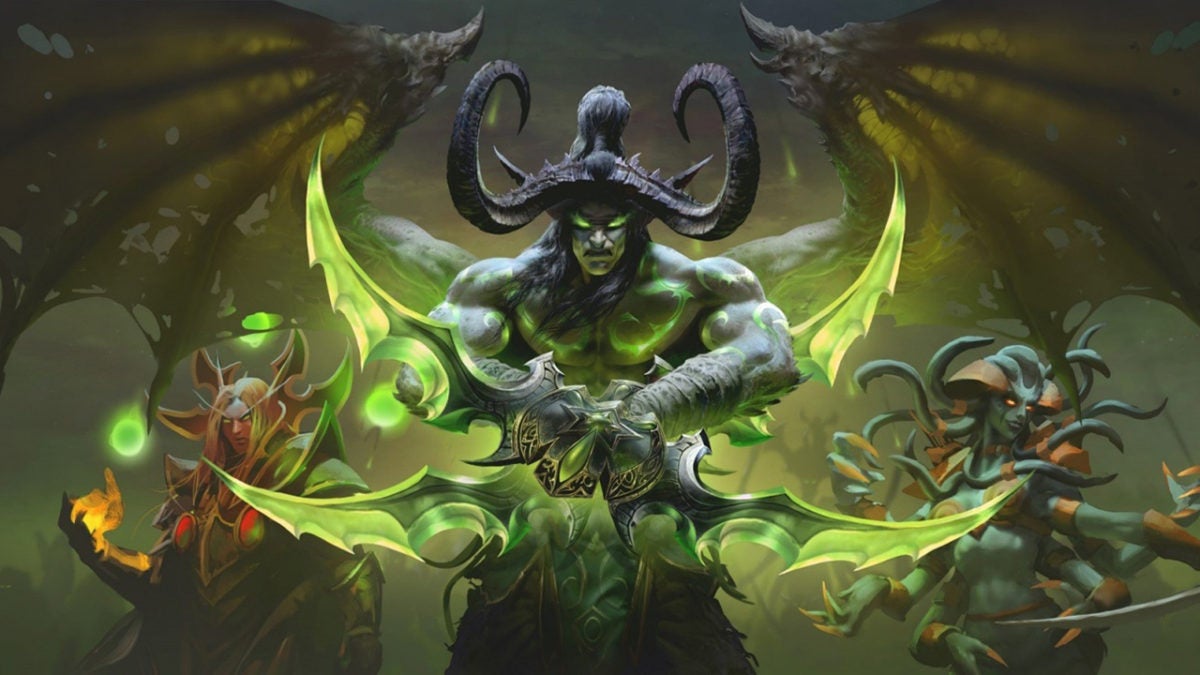
Blizzard Accidentally Leaked World of Warcraft: The Burning Crusade Classic Release Date
Gamers who have been watching Blizzard news on the Battle.Net platform had a surreal experience when the publisher hinted at a released date for World of Warcraft: The Burning Crusade Classic. It was picked up by fans in the Blizzard forums, but the announcement was quickly removed. Still, the evidence is roaming the internet with screenshots to prove it.
Blizzard has been hard at work remastering several of their classic games. At BlizzConline, the publisher mentioned the WoW: TBC release for 2021, but no official date was cast in stone. However, the leak seems to indicate that we’re looking at a launch date of June 1, 2021.
There has been some controversy over the remastered classic game, especially when Blizzard announced it would include a Cash Shop. You could also acquire mounts, which was a rare commodity in the original title that represented a player’s status. Some fans welcomed this modern approach, while others were dissatisfied and wanted the publisher to remain true to the classic version.
Whatever their feelings, we’re all excited to see World of Warcraft: The Burning Crusade Classic appear. Since June 1 is right around the corner, we’re hoping to see an official announcement from Blizzard soon. Well, one that actually stays around long enough to enjoy it.
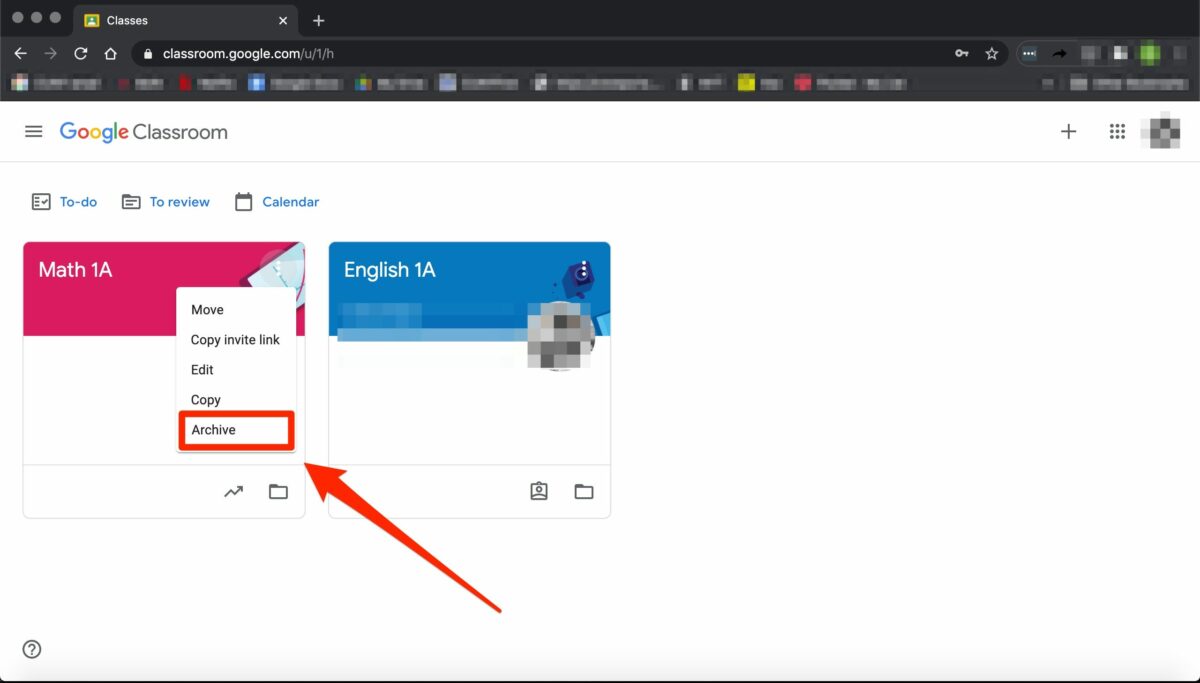
Unfortunately, Google Classroom does not yet have the feature to archive these older assignments for Windows, Mac, Android and iPhone. However, you can do a simple thing to hide these assignments in an organized way so that you can refer back to them when needed. Don’t delete assignments as they are very hard to recover. Let’s look at how you can archive your older assignments.
How to Archive Assignments in Google Classroom
Step 1: Create a New ‘Archive’ Class
Open Google Classroom on your chosen device or through the web-based version. On the main page of your Classroom, click on the + sign to the left side of the screen and choose ‘Add New Class’.
Set up a new class titled ‘Archive’ and then click on ‘Create’. This will give you a space that you can use to archive all older assignments.
Step 2: Go Into Your Archive Class
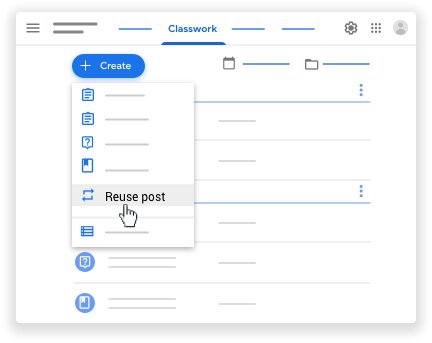
Now that the archive class has been created, enter the class by clicking on it from the main screen of your Google Classroom. Click on the ‘Classwork’ tab located at the top of your screen.
Step 3: Create Topics for Your Archive
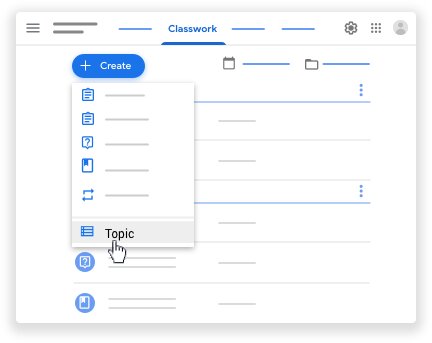
Click on the + sign to create topics. In the drop-down list that appears, click on ‘Topic’ and add a name for that topic. Make it easy to identify by using an identifier such as subject name, ex. Math.
Step 4: Reuse Posts
Next, click on the + sign once more, but this time choose ‘Reuse Post’. This will open a window showing all your classes. From here, you can go into the correct class and then select the assignment you want to reuse, or in this case, archive. Once you click on reuse, the assignment will open, and you will see all of the data attached. Save this as a ‘Draft’, and you will have this copy in your archive.
Organize Yourself Simply
Using this way to archive older assignments will leave you with a much more organized classroom, and you’ll still have access to those assignments when you need to refer back to them.
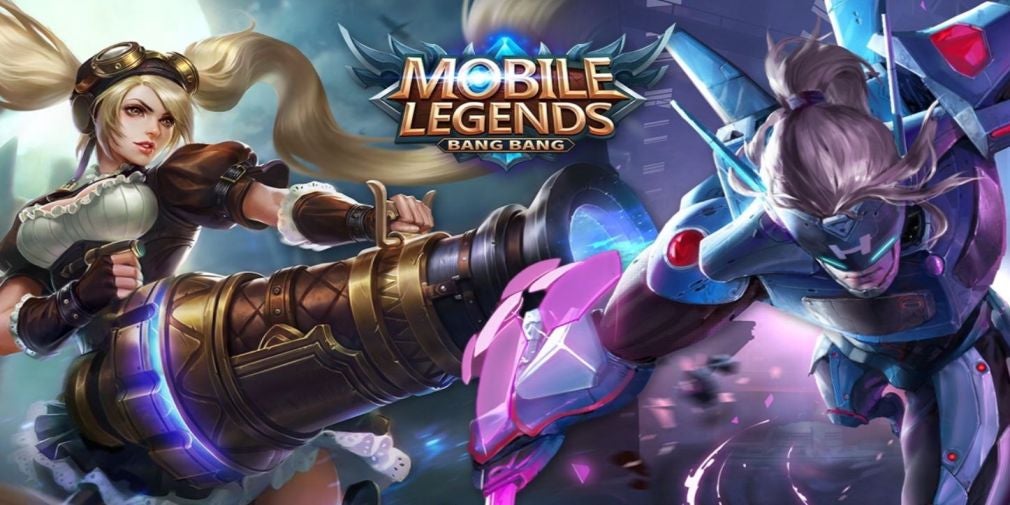
Mobile Legends: Bang Bang presents over 100 heroes in this exhilarating multiplayer online battle arena (MOBA) game. Whether you’re playing on Android or iPhone, you’ll want to look at the best fighters from the Mobile Legends Tier List to see which are the top heroes and builds. It can make the difference between ultimate victory or failure.
With the meta changing so often, it’s crucial for Mobile Legends players to stay in the know about who the best heroes in the game are. The heroes you can select vary wildly based on what role you want to fill in your team composition.
If you’re looking for Mobile Legends’ best hero to fit your playstyle, this guide is for you. We’ll go over the top Mobile Legends heroes in each class and teach you how to build them effectively.
Mobile LegendsBest Support Heroes
The support class is essential to guarantee good team comp. If you’re new to the game or like being an invaluable player on your team, this might be the class for you. The role of the support class is to protect your teammates. This role is responsible for helping the team, either through crowd control or utilities like healing and shields. These heroes aren’t focused on dealing damage but contribute greatly to team utility with buffs and debuffs.
Support Tier List
Tier S+: Mathilda
Tier S: Rafaela
Tier A: Diggie, Angela, Estes
Tier B: Carmilla, Kaja
Tier C: Faramis
Mathilda
Mathilda is the first combination assassin/support hero added to the game. She deals massive damage to her foes while simultaneously providing serious mobility buffs for her team. She has a great set of Burst, Blink, Speed Up, and team buff effects.
Mathilda plays best when built as offensive support. First, buy Glowing Wand and Necklace of Durance to give her extra magic damage. Then focus on building some defense items to increase her survivability. Wrap it up with Immortality for increased tankiness.
You can also do full magic damage build on her to wreck solo enemies. In this scenario, emphasize damage-dealing items rather than defense.
Lightning Truncheon and Holy Crystal will help maximize your damage output. Winter Truncheon can also save you from a risky situation.
Rafaela
Rafaela is a well-rounded support hero that heals and boosts teammates’ movement speed. She also has the skills to damage, stun, and slow enemies. Her constant poke damage and crowd control effects make her an invaluable ally if your team is missing a good support.
When it comes to builds, Rafaela needs to be built to cast skills at the right time for her teammates. This makes cooldown and movement speed items crucial.
After buying basic boots and a wooden mask, complete Enchanted Talisman for massive mana regeneration and 20% cooldown reduction. Rapid boots are another great item that lets Rafaela be everywhere when her teammates need help.
Necklace of Durance is a great item for high-regen enemies because it decreases their regen ability. Try to focus on items that are useful for teammates, like Ice Queen Wand for extra slowing effect. Thunderbolt for extra CC effect or Oracle for enhanced healing effects is other useful items.
For late-game, Immortality is a must because it provides a longer presence and tankiness.
Mobile Legends Best Marksman Heroes
Marksmen heroes have the ability to deal long-range continuous damage. This makes them attack carriers that have a massive presence in games.
Marksman Tier List
Tier S+: Yi Sun-Shin, Granger
Tier S: Bruno, Claude, Brody
Tier A: Popol and Kupa, Wanwan, Hanabi
Tier B: Bruno, Layla, Kimmy
TierC: Karrie, Irithel
Tier D: Clint, Moskov
TierE: Lesley, Miya
Yi Sun-Shin
Yi Sun-Shin is a Marksman/Assassin hero with an excellent set of Blink, AoE, and Mobility. He works well as a Marksman-Melee champion since his passive lets him use both Glaive and Longbow according to his distance from the marked target. His ultimate reveals the location of enemies anywhere on the map.
There are many different ways to build Yi Sun-Shin. You can maximize his hyper-carry build to deal the most possible damage to enemies. Start with the Jungle Knife and then build attack damage items to increase his damage ratio over time. Focus on items that grant you true physical damage.
One way to build this marksman is using Endless Battle, Blade of Despair, Demon Hunter Sword, and Queen’s Wings. This maximizes Yi Sun-Shin’s true damage output and lets you blast through enemies as quickly as possible.
You can also build him with the Demon Hunter Sword, Swift Boots, Blade of Despair, Berserker’s Fury, Endless Battle, and Immortality. This build will help you deal a lot of damage but it will take some time to trade. The bright side of this build is that you can use other spells besides Retribution.
Granger
Granger is an incredibly popular choice and has been since his release in April 2019. He doesn’t use mana, nor does he have an energy bar. Because of this, he is extremely effective in the early game and doesn’t fall behind in the late game either.
His skill sets can make way for many outplays and can change from defense to offense extremely quickly. Unlike most marksmen, Granger doesn’t rely on attack speed. Rather, pure attack damage works best.
Granger doesn’t normally need more than 3 damage items. After you’ve got those, focus on cooldown reduction and defense items.
One great build to try is Magic Shoes, Berserker’s Fury, Malefic Roar, Blade of Despair, Brute Force Breastplate, and Queen’s Wing. To maximize DPS and burst damage, try Raptor Machete, Warrior Boots, Blade of Despair, Brute Force Breastplate, Malefic Roar, and Hunter Strike.
Mobile Legends Best Fighter Heroes
Fighters are melee heroes who excel at leading the charge. They have well-balanced stats that allow them to dive deep into enemies and survive.
Their damage builds up over time, and they’re relatively sturdy, although not as robust as a Tank. They are the most flexible heroes in the game and can adapt to any situation.
Fighter Tier List
Tier S+: Phoveus, Paquito
Tier S: Chou, Jawhead
Tier A: Silvana, Hilda, Yu-Zhong, Thamuz, Bane, Aldous, Khaleed, Sun
Phoveus is an incredibly strong Fighter type hero with a good set of Crowd Control, Shield, Burst, and Mobility. His first skill gives him a shield and plays a big part in his survivability. It also increases his damage spread between nearby enemies.
Phoveus is a very strong fighter in mid and late-stage because of his thick shield and magic damage. His ultimate lets him punish heroes that use Blink skills.
Phoveus is a fighter with magic damage, so you have to prioritize his damage output to win in a 1v1 situation. The Clock of Destiny, Demon Shoes, and Consecrated Energy items buff his magic damage and allow him to regenerate mana.
Oracle is essential to increase his shield output and HP regen. Brute Force Breastplate and Immortality also increase his bulk.
Paquito
Paquito is a very strong Fighter type hero with a good set of Crowd Control, Blink, Buff, Burst, and Mobility. His first skill gives him a shield and plays a big part in his survivability. His second skill is a dash, which helps him to dodge enemies’ skills.
Paquito is a very strong fighter in early and mid-stage because of his high damage. He does not have a one-hit skill and is completely dependent upon combos.
Since Paquito is an early game damage dealer, try to do focus on items that grant you True Physical Damage, Tenacity, and Physical Vamp.
Endless Battle is a very important item for Paquito and should be included in any build. Combine it with Warrior Boots, Bloodlust Axe, Blade of Despair, Brute Force Breastplate, and Queen’s wings for a DPS build that maximizes survivability.
You can also try an Assassin Hyper Carry build to deal more damage to enemies. Use Raptor Machete, Magic Shoes, Endless Battle, Blade of Despair, Hunter Strike, and Immortality.
Mobile Legends Best Assassin Heroes
Assassins are Mobile Legends characters that specialize in swiftly eliminating enemies’ core members. They can easily reach the back lane and kill the enemy team’s main DPS, turning the tide of battle.
However, they’re challenging to play as they tend to be fragile and require skillful execution of abilities to hunt down their prey. Their high burst damage needs to be focused on the right targets to tip the balance in your team’s favor.
Assasin Tier List
Tier S+: Ling, Benedetta
Tier S: Selena
Tier A: Lancelot, Hayabusa, Natalia, Karina
Tier B: Gusion, Saber
Tier C: Fanny
Tier D: Karina, Hanzo
Tier E: Helcurt
Ling
Ling is one of the most powerful assassins currently in Mobile Legends. A Ling hyper carry is one of the most popular and overpowering picks. Ling’s ability to kill and get out in an instant makes him a nightmare for marksmen and mages.
However, hyper-carrying is hard. Your whole team relies on you and one bad decision can mean the end of the game. That’s why it’s crucial to build Ling the right way to maximize his abilities.
The best items to build him with are the Raptor Machete, Magic Shoes, Berserkers Fury, Endless Battle, Blade Of Despair, and Haass Claws. This build focuses on boosting Ling’s physical attack and critical damage.
Benedetta
Benedetta is an assassin that you can redeem free right now from the ongoing event. She is valuable for her outstanding mobility and massive damage output.
With her AoE damage and Blink effect, she can easily dominate the battlefield. It’s also easy to rank up with Benedetta because she has a defense mechanism that will protect her in tricky situations.
Because Benedetta’s damage output is so massive, it’s a good idea to focus on sustainability in her builds. Start out with Raptor Machete and then add Magic Shoes, Blade of Despair, and Bloodlust Axe. These are her core items.
Next, go for one physical defense item like Brute Force Breastplate or Queen’s Wings. Finally, round out her build with Immortality or Rose Gold Meteor.
Mobile Legends Best Mage Heroes
Mages are magic heroes in Mobile Legends adventure that specialize in burst damage and crowd control. They are glass cannons that tend to be high-priority targets for assassins because of their massive burst damage.
Mage Tier List
Tier S+: Yve, Lunox
Tier S: Esmerelda, Pharsa, Alice, Harith
Tier A: Kagura, Valir, Chang’e, Harley
Tier B: Cyclops, Cecillion
Tier C: Lou-Yi, Eudora, Nana, Zask, Gord
Tier D: Kadita, Aurora, Odette, Vale, Lylia
Tier E: Vexanna
Yve
Yve is a brand new mage with an incredible set of Area of Effect, CC, and High Burst damage. She is relatively easy to play, compared to many other mages. Playing Yve is a good way to increase your Mobile Legends rank since she is easy to master.
There are many spells that you can use on Yve according to team comp. One of the best spells for her is Flameshot. It will be very helpful to finish dot life enemies and sometimes for escape, too. You can also useFlicker on her to escape death and chase dot life enemies.
Since Yve is a proper Mage, try to focus on items that grant you Magic damage and Magic penetration. Start by buying Clock of Destiny and Lightning Truncheon. These will be her core items.
Next, focus on getting the Ice Queen Wind and Glowing Wand to wreck solo enemies. Round off her build with Demon shoes and Holy Crystal or Blood Wings.
Lunox
Lunox is one of the best damage mages in the game. She was released back in September 2018 and for a long time was the best mage pick and favorite to all. She was nerfed for a little while, but recent patches have buffed her up again and helped her regain her spot in the meta.
A well-played Lunox can easily dominate the game because she is capable of dueling with a lot of heroes and is high damage with a lot of regen and poke.
Lunox is versatile and can be played both as support and DPS based on the equipment items and rotation.
For a support build, take the Demon Shoes, Lightning Truncheon, and Clock of Destiny. Then, take Concentrated Energy and Fleeting Time.
For a damage-focused build, take the Demon Shoes, Lighting Truncheon, and Clock of Destiny as the core items. Next, pick up Divine Glaive, then Holy Crystal, and Blood Wings.
Mobile Legends Best Tank Heroes
Tanks are strong, aggressive initiators with a bulky health pool. They have a range of skills to protect their teammates and lock down enemies.
Tanks are very durable heroes that can easily absorb a great deal of damage from their enemy. Because of their ability to withstand heavy burst damage, these heroes are often used as bait, or to engage in team fights, in order to provoke an opponent’s reaction.
Tank Tier List
Tier S+: Jawhead, Hylos
Tier S: Barats, Gloo, Grock
Tier A: Atlas, Uranus, Khufra, Tigreal, Baxia
Tier B: Akai, Gatotkaca
Tier C: Belerick, Lolita
Tier D: Franco, Minotaur
Tier E: Johnson
Jawhead
Jawhead is a massively strong Tank hero with a great set of Stun, Area of Effect, Burst damage, and Knock-up. His passive skill boosts his basic attack damage. When Jawhead activates his Skill 2, he gains a thick shield.
These skills make it easy to play him as a super-sustaining fighter. He can take out squishy glass cannons with the help of his ultimate.
Jawhead is versatile and can be built in many different ways. Follow the enemy’s pick and then decide his role on the battlefield. Try to focus on items that grant you Physical Damage, Tenacity, and Physical Vamp.
One extremely powerful build to try begins with the Bloodlust Axe. Next, add Blade of Despair, Oracle, Queen’s Wings, and Immortality. Endless Battle is a core item for Jawhead and should be included in any build.
Hylos
Hylos is a classic pick for a tank that has not lost his place in the meta. He is great at defending his allies with skill effect.
Hylos is actually one of the easiest heroes to use. He has a great set of Stun Effects, AoE Skills, Healing Skills, and Movement Buff skills.
Hylos’ passive skill uses his HP points to increase his skill effects. So, the items that increase overall HP and Mana regen are best for Hylos. Defense items are also helpful for increasing his durability.
When building Hylos, start with the Courage Mask, Warrior Boots, and Clock of Destiny. Then add on Oracle, Immortality, and Dominance Ice.
Mobile Legends 2021
Now you know the top Mobile Legends heroes of 2021. You can select the best support, marksman, fighter, assassin, mage, or tank to fit your playstyle. Because many heroes require spending in-game currency, it’s important to choose the heroes that you buy wisely.
For more build guides and coverage of Mobile Legends: Bang Bang, check out our other Mobile Legends guides.
So, you have received an assignment on Google Classroom on Windows, Mac, Android, or iPhone/iPad from your teacher that you need to submit? But how do you submit it?
How to Submit an Assignment in Google Classroom
Step 1: Open Google Classroom
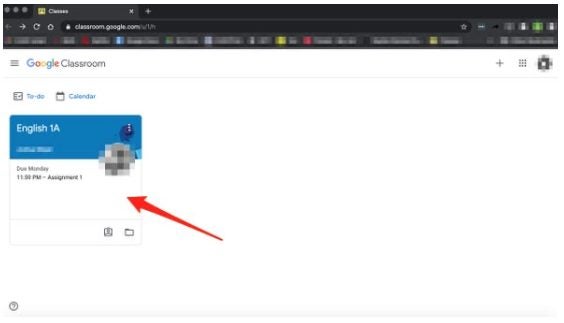
Open Google Classroom on your chosen device and log in to your account. If you do not have the program or app installed on your device, you can also use the web-based version by logging in at classroom.google.com.
Step 2: Choose Your ‘Class’
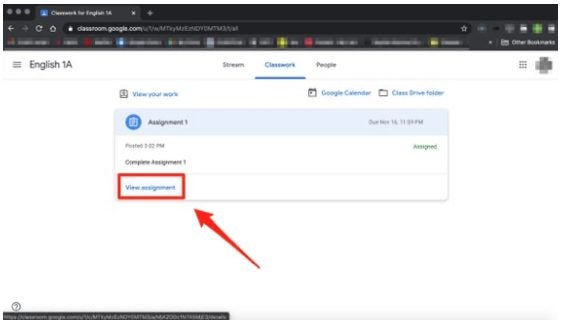
On the left-hand side, choose your class. All the classes that you are enrolled in will be listed here.
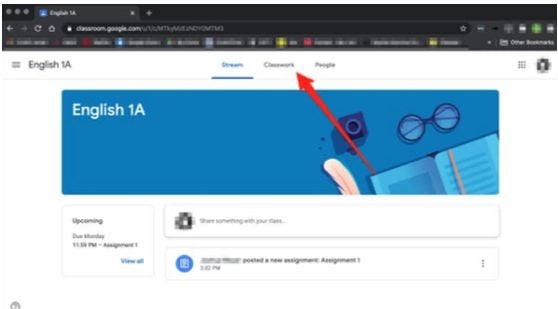
Step 3: Choose ‘Classwork’
Right at the top of the screen, click on ‘Classwork.’
Step 4: Click on ‘Assignment’
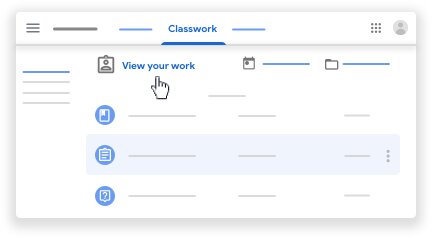
Now you will see the open assignments for that class. Click on the assignment you are ready to submit, and then click on ‘View Assignment.’
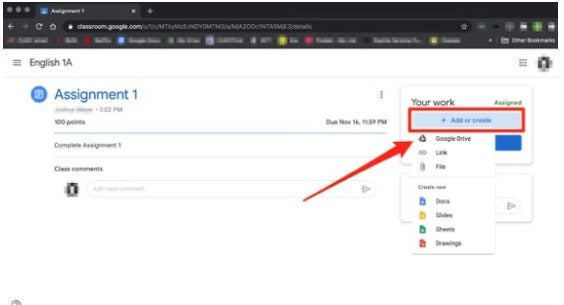
Step 5: Below ‘Your Work’ Click on ‘Add or Create’
To the right of your screen will be a section titled ‘Your Work,’ from here, click on ‘Add or Create’ to upload an image, video, document, or slide.
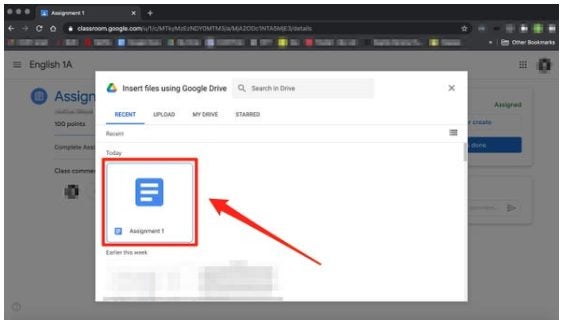
Step 6: Upload Your Assignment
You can upload your assignment now. Choose the file you want to upload. It is good to know that it is the easiest to upload from Google Drive as the two programs are linked.
How to Submit an Assignment in Google Classroom in 7 Easy Steps
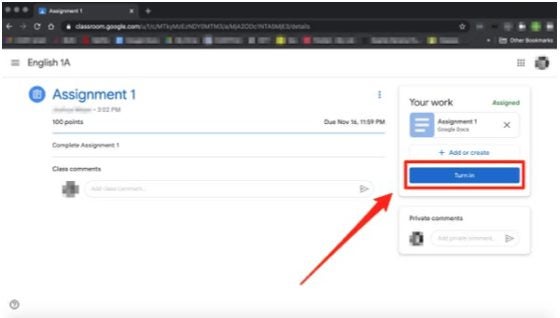
Step 7: Click on ‘Turn In’ or ‘Mark as Done
Now, to complete the process click on the ‘Turn In’ or ‘Mark as Done’ button below the assignment you just uploaded.
Knowledge Is Power
Learning and studying are precious, and with easy-to-use programs like Google Classroom, it just became fun as well. It is so easy to submit assignments that you have no excuse for them being late.
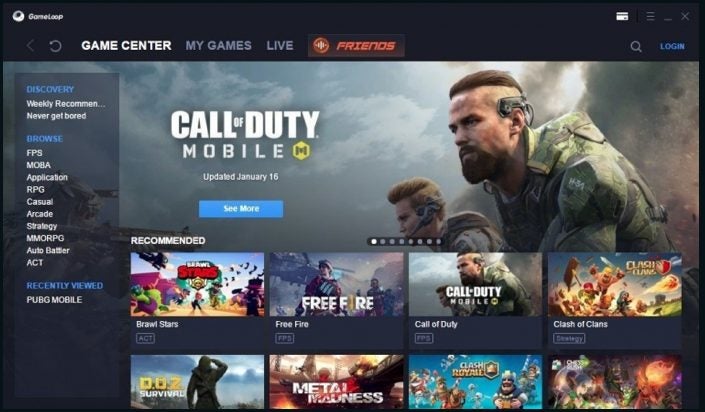
Although Gameloop gives you access to an extensive library of Android games, you may want a game that isn’t featured. In this case, you would need to install an apk (Android Package Kit) file in Gameloop to be able to play this game. Don’t worry, lucky for us; this is a straightforward process.
Let’s look at how to install apk files on Gameloop and Gaming Buddy.
How to Install Apk in Gameloop
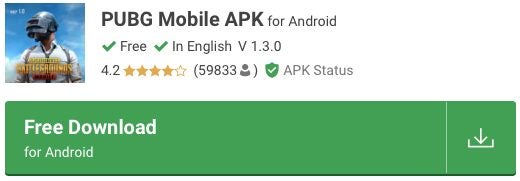
Step 1: Download the Game Apk File
First, you will need to download the apk file for the game you want from an external source to your computer. Please make sure to use only reputable sources when downloading any games. Once the game is downloaded, extract the files into an easy to find folder.
Step 2: Open Gameloop
Open the emulator on your computer
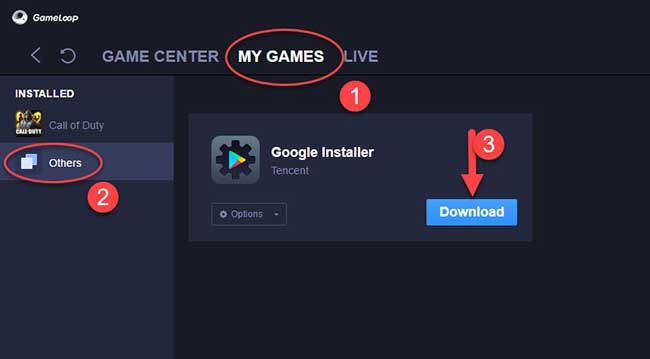
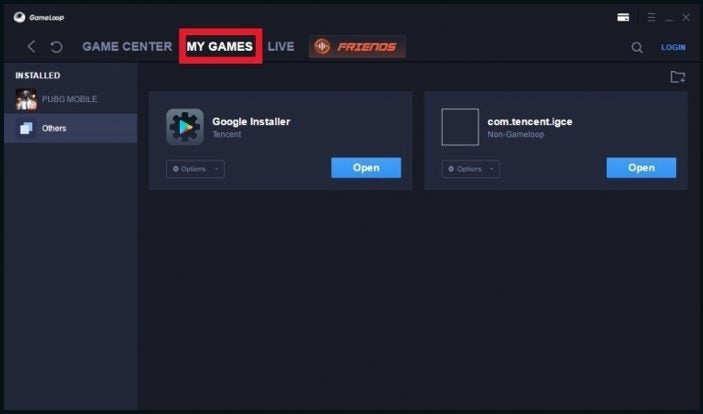
Step 3: Go to “My Games’
Click on the ‘My Games’ tab in the top menu bar.
Step 4: Click on ‘others’
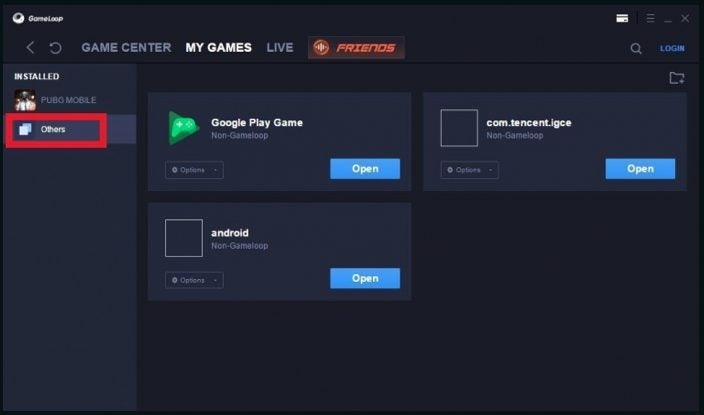
To the left of the screen, click on the ‘Others’ option.
Step 5: Add an App
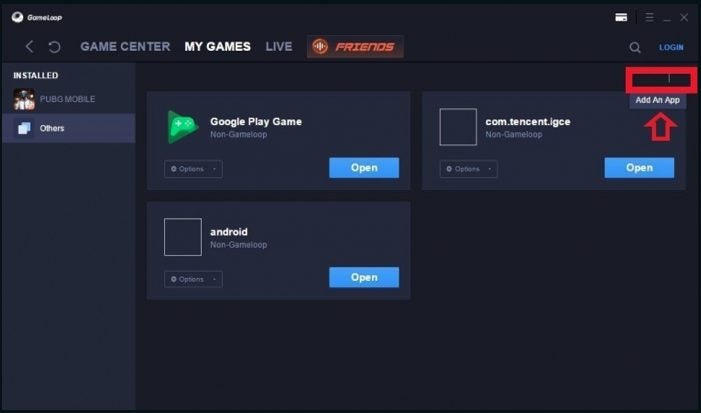
Next, click on the ‘Add an App’ option to the right of the screen.
Step 6: Add the APK File
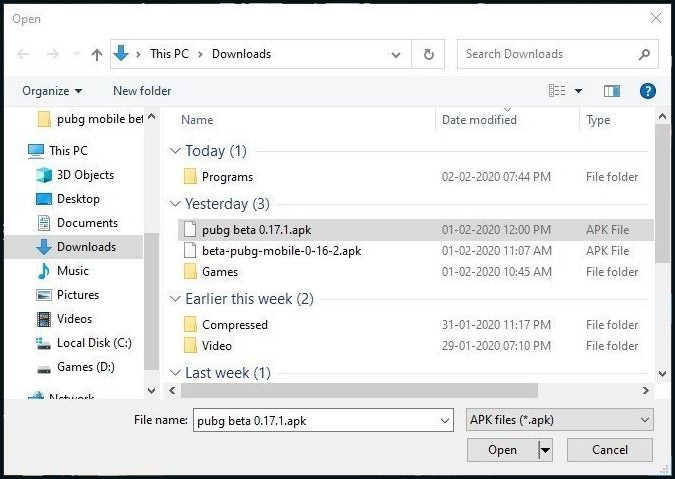
In the next window, search for the apk file of the game you are installing.
Step 7: Install APK
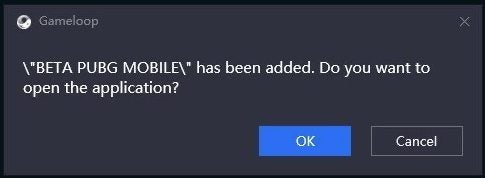
Once you’ve added the file, it will automatically be installed. A pop-up window will appear to let you know the installation was successful.
Install More Games, Have More Fun
As you can see, the option to easily install apks on Gameloop means you are not only limited to their library but also any other games that have apk files. This opens up the whole world of Android gaming on your computer.