 The MLB season got to a start yesterday and saw the New York Mets beat the St Louis Cardinals in a rematch of last year’s National League Championship Series. The race to the World Series will last until September and feature great players like Sammy Sosa, Barry Bonds, Pedro Martinez and Randy Johnson. Past years have shown that teams that reach the World Series a year rarely repeat this feat the next year. Add to that the traditional deals and swaps of the preseason and it’s pretty difficult to predict which teams will make it to the playoffs. You might be eager to follow your favourite team as it races for the pennant and a place in the playoffs over the next 6 months so how about checking out some baseball games and applications?
Any serious baseball fan knows the game is all about stats. RBIs, BAs, strikes or shut outs are just a few of the figures that determine whether your favourite players are doing well or have a lousy year. Whether you play baseball or softball, Baseball Memories can track your own stats over a whole season. Check out how you fare compared to professionals and analyze your stats to see what you need to improve over the season.
 On to the third of our five part series on free antivirus applications, today we cover
 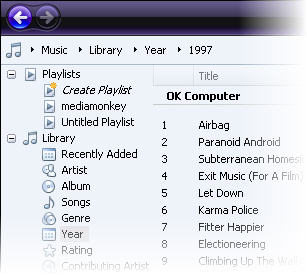 With Windows Media Player (WMP) 11 Microsoft aims to counter iTunes’ dominance. The interface has been beefed-up, usability has been enhanced and Microsoft has worked at turning its flagship media application into a full multimedia center, linked to online stores and compatible with mobile devices. We take a look at its new features.
 For the second part of our five part series on the best free antivirus applications, we’ll take a look at
  We start off the series with
  Google Talk is a messenger client with a “Web 2.0” feel that makes communicating with other Google users a piece of cake. The program integrates well with many of Google’s other products. You can open it inside of Gmail, add it to your Google Desktop bar, or even manage your Orkut conversations directly from Google Talk.
 With broadband connections or WiFi set up almost anywhere you go, and portable devices like USB keys offering bigger storage space than ever before, you’d think file compression technology would become obsolete. Surprisingly though, archiving applications are still very popular with users, thanks to extra features like encryption or file repair.
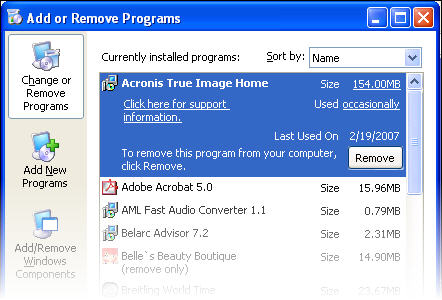 The most painful moment of my daily PC experience, apart from a 10 minute startup waiting time, is probably the whole uninstalling process. Whereas in Mac all you need to do is find the application you want to get rid of and drag it in the trash can, uninstalling a program on a PC can drag on for ages. Sure, there’s the “Add or remove programs” feature in your control panel, but more often than not you’ll realize you’re stuck with remnants of a program you thought had been wiped from your PC. Hence the contradictory solution, of installing a specialized uninstaller to do the work for you.
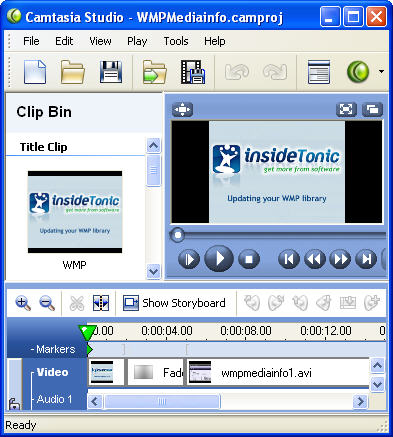 Camtasia Studio is a complete application suite to record, edit and share your videos online, on CD or with a portable player. This highly-acclaimed program allows you to create screencasts or video tutorials, and can also be used to prepare presentations. Let’s get a run-down of all the things you can do with Camtasia Studio.
 Ad-Aware 2007 Beta is finally available for registered testers. Over on their