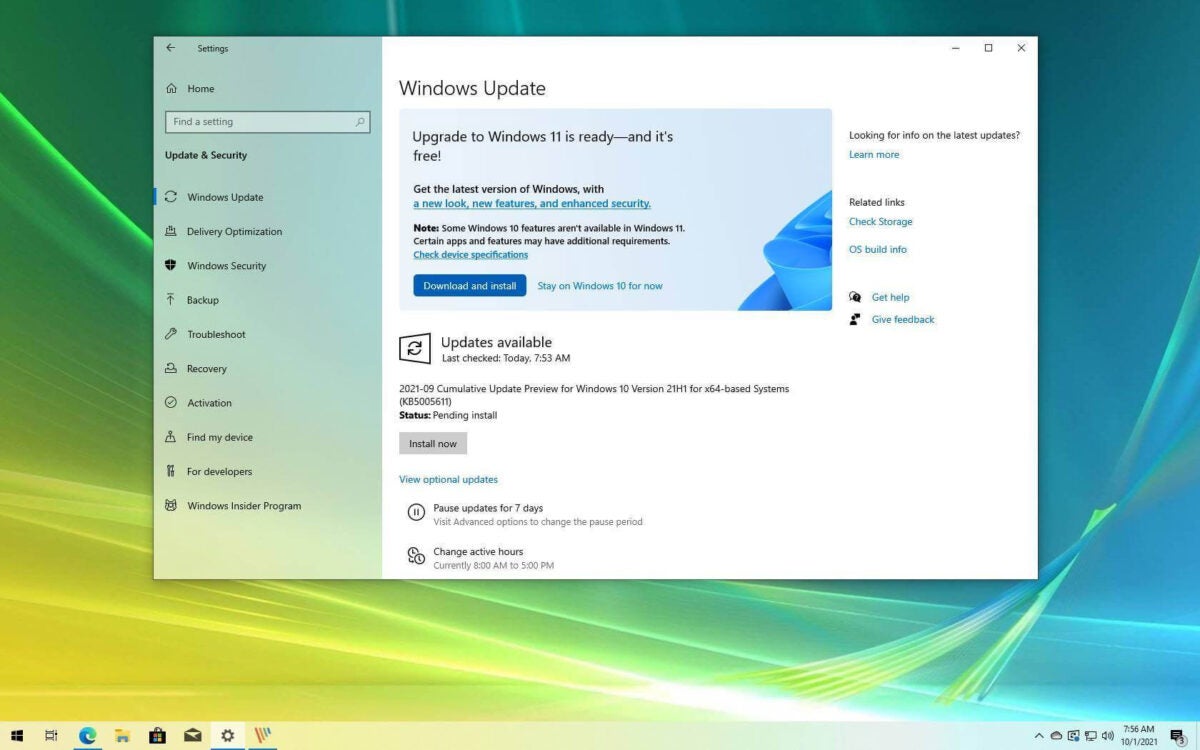
Is it time to update from Windows 10 to Windows 11?

The latest version of the Windows operating system (OS), Windows 11, was released in October 2021. Alongside the release, there was also the option for current Windows 10 users to upgrade to the newest version for free. However, it’s been a little over a year since the release, and so far, the uptake of Windows 11 is very slow.

If we look at all versions of Windows currently operating on users’ computers, Windows 11 only makes up 13.6%, barely surpassing Windows 7, which is 10.6%. Windows 7 was released in 2007 and is still used today, despite no longer receiving updates or security patches. Windows 10 is still the preferred operating system and dominates, with 71.9% of all Windows computers running this version.

There are many reasons why you should consider upgrading to Windows 11, just as there are compelling reasons to wait. However, the primary reason why the uptake has been slow is that there isn’t any pressing need to upgrade right now. Windows 10 is still receiving patches and security fixes – so why change the system now
A spokesperson at Windows explained that Microsoft isn’t worried, and the slow uptake isn’t unusual as they experienced similar trends with Windows 10 and even Windows XP back in the day. Windows is still dominating the market by being the most-bought device in the world, with a 76% market share globally. However, the spokesperson also noted that we might see more urgent incentivized campaigns to get users to switch to the newest OS.
Windows 11 Upgrades Still Not Taking Off

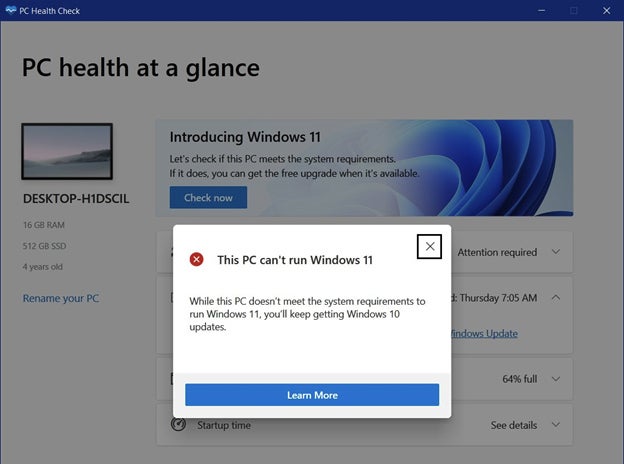
Another major reason why the uptake of the free upgrade is so slow is because of the insane system requirements needed to run the new OS. Windows 11 requires users to have a reasonably new CPU, a large amount of RAM and the security chip known as TPM 2.0. Unfortunately, many current Windows computers don’t meet these requirements. Approximately 55% of business devices used globally won’t meet these requirements.

You’d be wrong if you think the biggest issue with the system requirements is the TPM chip. Many devices purchased today come with this chip already built into the motherboard. The issue is the combination of these requirements, and if they aren’t met, you can’t proceed with the upgrade.

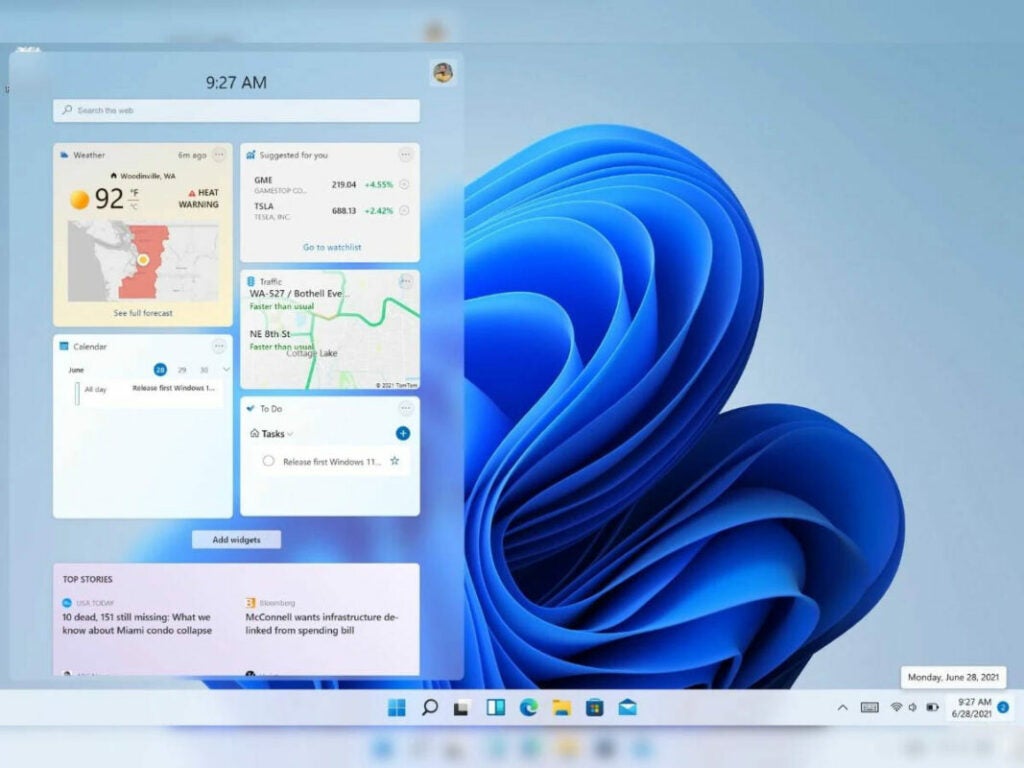
Many users believe that Windows 11 is nothing more than just Windows 10 with a paint job. While it is true that there are many similarities between the two OS, Windows 11 does have a few unique features. Visually it’s much more appealing with rounded edges, a centralized taskbar and pastel colors, but the features go beyond looks. The performance of Windows 11 is much better and faster. The development team spends a lot of time improving memory management to ensure that open apps get allocated more resources than those running in the background. The version also supports Android apps. Returning from a sleep state is also 25% faster due to improvement in RAM suspension.

Since Windows 11 utilizes the TPM chip, the operating system’s security is also much more powerful. This is one of the biggest differences between Windows 10 and the new version. This chip enables SHA-256 encryption, Autopilot, SecureBIO and Windows Defender System Guard. 
It also didn’t help that the first release was riddled with bugs and other issues. These issues range from minor annoyances such as slow file transfers to major issues such as the blue screen of death. While updates have been released since this debacle, users are still wary of making the change until all the issues have been addressed.
Windows 11 Upgrades Still Not Taking Off

Windows recently announced that they were returning to a single annual feature update for new operating systems instead of the bi-annual system it’s been using. Security and bug patches will still be released monthly. There are also rumors that Windows is considering returning to releasing a new OS once every three years. Taking this into account, we could see a new operating system by 2024.

If you want to stick with Windows 10, that’s entirely possible for now. However, users that currently use Version 21H1 might want to consider updating to Version 21H2. This is because 21H1 will reach its end-of-life rules on December 13th, 2022. At this point, it will receive no further security or bug patches. Windows 10 Version 21H2 is a newer version and will continue to receive updates and patches for now.

We’re wondering if we’ll see an increase in upgrades to Windows 11 and whether users are just biding their time. It’s apparent that in many cases, if users don’t have to make a change, they’ll stick to what’s familiar and works.

How to Transfer Files From Android to iPhone Using SHAREit in 5 Fast Steps

The technological age has given so much in the way of connecting with people and sharing data. Yet, even when we share music, photos, and files, it can still be a pain to transfer files between various operating systems due to differences in privacy policies, security settings, or user interface. Lenovo aimed to resolve that concern with its SHAREit app.

SHAREit DOWNLOAD

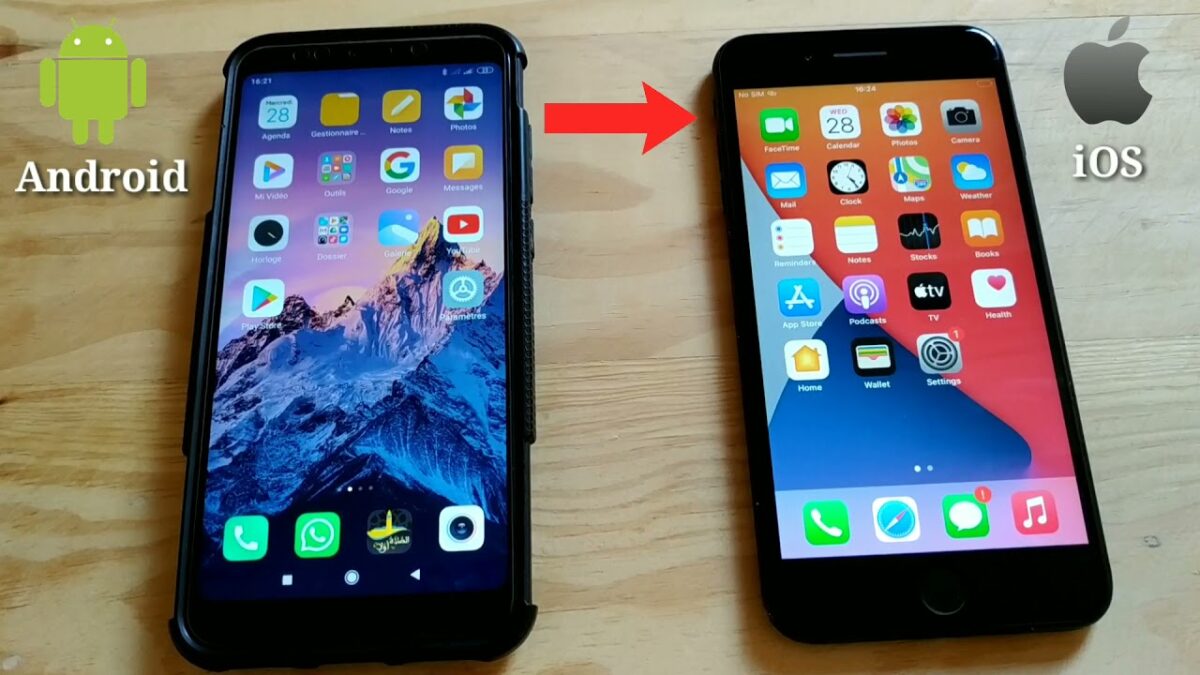
Released for Windows, Mac, Android, and IOS,  SHAREit app offers easy and secure data transfer. But, can you transfer data between, say, an Android device and an iPhone? We’ll provide the answer to that question in this guide.

Bringing Devices Together

Android and iPhone have long been at odds with each other. If you’ve ever tried sharing photos, music, or other files between these two operating systems, you’ll understand just how frustrating this process can be. Their inability to strongly connect with one another reiterates the point.

Apple is known for its Fort Knox-like security, which makes it rather difficult to receive files from a non-Apple device or install software from anywhere other than the App Store. 

On the flip side, Android boasts a highly customizable platform. It’s much easier to install outside software or to load files from other sources. While both approaches have their merits and frustrations, all we want is to send photos or music to our friends regardless of the phone they have, and now you can. 

Why is it difficult to share files between different OS?

Aside from the petty competition between these two leading tech giants, Google and Apple, there are also other incompatibilities that make it difficult to share files between these two systems. One of the reasons comes down to privacy. Apple takes a very serious stance on user privacy and, as such, has stringent security measures in place to avoid any breaches. While this is a good thing for many users, it does make sharing files a real headache – even between different Apple devices.

Another contributing factor is how the files are structured. Android has a file system that resembles that of a desktop Windows or Mac. This makes sharing files from Android to these types of devices much more manageable. However, iOS doesn’t have the same file system.

While some of the reasons for this are that it makes it impossible for the user to ‘do the wrong thing,’ some believe that the developers just don’t want to go down this route. Instead, users need to use third-party apps, like SHAREit, to be able to share files between different OS easily.

Apple is also notorious for using its own file format, which isn’t accepted by other OS. For example, since Apple released iOS 11, it started using the HEIC image format on all images. Android devices or Windows computers don’t widely support this format.

This means that iOS users would first need to convert the file format to a more widely accepted format such as JPEG, PNG, or similar before sharing with devices with another OS.

How to Transfer Files From Android to iPhone Using SHAREit

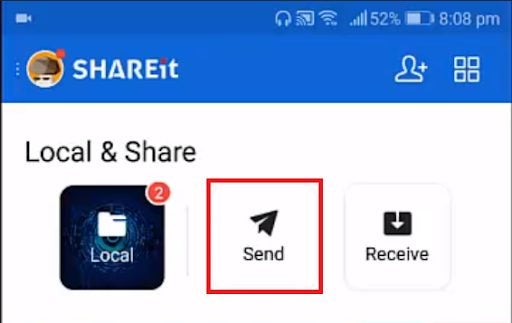
  1. Start SHAREit

    Transfer Files From Android to iPhone Using SHAREit

    First, you’ll need to install SHAREit and start it up. Then, tap on the Send button and allow it to turn your Location settings on when prompted. It’s important to note that the SHAREit app must be installed on both devices to effectively share files

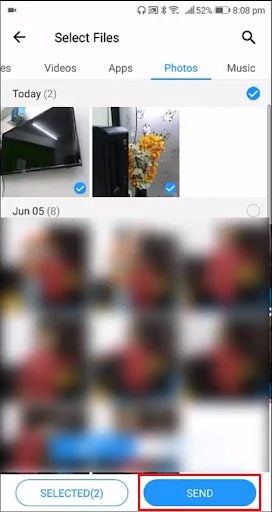
  2. Select Files

    Transfer Files From Android to iPhone Using SHAREit

    Select the files that you want to transfer and tap on Send.

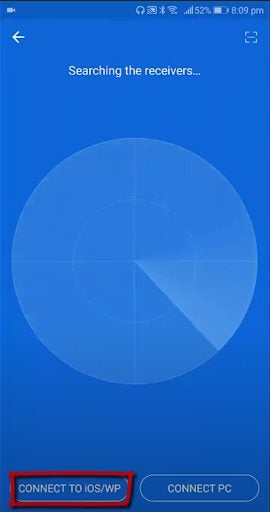
  3. Connect to IOS/WP

    Transfer Files From Android to iPhone Using SHAREit

    You’ll be given a blue screen; tap on the Connect to IOS/WP button at the bottom of the screen. You are able to select multiple files, audio clips, or videos to send simultaneously. Once you’ve selected your files, click on ‘Next’ to proceed.

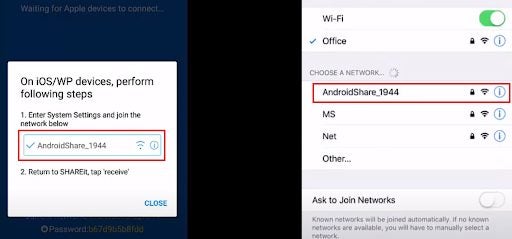
  4. Open Hotspot details

    Transfer Files From Android to iPhone Using SHAREit

    You’ll be given a screen that shows a mobile hotspot name and password. Keep this open while navigating to your Wifi Settings on the iPhone and connecting to the hotspot.

  5. Send files

    Transfer Files From Android to iPhone Using SHAREit

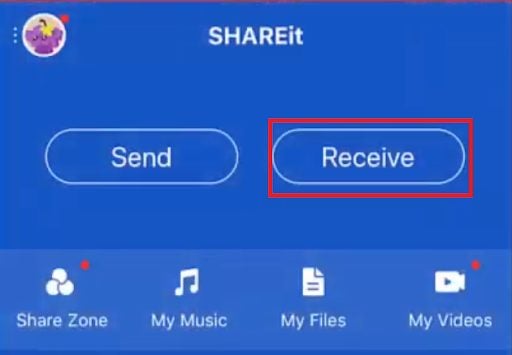
    Now, open the SHAREit app on your iPhone and press Receive. You should receive the files from the Android phone.

The most downloaded apps during the FIFA World Cup 2022

The FIFA World Cup 2022 in Qatar is already in full swing. We’ve already seen a few fantastic matches and surprising upsets. With lots more to come, it’s no surprise that apps related to football (soccer) and the World Cup are among the top downloaded apps. However, do these apps dominate the list?

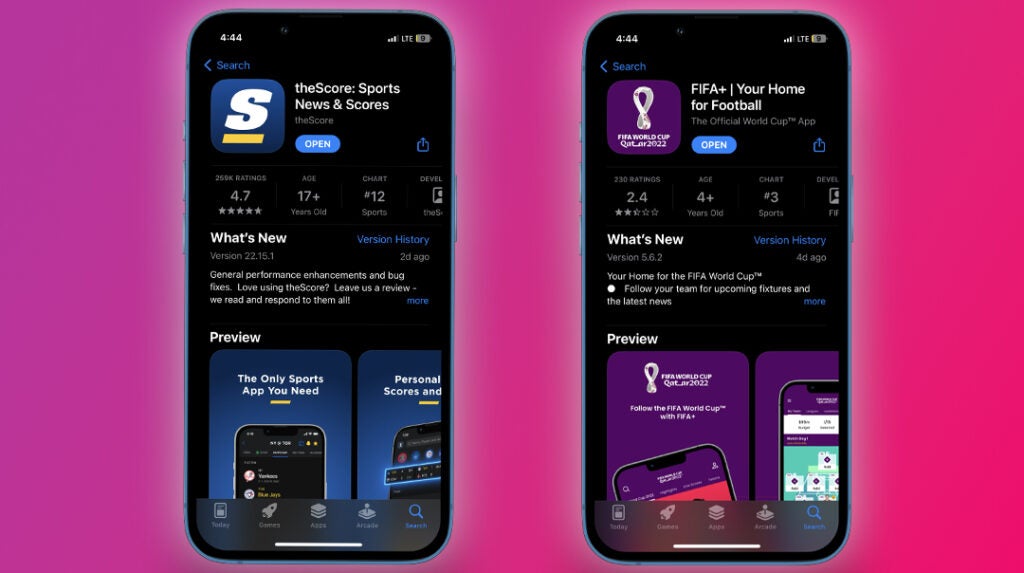
When it comes to apps related to the World Cup that have seen an increase in downloads, there are quite a few popular ones. Many people who follow the tournament want to know what’s going on, even when they can’t watch a match live. With regards to live updates and monitoring the World Cup, apps such as FIFA+, FotMob, SofaScore, LiveScore, and OneFootball have seen increases in downloads.

Football-related games have also seen an increase in downloads, with games like Rainbow Football Friends 3D seeing a rank increase of 363 places, alongside FIFA Soccer since the start of the World Cup. Apart from this game, there are also a bunch of other soccer-related games that have increased in popularity over the last few weeks. These include FIFA 23 and eFootball PES 2021.
most downloaded apps during the FIFA World Cup 2022

There has also been an increase in downloads for certain video streaming platforms, radio platforms, and the necessary VPNs to use them since the start of the World Cup. Some of the platforms that have seen a sharp increase in downloads include Peacock TV, Telemundo Deportes, and Fox Sports.
Not everyone is fixated on the world cup. If you’re not interested in sports and your country isn’t being represented, you might not even be interested in what’s happening. Although it’s difficult to miss the headlines, chances are you won’t go out of your way to download apps to monitor the World Cup or keep the entertainment alive between matches.
Downloads haven’t been dominated by only sports-related apps. There are quite a few downloads that remain at the top of the charts even though they’re unrelated to the World Cup and sports. Social media apps like TikTok and WhatsApp have continued to dominate the downloads charts in the last few weeks. The Walmart Shopping and Grocery app also saw an increase in downloads, probably due to the approach of the festive season.

When it comes to popular game downloads unrelated to sports, once again, we see some favorites still holding on to the top spots in the list of most downloaded. Favorites like Minecraft and Roblox remain on the list of most downloaded games since the start of the World Cup. 

most downloaded apps during the FIFA World Cup 2022

However, when we look at the highest-grossing apps from the last few weeks, it’s interesting to see very few sports-related apps on the list. In the last seven days, the highest-grossing apps on Android were Google One, CandyCrush Saga, Disney+, and TikTok. Over on iOS, the apps from the last week with the highest revenue include YouTube, TikTok, and Tinder. 

The highest-grossing sports app for the last week includes ESPN, OnX Hunt: GPS Maps, and NFL, which, while sports related, don’t cover the World Cup running at the moment. However, apps like Mr Sure Sure Tips, which is a sports predictor app, has seen an increase in its revenue and has gone up 224 places in the rankings of highest-grossing sports apps on Android.

Although there has been a significant increase in football-related apps with the World Cup 2022 in full swing, quite a few apps are also maintaining their positions despite this global event. It’s interesting to see how the events affect download and revenue trends in such a big way.

Fall Guys: Ultimate Knockout’s top tips and tricks to win

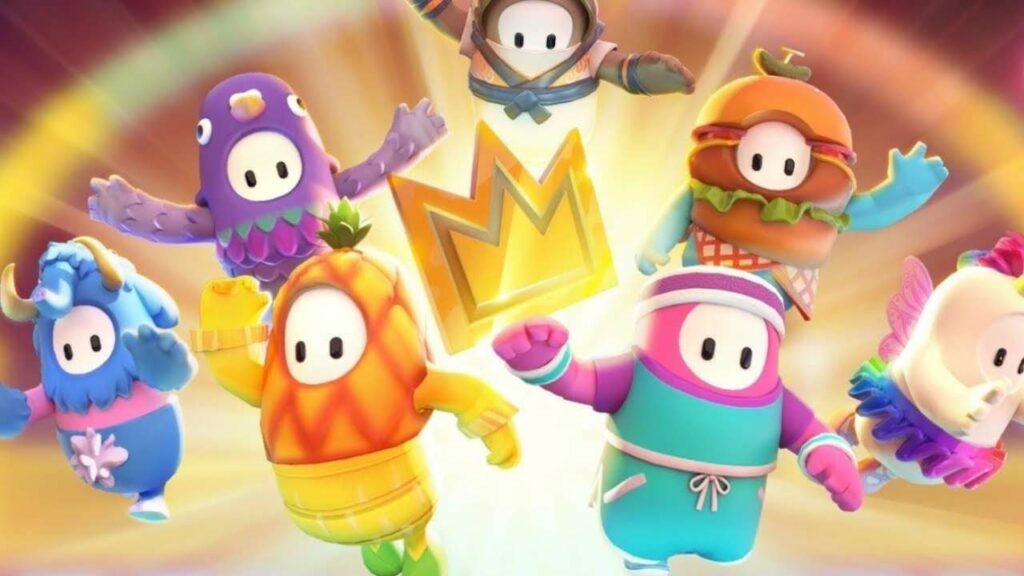
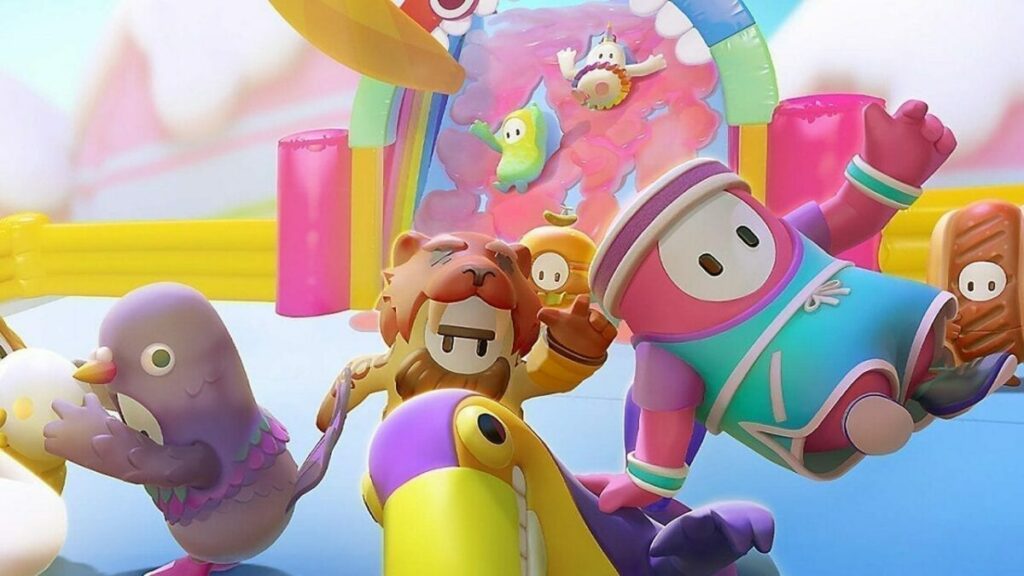
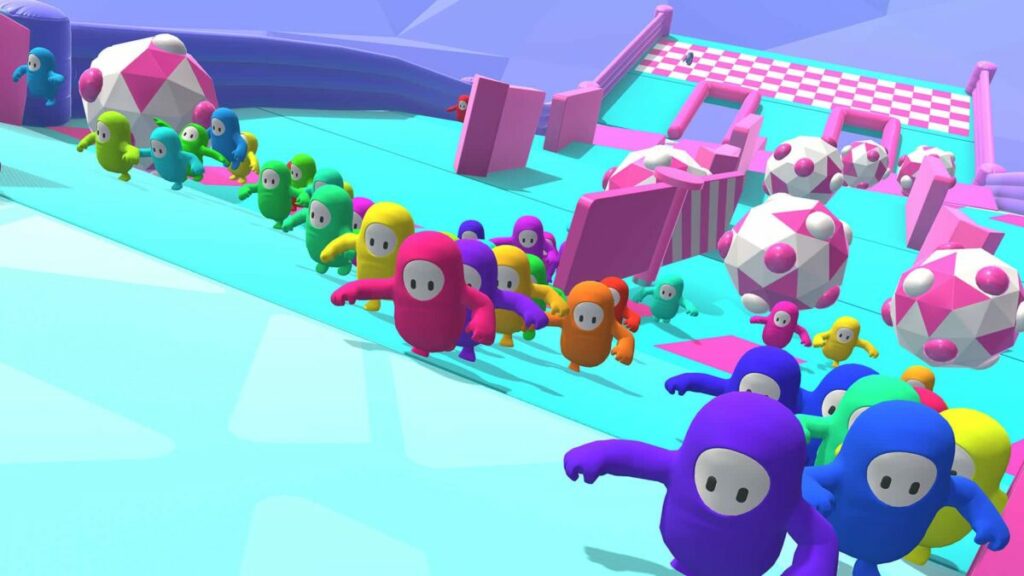
If you enjoy colorful and wacky bean-like characters jumping, falling, and acting crazily, then Fall Guys Ultimate Knockout might be just the battle royale game for you. This fast-paced battle royale sees 60 players face off in funny and challenging mini-games until only one survives to be crowned the winner.

Fall Guys: Ultimate Knockout DOWNLOAD

In this guide, we’ll be sharing a few of the top tips to win in Fall Guys: Ultimate Knockout, so keep reading to discover how you can improve your game and increase your chances of being crowned the winner.

6 top tips and tricks to win in Fall Guys

It’s important to remember that, like many online battle royale games, there is no way to guarantee a win in Fall Guys. Since you’re competing against 59 other players, all at different skill and experience levels, anything can happen.

The game relies heavily on chance, so no matter how good you are, one wrong jump or fall can cost you the game. However, being prepared and taking a few of these tips with you into your next session will increase your chances of walking away with the win.

Use jumps strategically

While we often see most of the beans running towards their goal, it can be tempting to follow suit. However, jumping can also be an effective strategy when timed carefully and used strategically. A well-timed jump can help you get away from annoying players around you or across the finish line a few milliseconds sooner than just running. 

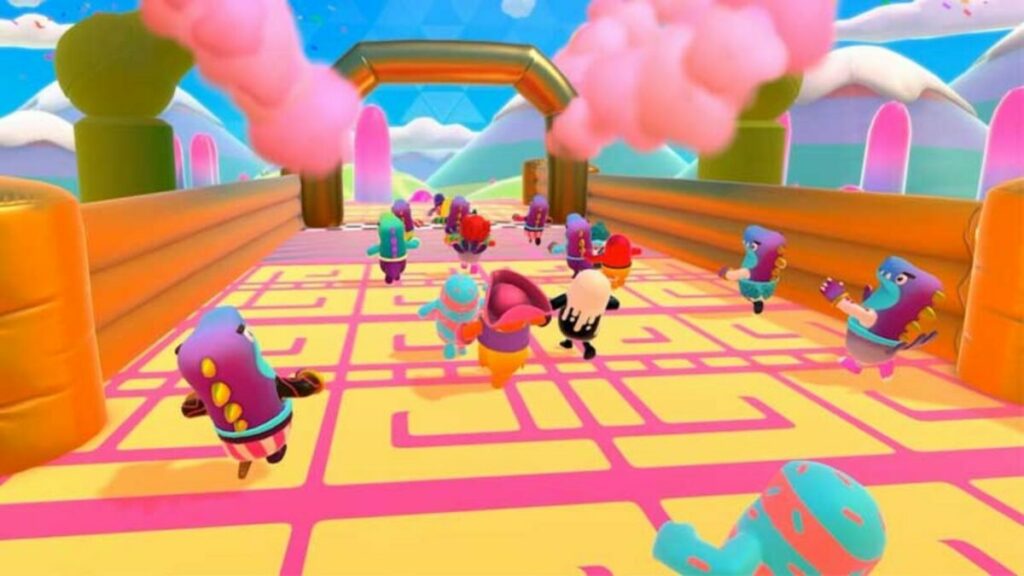
There are also particular objects that can give you a mobility boost when jumped on. Look out for obstacles with pink confetti as they can bounce your bean high into the ear, giving you a birds-eye view of the players below.

Fall Guys Ultimate Knockout’s top tips and tricks to win

Time your dives carefully

The game’s wonky physics is one of the things that makes this game so hilarious to play. While running, you can build momentum quickly, but this can make it more challenging to navigate through the obstacles. As such, using a dive to break the momentum slightly can be very useful.

Diving can also be used to avoid certain obstacles, such as swinging axes or fan blades. When timed right, players can even use a dive to pass other players – such as sliding down slime-covered hills using a dive. Diving strategically against certain obstacles can also send your bean flying. However, it’s important to time these carefully because if you don’t, you might be sent flying off into the abyss.

Fall Guys Ultimate Knockout’s top tips and tricks to win

Remember to grab in Fall Guys

Grabbing is an essential skill in Fall Guys, but one that’s not used very often. However, players that use grabbing effectively are usually seen at the front of the pack. The skill is essential when trying to scale walls or climb onto ramps – which is essential in completing some of the mini-games.

Grabbing is also quite versatile and can be used defensively or offensively. Grabbing can help save your bean from falling off the map. It can also be used effectively to grab onto ledges so that your bean can run on a path that isn’t crowded, giving you a chance to build momentum and pass the crowd.

Grabbing is also essential in some mini-games where you need to collect and protect eggs or balls. Some players can also use the grab feature to push others into obstacles or off the map when timed correctly.

Fall Guys Ultimate Knockout’s top tips and tricks to win

Follow the Fall Guys crowd

It can be quite overwhelming to play Fall Guys for the first time. There are so many beans and bright colors and costumes that it becomes difficult to keep track of the mini-game. As such, it’s a good idea to follow the crowd when unfamiliar with a particular map. 

There are also times when you might find yourself in the middle of a bean mob. When this happens, it’s best to just go with the flow of the crowd until an opening presents itself. Slowing down or trying to move against the crowd at the wrong time can easily lead to your bean getting trampled or even pushed off the map.

Fall Guys Ultimate Knockout’s top tips and tricks to win

Get to know the different maps

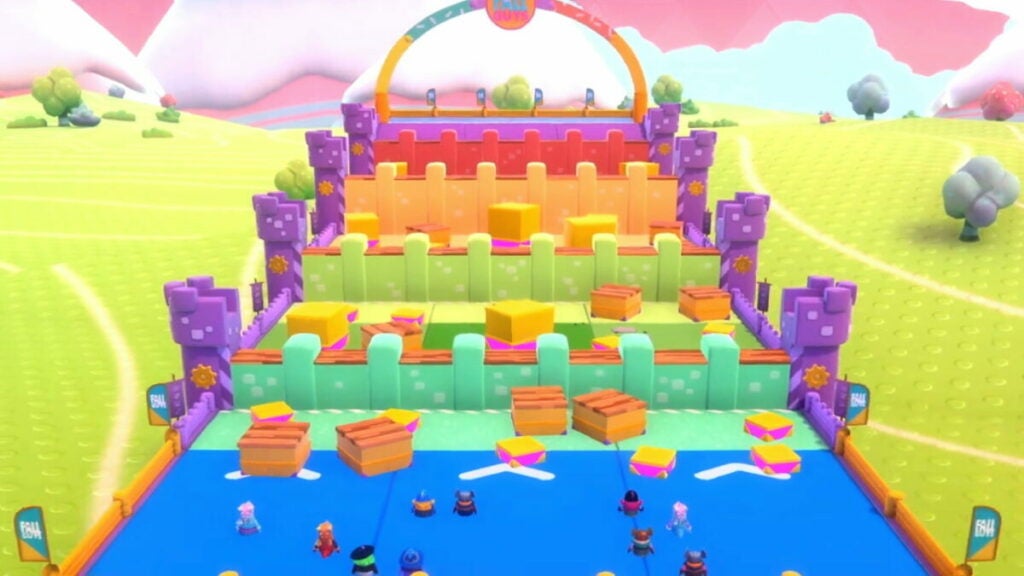
Fall Guys has more than 22 different maps, all with their own objectives and obstacles. It’s a good idea to become familiar with the various maps so that you have an advantage when faced with a particular map. For example, in Dizzy Heights, players must navigate a map filled with different obstacles by following the arrows.

In this particular map, players may be tempted to run the short route. However, the longer one is actually faster as the arrows follow the turntables, making them much easier to get through. You can get to know the maps by playing frequently, observing others even after you’ve been eliminated, or reading more guides.

Fall Guys Ultimate Knockout’s top tips and tricks to win

Take time to slow down

Many of the maps in Fall Guys are, in essence, a race. With only a few players going through at the end of the round, you might be tempted to run full out and face the challenges as they come up. However, sometimes taking a moment to slow down can allow you to see more of the map and find better opportunities to beat the crowd.

By slowing down, you can see where a mob is congesting a path so that you can avoid it. You can also get a chance to note the timing of certain obstacles and their effects so that you can pass them, avoid them or use them to propel you ahead of the crowd. 

Fall Guys Ultimate Knockout’s top tips and tricks to win

Host exciting streams on Twitch in 4 easy steps

Want to boost your Twitch channel? Follow our guide to host other streamers.

Twitch has quickly become one of the most accessible streaming platforms for users to share their passions with the world. But have you ever thought about how to entertain your audience even when you’re offline? No one can stream for 24 hours straight every day, so how can you keep your audience entertained when you’re not live streaming? The answer – Is twitch hosts.

Twitch DOWNLOAD

In this article, we’ll be exploring what Twitch hosts are, their benefits for your channel, and, more importantly, how to host streams on Twitch to keep your audience entertained. Keep reading to discover how you can give your fans more value and entertainment.

Who uses Twitch?

Twitch is currently one of the biggest video streaming platforms. Millions of users tune in daily to watch their favorite Twitch influencer cover topics related to gaming, art, lifestyle, and other hobbies. These streams happen in real-time, and while watching an influencer, the audience can interact, ask questions and make observations.

This makes the platform much more interactive compared to other social media channels like YouTube and TikTok, where the content is mainly pre-recorded. Initially, Twitch was favored by gamers, and to this day, gaming is still the main topic. However, other hobbies like art and lifestyle have also started seeing the platform’s benefits.

What is Twitch hosting, and how can it help?

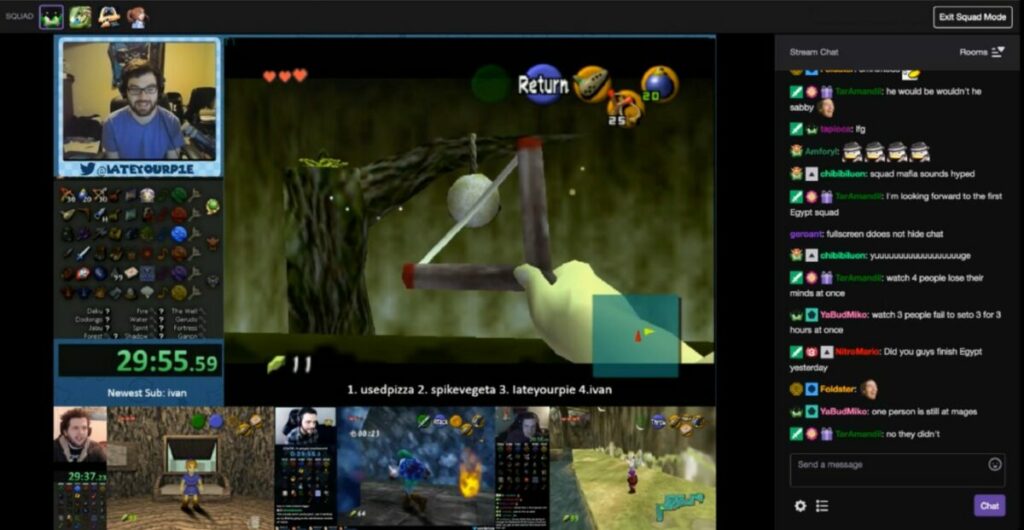
Twitch hosting is where you broadcast another streamer’s channel on your own. This is very beneficial when you’re offline or not currently streaming, as it keeps your audience entertained without them having to leave your channel. Another benefit is that it opens you up to more cross-promotion and increases your reach.

Like many social media channels, marketing and shout-outs from other channels are essential for growing your audience. Promoting other content through hosting on your channel gives more chances for mutual promotion and engagement.

How to host streams on Twitch?

While it may seem complex, Twitch has actually made it very simple to start hosting other channels on yours with the ‘Auto-Host’ feature. No need to reach out to other content creators, wait for them to respond, and then use complex embedding techniques. All you need to do is follow the four simple steps below to enable auto-hosting other streams on your Twitch channel.

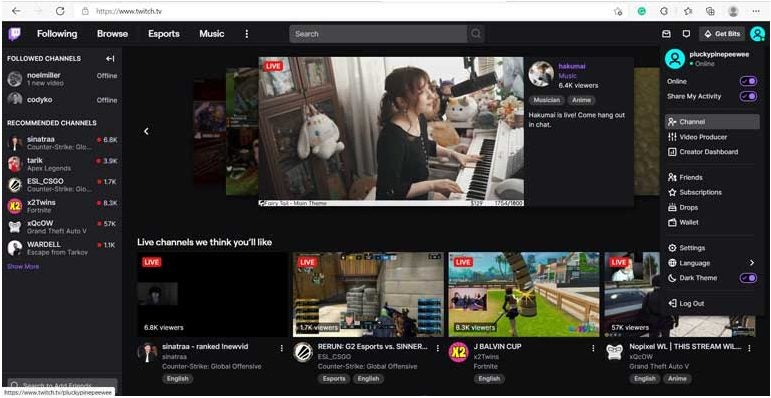
  1. Go to Switch and enter your profile

    How to host streams on Twitch

    Open your Switch account in your browser and once logged in, click on your profile in the top right corner of the screen.

  2. Manage your ‘Featured Content’

    How to host streams on Twitch

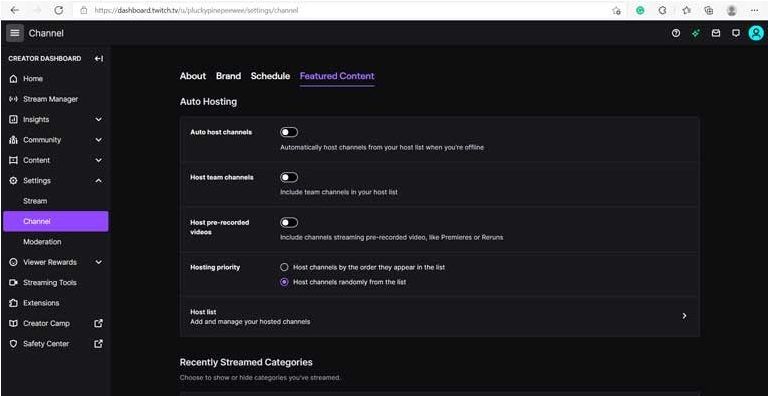
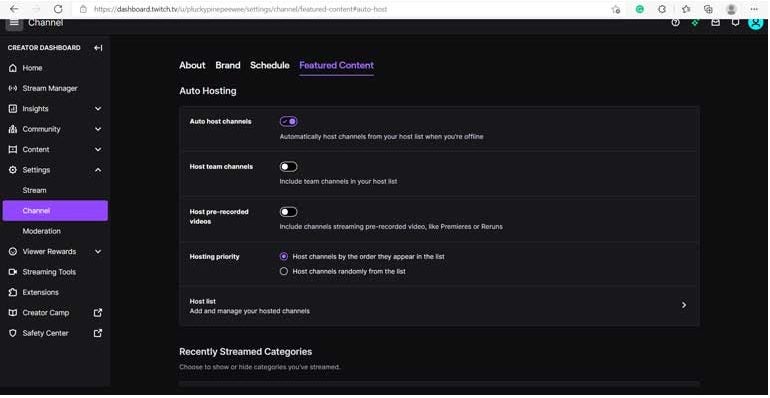
    Once in your profile, click on the ‘Creator Dashboard’ and then ‘Settings’ to be taken to a new window. Once here, click on ‘Channel’ in the left menu and finally on the ‘Featured Content’ tab that opens on the screen. Toggle ‘Auto-Hosting’ on and then proceed to the next step.

  3. Add channels to host

    How to host streams on Twitch

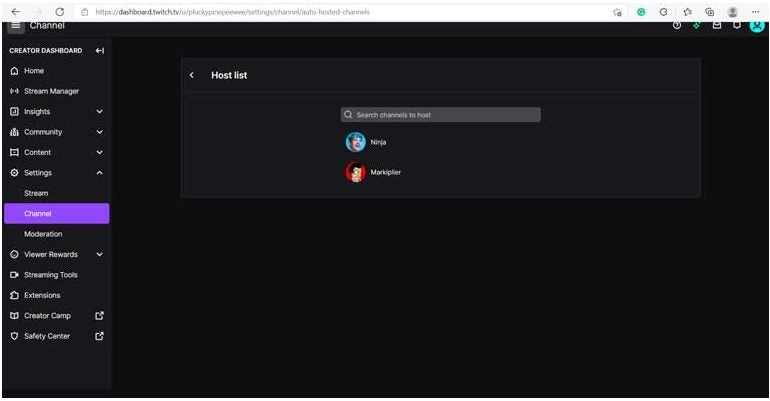
    You’ll see the ‘Auto-Hosting’ window where you can configure all the streams you wish to host on your channel. To add channels, click on the option for ‘Host List.’ Now you’ll see a list of existing channels that you’re already hosting (if you set this up previously), or you can start searching for channel names to add to your list. We recommend researching which channels to add before just adding random ones.

  4. Adjust hosting priority

    How to host streams on Twitch

    Once you’ve added a few channels, you can navigate back to the previous screen by clicking on the back arrow in the top right of the open window. Next, look at the ‘Hosting Priority’ settings and select the option that works for you. You can either choose to host channels in the order that they appear on your list, or they can be hosted randomly. You can drag and drop the channels in the order you prefer from the ‘Host List’ screen.

How to manually host on the platform

While the above steps to set up auto-hosting are by far the easiest way to ensure that your audience always has something entertaining to watch, you can also host streams manually if you prefer. If you notice another streamer covering a topic you think your audience might find interesting; you can immediately start broadcasting the stream by simply typing ‘/host channelname’ into the chat.

Once the stream is finished, you can type ‘/unhost’ to end the stream. The Twitch app for Android and iOS makes it even easier. While watching a stream on your mobile device through the Twitch app, you simply press the share button. Then you choose the ‘Host Channelname’ option.

USA Soccer World Cup 2022 dreams – Will they make it to the next phase?

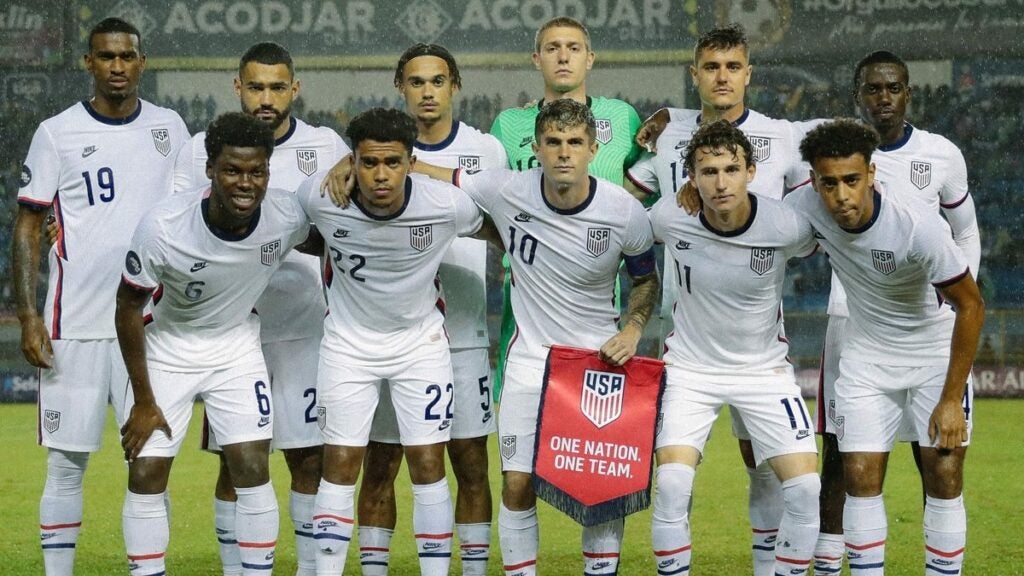
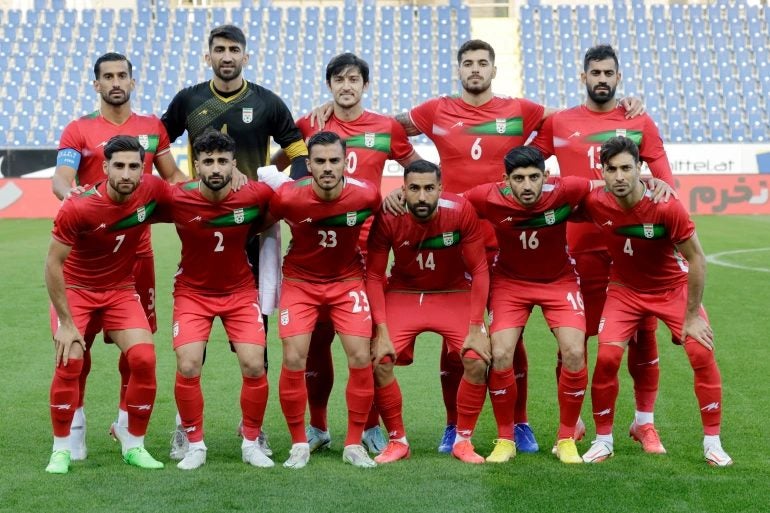
The first phase of the Soccer World Cup 2022 hosted in Qatar is well underway. So far, there have already been quite a few upsets in the tournaments, as well as a few memorable matches. Now, the pressure is really on as the last few matches start to determine who’ll be going through to the next phase: the round of 16. In this evening’s match-up, we see the USA take on Iran in a make-or-break match for the stars and stripes.

This match places an immense amount of pressure on the USA team, whose dreams of progressing in the competition hinge on today’s outcome. For the USA team, the goal is simple. If they want to progress to the round of 16, they need to win in this next match against Iran. Nothing besides a draw will do for this team.

Iran, on the other hand, has a slightly more complex requirement from this match. If they win against the USA, they’ll be certain to move on to the next phase. Even if they receive a draw, their chances of continuing to the next round will be determined by the outcome of the Wales vs. England match. The only way Iran would be out of the group of 16 is if they draw their match against Iran, and Wales beats England with at least four goals.

The future of USA in the World Cup

However, the US is well known for scoring when the tensions are at their highest. This is evident from the spectacular victory in the 2010 World Cup against Algeria. The US team also looks to be in good shape for the next match, with no reported injuries or benching of key players.

Alternatively, Iran’s team faces some health concerns. One of the attackers, Sardar Azmoun, is of particular worry. This key attacker raced back to the game after a serious calf injury. Although he was brought on in the game against England, he was substituted midway through the second half. The goalkeeper, Alireza Beiranvand, is also said to return to this game after recovering from a concussion. The Iran winger, Alireza Jahanbakhsh, is also benched for this game due to yellow card accumulation.

The USA and Iran have squared off in the past. The first time was during the FIFA World Cup group stages in 1998, when Iran came out victorious with a 2-1 win. Later they had another opportunity to compete against each other in an International Friendly which resulted in a 1-1 draw. 

The future of USA in the World Cup

The USA has put up an impressive performance so far in this World Cup. While the draw against Wales was disappointing, they managed to earn a draw against England – which has a strong team this year. They’re a team that has strong attacking power and loves to have control over the ball. In their match against Wales, they maintained 59% possession, and against England, 44% possession. Their team has also shown a solid defensive strategy. 

We’ve seen Iran struggle against a serious attacking team when they lost to England in their opening match with 2-6 goals. This means the USA has a good chance if Christian Pulisic can get right in front of the goals. But who do prediction apps believe will win this game between the USA and Iran?

Competition predictor apps like BetMGM and FootballPredictions have calculated and predicted that Iran would win 1-0 with 47% confidence and a 29% chance of a draw. However, this is not the thought that many news presenters share. According to the bulk of these sources, such as Jimmy Conrad and Stu Holden, Fox Soccer presenters, and former players, the USA is the fan favorite to win. However, whether they’ll make it through the round of 16 remains to be seen as machines make competition predictions

There is still so much to happen, and many of the groups are still wide open. However, in the case of this match between the USA and Iran, it’s the last chance for the USA to cement their spot in the group of 16. Only a win will do for them, so let’s hope their team can keep a clear head. Either way, with so much on the line, it should be a good game with lots of excitement.

World cup us vs iran

Whether you’re monitoring the games through essential apps or streaming them live using a high-quality VPN, this will be a game you don’t want to miss. Get the popcorn and drinks ready as we wait for the results of this match. Will the predictor apps be right? Or does it take a bit more experience rather than machine learning for a proper prediction? 

Let’s wait and see who’s closer, news and sports presenters or predictor apps. If you’re looking for more ways to enjoy the World Cup, why not check out these football games to keep the entertainment going between matches?

Maximize Your GTA V Gaming Experience: Follow These 3 Easy Steps to Make It Full Screen on PC!

We’ve all dealt with the frustration of starting up a new game, and it opens up in a tiny window that takes up a quarter of the screen. GTA V, released onto Android and PC, is one of the many games that suffer from this annoyance.

GTA V DOWNLOAD

While this is easily remedied, we know that you don’t want to go and dig through the plethora of available settings to try and find the correct one, so we’ll show you exactly how to make GTA V full screen in this guide.

How to check your recommended resolution settings?

Before you get started following our simple instructions to get your GTA V game to display in full screen, there’s one crucial factor to understand – screen resolution. Your screen resolution is the number of pixels it can display. The more pixels it can display, the better the image quality will be.

The reason why this is important is that monitors have different resolutions (regardless of the size of the monitor). When adjusting the display settings of any program, including games like GTA V, you must be aware of your screen’s resolution to get the best quality image possible.

If you’re unsure what your screen resolution is, that’s not a problem. There’s a straightforward way to check this before adjusting the resolution in any of your programs. You need to right-click anywhere on your desktop.

A drop-down list will appear; here, you can select ‘Display Settings.’ In the new window, scroll down until you find ‘Scale and Layout.’ Under ‘Display Resolution,’ you will see the recommended setting for your screen. Keep this in mind, as this will be required later on in this guide.

How to Make GTA V Full Screen on PC

How to make GTA V Full Screen

Before you go through all of the steps below, try pressing ‘F11’ on your keyboard. Alternatively, you can also try pressing Alt+Enter. These are universal shortcuts that work in most games and applications to switch to full-screen mode, but if it doesn’t work, you’ll need to adjust the settings manually. This guide works for all versions of the game as the general game settings don’t change regardless of the launcher you’re using. Right, let’s get started!

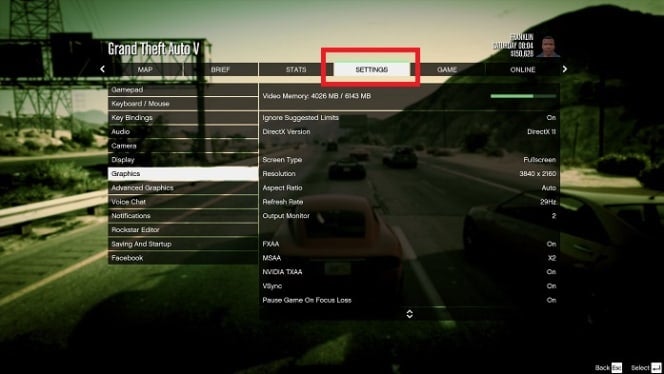
  1. Access game settings

    How to Make GTA V Full Screen on PC

    First, start up the game and load into either the story mode or online mode; it doesn’t really matter which one. Then press Esc to bring up the game menu and select Settings.

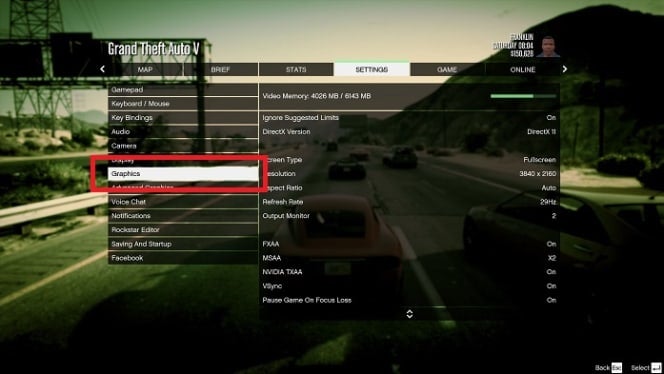
  2. Open Graphics

    How to Make GTA V Full Screen on PC

    Now select Graphics from the options on the right-hand side.

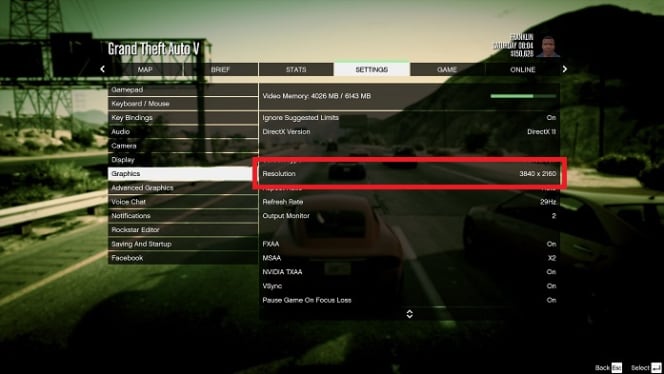
  3. Change the resolution

    How to Make GTA V Full Screen on PC

    Look for the Screen Type option and set it to Full Screen. Then right underneath that, set the Resolution to your screen’s native resolution. When you’re done, press Spacebar to apply the settings, and the game will immediately switch to full-screen mode.

An alternative solution to get GTA V to display in full screen

If neither the universal keyboard shortcuts nor adjusting the settings manually works, there’s one other solution you could try to get your GTA V game to display in full screen. This last solution would be to run GTA V in compatibility mode. Sometimes older programs and games struggle to run on newer operating systems. Remember, GTA V was released almost nine years ago. 

This can cause issues such as the game not displaying in full-screen mode or not displaying correctly. Setting the program or game to run in compatibility mode will run it in an older version of the OS so that it works as intended. To do this, you simply right-click on the game’s execution file and select’ Properties’ in the drop-down list. In the window that pops up, click on the ‘Compatibility’ tab and check the box under compatibility mode.

How to Make GTA V Full Screen on PC

Benefits of playing GTA V in full screen – crystal clear views

Graphics cards and monitors are incredibly powerful these days and are capable of delivering beautiful images. If you combine this with the stunning graphics in GTA V, which still hold up against new games eight years after its release, you really want to experience the game in its full glory.

Nobody knows why some games will always default down to the old resolutions in new games, but luckily, it’s easily remedied, and you can get back to gaming with crystal clear images.

In summary, in case things have not been clear to you about how you can make Grand Theft Auto V (GTA V) full screen on a PC, follow these steps:

  1. Open the game and navigate to the “Settings” menu. This can typically be found in the main menu or by pressing the “ESC” key while in-game.
  2. In the “Settings” menu, click on the “Graphics” tab. This tab will contain various options for adjusting the visual settings of the game.
  3. Locate the “Screen Mode” option in the “Graphics” tab. This option will allow you to choose between different display modes, such as windowed or full screen.
  4. Click on the dropdown menu next to “Screen Mode” and select “Fullscreen.” This will make the game display in full screen mode, filling up your entire monitor.
  5. Click on the “Apply” button to save your changes and exit the “Settings” menu. The game should now be displayed in full screen mode.

If you are still experiencing issues with the game not displaying in full screen, you may need to adjust your display settings. To do this, right-click on your desktop and select “Display Settings.” From there, you can choose your preferred resolution and scaling options.

It’s also worth noting that some players have reported that changing the resolution of the game to match their monitor’s native resolution can sometimes help resolve issues with the game not displaying correctly in full screen.

If you continue to have problems with the game not displaying in full screen, you may need to try adjusting your graphics settings or updating your graphics drivers. If none of these solutions work, you may want to try reaching out to Rockstar Games or seeking help on an online forum or community dedicated to GTA V

The Evolution of Twitch: Is it becoming a pressroom?

Twitch has become one of the fastest-growing live video-streaming platforms. Over the last few years, it has undergone quite a few evolutionary changes, from a personal 24-hour live stream to a live-streaming gamer platform and a media outlet. Content creators continue to find new ways to use the platform to engage with their audience.

This article will take a closer look at Twitch’s evolution and development over the last few years, including how it’s now a pressroom for celebrities.

The origins of Twitch

Justin Khan created Twitch. Originally it was called Justin.TV when it was released back in 2007. At that point, it was used by Justin and a few of his friends to vlog their lives 24/7. That’s right, Justin even streamed himself sleeping to create content.

As they continued to develop the platform, they started adding channels to make it easier to sort and categorize specific videos. This feature is similar to what we see on other video-streaming services like YouTube

In 2011, the name changed from the original Justin.TV to Twitch, and despite a rebranding and new slogan, the platform worked pretty much the same. Twitch is a platform where people can come together, share their lives, chat and create entertainment.

The way it provides content makes it an ideal platform for gamers and gaming content creators. Twitch allows content creators to connect and interact with their audience in real-time. They can adjust their content according to how the audience responds.

The platform saw a massive surge in popularity as more gamers made their way over to Twitch. Twitch’s popularity has grown significantly and continues to do so. The platform became so popular that Amazon bought Twitch in 2014.

Twitch has grown so much in popularity that it can stand as a competitor to YouTube. Part of this is because it creates a sense of closeness and intimacy that connects with people, in particular Gen Z. The connection between the content creator and the user adds more value to this platform. This feature is lacking from other communication platforms like television and even social media platforms like YouTube.

Despite being a live streaming app, which can raise privacy concerns for many. Twitch isn’t less safe than any other social media platform you use. Their privacy policy might be a little contradictory, but so far, there have been no outright violations like we’ve recently noticed with Apple. As long as you remain aware of what you share and protect yourself, there’s no need to fear using the platform.

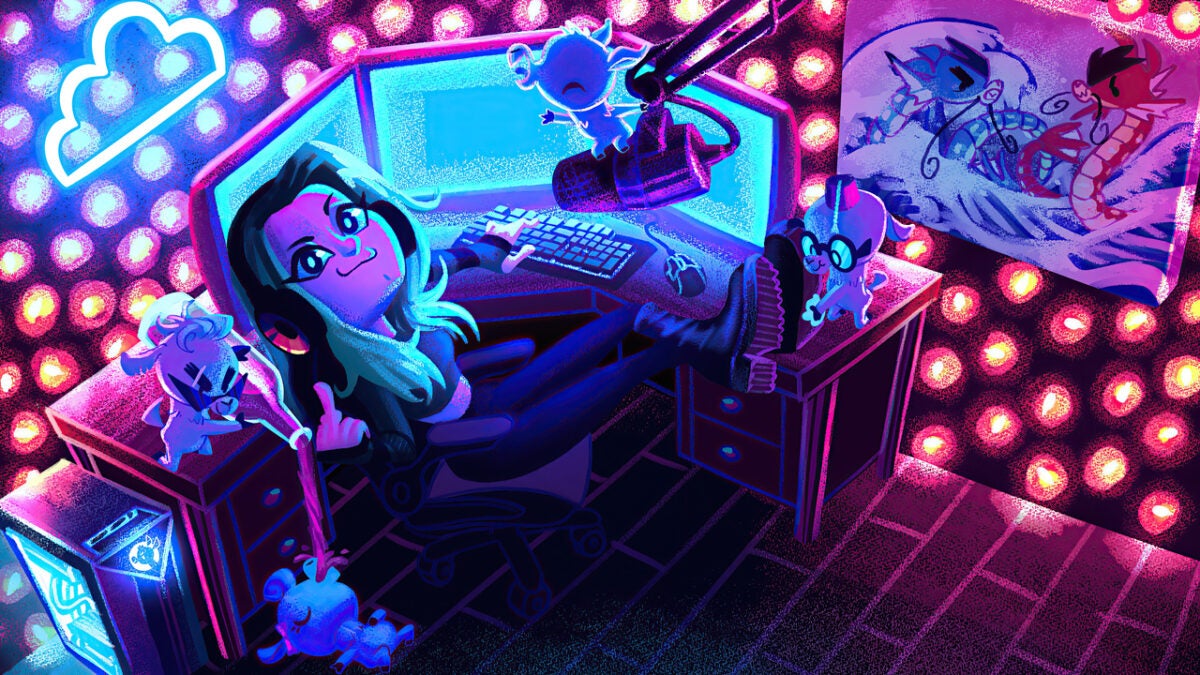
is Twitch a pressroom

Twitch’s evolution into a journalistic platform

The journalistic environment has seen some sharp digitization in the last few years. More users are turning to their social media platforms for news. As such many media outlets are already building networks on social media platforms to reach as many individuals as possible.

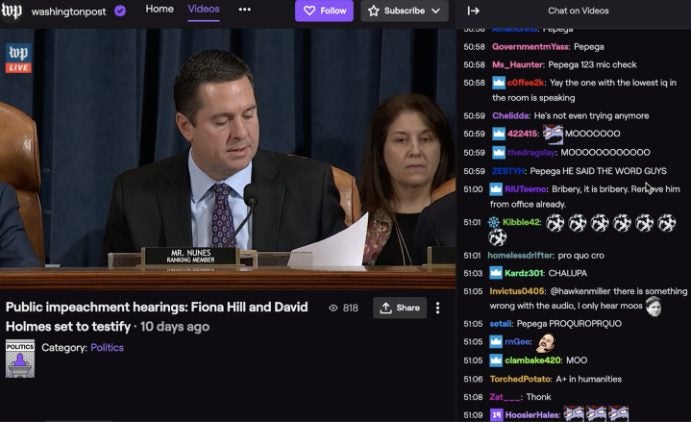
Twitch has been no exception to this trend. Media outlets have realized that Twitch is one of the best platforms for reaching a younger audience – if used effectively. The Washington Post, also owned by Amazon, was one of the first major news outlets to start posting on Twitch. Soon many other outlets, and even individual journalists, started utilizing the platform.

Twitch gives these journalists a way to report on essential topics such as politics, but in a way that makes it entertaining and engaging for all audiences. An example of this comes from the journalist Emilio Domenech. He lives in New York and originally used YouTube (under the name Nanísimo) to comment on the ins and outs of US politics. 

This can be a relatively dry subject unless you enjoy politics. However, he made the content engaging on Twitch by directly answering users’ questions, doing funny dances at the request of viewers, and much more. He’s even been able to grow his following to more than 23 000, which may not seem like much compared to streamers like Auron Play, but it’s still significant if you consider the specific niche he covers.

is Twitch a pressroom

Celebrities start flocking to Twitch

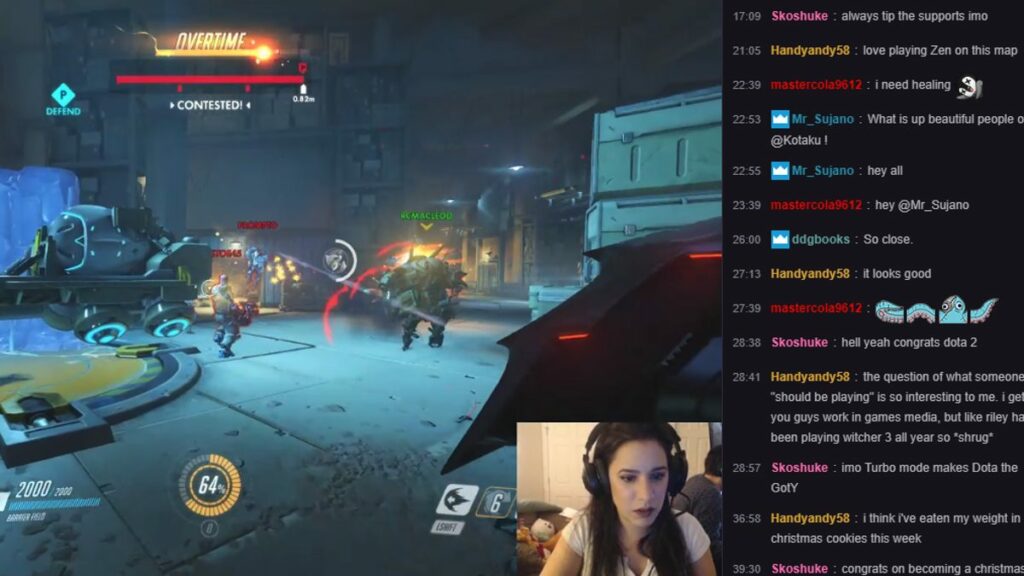
Many content creators have reached celebrity status directly by using the platform. Ninja, the popular Fortnite streamer, broke the record for most concurrent viewers on Twitch. In this particular stream, he was joined by hip-hop legend Drake (TheBoyDuddus), rapper Travis Scott (cactus_jackk92) and NFL rookie JuJu Smith-Schuster (FaZeJuJu_19).

We see this happening more often as celebrities have started using the platform to share news and interact with their fans. One of the first celebrities to make it to the platform was Joel Thomas Zimmerman, Deadmau5. The EMD DJ to the platform in 2015 showed his real face while playing his favorite video games. 

Coaches and sporting stars have also started reaching out on their Twitch platforms before even contacting mass media outlets. Ibai Llanos is a popular esports content creator who often streams alongside footballers Thibaut Courtois or Sergio Agüero. He was also the first person to have an exclusive interview after the signing of Marc Gasol for the Los Angeles Lakers.

Following suit, many other popular celebrities and artists have joined the platform recently. You can find OG rapper Snoop Dogg as he streams while playing Madden – in an authentically Snoop chill manner. You can also find Justine Bieber, but instead of streaming video games, he conducts interviews with other celebrities or shares his music with his audience. 

Songwriter and recording artist T-Pain can also play games like Call of Duty and Overwatch – with a killer freestyle or two tossed in. Post Malone is also active on the platform and gained a large following after partnering with HyperX to stream Call of Duty: Warzone. Recently he’s also started streaming other games like PlayerUnknown’s Battleground.

It’s not uncommon for celebrities to join social media platforms, not to mention video-streaming platforms. Celebrities like Dwayne’ The Rock’ Johnson, Kevin Hart, and even Will Smith all have YouTube channels where they share videos of themselves. However, these can sometimes come across as a little staged and more of a promotional stunt rather than true interactions with their audience. 

However, on Twitch, the above celebrities can take off their masks (some literally) and just relax and interact – giving their fans a real look at who these people are.

is Twitch a pressroom

Better get used to it – Twitch is here to stay

Twitch has quickly developed from a 24-hour live-streaming platform to a social media giant favored not only by gamers but also journalists and celebrities. Its popularity is still growing and shows no signs of stopping.

BeReal: A more authentic trend that’s rivaling TikTok

There’s a new social media making waves as it gains in popularity and even causes TikTok to take notice. BeReal is a relatively new social media app that’s completely transforming the way social media apps are used. The app has recently gained a lot of popularity and is one of the most original social media apps to be released after TikTok. However, what is all the hype about, and will this trend last?

In this article, we’ll take a closer look at BeReal, its features, and what makes it different from other apps. Then we’ll also look at TikTok’s response to this new trend with their release of TikTok Now.

What is BeReal?

BeReal is an original photo-sharing social media app that was released in 2020. However, it’s been flying under the radar until this year, when it suddenly gained a massive spike in popularity. Since the beginning of this year, the app’s downloads have increased by 315%. It’s also currently ranked as the fourth most downloaded social media app after Instagram, Snapchat, and Pinterest.

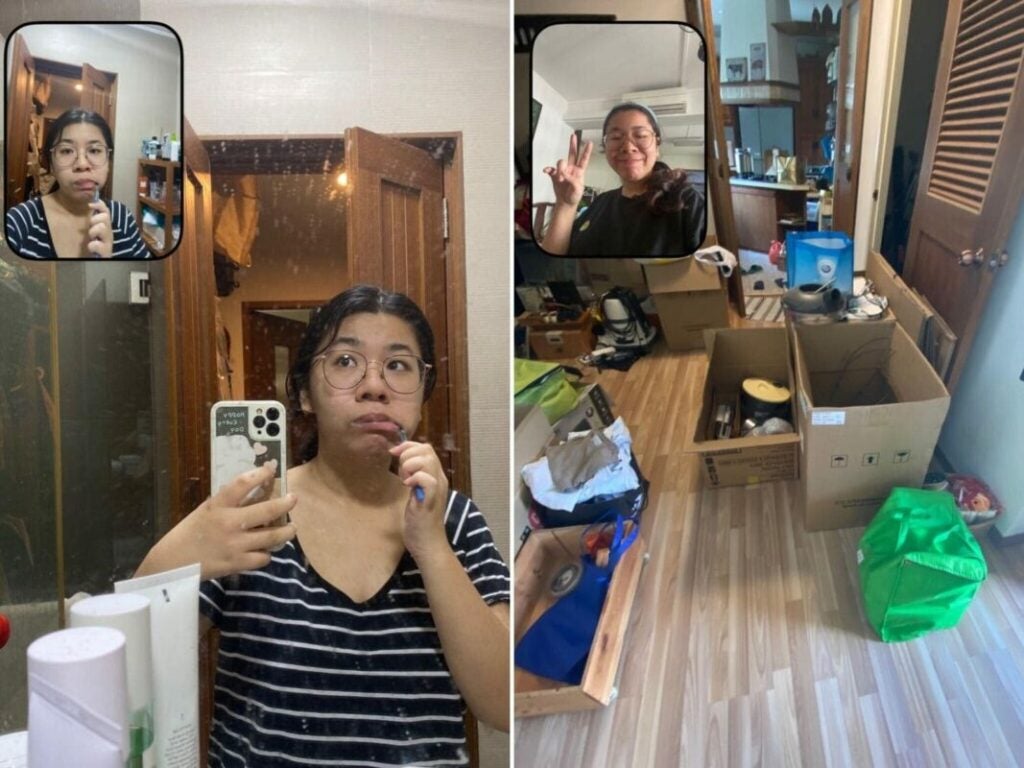
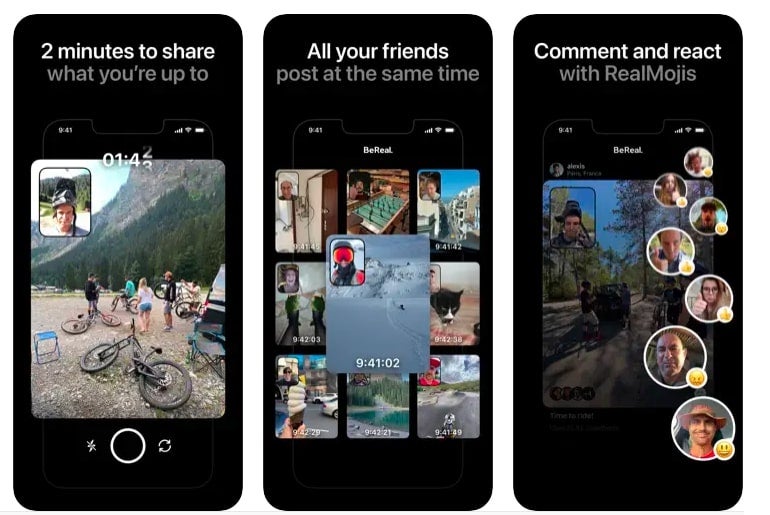
BeReal encourages users to live in the moment and be their authentic selves. As such, the app has no filters and no editing tools. Instead, users will be asked to take a photo at a random time each day. Users won’t know what time it will be, so there’s no way to stage the photos, and at that moment, the app will take a photo with both the back and selfie camera of your phone. This means you’ll get a photo of yourself and what you’re currently doing.

Features of BeReal

It can be a little intimidating to start using BeReal, especially if you’ve become accustomed to staging your selfies for other platforms. With BeReal, there’s no time to check your hair and makeup or adjust the lighting. Instead, you’ll get raw, in-the-moment images. If you can get over the initial shock, it’s a much more authentic way to use social media and gives users a chance to really capture the moment.

BeReal sends out a notification at a random time each day to all its users. Once you receive the notification, you only have a few minutes to open the app and take a photo. When you take the photo, the app will use both the front and back cameras. When taking the photo, you’ll only be able to see one camera’s view, meaning the other will be a complete surprise.

BeReal and TikTok

Another feature that makes the app unique is that you’ll only have this one 2-minute period each day to take a photo. So there’s no waiting for a better time. If you miss the 2-minute period, you can still submit a photo, but all the friends on your network will be notified that you posted late. If you don’t post a photo on a particular day, you also won’t be able to see your friends’ photos for that day. This is an exciting way to get users to interact on a daily basis and actively participate. 

Once you’ve posted your daily BeReal, you’ll be able to make a caption to give some context to what’s going on. You’ll also be able to view your friends’ photos, leave comments, and interact in a fun way. BeReal also has its own set of emojis called RealMojis. Instead of sending an animated smiley face, your face and expression will become the emoji. This way, you can send your friends a true and accurate reaction.

The app also stores all your photos on your profile. Here you can see a calendar view with the photo taken on that day. This is a really nice feature as it gives you an honest overview of who you are and your daily life. 

BeReal and TikTok

One of the main benefits of BeReal is that it isn’t a procrastination app. You simply get your notification, take your picture, spend some time viewing, reacting, and commenting on your friends’ posts, and then you carry on with your day. No spending hours doing makeup, posing for the perfect shot, and then editing it to make sure it’s just right. With BeReal, it’s all about being exactly who you are and celebrating the moment.

What is TikTok Now?

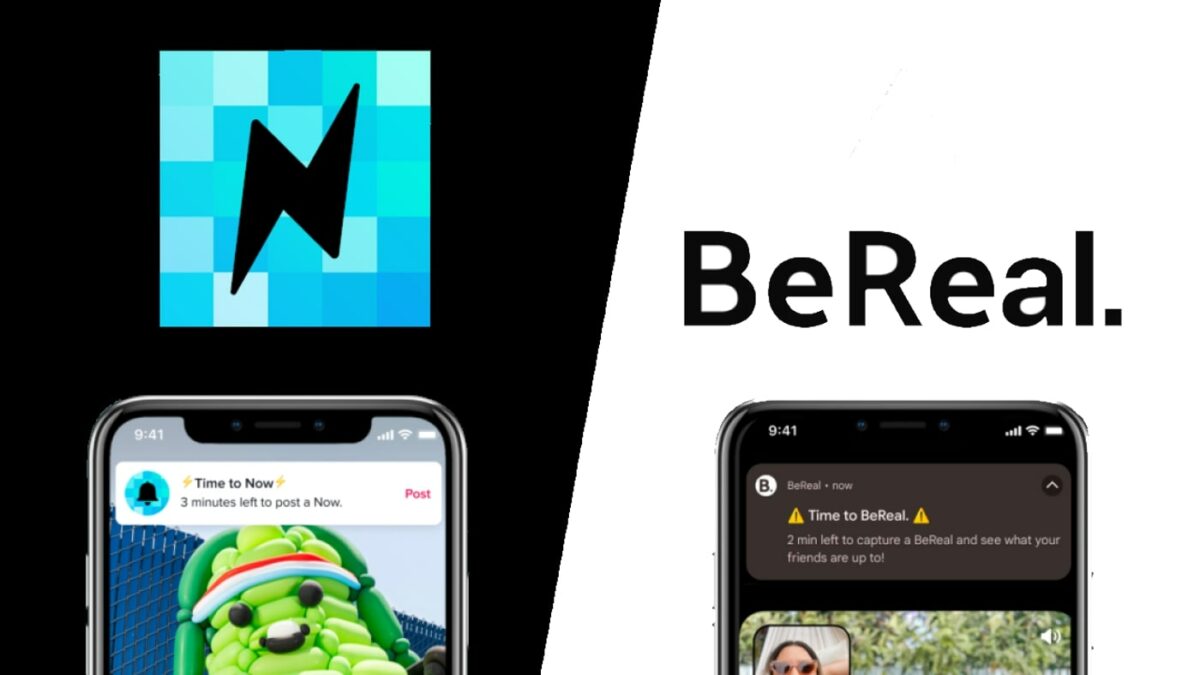
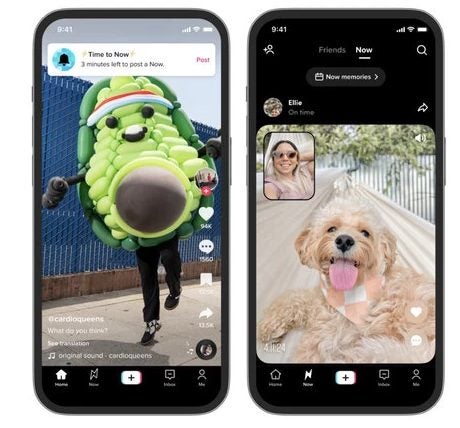
In light of BeReal’s growing popularity in the last couple of months, TikTok has taken a page from the platform’s book and launched TikTok Now. This is an in-app feature available in the US and a standalone app for other regions.

BeReal and TikTok

TikTok Now is basically just a copy of BeReal and sends a notification Time to Now’. Once you tap on it, you’ll have three minutes to take a photo, and similarly to BeReal, it will take a shot with both front and back cameras. 

Privacy related to these apps

Whenever you share photos and videos online, there is a risk to your privacy. However, both BeReal and TikTok Now have taken some measures to protect your privacy. For one, by default, you can only see your friends’ photos and only have friends see yours. Another one is that they have age limits. On both platforms, you have to be older than 18 to post on the public ‘Discover’ and ‘Explore’ feeds, and you have to enable this from within your settings. For users between 13 -15 years old, only friends are able to see or comment on your photos.

However, as we’ve seen recently with Apple’s privacy issues and many others, it’s not wise to simply trust an app to protect you. As a user, you also have to ensure you protect your privacy, such as not sharing with the public unless you’re ready to take the consequences and always being mindful of the content you share.

The real question is, how much do we value our privacy if we’re so willing to share every aspect of our lives?

Start making social media more authentic with BeReal

BeReal is making waves as it’s a new social media platform that completely flips the narrative of photo-sharing on its head. With this app, you share in the moment, unaltered and unfiltered images from your daily life with other people. This app is great for showing exactly who you are, your true authentic self.

Compelling new Splinter Cell project announced for BBC Radio 4

We already know that video streaming services are jumping onto the video game wagon, with numerous games receiving movie or series adaptations. The Witcher on Netflix proved that it’s possible; before they decided to let Henry Caville go. There are also numerous other remakes in the works, such as a Fallout and Gears of War series. However, BBC Radio 4 has surprised everyone by also jumping into the trend with a new Splinter Cell announcement.

BBC Radio 4 has never ventured into the world of video games. However, they just announced that they’d be bringing the popular Ubisoft Splinter Cell franchise to life in a new audio drama titled Tom Clancy’s Splinter Cell: Firewall.

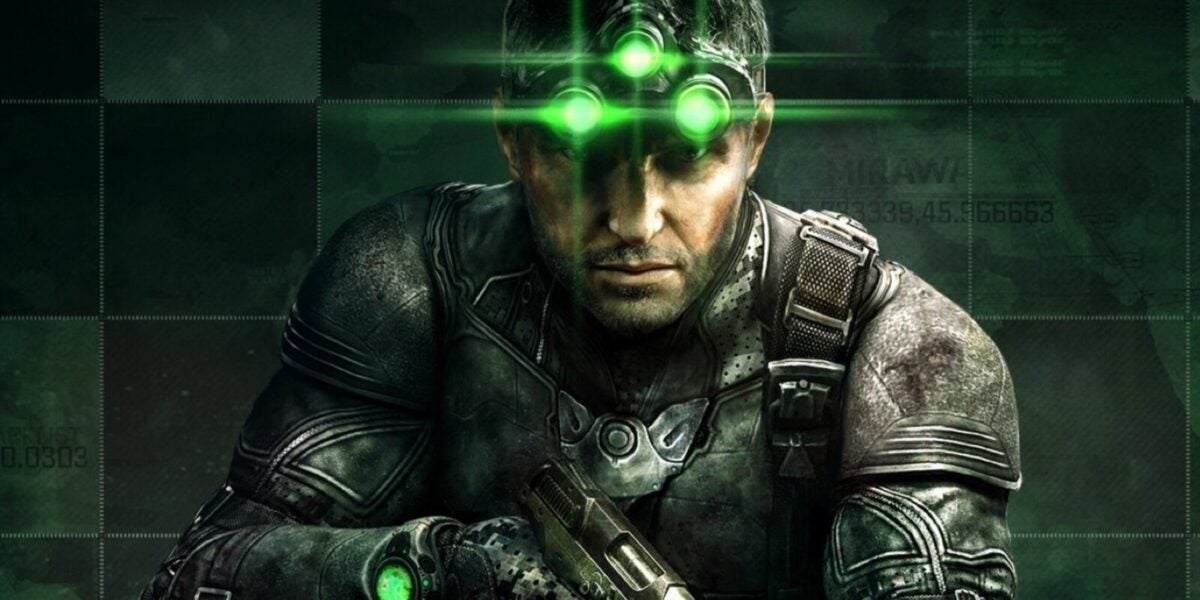
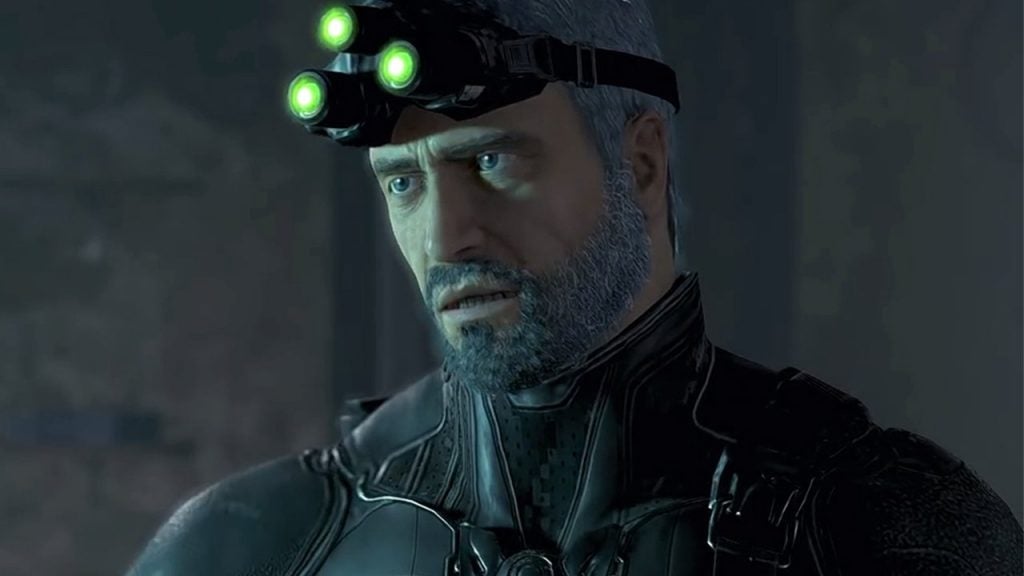
The story will follow the series protagonist, Sam Fisher, a fourth Echelon agent who recruits and trains the next generation of operatives. As is imperative in this franchise, these operatives are being trained for the National Security Agency’s covert action division. During the story, one of Fisher’s past enemies returns from the dead with a murderous plot, and it’s up to Fisher to stop him before time runs out.

The story has been adapted for radio by Paul Cornell and Sebastian Baczkiewicz. Paul Cornell is best known for his considerable contributions to Dr Who and his work on Marvel. Regarding voice actors, fans can look forward to hearing Firewall star Andonis Anthony as Sam Fisher. Other voice talents include Daisy Head, Sacha Dhawan (Doctor Who, The Great), Will Poulter (Midsommer, Black Mirror) and Nikesh Patel (Starstruck, The Devil’s Hour). This cast seems to be well-chosen and should be able to do the franchise justice.

Splinter Cell

It would appear that Splinter Cell is experiencing a revival after a long dormant period. Not only is a radio adaptation in the works, but Netflix is also working on an animated series. Ubisoft also released a mobile game within the franchise earlier this year. They’re also working on a remake of Splinter Cell and have shared a few glimpses of what players can expect – and it looks good! 

You can catch Tom Clancy’s Splinter Cell: Firewall on BBC Radio 4 on Fridays from 2.15 pm, with the first episode launching on December 2nd. You can also get the full box set of the first eight episodes on BBC Sounds from December 2nd. If you’re looking for other ways to enjoy the audio drama from your smartphone, you can download either TuneIn Radio or MyTuner Radio, as both these apps feature BBC Radio 4.