How to adjust the timing of your videos in Adobe Premiere

Video editing and timing are essential and useful tools in the world of video making. One such useful program in enabling that is  Adobe Premiere Pro. The speed and duration of a video can be edited using Adobe Premiere. This article will assist you in how that can be achieved.

The speed of a video clip is the amount of time at which the video plays back when compared to the amount of time at which it was recorded. The duration of a video clip is the amount of time it takes to play from the start to the end of the video. We’ll show you how to work with both.

Adjusting the timing of your videos in Adobe Premiere

  1. How to change the duration of a video clip using speed/duration command
    How to adjust the timing of your videos in Adobe Premiere

    – Click ctrl to select a group of video clips in the Project panel.  

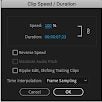
    – Choose Clip then Speed/Duration or right-click over a selected clip and choose Speed/Duration

    – Click OK

    The following can also be achieved:

    – Reverse Speed allows you can play the video backward 

    – Maintaining Audio Pitch allows you to keep the audio at its current pitch.

    – Clicking Ripple Edit, Shifting Trailing Clips keeps videos playing as a slideshow.

  2. How to adjust the timing of your video using the rate stretch tool
    How to adjust the timing of your videos in Adobe Premiere

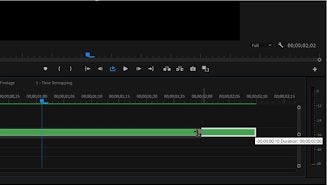
    The Rate Stretch tool is an effective method to change the duration of a clip in the Timeline while simultaneously changing the clip’s speed to fit the duration.

    If there is a gap in your sequence of a specific length and the gap must be filled with some speed-altered media rate stretch lets you extend or compress the speed to the percentage required.

    – Find the Rate Stretch icon in your main toolbar. The tool can also be selected by pressing the X key on your keyboard.

    – The next step is to click on the video clip that you want to stretch or shorten, and drag it in any direction. As the video clip’s length changes, the percentage value will adjust on the clip, this becomes easy to tell how slow or fast it is. Any label reading over 100% will play faster than the original clip. When you are satisfied with the Rate Stretch adjustments you can save the video. 

    – You can also use Rate Stretch to change speed-up and slow-down sections of a video clip. A few cuts on a longer clip can be achieved with the Razor tool. After that, head to the Rate Stretch tool to lengthen or shorten individual sections if you want to adjust their speed.

  3. How to adjust the timing of your video using time remapping

    How to adjust the timing of your videos in Adobe Premiere

    The speed of the video portion of a clip can be varied, Time Remapping is used to create slow motion and fast motion effects on a single video through the following steps:

    – Right-click on the video

    – Select Show Clip Keyframes

    – Time Remapping 

    – Speed. 

    A horizontal rubber band controlling the clips speed appears across the video’s center. A white speed-control track appears in the upper portion of the video, just below the title bar. For more clear visibility zoom out the screen.

    Drag the band downward or upwards to decrease or increase the video clip’s speed. A tooltip appears showing the change in speed as a percentage of the original speed. It is important to note that Time Remapping doesn’t change the clip’s audio portion; it remains linked to the video portion.

Get your timing right!

Adobe Premiere is an essential tool that is contributing to the evolution of media production. Anyone can edit a video clip to the desired specifications, preferences, and choices. Now that you know how to work with the timing, you can perfect your masterpiece. You can also learn how to add transitions in Premiere Pro to make your videos stand out even more.
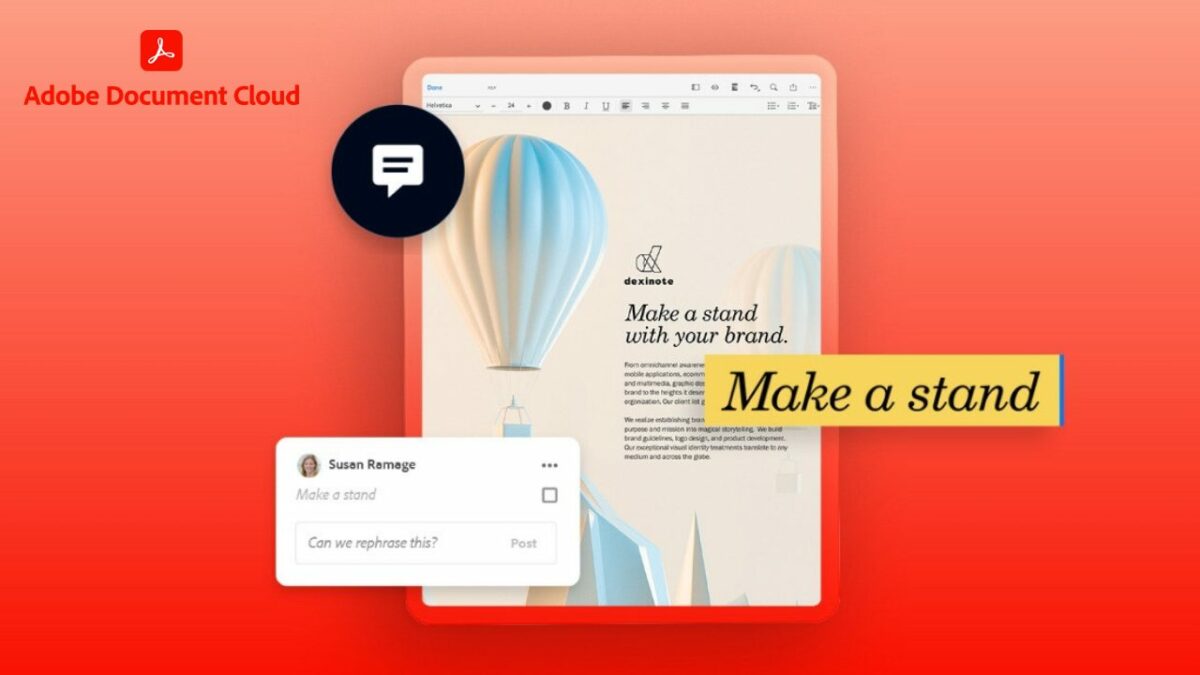

Adobe Document Cloud guide – Top Exciting Features

The organization, editing and managing of documents in this 21st century has evolved drastically with the surge of technology. Everyone needs a platform to do business, social, educational or any other type of work from the comfort of their home and in the easiest way possible. Well, then look no further; a solution is here with the new features of Adobe Document Cloud.

Adobe Document Cloud 7 days Free trial
9

Adobe document Cloud has two main categories: Adobe Acrobat DC and Adobe Sign. We’ll describe the two categories briefly below.

Adobe Acrobat DC

This program allows you to edit, send, and review PDF documents from any device that you want to work on. Adobe Acrobat can track PDF documents on who can make changes and such on a document. The main features of the Adobe Acrobat DC are edit, convert and share.

Edit Features

With this fantastic feature, Adobe can now do the following: 

  • Edit text and images in PDF
  • Add comments through notes, highlights and other annotations
  • Recognise text that is to make scanned text editable through OCR
  • Combine files by merging multiple files
  • Split files into multiple files
  • Delete pages, remove specific pages
  • Rotate pages into portrait or landscape
  • Reorder pages that is to rearrange pages to desired order
  • Extract PDF that is to create a new PDF from an extracted page
  • Insert new additional pages to a PDF 
  • Crop PDF that is to trim outer edges of page content
  • Helps to put all your tax documents in one place

Convert Features

Documents can now be converted as follows:

  • Word to PDF
  • PowerPoint to PDF
  • Excel to PDF
  • JPG to PDF
  • PDF to word
  • PDF to PowerPoint
  • PDF to Excel
  • PDF to JPG
  • Compress PDF to reduce the size of your document when sharing
  • HTML to PDF
  • Print to PDF

Share Features

  • Send a file to others for commenting or viewing
  • Send for comments, allowing you to collect feedback from multiple people in one file.
  • Protect PDF will enable you to prevent others from copying, editing or printing your PDF content
  • Unlock features allows you to remove passwords from protected PDF
  • Compare files allows you to compare two files to quickly spot differences 

To access Acrobat Pro DC, there is a 7-day trial that is for free and a monthly subscription of $14.99/month.

Adobe Sign

Adobe Acrobat DC with Sign allows you to sign your PDF documents from your device and send it. It is one secure way, as it is protected; this is an interesting feature for businesses and any type of work you see yourself engaging in that need legal approval and authentication from you in the form of a signature.

With Adobe Sign, you can easily request signatures by sending a document to others for signing. It also provides the fill and sign option to create a form and add your signature. The feature enables you to turn existing forms and scans into fillable PDF forms.

To access this amazing and exciting feature, Acrobat Sign Solutions offers a 30-day free trial and you have to get in touch with Adobe Acrobat for pricing.

Adobe Document Cloud guide

Using Adobe Document Cloud to make your taxes easier

We know many of you dislike doing your taxes. The most frustrating part is dealing with the documents and compiling the information on different platforms. Fortunately, Adobe Document Cloud can assist you to make the tax season feel effortless.

Adobe DC, Scan, and Sign are available for improved tracking, management, collation, and recording. Another aspect that makes it ideal is that you can view and deal with the details on your tablet, mobile, or desktop device. With the sharing tool, your tax documents will remain secure with permission settings.

Adobe Document Cloud guide - Top Exciting Features

Power of Adobe Document Cloud at your fingertips

The world of creative work is evolving, and with the innovative advances being made by Adobe Acrobat, you can now work anywhere. From the above adobe features, work has been easy as you create, edit and sign PDF documents either for your company or taxes.

You can also now edit anything in PDF, as the features allow you to play around with your documents till they reach the desired outcome that you seek. Ink signatures are slowly becoming a thing of the past. Adobe allows you to sign your PDF documents, making life quite simpler and easier. 

Protection of essential documents is also crucial, and Adobe has also incorporated that special feature to ensure that your documents cannot be tampered with or edited without your consent. Through Adobe, document tracking is now more accessible, and you can ensure that documents reach their destination.