{
"de-DE": "",
"en-US": "Onur is a Turkish content writer who has been in the field since 2018 with a background in gaming, esports, and technology. Journalism and Creative Writing are two of his motivations in his work life, combined with technology and gaming, his lifelong passions. Studying abroad gave him a different perspective on life; now, he uses his experiences to influence and inform as many as possible.",
"es-ES": "Onur es un redactor de contenidos turco que lleva en el sector desde 2018 con experiencia en gaming, esports y tecnología. El periodismo y la escritura creativa son dos de sus motivaciones en su vida laboral, combinadas con la tecnología y los juegos, sus pasiones de toda la vida. Estudiar en el extranjero le dio una perspectiva diferente de la vida; ahora, utiliza sus experiencias para influir e informar a tantos como sea posible.",
"fr-FR": "",
"it-IT": "",
"ja-JP": "",
"nl-NL": "",
"pl-PL": "",
"pt-BR": "",
"social": {
"email": "",
"facebook": "",
"twitter": "",
"linkedin": ""
}
}
Big news from Reddit! The social media giant has given itself a makeover with a brand-new logo and style. This tells us that Reddit is putting a spotlight on talking, building communities, and being a part of the internet.
So, what’s different? Well, Reddit didn’t just change its logo; it gave its mascot, Snoo, a cool new three-dimensional look. Snoo, that little robot buddy we all know, now looks more modern and has a thumbs-up to make it even more unique. But it’s not just Snoo getting a makeover—Reddit changed the writing style too. They now use fonts called “Reddit Display” and “Reddit Sans.”
This isn’t the first time Reddit is making big moves. A couple of years ago, they made headlines by removing some not-so-great parts of the platform to make it a friendlier place. Since then, Reddit has been growing, adding new tools for ads and cleaning up to shake off its wild reputation.
But not all changes are high-fives. Some decisions, like making API access more expensive and tweaking how subreddit moderators work, have caused a bit of a stir. Still, these changes show Reddit is serious about moving forward.
The company made an official statement about the change. You can read the full announcement here. Below is a part of the announcement that emphasizes on the reason behind this change.
Back in 2017, we launched the first Reddit mobile app, redesigned our desktop experience, and began to define the Reddit brand. Fast forward to today, a lot has changed in the world and with Reddit, so it’s the perfect time to evolve our brand to be more integrated, intuitive, and global.
These updates amplify what makes us unique – the conversations and discussions that can only happen on Reddit, so our new brand emphasizes these conversations and evolves to be more consistent, identifiable, and accessible to audiences everywhere.
Reddit
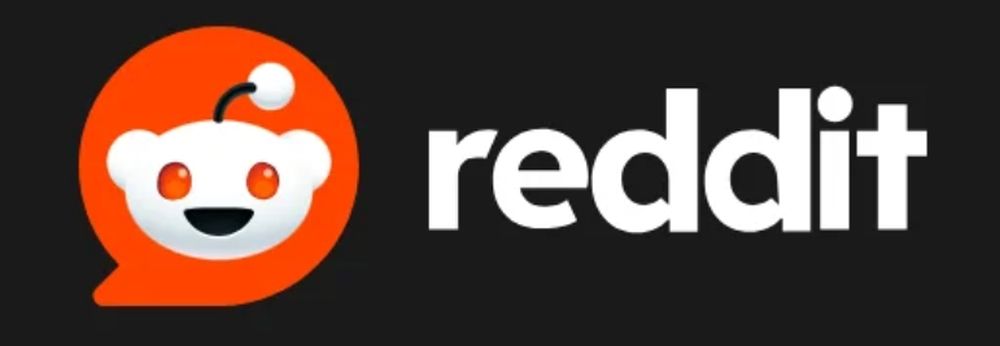
The new Reddit logo is surely different than the previous one
Now, let’s talk about the star of the show—the new logo. It’s Snoo’s head in a bright red chat bubble. You can already see it on Reddit’s website. Snoo wasn’t always a cool robot. Reddit co-founder Alexis Ohanian drew Snoo back when he was in college at the University of Virginia. Since then, it has been one of the most iconic creatures on the internet, thanks to Reddit’s fame.
Apart from the new look, Reddit is also changing how it writes things. They’re using new fonts that look like chat bubbles, reminding us that Reddit is a place for conversations. One of these fonts, Reddit Sans, will be free for everyone online.
The latest drama between Sam Altman and the OpenAI board is what everyone has been talking about for a while. Many people criticized Altman’s exit from the company, and after some time, he returned to his position while three of the board members who voted against him lost their seats. Yes, Sam Altman is back, and everyone is very excited about it, but he has also brought a multi-billionaire friend to the table. According to the latest news, Microsoft will also have a seat on OpenAI’s board, but it will be named the “non-voting observer” seat.
With Altman back in command, three board members who once opposed him find themselves replaced, creating a fresh dynamic. The revamped board now comprises Bret Taylor as the chair, Larry Summers, and Adam D’Angelo, the lone survivor from the prior lineup. This transformation sets the stage for an era where collaboration and innovation take center stage, fueled by the collective expertise of the newly aligned leadership.
The spotlight, however, is on Microsoft’s distinctive role as a “non-voting observer.” This position grants the tech behemoth a privileged insight into the inner workings of OpenAI, without wielding an official vote in major decisions. This means they get to see what’s happening inside OpenAI but can’t raise their hand when big decisions are made. Microsoft owns almost half of the business side of OpenAI, so this new setup is a way for them to be more involved and understand what’s going on.
The surprise exit of Altman in the past threatened the robust partnership between Microsoft and OpenAI. Now, with the visionary leader back at the helm and Microsoft securing a strategic perch on the board, the future looks promising for this dynamic collaboration at the forefront of AI innovation.
Altman’s memo
Altman shared a memo with all of the OpenAI staff to express his feelings and give the latest news. Here is a full version of the memo thanks to The Verge:
I am returning to OpenAI as CEO. Mira will return to her role as CTO. The new initial board will consist of Bret Taylor (Chair), Larry Summers, and Adam D’Angelo.
I have never been more excited about the future. I am extremely grateful for everyone’s hard work in an unclear and unprecedented situation, and I believe our resilience and spirit set us apart in the industry. I feel so, so good about our probability of success for achieving our mission.
Before getting to what comes next, I’d like to share some thanks.
I love and respect Ilya, I think he’s a guiding light of the field and a gem of a human being. I harbor zero ill will towards him. While Ilya will no longer serve on the board, we hope to continue our working relationship and are discussing how he can continue his work at OpenAI.
I am grateful to Adam, Tasha, and Helen for working with us to come to this solution that best serves the mission. I’m excited to continue to work with Adam and am sincerely thankful to Helen and Tasha for investing a huge amount of effort in this process.
Thank you also to Emmett who had a key and constructive role in helping us reach this outcome. Emmett’s dedication to AI safety and balancing stakeholders’ interests was clear.
Mira did an amazing job throughout all of this, serving the mission, the team, and the company selflessly throughout. She is an incredible leader and OpenAI would not be OpenAI without her. Thank you.
Greg and I are partners in running this company. We have never quite figured out how to communicate that on the org chart, but we will. In the meantime, I just wanted to make it clear. Thank you for everything you have done since the very beginning, and for how you handled things from the moment this started and over the past few days.
The leadership team–Mira, Brad, Jason, Che, Hannah, Diane, Anna, Bob, Srinivas, Matt, Lilian, Miles, Jan, Wojciech, John, Jonathan, Pat, and many more–is clearly ready to run the company without me. They say one way to evaluate a CEO is how you pick and train your potential successors; on that metric I am doing far better than I realized. It’s clear to me that the company is in great hands, and I hope this is abundantly clear to everyone. Thank you all.
Jakub, Szymon, and Aleksander are exceptional talents and I’m so happy they have rejoined to move us and our research forward. Thank you.
To all of you, our team: I am sure books are going to be written about this time period, and I hope the first thing they say is how amazing the entire team has been. Now that we’re through all of this, we didn’t lose a single employee. You stood firm for each other, this company, and our mission. One of the most important things for the team that builds AGI safely is the ability to handle stressful and uncertain situations, and maintain good judgment throughout. Top marks. Thank you all.
Satya, Kevin, Amy, and Brad have been incredible partners throughout this, with exactly the right priorities all the way through. They’ve had our backs and were ready to welcome all of us if we couldn’t achieve our primary goal. We clearly made the right choice to partner with Microsoft and I’m excited that our new board will include them as a non-voting observer. Thank you.
To our partners and users, thank you for sticking with us. We really felt the outpouring of support and love, and it helped all of us get through this. The fact that we did not lose a single customer will drive us to work even harder for you, and we are all excited to get back to work.
Will Hurd, Brian Chesky, Bret Taylor and Larry Summers put their lives on hold and did an incredible amount to support the mission. I don’t know how they did it so well, but they really did. Thank you.
Ollie also put his life on hold this entire time to just do everything he could to help out, in addition to providing his usual unconditional love and support. Thank you and I love you.
So what’s next?
We have three immediate priorities.
Advancing our research plan and further investing in our full-stack safety efforts, which have always been critical to our work. Our research roadmap is clear; this was a wonderfully focusing time. I share the excitement you all feel; we will turn this crisis into an opportunity! I’ll work with Mira on this.
Continuing to improve and deploy our products and serve our customers. It’s important that people get to experience the benefits and promise of AI, and have the opportunity to shape it. We continue to believe that great products are the best way to do this. I’ll work with Brad, Jason and Anna to ensure our unwavering commitment to users, customers, partners and governments around the world is clear.
Bret, Larry, and Adam will be working very hard on the extremely important task of building out a board of diverse perspectives, improving our governance structure, and overseeing an independent review of recent events. I look forward to working closely with them on these crucial steps so everyone can be confident in the stability of OpenAI.
I am so looking forward to finishing the job of building beneficial AGI with you all—best team in the world, best mission in the world.
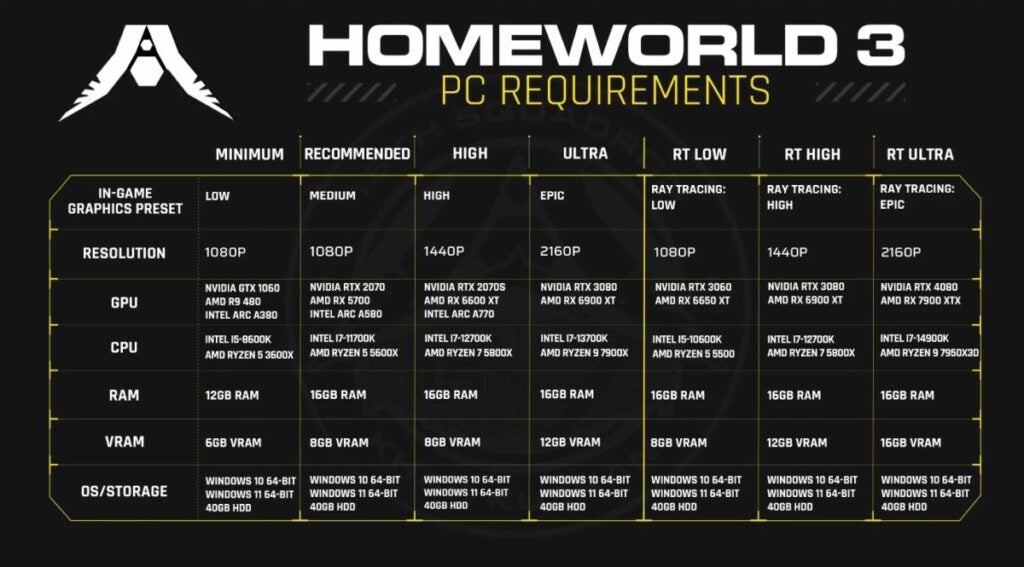
Homeworld 3 is surely one of the most anticipated games and recently, the game developer has released the game’s system requirements. As expected, the game requires some high resources, and if you have a low-end PC, it might be hard for you to run it. To check if your PC meets the minimum requirements, take a look at all the requirements below. Start from the beginning if you have a low-end computer.
Homeworld 3 promises top-notch graphics, including ray tracing, though it’s only for shadows. Don’t worry if you’re not tech-savvy—just know that if your monitor supports HDR, you’re in for a treat with richer colors and brighter highlights that’ll make the game look amazing.
Homeworld 3 extends beyond graphics, supporting HDR for compatible monitors. NVIDIA GPU owners can benefit from DLSS3 and Frame Generation, while AMD GPU enthusiasts can look forward to AMD FidelityFX Super Resolution 2.
Conclusion
When Homeworld 3 launches on Steam and the Epic Games Store in February 2024, prepare for a cosmic journey. Don’t miss the opportunity to secure the Collector’s Edition on Amazon, priced at $174.99, featuring captivating ship models. Ready your PC, fellow gamers, because Homeworld 3 is poised to be an unforgettable adventure, and your computer’s specifications will determine the level of immersion you experience.
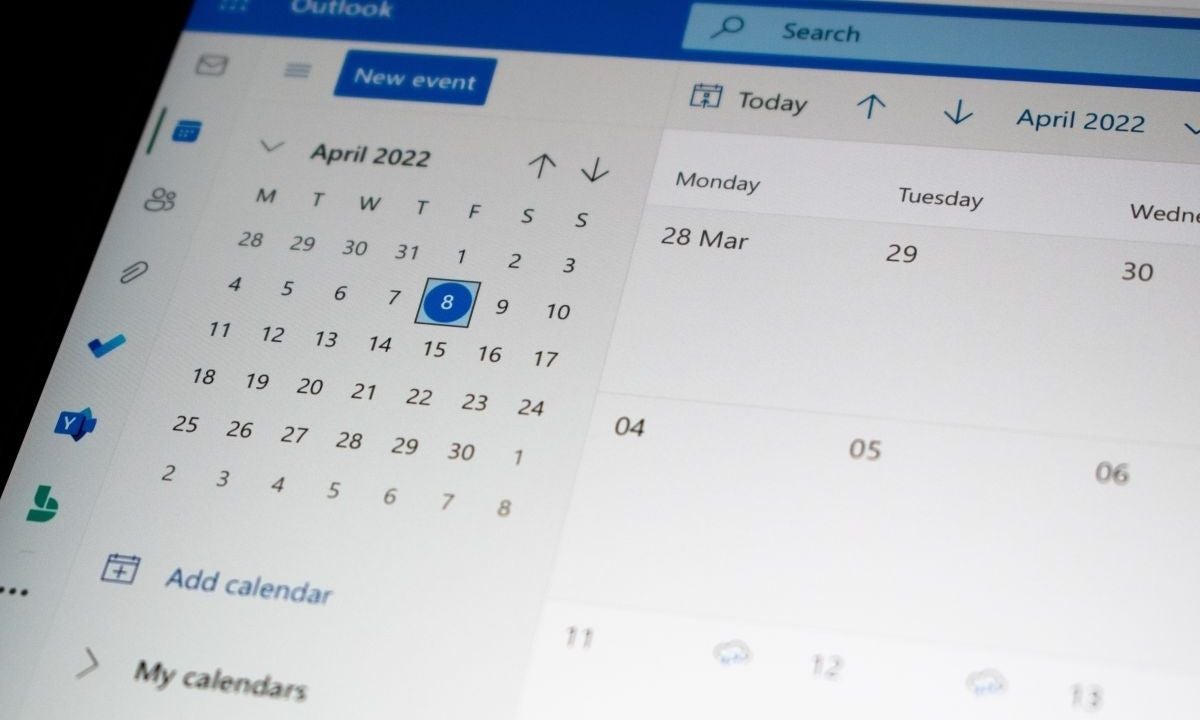
According to the latest news, some of the big websites have found a possible flaw in the new Outlook app.
Microsoft has recently unveiled its revamped Outlook on Windows PCs, ushering in a new era for email and calendar management. The updated version not only bids farewell to the aging Windows Mail and classic Outlook but also boasts a sleek design and enhanced cloud integrations. It’s a fusion of convenience and aesthetics, promising users a seamless experience by consolidating email and calendar functionalities within a single application. However, beneath the glossy surface lies a shadow of privacy concerns, bringing us to question the extent of Microsoft’s data collection practices according to two reliable sources.
Heise.de highlights a significant privacy red flag – when configuring the new Outlook with accounts not hosted by Microsoft, such as Gmail, Yahoo, iCloud, or IMAP accounts, the app synchronizes data between the user’s email provider and Microsoft’s data center. This synchronization raises concerns about user data privacy, as it allows Microsoft to read and analyze emails. While Microsoft states that this is to offer enhanced functionalities not provided by other email services, it prompts questions about user expectations and the extent to which Microsoft should have access to personal communication. XDA Developers later published the news, and the folks over there have also reproduced it.
According to these two sources, the integration becomes particularly pertinent when setting up the new Outlook with external accounts like Gmail or Yahoo. The process involves the synchronization of data between the user’s email provider and Microsoft’s data center. While Microsoft asserts that this facilitates the provision of advanced functionalities, it simultaneously introduces a significant privacy dimension. The ability of Microsoft to read and analyze user emails, albeit purportedly for service enhancement, underscores the necessity for a meticulous examination of the implications on user privacy.
Outlook recently announced new themes for Macs
Microsoft’s roadmap showcases an exciting advancement for Outlook on Mac. Soon, users will gain access to a feature that has been gracing Windows Outlook with its presence. Dubbed feature ID 189805, this functionality enables users to set pictures as themes in their Outlook for Mac application. It’s a simple yet stylish feature that adds a personal touch to the user experience.
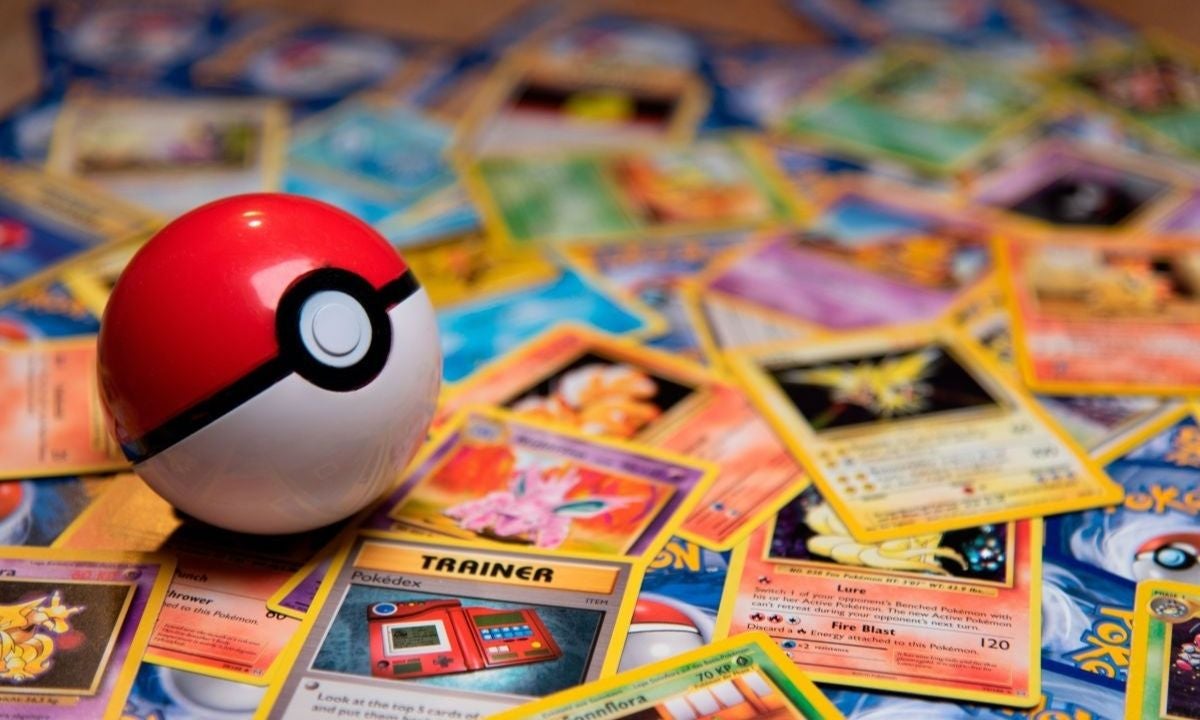
If you love Pokémon, there’s something you’ve got to know about – it’s called Regitube. If this name doesn’t ring a bell, you might want to double-check your Pokémon fan status. A super creative person in the Pokémon world, who’s into animation and making changes to the game (they call it modding), came up with something incredible. This creation, called Regitube, is turning heads and making waves on social media.
In Pokémon land, there’s a group of super strong Pokémon known as Legendary Giants. Officially, they’re a big deal. But some fans like to call them “Regis” because of their similar names.
There are five of these giants, or six if you count their leader, Regigigas. Each one has its own special abilities. Now, here’s the fun part – fans can come up with their own Regis based on the remaining types of Pokémon.
Now, let’s talk about Regitube. Imagine the usual Legendary Giants like Regirock or Regice, but now picture them made of inner tubes – those big rubber rings you might use at the pool. That’s what Regitube looks like. It’s a bit silly, sure, but it somehow fits right into the Pokémon world. Fans love it because it’s goofy yet still feels like it belongs in the Pokémon universe. There are countless images of Regitube on social media, and you can find some of them in this post.
I genuinely can't believe how far a silly Pokemon joke I thought would be funny has gone. Watching people in the comments ""balancing"" Regitube has given me a good laugh. Thank you for enjoying my silly mods, and I'm sorry, but there will be more ? pic.twitter.com/JyhWVWYER4
Regitube started with someone on Twitter named Yisuno. They got the idea after watching a short video. In the video, someone covered their whole body with big light blue rubber rings. And get this – they played the battle music from Pokémon Ruby and Sapphire in the background. It might sound random, but that video sparked the creation of Regitube. It shows how small, fun things can lead to something big and imaginative.
Google Drive is like a big digital box where we keep our files safe and can get them from any device using our Google account. It’s super popular for people and businesses. But lately, there’s been a problem. People are talking on Google’s support forums, saying they lost new files and changes they made to their folders. User experience and security are basically the whole point of this application, but currently, there are huge flaws in both areas.
People started looking for answers, and something weird came up. The records of what people did on their accounts didn’t show any recent changes. So, it’s not like people accidentally deleted their stuff. This hints at a problem with Google Drive.
No Mistakes by Users: The records show that people didn’t delete their files by accident.
Sync Issue: There’s a problem with Google Drive syncing the data between our devices and its big storage system.
In the middle of this mess, some volunteers who help out on Google’s support got a message from Google’s experts, says Bleeping Computer. They’re looking into the problem, which is a relief. But there’s no promise of when it’ll be fixed. So, we’re all waiting for Google to figure this out and hopefully bring back the files that unexpectedly disappeared.
Google’s upcoming purge of inactive accounts
Google is getting ready to wipe out all the inactive accounts on their database for security measures. Ruth Kricheli highlights the security angle. In the digital world, inactive accounts are like leaving your front door wide open. Google wants to shut these doors to keep your stuff safe. If you don’t have that extra layer of protection with 2-step verification, the risk of trouble gets bumped up.
As we approach the December 1 cleanup, consider it a friendly reminder from Google to not only save your digital memories but also to keep them under lock and key. A quick login can be your ticket to ensuring that your emails, photos, and cherished files continue to find their home in the Google cloud.
If you’ve left your Gmail alone for the past two years, listen up. Google’s cleaning house on December 1, and if you don’t log in, they might toss out your emails, photos, and other stuff. This isn’t just about Gmail; it’s everything tied to your account, like Drive, Docs, Meet, Calendar, Photos, and YouTube.
Starting December 1, Google’s on a mission to delete accounts that stayed silent for two years. Ruth Kricheli from Google said this is all about security. Inactive accounts are like open doors for bad stuff. Without 2-step verification, they’re ten times more likely to get into trouble.
It’s super easy to save your account. Just log in once every two years. You can even read an email, watch a YouTube video, or search on Google while logged in. Google sent everyone an email in August, giving a heads-up about the cleanup. They promised more reminders before the cleanup day.
Google, why!?
Google says it’s all for safety. Inactive accounts are like magnets for spam, scams, and bad guys taking over. Deleting them is Google’s way of keeping trouble away.
“If an account hasn’t been used for an extended period of time, it is more likely to be compromised. This is because forgotten or unattended accounts often rely on old or re-used passwords that may have been compromised, haven’t had two factor authentication set up, and receive fewer security checks by the user. Our internal analysis shows abandoned accounts are at least 10x less likely than active accounts to have 2-step-verification set up. Meaning, these accounts are often vulnerable, and once an account is compromised, it can be used for anything from identity theft to a vector for unwanted or even malicious content, like spam.” Ruth Kricheli said in the official blog post. The company explained everything about the “purge” in this blog post.
So, if you don’t want to lose your digital memories, make sure your Gmail sees some action before December 1. It’s not just about data; it’s about saving your stories and moments online.
For all the Mac users who love to tweak their Outlook, here’s some good news. Right now, you can change the colors, but there’s something missing – you can’t put pictures as themes, like Windows users can. But don’t worry; Microsoft is fixing that!
According to the latest roadmap that Microsoft has shared on its official website, Mac users will have the opportunity to use a very basic but stylish feature that Windows users are already enjoying right now. The upcoming feature is tagged as feature ID 189805. Starting March next year, you can finally pick pictures as themes on Outlook for Mac. That’s pretty cool, right? Here are the official notes for the upcoming update:
“Outlook for Mac will soon support image-based theming, allowing users to choose an image from a selection available in the General settings.
Feature ID: 189805
Added to roadmap: 11/22/2023
Last modified: 11/22/2023
Product(s): Outlook
Cloud instance(s): GCC, GCC High, Worldwide (Standard Multi-Tenant), DoD
Platform(s): Mac
Release phase(s): Current Channel”
Microsoft released Pride themes for Outlook on Mac a couple of months ago
If you’re an Outlook user on macOS, you probably love personalizing your email client. Microsoft understands that, and a couple of months back, they added something special for you. In addition to the six regular themes in Outlook for Mac, there are now five vibrant Pride themes to choose from.
Applying these Pride themes is pretty easy, once you know where to find them, especially if you’re familiar with changing themes on the Outlook macOS client. Here’s a quick guide:
Launch Outlook application on Mac.
Look at the top of your screen, find “Outlook” in the macOS menu bar.
Click on “General” in your Personal Settings.
From the variety of Pride themes available, select the one that speaks to you.
As soon as you’ve chosen your favorite Pride theme, voila! The changes appear instantly.
Once you’ve set your theme, you’re good to go. Close the Outlook Settings window, and your chosen Pride theme will be the new face of your Outlook client. It’s worth noting that your Pride theme will stick around until you decide to switch things up and try a different theme.
Once the new themes come out for Mac users, they will also be pretty easy to integrate.
Pokémon Go’s latest ‘Party Up’ event is here, and it’s all about teamwork, rewards, and a resurgence of your favorite Pokémon. From Nov. 22-27, trainers are in for a treat, with special perks and challenges to spice up their Pokémon journey.
The core of the ‘Party Up’ event is the Party Play feature. Now, trainers can amp up their trading game with five special trades per day, a significant boost from the usual one. Raids during the event come with a double XP bonus, making every battle count.
The ‘Party Up’ event dishes out extra candy from trades and guarantees XL candies. It’s not just about catching Pokémon; it’s about fostering community spirit and strategic collaboration among trainers.
Pokemon Go Master Ball timed research returns
Missed out on the Master Ball Timed Research? No worries! The ‘Party Up’ event offers a second chance to redeem yourself. For $7.99, a pass unlocks a Special Research Task set with enticing rewards.
Party Up event timed research
The Timed Research set is straightforward but packs a punch:
Step 1: Win 3 raids while in a party
Reward: Hisuian Growlithe encounter
Use 5 super effective charged attacks while in a party
Reward: 3 Charged TMs
Catch 30 Pokémon while in a party
Reward: 1 Lucky Egg
Spin 30 PokéStops or gyms while in a party
Reward: 1 Premium Battle Pass
Explore 3 km while in a party
Reward: 2,500 XP
Complete 3 party challenges
Reward: Wurmple (Party Hat) encounter, 2,000 Stardust, 5,000 XP
Completing these tasks ensures a haul of rewards, including a Party Hat-wearing Wurmple, 2,000 Stardust, and a hefty 5,000 XP.
Field Research Fun: Party Up! Field Research Tasks
Spin those PokéStops to unlock event-exclusive field research tasks. Collect them, and you can take your time completing these challenges, even after the Party Up! event concludes.
What’s on the Task List?
Catch 10 Pokémon
Encounter Quaxly.
Victorious Raid Champion
Your reward? A meeting with Party Hat Wurmple.
Boost Your Pokémon 5 Times
Fuecoco encounter awaits.
Power Up Pokémon 10 Times
Choose from Hisuian Growlithe, Party Hat Wurmple, or Nosepass.
Trade Pokémon
A shot at meeting Gothita or Solosis.
Stroll 1km
Meet Sprigatito along the way.
Spin 5 PokéStops
A sweet 300 Stardust awaits.
Spin 10 PokéStops
Take your pick: 3 Hyper Potions or 2 Revives.
Party Up event boosted spawns
Keep an eye out for boosted spawns during the event:
Gothita
Solosis
Morelull
Sprigatito
Fuecoco
Quaxly
Lechonk
Nymble
Pawmi
Smoliv
Tadbulb
The ‘Party Up’ event injects new life into Pokémon Go, offering generous rewards for trainers who join the celebration. So, rally your friends, embrace the festive spirit, and let the Pokémon party begin!
Instagram’s lead Adam Mosseri, has just dropped a major bombshell: now, anyone, anywhere on the globe, can easily download public Reels straight to their devices. No more dealing with the old way of saving Reels only within the Instagram app. Now, you don’t need to hunt for third-party tools or external websites to get your hands on Instagram Reels!
Mosseri breaks it down – it’s as simple as a few taps. Just hit the share button and choose the download option to stash a Reel directly to your device. But here’s the catch: downloaded Reels will have an Instagram watermark showing off the account name. It’s a move you’ve seen on other short video platforms like TikTok.
Worried about privacy? Instagram’s got your back. Account holders can turn off the download feature for their Reels in a snap:
Go to Settings
Click on Privacy
Select Reels and Remix
Flip the switch on “Allow people to download your Reels.”
Now, onto the common concern about copyrighted music in downloaded Reels. Mosseri clears the air – if a Reel rocks licensed audio, the downloaded video will be audio-free. Why? It ensures the folks who make the music get their fair share. By muting the audio in downloaded Reels with licensed tunes, Instagram sticks to its promise of supporting artists and labels.
Let’s not forget Instagram’s massive presence. With over a billion monthly users, it’s not just an app – it’s a digital world where everyone shares their lives. From influencers to your neighbor, Instagram’s popularity is rock-solid. Features like Reels downloads only add more fuel to Instagram’s fame fire.
In a world where sharing is everything, Instagram‘s latest move promises to amp up your experience and keep the platform at the cutting edge of social media. So, get ready to tap away and dive into the world of Instagram Reels, now at your fingertips like never before!