Fortnite 19.40 Prepares to Drop on March 1st

We’re nearing the end of the line for Fortnite Season One Chapter Three, but there’s still one major update coming before Season 2 drops, according to Epic. Epic has confirmed the planned release time for Fortnite 19.40 and may even have hinted at even more Spider-Man content in a quick tease of what’s to come.

According to an update on Fortnite’s official Twitter account, we should prepare to ‘Swing into the v19.40 update’ scheduled for release on March 1st. It doesn’t take a Marvel expert’s Spidey sense to deduce that Spider-man will be ‘swinging’ into action more abundantly in this upcoming update.

We were informed in the announcement blog leading up to Chapter Three of Fortnite Season One that players should be on the lookout for new Spider-man skins as well as that of the iconic character’s friends and foes in the item shop throughout the season. So it seems like this update will be a continuation of the fulfillment of that promise. 

The heavy reference to Spider-man may also prove that Epic is bolstering its collaboration with Marvel. In other Marvel-related news, we seem to be getting a Shuri skin in a future update or season of Fortnite, further deepening the connection between Epic and the Marvel cinematic universe. 

 Fortnite will go down for maintenance ahead of the extensive new update at 1 am PST/4 am EST/9 am GMT on March 1st. Matchmaking is expected to be disabled 30 minutes ahead of the launch time. We also expect Fortnite’s downtime while the update is released to be pretty short, although it could last anywhere up to a few hours. 

It’s always incredible to see more well-known and pivotal superheroes in Fortnite. Epic isn’t just focussed on Marvel collabs, though; in fact, why not read all about Dwayne ‘The Rock’ Johnson’s inclusion as Fornite’s The Foundation, and check out how to unlock all of The Rock’s content in Fortnite?

How to Set Up a Windows 11 Device Offline

Currently, the only way to complete the Windows 11 setup is to be connected to the internet. Microsoft requires an active internet connection to facilitate processes like downloading critical updates and fresh features before starting the new OS up. This can become a bit of an issue in some cases, particularly if you don’t have a stable internet connection or if you only want to use a local account on your Windows 11 device.

So how do you bypass this new mechanism and set up your Windows 11 device offline? Before we get into the how-to, let’s discuss why Microsoft needs you to have an active connection.

Why You Need an Active Internet Connection 

The way Microsoft tells it, you need an active internet connection so that your device receives critical updates and can download and use various features integral to the setup process. To further complicate the situation, Windows 11 Home Edition relies on a Microsoft Account to set a new device up to completion on its first use.

As mentioned above, however, this strict reliance on an active internet connection isn’t always feasible. Firstly, you may only need the features of a local account, or you might not have immediate access to a reliable internet connection. Another reason this is problematic is that your device might be missing the necessary WiFi drivers to connect to the internet. 

While setting up Windows 10, if you didn’t have access to the internet, you could simply click ‘I don’t have internet,’ and you’d be able to create a local account. Curiously enough, if you have a Windows 11 Pro subscription, you can use the ‘I don’t have internet option’ and set up a local account, but this option isn’t available to Windows 11 Home users. So then, how do you get past the pesky ‘Let’s connect you to a network’ screen?

How to Set Up Windows 11 Without Connecting to the Internet

Luckily, there are three ways to complete the Windows 11 setup procedure without connecting to the internet. We’ll take you through them all below, and when we’re done, you can decide which is the easiest and most effective for you.

  1. Method 1: Use Task Manager to End Network Connection Flow Process
    How to Set Up a Windows 11 Device Offline

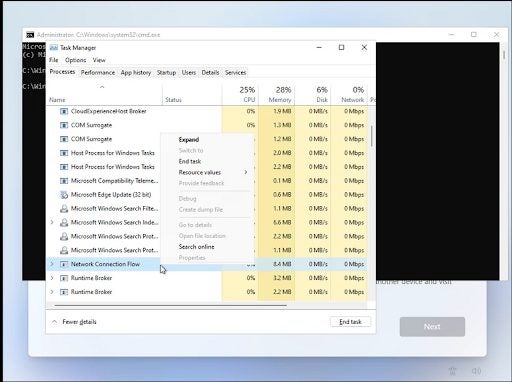
    Using the task manager, this method lets you bypass the ‘Let’s connect you to a network’ screen. You’ll undoubtedly already have Windows 11 installed, so you can just launch the Task Manager and kill the process using Command Prompt. Here’s how:

    Step 1:

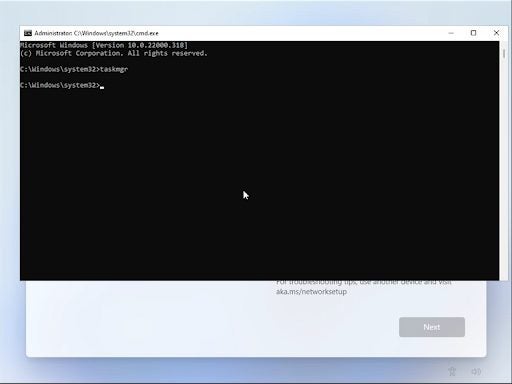
    From the ‘Let’s connect you to a network’ screen, hit Shift + F10. This will launch the Command Prompt utility. When you see the Command Prompt window, type taskmgr and press enter. This will launch Task Manager. 

    Step 2:

    Click ‘More Details’ and open Task Manager in full view mode. 

    Step 3:

    Locate ‘Network Connection Flow’ in the ‘Processes’ tab, and click the ‘End Task’ button. Wait a short while for the process to terminate and then exit the Task Manager. 

    Step 4:

    Head back to the Command Prompt dialogue box, type in ‘Exit,’ and press Enter.

  2. Method 2: Use the Command Prompt to Kill Network Connection Flow Directly
    How to Set Up a Windows 11 Device Offline

    This method will be useful to you if you cannot use Task Manager to end the Network Connection Flow. 

    Step 1:

    From the ‘Let’s connect you to a network’ screen, hit Shift + F10 to enter the Command Prompt utility. 

    Step 2: 

    Type the following string into the dialogue box and execute it by hitting Enter: taskkill /F /M oobenetworkconnectionflow.exe 

    Step 3: 

    Once the command has been executed, you’re free to close the Command Prompt window and continue with the setup.

  3. Method 3: Use Alt + F4 to Skip the Let’s Connect You to a Network Screen
    How to Set Up a Windows 11 Device Offline

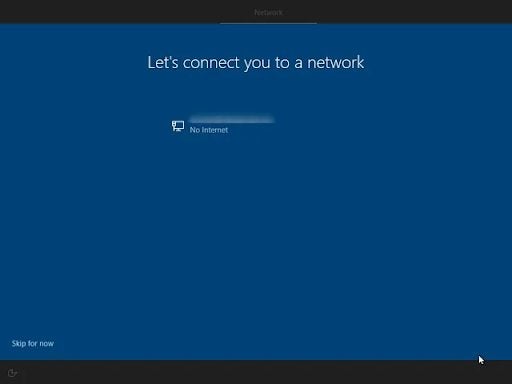
    This method isn’t a surefire fix, but it has helped a few users get past the pesky screen. When you see the ‘Let’s connect you to a network’ screen, hit Alt + F4 to close the window. You can also use this key combination to end any program not behaving as it should.

Setting up Windows 11 easily

You no longer have to be an IT boffin to use commands and the Command Prompt utility. In cases like this, knowing a little about forcing Windows 11 into submission can be incredibly useful. The best thing about all three of these methods is that they’re delightfully simple, and once they’re executed, you can carry on with the Windows 11 setup as you usually would.

You are then free to use Windows 11 on a local account until you connect to a network and download all the necessary files, at which time you can start using Windows 11 as Microsoft Intended.


Poppy Playtime may be headed outside

Playtime Toy Co. is an iconic location in the gaming sphere. The abandoned toy factory that features the setting of Poppy Playtime may even be more iconic than Grove Street in Grand Theft Auto San Andreas. ‘Grove street. Home. At least it was before….’ You know the rest. Unused models might suggest that the Indie horror sensation is headed outdoors in a future chapter. 

Poppy Playtime is a well-known indie horror puzzle game developed by MOB Games. The game takes place inside the Playtime Co. toy factory, where players must solve puzzles and find clues to unlock the secret of why everyone who worked at the facility disappeared. All this while running from the iconic oversized homicidal stuffed toy Huggy Wuggy. The game bears certain similarities in gameplay and environment to Five Nights at Freddy’s.

When exploring beyond the boundaries of Poppy Playtime’s map, YouTuber Shesez discovered that the exterior of the Playtime Co. facility is fully modeled and rendered, despite serving no initial purpose in the game. The facility’s entrance was found to be modeled to the same level of detail and intricacy as the inside. Even more damning, several exterior features like domes and windows are modeled to the same standard. 

This incredible attention to detail suggests that the exterior of the building may have been meant to be visible at some point during the game. However, it’s also possible that the creators of Poppy Playtime had initially planned for players to enter the facility from the outside. The most tantalizing theory, of course, is that at some point in its future, Poppy Playtime will feature gameplay outside of the iconic facility.

While the official trailer for chapter two of Poppy Playtime, titled Fly in a Web, has already dropped and looks to take place within the facility once more, there is still hope that future chapters might see the player venture out into the great unknown currently taken up by an expansive white haze.

Windows 10 Data Wiping Feature Isn’t a Clean Sweep

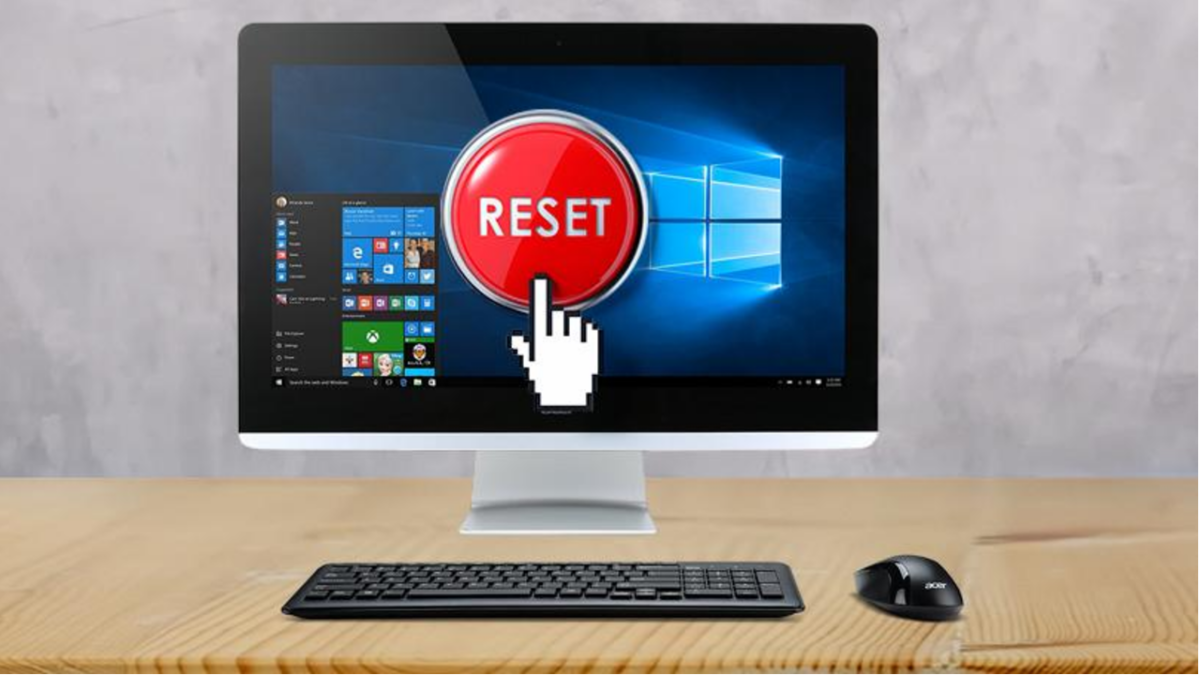
Recently, researchers have found that Microsoft’s resident data wiping feature isn’t performing exactly as intended. While marketed as a data wiping utility that works hand in hand with the Windows 10 and 11 update and factory reset tool, the utility is leaving valuable and vital user information behind. As researchers have recently discovered the data left behind can be easily located and therefore used should a ‘wiped’ device and up in someone else’s hands. 

The news has subsequently been confirmed by Microsoft MVP Rudy Ooms in a blog post concerning his findings. Ooms also took to Twitter to release a more detailed explanation of the issue. As Ooms explains, hitting the ‘Reset PC’ and ‘Remove Everything’ options on Windows 10 and 11 doesn’t actually remove all of the user data. Instead, it stores this information on the old system in both versions of Windows. This issue has only been identified so far on Windows 10 and 11 version 21H2. In previous versions of both operating systems, namely version 21H1 of Windows 10 and 11, the windows data wiping feature works as intended.

Researchers noticed that in most cases, user data that had not been removed was being stored in newly created folders called Windows.old. These folders would appear on the ‘fresh start’ or ‘wiped’ discs. In a statement, Ooms said that this process was not occurring by design. Proof of this is that when selecting either of the options, users are presented with prompts that warn them of the impending removal of all personal and company data and settings from the current device. 

An even more disturbing turn of events, the Windows.old folder was discovered to contain previously encrypted data that in its current state had been decrypted. Furthermore, any files that had been marked in OneDrive as ‘always keep on this device’ also remained in the Windows.old folder.

Microsoft does not currently have a fix for the problem. Ooms has however said that he has created a PowerShell script that will act as a temporary solution. Anyone intent on performing complete data wipes of their Windows 10 or Windows 11 devices should run the script first and then initiate the Microsoft cleanup utility.

If you haven’t yet had to wipe personal data or perform a factory reset on your device, read our article on resetting Windows 10 and 11. You might also enjoy our guide on upgrading Windows 10 to the new Windows 11 operating system.

Google Kills Off Chrome Lite Mode

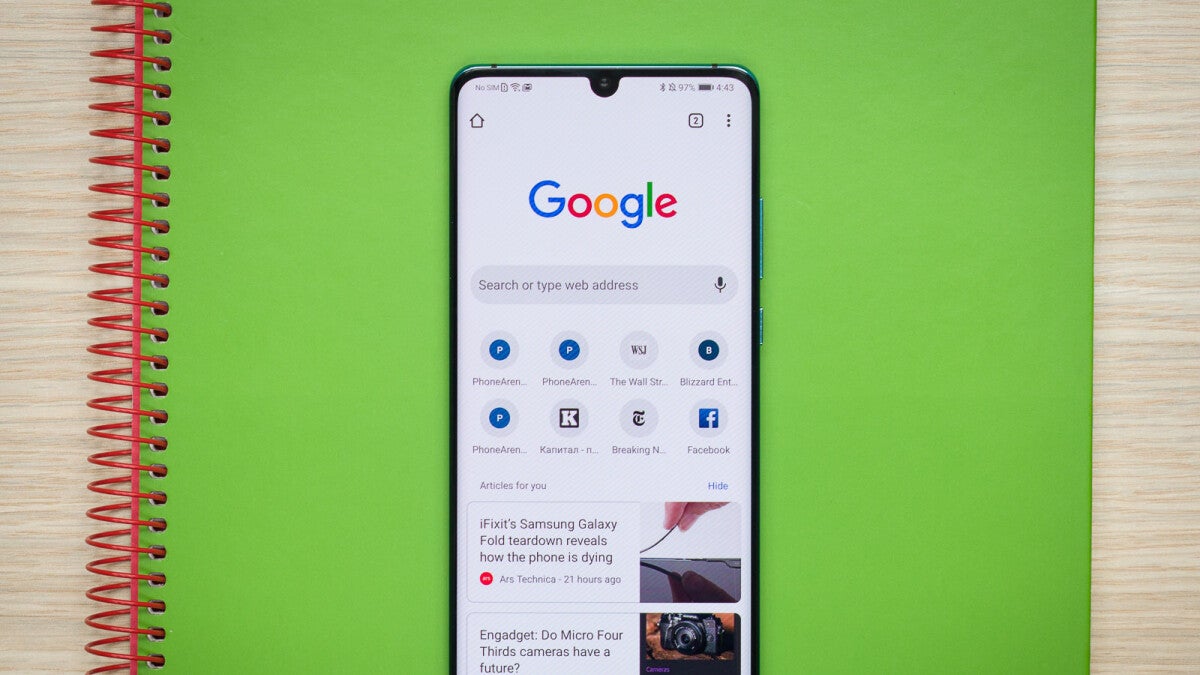
Google has announced the decision to discontinue light mode on Android devices ahead of the global release of Google Chrome 100. Lite Mode first appeared on Android devices in 2014 under the name ‘Data Saver.’ The feature was designed to assist users with connecting to the internet on slow or limited data connections, making Chrome more versatile and user-friendly. The rebrand to Lite Mode occurred in 2019.

Enabling Lite Mode on an Android device triggers some of the user’s internet traffic to be diverted through Google’s servers before downloads to the user’s device. My vented web pages load slowly, Google servers will simplify them so that users don’t have to download as much data onto their devices. 

While Lite Mode has been beneficial to users with connectivity issues as well as those looking to bring personal data charges down, Google cites the significant decrease in data costs in many countries as one reason for their decision. 

Lite Mode getting the chop is just one of many changes set to occur with the release of the highly anticipated and slightly controversial triple-digit update for Google’s resident browser. Two other notable Giants in the web browsing industry, Mozilla and Microsoft, are also anticipating the update of their resident browsers to version 100. 

Google Chrome has not announced plans to replace Lite Mode, but the browsing giant has said that they are still as committed as ever it’s improving web browsing across devices and in difficult conditions. 

Keep up to date with all things Google by reading and numerous articles on Chrome and other Google services. While you’re in the vicinity, why not check out how Firefox and Chrome’s newest version 100 may break websites.

Microsoft testing watermarks to alert users to unsupported hardware

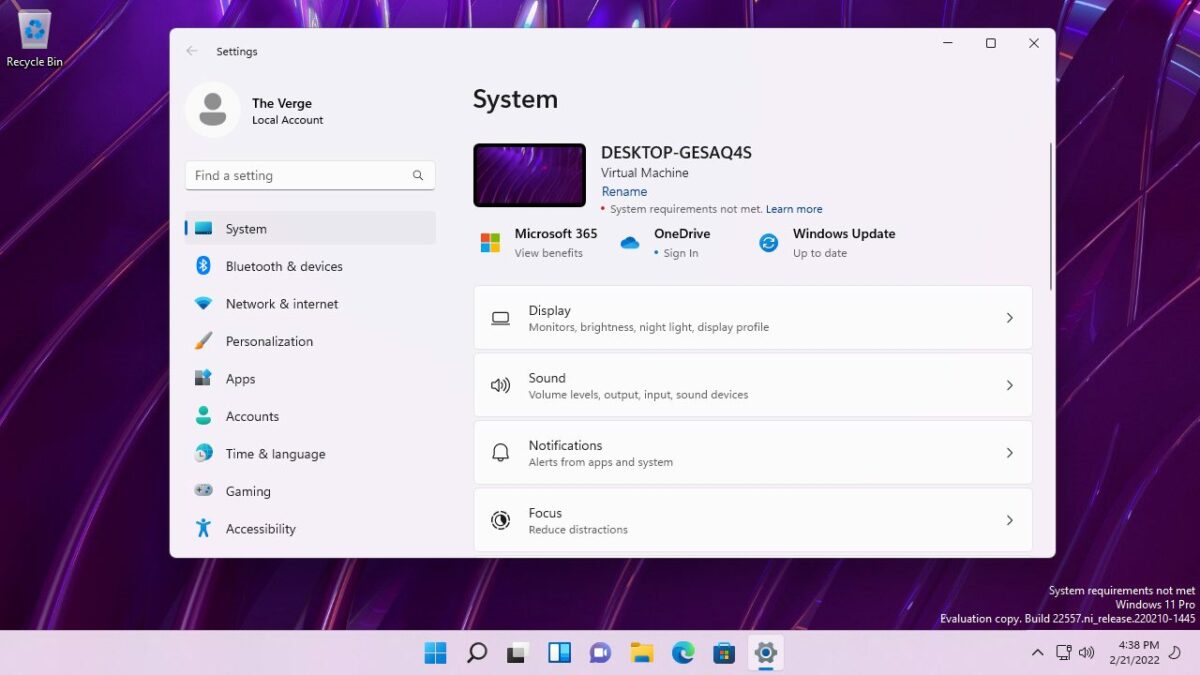
Upgrading to Windows 11 is after all an exciting affair and no self-respecting Windows 10 user would want to be denied that experience. In case you didn’t ensure your device could handle Windows 11, Microsoft is currently working on an update to the new OS they will alert users to the fact that they’re trying to use Windows 11 on unsupported hardware. 

First noticed by a user on Twitter by the name of Albacore, the new feature will reportedly play some watermark on your screen if you are running Windows 11 on unsupported hardware. The watermark is believed to appear in the lower right corner of your screen. 

Windows 11 greeted the world with a refreshed visual environment, more features and functions, and far greater minimum requirements for hardware than its long-running predecessor. These increased requirements don’t mean you won’t be able to run Microsoft’s premier new operating system if you don’t meet them, but it does mean that Microsoft won’t be able to guarantee you a smooth experience. 

The standard operating procedure with any major upgrade is to check if your device’s hardware can comfortably and capably support the new software. Windows 10 settings even have a function that analyzes your system to see if you can run Windows 11 without significant performance deficits. What about users who didn’t perform the necessary pre-checks?

One of the biggest reasons why a feature like this watermark alert would be implemented is because of the sheer intensity of the Windows 11 system requirements. To run Windows 11 without performance deficits, you need at least an Intel 8th generation Coffee Lake processor or better. Alternatively, an AMD zen 2 CPU or better would do the trick. This need for such high-level hardware left plenty of faithful Microsoft users out in the cold in terms of upgrading to Windows 11.

While there are workarounds to seemingly comfortably run Windows 11 on devices that don’t quite make the cut, these usually come at the cost of a brutal impact on performance. 

The new watermark feature is reportedly still in a very early testing phase, and Microsoft has not as yet mentioned it in any capacity. We don’t currently know if this feature will make it into a final build of Windows 11, but the impact of such a clearly visible addition to the windows 11 visual environment would certainly discourage many users from running the OS on unsupported hardware.

While we wait for this new feature to launch, you can look at how to improve and personalize your Windows 11 experience. There are also some Windows 11 hidden features you should check out.

World of Warcraft releases its last major update to Shadowlands

Today is a momentous day in World of Warcraft history. Not only is it an exciting day due to the latest World of Warcraft Shadowlands update; it is also solemn because this update, aptly-named Eternity’s End, is to be the final major patch to the Shadowlands experience that has gripped so many RPG enthusiasts.

As the world around us has undergone a monumental shift impacting the way we interact with each other and experience life, so too is World of Warcraft experiencing a fundamental change; The game’s publisher has been bought by Microsoft. This means that as much as World of Warcraft and the entire Shadowlands experience has been a massive part of the RPG gaming community, its future is by no means certain.

This time next year we might report on World of Warcraft being available on Game Pass and Windows 11, or we might be looking at the swan song for the world of Warcraft franchise. The truth is no one outside of Activision Blizzard’s acquisition by Microsoft knows what the future holds for World of Warcraft. 

For the moment, all we can do is graciously accept this final patch to Shadowlands, and honor it with the same excitement-filled playthroughs as we have the rest of the World of Warcraft experience

Gracious acceptance shouldn’t be too difficult a task as patch 9.2, Eternity’s End, is a full-blown ‘going out guns blazing’ kind of expansion. 

Patch 9.2 adds a new zone, Zereth Mortis, which is the home of the brand new faction; The Enlightened. Eternity’s and also adds for the Afterlives Forge. This ‘powerful instrument of creation’ is, according to World of Warcraft canon, the last remnant of WoW’s progenitor species, and lets players craft their own battle pets and mounts. 

Zereth Mortis also ships with a new language to learn; Automa. Described as a musical language incomprehensible to mortal races, Automa’s melodic syllables will feature heavily in new quests, events, and zone-specific activities. 
Eternity’s End is definitely an exciting addition to WoW canon, and will hopefully go down in history as a success like the rest of the WoW franchise.

Pokémon Trading Card Game Live Beta releases in Canada

Pokémon announced a digital replacement for the TCG card game phenomenon in September 2021. Expected to launch in that year, the replacement subsequently suffered a delay and was expected to launch in 2022. We are now in 2022, so what’s the latest news on the Pokémon Trading Card Game replacement front?

True to a previous update on the official Pokémon website, TPC has debuted its new digital card trading game exclusively in Canada. The launch occurred as what is known as a soft launch where the beta version of the product was released on a small scale to better monitor its readiness and public reception in the coming global final launch. 

The new Pokémon Trading Card Game Live serves up a completely refreshed crafting system, a fresh take on graphics and overall visual environment, and, in a first for Pokémon card trading history, a “ranked mode”.

Fans of the original Pokémon TCG rejoice, however. Other than graphical and performance improvements, the game hasn’t undergone many changes since the concept first launched in the 90s.

Anyone new to the franchise mechanic need not stress either. In addition to serving veteran players a healthy dose of nostalgia, the new Pokémon Trading Card Game Live features helpful tutorials that will bring you up to speed on everything and anything related to Pokémon, cards, and trading. 

When the game’s final build is released, the new Pokémon Trading Card Game Live will be available on Android, PC, iOS, and Mac. The game is also set to be cross-platform so you’ll be able to play on one account when switching between your devices. 

If you’re looking for a similar feel in a full match, you can play while you wait for the new Pokemon Trading Card Game Live to release globally, try Yu-Gi-Oh Master Duel which is available for download on our site.

Chrome to Let Users Add Notes to Saved Passwords Soon

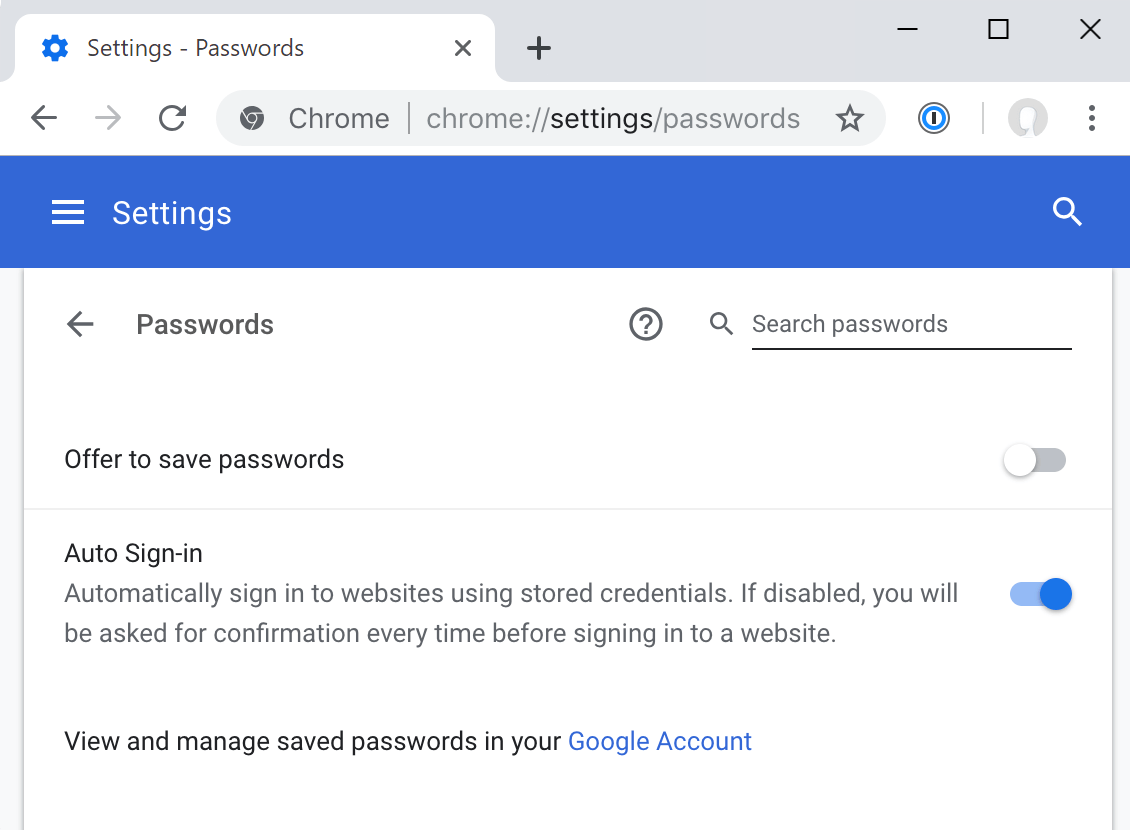
In the last few months, Google has added the option to manually add passwords to your browser and its Chrome Canary developer client. This innovation will go hand in hand what’s Google’s existing password utility that lets users automatically save passwords to their Google accounts. 

Now, we have learned that Google is experimenting with a new feature that will let users add notes to the saved passwords in a future build. While the tech and communication giant has yet to announce when the feature will be available to the general public, we can assume that with a feature so sensitive, the company is carrying out rigorous testing before an official launch.

It is however pertinent to note that Chrome Canary is an experimental playground for Google and its developers, and that might be some time before we see a final build of the Chrome search engine with this feature added. 

Google has yet to comment on what the intention behind the feature as well as possible uses would be; the tech-focused social media platform, Reddit, is all a buzz. One likely use highlighted by tech enthusiasts excited about the feature is the option to add pertinent information to a password.

This could be anything from a list of security questions or automatic expiration date for each password to intel on when users last modified their passwords. In truth, for security-conscious users, possibilities should be endless, and this new feature should be an innovative way to keep on top of your security in the online professional, social and leisure landscape. 

This feature is however not free of public criticism, with some users on Reddit concerned about whether the information added in the ‘notes’ section will have the same high-level encryption as passwords themselves. We can assume that your notes will be encrypted and that all possible issues with cybersecurity will be tested before this innovative feature rolls out to the public. 

Keep abreast with other news relating to Google, and check out our articles on Chrome’s new version 100 and more. While you’re in the neighborhood, why not read our comprehensive guide to Chrome extensions?

You’ll soon have to make a Microsoft account for Windows 11 Pro

In the wake of the first major post-release update for Windows 11, the latest Windows Insider preview introduces new features, UI changes, and redesigned apps to users in the Dev channel. Although new features and improvements, such as the Windows 11 taskbar updates, will likely be appreciated, the coming requirement that users sign in with their Microsoft account during setup may be a bit of a headache to some users.

Previously, if your computer was not connected to the internet, you could use a local user account during setup. However, according to the Windows 11 Insider Preview Build 2257 changelog, both Windows 11 Home and Pro will require that users sign in and be connected to set up their devices going forward.

In many cases, signing in is required to access a host of essential digital services such as cross-device sharing, cloud storage, and syncing. Still, most other major OSs let you set up a new device without a connection. In fact, in macOS, Apple still allows users to set up their new devices with local accounts. Another OS giant, Google, even features a dedicated guest mode option letting users browse the internet on Google Chrome without having a Google account. 

Whether it’s a good thing or not is still to be decided. But Windows 11 is poised to become the first major operating system to require a registered and signed-in account to access even the most basic features. Microsoft has yet to announce the date from which this ‘new normal’ for Windows 11 users will take effect, but given how fast updates have been rolling out with their new premier OS, we might be looking at a public launch in a few months, if not sooner. 

Most users won’t be affected by this change, but developers who frequently install Windows for testing or those trying to set up a new PC in a place with no internet connection will be affected. Check out our latest article on installing Android apps on Windows 11 while you wait for the latest update.