
Latest version of Pulse brings personalized news feeds from social networks

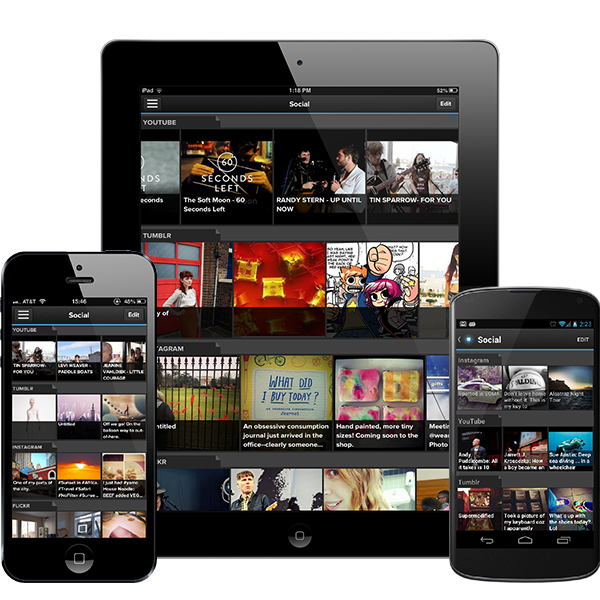
pulse iconPulse, the popular news aggregate, was updated to include social feeds from YouTube, Tumblr, Instagram, Flickr and Facebook. Pulse is beautifully designed with an intuitive tile interface that can be manipulated by swiping. Your personal social feeds can show up with other feeds that you’ve subscribed to or you can add them to their own feeds.

Adding social networks is a bit unintuitive at the moment. You have to scroll down, hit the “add content” button, assign the feed to a category, go to the feed, and then log in. It would have been much easier if Pulse just allowed users to log in immediately after adding the service instead of having to jump around.

Once you’re done adding your social networks, they will show up on the same page as your main news. Swipe left and right to move back and forth between headlines. Tap on a story to read more. By default, news stories are optimized to for Pulse, proving a great, clean text view of the story. You can view the story in its original format by enabling “Web View.” Users can also easily share to their different social networks.
pulse devices

Pulse hopes to take on Flipboard, which also includes the ability to add personalized feeds. Pulse is available to download for Android and iOS.
Google Chrome Beta for Android and Chrome 24 released

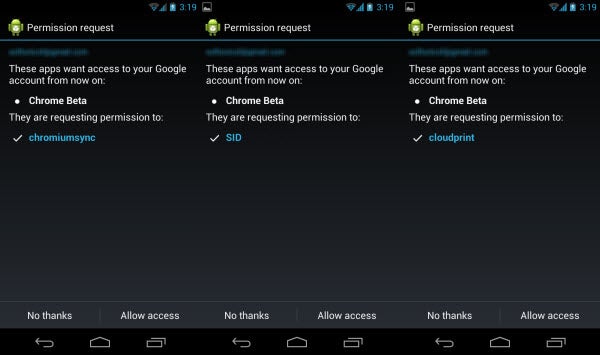
Google released two Chrome-related product updates today. The first release was Google Chrome Beta for Android 4.0 and above. Designed for both tablets and phones, the beta channel currently features updates that already exist on the desktop versions of Chrome like Octane performance improvements and HTML5 features like CSS Filters for developers.

The Chrome Beta is a little unstable and does feature bugs so it’s not the best browser to use for everyday web browsing. Since Chrome Beta is designed for both phones and tablets, trying it on different hardware should provide the same experience, but it’s possible that some bugs effect platforms differently.

The second update was to the desktop version of Chrome, which updated to version 24. The included improvements include faster boot and automatic updates. These updates don’t really change the normal experience that you have with Chrome and shows that Google is still working on improving the browser’s usability.

The Chrome Beta for Android is a great sign that Google is working on unifying Chrome across all platforms, rather than testing on the desktop version before pushing updates to the mobile browser.

You can download Chrome Beta here and try it out yourself.

Chrome for Windows and Mac should update automatically when you launch the browser.

Facebook releases Poke app to compete with Snapchat

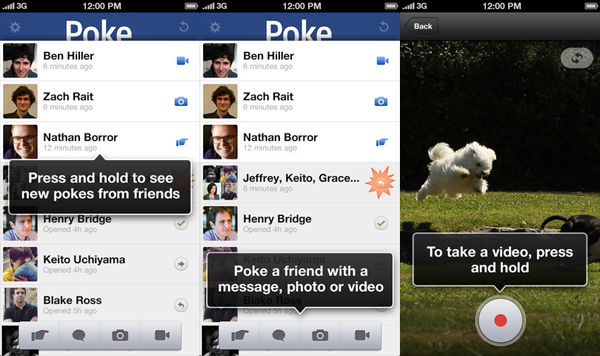
facebook poke iconFacebook just released a brand new app called Facebook Poke for iOS. This release is no doubt trying to steal some market share from the incredibly popular photo and video sharing app, Snapchat. Like Snapchat, Poke will let users send messages, photos, and videos that will self-destruct after a preset time. You can choose to have your content disappear after 1, 3, 5, or 10 seconds after being opened.

This application comes at a time where Snapchat is gaining a significant amount of users. By releasing the Poke app so quickly, Facebook hopes to gain some market share in the private messaging market while it still can. Still, Facebook Poke will have to face privacy headaches that Snapchat has been facing with users being able to take screenshots of private messages. While Facebook Poke is built to only function if there’s a finger on the screen, it’s still possible to take a screenshot. Poke and Snapchat both have features that detect this and will send the sender of the message a warning that a screenshot has been taken of a private message.

Facebook poke

Both Snapchat and Facebook Poke require the recipient to have the app. If a message is sent to a person without the app, they will be redirected to the App Store to download it.

You can download Facebook Poke for iOS and Snapchat for Android and iOS from Softonic.

Scribblenauts Unlimited European launch in 2013

Scribblenauts Unlimited is already available to PC users in North America and Australia but European users will have to wait until 2013 to get their hands on the imaginative and fun puzzle game. Scribblenauts Unlimited was initially launched on Nintendo 3DS and Wii U in North America and Australia where it enjoyed great success and has recently been launched on PC there too. Nintendo has however stated that European users will be able to play the game on February 8th, 2013 on 3DS, Wii U and PC.

Continue reading “Scribblenauts Unlimited European launch in 2013”

Google releases YouTube app for iPad

youtube iconWhen Apple introduced iOS 6, it distanced itself from Google by removing Google Maps and YouTube. In the past, both of these applications were baked right into the operating system. While iPhone users have enjoyed a dedicated YouTube app for months, iPad users had to use third party apps or the YouTube website in a browser to get their streaming video fix.

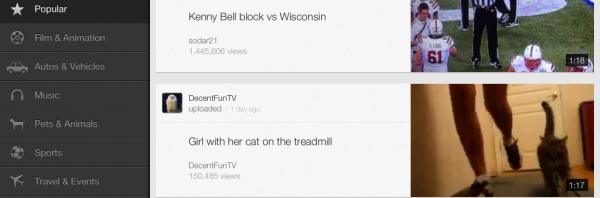
Today, Google released an updated version of their YouTube app that finally supports the iPad and the iPhone 5. I had previously wrote about using the Jasmine iPad app to get your YouTube fix but now you can use Google’s dedicated offering.

Here’s what it’s like to use on the iPad. Continue reading “Google releases YouTube app for iPad”

Mozilla releases Facebook Messenger for Firefox

A couple of weeks ago, Mozilla released Firefox 17, which added a social API to the browser so that developers could take advantage of integrating social networks and services into Firefox. Out of the box, Facebook integration was pretty basic. All it did was add buttons up top for settings, friend requests, chat notifications, and global notifications. This was handy but didn’t offer anything that third party extensions didn’t already.

Today, Mozilla released Facebook Messenger for Firefox, which is available to Firefox 17 users, right out of the box. All you have to do is visit this link and turn it on.

Let’s see what the new Facebook Messenger for Firefox is like. Continue reading “Mozilla releases Facebook Messenger for Firefox”

Firefox 17 released

Firefox 17 is out now, and you can download it for Windows and Mac.

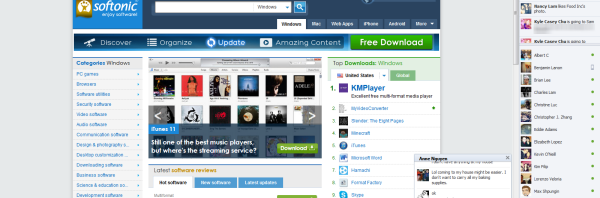
In line with recent updates, this is not a radical update, but there are some changes. The most notable is the introduction of Facebook integration. Click here to enable this feature once Firefox has been updated. This adds four Facebook buttons to Firefox, as you can see below, allowing you to check notifications, messages, friend requests, and open your profile.

You can also have the Facebook Sidebar open all the time, which is great for Facebook addicts, but I think it takes up valuable browsing space, so I’ll keep it switched off!

Continue reading “Firefox 17 released”

Exclusive: IObit releases Advanced SystemCare Ultimate

ASC Ultimate iconAdvanced SystemCare Ultimate from IObit is out today. Today we have an exclusive look at this security and maintenance suite, which will be replacing Advanced SystemCare with Antivirus as IObit’s premiere SystemCare suite.

There are a ton of features in Advanced SystemCare Ultimate that will help take all of the thinking and work out of protecting and maintaining your computer. Some maintenance suites are complicated and intimidating to less tech savvy users but Advanced SystemCare Ultimate is simple enough for the novice, yet powerful enough for the power user.

Let’s take a look at some of the features of Advanced SystemCare Ultimate. Continue reading “Exclusive: IObit releases Advanced SystemCare Ultimate”

Internet Explorer 10 preview for Windows 7 released. Find out what’s changed.

IE 10 iconInternet Explorer 10 has been a Windows 8 exclusive so far, but Windows 7 users can get their hands on the preview today. What’s changed from IE 9? For many Windows 7 users, there will be no apparent change other than the updated interface. Windows 8 users running Internet Explorer 10 will notice the biggest changes as Microsoft designed IE from the ground up to work with touch. Windows 7 users won’t get the simplified touch interface nor will they get handy features like sharing from the Windows Charms Bar.

There are plenty of improvements under the hood of the Internet Explorer 10 preview for Windows 7. Here’s a look at the features that may make you want to upgrade. Continue reading “Internet Explorer 10 preview for Windows 7 released. Find out what’s changed.”

Google Chrome 23 released with controversial Do Not Track support

google chrome icon newGoogle released its latest stable version of the Chrome browser, version 23. In this version, Windows users will gain support for GPU-accelerated video decoding for better performance and battery life (up to 25% better). Users will also get the controversial “Do Not Track” feature, which opts users out of targeted advertising.

While Do Not Track is opt-in only, there are many advertising companies that feel Do Not Track will provide a sub-par user experience.

Here’s how to update and turn on Do Not Track. Continue reading “Google Chrome 23 released with controversial Do Not Track support”