GTA 3 released for iOS and Android devices

Grand Theft Auto 3 has been released today for mobile devices, promising  iOS and Android users all the fun, action-packed gameplay of the controversial original game. Its release is designed to celebrate the 10th anniversary of the original launch.

As you can see from the trailer, GTA 3 for mobile is a very faithful conversion of the original for the small screen. You play as Claude, a career criminal who must work his way up the crime ladder of Liberty City in order to get revenge on his ex-girlfriend who betrayed him during a heist.

Full of great 3D graphics,  fast cars, fun storylines, and brazen violence, Grand Theft Auto 3 is well worth the five bucks it costs from the app store. Find out more by reading our review of GTA 3 for iOS and Android.

BBC iPlayer iPhone app released

The BBC have finally released an official BBC iPlayer app for iPhone. Although iPhones are already able to access the iPlayer via a web browser, this is the first official app which gives iPhone users a similar experience to that found on iPads. The new app also supports streaming iPlayer video content over 3G networks to your iPhone.

The new app includes additional improvements such as more free content and AirPlay for both subscribers and non subscribers. Note that the new app also works with  iPod Touch and the AirPlay feature that allows you to stream content to your TV requires iOS 5.

Google Currents launches for iPhone and Android

Right on the heels of Flipboard’s release on iPhone, Google has launched its own social reading app called Currents.

[youtube]http://www.youtube.com/watch?v=5LOcUkm8m9w[/youtube]

Released for iPhone and Android smartphones, Google Currents aggregates content from online feeds and individual sources like blogs and compiles it in an easy to read magazine format. You can browse stories, and when you find one you like, importing it is a one touch snap. Once imported, you can come back to the article later, even if you happen to be offline.

You can read content with Google Currents in either landscape or portrait views, and the app scales to the size of your mobile device in impressive fashion. The service also syncs across multiple devices so you can take your content virtually anywhere you happen to go.

While Google Currents requires some initial customization to set up the publications you want to subscribe to, the eventual benefits of being able to take your content with you on the go will likely outweigh the minor inconvenience of set-up.

Microsoft releases My Xbox LIVE for iOS

For Xbox LIVE players, communicating outside the service is usually achieved via email.

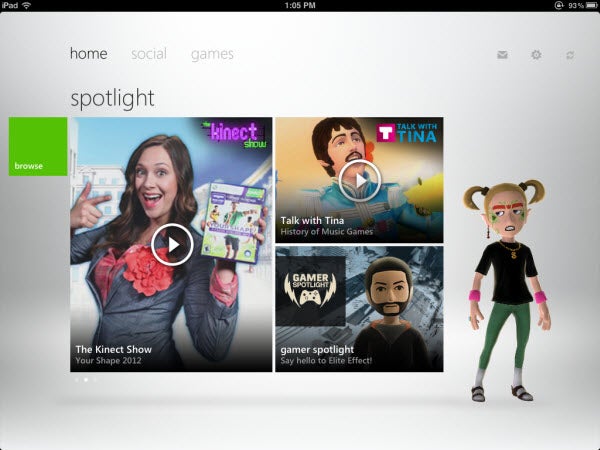
Now Microsoft has released My Xbox LIVE, allowing subscribers to perform most of the same functions on their consoles and web browsers on their iOS devices.

My Xbox LIVE gives players the options of viewing their friends and comparing games. The app also includes the ability to edit player profiles and avatars and send messages to LIVE friends.

While the app is simple, it covers most of the major uses for subscribers right now.

Read our review for My Xbox LIVE.

Infinity Blade II released for iOS

Chair Entertainment’s sequel to Infinity Blade released today on iOS. Compatible for iOS 3.2 and the iPhone 3GS to the iPhone 4S, 3rd and 4th generation iPods, and both generations of iPad, the game was also optimized for the iPhone 4S and iPad 2.

The original Infinity Blade showed off the abilities of Apple hardware with Epic Games’ Unreal 3 Engine, and the sequel improves on every aspect.

Read our review of Infinity Blade II.

Firefox 9 beta released

Firefox 9 has officially gone from Alpha (Aurora) to Beta now that Firefox 8 final has been released. Mozilla continues to follow the same strategy as Google does with Chrome, creating different development channels to release early versions of their browser as soon as they’re available and keep the final one updated as often as possible.

There are several improvement in Firefox 9, although a few of them will only really benefit Mac users. For instance, there’s improved theme integration for OS X Lion and Mozilla have finally added two finger swipe navigation for Lion.

There’s also added support for querying Do Not Track status via JavaScript and improved general JavaScript performance courtesy of adding Type Inference. There have been several other minor tweaks too including improved standards support for HTML5, MathML, and CSS and overall stability has been improved.

The interface is pretty much the same as Firefox 8, with a minimalist toolbar and there’s still no way of removing elements that you may not want such as Java and .Net Framework. The major downside for most users however is that some plug-ins or add-ons won’t work with Firefox 9 yet – so if you have a lot installed, prepare to be disappointed.

Firefox 9 Beta has some useful enhancements for fans of the browser, especially those on Mac.

Anno 2070 demo released

Long running city-building strategy series Anno has made a big leap for its next release. Previous games were set between the 15th and 18th centuries, but Anno 2070, as the title suggests, plants the game firmly in the future, to tell a cautionary tale about global warming.

The hefty 1GB demo, released this weekend, lets you play two missions from the main campaign. It will probably please fans of the game, because while the setting is new, the controls and mechanisms will be familiar. I don’t think Anno 2070 does a good job of introducing itself to newcomers, since it can be a bit confusing at first. However, the improved graphics, alongside some online capabilities make it an interesting prospect.

Are you an Anno fan? Pleased about the futuristic setting, or did you enjoy the historical nature of the previous games?

Anno 2070 is released on November 17, and you can download the demo here right now.

Firefox 8 final released

Although it’s not due until tomorrow, you can now download the final version of Mozilla’s Firefox 8.

Firefox 8, though not very different from Firefox 7 in terms of design, brings a bunch of subtle but useful improvements. The most notable changes in Firefox 8 are the ability to search Tweets and Twitter users from the URL bar. In addition, the way tabs reload after crashes has been improved. Instead of them all trying to load at once (which can really lock-up Firefox) they only load now when you click on them after a crash.

Third party add-ons have also been deactivated by default which will come as welcome news to all those that are sick of add-ons such as Skype reinstalling themselves with each new Firefox update. This means that when you update to Firefox 8, you can choose which add-ons update automatically.

The slight disadvantage of Firefox 8 is that many add-ons won’t work from the start until the developers have upgraded them although the beta testing period for version 8 should have given them chance to do so.


The interface in Firefox 8 is pretty much the same as Firefox 7, with a minimalist toolbar and hidden buttons.

Other than this, Firefox 8 mainly introduces improvements to memory usage and performance when having many tabs open. Firefox 8 is slightly more responsive and has some significant improvements to the JavaScript handling as well as improved support for HTML5 canvas, SMIL, MathML, and XHR. As a result, Firefox 8 is a little faster when loading pages. There are also additional improvements to the anonymous browsing feature and an installation panel that facilitates the installation and management of add ons.

Note that although Firefox 8 has just been released, you can already download the Alpha version of Firefox 9. This is because Mozilla continues to follow the same strategy as Google does with Chrome, creating different development channels to release early versions of their browser as soon as they’re available and keep the final one updated as often as possible.

Download Firefox 8 for Windows or Mac and let us know your thoughts on Mozilla’s latest browser.

Deel.io launches with Google Maps integration

There are a lot of great sites out there that help internet users find deals on services provided by local businesses. Groupon and LivingSocial are just two examples of sites that advertise daily deals and vacation getaways at discounted rates under certain conditions.

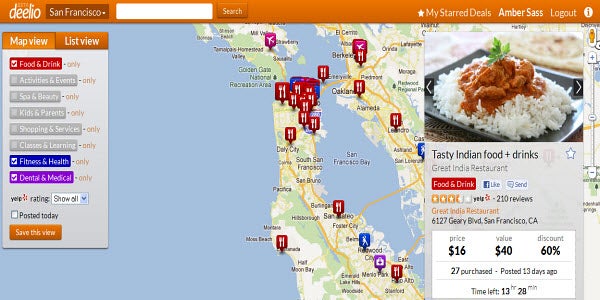
How do you keep track of what deals are being offered when around where you live? Newly launched Deel.io hopes to give you a helping hand on the matter.


Continue reading “Deel.io launches with Google Maps integration”

Adobe launch photo sharing service Carousel

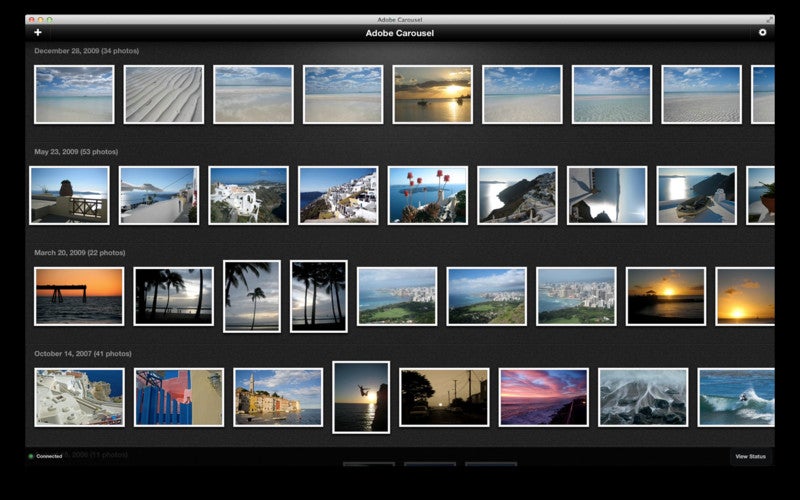
Adobe have announced the launch of Carousel for Mac and iOS which enables users to share photos seamlessly across Apple devices.

Adobe Carousel gives you access to your entire photo collection from your iPad, iPhone or Mac. Adobe Carousel also allows you to enhance them using the same technology as Adobe Photoshop Lightroom. You can import as many photos as you want but you have to pay a subscription fee to use it. At the moment, Adobe are offering an introductory price of $59.99 a year or $5.99 a month although this offer expires January 31, 2012.

The photo enhancement tool is somewhat limited compared to Adobe Lightroom but is useful for just simple effects. Most importantly, you can fix exposure, white balance, and saturation. A slider enables you to change contrast, brightness, vibrancy etc. Changes are none destructive i.e. they don’t affect the original photos.

Finally, you can create libraries which friends and family can access via an Adobe Carousel app for iOS via which they can also add photos to albums.

Adobe Carousel is very polished app and for anyone that doesn’t plan on using iCloud regularly and only wants to share photos, it’s a quick and convenient way of sharing. However, the price of the subscription price will no doubt put-off many mac users but if you only intend on sharing photos and love Adobe products, it may be worth it.