Spotify launched in the US

Almost two and a half years after its launch in Europe, Spotify has been finally launched in the USA. The European music streaming service has reached deals with major record labels in the US that allows American users to try one of iTunes biggest rivals.
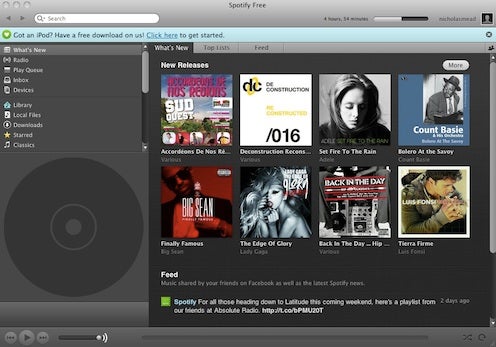
The pricing structure will be slightly different to Europe where there’s only Free and Premium. Free accounts in the US will be invitation only but there will be an Ad-Free version for $4.99 a month plus a Premium Account with Mobile Access for $9.99 a month.

Spotify will find the going much harder in the US where established apps such as Pandora, Grooveshark, Rhapsody, Mog and of course, iTunes dominate the music streaming industry. However, according to some market analysts such as Albert Fried & Co., Spotify poses the biggest challenge to all of them. Speaking to PaidContent.org, analyst Rich Tullo said:

Spotify is really the biggest threat, in our view. It’s going to sell into Facebook’s 650 million users, and if you look at the growth of Zynga, it’s clear that an alliance with Facebook is definitely what you want, because it’s the biggest distribution channel out there.

According to my account, I still have the option to “send your family and friends an invitation to join Spotify” so if you’re a US user that would like to try Spotify, leave a comment below with a reason why you want to try Spotify, and I’ll try sending some invites.

Watch the space shuttle launch online

It’s the end of an era for NASA – this weekend they will finally launch their final space shuttle mission Atlantis before the next generation of space craft come into service. Having made its maiden voyage in 1985, Atlantis will make made its last ever lift-off in the next few hours (weather permitting) after over 25 years of service. If you don’t want to miss history in the making, here are a few ways to follow the lift-off online:

NASA TV

You can watch every second of the action live on NASA TV from 08:00 EDT and also stream it your iPhone or Android Phone.

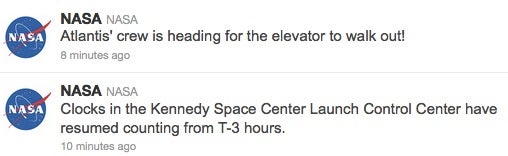
If you can’t watch it then follow it on twitter either with @NASA:

or @NASAKennedy:

Enjoy the launch and let’s hope the weather doesn’t delay it!

New and improved Opera 11.50 released

Opera 11.50 for Windows and Mac has now been released and although there’s nothing outstandingly new in it, there’s a few nice improvements and tweaks that make it faster than ever.

Opera 11.50 keeps the general design and functionality of the much lauded Opera 11.10, but adds convenient improved features to Speed Dial and adds Visual Tabs, Password Syncing across devices and a faster rendering engine.

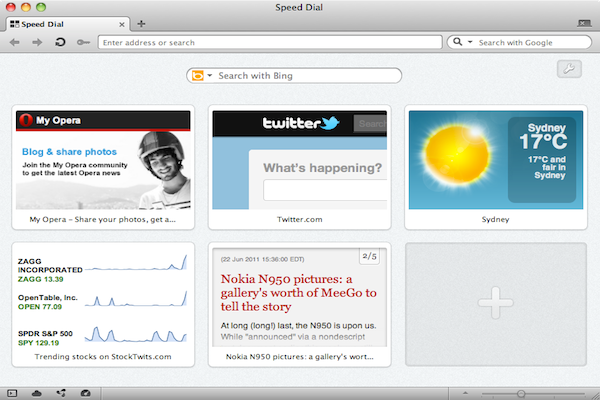
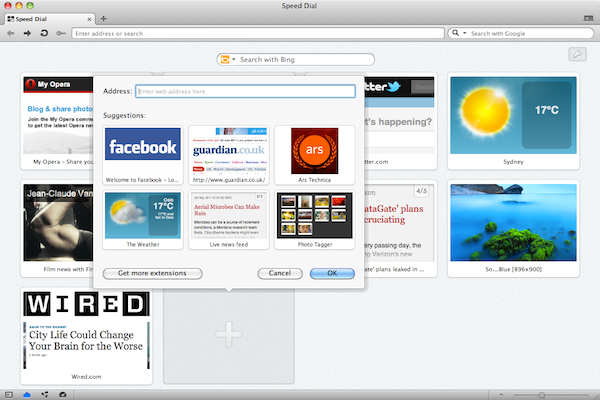
The most notable improvement has been to Speed Dial which instead of simply giving easy access to your favorite sites, now allows you to embed your Speed Dial with dynamic information – in other words, web apps within Opera.

You can add new Speed Dial components, simply by searching and adding them within Opera:

Continue reading “New and improved Opera 11.50 released”

Computer 101: Switching the computer on and off

At last: your very own computer, sitting on the desk, all shiny and new. The only thing missing is… knowing how to use it!

If the first thing you think about after switching the computer on is asking your kids for help, we’d like to lend you a hand. With this series of posts,  starting today, we’ll teach you how to use the internet like a pro: send an email, book flights online, print a photo and much more!

Welcome to Computer 101! Let’s start right away…

Switching the computer on

This may seem stupid, but the first thing you need to know about your computer is precisely how to turn it on. If you have a desktop computer, you’ll need to plug it in. But if your computer is a laptop, you can either plug it or use the battery. Obviously, if you choose the second option, the computer will eventually run out of battery and you’ll need to charge it again – just like a mobile phone.

Once you’ve pressed the button, note you’ll have to wait a certain time (anywhere between a few seconds and a couple of minutes, depending on how powerful your system is). The computer needs this time to load the programs and get everything ready for you.

Continue reading “Computer 101: Switching the computer on and off”

Apple release Final Cut Pro X

It’s the news many video editors and Final Cut Pro fans have been eagerly awaiting – the release of Final Cut Pro X. Final Cut Pro X is available today for $299.99 from the Mac App Store along with Motion 5 and Compressor 4 for a very reasonable $49.99 each.

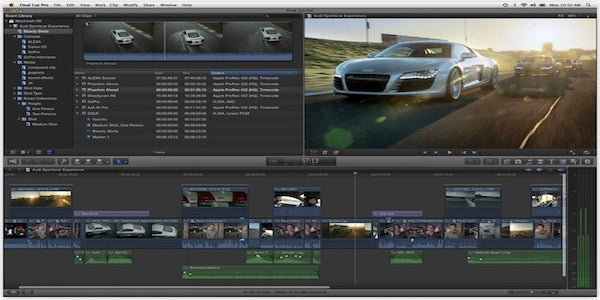
Apple claim that the new Final Cut Pro X “reinvents” video editing with a new Magnetic Timeline which lets you edit on a flexible, trackless canvas and Content Auto-Analysis that categorizes your content upon import by shot type, media and people. And it means less waiting around for rendering because Final Cut Pro X now supports background rendering while you get on with editing.

Final Cut Pro X is built for 64-bit Macs and requires an Intel Core 2 Duo processor or above, 2GB+ of memory and an OpenCL-compatible graphics system with at least 256MB of memory. It will only work on OS X 10.6.7+.

This is a re-write of Final Cut from the bottom-up and is a must-try for any serious Final Cut video editor. The screenshots released by Apple make it look increasingly like iMovie, although that’s not necessarily a bad thing. iMovie is a great video editor, but it is way too fussy and puny so Final Cut Pro X may well be the happy middle ground.

Unfortunately, there doesn’t seem to be a trial version as yet, but at ¢299, it’s very competitively priced.

Final version of Reeder for Mac released

If you’re a fan of Reeder for iOS then you can now use the final version on Mac in the form of Reeder for Mac. After months of beta testing, during which the application was free to test and use, Reeder for Mac is now the finished product.

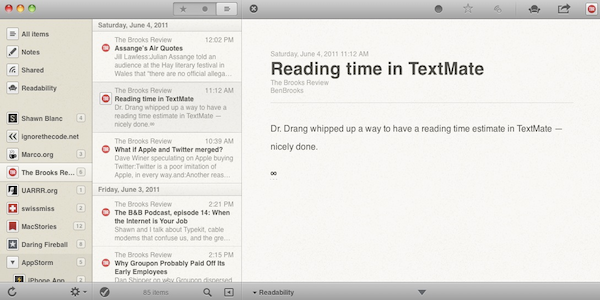
Reeder for Mac is an elegant way of reading your Google Reader account feeds and retains all the slick usability of the iOS version. It syncs either manually or automatically with Google Reader and you get the same readability.com integration, customizable interface and of course gestures that you do on iOS. Naturally as with iOS, you can also send marked items instantly to Instapaper, ReadItLater, Readability and post them to Twitter.

Continue reading “Final version of Reeder for Mac released”

Plants vs Zombies Updated – Now with Zen Garden!

Plants vs Zombies for iOS was updated today with some interesting new add-ons that extend the gamelife of the popular time-waster.

PvZ is, without question, the best tower defense game for iOS. Unfortunately, the adventure mode is over all too quickly and there’s little to satisfy your green-fingered cravings. Thankfully though, developer PopCap has recently been adding more and more stuff for you to do away from the main game.

The new Zen Garden feature of Plants vs Zombies

This latest update introduces a new Zen Garden section (above) where you can collect and grow your own plant collection. If you come back and water them every day then you’ll earn coins to spend in Crazy Dave’s shop.

On the subject of the shop, Crazy Dave now has some more fun minigames for us, including the Zombiquarium, Zombotany and It’s Raining Seeds. There are also new achievements to unlock in the game, making this a Plants vs Zombies update that you’re going to want to download!

Voddler to be released in Spain on June 11

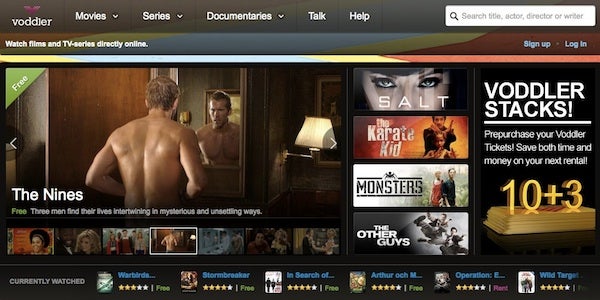
Voddler,  the Swedish based film-on-demand service sometimes referred to as “Spotify for films”,  is set to finally launch outside of Scandinavia in Spain on June 11th. The original launch date was set to be June 1st but has been delayed due to technical problems according to the company.

Early in 2010 we were the first to bring you an exclusive interview with the team at Voddler and were also one of the first to bring you a review of the new web based version of the client. At the moment, around 60,000 users have been invited to sign-up to be invited to use the new service but it will be opened-up to everyone from September.

Voddler offers a huge catalog of ad-supported free films along with a selection of premium releases (currently including films such as Inception, Harry Potter and Tron) for around $6. One of the major criticisms we noted in the early days of the service was the lack of major releases available. However, since then, Voddler has signed deals with most major film labels in Hollywood allowing them to offer a much better selection.

If you can’t wait until June 11th to see what Voddler has to offer, don’t forget to check out our full review of the Scandinavian version.

Opera Mini 6 released for iPhone and iPad

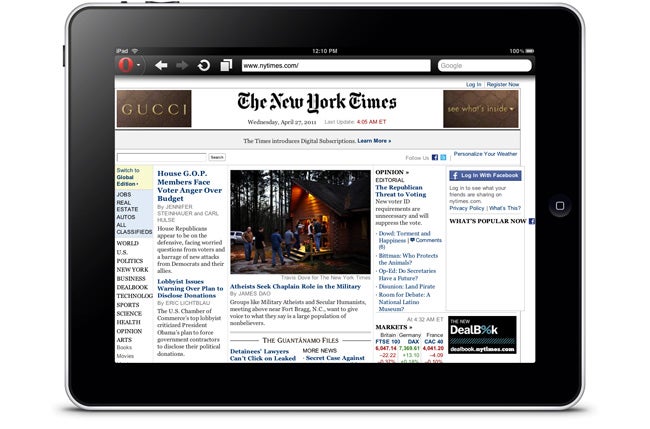
A leaner, meaner new version of Opera Mini hits the App Store today. Opera Mini 6 for iOS is designed to offer a faster, more comfortable way to browse the web on an iPhone or iPad.

Opera Mini 6 for iPad

The new version of the popular browser boasts a much improved zoom tool. Whereas the previous version of Opera Mini for iOS was very clunky, only offering two different zoom levels, zooming is now smooth and precise. Scrolling and panning around websites is also very slick in Opera Mini 6, even when navigating heavy pages.

Other changes introduced in Opera Mini 6 include Share buttons for quickly telling your friends about a site over Facebook, Twitter, My opera or vKontakte. The user interface has been treated to a few cosmetic tweaks, and the Opera menus have been redesigned to make them clearer.

Check out our full review of Opera Mini 6 for more

Valve releases Portal 2 level creator

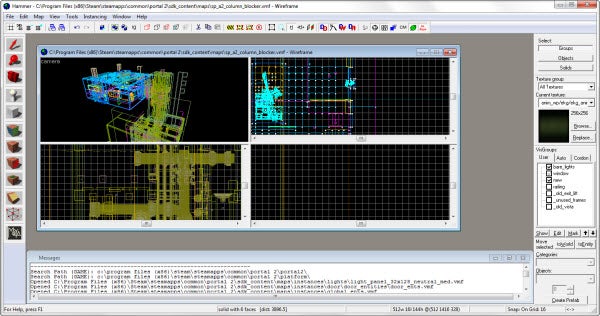
The Portal 2 Authoring Tools have been released as a free download to PC users through Steam. This suite of tools will allow you to create your own Portal 2 levels!

There is a catch, however. These tools are based on the ones Valve used to create the game itself, and as soon as you launch the app it’s obvious: Portal 2 Authoring Tools are not for casual users. It includes the Hammer World Editor, which allows you to create levels or edit current ones. There is also a Model Viewer and Face Poser. It’s pretty complicated stuff, but if you’ve got the time and dedication, there is a good ‘Getting Started’ guide, and some example content.

Portal 2 Authoring Tools are PC only, and require a copy of the Portal 2 to download and use. It will be interesting to see what people create!