How to register an account and watch Disney Plus from South Africa in 2022

It’s finally here! After a long wait and several complaints to the massive entertainment giant, Disney Plus South Africa has eventually arrived. That’s right! You can now view all your favourite Marvel and Star Wars shows in one location online, so get ready to say goodbye to your Netflix account.

For those of you who don’t know how to register for a Disney+ account just yet, we’re going to show you in this article. We’re also going to give you a taste of what movies and series you’ll be able to enjoy. Dus nou rerig lekker in Suid-Afrika!

Disney+ offer SUBSCRIBE TODAY

What can you watch on Disney + in South Africa?

You’ll be spoilt for choice when it comes to Disney movies and shows on the entertainment portal. If you’ve missed any of the blockbuster movies at the cinemas, you can grab them right here. Here’s an overview of the exciting line-up thus far for South Africans.

Marvel

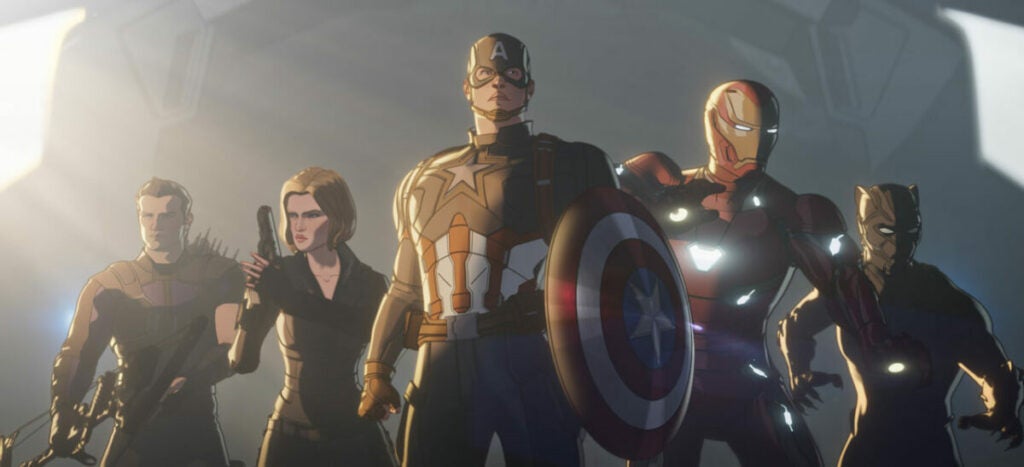
Are you a Marvel fan or love the Avengers? There’s a dedicated section for all the movies and shows on Disney+. You can view the latest Hawkeye series, or dive into how Natasha Romanoff went from Russian spy to hero in Black Widow. What makes it more enticing is that you can see the different MCU phases, or watch all the shows in the right order. Doctor Strange in the Multiverse of Madness will be joining the line-up soon.
Star Wars

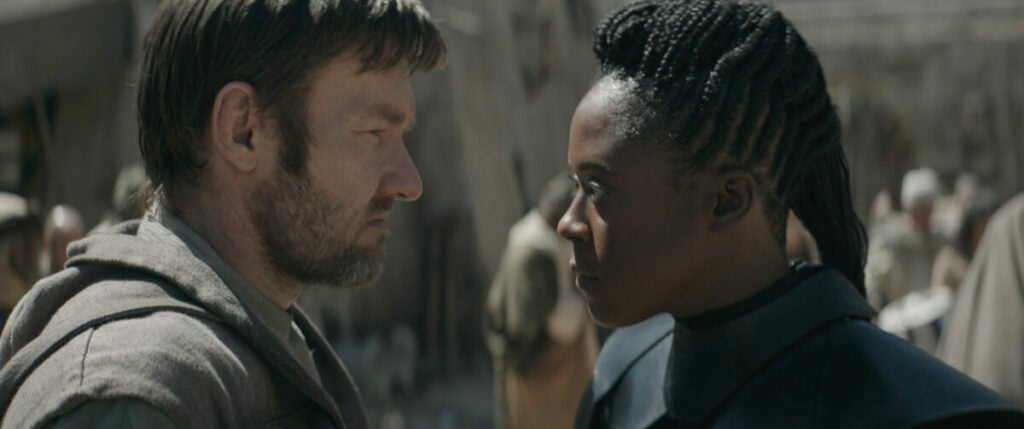
Another fantastic part of having Disney+ in South Africa is that you’ll have access to all Star Wars content. We’re not only referring to all the movies. There are various series to watch, such as the latest Obi-Wan Kenobi and the Boba Fett shows. You’ll even see some behind-the-scenes episodes.
Animations and cartoons

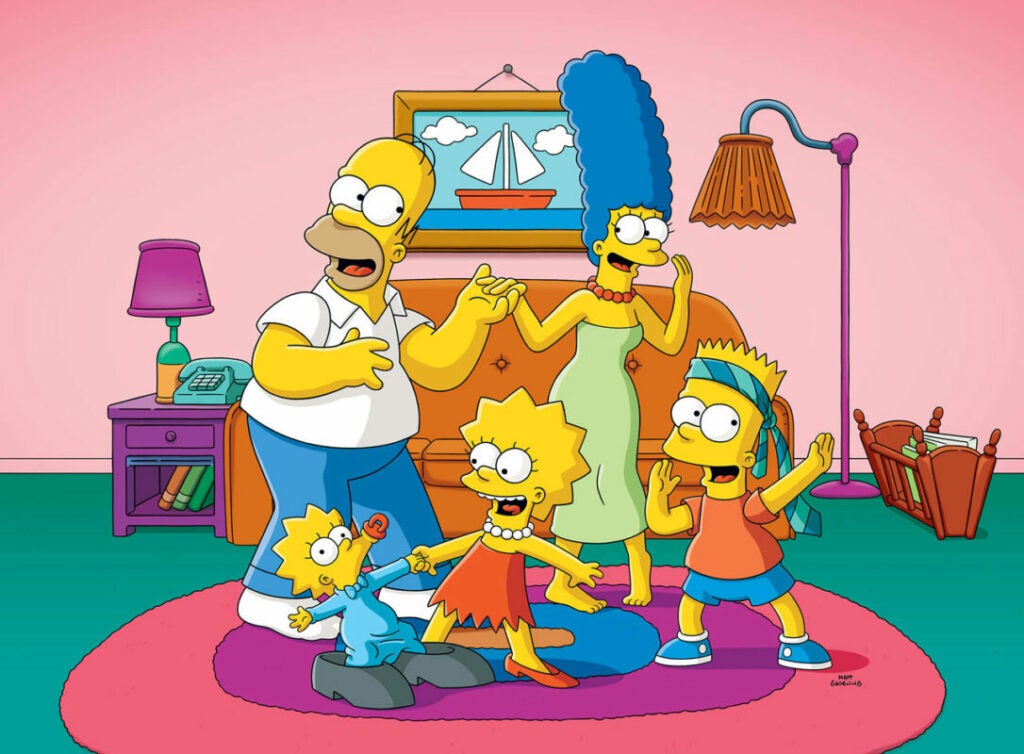
Looking for some Disney princesses or Pixar heroes? Disney+ is home to all of its cartoon and animation movies and series, which will keep you and your children entertained for months on end. Also, we’re sure many South Africans will be happy to finally watch all The Simpsons episodes in order, which is part of the Disney Plus library. So, be like Homer, grab a beer and some pretzels or Lay’s chips, and enjoy the show!
National Geographic

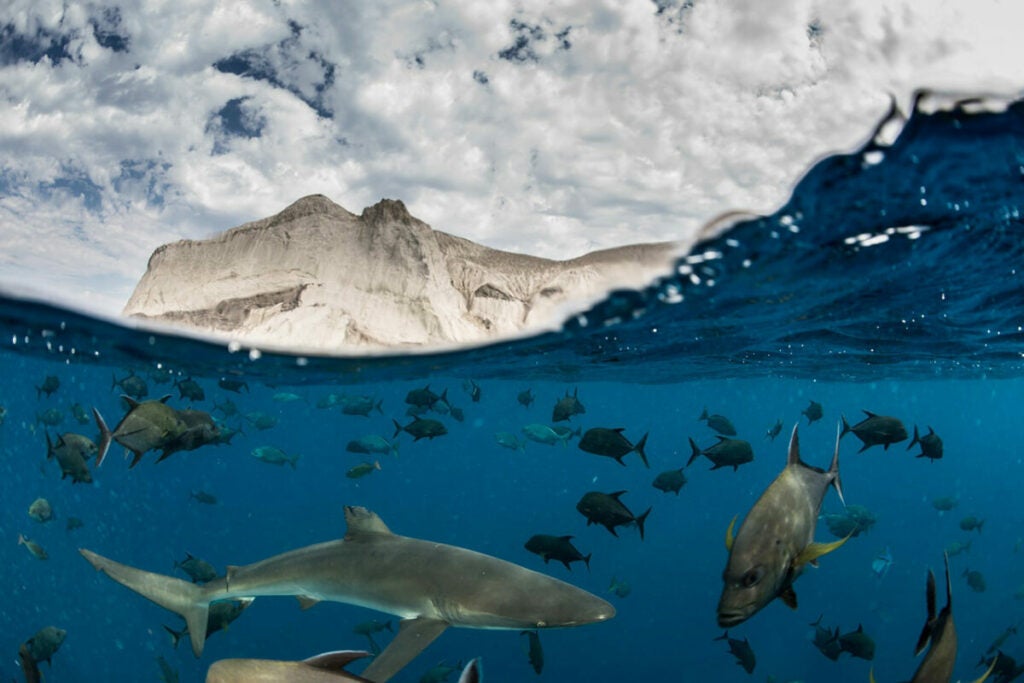
For those animal lovers, you can also access all of Disney’s National Geographic shows. You’ll learn more about animals and the planet. Unlike DSTV where you’re forced to watch whichever episode appears next on the NAT GEO channel, you can choose any show your heart desires. Let your enjoyment run free in the wild!
A whole lot more!

There are plenty more Disney movies and shows to enjoy that don’t fit in any of the above categories. Of course, the media giant won’t stop there, and we’re expecting more content in the years to come. So, put aside any VPN you may have been using and connect to a Disney Plus South Africa account today. 

How to get Disney + in South Africa?

Registering for an account to watch Disney+ in South Africa is easy. You simply need to find the Disney plus download on your device, be it PC or mobile. Once located and installed, it will ask you to register with your cellphone number. You’ll also need to select a subscription package, but we’ll get to that in a moment.

How to watch Disney +?

Whenever you try to access your Disney+ account in South Africa, it will send a verification code to your mobile phone. Unfortunately, some Smart TVs and gaming consoles still need Disney Plus added as an app. Until then, you can have your braai while watching any of your favourite shows on your smartphone or tablet. I’ve connected my PC to my television to enjoy the Marvel movies on the big screen.
how to watch Disney plus south africa

How much is Disney Plus in South Africa?

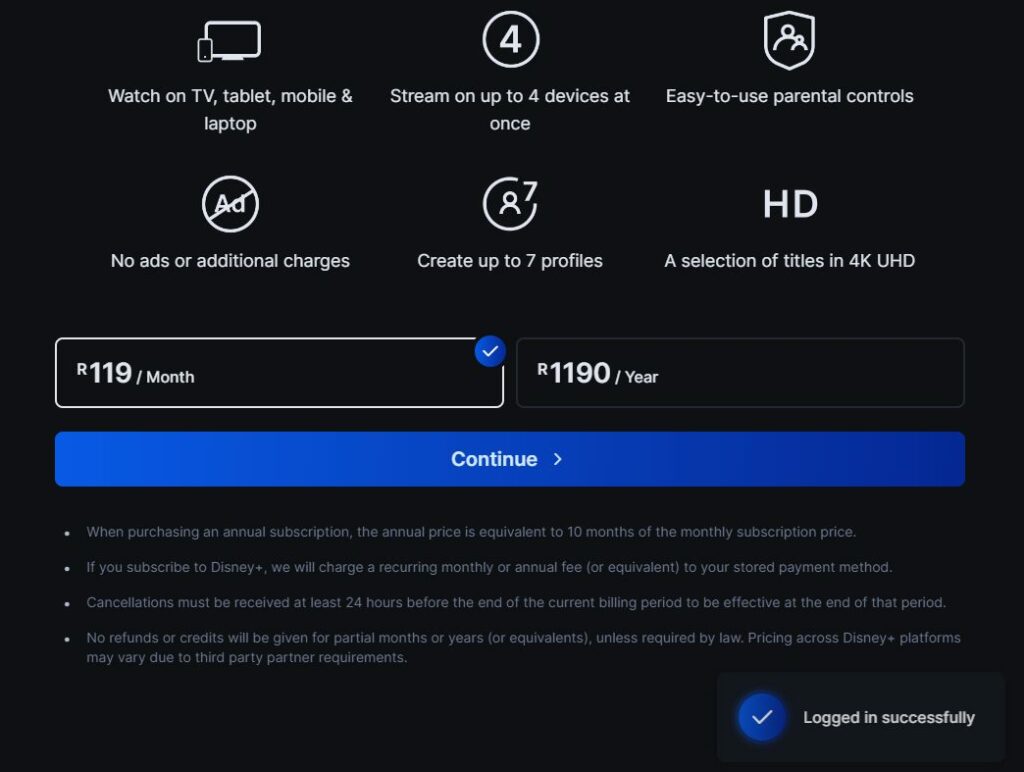
If you’re smart, you’ll grab the special offer where you pay for an annual subscription of 12 months at the cost of 10 months. With a monthly rate of R119, you would usually pay R1428 per year. Instead, you’ll only need to cover R1190. Imagine enjoying all the Disney movies and shows for that low cost over the entire year!

The savings are based on the cost compared to the sum of each month over the 12-month period. Don’t pay more than you need to when you can have your top shows available for less!

Ms Marvel heads to Disney+ for an exciting heroic adventure

Imagine you’re a teenager living in the heart of Jersey City, with the Avengers as your inspiration. Suddenly, a new power arises inside of you, and you find that you’ve become a hero. How do you learn how to use it while fighting crime and going to school? That’s the lesson for Ms Marvel in the new Disney+ exclusive series.

The Marvel streaming service launched a new trailer for the Ms Marvel series, while it releases on June 8, 2022, with the first episodes. If you act quickly, you can take advantage of the Disney+ subscription deal and miss none of the action!

Disney+ at the Best Price SUBSCRIBE NOW

An intense Disney+ series about a girl with new powers

Meet Kamala Khan. She’s an ordinary teenage girl living in Jersey City that’s been watching several Avenger heroes save the world over and over again. Not only does she dream about becoming a hero with powers, but she also wears merchandise with images of them. Sadly, she’s often mocked for her adoration of these god-like beings.

Just as she’s about to give up on the notion, listening to everyone that says she needs to live her real life, she finds a mysterious artifact. Placing it on her wrist, it unlocks abilities within her, giving her the heroic life she’s always dreamed of.

Ms Marvel heads to Disney+ for an exciting heroic adventure

Learning how to balance life

The fun and adventures for Ms Marvel only start there for our young Disney+ hero. While she takes on crime, she still has to live her life and go to school. It becomes a fine balancing act that quickly spins out of control. Kamala Khan soon learns that it’s not that easy living with superpowers, especially when using them invites trouble.

Actress Iman Vellani takes the star role of Ms Marvel in the upcoming Disney+ series. She’s joined by the cast of Aramis Knight, Saagar Shaikh, Rish Shah, Zenobia Shroff, Mohan Kapur, Matt Lintz, Yasmeen Fletcher, Laith Nakli, Azhar Usman, Travina Springer, and Nimra Bucha. This is Iman Vellani’s debut television series, and it will be exciting to see how she takes on the role of a superhero.

Ms Marvel heads to Disney+ for an exciting heroic adventure

Ms Marvel in the comic books

For those of you who are new to the Marvel universe, Ms Marvel isn’t a new concept. The name stems Captain Marvel, as that’s who the teenager looks up to as a role model. Also, they use the same Kree technology for their powers. However, Kamala Khan is the fourth person to take on the Ms Marvel mantle in the comics.

Her predecessors include Carol Danvers, Sharon Ventura, and Karla Sofen. While the MCU appears to be taking a shortcut in the Disney+ series, we’re hoping to hear these names mentioned at least. We know Danvers went straight to being Captain Marvel and then participated in Avengers EndGame in the war against Thanos. The series will hopefully tie up these connections.

Ms Marvel heads to Disney+ for an exciting heroic adventure

Unlock the superhero in you with Disney+

We’re all set to watch Ms Marvel as soon as the series launched on Disney+ tomorrow, June 8, 2022. While we have an idea of the cast, it will be interesting to see if any other Marvel superheroes make cameo appearances. We’ll also listen for any easter eggs with regards to other past Ms Marvel or Captain Marvel heroes.

You can grab a special offer that includes an annual subscription of 12 months at the cost of 10 months. The savings are based on the cost compared to the total of each month over the 12-month period. Claim the Disney+ discount offer and start enjoying an entertaining journey!

The 10 most popular Photoshop filters

Adobe Photoshop is a robust photo editing tool equipped with countless features and effects. Used by photographers and graphic artists worldwide, you can start benefiting from the software with little to no design experience. But if you’re just learning how to use Photoshop, the breadth and depth of this heavyweight application can feel a bit overwhelming.

Adobe Photoshop DOWNLOAD NOW

As you get to know the Photoshop basics, you’ll soon be wondering how to achieve the same attention-grabbing images you find sprawling across your Instagram feed. The truth is you don’t have to spend hours editing your pictures to get that well-polished, high-end professional look. We’ve put together this list of 10 popular Photoshop filters and plugins to help you simplify some otherwise complex editing processes.

Dramatic Sepia (FilterGrade)

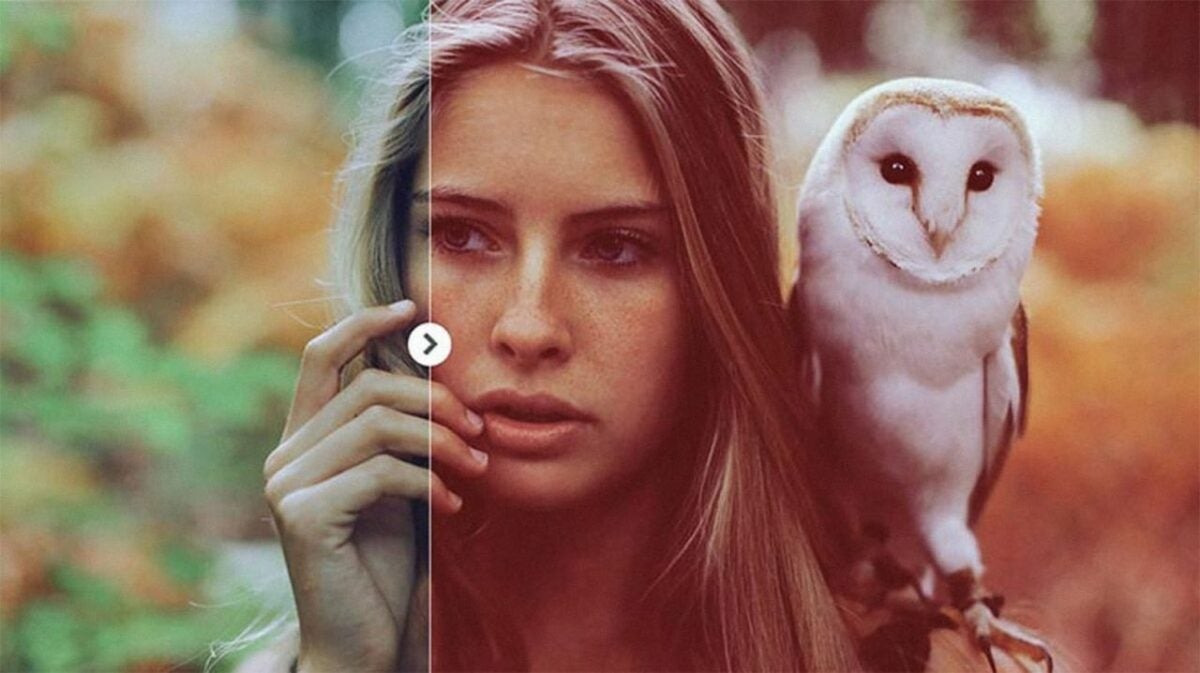
Dramatic Sepia is one of the most widely used image filters because it gives your digital images a timeless celluloid appeal. While the FilterGrade Dramatic Sepia add-on is not free (it starts at $5), the results are worth the small investment. This is a preferred filter among landscape and portrait photographers alike. It works exceptionally well for creating an organic and sunburnt look to send your pictures back in time.

The Dramatic Sepia filter adjusts the color settings of your regular photos to give them a timeless sepia effect

LithPrint (DeviantArt)

Lithographic printing is a traditional photo development technique that involves overexposing color negatives or black and white film stock onto a gelatin silver paper. Photographers using this technique partially develop their photos in a dilute lithograph developer to produce unique and often unpredictable results. LithPrint by DeviantArt makes it easy to achieve the original lithographic look in just a few clicks.

Replicate the look of a lithographically developed image with the LithPrint filter

Wanderlust (Filter Atelier)

Globetrotting lifestyle photographers adore this Wanderlust filter because it lends a classic 35mm-inspired look to their travel images. The filter works great for bringing out natural earth tones in photos, and they look incredibly fashionable in blog posts. This add-on includes three separate filters perfect for adding more depth and mood to your images.

The Wanderlust Collection is ideal for busy travel bloggers who need awesome looking soft images and efficient workflow

Faded Films (sparklestock)

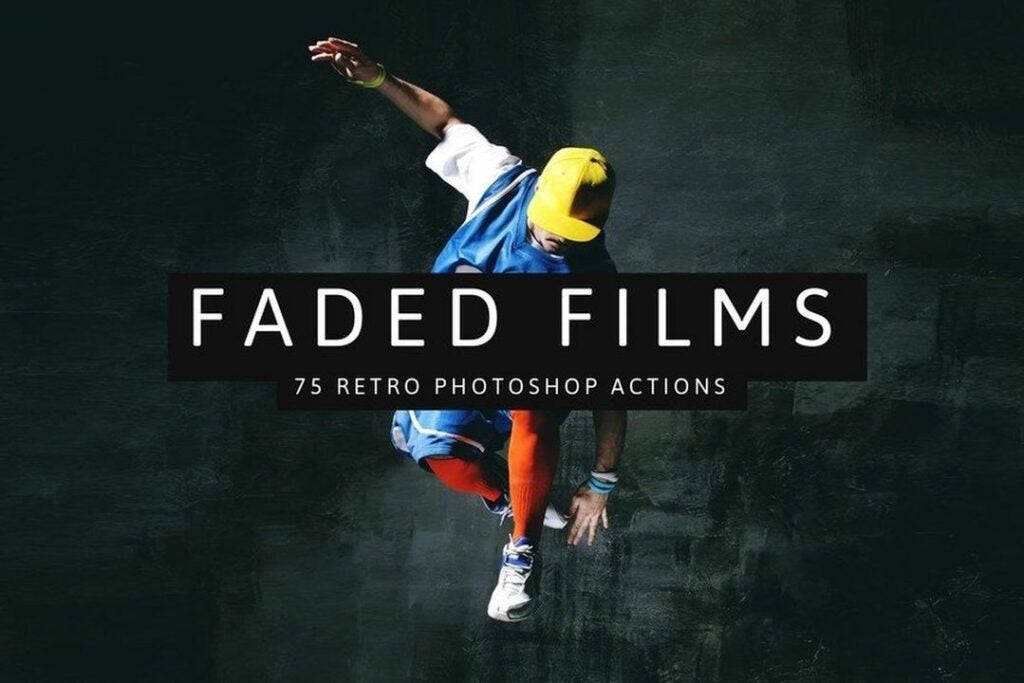
This Photoshop filter is similar to Vintage Sepia because it gives your pictures a throwback, faded-film look. But instead of sepia tones, Faded Films produces a cornucopia of gorgeous faded colors in a single click. The set includes over 75 non-destructive filters that are easy to use and retain the optimal quality of your original image file.

The Faded Films filter is perfect for anyone looking for an early 90ds 35mm effect

Blue Evening Action (photographypla.net)

Photographers who demand a truly unique color aesthetic from their photos love the Blue Evening filter for Adobe PS. If you enjoy working with blue tones and hues, the free Blue Evening image filter lets you work them in without turning your entire picture blue. This tool isolates specific image tones to create an evening blue mise-en-scène.

Included free with the Touch of Drama Actions, the Blue Evening filter adds a touch of blue nightscape to your photos

HDR Tools (DeviantArt)

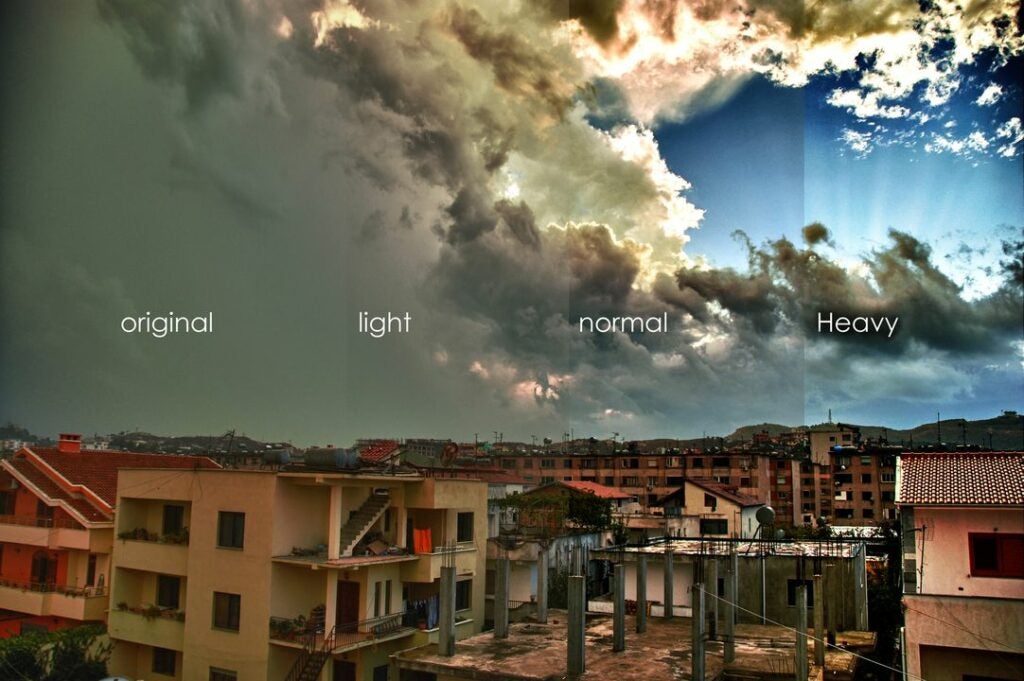
The HDR effect is a great way to add more contrast and dimension to your images. In particular, this HDR Tools filter from DeviantArt offers three easy-to-access intensity levels to help you create the famous HDR aesthetic. This image filter is free and works wonders for enhancing the contrast between highlights and shadows.

Add more contrast depth and color to your images with the HDR Tools action set for Photoshop

Bridal Photoshop Actions (creativetacos)

The wedding photographer community accounts for a large segment of Photoshop users, and the Bridal filter is hugely popular among them. The Bridal Photoshop Actions package includes a set of free Photoshop filters that can make any wedding event look majestic. While the filter performs remarkably well in any wedding scenario, it’s designed for bridal shoots, specifically. You can access a range of bridal-specific edits and choose from several different styles depending on the mood and tone of the event.

This impressive Bridal package is designed specifically for wedding and bridal shoots, but works great for any type of event photography

Monochromatic (Contrastly)

Black-and-white photo editing is deceptively more complicated than it first appears. The Monochromatic filter by Contrastly simplifies the finer points of black and white image editing by delivering a collection of preset filters to help you quickly achieve several distinct monochromatic looks. The package contains 18 filters, including a few additional stylized filters like sepia tones and cyanotypes.

Access 18 unique monochrome sepia and cyanotype presets with this monochromatic set for Photoshop

Comic Oil Paint (creativetacos)

Photoshop is a powerful tool that can transform your images into comic book-style animations, and the filters from Comic Oil Paint Photoshop Actions make this edit easy. After a few clicks, you can turn your photos into vintage movie posters or create an elaborate comic book featuring your friends and you.

The Comic Oil Paint action for Photoshop turns your standard photos into dynamic comic book style oil paintings

Vintage & Retro Color Effects (devotchkah)

You’re probably noting an observable trend here in that retro-looking images never go out of style. And any photo filter that can seamlessly send you pictures back in time provides a lot of value. Vintage & Retro Color Effects includes 21 non-destructive retrograde image effects, including color, vignette, old-style filters, and even a noise and dust graphic effect.

The Twenty One Vintage & Retro Color Effects includes 21 nondestructive color effects to help you achieve

The choices are limitless with Photoshop image filters

The above list is just 10 of the most popular image filters, and there are literally scores of similarly impressive products out there. Ready to get started with Photoshop? Download the Adobe Creative Cloud now and learn how to remove unwanted elements from your pictures.

The Force awakens as Obi-Wan Kenobi releases on Disney+

Disney+ has Star Wars fans excited in anticipation of the release of Obi-Wan Kenobi. The first two episodes launch on Friday, May 27, 2022. There are six parts in total, and you’ll be able to see a new one every Wednesday until the finale on June 22.

Disney+ Offer SUBSCRIBE NOW

We’re eager to return to the universe of the Jedi and Sith, and the Obi-Wan Kenobi story on Disney+ is bound to be exciting. Let’s see what the show has in store for you.

Disney+ continues the Star Wars adventure

As you can see from the Disney+ trailer for the Obi-Wan Kenobi release, our hero heads back to Tatooine. At first, it looks like we’re heading back to the time he was looking for Anakin Skywalker. When you hear Owen refer to how Obi-Wan trained his father, you realize he’s there for the young Luke.

The series takes place 10 years after Star Wars: Revenge of the Sith. Fans will recall the grueling battle between mentor and apprentice, where Obi-Wan left Anakin left for dead. However, the dark sith lord returned to save him at the last moment, which is when Anakin was transformed into Darth Vader.

The Force awakens as Obi-Wan Kenobi releases on Disney+

Obi-Wan Kenobi faces his former apprentice again

Vader is hunting down Obi-Wan Kenobi. He has some allies on his side, but we’re happy to hear that Hayden Christensen will return to act as Anakin. He did such a splendid job, and being older now works in his favor for this role.

Of course, Ewan McGregor doesn’t seem to age, and he returns as Obi-Wan Kenobi in this Disney+ presentation. There’s a mix of previous and new actors, but we’re dying to see how the series will end and if the two opponents will face each other again. Fortunately, we both know they’ll survive, as we’ve seen in the original Star Wars trilogy where Obi-Wan finally trains Luke.

It’s a pity there’s only mention of six parts, though. Sure, they don’t want to prolong it, as there are the movies and animated series’ timelines to consider. Still, it would have been amazing to see more of these actors on the screen using their skills.

The Force awakens as Obi-Wan Kenobi releases on Disney+

Are you ready to travel across the galaxy on Disney+?

Disney+ is going full steam ahead with its top names in the entertainment industry, namely, Star Wars and Marvel. There’s also a brand new series called The Quest also launching on May 27. With all this excitement for the month ahead, you’re going to miss out if you don’t get in on the action soon. Buckle your seats as we watch Anakin and Obi-Wan in another significant encounter.

At the moment, you can use a discount on an annual subscription of 12 months at the cost of 10 months. The savings are based on the cost compared to the sum of each month over the 12-month period. Head on over and accept the Disney+ discount offer today!

How to add animated titles using Essential Graphics in Premiere Pro

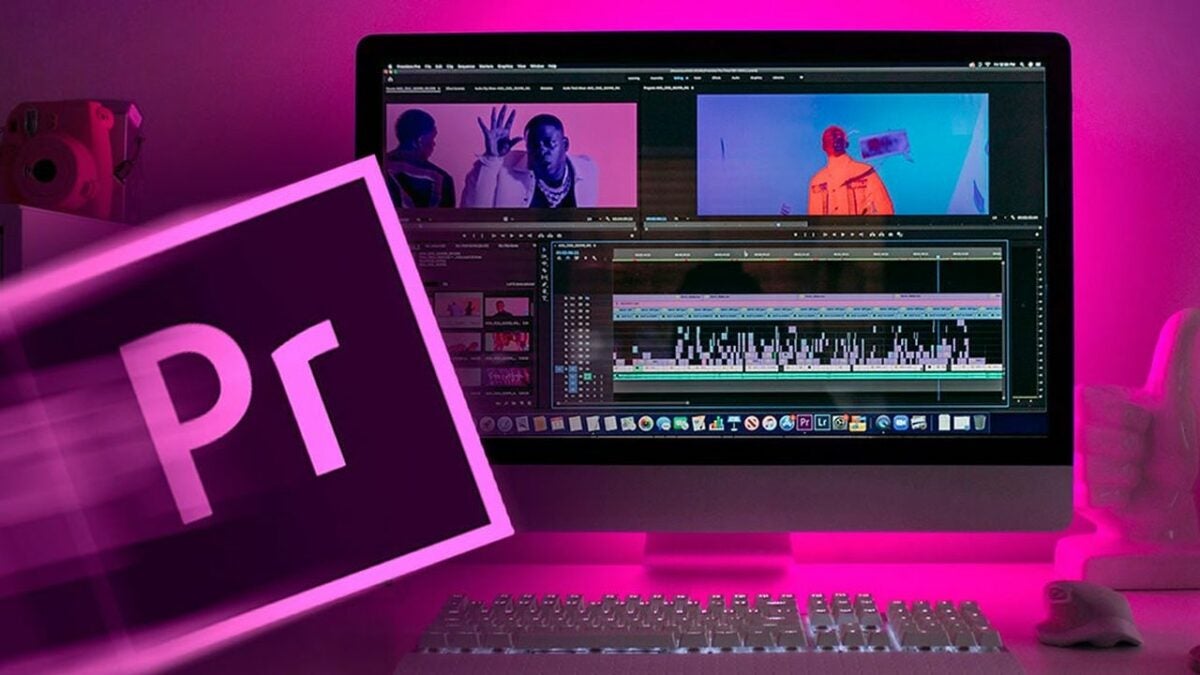
Adobe introduced a new approach to its motion graphics workflow when it updated The Graphics workspace and Essential Graphics panel in April 2017. The new Essential Graphics panel addressed the time-consuming video processing issue that required editors to jump back and forth between Adobe Premiere Pro and Adobe After Effects.

Premiere Pro FREE TRIAL

The 2017 update to the Graphics workspace was Adobe’s successful attempt at streamlining the workflow of professional editors who work in collaborative video production environments. The final result produced a far more manageable and beginner-friendly feature from Adobe. Editors can now animate and customize titles using easy-to-access After Effects templates with no prior experience and without ever opening the After Effects app.

Creating text effects and animations in Premiere Pro

Adobe simplifies the motion graphics workflow by giving all the required tools in a single panel where you can seamlessly design and animate unique text and graphics for your videos using the supplied presets in Premiere Pro. Creating original motion effects for your clips requires a basic familiarity with the workspace. Here’s how to easily generate text animations from scratch using the Essential Graphics panel in Premiere Pro.

  1. Choose your text

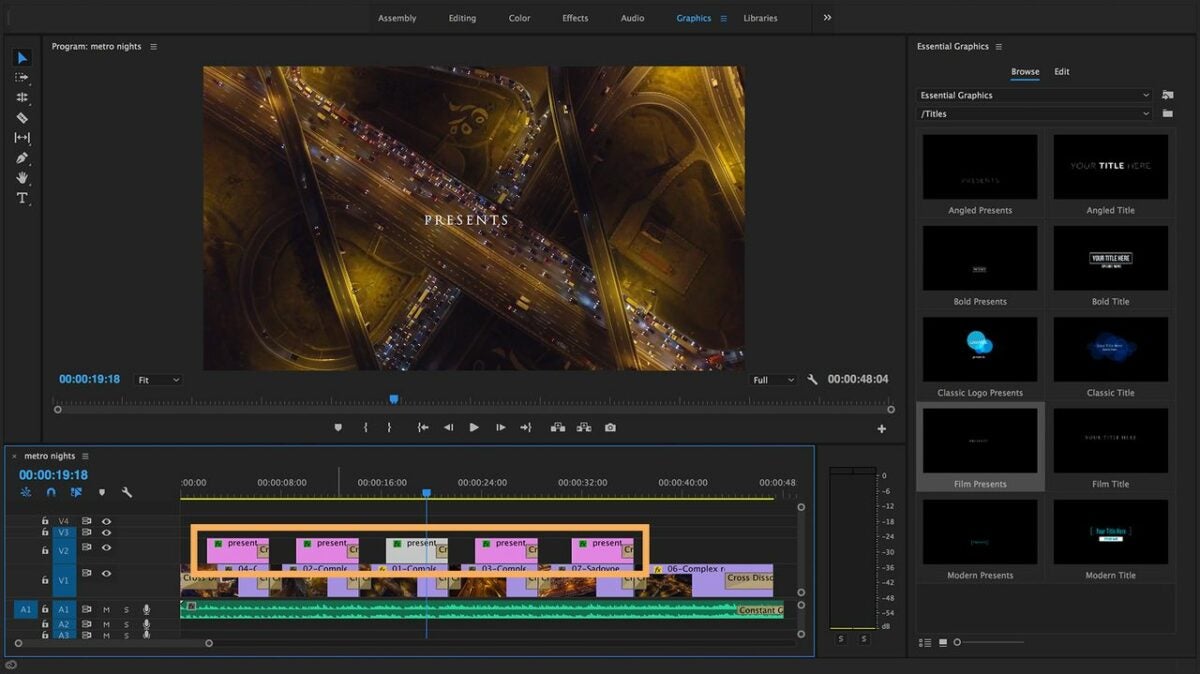
    Create animated titles and graphics with the Essential Graphics panel

    Start by clicking on Window > Essential Graphics. The next step is to use the Text Tool [T] to generate your title. Once you’ve added the text, this creates a new layer under the Editing tab. Selecting the Text layer reveals all corresponding properties and tools.

    To align your text in the desired position within the frame, access this under Align and Transform. This toolset lets you choose from an array of different font styles. Click on Appearance to adjust text color or insert visual elements like drop shadow, multiple strokes, and responsive background.

  2. Select your background elements

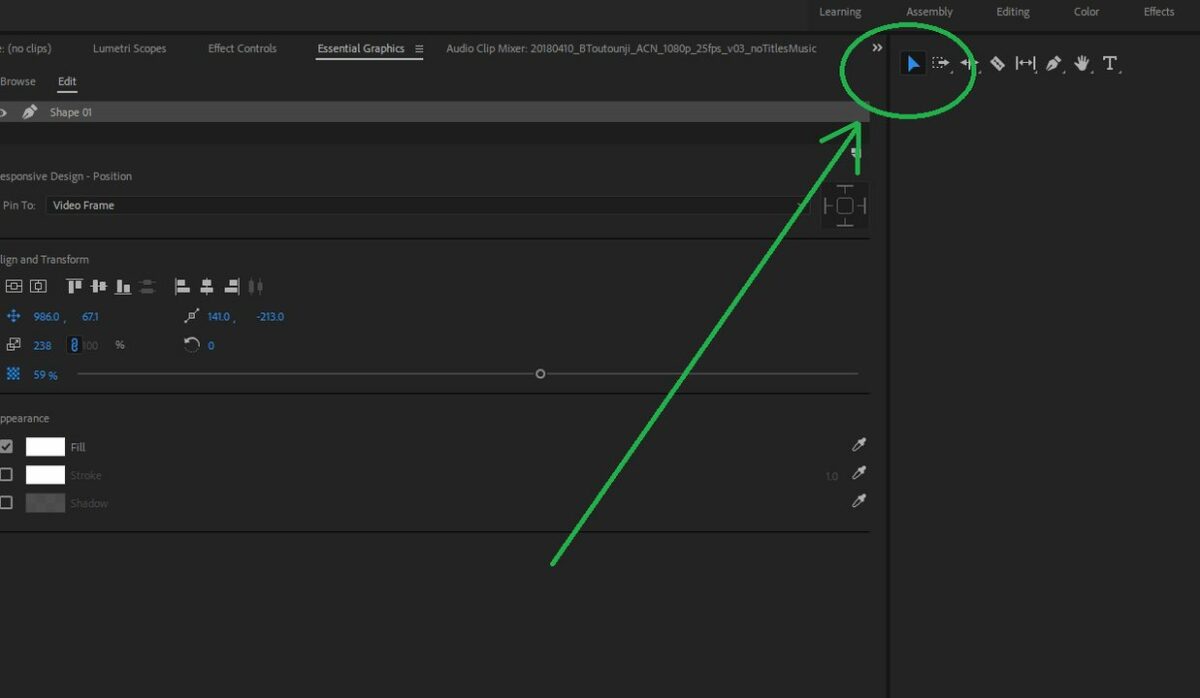
    Select your background using the graphic workspace to create a rectangle

    For your background, start by creating two Rectangle layers. Click on New Layer beside your existing at the top of the Essential Graphics panel. The rectangles should significantly outsize your text. The larger asset gives you enough room to crop and add masking later.

    To change the color of your rectangles, navigate to Fill in the Appearance at the lower right of the panel. Choose your colors by checking the box next to the background options. Now, you can arrange your layers. Put one color at the top and the other at the bottom. Now, position the text at the top.

  3. Mask your graphic

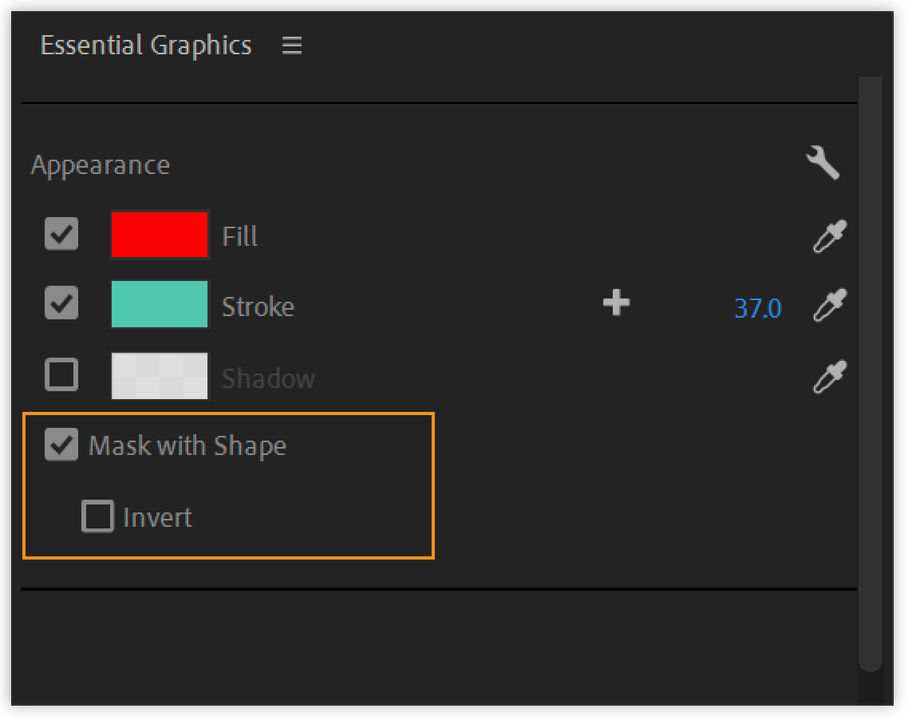
    Select mask with shape under appearance

    Adobe introduced masking to the revamped edition of the Essential Graphics panel, making this feature accessible directly in Premiere Pro. Before adding a mask, you need to create a new layer for your rectangular shape. Size and position the shape as desired, and then, select the Mask with Shape under Appearance, located at the bottom right.

    If you are working with several layers, the Graphics panel gives the option to group them so that the mask applies to each layer. Now, you’re ready to animate your graphic.

  4. Set your background and text in motion

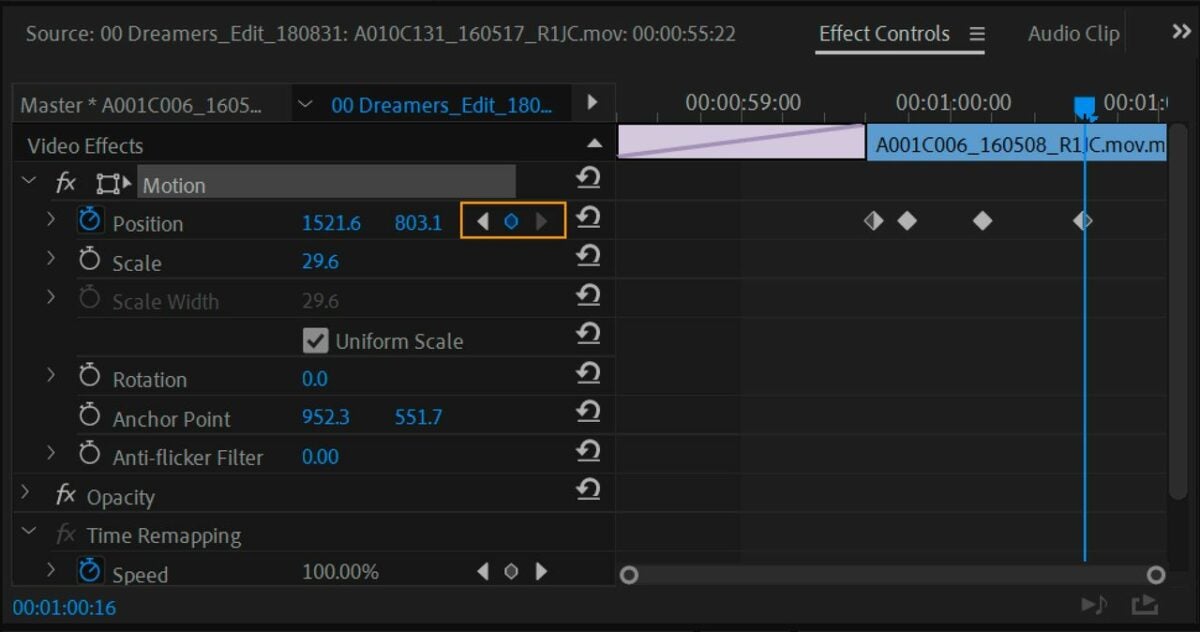
    Use the Motion effect to position your graphic within the video frame and adjust effect properties

    Once you have arranged all the elements by following the steps above, you can now animate your text and backgrounds following a simple approach called the Y Position shift. Start by animating the text layer.

    Animate the Y Position by moving the Playhead over the two-second mark in your timeline. This times the animation over two-second intervals so that one color appears first, followed by the second color.

    Now that you’ve established where the animation ends, choose the Text layer on the panel before selecting the Position icon under Align and Transform.This step turns on the animation and adds a keyframe at the time indicator. Verify the motion effect is applied after the symbols turn blue.

    At this point, you can bring your playhead to the one-second mark. Now, adjust the Y attribute to put your text in the appropriate starting position within your timeline. Any time you make changes to a given attribute, a new keyframe generates, adding itself to the location. Now, you can animate both of your rectangles by following the same steps. Be sure to offset the time for each shape to produce the desired effect.

Customizing video titles is simple with Premiere Pro

With its seamless drag-and-drop interface and preset animated texts in one panel, finding the perfect look for your video titles couldn’t be easier in Premiere Pro. The software comes equipped with several advanced features to help you create stunning, professional-grade videos. For more on color-correcting night videos, check out our Premiere Pro latest tutorial.

Premiere Pro Offer CHECK IT OUT

Watch the exciting fantasy series The Quest on Disney+

What happens when you combine a reality TV show and a fantasy adventure? You end up with The Quest. Disney+ is streaming this short series to all subscribers, featuring eight teenagers that enter a world called Everealm. Their mission is to play several games with the objective of saving the kingdom. Only one true hero will prevail.

In this quick article, we’ll present the main plot to you, why you should embark on The Quest with the teenagers, and how you can watch it on Disney+ with a special offer.

Disney+ at the best price MORE INFO

An exciting Disney+ trailer for The Quest

The Quest originated from the brilliant minds that brought us other shows and movies. The two most popular ones are The Lord of the Rings and The Amazing Race. The former consists of a fantasy movie franchise inspired by JR Tolkien’s novels, while the latter is a popular game show.

Can you see how The Quest was born?

The producers and talented creators decided to merge the two worlds, sending teenagers on a mission to complete tasks in a fantasy world called Everealm. While it seems like they’re on a game show, the stakes are high. They hold the fate of the kingdom in their hands with each task.

Here’s the exciting trailer released by Disney+ for The Quest:

What we know about The Quest so far

Magic, mayhem, maps, mythological creatures. These are only a few of the aspects we’ve been able to discern from the Disney+ trailer. Since we’re massive fans of fantasy books, games, and movies, we’re eager to get started with episode 1 already.

It appears that the eight teenagers are from our world, but somehow they end up traveling to Everealm. What we love so far is the humor that’s already present in the trailer. The teenagers need to use their skills and abilities when taking on each objective, but how much can they accomplish in a strange world?

There’s a quest map that will guide them along the way, and we spied a treasure chest that reminds us of so many RPG fantasy games we’ve played. It makes us wonder how many other gaming elements they’ll include in The Quest. We’ll definitely be on the lookout for game easter eggs along the way, especially among the banners and weapons.

Here are some images from Disney+ that showcase what we can expect when The Quest starts streaming today.

Are you ready for a new adventure on Disney+?

The Quest joins so many Disney+ original shows that we’re already enjoying and are excited about. The latest additions include Star Wars: Obi-Wan Kenobi, which appears on May 27, 2022. Marvel’s Moon Knight was a welcome release, and we even saw the action character appear in Fortnite recently. You barely turn your head and there’s a new show to enjoy.

At the moment, there’s a special offer where you can pay for an annual subscription of 12 months at the cost of 10 months. The savings you’ll realize are based on the cost compared to the sum of each month over the 12-month period. So, why not jump in and grab the Disney+ discount offer today?!

Disney+ offer SUBSCRIBE NOW
The Quest on Disney+

Adobe to integrate new content scheduler to Creative Cloud Express

Adobe introduced Creative Cloud Express, its graphic design application for Windows, Android, and iOS, in December 2021. The app offers seasoned creative professionals and beginners a way to generate social sharing content quickly via a drag-and-drop interface. As users became acclimated with the software, they noticed it lacked an integrated social media scheduling tool — a feature Adobe launched on May 11, 2022.

Creative Cloud Express TRY IT FOR FREE

To better align the software with direct competition like Canva, Adobe is introducing content planning scheduling to Creative Cloud Express subscribers. Adobe Express caters to social media content creators and advertising professionals, and this tool enables them to release their materials on a scheduled basis directly from the app. Without this integrated function, Creative Cloud Express users would have to pay for a standalone social media scheduling tool or move on to a competitor like Canva Pro.

Express’ content scheduler will simplify social media posting

The introduction of a content scheduler to Adobe Express follows the company’s recent initiative to draw upon and converge their powerful dedicated apps like Photoshop and Illustrator to form a comprehensive visual communications platform. The content scheduler will let Creative Cloud Express customers design, schedule in advance, and post their original media content to the most popular sharing platforms, including Facebook, Instagram, Twitter, and YouTube.

At the time of this writing, it’s unclear if the new content scheduler will be restricted to Instagram Business accounts only, which is how the feature is offered in Canva Pro. This new convenient feature does, however, bring the software’s media design and distribution tools under one subscription. The addition of content scheduling, a much-anticipated bonus for Creative Cloud Express subscribers, takes Adobe’s promise to deliver an accessible and well-streamlined workflow one step further.

By launching its new content scheduling and planning feature, Adobe Express lets subscribers time the release of their images without continually monitoring their devices or signing up for another software product. Creative Cloud Express has already proven to be an impressive source of inspiration for social content design. The newly integrated multi-platform sharing capabilities under a centralized hub should thrill current subscribers.

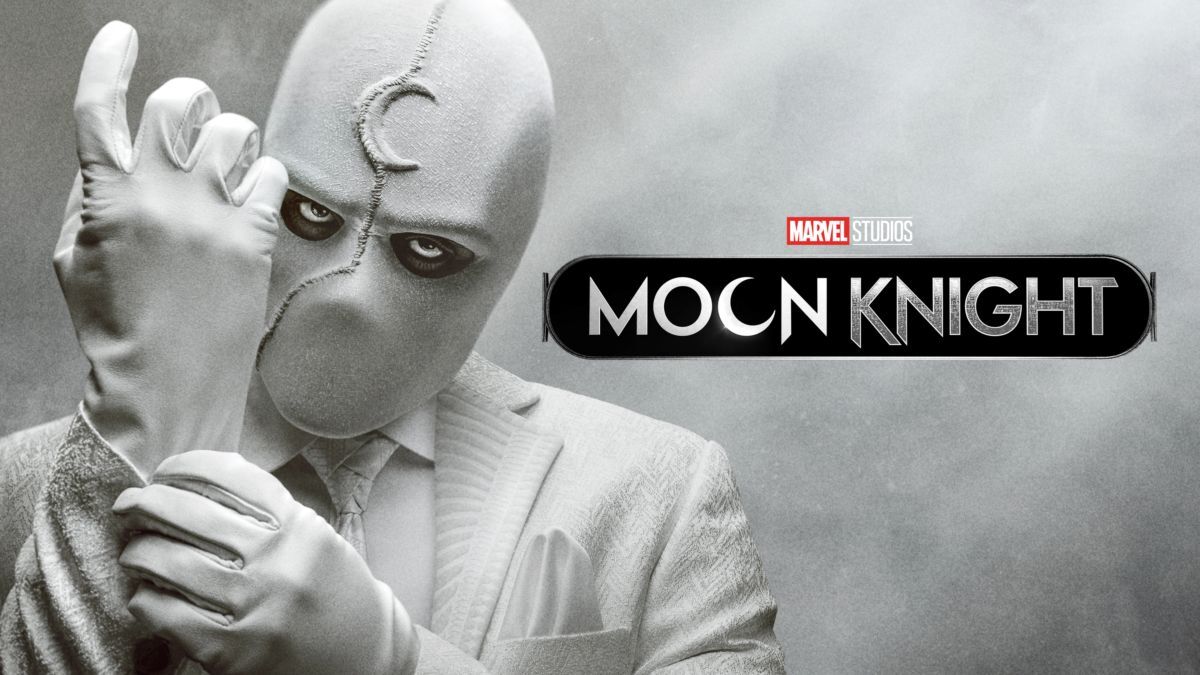
Moon Knight. Everything that happened in April

After watching a couple of episodes of Moon Knight, the new Marvel series which premiered on March 30 on Disney Plus, we can say that we are facing something totally different from what we are used to. Two personalities in the same body, Egyptian gods and endless mysteries still to be solved. What has happened to good old Steven Grant and why can’t he distinguish the difference between reality and wakefulness?

What? Have you still not managed to watch the first chapters of Moon Knight because don’t you have an active subscription to Disney Plus? Well, take advantage of this opportunity now and get 12 months of Disney + for the price of 10 *. Then, you can enjoy all the episodes of Moon Knight as well as a large catalog of movies, series, documentaries and the best current releases.

Disney Plus at the best price SUBSCRIBE NOW

*Discount applies to annual subscriptions compared to the price of twelve months at the monthly subscription price.

Who’s who in Moon Knight?

After waiting for several months and following the success of Hawkeye, Loki, WandaVision, the first episodes of the Moon Knight series are finally available in the Disney Plus catalog.

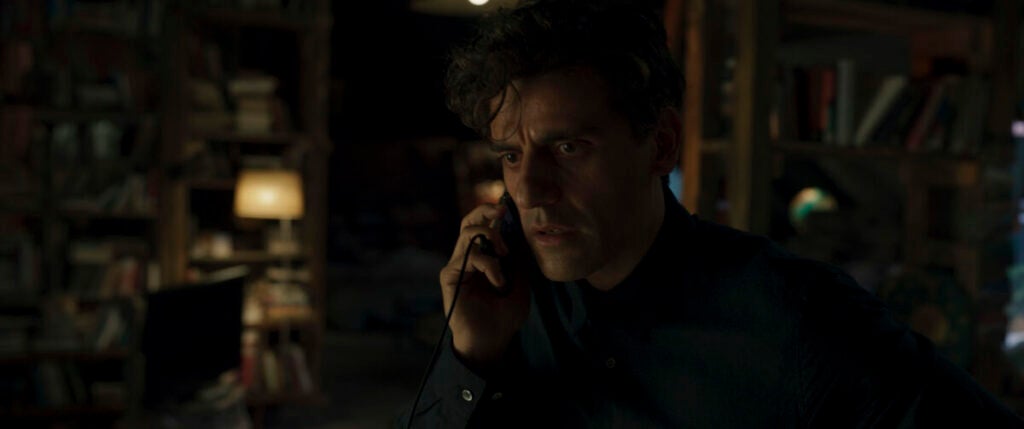
Steven Grant, played by Guatemalan actor Oscar Isaac, is a friendly middle-aged man who works in the gift shop at the British Museum in London. Although he is an expert on ancient Egyptian civilizations, no one seems to pay any attention to him, so he spends his days working and putting up with his boss. So far, everything seems pretty normal, right?

However, very soon we discover that something strange is happening to Oscar. He has memory loss, he remembers things that seem to be from a different life and he sleepwalks at night. After being diagnosed with dissociative identity disorder (DID), he invents different systems that allow him to check and make sure that he does not leave his apartment at night. Very soon he will discover that they are useless.

After an intense nightmare, Grant is pursued by some sort of Egyptian sect led by Arthur Harrow (Ethan Hawke), who is willing to do anything to get hold of a valuable Egyptian golden scarab. Waking up from this terrifying dream, he begins to experience things that are way too strange. Instead of being Friday, it’s Sunday. How is that possible? And why has his fish grown a fin? What are all those things hidden in the wall of his apartment and why does he have another cell phone?

After Steven’s encounter with Arthur and a fight with some sort of giant jackal, he manages to tie up the loose ends to discover that he shares a body with Marc Spector, a former mercenary capable of transforming into the mighty Moon Knight. Indeed, it is not that his dreams are too lucid, but that they are as real as life itself.

Marc Spector, the dark side of Steven

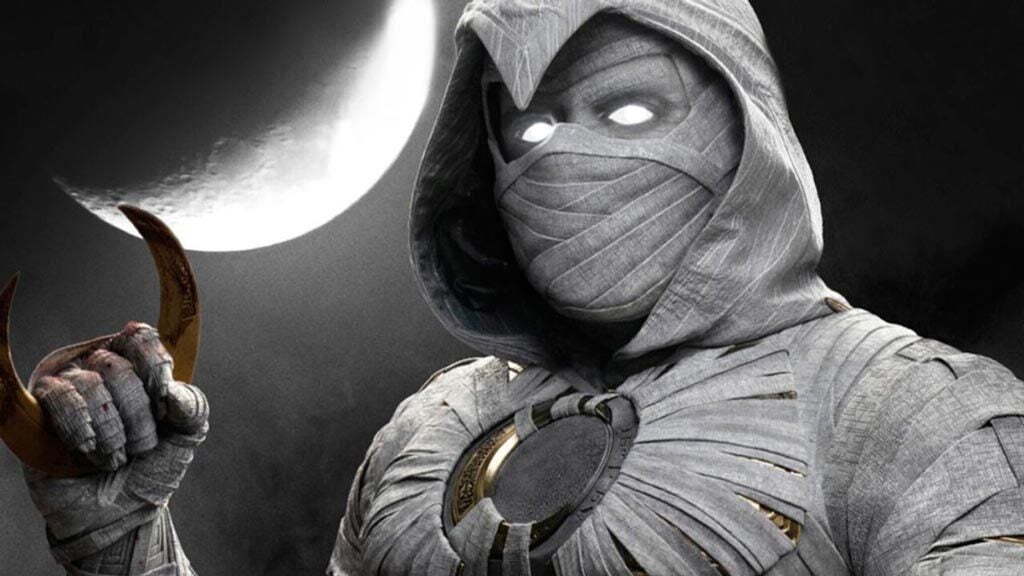
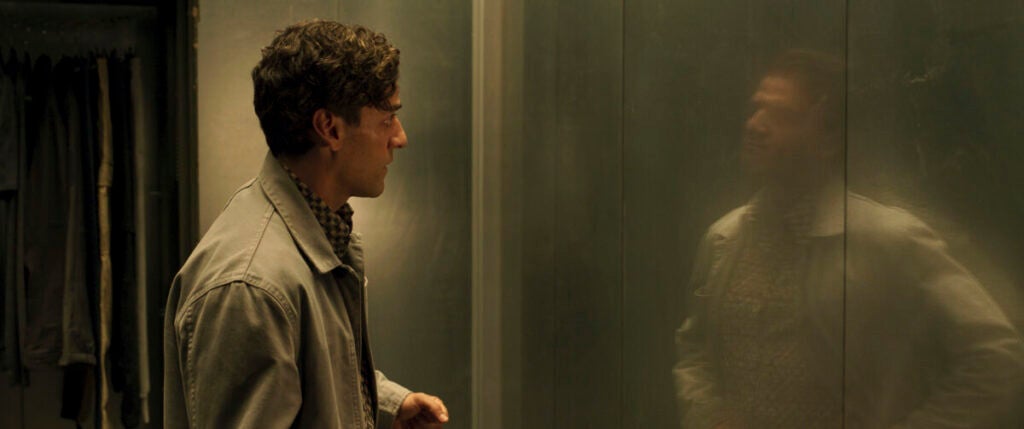
Marc Specter is the darkest side of Steven and the one that appears in the mirror whenever there is danger nearby. Although we don’t know much about him, we can deduce that he is an assassin with all manner of skills that allow him to face any enemy. Of course, he also has the ability to summon the white-cloaked hero Moon Knight whenever necessary, as could be seen at the end of the first episode.

In his eagerness to discover what the hell is going on with his life, Steven discovers that the keys kept on the wall of his apartment are for a storage room, which he doesn’t think twice about entering. There he finds some of Marc’s belongings: a passport, cash and even a firearm. There he will also discover his purpose. He is an Avatar of Khonshu, the Egyptian God of the Moon, and he is here to serve you.

An eternal divine fight

After this revelation, Steven decides he can’t be part of this, although it will not make any difference, since when he leaves the storage room he will have an unpleasant encounter with Khonshu himself. By the way, here he will have his first meeting with Layla (May Calamawy), with whom he had spoken on the phone earlier and who turns out to be his wife, whom Steven did not remember at all. Everyone seems to know what’s going on except him, who can’t even remember what that golden scarab is or why everybody wants it.

At this point, Arthur tries to “help” him to see reality. To do this, he takes him to his lair where, together with his entire sect, he will tell him that he was the previous avatar of Khonshu. In addition, he also explains that the scarab is a compass that points to the tomb of the Goddess Ammit, the eternal archenemy of Khonshu and whom Harrow now faithfully serves. When things get too tense, the time for action arrives and the Moon Knight brings out his superpowers to face his enemies.

Despite his efforts, Harrow will end up stealing the valuable golden scarab from him. After a chat with Khonshu, Steven and company will travel to the hot climes of Egypt to retrieve it and put an end to Arthur’s plans. Will they get it? We will only be able to find that out in the next chapters.

Remember, if you want to follow all the Moon Knight episodes, subscribe now to Disney Plus and save up to 15% on the annual plan. In addition, you will be able to access an extensive catalog where you will find all the Marvel series and the best video on-demand content. Take advantage of this opportunity!

Annual subscription to Disney+ at the best price SEE THE OFFER
9

Become a Photoshop pro with Domestika

Photoshop is an essential tool for anyone who wants a career in photography or digital illustration. But Adobe’s software isn’t easy and has a steep learning curve. You’ll have to spend hours learning how the program works if you want to get the most out of its features.

Fortunately, there is a fast way to truly master Photoshop. We’re talking about Domestika, the largest online community for creatives where the best professionals in the sector share their knowledge through online courses. Its objective is clear: to connect creative minds around the world and unleash their potential through lessons from the experts. It’s fast and professional, and you’re guaranteed to learn from the very best.

What is Domestika?

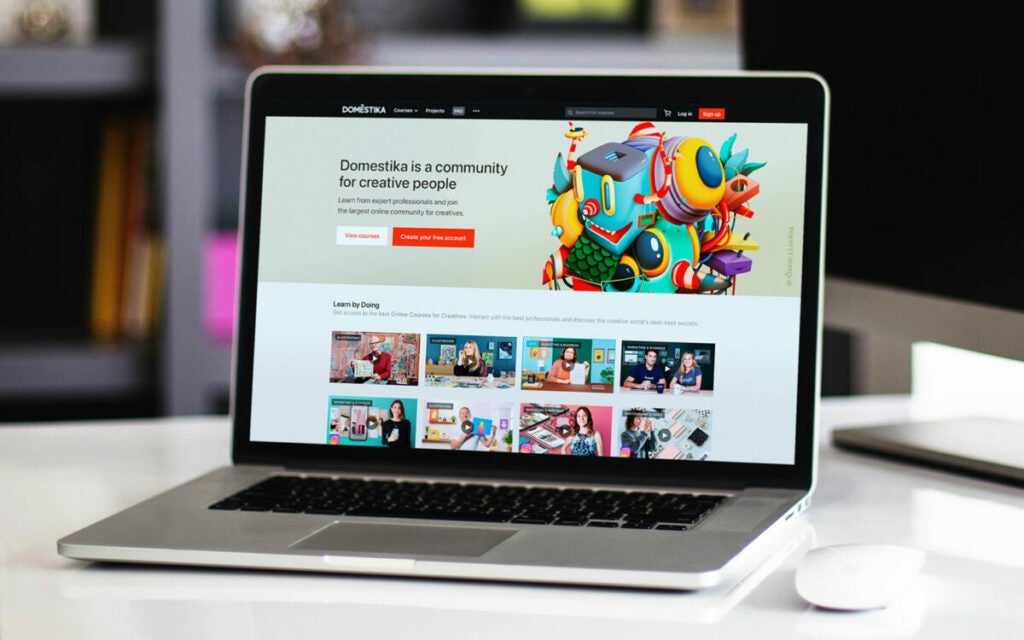
Domestika is a platform for online courses unlike any other you may know today. It’s a community of the best creative professionals around the world, so a high-quality learning experience is guaranteed. With more than 8 million people who are passionate about learning new creative skills, it’s the best way to not only enjoy learning from home but also to develop your creativity.

One interesting thing about Domestika is that its courses are designed for everyone. Here you’ll find classes for all levels, and you can learn at your own pace. There are no requirements aside from having a curious mind and a desire to learn and develop new skills.

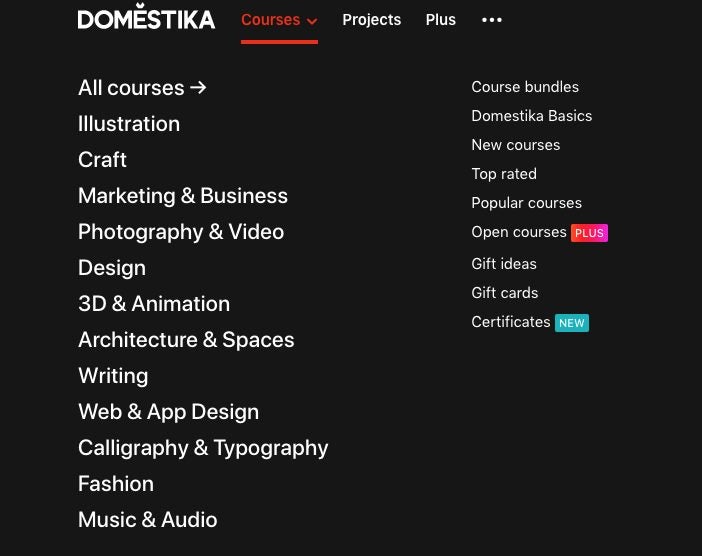
This platform offers courses in illustration, marketing, design, photography, animation, and fashion, among many other creative areas. What’s more, you can study in the language you feel most comfortable with, and you’ll find classes in English, Portuguese, Spanish, French, Italian, German, Polish… and many other languages! If you can imagine it, you can create it thanks to Domestika’s community of professionals.
How does Domestika work?

Unlike an in-person academy, Domestika is based on the philosophy of providing professional knowledge that fits into your lifestyle, not the other way around. That’s why all its lessons are available at any time of day and can be viewed as many times as necessary. You’ll only need a computer, tablet or smartphone connected to the Internet and of course, a strong desire to learn.

To sign up for a course on Domestika, first you’ll need to create a user account. The process is easy and takes just a few minutes. Then go into your profile and visit the courses page, where you’ll find all the lessons available on the platform. Then, before you pay anything, you can watch a presentation of your chosen course to determine whether it meets your needs.

When you find a course that interests you, don’t forget to use the discount code “SOFTONICADV-10” to get 10% off. Then click the “Buy” button to process your order. It’s that easy!

An essential resource for any designer

Domestika was launched to unleash the creative potential of anyone who has a lot of ideas but hasn’t found the means to express them. By offering a chance to learn from the experts, Domestika courses are an essential resource for training new designers and helping established professionals to hone their craft.

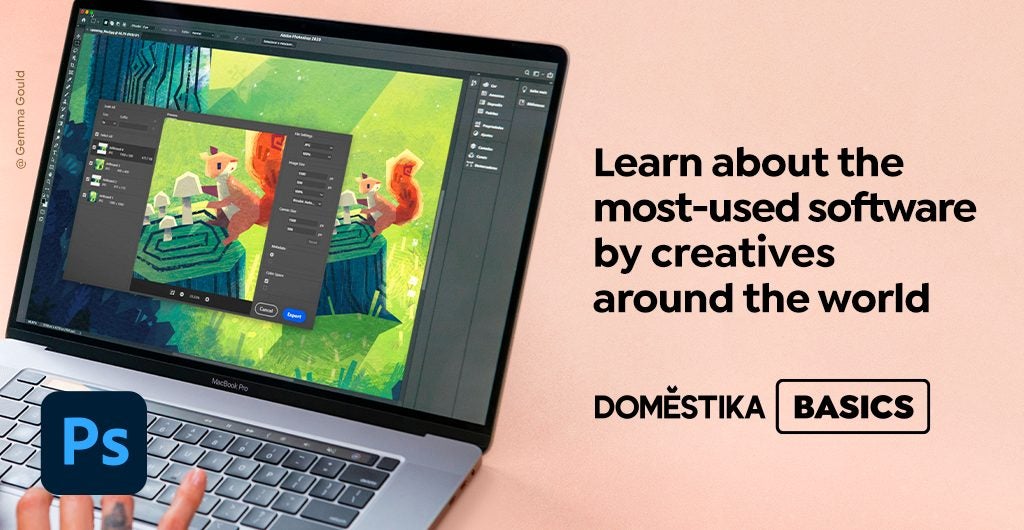
One truly interesting part of the platform is the Domestika Basics section, where you can get to know the most-used software by creative professionals from scratch, whether you want to learn how to use it or master a specific technique. Step by step and guided by experts, you’ll discover how to make the most of this software and bring your ideas to life through lessons ranging from beginner to expert.

The best Photoshop courses

Domestika has the best courses to help you get started in Photoshop and master all its tools. These courses are taught by the top professionals in the sector, and aside from being able to study online at your own pace, you’ll have access to additional resources to make learning easier. What’s more, when you finish your Photoshop courses with Domestika, you’ll receive a certificate of completion.

#1 Introduction to Photoshop for Illustrators  

This course is taught by illustrator Gemma Gould. She has created illustrations and artwork with Adobe Photoshop for more than a decade. Learn to produce delightful professional illustrations. Her course covers Drawing and composition, exploring colour, various painting techniques and Photoshop effects, how to create texture, finishing touches, and advice on exporting your artwork.

#2 Adobe Photoshop: Beginner’s Guide for Photographers

Well-known portrait photographer Mikael Eliasson shares his expertise.

His online course consists of five lessons:

  • Getting to know Adobe Photoshop
  • Retouching fundamentals
  • Retouching environmental images
  • Retouching portraits
  • Final touches and useful tips. 

#3 Digital fantasy portraits with Photoshop

Artist and illustrator Karmen Loh, aka Bearbrickjia, teaches you how to create shadows and light with different tools. Learn to adjust colour, use blending techniques, create a mood board, sketch your portrait, add fantasy elements to your composition,  and add finishing touches. She also shows you tips and tricks to make your images pop.

#4 Cinematic Digital Illustration with Photoshop

Izzy Burton is an artist, author, and film director. Her course covers the studying of photos and references,  how to tell a story with design, colour, and lighting, creating texture; character development, rendering details, and more.

#5 Lighting principles for digital painting

The course, taught by visual development artist Samuel Smith, includes Preparation and theory: Setting up your workspace and brushes, exploring soft light vs hard light, exposure, reflection, and transparency.
A step-by-step guide on painting different types of light:
 A sunny day, a cloudy day, a room under coloured light, and a sunny room.

Develop your creativity with Domestika Plus

One thing that all creative minds have in common is a passion for learning new things. This is the philosophy behind Domestika Plus, a unique opportunity to keep your inspiration alive and develop your creativity by enjoying the best courses on the platform.

As a Domestika Plus subscriber, you’ll receive one monthly credit to be exchanged for the Domestika course of your choice. But that’s not all. You’ll also save an extra 20% on Domestika courses and bundles and enjoy exclusive content and resources to boost your creativity. What’s more, you can take advantage of new weekly open courses, and of course, receive a certificate signed by the teacher whenever you complete a course.

Join the Domestika community with this special promotion

Getting started with Photoshop and mastering Adobe’s software is now possible thanks to Domestika. So, want to join the fastest-growing online community for creatives today? Take advantage of this special promotion and save 10% on all courses by using the discount code “SOFTONICADV-10” at checkout.

Would you like to learn a bit more about Domestika and Photoshop? Don’t miss the articles below:

Save 10% on Domestika's courses DISCOUNT CODE: SOFTONICADV-10
9

Enjoy Disney+ Shows With Oscar Awards

The Academy of Motion Picture Arts and Sciences presented the 94th Academy Awards on March 28, 2022. It was a prestigious event that showcased the top categories for films from March 1 to December 31, 2021. Walt Disney came to the fore again this year, taking several Oscar awards for various shows.

Fortunately, Disney+ subscribers can watch these award-winning programs on the official streaming service. With six Academy Awards to celebrate, you won’t want to miss out on the action. Here are the titles as well as a description of what they’re about.

Disney+ annual subscription* ENJOY THE OFFER
9

*The discount applies to a 12-month membership, where the reduced rate is based on the monthly subscription price when compared to 10 months.

Top Disney+ Award-Winning Shows

Here are the shows we recommend you tune into on Disney+.

The Eyes of Tammy Faye

2 Academy Awards

  • Best Actress in a Leading Role
  • Best Makeup and Hairstyling

The Eyes of Tammy Faye is a biographical drama that tells the story of a television evangelist preacher, acted by award-winning Jessica Chastain. Based on the 1970s and 80s, Tammy and Jim Bakker started a religious broadcasting career to preach to communities on television. 

With Tammy growing suspicious after their show airs on CBN, wondering where all the funding is coming from, rivals are looking to take them down. They develop a Christian theme park to expand their business, but financial crime and scandals threaten to break their success. Make sure you watch the show further on Disney+ to see how the story unfolds with heartbreak and success.

Enjoy Disney+ Shows With Oscar Awards

Encanto

1 Academy Award:

  • Best Animated Feature Film

Both children and adults will enjoy this musical fantasy animated show called Encanto, streaming on Disney+. It stars several voice talents, including Stephanie Beatriz, John Leguizamo, and María Cecilia Botero. The animations and effects are stunning to behold, and you can also obtain the soundtrack if you love the songs.

The storyline revolves around a Colombian family that has magical abilities that they received as a gift. However, Mirabel realizes that the magic is slowly fading. She sets off on an adventure to discover why and restore it to its full potential. As you join her on Disney+, you’ll find a touching tale that will warm your heart.

Enjoy Disney+ Shows With Oscar Awards

Summer of Soul (…Or, When the Revolution Could Not Be Televised)

1 Academy Award:

  • Best Documentary (feature)

The Summer of Soul is a documentary on the 1969 Harlem Cultural Festival that lasted for about six weeks. There were several famous singers that attended the event, and yet, it wasn’t documented and somehow attained obscurity in the musical world.

The movie takes a closer look at what happened before and during the festival. Most of the visuals you’ll see are from official videotapes, stored in a basement when it seemed like no one had any interest in them. With the filming resurrected, you can witness what happened at the event with Disney+ streaming.

West Side Story

1 Academy Award:

  • Best Actress in a Supporting Role

Steven Spielberg presents a new take on West Side Story, depicting the familiar tale of rivalries and love affairs from 1957 New York. Ariana DeBose stole the scene as the best actress in a supporting role, but the rest of the cast is utterly marvelous. 

The big-screen adaptation of the famous broadway show is lit with several popular singers and actors, and you’ll get goosebumps as you watch the stunning performance on Disney+. For those who haven’t seen the tale yet, you’re in for an excellent adventure with Romeo and Juliet twists as rival gangs fight for control of the city.

Enjoy Disney+ Shows With Oscar Awards

Cruella

1 Academy Award:

  • Best Costume Design

If you love 101 Dalmations, you’ll enjoy watching how Cruella started before she met the adorable pups. Emma Stone acts in this delightful tale, wearing some of the best costume designs seen in show business last year. In the movie, you’ll get to know her as Estelle.

The story of Cruella on Disney+ sees Estelle as a young con artist that joins a small group that’s up to no good. Set in the 70s, you’ll see stunning home designs and fashion statements from that time. What will hook you in is seeing how the main villain outsmarts everyone and becomes the character we know today.

Enjoy Disney+ Shows With Oscar Awards

Watch these shows and more on Disney+

There’s no reason for you to miss any of these Academy Award-winning shows when they’re available for you to stream on Disney+. When you pay for an entire year, you’ll pay for 10 months instead of the complete 12. The discount applies to annual subscriptions compared to the price of twelve months at the monthly subscription price.

Disney+ annual offer SUBSCRIBE NOW
9