How to use Photoshop for your iPhone

Photoshop Express is basically a lite version of Adobe Photoshop that you can use on your iPhone. You can edit a single photo or layer multiple images into collages or composites.

The app is full of filters and effects that use sliders to help you find exactly the right settings. You can also apply text, border, or sticker overlays to your images to make memes or add watermarks or captions. In this article, we’ll take a look at all the most exciting features of Photoshop in iPhone and show you how to perform some of the most common photo edits.

Adobe Photoshop FREE TRIAL
9
  1. Get familiar with the panels

    Photoshop Express is divided into three spaces. The Tools Panel is at the bottom, the Image Workspace displays in the middle, and the more technical Options Panel is at the top.

    When you open the app, the Options Panel shows icons like Edit, Mix, Collage, and Retouch. We’ll start with the Edit section, where you can apply effects and filters to a single photo.

  2. Load images through Edit option

    Click on Edit at the top and then tap the camera, plus sign, or globe icon in the bottom panel to load the image you want to edit. Once the picture from your camera, photo gallery, or network loads up, the Options Panel at the top will change to show you the Undo and Save buttons plus a few more.

    You’ll also see the Tools Panel at the bottom of the screen change to show you the most common editing tools. Tap any icon there and a secondary menu will appear just above the bottom menu. Each tool in this menu comes with a slider so you can adjust its intensity.

  3. Using filters via the Looks menu

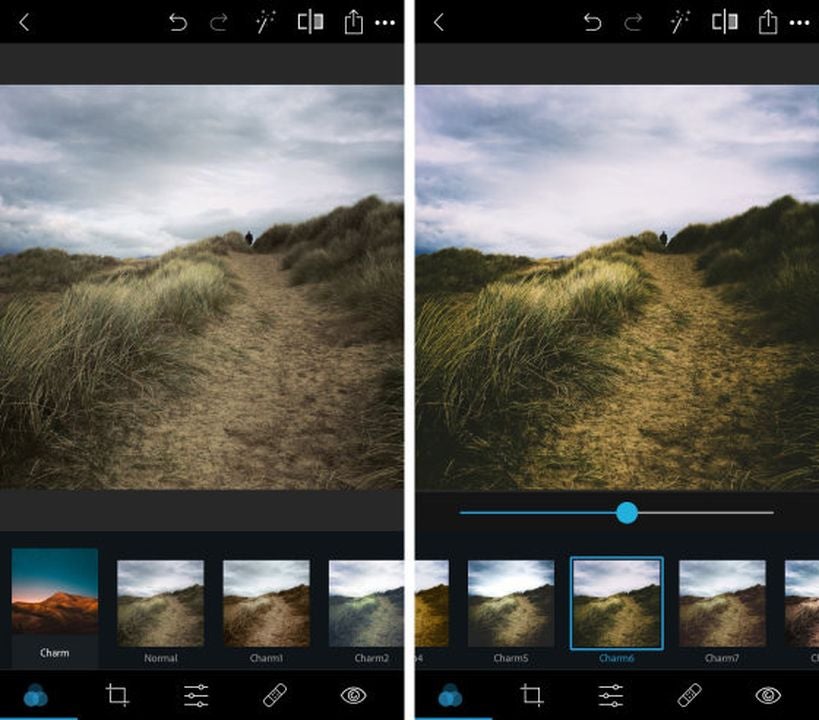
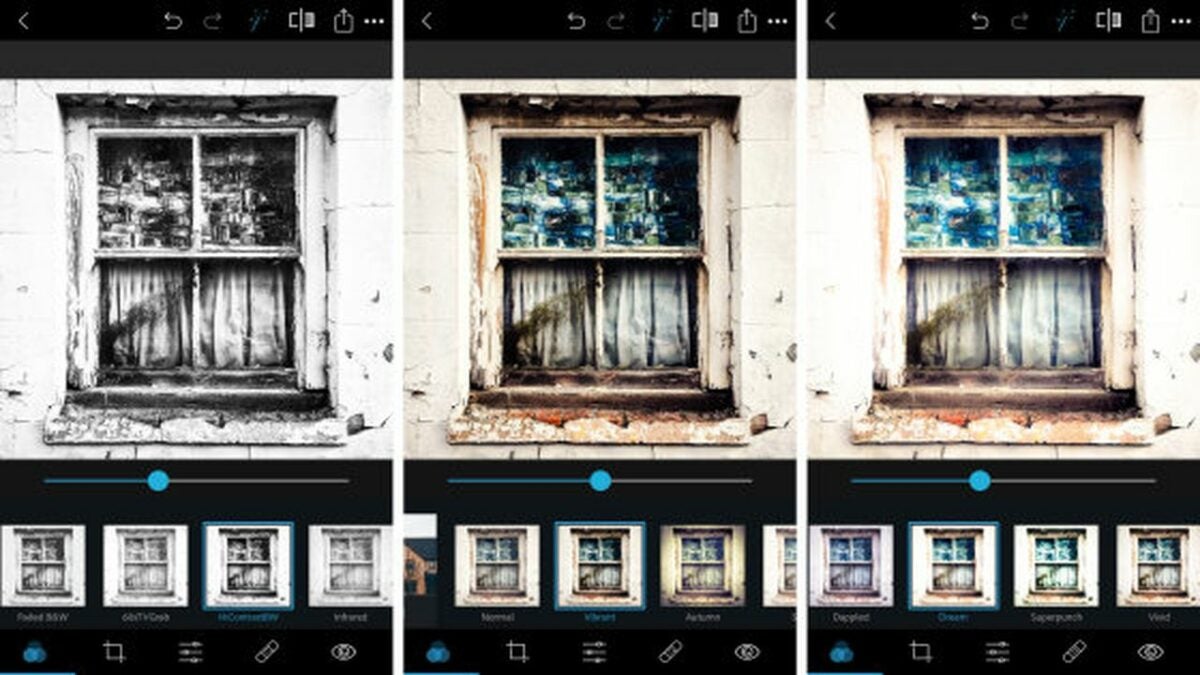
    The first icon in the bottom panel, showing three intertwined circles, pulls up the filter menu, which Photoshop Express calls Looks. The Looks are divided into categories like Nature, B&W, and Duo Tone.

    You’ll find plenty of individual filter options inside each category. The large thumbnail over each one will show you how your photo will look if you apply the filter.

  4. Access more effects through Light Leaks
    The Light Leaks icon in the bottom panel looks like two overlapping circles, one white and one black. This menu has an enormous selection of lens flares, raindrops, bokeh, and other fun lighting effects that can spice up your image. Pick one, and the AI will do most of the work. All you have to do is adjust the effect’s size using the slider.

  5. Modify size and fit

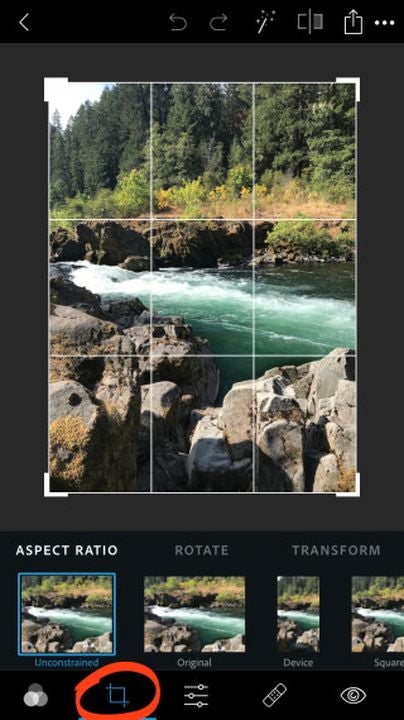
    To play around with your photo’s size and fit, tap the icon in the low panel showing two intersecting 90-degree angles. You can crop your picture, change the aspect ratio to adjust its artistic composition, straighten out the horizon, create an upside-down or mirrored version, or correct perspective issues using the Skew tool.

  6. Using adjustment tools

    The bottom toolbar’s next icon, showing two horizontal sliders, gives you access to the app’s adjustment tools. These include Light, Color, Effects, Details, and Blur.

    The Light menu lets you tweak your photo’s highlights, shadows, exposure, and contrast. The Color panel lets you adjust the temperature, tint, and saturation.

    In the Effects menu, you’ll find whimsical enhancements to bring out specific textures, fade colors, and add fog, grain, or vignette effects for an old-fashioned look. In the Detail category, you can sharpen your image and adjust the amount of noise. The Blur section lets you selectively add different kinds of blur effects to different parts of your pictures to help direct the viewers’ attention.

How to selectively adjust colors and brightness

The Adjustment workspace comes with an automatic selection tool that uses AI to identify specific features like the subject and the background. To selectively change the brightness or colors of a certain part of your photo, use the selection tool to target the problem area with a single tap, and then use the slider to tell the app how much of the effect to add.

Adding text

If you want to add some text, tap the T icon in the bottom panel, and use two fingers to draw a text box on your photo. Tap the pencil icon in the text box’s top left corner to type your message, or rotate, resize, or delete the box using the icons in the other corners. You can change the style, font, color, or alignment of your text in the secondary Tools menu that pops up at the bottom.
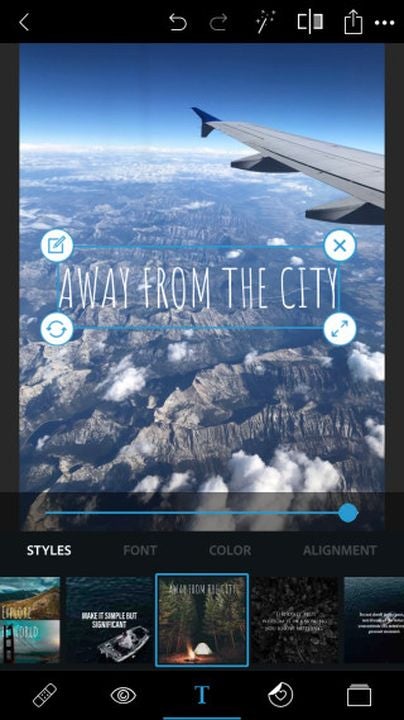
Adding text to an image in Photoshop Express

Adding stickers and borders

Beside the Text icon in the bottom panel is the Stickers icon, where you’ll see a tiny heart in a circle. The stickers are divided into convenient categories, and you can resize or rotate them using two fingers.

The Borders icon in the bottom panel looks like a square frame. This is where you can fade the edges of your image or use decorative outlines and frames to add style.

Combining multiple photos

To make a collage from multiple photos, select Collage from the Options Menu when you first open the app. Once you choose the photos you want to use, the app will show you its massive collection of collage templates so you can get creative. You can combine various photos on your iPhone, adjust the position and size of each photo in your collage, or even merge two images into a single image.
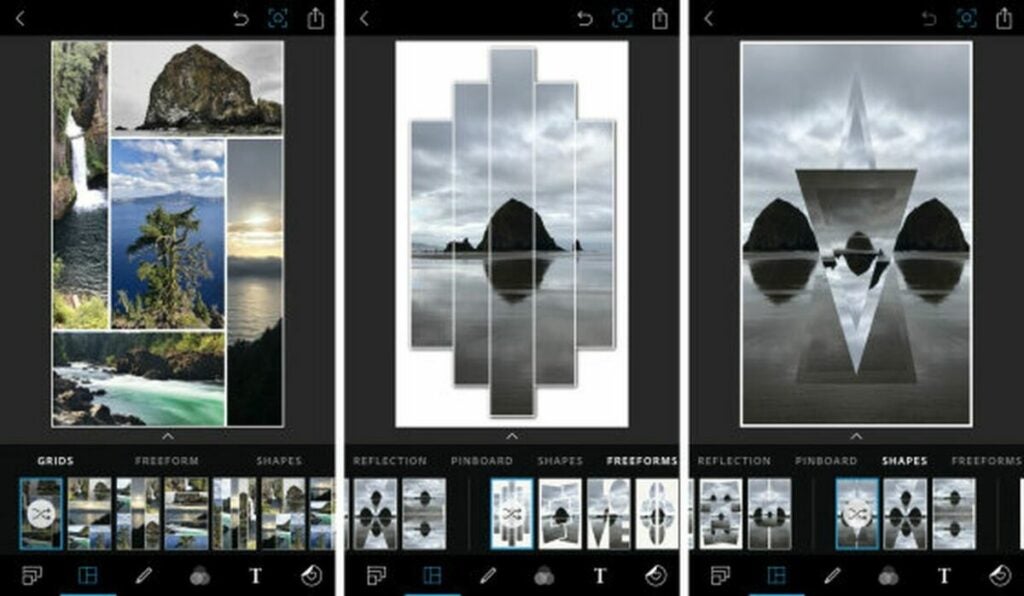
Combining multiple images in Photoshop Express

Mixing images

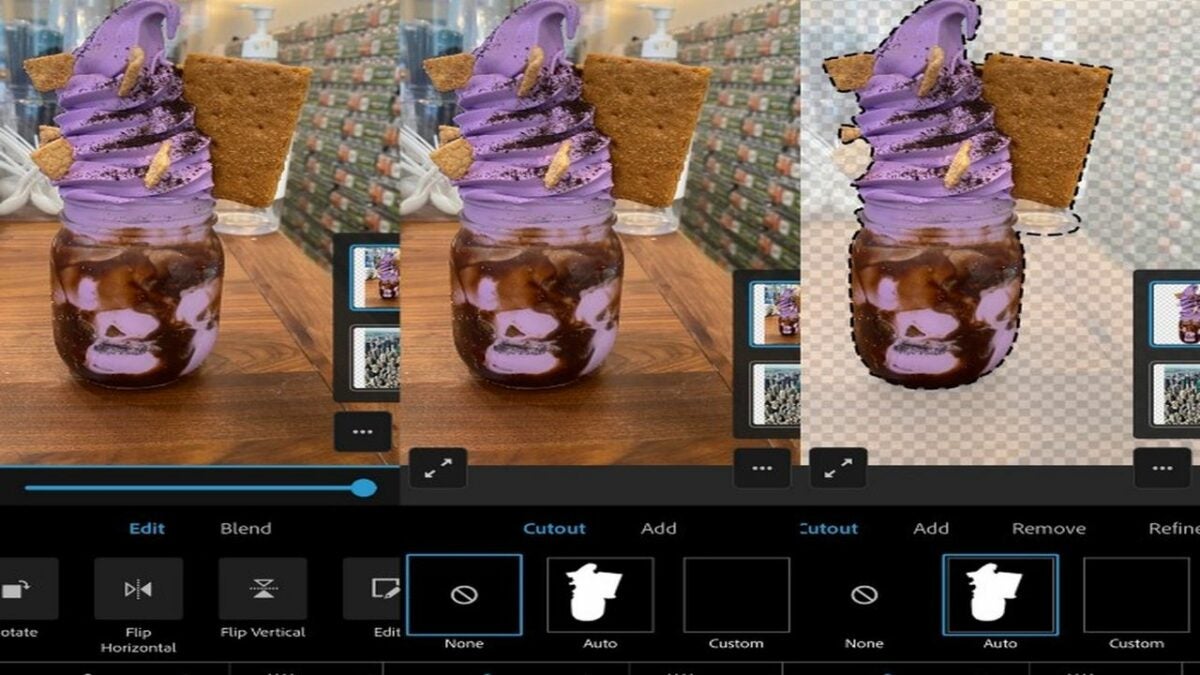
The Mix workspace allows you to layer multiple images on top of each other. You can add a person to a photo on your iPhone using the Cutout tool from its bottom panel. The tool comes with a Manual Mode and an Auto Mode that uses an algorithm to let you select people or objects from one image with a single tap and then place them over a background from another image.

Retouching facial features

The Retouch workspace is designed for touching up facial features and skin. In its bottom panel, the Smooth Skin icon, shaped like a water droplet, uses AI to find relevant areas of skin and smooth them out as little or as much as you want. The Face tool lets you change the dimensions, angles, and contours of your whole head at once or just specific facial features, like your bottom lip or nose.

The neighboring Caricature tool is like an exaggerated version of the Face tool. It tweaks specific facial features to make you look like a cartoon. You’ll also find also a familiar tool, Liquify, from the desktop version, which lets you reshape parts of your photo with artistic twirls, smudges, and swells.

The icon showing an adhesive bandage is a smart Healing tool. It works like the Content Aware tool in the desktop Photoshop app, with a special algorithmic focus on facial blemishes.

For instance, to remove an unwanted freckle:

  • Start by using two fingers to zoom in on the freckle.
  • Adjust the fader to set the size of the spot you want to remove.
  • Tap on the spot to automatically and intuitively replace it with the app’s best guess of pixel colors from the surrounding area.
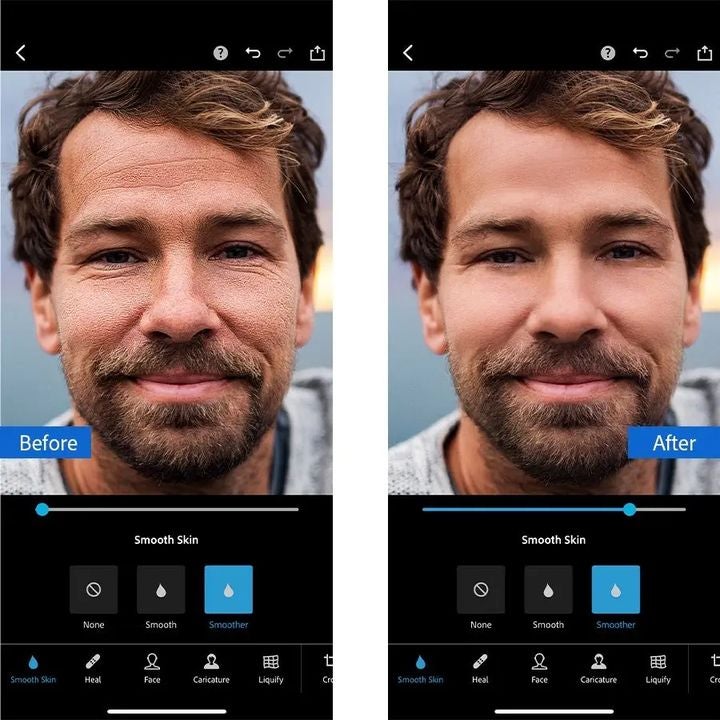
Retouching facial features in Photoshop Express

Using Photoshop with your iPhone is easier than ever

The menu systems in Photoshop Express may seem a bit cluttered, but that’s because the app is stuffed full of features. These include all the features from the late Adobe iPhone apps Photoshop Mix and Photoshop Fix, which were discontinued in 2021.
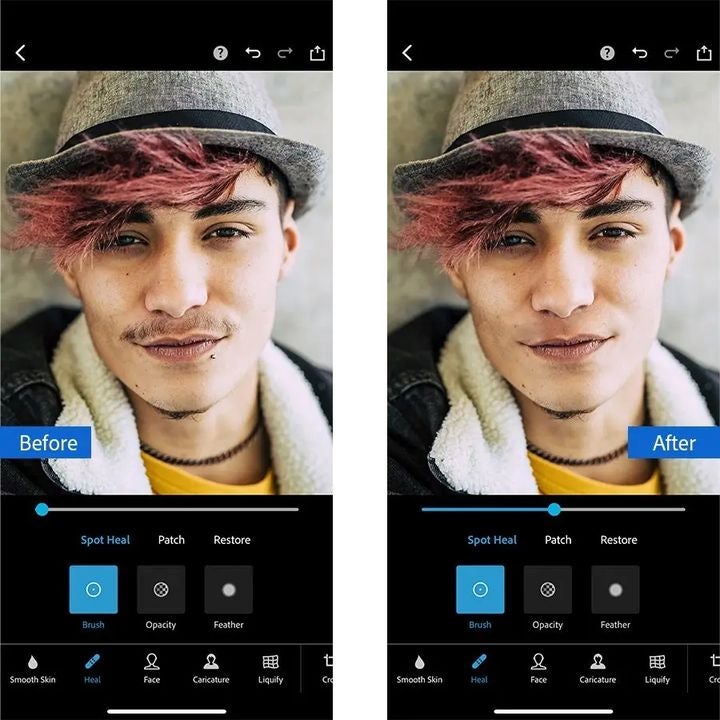
Accessing more retouching features in Photoshop Express

Photoshop Express is free for basic use, and there’s also a subscription option and in-app purchases if you need more advanced editing.

Start making masterpieces. with Adobe Photoshop FREE TRIAL
9

Create the ultimate resume and covering letter with Canva

Whether you’re fresh out of school or have several years of employment under the belt, looking for a new job can be daunting for most people. There’s the fear of rejection, especially with so many out there applying for the same positions. If you want to stand out from the crowd, you need a resume that reflects your skills in the best possible way.

When it comes to first impressions, nothing works better than a beautiful application that catches the eye. We’ll show you how you can create a resume on Canva with an assortment of templates and designs.

Canva TRY IT NOW
9

The importance of an excellent resume

There are two main purposes of a resume. The first is to show your potential employer who you are while the second showcases the skills you have that will benefit the company. When the interviewer received over a hundred applications, you can be assured that they’ll spend as little time as possible working through each one looking at key points.

In essence, the resume is a marketing campaign for you and what you offer. If you just have a bland document with no proper outline or incorrect grammar, the reader will quickly yawn and move on. You need to find a way to quickly highlight your skillset and how you can be an asset.

Create the ultimate resume and covering letter with Canva

Design elements for your resume and covering letter

Including your personal information and experience are only some aspects of an outstanding resume. What you’ll want is a design that draws focus on the elements you want the interviewer to see first. To this end, you can look into various resume layouts on Canva that will suit your needs:

  • Traditional: straightforward design that’s easy to skim for the essential information
  • Graphics: when applying for marketing and creative industries, you can add some color and themes
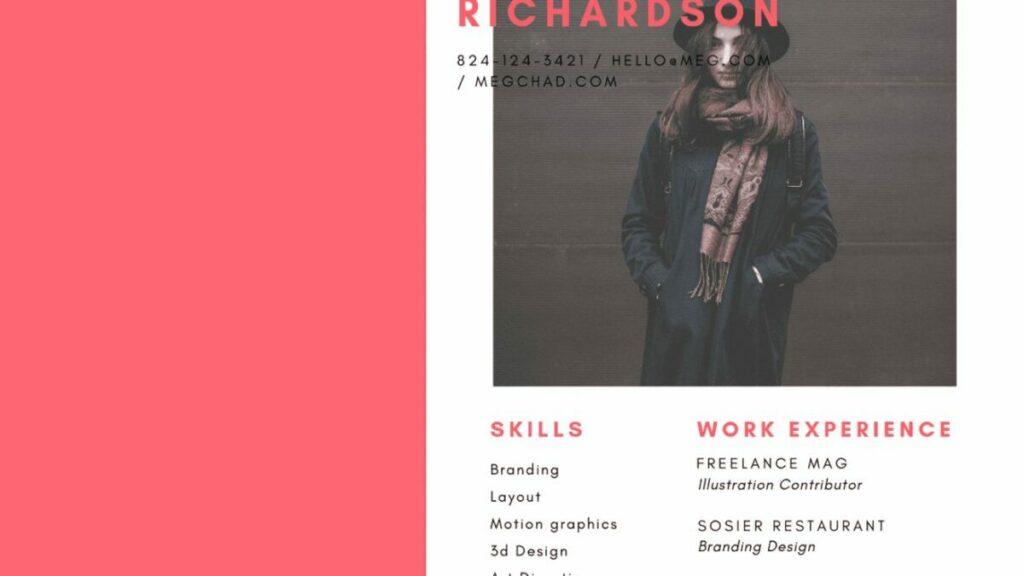
  • Photographic: images can be added if you want to show how you look or some of your work

Using Canva templates for professional designs

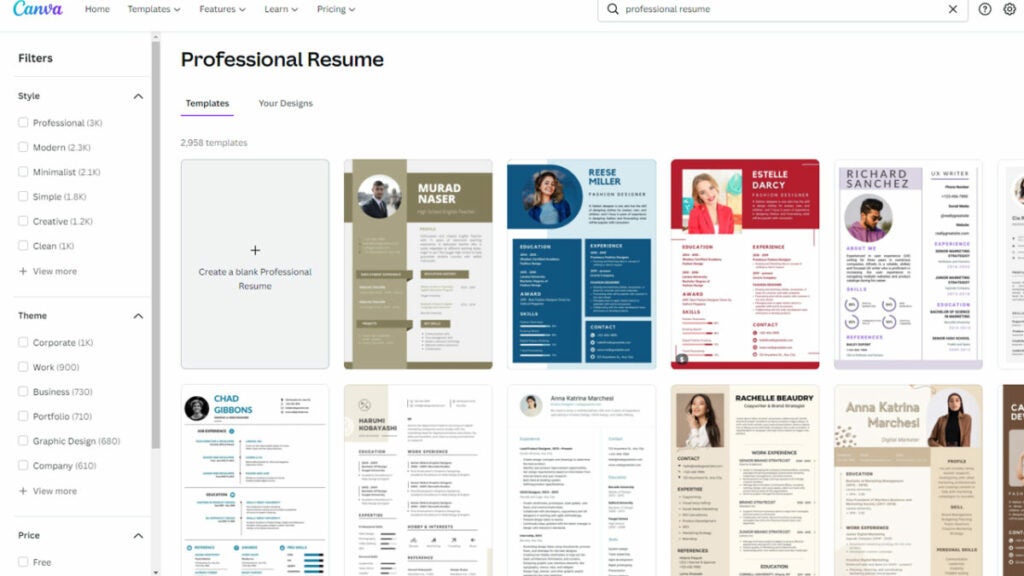
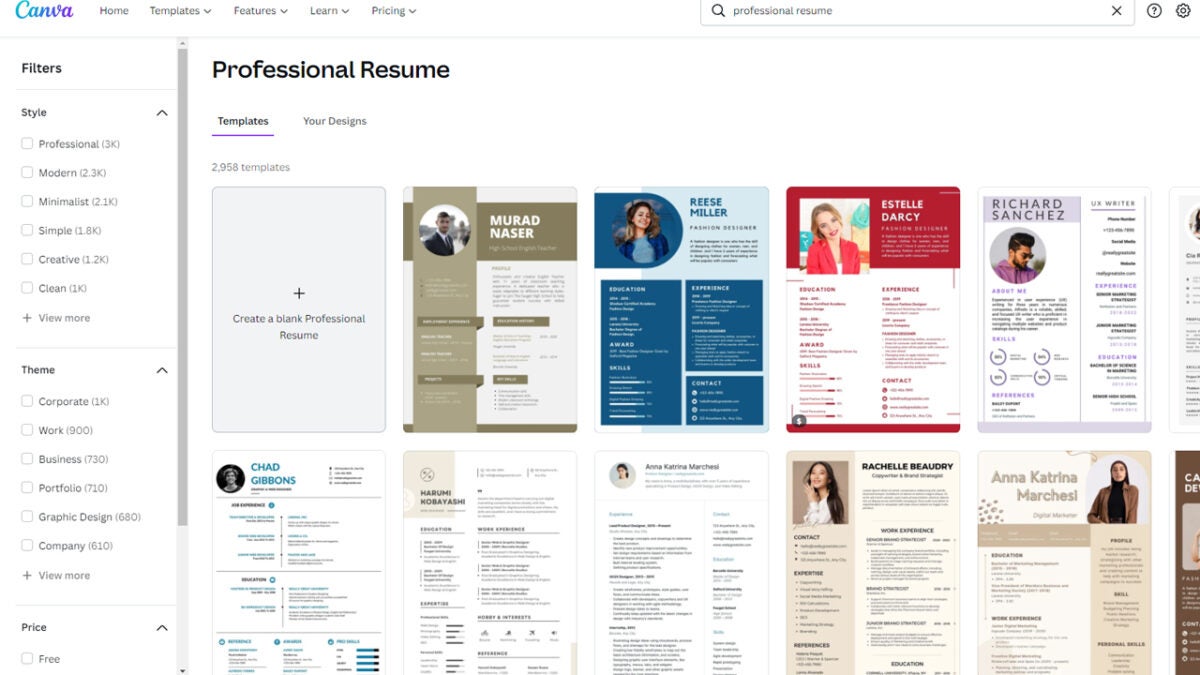
No matter which industry you’re applying for, you can find an appropriate resume and cover letter design on Canva. There’s a search bar where you can look at what templates are available, showcasing the best layouts for professional CVs. The only work you’ll need to put into it is the information the interviewer is looking for.

You don’t need to settle for using the Canva templates as they are. There’s plenty of functionality on the program to quickly edit any of the outline styles. It’s a much better approach than creating a resume from scratch for hours wondering which colors and design elements to use.

Create the ultimate resume and covering letter with Canva

Choosing the resume format

Once you’ve selected the design and template, you still need to work on a format. You may think that format is the same as an outline, but it’s a completely different element. Here, you’ll decide in what order you’ll present your information that will drive home why the company should hire you.

Many people aim for a chronological format that shows your work history and how you’ve progressed from your first job. There’s also a functional resume where you tailor specific elements to the interview and work requirements. You can also combine these formats into a new design that uses the best of both types. These are only a few examples.

How to create a resume on Canva

There are two ways you can create a resume on Canva using the elements mentioned above. The first is searching for templates, selecting one, and altering the format to suit your needs. We recommend the second technique that uses the resume design wizard.

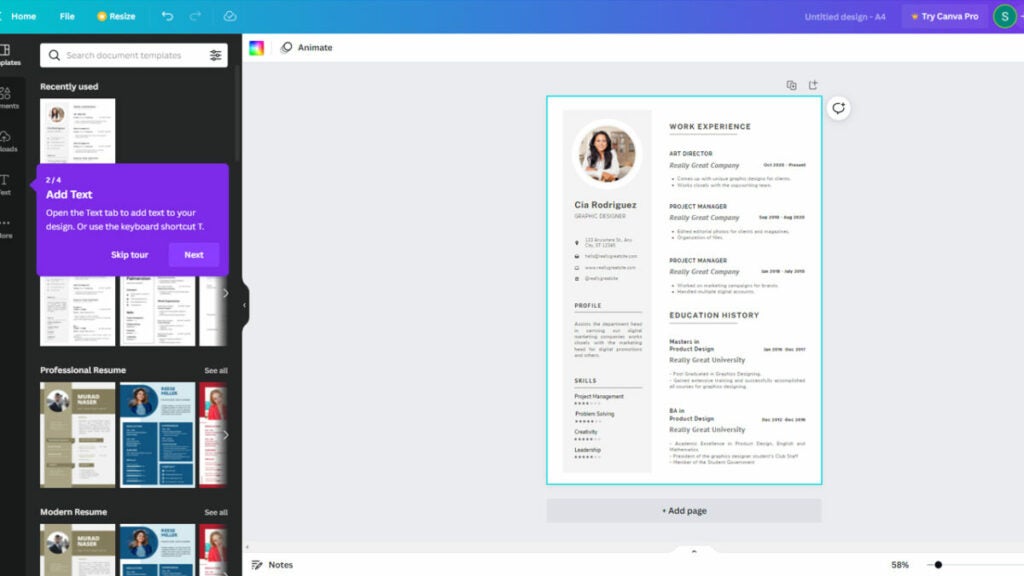
Once you start the Canva resume wizard, you’ll see a new window with a blank page. You’ll follow the steps that appear on screen, but here are some tips:

  1. Select a template from the left pane
  2. Edit the text to include your information
  3. Add font combinations or colors to attract attention
  4. Insert media elements like videos or photos where needed
  5. You can also add a frame if appropriate for the industry
  6. If you’re sending a digital resume you can add audio
  7. Name and save your resume
Create the ultimate resume and covering letter with Canva

Impress others with your outstanding skills

Creating the ultimate resume doesn’t need to take you all day if you have the right tools. There are many applications that let you do so from scratch, but few have the powerful design templates and utilities that Canva does. They’re easy to use, and you can see the visual impression as you work on the document.

The best part of using Canva for your resume is that you can tailor the format, layout, and design for the company’s industry. It shows them that you paid attention to the job advertisement and what you can do if you join forces with them. Of course, there’s more to Canva than just crafting resumes, so make sure to check out all the other features and templates.

Create your CV with Canva TRY IT NOW
9

How Avast Secure Browser ranks for online security

If you look back about a decade ago, there were limited browsers with only a few functions. Today, the marketplace is saturated with several brands, making it hard to select one that suits your lifestyle. What makes it worse is that cybersecurity has also evolved, and not all browsers are as secure as companies make them out to be.

The net result is users who feel confused or overwhelmed by all these browsers, extensions, and functions. Fortunately, Avast Secure Browser has tailor-made a solution that covers all the features you need in one place while delivering top-quality online security.

Browser PRO Offer on Annual and Bi-annual Subscription GET EXTRA -20%

How internet use has changed over time

When the internet was originally developed, the purpose was to share information and free thought across the world. Not everyone had the luxury of going online, as it was restricted to households that could afford a computer. Today, internet access is available to most people on PCs, mobile phones, and many other devices.

We also spend a large part of our day on the internet. Whether you’re searching for the latest news, downloading a game, or sharing a social media update, it’s formed a massive part of our lives. When you head onto the internet, you usually do so via a browser.

Avast Secure Browser

A plethora of browsers to navigate

Of course, we have more choices today when it comes to browsers. Many operating systems and smartphones have default ones built into the software. For example, Windows 11 has Microsoft Edge and macOS has Safari. You’ll also find Google Chrome on Android phones, while Huawei uses its own brand for its phones. 

While some of them offer extra security features, you’ll generally find them as an additional product. Most browsers offer an Incognito mode, where you can search the internet without anyone tracking you. However, you won’t be able to save your browsing history and come back to it later. Your ISP can also still see your online activity in some cases.

Reasons why you need a secure browser

Many of us have credentials for several websites and social media accounts. It’s helpful having a browser that saves your passwords for sites so that you don’t have to remember all of them. The problem is that password managers for browsers have been hacked before, leaking several login details and causing havoc.

If you’re connected to public Wi-Fi on your laptop or phone, you’re putting your device and information at risk. It’s a haven for cybercriminals to steal data since there are so few security measures in place.

Finally, there are advertisers secretly tracking your online activity so that they can gear their ads to your tastes. When you visit sites, you may notice a warning that the pages store cookies, and third parties may use that information. Haven’t you ever wondered how Facebook knows you’ve been searching for the latest shoe designs?

Avast Secure Browser: combining several functions into one solution

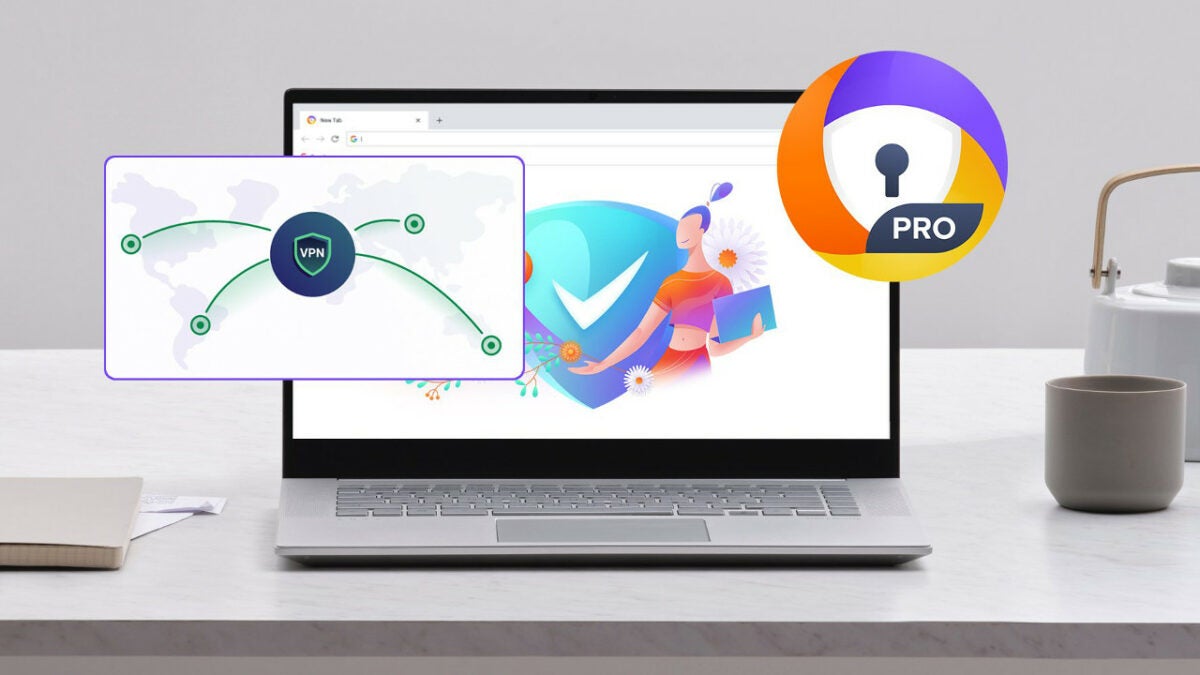
In most cases, you would need to subscribe to a separate VPN package if you want to really go anonymous and avoid online tracking. Once you have an account, you then need to install the related extension and sign into your account. Avast Secure Browser takes away this hassle.

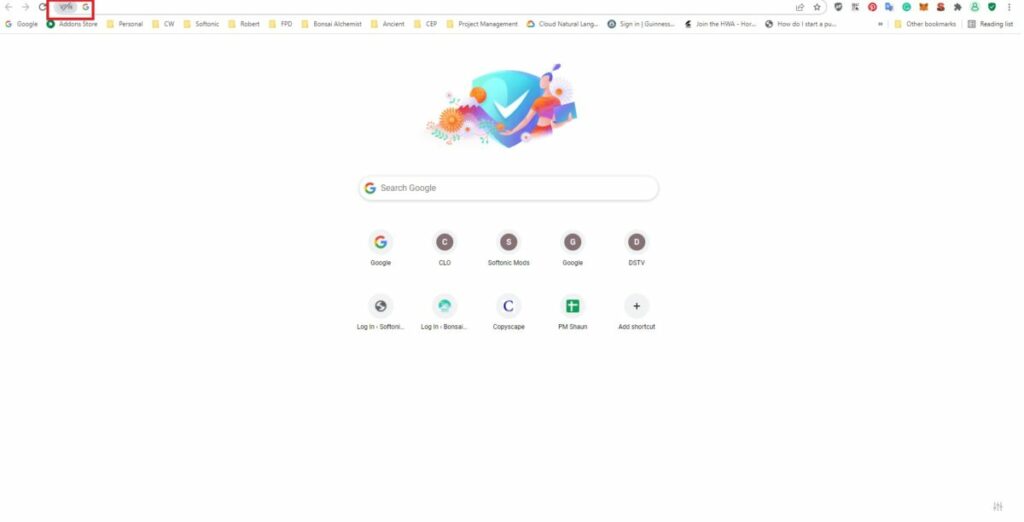
When you open the browser, you’ll notice a VPN icon next to the search bar (on the left). You’ll need a PRO subscription to activate the built-in VPN. Furthermore, Avast Secure Browser will scan any extensions you install to ensure they are safe to use and won’t track your online activity or steal your information.

Avast Secure Browser

Top features of Avast Secure Browser

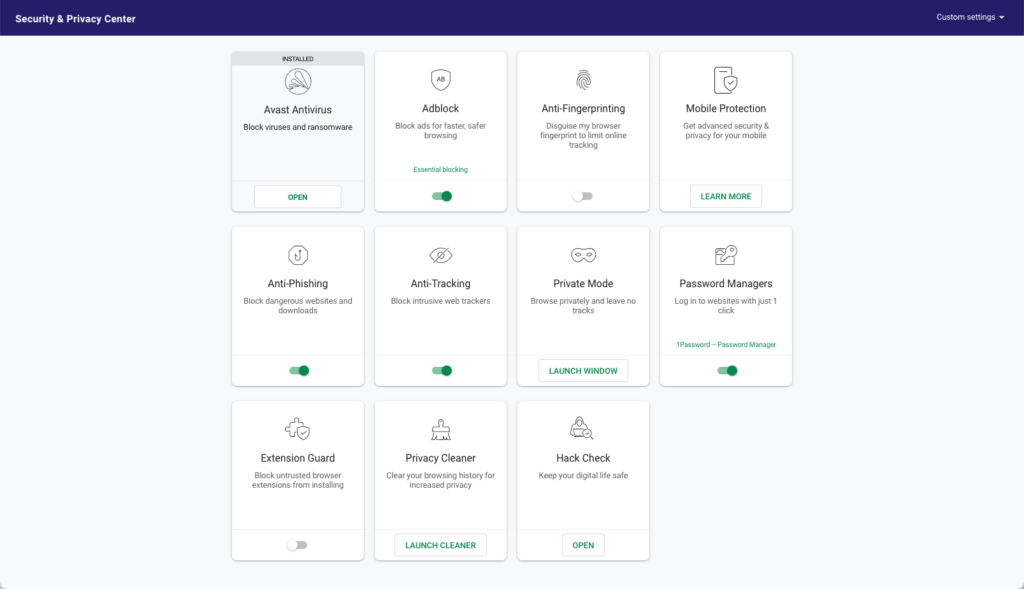
The VPN function isn’t the only feature of Avast Secure Browser that ensures online safety. Here are a few others you’ll receive: 

  • Bank Mode: creates a virtual desktop so you can safely do your online banking and shopping. As it makes sure that nobody can capture your keystrokes
  • Anti-Phishing: prevents any phishing attempts and notifies you of potentially malicious content
  • Adblock: stops ads from appearing on sites, which improves performance
  • Anti-Tracking: prevents web tracking of your online behavior
  • Extension Guard: scans extensions for safety
  • Hack Check: informs you of any breaches 
  • Password Manager: securely saves your password information where no one can steal it
  • Privacy Cleaner: clears browsing history and cookies with one click
  • Webcam Guard: prevents hackers from accessing your webcam and spying on you
  • Integration with Avast Antivirus: better together, make sure that your computer is safe and protected as you can launch the Antivirus straight from the Security & Privacy Center

IIn the Security & Privacy Center (SPC), there are several features already automatically activated for your daily convenience. You’ll find the SPC in the top right section of the browser as a green shield icon.

Avast Secure Browser

Easy to switch to Avast Secure Browser

If you’ve been using other browsers for years, you won’t have to worry about losing your extensions, bookmarks, or passwords. There’s an import function that lets you carry over all your information into Avast Secure Browser. It also notifies you of any threats or leaks and then offers steps you can take to make the information more secure.

Even if you don’t want to switch over completely, you can use Avast Secure Browser as a secondary browser. In this way, you can open it when you want to perform secure banking or connect anonymously when dealing with your investments.

Trusted brand for online security

When it comes to online safety, Avast Secure Browser is one of the most trusted brands available. AV-Comparatives performed an Anti-Phishing Protection Test and considered it the number one solution for phishing attacks. Both Tech-Radar and TopTenReviews gave it 4 out of 5, while PCMag considers it the best privacy browser. It’s hard to go wrong with so many positive reviews

The subscription cost is €71.88 billed in total for 1 year, but you can receive a 20% discount off the price on the annual and bi-annual subscription of Avast Secure Browser PRO (which includes unlimited VPN and extensive Ad Block features), making it up to 61% off the usual monthly price of €5.99.

Moon Knight: Everything you need to know about the new series from Marvel

Marvel Studios returns this March 30 to Disney Plus with one of its most anticipated series, Moon Knight. Taking a radical turn from what we are used to, the latest offering from the MCU (Marvel Cinematic Universe) brings us a dark anti-hero with a complex personality. This time we are letting the Avengers get some rest to immerse ourselves in Stephen Grant’s tormented world of madness, violence, and hallucinations. Do you have what it takes to accompany him on his night-time adventures?

In order not to miss the premiere of the Moon Knight, all you need is an active Disney Plus subscription. If you don’t have yours yet, take advantage this March to get a whole year of Disney+ at the best price. And with the annual subscription, you will get 12 months of the best series, films, and premieres on the market for the price of 10 *. What are you waiting for to get yours?

*Discount applies to annual subscriptions compared to the price of twelve months at the monthly subscription price

Disney Plus at the best price SUBSCRIBE NOW

A new hero with multiple personalities

As we have already mentioned, Disney Plus is about to welcome a series that is very different to anything we have seen before from the House of Ideas. In WandaVision, The Falcon and the Winter Soldier, Hawkeye, and Loki we brought back characters we already knew from Marvel films. However, Moon Knight is the calling card from one of the most unique heroes – or should we say anti-heroes – to arrive at the MCU. There are lots of surprises hiding in the mind of its main character.

Moon Knight puts us in the shoes of Steven Grant (Oscar Isaac), a quiet and mild-mannered gift-shop employee tormented by memories that are not his own. After being diagnosed with dissociative identity disorder (DID), Steven discovers that he shares a body with Marc Spector, an ex-marine who inherited extraordinary powers from an ancient Egyptian moon god. However, being the Moon Knight and dealing with his complex mind is not be a simple task… and his enemies will take care of that.

Mature and different from anything we have seen until now

Following in the wake of WandaVision, the Moon Knight aims to explore the most unknown and complex corners of the human mind. The character of Marc Spector offers a unique opportunity to tell a mature and profound story, as well as dealing with the important subject of mental illness.

Oscar Isaac didn’t hesitate in commenting on how the different personalities that we will meet in Moon Knight will surprise us. At this time, thanks to the promotional pictures, the identities of Steven Grant, Marc Spector and Mr Knight have been confirmed. They will show us how the brain’s survival mechanism is capable of creating alternative personalities to overcome trauma. This is, in the words of the same actor, the “incredible and beautiful superpower” of this new Marvel character.

A cast that’s up to the task

Like all Marvel productions, Moon Knight has an incredible cast that brings to life the best known characters from the comic book. As we have already mentioned, at the top of the list we have Oscar Isaac as Moon Knight, although he is not on his own. Next to him we have May Calamawy as Layla El-Faouly, Ethan Hawke as Arthur Harrow, and Gaspard Ulliel, who tragically passed away, in the role of Midnight Man.

When will I be able to watch each episode of Moon Knight?

Moon Knight is arriving at Disney Plus next Wednesday, March 30. The series consists of 6 episodes, each with an average length of 40-50 minutes. These are the release days for each episode:

  • Episode 1: March 30
  • Episode 2: April 6
  • Episode 3: April 13
  • Episode 4: April 20
  • Episode 5: April 27
  • Episode 6: May 4

The best Marvel returns to Disney Plus

We are just a few days away from being able to enjoy one of the most anticipated series of 2022. Moon Knight arrives at Disney Plus ready to show why he is one of Marvel’s most controversial but at the same time applauded superheroes. In order to view it, all you need is to have an active subscription to the streaming platform. How? You still don’t have one?

Take advantage this March and become a Disney Plus member at the best price thanks to its annual subscription. With it, you can save more than 15% * and access the best films, series, and documentaries on the market. Don’t miss this opportunity!

*Discount applies to annual subscriptions compared to the price of twelve months at the monthly subscription price Get an annual Disney Plus subscription at the best price

Disney Plus at the best price SEE THE OFFER

Turning Red, the new Pixar movie on Disney Plus

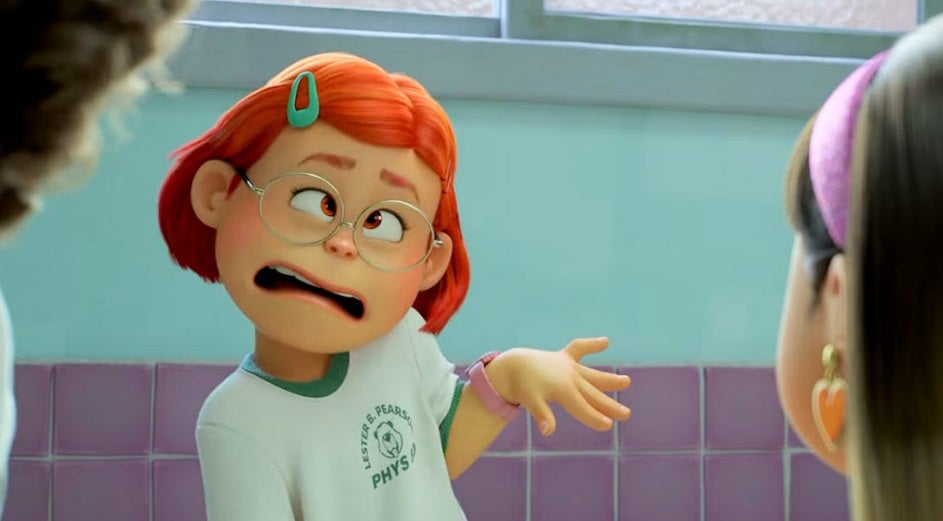
Next Friday March 11, Disney Plus welcomes Turning Red, the new film from Pixar which is exclusive to the streaming platform. We will relive with the charming Mei Lee how it is always difficult to go through puberty. And that growing up is not so easy… Especially if you transform into a giant red panda when your emotions get out of control! Inspired by the mother-daughter relationship of its Oscar-winning director, Domee Shi, Turning Red tackles important issues such as diversity, the chaotic arrival of puberty, and the difficult transition from child to teenager.

After the success of Luca, Turning Red is the 25th Pixar film to hit Disney Plus. Would you like to see it? All you need is an active subscription to Disney Plus. If you still don’t have one, take advantage now to get an annual subscription at the best price. The platform is currently offering a juicy discount to get 12 months of Disney Plus for the price of 10*. Don’t miss this opportunity!

*Discount applies to annual subscriptions compared to the price of twelve months at the monthly subscription price

Exclusive offer for an annual Disney+ subscription SUBSCRIBE NOW
9

The Curse of the Red Panda

As always in Disney and Pixar movies, one of Red’s strengths is its engaging and original story. We will get to know Mei Lee, a 13-year-old girl just starting puberty. This little girl is cheerful, studious and sure of herself, managing to be the perfect daughter that her parents always wanted. Growing up in the Lee family is not easy, her overprotective mother Ming always wants the youngster to be exceptional. However, one morning things change when Mei Lee wakes up transformed… Into a giant red panda!

After this unexpected incident, Mei Lee’s parents open up, explaining that their family has a special bond with red pandas that makes them change shape. Fortunately, the curse is not permanent and only comes to light when one’s emotions run amok. However, the hormonal cocktail of adolescence does not make it easy to maintain a human appearance.

An original take on adolescence

As always in Pixar films, Turning Red aims to do much more than simply present an entertaining animated story. Although its fanciful and hilarious wager on the curse of the panda eye is really attractive, its background is much more complex. The film aims to illustrate the transition from childhood to adolescence and for this reason, Turning Red offers a very different approach to the classic tales about puberty.

Through the eyes of Mei Lee, Turning Red tackles the classic conflicts every teenager’s faces. When they reach a certain age, children have to face big changes to their body, as well as to how they think or behave. Consequently, the film explores interesting topics such as the conflict that all obedient children go through who want to please their parents, but who also want to enjoy their freedom.

East meets West

Turning Red is a film that stands out due to its originality. As well as being the first Pixar film to feature an all-female leadership team, it also stands out due to its particular animation style. As its director points out, the film seeks at all times to mix elements of Western pop culture with clearly Eastern influences.

Consequently, we will find references that are so fashionable among adolescents, such as boy bands, beat boxing or the crazy things they do when they are among friends. All of this mixed with an animation style more typical of Japanese anime, where the emotions and expressions of the characters change in just a matter of seconds.

You can watch Turning Red on Disney Plus

From March 11, all Disney Plus subscribers will be able to enjoy Turning Red at no additional cost. To do this, all you need is an active subscription to the platform. If you still don’t have one… What are you waiting for?

Disney Plus offers two types of subscriptions, a monthly one for €8.99 per month or an annual one for €89.90 per year. As you can see, the annual subscription gives you much more, because with it you will save more than €17* as well as enjoy the best series and movies on the market. Take advantage of this offer today!

*Discount applies to annual subscriptions compared to the price of twelve months at the monthly subscription price

Disney Plus at the best price SUBSCRIBE NOW
9

Get the most out of Disney+ with an annual subscription


There are many streaming platforms out there, but Disney+ is in a league of its own. Month after month, the company serves up an irresistible menu of premieres and exclusive content to delight its subscribers. In the two years since it arrived on the scene, Disney+ has made no secret of its objective: to be a place where you can kick back and enjoy the best movies, series, short films and documentaries in the market.

If you’re already a Disney+ subscriber, you’re probably aware that no competitor can hold a candle to this streaming service. In one place you get exclusive access to all the magic of Disney, Pixar, Marvel, and Star Wars, along with National Geographic documentaries and Star series and movies. If you still haven’t signed up for this platform, now’s the best time to do it! We’ll explain why.

Annual subscription to Disney+ for the best price SIGN UP NOW
9

Top 5 reasons to sign up for Disney+

1. All the magic of Disney in one place

Disney+ is the only streaming platform where you can access all the magic of Disney. It’s a place where you can enjoy all the classics along with the little ones, from the enchanting Snow White to the adventures of Elsa and Anna in Frozen. What’s more, the platform also includes the company’s best series, such as DuckTales (both the classic and modern versions) and Gravity Falls, so you can watch them as many times as you want.

Elsa en Frozen

2. Animated films from Pixar

The Disney+ catalog features all the animated films from Pixar Studios. Get ready to relive the adventures of Sheriff Woody and Buzz Lightyear in all the Toy Story movies, dive into the ocean to find Nemo or explore your emotions in Inside Out. As if that were not enough, you’ll also be able to enjoy Pixar’s latest releases, such as Luca and the new Turning Red.

Red de Pixar Studios

3. The home of Marvel and Star Wars

If you’re a Star Wars or Marvel Studios fan, a Disney+ subscription is a must. The platform offers exclusive access to all the films from both universes, including all the new releases and original series. The Mandalorian, The Book of Boba Fett, Loki, Hawkeye, and Eternals are just a few of the titles in the sensational Disney+ catalog.

Bruja Escarlata y Visión

4. The best content for adults on Star

Along with the best content for kids and teens, the Disney+ catalog features the best of Star. You’ll discover a whole new world of TV, movies, and original content from Disney Television Studios, 20th Century Studios, FX, 20th Television, ABC, Searchlight Pictures, and much more.

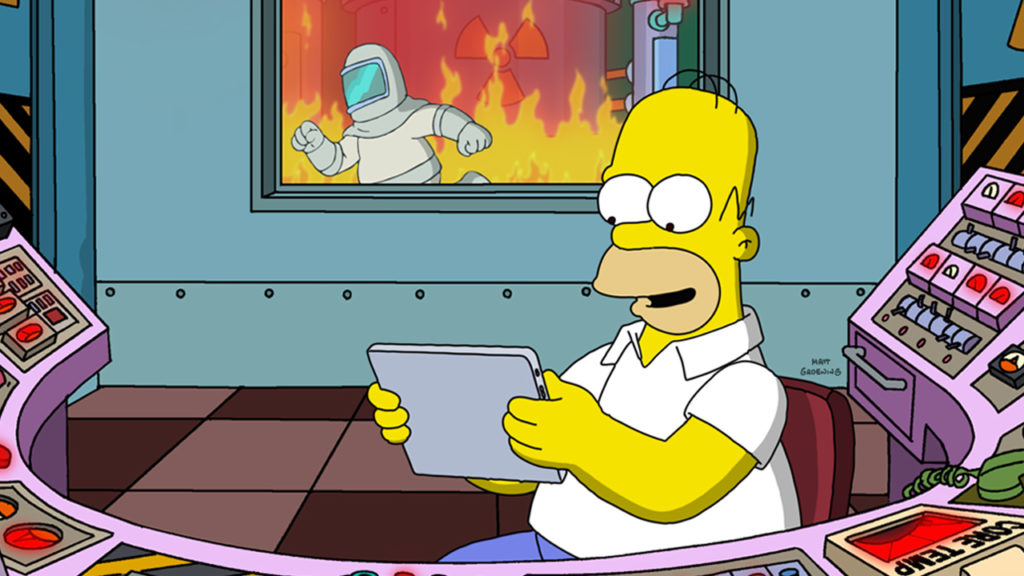
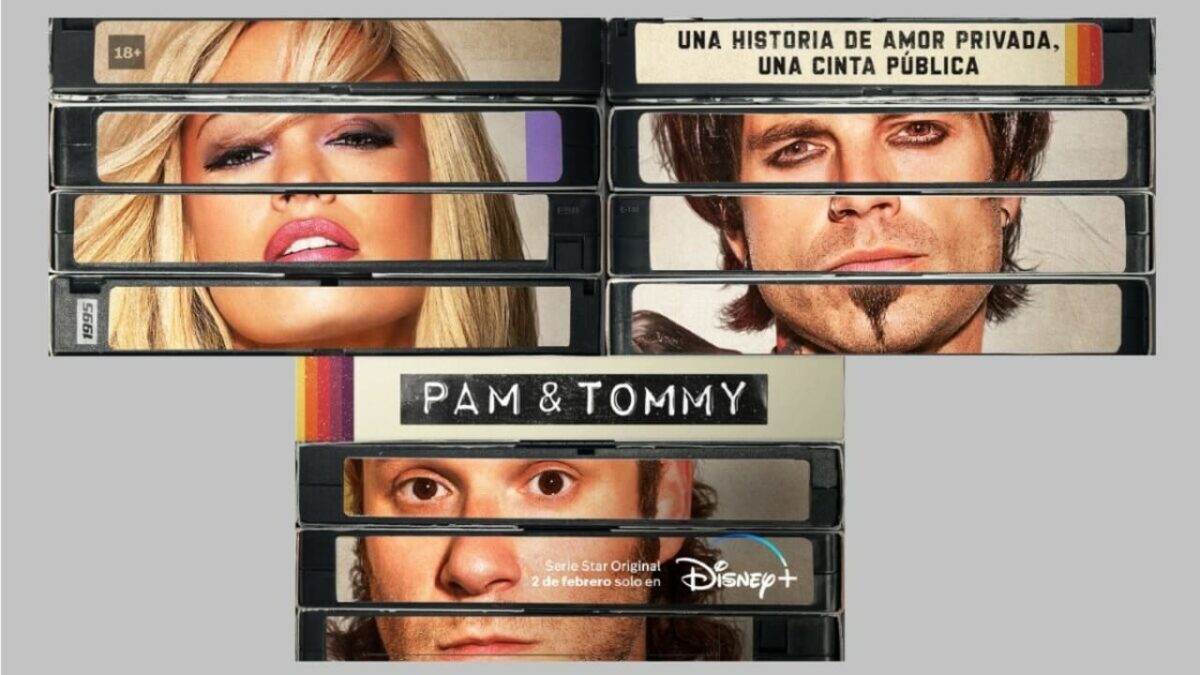
In other words, you can binge-watch all the seasons of legendary series like The Simpsons, Family Guy, The X-Files, The Walking Dead, Grey’s Anatomy, Buffy the Vampire Slayer, and Desperate Housewives. But that’s not all: you’ll also have platform exclusives at your fingertips, such as Only Murders in the Building, American Horror Stories, and Pam & Tommy, as well as premieres like Steven Spielberg’s latest hit, West Side Story.

La imagen tiene un atributo ALT vacío; su nombre de archivo es los-simpsons.jpg

5. The most incredible National Geographic documentaries

Do you like the idea of traveling without ever leaving your home? Do you have a constant thirst to learn new things? You’re in luck, because Disney+ is also the home of National Geographic. Here you’ll find the best documentaries ever made as well as the latest premieres and the most amazing programs you simply can’t miss.

El mundo según Jeff Goldblum

How to get Disney+ for the best price

Now that you know why Disney+ is the best entertainment platform, you’re probably wondering how to go about signing up for it. To access the full catalog (except the temporary content under Premier Access), you can choose one of two subscription options:

  • Monthly subscription: $7.99 per month
  • Annual subscription: $79.90 per year

Both are good options, but the annual subscription is especially interesting. And it comes with an incredible offer to get Disney+ at the best price! So, what are its main advantages?

The Disney+ annual subscription gives you 12 months of access to the platform for the price of just 10*. That means savings of more than 15% to see the best series, movies, and documentaries in the market*. As you can see, the annual subscription is the best choice to enjoy a whole year of the magic of Disney+. Don’t miss your chance to sign up today!

*Savings on annual subscriptions compared to the price of 12 months at the monthly subscription rate.

Annual subscription to Disney+ for the best price SUBSCRIBE NOW

Pam & Tommy: The Disney+ series everyone is talking about

Have you ever wondered who was behind the world’s first viral video? To find out, Disney+ invites you to time-travel back to the wild ’90s in Pam & Tommy, a new miniseries that delves into one of the most notorious scandals of the 20th century: the internet leak of the famous homemade sex tape starring Pamela Anderson and musician Tommy Lee. But under what circumstances was the video filmed? And how did it get leaked online? Now, almost 30 years later, you can learn the true story behind that famous VHS tape.

Fortunately, it’s easy to watch every episode of Pam & Tommy. You only need to be a Disney+ subscriber. If you still haven’t signed up for this streaming service, don’t worry! Now is the perfect time to subscribe. Take advantage of the exclusive annual subscription offer to get 12 months of Disney+ for the price of 10*. Don’t miss this opportunity!

*Savings on annual subscriptions compared to the cost of 12 months at the monthly subscription price.

Exclusive offer on Disney+: get 12 months for the price of 10 SIGN UP NOW
9

The story behind the scandal

Released on February 2, Pam & Tommy recreates in an entertaining—and sometimes surreal—way the events that led to Pamela Anderson’s famous sex tape being downloaded by millions of internet users. This 8-episode series tells the love story between the Mötley Crüe drummer and the Baywatch sex symbol. An extravagant romance and a Cancun wedding are only the start of an atypical relationship that culminates in a scandal over their homemade porn tape, which ends up being leaked online by a disgruntled electrician seeking revenge.

Lily James como Pamela Anderson en Pam y Tommy

A star-studded cast

To recreate this iconic ’90s event, the series needed the perfect Pam & Tommy. And it found them in the unrecognizable Lily James (Yesterday, Downtown Abbey) and Sebastian Stan (Falcon and the Winter Soldier). Perfectly cast, they do an incredible job of immersing us in this story of love and madness, which blurs the lines between public and private. But that’s not all: they are joined by Seth Rogen (Long Shot) as the disgruntled contractor who stole the famous footage, a peculiar character who orchestrated the theft disguised as the couple’s dog.

Sebastian Stan como Tommy Lee en Pam y Tommy

Get 1 year of Disney+ for a bargain price

Are you ready to binge on all 8 episodes of Pam & Tommy today? Take advantage of the promo in March to sign up for an annual Disney+ subscription for a bargain price. You’ll save more than 17 compared to the monthly subscription rate… That’s 2 months of Disney+ for free!* What are you waiting for?

*Savings on annual subscriptions compared to the cost of 12 months at the monthly subscription price.

Exclusive offer on Disney annual subscription SIGN UP NOW
9

Quality protection with Avast Small Business Cybersecurity Solutions

Cybersecurity is the top priority for any business that has extended its branches toward an online business model. With increased online threats, it has become necessary for online businesses to opt for a cyber security service. However, sometimes it is difficult for small businesses to find affordable cybersecurity services. That is why Avast Business Cybersecurity Solutions have come up with affordable plans suitable for small and medium enterprises.  

Avast is a reputed name that imparts overall protection against all types of online threats and concerns. In addition, their antivirus solution comes with premium plans that improve your overall cyber experience. In 2022, its monthly active user base extended to 435 million, and the count is ever increasing.
Check out the complete Avast Small Business Cybersecurity Solutions review to quickly test its features and competency to provide complete solutions. Then, let’s stack up a detailed interrogation of its pricing, security, and overall features that ensures it’s a good pick for 2022.

20% on Avast Small Business Solutions CHECK OUR OFFER
9

Highlights

  • No maintenance
  • Affordable, simple, and powerful
  • 30 years of innovation
  • Award-winning cybersecurity solutions
  • More than 400+ million users
  • Globally discrete threat detection network globally.
Avast Small Business Cybersecurity Solutions

Overview of Avast Small Business Cybersecurity Solutions Packages

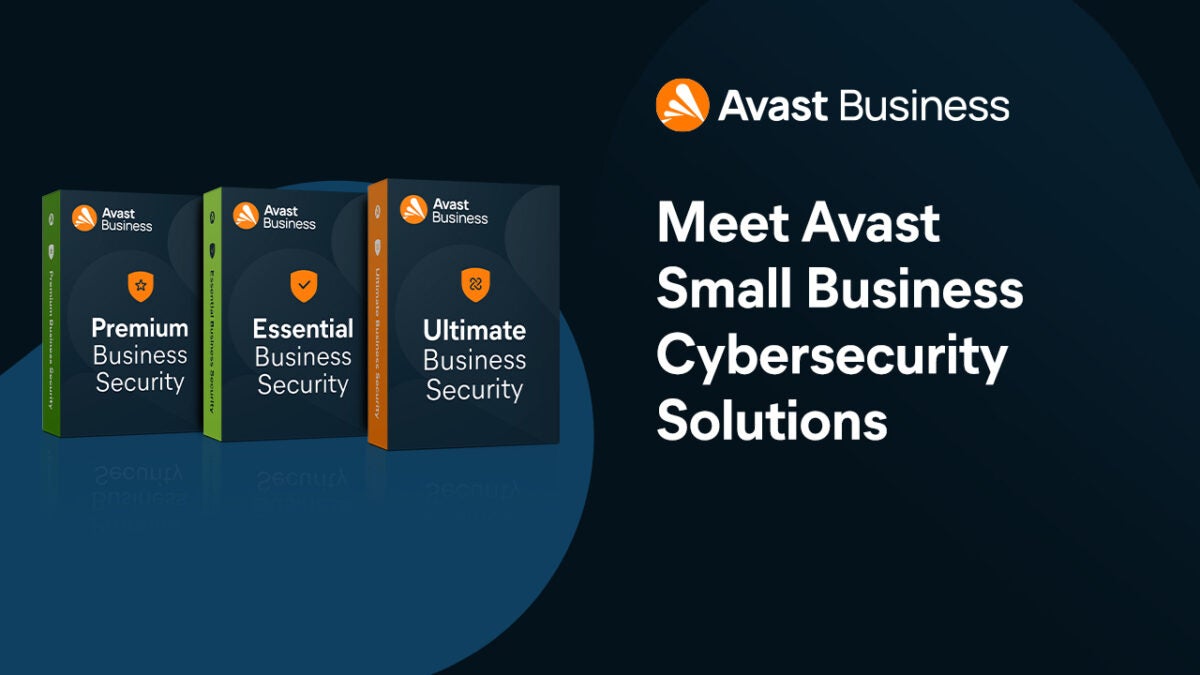
Avast is dedicated to providing affordable business cybersecurity services for small and medium-sized businesses. That is why they have divided their top-class services into three different packages. You can choose according to your budget from these three:

  1. Essential – $36.99/year.
  2. Premium – $46.99/year.
  3. Ultimate – starts from $56.99/year.

Below you will find complete details of each of the cyber security packages offered by Avast.

Avast Small Business Cybersecurity Solutions

Essential 

The essential package is the basic cybersecurity package offered by Avast. It is the cheapest out of them all and offers all the basic features required to protect your data online. The essential package starts at $36.99/year only for one device. You can also opt for the essential package for up to three years at a discounted price of $85.45/3 years for one device. This package guarantees to protect your device running on Windows and Mac. Android and iPhone support will be available from April 6. 

Features you get by opting for the Essential Package:

  1. Online Management Platform: Helps you manage all your connected devices subscription and lets you add devices. 
  2. Device Protection: Helps you defend your business against any malicious attempts like malware, phishing, ransomware, and other advanced cyberattacks.
  3. Data Protection: Protects your data against any online data theft attempts.
  4. IT Support: Prompt customer service is provided by Avast. The customer service executives are highly trained engineers available 24/5 via phone, email, and live chat.

Premium

The Premium package offered by Avast is available at $46.99/year for one device. This package provides all the features included with the essential package and more. Most businesses with a small budget like to choose this package as it offers superior cybersecurity. If you buy the package for one device for three years, you get a discount, and it will cost you $108.55/3 years. 

The features included in this package are:

  1. Online Management Platform. 
  2. Device Protection From Malware and Cyber Attacks
  3. Data Protection From Malicious Data Theft Attempts.
  4. 24/5 IT Support from Trained Engineers. 
  5. Privacy Protection: Get access to a fast VPN service that provides you an extra layer of security while browsing the internet. 
  6. Webcam Protection: Stops hackers in their tracks when trying to access your device’s webcam. 
  7. Password Protection: Protects your passwords that are auto-saved in the browser. 

Ultimate

The Ultimate is the best cybersecurity package offered by Avast. It is the recommended package for all small and medium businesses because it provides the ultimate online security. This package starts at $56.99/year for one device. For example, if you buy the three-year package for one device, the price would be $131.65/3 years. By opting for the Ultimate package, you get all the features available in the previous two packages and more. 

You get these features with the Ultimate package:

  1. Online Management Platform. 
  2. Device Protection From Malware and Cyber Attacks
  3. Data Protection From Malicious Data Theft Attempts.
  4. 24/5 IT Support from Trained Engineers. 
  5. Exceptional VPN Protection Service.  
  6. Protect Your Webcams From Any Malicious Attempts.
  7. Protect Your Saved Passwords.
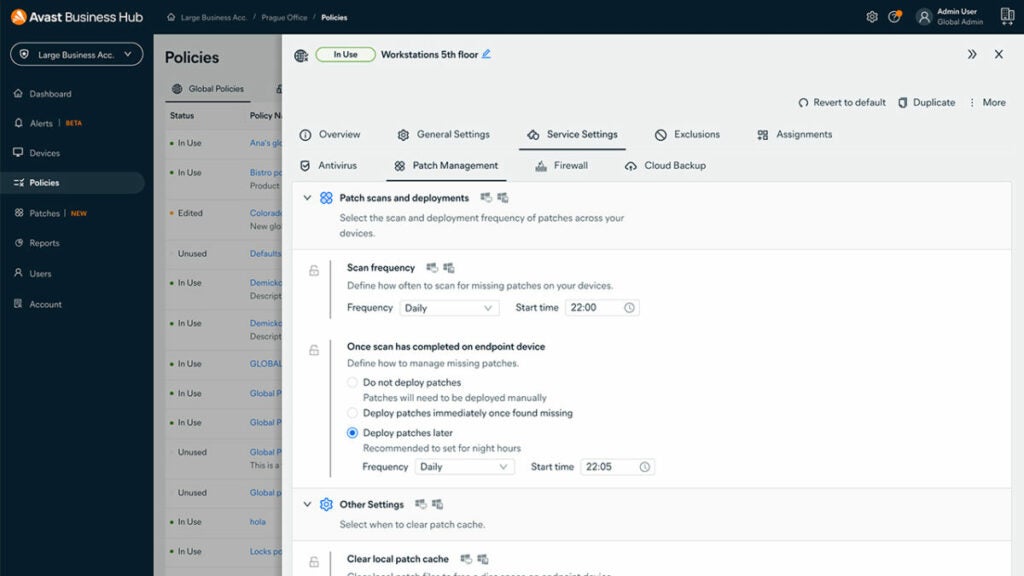
  8. Patch Management: Urgently patches loopholes in your software and third-party applications to protect you from any potential threats.
Avast Small Business Cybersecurity Solutions

Superb protection for your entire team

With so much malware running wild on the internet today, the last thing you need is for one to infect your business network. While we’re sure your IT team is doing its best to ensure the data remains secure, it helps to have the support that Avast Small Business Cybersecurity Solutions offers.

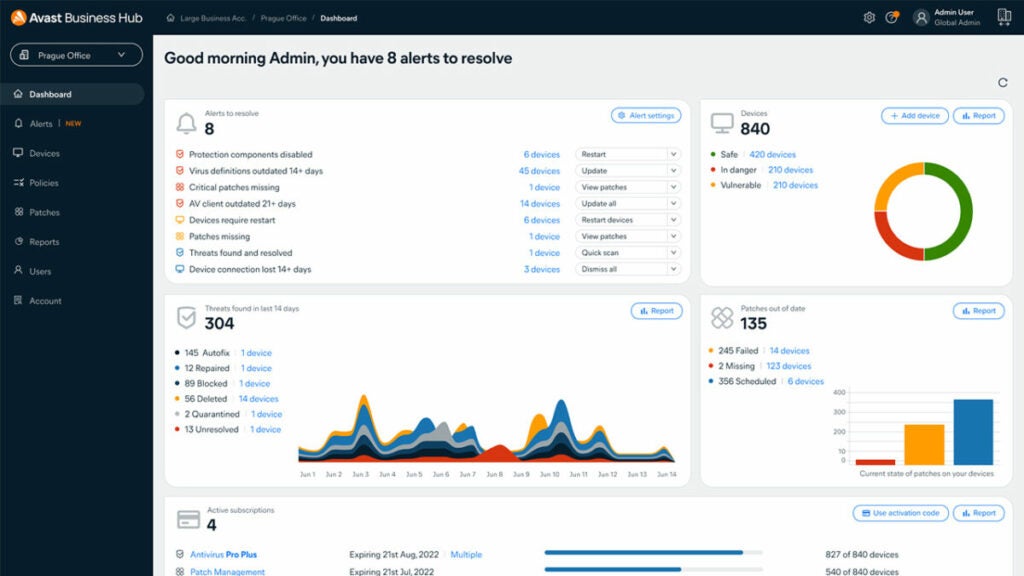
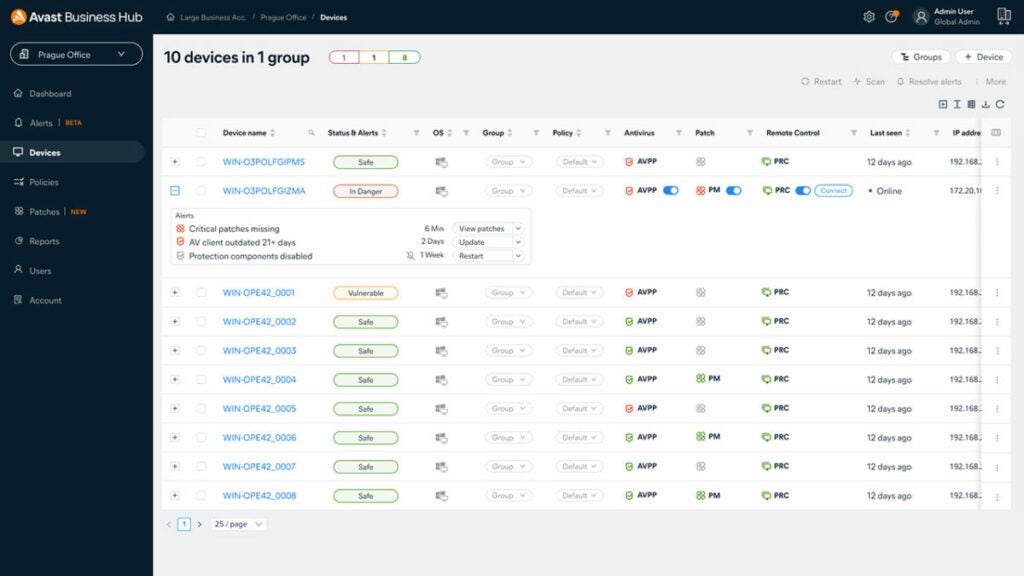
For instance, there’s a central panel where you can view threats across multiple devices simultaneously. There are also alerts your team will receive so that malware doesn’t catch them unaware. Instead of spending hours trying to resolve an issue, you can let Avast Small Business Cybersecurity Solutions do it for you. All of this and more at remarkably affordable prices!

Ensure you remain safe

To wrap up, we can say that Avast is offering state-of-the-art Cyber Security solutions for medium and small-sized businesses. The attractive point is that these services are provided at a very reasonable price compared to their alternatives, which provide cybersecurity. So if you are running a business and using a computer to run it, you need to opt for cybersecurity services today because you never know when trouble will come knocking at your door. 

Adobe Document Cloud guide – Top Exciting Features

The organization, editing and managing of documents in this 21st century has evolved drastically with the surge of technology. Everyone needs a platform to do business, social, educational or any other type of work from the comfort of their home and in the easiest way possible. Well, then look no further; a solution is here with the new features of Adobe Document Cloud.

Adobe Document Cloud 7 days Free trial
9

Adobe document Cloud has two main categories: Adobe Acrobat DC and Adobe Sign. We’ll describe the two categories briefly below.

Adobe Acrobat DC

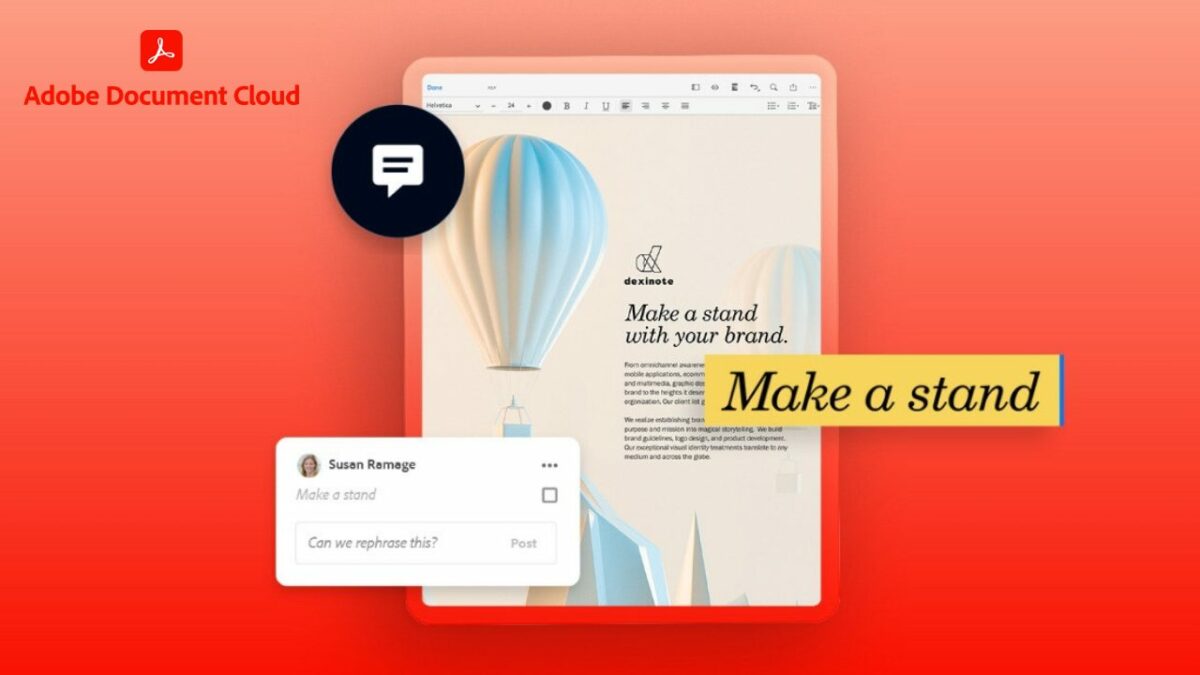
This program allows you to edit, send, and review PDF documents from any device that you want to work on. Adobe Acrobat can track PDF documents on who can make changes and such on a document. The main features of the Adobe Acrobat DC are edit, convert and share.

Edit Features

With this fantastic feature, Adobe can now do the following: 

  • Edit text and images in PDF
  • Add comments through notes, highlights and other annotations
  • Recognise text that is to make scanned text editable through OCR
  • Combine files by merging multiple files
  • Split files into multiple files
  • Delete pages, remove specific pages
  • Rotate pages into portrait or landscape
  • Reorder pages that is to rearrange pages to desired order
  • Extract PDF that is to create a new PDF from an extracted page
  • Insert new additional pages to a PDF 
  • Crop PDF that is to trim outer edges of page content
  • Helps to put all your tax documents in one place

Convert Features

Documents can now be converted as follows:

  • Word to PDF
  • PowerPoint to PDF
  • Excel to PDF
  • JPG to PDF
  • PDF to word
  • PDF to PowerPoint
  • PDF to Excel
  • PDF to JPG
  • Compress PDF to reduce the size of your document when sharing
  • HTML to PDF
  • Print to PDF

Share Features

  • Send a file to others for commenting or viewing
  • Send for comments, allowing you to collect feedback from multiple people in one file.
  • Protect PDF will enable you to prevent others from copying, editing or printing your PDF content
  • Unlock features allows you to remove passwords from protected PDF
  • Compare files allows you to compare two files to quickly spot differences 

To access Acrobat Pro DC, there is a 7-day trial that is for free and a monthly subscription of $14.99/month.

Adobe Sign

Adobe Acrobat DC with Sign allows you to sign your PDF documents from your device and send it. It is one secure way, as it is protected; this is an interesting feature for businesses and any type of work you see yourself engaging in that need legal approval and authentication from you in the form of a signature.

With Adobe Sign, you can easily request signatures by sending a document to others for signing. It also provides the fill and sign option to create a form and add your signature. The feature enables you to turn existing forms and scans into fillable PDF forms.
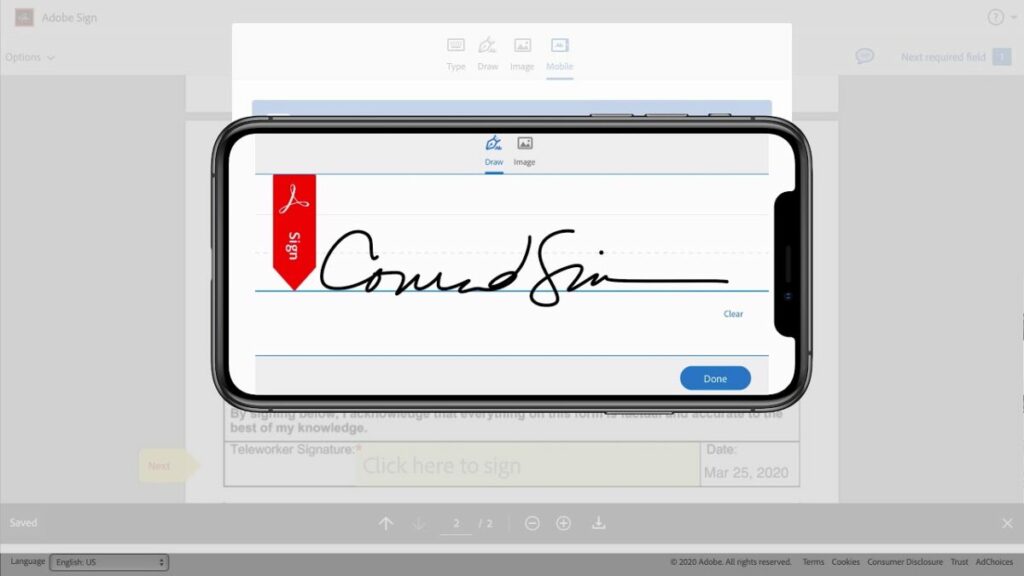
To access this amazing and exciting feature, Acrobat Sign Solutions offers a 30-day free trial and you have to get in touch with Adobe Acrobat for pricing.
Adobe Document Cloud guide

Using Adobe Document Cloud to make your taxes easier

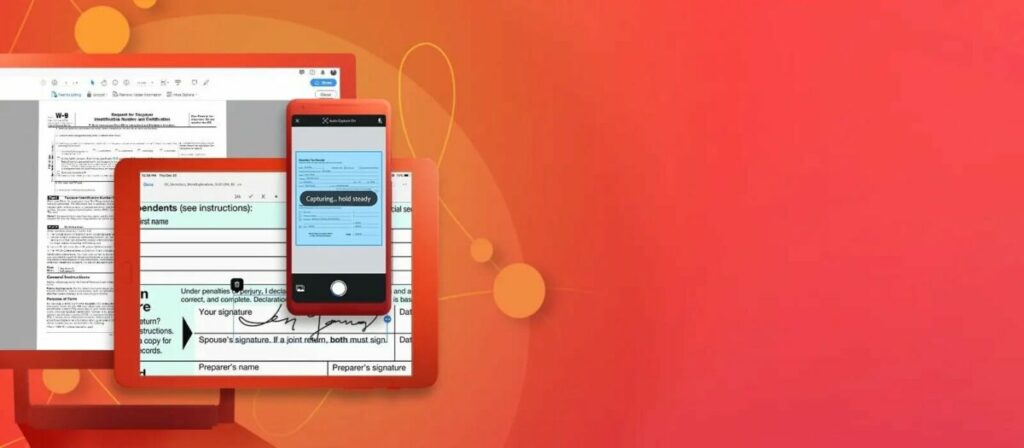
We know many of you dislike doing your taxes. The most frustrating part is dealing with the documents and compiling the information on different platforms. Fortunately, Adobe Document Cloud can assist you to make the tax season feel effortless.
Adobe DC, Scan, and Sign are available for improved tracking, management, collation, and recording. Another aspect that makes it ideal is that you can view and deal with the details on your tablet, mobile, or desktop device. With the sharing tool, your tax documents will remain secure with permission settings.

Adobe Document Cloud guide - Top Exciting Features

Power of Adobe Document Cloud at your fingertips

The world of creative work is evolving, and with the innovative advances being made by Adobe Acrobat, you can now work anywhere. From the above adobe features, work has been easy as you create, edit and sign PDF documents either for your company or taxes.

You can also now edit anything in PDF, as the features allow you to play around with your documents till they reach the desired outcome that you seek. Ink signatures are slowly becoming a thing of the past. Adobe allows you to sign your PDF documents, making life quite simpler and easier. 

Protection of essential documents is also crucial, and Adobe has also incorporated that special feature to ensure that your documents cannot be tampered with or edited without your consent. Through Adobe, document tracking is now more accessible, and you can ensure that documents reach their destination.

Your guide to Adobe Creative Cloud Express (formerly Adobe Spark)

Creative entrepreneurs need fast yet effective ways to share their work with the world. Thankfully, Adobe kept the needs of the Creator Economy in mind when it introduced Creative Cloud Express in 2021. Formerly known as Adobe Spark, this free online design platform simplifies the process of creating professional-quality graphics, videos, logos, web pages, and more.   

Social media influencers, bloggers, vloggers, writers, photographers, and content-creating freelancers can all get a lot out of Adobe Creative Cloud Express. The app is designed for creatives of every experience and skill level. To get the most out of Creative Cloud Express, however, you’ll need to understand its tools and features.

Adobe Creative Cloud Express START FOR FREE
9

Using Adobe Creative Cloud Express’ best features

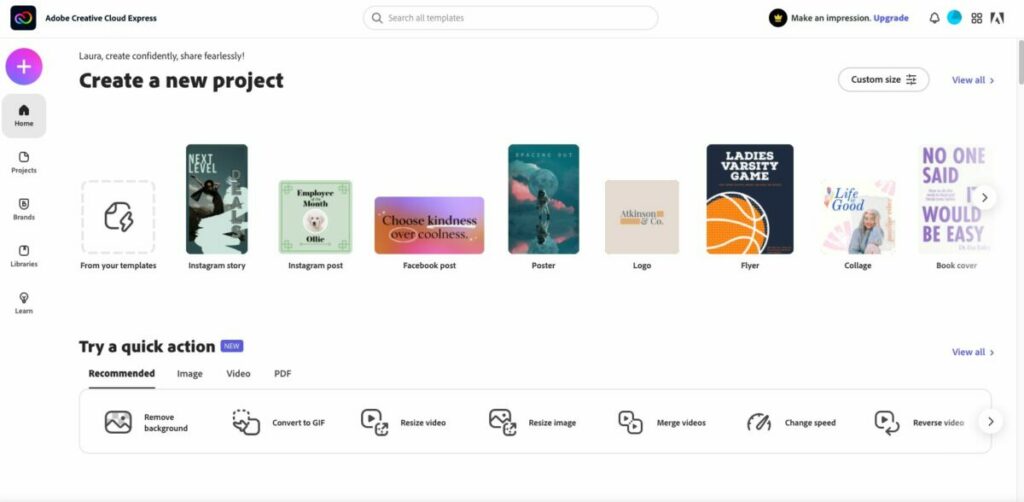
After you download and install Creative Cloud Express, sign in (or create a new) Adobe account. It’s best to explore the sidebar and get familiar with the different pages within the platform. If you’ve ever used Spark, it will look very familiar. Clicking the plus sign in the upper right corner will display all the best Creative cloud features, separated by columns for Create new and Quick actions.

Graphics and design

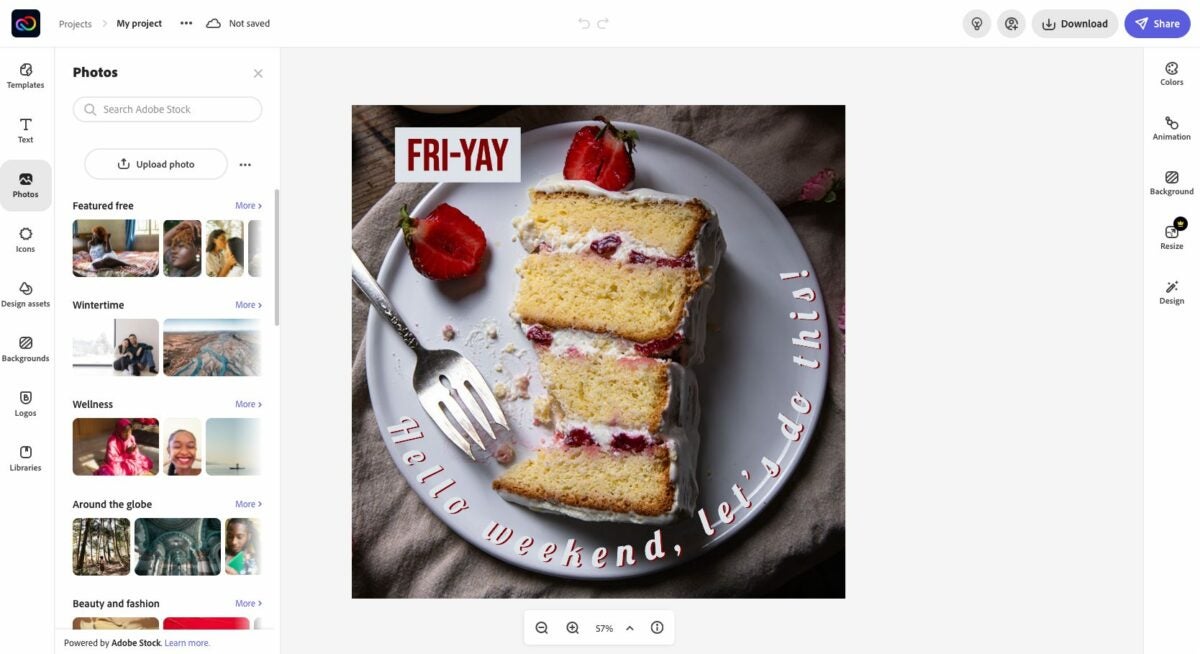
One of the benefits of Adobe Creative Cloud Express is its wealth of graphic design features. And with easy-to-use tools for adjusting colors, adding filters, and manipulating images–even novice graphic designers can create stunning visuals. The key to getting the most out of Creative Cloud Express is to take advantage of the templates

The platform has a massive library with thousands of templates. These professionally designed selections come preloaded with optimal colors, fonts, and more. Whether you’re creating a social media post, flyer, or logo, you’ll find a good starting point in the various library categories. Using the easily customizable templates is preferable to starting fresh with a blank canvas.

Web page design

Adobe Creative Cloud Express also offers a wide range of features that simplify the web page design process. With customizable templates, drag-and-drop elements, and integrated social media sharing tools, it’s easy to create beautiful web pages that represent your brand or personal blog. If you’re new to making a web page, start by selecting one of the provided themes. You’ll see different options like Crisp, Whimsy, and Vintage to match the tone you’re looking for. 

If you already have photos and video to add to your page, Creative Cloud Express has upload options that integrate with pre-set formatting and sizing features. The platform also makes it easy to find and add royalty-free content. The free photos option will search the databases of Flickr and Pixabay. There are also video embed features that make it easy to add YouTube videos to your page.

Adobe Sensei

Adobe Sensei is the artificial intelligence and machine learning technology used by Adobe. It powers a number of features in Adobe Creative Cloud Express, including quick actions. With quick actions, you can easily create a design or video in just a few clicks. All you need to do is select one of the many templates offered on the platform, make some simple edits, and your creation will be ready to share with the world. 

Extra features

There are additional noteworthy features to consider. First is full ContentCal integration. ContentCal is a content calendar built specifically for creatives to help plan, publish, and measure the success of content marketing initiatives. With ContentCal’s integration with Adobe Creative Cloud Express, you can add designs and videos to your content calendar and publish them directly to social media or other channels.

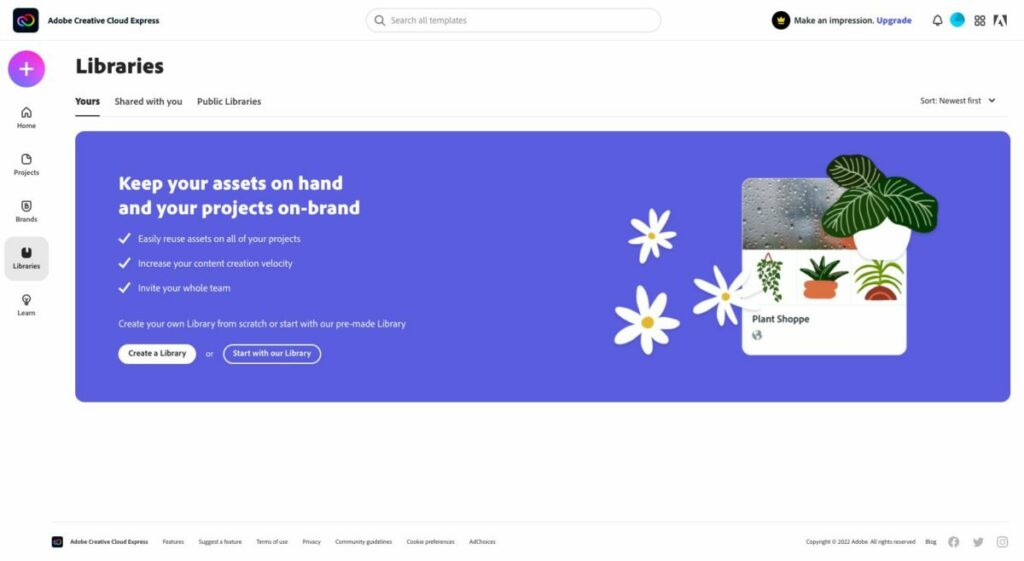
There’s also seamless integration with Creative Cloud Library, a desktop application that lets you access and share your creative assets — such as brushes, fonts, color themes, images, and videos — across Adobe Creative Suite applications. You can also use it to create libraries of projects for easy reuse. 

While the intuitive interface is easy to use, there’s help if you get stuck and don’t know how to proceed. The Adobe Creative Cloud Express User Guide is packed with resources, knowledge, and links. Here you can search by topic, interact with experienced creatives within the community, and live chat directly with someone from Adobe’s customer support team. 

Note: A paid subscription is technically required to chat with a live agent, and although they remind you of that during the connection process, you will still be connected to a live agent whether you have a paid plan or not. The User Guide is accessible at any time from within the platform.

Adobe Creative Cloud Express cost: is it free?

There is no cost for the Creative Cloud Express base app. However, there are upgrade options to unlock more features. If you want to stick with the free version, you’ll get the following for both web and mobile devices: 

  • 1,000+ templates, graphic design assets, and fonts by Adobe
  • Limited access to the Adobe Stock royalty-free image library
  • Base-level editing and photo effect features, which include removing background and animate
  • Up to 2GB of storage

The $9.99 per month premium plan (note: Canva is $12.95) gets you all of that plus:

  • Extra premium-level templates and design features
  • The full collection of royalty-free Adobe Stock photos (more than 160 million)
  • More than 20,000 Adobe Fonts
  • Additional features such as refine cutout, resize, and graphic groups
  • One-tap feature for adding your brand content, fonts, colors, and logo
  • The ability to convert and export to and from PDFs and other file types
  • Users can manage all templates and assets via the Creative Cloud Libraries
  • Up to 100GB of storage

The Creative Cloud Express membership also gives you access to the premium features within Adobe Premiere Rush, Adobe Photoshop Express, Adobe Spark Video, and Adobe Spark Page.

Creativity all around

So there you have it: an overview of what Adobe Creative Cloud Express can do for creatives of all experience levels. Whether you’re looking to start a blog, create graphics for social media, or make professional-quality videos, Adobe Creative Cloud Express has you covered.