If you have an iPhone, this tiny little update to the iOS version of Google Maps, might just make your next car journey a little cheerier. Instead of the cold blue arrow that usually represents you on the map, when you’re receiving turn by turn directions, you can choose a car instead.
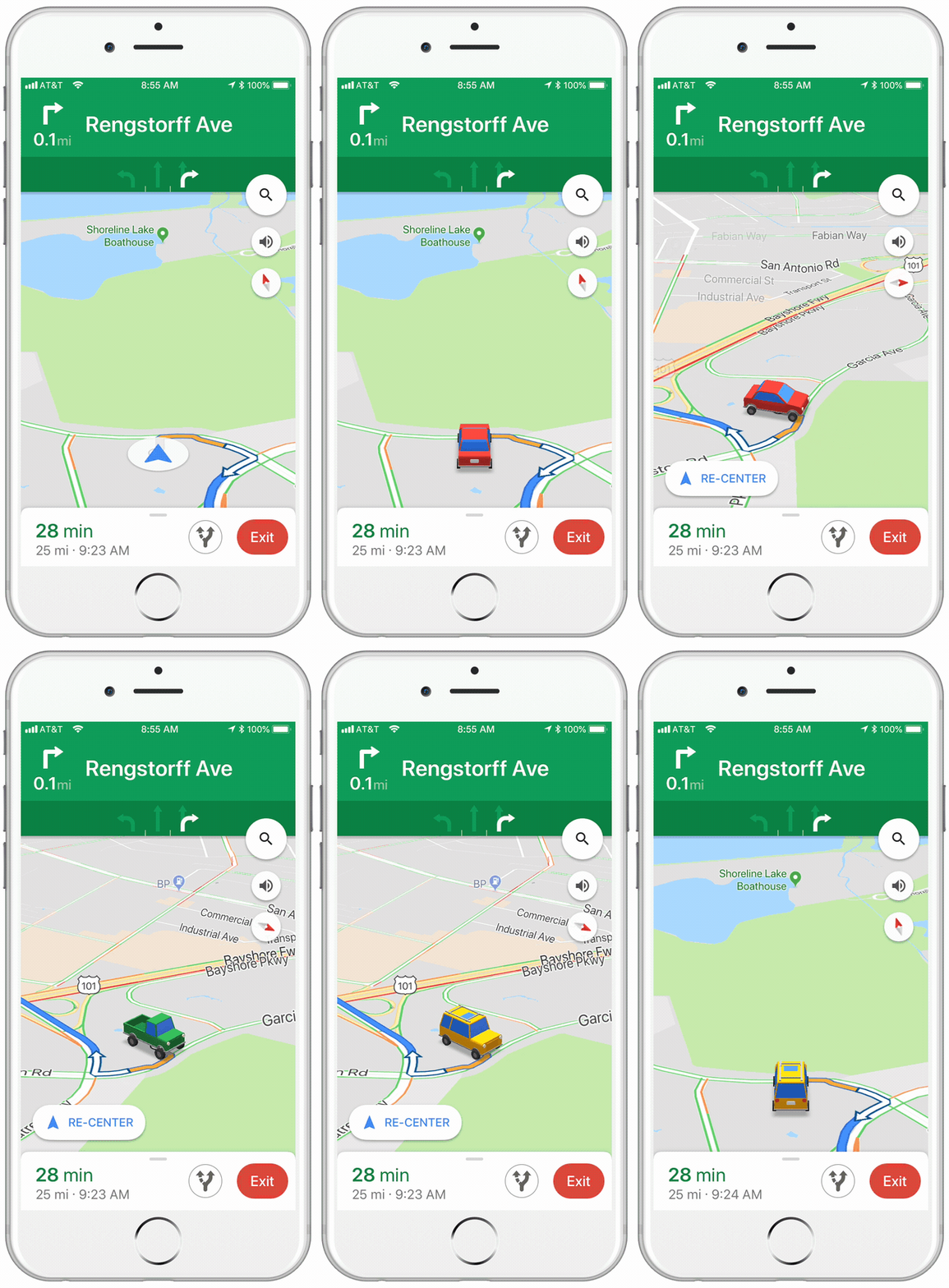
The icons are a little cartoony, and there are only three options to choose from, but it makes a welcome change. You can choose from a sedan, a pickup truck, or an SUV.
All you have to do to select your vehicle is tap on the blue arrow, next time you’re in navigation mode.

It wasn’t too long ago that Google allowed to drive around Google Maps as Super Mario in his Go Kart. That change was temporary, however, whereas this new one seems to be a more permanent addition to Google Maps. There is no word from Google about whether this feature will come to the Android version of the app.
6 Things you didn’t know you could do with Google Maps
Read More