Google has a brand new podcast app, but it is not like all the other podcast apps out there. In fact, it is only available for Android users and is built into the Google app. If you’re an Android user, you won’t need to download any new apps or software. You’ll just be able to start using Google to listen to your podcasts.
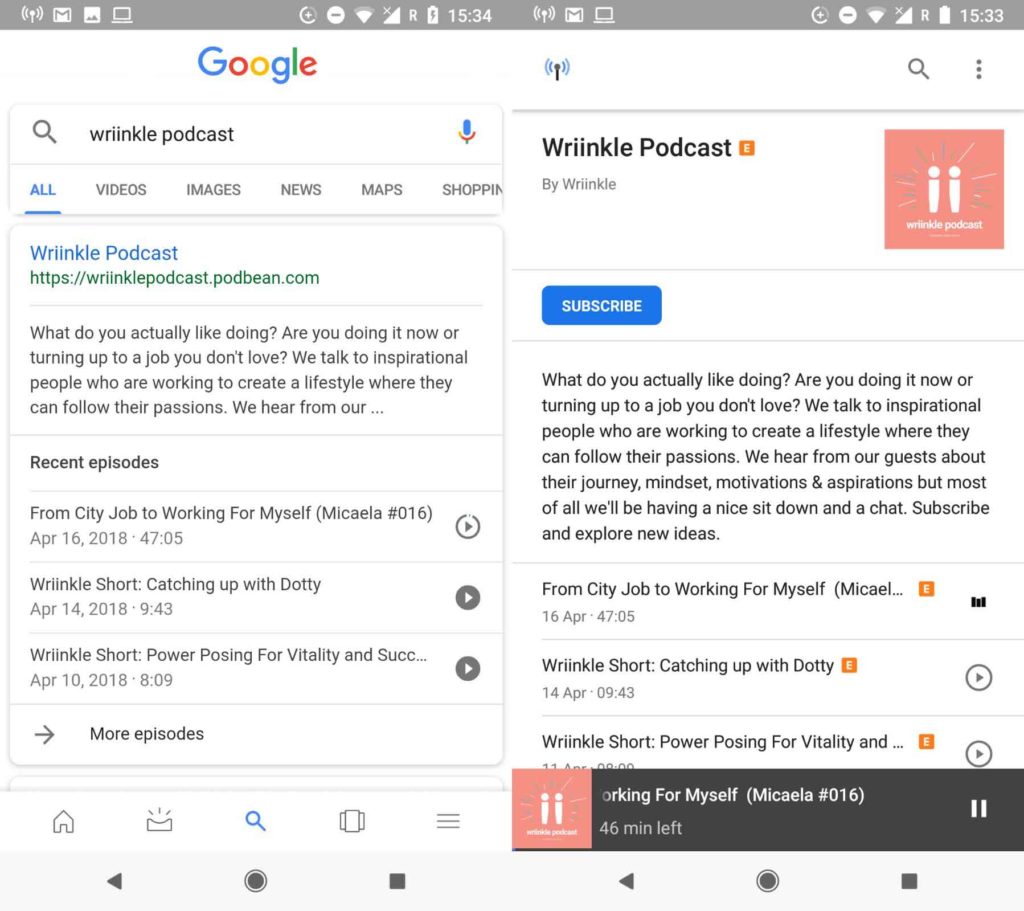
All you have to do to start using the new Google podcast “app” is to search for your chosen podcast using the Google app or Google Assistant. You’ll then find all of the info relating to the podcast, including a list of recent episodes that you can start playing right away by tapping the play button.

Once you click on the search result, you’ll be taken to the podcast’s page. Here, you can subscribe to the podcast and download episodes for offline listening. You’ll also find a podcast icon in the top left of the page, which will take you to the Google podcast “home page.”
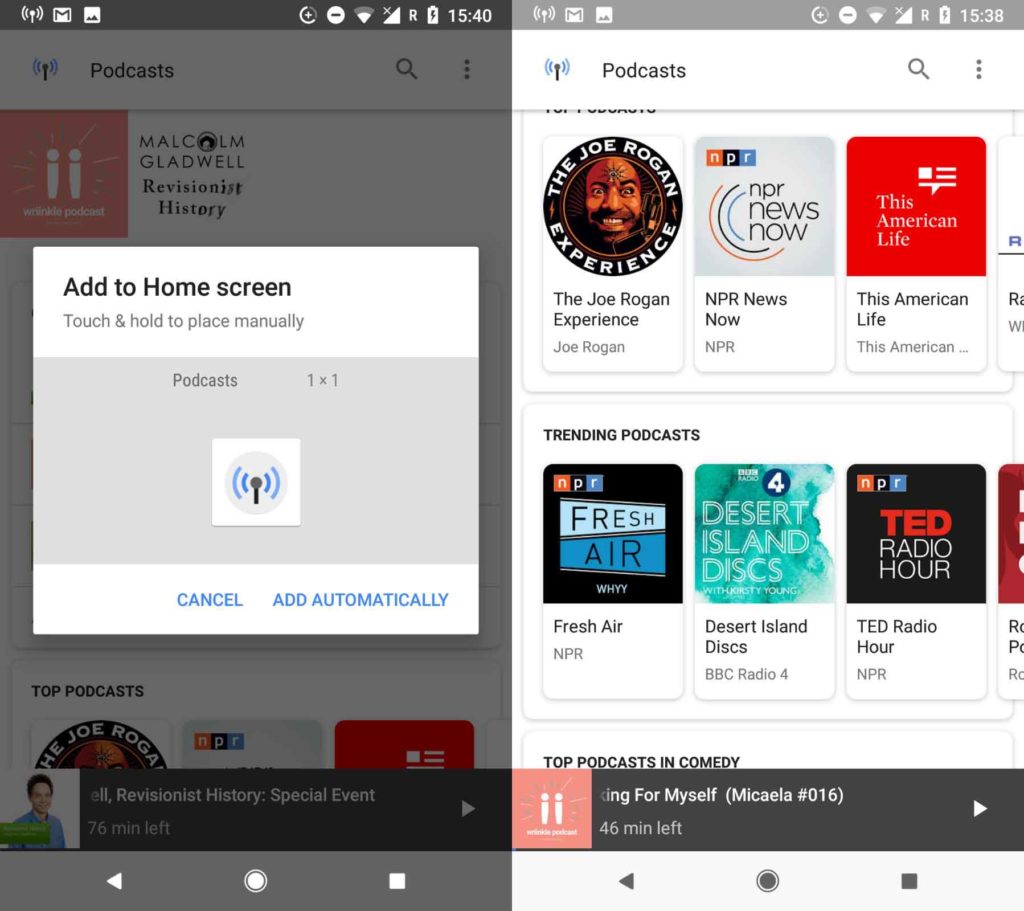
This homepage resembles more established podcast apps. It allows you to search for podcasts, resume listening to the episodes you haven’t finished, view top and trending podcasts, search through different categories, and keep track of the podcasts you follow. Another cool option is that you can create a home screen icon for the new podcasts app and even create particular icons for individual podcasts.
When you’re playing your podcasts, you can skip forward and back in 10- and 30-second increments. The whole experience is pretty lightweight, but overall, it is straightforward to use and does a great job. If you’re an Android user and you listen to podcasts, it is definitely worth checking out. It’s already on your phone, so it should be easy enough. Even if you’ve never listened to a podcast before this new offering from Google gives a simple and intuitive way to get started.

What are VPNs and why should you use one
Find Out NowSo far, there has been no news from Google about whether or not this will be coming to iOS.
