The Best Netflix Documentaries of 2020

Everyone knows Netflix, the fantastic platform for streaming movies and TV shows that has helped us to beat the boredom. What many people don’t know is that besides its extraordinary movie catalog, Netflix has a vast collection of its own documentaries that will keep you glued to the screen.

If you have a curious mind and enjoy learning the ins and outs of true stories, then you’re in luck. In today’s article, we’ll share a roundup of what we consider to be the best Netflix documentaries to date. We hope you like it!

Netflix DOWNLOAD
8

Abducted in Plain Sight

Abducted in Plain Sight tells the chilling tale of a manipulative neighbor who manages to kidnap a family’s teenage daughter twice by using his brainwashing skills. This surprising story will take your breath away, even if you think you have already seen everything there is to see in true-crime documentaries.

Babies

Babies is the perfect documentary for anyone who just had a baby or wants to have one soon. It reveals in vivid detail how babies develop and grow until they can fend for themselves. Babies includes the testimonials of 15 families and their respective babies and support from a group of experts on the subject. We highly recommend it.

Crip Camp 

Crip Camp is a moving documentary that has delighted viewers and critics alike. It tells the story of Camp Jened, a summer camp for disabled teens in the 1970s that helped to raise awareness of the rights and needs of these children in the United States. Narrated by a former camper with lots of archive videos and photos, this film is one of the best documentaries of 2020.

The Pharmacist

The Pharmacist tells the story of Dan Schneider, a man who loses his son in a drug-related shooting in New Orleans. After noticing that a large number of young, seemingly healthy people come into his pharmacy with prescriptions for OxyContin, a narcotic used not only as a painkiller, but also to get high, Schneider will embark on a crusade against Big Pharma to limit access to these products.

The Last Dance
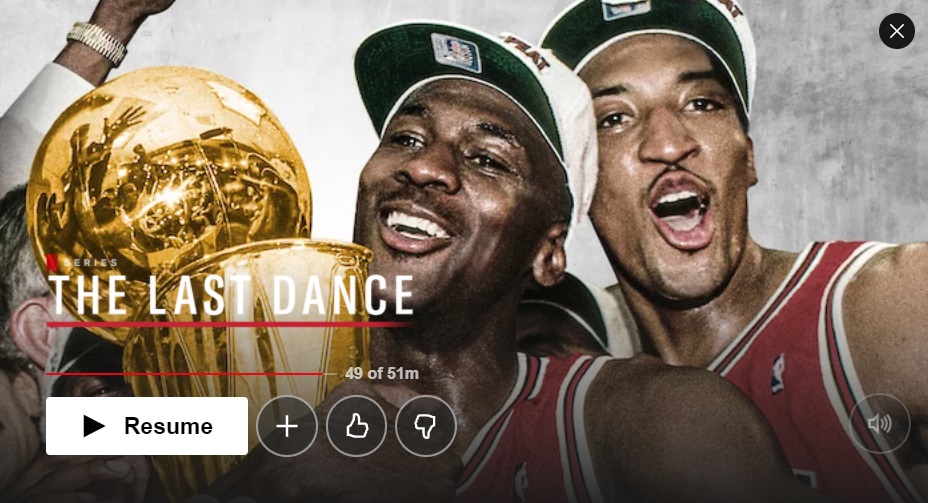
The Last Dance is a must for basketball fans. In this 10-episode docuseries, you’ll learn everything there is to know about Chicago’s best team, the Chicago Bulls. Featuring previously unseen material from the “golden age” of the Bulls (1997-98) as well as interviews with key figures like Barack Obama, Michael Jordan, and Steve Kerr, The Last Dance is an important film for basketball enthusiasts and sports fans in general.

Flint Town

Flint Town is a documentary about the town of Flint, Michigan, where violence and chaos reign. Its struggles include unemployment, robberies, and even water shortages, because the town’s water supply is poisoned. By following the swamped police department, you’ll discover the horrors of life in parts of America that seem to have been forgotten.

Icarus

This award-winning documentary offers a complete investigation of Russian doping and the scandal that arose when it was discovered. You’ll see cyclist Bryan Fogel voluntarily take performance-enhancing drugs to see how they impact his body and athletic performance, and to find out if it’s easy to evade detection from drug testing in the sports world. In fact, this impactful documentary revealed that 99% of Russian athletes have taken performance-enhancing drugs at some point, and it led the IOC to ban Russia from the recent 2018 Winter Olympic Games.

Jeffrey Epstein: Filthy Rich

Without a doubt, one of the most shocking headlines of the past decade concerned the incarceration and suicide of the billionaire Jeffrey Epstein. This docuseries exploring the ins and outs of this sex scandal is narrated by old friends and business partners of the financier as well as by Epstein himself. Chilling and masterfully directed by one of his victims, Lisa Bryant, Jeffrey Epstein: Filthy Rich is the most watched and recommended documentary on Netflix.

Jim & Andy

Remember the legendary film Man on the Moon, directed by Milos Foreman? Jim & Andy is a documentary in which Jim Carrey reflects on what it was like to play Andy Kaufman in this movie, and how it marked a turning point in his life. The documentary includes hundreds of anecdotes and never-before-seen footage from the making-of, so it’s an essential documentary for fans of the film.

Joshua: Teenager vs. Superpower
This eye-catching title is one of the most interesting and motivating documentaries on our list. It tells the tale of Chinese teen Joshua Wong, who managed to organize a youth movement in which more than 100,000 protestors took to the streets to preserve China’s autonomy. If you’re looking for a thrilling documentary that surpasses all expectations, don’t hesitate to watch it.

Trial by Media

Trial by Media is an interesting documentary about the justice system and the media’s influence on criminal verdicts. It presents an anthology of real cases in which media coverage tipped the scales towards a guilty or an innocent verdict due to social pressure.

Miss Americana

Taylor Swift is a 21st century musical icon, but little or nothing had been known of the young woman’s private life since she skyrocketed to fame as a teen. In Miss Americana, Swift opens up about her journey as a musician, her struggle to overcome anorexia nervosa, and her political opinions. It’s a must for any fan of this young star.

Unsolved Mysteries

Remember the legendary documentary series from the late 1980s of the same name? Unsolved Mysteries is a reboot featuring modern-day mysteries but maintaining the well-known opening theme. All six episodes present real-life cases of disappearances, paranormal phenomena, and chilling murders that have yet to be solved.

Strong Island
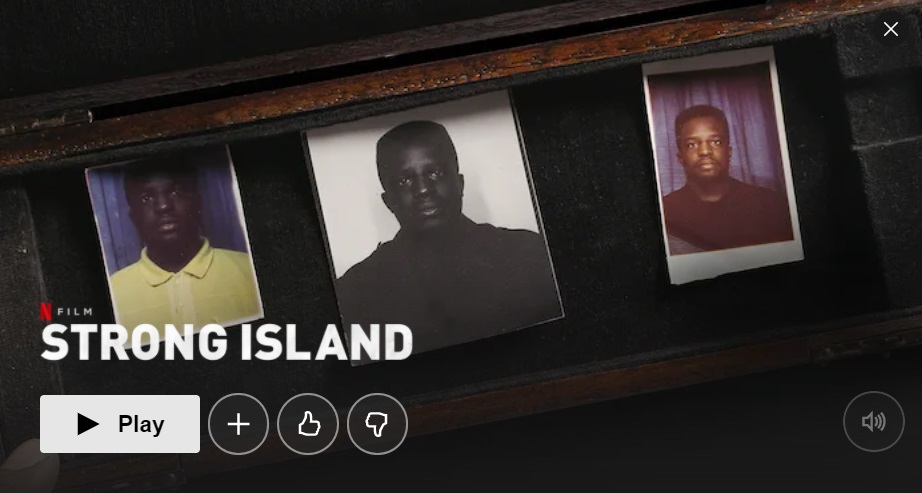
Strong Island is a documentary in which director Yance Ford delves into a very personal matter. It centers on the murder of his own brother, who was shot to death, and how the police immediately closed the case because he was African-American. Racism, discrimination, and powerlessness are examined in this hard-hitting, must-see documentary.

Tiger King

You’ve probably seen it already, but this docuseries has caused such a stir over the past few months that we had to include it. Tiger King explores the world of tiger owners and collectors, animal sanctuary directors, and even breeders of these big cats. Without a doubt, the central theme of Tiger King is the nasty feud between Joe Exotic, a breeder, and Carole Basking, the owner of an animal sanctuary.  Throughout the docuseries, their unbridled hatred of one another even leads him to plot her murder.

Evil Genius
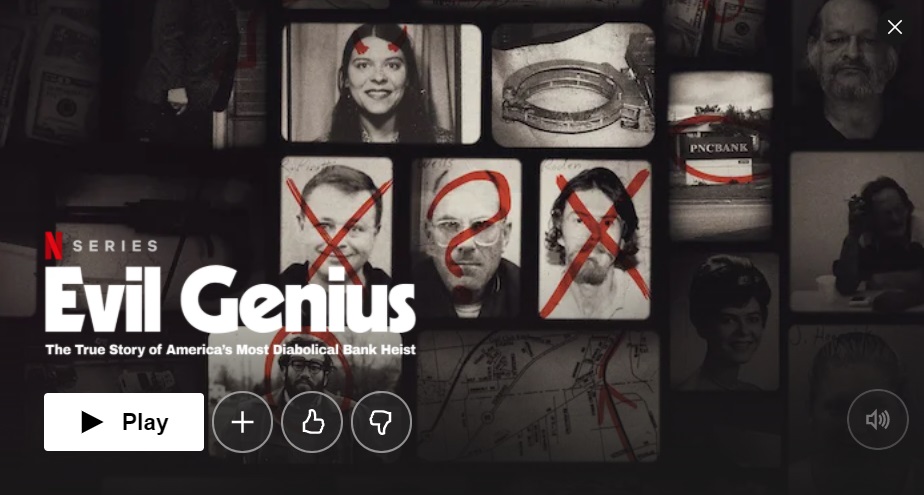
This original Netflix production explores the strange case of a bank robbery in Pennsylvania in 2003. The criminals put a bomb around a pizza man’s neck and forced him to carry out the heist. Years later, it was discovered that this bizarre event was part of a much larger conspiracy, which is explained in detail in this interesting documentary.

Wild Wild Country

Wild Wild Country is a documentary miniseries about the life of Osho, the leader of a sect in India who founded a utopic city in the Oregon desert. There, he preaches the ideologies of the Rajneesh movement, which soon leads to a conflict with the locals. This surreal documentary based on a true story will keep you glued to the screen.

We hope you enjoyed our roundup of Netflix documentaries and docuseries. Have you seen any recently that you think should be included on this list? Tell us about it in the comments section!
The Best VPNs for Unblocking Content on Netflix

Netflix is the world’s most popular service for streaming TV shows and movies. With its superb catalog and affordable prices, and the fact that it allows multiple users to share the same account, it’s one of the best services by far. What’s more, Netflix has award-winning original series that you can’t watch anywhere else. It’s no wonder that film buffs consider it the ultimate platform..

Although the Netflix catalog seems limitless, you may run into a situation where you can’t find that series or movie you wanted to watch. But when you search for the series online, you discover that it’s available in other Netflix regions. This “tragedy” is often due to problems with licensing rights or localization, or the fact that the bosses at Netflix don’t consider it relevant for your region. Does that mean you can’t watch it, even though you’re paying for a subscription?

No! Fortunately, there’s an easy, straightforward way to access the full Netflix catalog in a few clicks: use a VPN. But not all VPNs can be used for this purpose, so don’t just go with the first one you find. To make things easier for you, in today’s article, we’re going to recommend the best VPNs you can use to unblock all of the content on Netflix. Want to give this method a try?

Netflix DOWNLOAD
8

How can a VPN unblock the full Netflix catalog?

A VPN, or Virtual Private Network, is capable of encrypting all of your data and ensuring total anonymity when you go online through the service’s private servers. But how does this unblock the geo-restricted content on Netflix?

Cómo funciona una VPN

Netflix offers specific catalogs according to users’ geographic regions. The service checks your IP address, and depending on the country where you live, it offers one catalog or another. In other words, you can’t access the Netflix USA catalog from Spain because your IP address is Spanish.

However, if you use a VPN, you can choose a server in any country and obtain an IP address from that location. That way, even if you live in Spain, you can go online with a US IP address and access the full Netflix USA catalog. It’s that easy!

Is it legal to unblock the geo-limited content of another Netflix region?

Accessing content that’s restricted in your country, while possible, is not allowed by Netflix. In fact, the terms and conditions of service clearly state that users are prohibited from accessing Netflix catalogs for countries other than the one in which they reside. So it’s up to you whether you want to use a VPN for these purposes.

Do all VPNs unblock Netflix? 

The answer is a categorical no. In fact, it’s hard to find a good VPN that lets you watch Netflix content without annoying interruptions. Keep in mind that you have to connect to a server in a foreign country, which must then gather the requested data and send it to you. This isn’t a big problem if you’re just looking at websites, but it’s different when you’re going to be streaming videos. Any decrease in speed will result in pauses, lags, and frozen images, or even prevent the video from playing.

In addition, Netflix has made a big effort in recent years to detect users who use a VPN. It was once very easy to bypass the regional blocks, but today the platform detects a large number of VPNs and prevents them from accessing the catalog, displaying the error message M7111-5059. That’s why it’s very important to choose a VPN that’s not only fast and competent, but also reliable and high-quality.

The best VPNs for unblocking the Netflix catalog

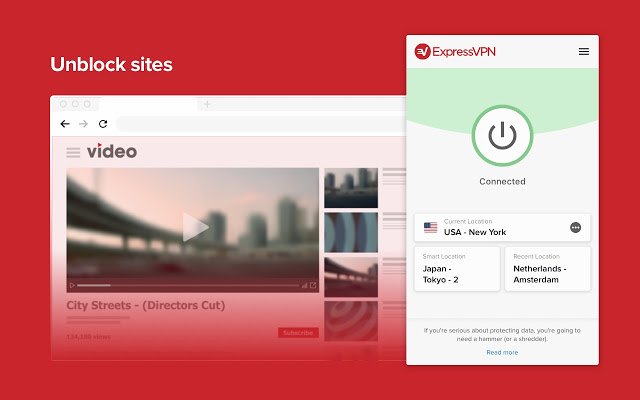
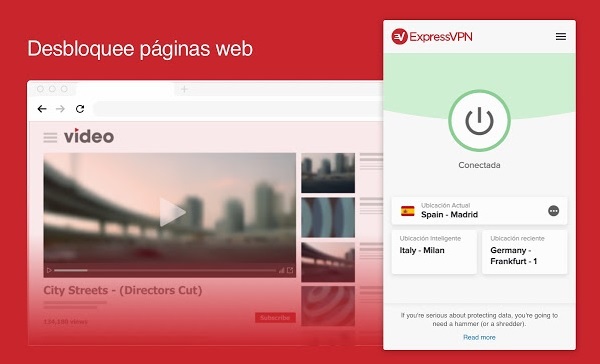
ExpressVPN

ExpressVPN is definitely the fastest, most reliable VPN for anyone who wants to unblock restricted movies and series on Netflix. It works perfectly and can be used to watch Netflix on your PC as well as on Android, iOS, consoles like PS4 and Xbox One, and finally, on devices like Apple TV or Chromecast.

While some VPNs are unable to unblock Netflix on their first try, or even fail altogether, ExpressVPN always works perfectly. Also, the user-friendly interface will appeal to users who are new to the world of VPNs and just want easy access to their favorite series and movies.

Finally, keep in mind that ExpressVPN’s download speed is so fast that you can use Netflix to watch your TV shows and movies in standard definition as well as HD. If you’re interested, you can download ExpressVPN quickly and easily below.

ExpressVPN DOWNLOAD
9

NordVPN

Pantalla de NordVPN

NordVPN is another excellent option for unblocking Netflix. What makes NordVPN stand out from other services is its download speed. It’s so fast that you can watch Netflix not only in HD, but also in 4K without any interruptions or frozen images.

The quality of NordVPN servers is so high that regardless of the one you select, you can unblock Netflix in high resolution. And you can use this platform on your computer, Android or iOS phone or tablet, consoles (PS4 and Xbox One), and devices like Apple TV, Amazon Fire, and Chromecast.

If, aside from watching Netflix, you’re interested in safely browsing the internet, NordVPN has you covered. It boasts a 2048-bit encryption system, DNS protection, and a kill switch. You can download NordVPN below.

NordVPN DOWNLOAD
9

Surfshark

Interfaz de Surfshark VPN

Surfshark is a VPN that was developed for the sole purpose of unblocking Netflix. In fact, the company is so proud of this fact that it advertises its VPN as an ideal solution for unblocking Netflix in 14 different countries. And it works perfectly!

One thing to keep in mind about Surfshark is that it’s easy to use. Both its interface and its options are very clear, which will come as a relief to users who are not very experienced in this area. However, this also means that Surfshark is a VPN that lacks all of the extra features for advanced users that we do find in NordVPN and ExpressVPN.

As for devices, Surfshark makes it possible to unblock Netflix on your PC and on your phone or tablet (Android and iOS), consoles (PS4 and Xbox One), in addition to USB devices (Apple TV, Amazon Fire, Chromecast, etc.). So if you’re looking for a simple yet effective VPN that will make life easier, it’s the perfect choice. You can download Surfshark quickly and easily below.

Surfshark VPN DESCARGAR
7

CyberGhost

Interfaz de Cyberghost

CyberGhost is another great option for anyone seeking a user-friendly VPN that’s capable of unblocking Netflix. It has more than 6,500 servers in 90 countries, so you’ll be able to access the majority of the streaming platform’s content. Among the catalogs we’ve tried, CyberGhost works really well with Netflix USA, France, UK, and Germany.

So, what makes CyberGhost unique? First of all, it’s a VPN with an excellent selection of apps, so you can use its services on Windows, Mac, Android, and iOS. It’s also possible to run it on a PS4 or an Xbox One. However, the most promising thing about CyberGhost is that you don’t have to spend a long time researching which server is the best for you. CyberGhost does the dirty work for you, connecting you instantly to the fastest one.

In comparison to other VPNs, CyberGhost works perfectly and is very convenient to use. It might not be as fast as the other three, but without a doubt, it’s going to be very useful if you want to watch Netflix without restrictions. You can download CyberGhost quickly and safely below.

Cyberghost VPN DOWNLOAD
8

IPVanish

Interfaz de IP Vanish

Last but not least, we recommend IPVanish. Although it isn’t strictly designed to unblock Netflix, it works perfectly in this regard. What’s more, it provides extraordinary 24/7 customer support to help you solve any problems you run into with the settings.

Another really great thing about IPVanish is that, aside from unblocking Netflix, it’s an excellent VPN to navigate the internet smoothly and safely. In fact, it’s one of the best-rated VPNs in the world, and for good reason. It has more than 40,000 IPs, 1,400 servers in more than 70 countries, and unlimited P2P traffic.

IPVanish is therefore a good option for anyone seeking a comprehensive, secure VPN for a good price that’s also capable of unblocking Netflix. You can download IPVanish quickly and safely below.

IP Vanish DOWNLOAD
8

We hope our selection of VPNs for accessing the full Netflix catalog has been helpful to you. Do you use a VPN that isn’t on our list? Tell us about it in the comments section!

Top 10 naval battle games for PC

Sail the seven seas and battle scurvy dogs in these naval adventures!

NAval battle

Disclosure: Our team is always looking for things we think our readers will value. We can receive compensation for publishing this article.

Although naval battle games are something of a niche genre, there are plenty of awesome games out there that focus mostly or entirely on naval battles and naval action ships. Whether you have to manage your fleet of aircraft and battleships to beat your enemy, defend your base, ports, and fleet, or launch raids to cut off naval routes and invade enemy territory, there are nautical warfare games for every scenario. These games take the Battleships board game to a whole new level.

World of Warships

Whether you’re an aspiring modern naval tactician or looking to sail the high seas as an adventurous pirate in search of plunder, there are countless choices in the naval battle PC gaming genre. If you’re fascinated by naval military history this is your new video game wishlist.

Below are some of the best naval battle games on the PC Desktop, taking you from WWII and Modern naval combat to the 17th Century high seas, and a lot of different ship games in between.

Top Ten Naval Battle Games

1. World of Warships

Taking the incredible free-to-play formula that WarGaming.net perfected with World of Tanks and World of Warplanes, World of Warships has you take command of the bridge of a modern military warship and fight in epic sea battles. As Captain, you don’t have the same direct control over your craft as you do in other games in the series. Because of this, the action is comparatively paced as you exchange powerful barrages with other players in a strategic experience that often feels like a first-person game of Battleships. There is also a very active World of Warships Reddit should you want to mix with other dreadnought captains. Play World of Warships free.

2. BattleStation: Midway

BattleStation: Midway

One of the classic games in the genre, BattleStation: Midway is a strategy game that takes place in the Pacific Ocean circa WWII. Using real-time tactics, you can control each individual ship or plane in your fleet, with the hope of defeating your enemy. While BattleStation: Midway may be an older game, it still has decent graphics, offers both single and multiplayer mode, and is truly a staple in the genre.

BattleStation: Midway Download now
7

3. BattleStations Pacific

Battlestations: Pacific

The sequel to BattleStations: Midway, takes place in the wild, cold waters of the Pacific Ocean. BattleStations: Pacific expands on the previous title by adding new features including new weapons and ships, different kinds of combat–namely, more advanced submarine battles– and the ability to play either an United States or Japanese campaign. It also has 5 extra multiplayer modes, including Island Capture, Duel, Competitive, Siege and Escort.

Battlestations: Pacific Download now
7

4. Silent Hunter IV: Wolves of the Pacific

Silent Hunter: Wolves of the Pacific

If submarine warfare is more to your taste, try Silent Hunter IV: Wolves of the Pacific, a game from Ubisoft that also takes place in the Pacific during WWII. The ​u-boat​​​ simulator uses really intricate graphics to literally immerse you in the depths of the Pacific Ocean, with everything from launching torpedo attacks, to using radar and sonar, to managing your crew. Different game modes make it easy for both beginners and more advanced players to master the game.

Silent Hunter: Wolves of the Pacific Download now
10

5. Naval War: Arctic Circle

Travel a bit further north in Naval War: Arctic Circle, a real-time naval strategy game that, unlike some of the previous games, takes place in the distant future during a fictional war. The game has everything from submarines, aircraft, and helicopters, to in-air refueling tankers and onshore airbases. It also features navies from many different countries – including the UK and Scandinavian – that can be battled in both single and multiplayer modes.

Naval War: Arctic Circle Download now
6

6. Dangerous Waters

DangerousWaters

As a modern-day naval game, Dangerous Waters lets you control all aspects of air, surface, and submarine warfare, simulating over 250 real-life naval units. Aside from the fact that you can work cooperatively in Multi-Station Mode to operate various crew stations as a team, one of the coolest thing about the game is the AI of the crew members, which lets you hand off tasks so that you don’t have to worry about actively managing specific aspects of the game.

7. Battle Fleet 2: World War 2 in the Pacific

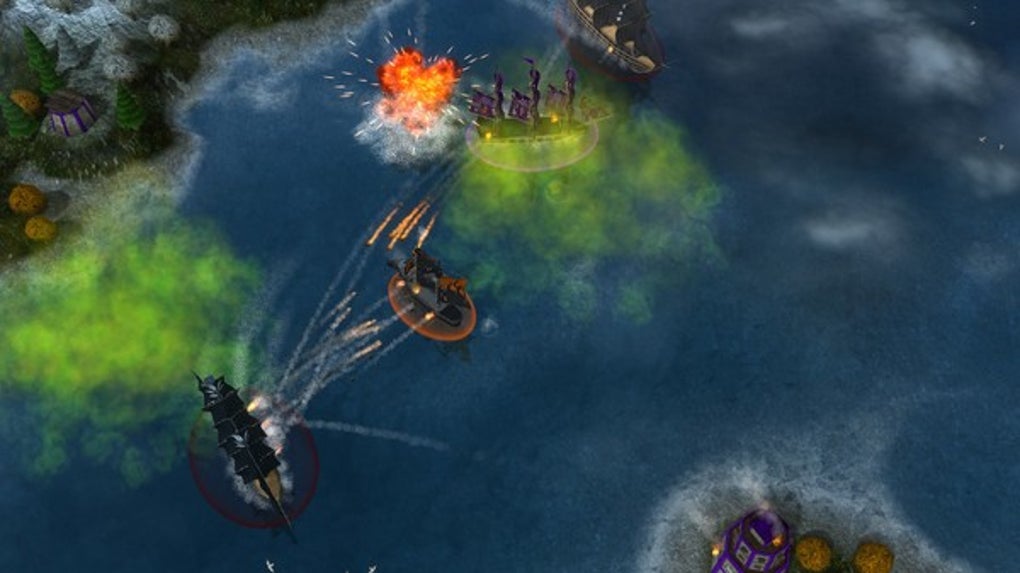
A game of tactical naval combat, Battlefleet 2 puts you at the helm of Japanese or US fleets during WW2. Trying to make your way across the Pacific Ocean, you’ll get zoomed in on the action once you engage in battle. You’ll be engrossed in the game as you move from macro strategies to micro tactics, and with a great range of units, the game is perfect for any WW2 enthusiast. If you want to take gameplay on the go, you can even download a mobile version for iOS and Android.

Battle Fleet 2 Download now
6

8. Fighting Steel

Fighting Steel, from Strategic Simluations Inc, is a 3-D game that takes place in the Atlantic and Pacific Oceans during the biggest naval battles of WWII, between 1939 and 1942. Battling against American, German, Japanese, and British warships, you’ll use real-time strategy and an in-game camera to control multiple ships at once. You can play online multiplayer with up to four people, and with a super detailed instruction manual, getting started is easy.

9. Naval Action

Naval Action

Giving you the helm of an 18th-century vessel, Naval Action sees you take to the open seas in a huge online environment with other players. With battles of up to 50 ships, realistic damage physics, and navigation that demands you use landmarks and the stars, this game not only doesn’t hold your hand – it cuts it off and replaces it with a hook.

Naval Action Download now
6

10. Windward

Windward

If you’re a fan of 17th-century ships but prefer a bit more small scale naval action, try Windward, an online open-world game from developer Tasharen. In Windward, you play in teams of four, using your ships to take over as many structures as you can on the map. It’s not as graphically advanced as some of the naval battle games on the list, but it’s still pretty impressive.

Windward Download now
10

The above games are all limited to naval battles, but here are a few honorable mentions of games that feature great naval warfare in some way or form.

Bonus: More War Games that Feature Naval Battles

War Thunder

War Thunder

War Thunder is a great option which, although not exclusively containing naval battles, definitely has some great naval content. The focus is on flight, but no air combat game is complete without naval battles. You can experience War Thunder naval warfare with aircraft carriers, warships, and naval aviation units. For a free game, it’s a great option.

War Thunder Play now
8

Battlefield 4 Naval Strike (expansion pack)

Battlefield 4

The Naval Strike expansion pack for Battlefield 4 brings naval warfare to the 21st century. Taking place in the South China Sea, the DLC pack brings multiplayer maps, new gadgets and weapons, and most importantly, a hovercraft. In the new Carrier Assault mode, you’ll be battling to sink the enemy’s aircraft carriers.

Battlefield 4 Download now
7

Assassin’s Creed IV: Black Flag

Assassin's Creed IV: Black Flag

For a series about climbing over rooftops and stabbing Templars, Assassin’s Creed IV: Black Flag’s ship-to-ship combat is surprisingly complete and satisfying. Sailing across the Caribbean taking direct control of your ship – The Jackdaw – you can attack different navy vessels with your vast armory to get money and supplies for upgrades. But, if you would rather board an enemy vessel for some cutlass based action, you can capture it and add it to your fleet.

Assassin's Creed IV: Black Flag Download now
8

Bonus: Top Mobile Naval Battle Games

The thrill and excitement of a good naval battle game should not be limited to just the PC Desktop experience. For naval battles on the go, try one of these mobile naval battle games:

Pacific Fleet Lite

Pacific Fleet Lite

Pacific Fleet Lite is the free version of a popular and detailed turn-based World War II naval battle simulation. It contains a lot of simulation data and logic-based gameplay that will appeal to a hardcore naval strategy enthusiast, but its lack of fast-paced action means arcade/action lovers will probably want to take a pass.

Pacific Fleet Lite Download now
9

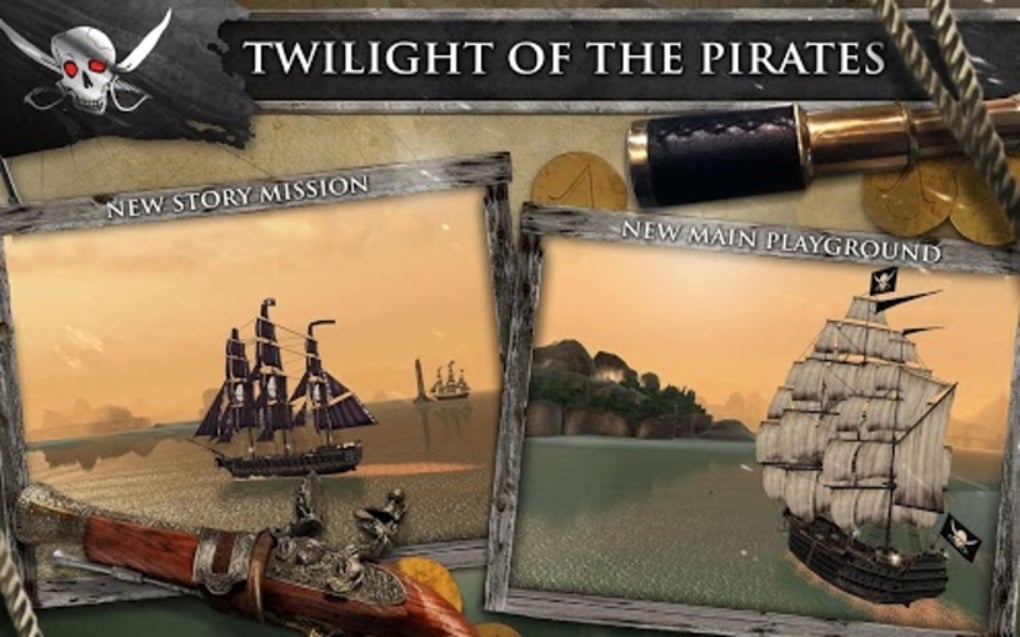
Assassin’s Creed – Pirates

This mobile installment of the Assassin’s Creed franchise from Ubisoft features fast-paced 1 on 1 naval battles in an adventure storyline. The game was recently updated to be free-to-play (it used to be a $4.99 paid download).

Assassin's Creed Pirates Download now
8

Wrapping up

What’s your favorite naval battle game? What about Atlantic Fleet or Steel Fleet? Let us know in the comments section below.

Best apps to make money

These are the best apps to help you make money using your mobile phone

This age of the app that we find ourselves living in is filled with wonder and promise. Apps can do help us do anything from traveling to the places we’ve always dreamt of, losing weight and living a healthy lifestyle, connect with our friends, work from home, and talk with friends and relatives all over the world for free. What’s even more impressive is that the apps we download on our phone can even help us make some extra money. Yep, apps on your phone can help you pay the bills.

You might not believe this but there are, in fact, lots of different money-making apps. There are apps that will save you cash on your shopping, pay you to fill out surveys, help you invest your cash, and even pay you to walk more. Let’s go through them now. The best apps to help you make money online.

How to make money with apps

Sweatcoin

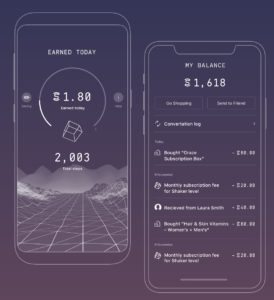
We’re starting today’s list with what just might be the most interesting free app we’ve ever featured. Billed as a new type of crypto coin, you can generate your own coins by getting outside and being more active. The way it works is you download the Sweatcoin app, which then tracks all the steps you take during the day. For every 1,000 steps you take in the real world, you will generate 0.95 Sweatcoins. You can then use these Sweatcoins, just like real money, to buy things online.

sweatcoin app

Sweatcoin is available for iOS iPhones and Android smartphones but don’t think this is going to be a get rich quick scheme. Essentially, this is money for free but its more of a passive balance that keeps building up in the background rather than something that will help you pay off your mortgage. You’re looking at paying around 20,000 Sweatcoins for most items, which means at 10,000 steps a day you’re looking at more than five years to be able to buy something with your steps.

10

Google Opinion Rewards

There are two ways you can look at this paid survey app from Google. One is to worry about the very direct manner that Google is trying to harvest the data off you that it can’t elsewhere. Yes, Google knows a lot about you and is basically trying to learn everything it doesn’t already know. If you want to know how to block Google doing so, read this guide to delete everything Google knows about you. It works with Apple and Android phones alike to, which is great for all you Apple fanboys out there.

If you’re happy for Google to know about you and, in fact, would rather like to make some extra cash out of it all, then the Google Opinion Rewards app is for you. Google is willing to pay you between 10 cents and a dollar in Google Play Store credit to fill out various surveys on all sorts of diverse subjects. These surveys don’t take long to fill out so you can do them anywhere from waiting in line at the bank to taking the bus to work.

9

Ibotta

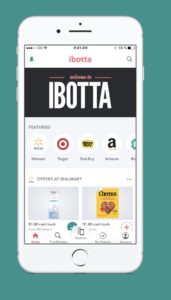
This cool little mobile app makes it possible for you to recoup some of the money you’ve spent on your groceries. You can even treat a bit like a game. Ibotta works with both iOS iPhones and iPads and Android smartphones and tablets.

ibotta earn money shopping

Ibotta works with PayPal and put actual cash money into your account within 48 hours of activating your rebates. All you have to do to get your money is search for all your groceries in the app and then find any available coupons or rebates linked to the products. After that, you simply scan your barcode and then wait for the cash rewards to land in your PayPal account.

Ibotta Download now
8

Shopkick

shopkick

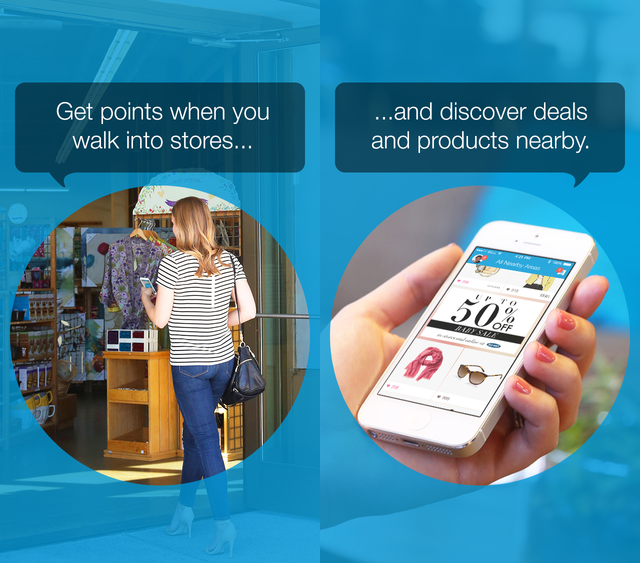
Shopkick is a very interesting voucher indeed. It’s interesting because Android and iPhone users who have it don’t even need to buy anything to make money. The app has eight different money-making activities that users can do to boost their balance and some of these don’t require making any purchases at all. With Shopkick you can earn money just by walking into a shop or by simply scanning the barcodes of certain items and not even buying them. There are, of course, bigger payouts available for making actual purchases but it is good to know you can earn money for nothing with this one. The only catch with Shopkick though is that your earning gift cards for the likes of Amazon rather than actual cashback.

Shopkick Download now
8

Acorns

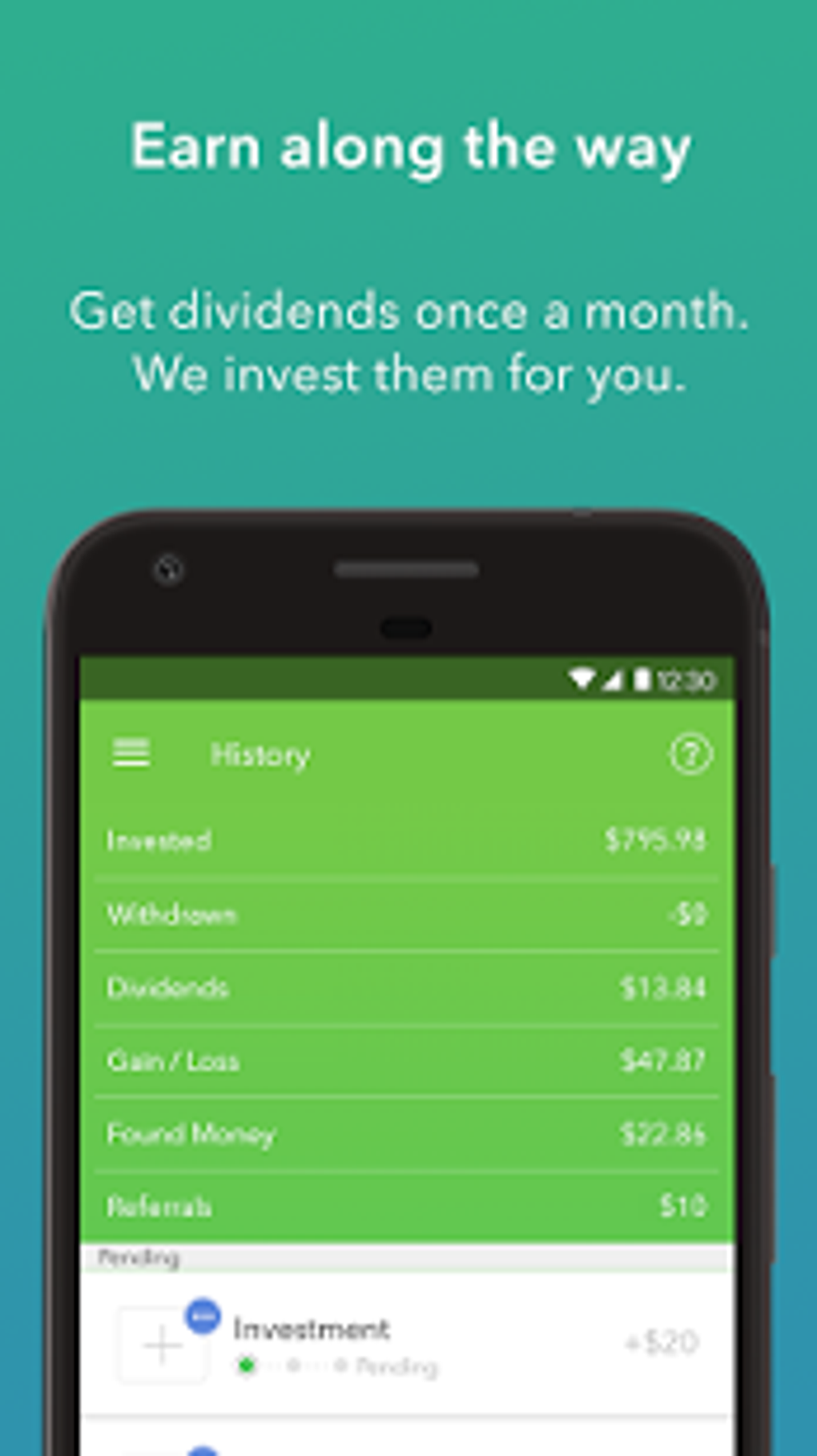
The final app in our best apps to help you make money is Acorns, which is trying to help you build up your investment portfolio and boost your personal finance credentials. Acorns works by taking your spare change and investing it into diversified funds that are spread across thousands of different stocks and bonds. As well as the spare change option, Acorns also has a recurring investment platform, which will automatically invest a set amount each month. Out of all the apps featured today, Acorns is the most likely to make you decent money.

Acorns - Invest Spare Change

Acorns is available for both iOS and Android phones. To use the spare change option you need to link your bank account to the app and then every time you make a purchase, Acorns will round up the amount to the nearest dollar, and then take the difference and invest it into the Acorns funds. This might just be the easiest way to set yourself up with an investment portfolio.

Acorns Download now
8
Wrapping up

We’ve walked you through five of the best money making apps out there. The likes of Sweatcoin could work nicely if used in conjunction with Shopkick. as a way to boost your earnings in your free time by performing simple tasks. You earn credits as you walk to different shops and then also earn credits performing certain Shopkick actions. As you’d expect though, these free money apps aren’t going to start easing the financial strain of modern life but if used properly could see you getting yourself free stuff.

Coronavirus: Do you have to stay at home? These online resources will help you with remote working or spending time at home

Tricks, apps, and help to make this period at home more enjoyable for you, whether at work, at school or in your leisure time.

In recent weeks, COVID-19 or the novel Coronavirus has been gradually spreading throughout the world. While you shouldn’t panic, you should follow all the recommendations of official agencies, such as the WHO or your country’s government.

Even if you aren’t sick, you may have been advised to stay home for reasons of prevention. And this may mean you have to do some remote work, which, if you aren’t used to it, isn’t always easy. To help you out, we’ve put together several articles with tips for working remotely, along with some apps (mostly free) to make it easier for you to do your job effectively.

Are you a student and your classes have been canceled or you can’t physically go to school? Then go to the next section, where we have compiled resources to help ensure that these weeks when you won’t be attending classes are not wasted.

Also, at the end of this piece, you’ll find resources to help you make sure that those all those hours spent at home aren’t as boring: we’ve got free games, resources on where to watch movies for free, and even where to download ebooks for free. Countless hours of entertainment!

Resources and tips for remote working

Have you already started working remotely? Take a look at all these articles.

Resources for students

Take advantage of these class-free weeks to advance in your school work, so the return won’t be so rough.

Fun in the face of forced confinement

If you’re avoiding going out because of the Coronavirus outbreak, you may spend many hours a day bored, due to home confinement. Distract your mind with all these free resources: games, books, movies and more.

Games

Streaming

Reading


All the best movie wallpapers 2020

These are all the best places to find all the best movies wallpapers for your PC and mobile.

This week at Softonic we’re bringing you all the best places to find cool and epic desktop wallpapers and backgrounds for your Windows PCs, Apple Macs, and also some for your Android smartphones and tablets, and iPhones and iPads. We’ve split our offerings up into five categories and although some of the sites we’re flagging today have cropped in more than one of our lists, we’ve tried to broaden out our offerings so that we can bring you as many different sources of HD and 4K wallpapers as possible.

Today’s offering is movie wallpapers and backgrounds and we’ve got some really great options for you to get into. If you’re a film buff or just somebody who appreciates the aesthetics of a good movie poster, today’s list is for you.

Movie wallpapers

Movies Wallpaper HD

The first internet library of HD desktop wallpapers and backgrounds we’re bringing to your attention today is a simple Blogspot website called Movies Wallpaper HD. Don’t let this page’s humble layout fool you, this site has a ton of great wallpapers from some of the biggest movies ever. What’s even better is that the site is well organized into excellent categories meaning it is really easy to search for movie wallpapers via genre. There are lots of categories here too, including 4K wallpaper Hollywood movies, animation movies 4K and HD, classic movies wallpaper, Harry Potter movies, Horror movies, Marvel movies, and many, many more. All you need to do is search through this extensive library and click on the wallpaper you want.

The Movie Score

Although it hasn’t been updated in quite some time, The Movie Score is a half decent site for all movie fans to visit. It is full of movie and TV related content including reviews, trivia and quizzes, behind the scenes reports from shoots, and many different types of lists and galleries. The site also claims to have the largest archive of movie facts. Unfortunately, however, the list of movies it claims to have facts for only take to you to trivia hosted on other websites.

Despite that, however, you’ll still find a great library of HD photos and images from some fantastic movies that you can use as your desktop background. This is the place to go for truly beautiful shots from some of the all-time classic movies including the likes of Indian Jones, Star Wars, and Apocalypse Now. This old site is where we found some of our favorite movie wallpapers.

HD Wallpapers

You won’t find any movie trivia here or industry insider information. Instead, what you get at HD Wallpapers, as we’re sure you’ve already guessed, is an extensive and well-organized library of HD and 4K movie desktop backgrounds that will make your PC, Mac, or mobile phone stand out from the crowd. There aren’t nearly as many categories as you’ll find at Movies Wallpaper HD, but you will find well over 200 pages of HD and 4K Ultra HD wallpapers from both blockbusters and arthouse indie movies. You’ll even find desktop wallpapers for movies that haven’t been released in theaters yet.

Movie Mania

Movie Mania is an astonishingly large and well put together a library of movie wallpapers and backgrounds. In the top-right corner of the page, you’ll find a little switch that will toggle between the desktop wallpaper site and the smartphone wallpaper site. There are thousands of options in each and all of them look amazing. You get all of the usual categories here, but it is the content that is so good. You’ll get images and promo shots from all the biggest movies, but you’ll get angles and setups that you just won’t find anywhere else. The content here is unique and looks amazing.

1001 Free Downloads

The 1001 Free Downloads site is a bit of a catch-all site that offers a little of everything. You can find fonts, icons, brushes, vectors, and much more here but what we want to show you is the wallpapers section and in particular the movie wallpaper section. There are no categories here, movies is the category, but there are still plenty of interesting and cool movie images you can download and set as your background. The focus here is much more geared towards Hollywood blockbusters than you’ll get elsewhere in today’s list, but you will find wallpapers that you won’t find in the other sites we’ve listed. This is the place to go for high-quality wallpapers from movies like Star Wars: The Rise of Skywalker, Batman: The Dark Knight, Superman, Avengers: Infinity War, Wonder Woman, Captain America, Deadpool, and more.

Wrapping up

So, there you have five great sources to get all your favorite movie images to use as a background. We’ve shown you were to find backgrounds for all your devices, so it doesn’t matter if you’re looking for a wallpaper for your phone, Windows PC, or Apple Mac. This list has you covered. We’ve picked out some of our favorite images, but you’ll find thousands more by following the links we’ve included above. As a little bonus though, let us know in the comments if you can name all the movies we’ve featured with today’s article. We bet nobody will be able to get them all.

All the best apps to track your favorite TV Shows

Keep on top of all your favorite movies and tv shows with these top tracker apps.

Best TC Show Tracker apps

You could almost say that we’re overrun with TV shows these days. There’s just so much new content hitting streaming sites like Netflix, Amazon Prime, and HBO Now that sometimes we can end up feeling a little lost. This is even before you have to consider regular TV that simply airs TV shows whenever the hell it wants to. You either watch them or you miss them, it’s that simple.

So, yes, we are living in a golden era of TV and video, but it’s easy to feel like you need help keeping on top of all the excellent content that’s available. Well, that’s where TV trackers come in and today, we’re going to walk you through all the best apps that will help you track your favorite shows. These are some of the top picks. Head on over to Binge.co for a complete list of TV Tracking Apps.

Best TV Show tracker apps

Trakt

Trakt tracker

You could say that Trakt is the ultimate TV tracking app because it works across a whole host of platforms including Kodi, Plex, Netflix, VLC, Android, iPhone, and Windows as well as many more. Strictly speaking, however, it isn’t an app but rather the code that powers many other apps.

Trakt uses what it calls Scrobbling to automatically track your TV shows if you watch using one of Trakt’s integrated platforms. You’ll also find features that allow you to rate what you’re watching and debate and share your views with other users too.

Next Episode

This fantastic app is available on both Android and iOS. It isn’t an app version of the classic track from Dr. Dre’s massive 2001 album, but it is something just as good. Next Episode has an easy to use interface and offers personalized recommendations based on your viewing preferences. Next Episode also brings in a social aspect to things by making it possible for you to track what other users of the app are watching too.

Next Episode for Android Download now
8
Next Episode for iOS Download now
8

Just Watch

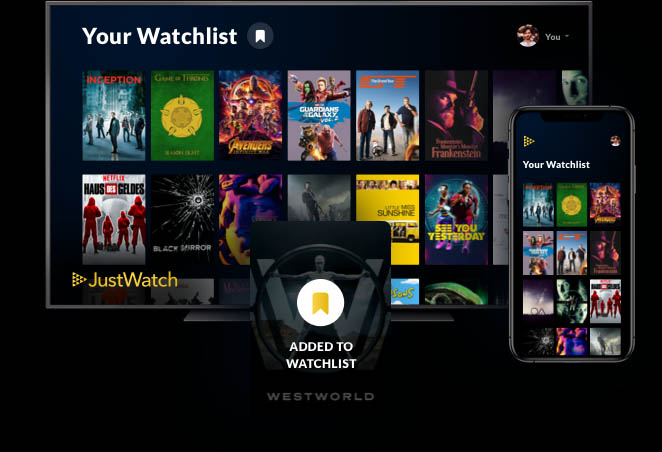
Just Watch is a website and mobile app that offers comprehensive listings for pretty much every single streaming service you can imagine. It is easy to use with all listings being just a click away, and comprehensive breakdowns of content into categories including genre, age rating, rating on IMDB and Rotten Tomatoes, and release year. All content is then laid out in a simple timeline showing when each title was added to the streaming service.

What’s also great about Just Watch is that you can sign up and create an account to access even more features. The best of these, without doubt, is the ability to answer questions about your viewing tastes so that Just Watch can then make better recommendations about new content you should watch.

Just Watch for Android Download now
8
Just Watch for iOS Download now
8

TeeVee 3

TeeVee 3 is a fantastic looking app for iOS iPhone and iPad that really makes the shows you’re keeping track of pop out the screen. The best feature TeeVee 3 offers anybody who is looking to track their favorite shows is the ability to export shows to the Apple Calendar. What’s even better is that once you do so, the app will then block all spoilers from future show descriptions.

TeeVee3 Download now
8

TVTime

TV Tracker app

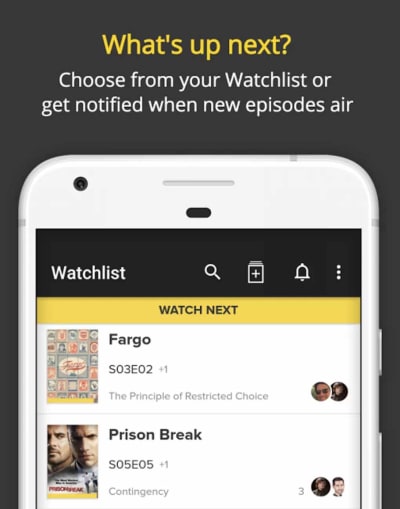
Both Android and iPhone users can download TVTime and get their hands on a great TV tracking app that also gives them the ability to review the shows they’re watching and read other user reviews too. Users can also find articles about their favorite shows, as well as podcasts and related videos. The main crux of the app, however, is the ability to build yourself a Watch List that TVTime app can then track for you. The app also allows you to see shows that are coming soon to various networks and streaming services.

TV Time for Android Download now
7
TV Time for iOS Download now
7

Series Addict

As you’d expect from the name, Series Addict is a great app for anybody who can’t stop watching their favorite shows. It looks great and brings you detailed overviews of your shows, as well as an easy to set up personal TV Guide that will tell you where you’re up to with all your favorite shows and what episode you should watch next. Unfortunately for all iPhone and iPad users, however, Series Addict is only available on Android smartphones.

Series Addict Download now
9

Seriesguide

If you want to keep track of which shows you’ve watched and which you haven’t, you can’t go wrong with Seriesguide. The app is well designed and easy to navigate meaning it isn’t difficult getting yourself set up and all your favorite shows into the system. You can then keep track of all the episodes you’ve watched and even rate them and leave comments if you connect your app to trakt.tv. Seriesguide also allows you to keep an eye on upcoming releases.

SeriesGuide Download now
7

Hobi

hobi app tv tracker

With so many big apps in this list offering all sorts of super features and interconnectivity, we’re glad to add a much smaller, more lightweight, and easier to use the option in Hobi. You download Hobi onto your iPhone or Android smartphone, you tell it all the shows you like, and then it sends you notifications whenever new shows are about to air. You can also take control of Hobi notifications and tell the app exactly how long in advance you want to know about upcoming apps.

Hobi for Android Download now
8
Hobi for iOS Download now
8
Wrapping up

It can seem like technology is getting ahead of us and making it more difficult than ever to keep on top of our favorite TV Shows. The truth, however, is that there has never been so many tools available for TV fans to track their shows so that they know exactly when they’ll get to see the shows they love. We’ve outlined eight fantastic apps that will allow you to easily stay on top of your TV viewing.

All the best Netflix Chrome extensions

Any one of the Google Chrome extensions for Netflix will boost your Netflix experience.

Google Chrome Netflix extensions

Since it first burst onto the internet, Netflix has evolved to offer its streaming service across many different platforms. You can get the Netflix experience directly on your TV, on your Android smartphone or iPhone, and there’s even a Netflix app for Nintendo Switch. There are still an awful lot of us, however, who watch Netflix either on our Desktop or Laptop PC, or Mac.

7

Now, there’s nothing wrong at all with streaming your videos from Netflix.com. In fact, as most of us browse the web using Chrome, watching Netflix this way actually means we can enhance our viewing experience through the use of Google Chrome extensions. Let’s look today then, at the best Netflix extensions for Chrome.

8

Google Chrome Netflix browser extensions

Netflix Hidden Categories

Hidden Categories chrome extension

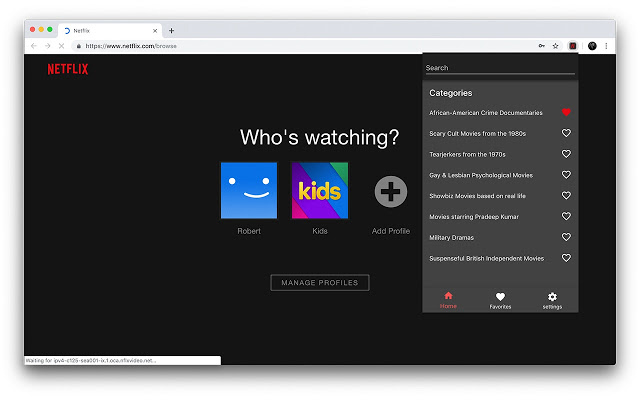
It isn’t exactly a secret that Netflix has a massive list of granular sub-genres all categorized with their own unique tag. Yep, if you’ve ever felt frustrated by Netflix’s ability to constantly serve up the same old movies and shows from the same old well-worn genres then these much more focused genres might be just what you’re after. The thing is though, there are over 27,000 of them meaning you’ll need a list as long your arm to remember just a small portion of them. This is where the Netflix Hidden Categories Chrome adds on comes in, which puts them all into your Chrome browser, ready to search. It even allows you to save your favorite genres for easier navigation next time you log on.

Netflix Party

Netflix Party watch netflix together

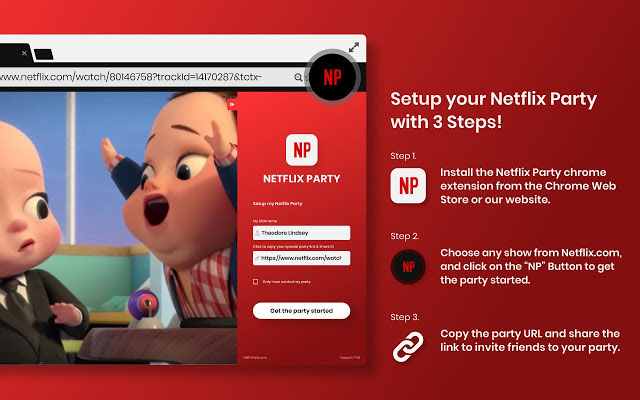
Netflix Party is a very interesting Chrome extension that makes it possible to watch Netflix with friends and family who aren’t in the same house as you. This is great for anybody who is in a long-distance relationship as your Netflix videos will always stay in sync and you can even chat using an in-built text messenger too.

Netflix Classic

Netflix classic extension for chrome

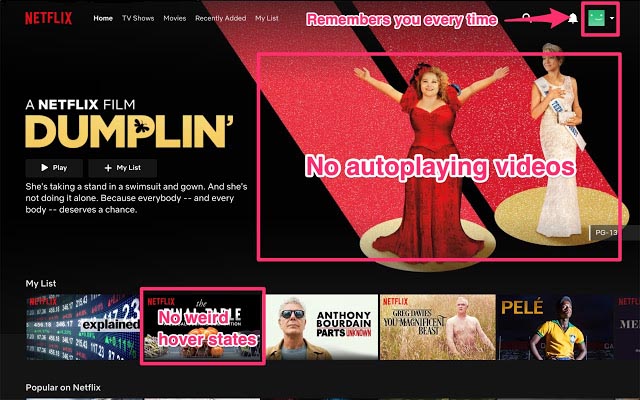
Love it or hate it, Netflix has evolved a lot over time and is now a much more complicated app than it used to be. Videos begin playing almost as soon as you log in and you can barely scroll through all the titles without being bombarded with trailer after trailer and all the blaring loud noises that go with them. Fortunately, if you do hate this new state of affairs there is a Chrome plugin you can install that will do away with it for you. If that’s you, Netflix Classic is the extension you want.

Video Adjust for Netflix

Video adjust for Netflix

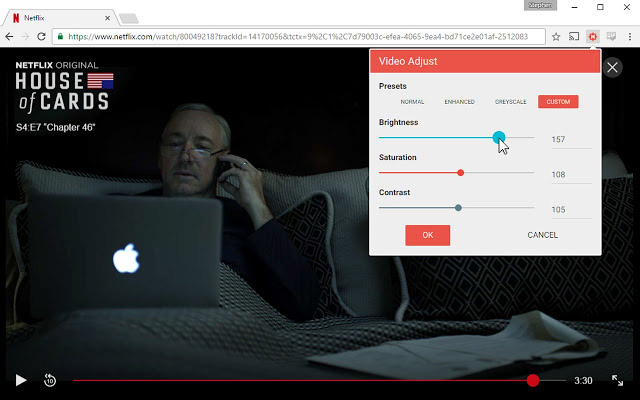
One way that watching Netflix on a computer is inferior to watching it on a TV is the lack of control you have over the image. Sure, you can change the brightness, if you delve into your PC’s settings menus but what about contrast or saturation? For those advanced features and more, and to put your screen brightness just a simple click away you need to download and install the Video Adjust for Netflix Plugin.

Super Netflix

Super Netflix

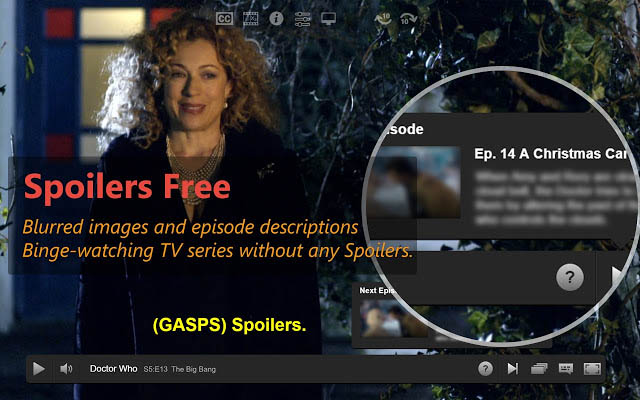
This Chrome extension adds a lot of cool features to Netflix across a broad variety of categories.  The first is the many improved Netflix control features it offers, including the likes of improved video speed options, custom subtitle controls, and intro skipping (yep, Netflix has since pinched that idea). Another very cool feature is the spoiler saver, which will blur out any show info that might show on your screen containing spoilers. On top of all that, there is also a number of image presets that will give you better control over the lighting of all your Netflix shows and movies.

Netflip

Netflip Netflix Chrome

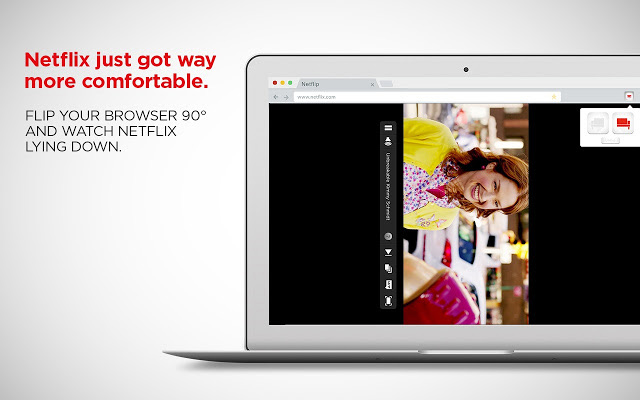
If you’ve ever had a sore neck or bad back from watching Netflix in some ridiculously uncomfortable position in bed, then this is the extension you’re looking for. Netflip makes it possible to flip your Netflix 90 degrees, a little like you can on your smartphone when you rotate it. Doing this means you can then just lie on your side normally and watch Netflix straight on. This does make the screen smaller than if it was full-screen in the normal landscape rotation, but it will save you from the perils of having a bad back.

No Netflix Originals

No Netflix Originals

No Netflix Originals is an extension for all you haters out there. Netflix is pumping billions of dollars every year into producing original content, which it brands as Netflix Original content. Some of this, like Stranger Things, is great and can’t be missed. There are plenty of other Netflix Originals, however, such as Richie Rich and Fuller House, which are absolute garbage. If you want to blanket ban everything Netflix makes, you can do so with the No Netflix Originals Chrome extension.

IMDB Ratings for Netflix

Netflix IMDB Ratings

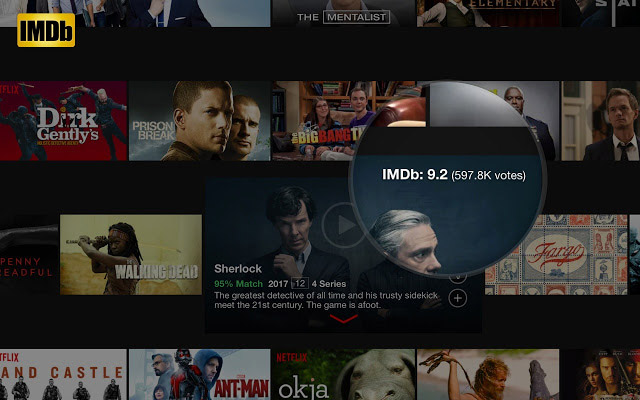
Let’s be real here. Netflix is great but Netflix’s Ratings for me suck. The ratings Netflix shows us are supposed to based upon our viewing habits but more often than not, they mean absolutely nothing. This means that the best way to know if the show or movie you’re thinking of watching on Netflix is any good, is to search for it on IMDB and see what rating it has there. With this Chrome extension, however, you don’t even need to do that. Once you’ve installed it all Netflix thumbnails will display a subtle score in the top-right corner. The score will display both the IMDB rating and the number of people who’ve voted on it. Hovering over the score will reveal the synopsis and clicking it will open the IMDB page. This is a must-have extension.

Wrapping up

With the eight Netflix Chrome extensions we’ve outlined above you’ll significantly increase your Netflix viewing experience. Installing them will add a variety of new features that will help you do a variety of things like see your screen better in the dark, protect your neck when watching shows in bed, and finding the shows you really want to watch much quicker.

How to make the most of your HBO subscription

These tips and tricks will help you make the most of your HBO streaming subscription.

HBO Now

It used to be that you needed a high-end and expensive premium cable subscription to be able to watch HBO’s TV shows such as The Sopranos, Westworld, Veep, and of course Game of Thrones. This has all changed now with HBO Go and the HBO Now app bringing the network’s award-winning shows into people’s living room via internet streaming devices such as Amazon Fire TV; and even iPhones, iPads, and Android smartphones too. Both of these services are pretty similar with the only real difference being how you get them. Go still requires a HBO subscription but Now works as a standalone app.

Beyond knowing the difference between the two new HBO apps there is a lot more you can learn that will help you get more out of your HBO subscription. The HBO streaming service now has features to match Amazon Prime Video and Netflix. Let’s then, get into some HBO Now tips and tricks.

How to get more from HBO Now

Share your account

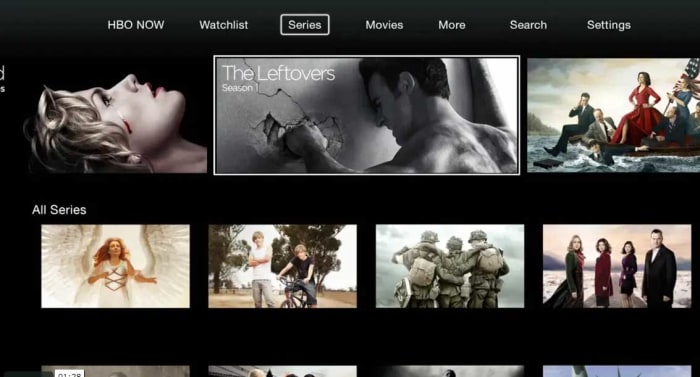
HBO Now home screen

If you find that you enjoy shows more when you get to discuss them further with other people, you’ll be glad to hear that HBO’s official policy allows you to share your account with other users. What HBO actually says is that it is fine to share your login details with members of the same household. Household is ambiguous enough to not actually mean anything and certainly isn’t something HBO could actively try to police. Share your details and then get into your favorite shows together. Just don’t push it with all sorts of simultaneous streaming.

Protect your mobile data allowance

It is a fact of modern life that most people don’t have enough mobile data on their monthly plan to see out the month. Streaming audio puts a huge strain on our data allowance, but streaming video takes it to the next level.

The bad news here is that HBO Now doesn’t offer an official download feature like you find on Netflix. The only official way to watch HBO content is to stream it. This means that the only way to save mobile data allowance is to limit streaming when you’ve connected to your mobile network. To do this go to the app Settings and then choose the Video Playback option. Here you’ll find three options. WiFi Only will limit your streaming to when you’re connected to a Wi-Fi network, Cellular Playback Warning will tell you you’re about to watch a video using a network connection and Continue Watching  will allow you to stream videos no matter what.

Parental controls

One of the big things that HBO likes to celebrate is the network’s ability to produce and show R-rated material. A brief glance at HBO’s back catalog will show up foul-mouthed and psychopathic mob bosses, occult influenced serial killers, and a lot of nudity. Even shows like Last Week Tonight with John Oliver revel in the use of totally unnecessary curse words.

The sopranos on hbo now
Do you want your kids watching The Sopranos?

With all of the above being the case then, you might want to limit the content your kids can access when they’re using your HBO Now subscription. Fortunately, HBO gets this too and has included a Kids Lock feature in the app to keep inappropriate content hidden away from your kids. To enable the Kids Lock you need to open the hamburger menu icon (three vertical lines), which you’ll find in the top-left corner of the app. You then need to hit the Kids option and hit the lock icon at the top of the screen. You then enter or create your password and pass your smartphone or tablet to your kid. To disable the lock just hit the lock icon again and reenter your password.

Control HBO with your voice

As well as content streaming services the last few years have also brought another rather intriguing innovation, voice assistants. Voice assistants use advanced voice recognition technology and allow you to connect different devices to your network so that you can control them with your voice too. If you’ve an Amazon Alexa or a Google Assistant at home, you can hook up your HBO Now subscription your speaker and start telling your TV what HBO shows you want to watch at any given moment. You can find instructions on how to link a Google Assistant to your HBO Now account here and  how to link Amazon Alexa here.

Know what’s available to watch

Streaming services have added a new dimension to watching movies and shows. We can now watch our shows when we want to and no longer have to wait for them to air on TV. This is true, but only to a certain extent. Netflix is famous for adding and removing shows and movies from its service quite regularly and HBO Now is the same. Not all HBO content is available all the time. This means you might not be able to watch that HBO show next time you log in.

The Wire on HBO Now
Is critically acclaimed The Wire available on HBO Now?

To keep on top of the content available on HBO at any given time you can track HBO’s own website, which will tell you what new shows are coming to the service and which old ones are leaving.

Get personal recommendations

Another good site for tracking content across multiple streaming services is Just Watch. As well as keeping you appraised of what content is currently available on HBO Now, Just Watch will learn from your viewing choices and then give you some personal recommendations about new shows it thinks you’ll like.

You can access Just Watch via the web or via their mobile apps. Click below to download the version you need:

JustWatch for Android Download nov
8
JustWatch for iOS Download nov
8

In a world where we have total access to so much content all the time, recommendations you can rely on are like gold dust.

Wrapping up

So, there you have some tips to help you get more from your HBO subscription. The HBO streaming apps aren’t as sophisticated as Netflix and offer limited functionality compared to the streaming giant. Not being able to download content for later viewing is the biggest missing feature in our opinion. We hope that sooner rather than later, HBO will work on introducing the feature to its app.

All the best Netflix tips and tricks

Get more from Netflix with these excellent tips and tricks.

Simplicity sits at the very heart of Netflix’s success. You can open it up on the internet, your mobile phone, and with a simple press of a button on your TV remote. After that it is just a case of scrolling through all the top shows and movies Netflix has to offer. Netflix is easy to use certainly, but that doesn’t mean it is a simple app/service. There plenty of neat hacks and tricks you can use to get more out of your Netflix viewing experience and today we’re going to through the best of them. We’re going to assume you already know how to download movies over Wi-Fi onto your Android and Apple smartphones but if you don’t, you should check out this guide.

8

Cool Netflix hacks, tricks, and tips

Access Netflix’s secret genres

One of the main reasons you might want to give your Netflix a little tune-up is because you’re sick of seeing the same old stuff pop up as you scroll through the Netflix genres. Fortunately, there is a quick fix for this as Netflix actually sorts out its shows and movies into many more genres and sub-genres than it shows you on your home screen. To access them you simply need to know the number Netflix has assigned to the genre and then add it to the end of this web URL https://www.netflix.com/browse/genre/… You don’t have to worry about knowing the numbers for each genre neither as we’ve already put a full list of Netflix genres together here. That guide will also show you how to access the improved genres on your TV and Netflix app too.

Another great way to search for Netflix TV shows and movies

Netflix Flixable

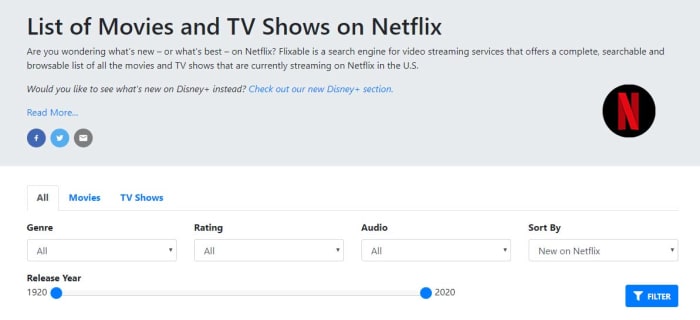
Having access to secret Netflix genres is one thing but if your problem is with the Netflix layout itself; you might be interested in this next tip. For a clean interface that works quickly and makes it much easier to search through Netflix’s catalog for the best movies and shows you should bookmark Flixable. If you’re in the US, Flixable offers a great way to find the next show you’re going to binge on Netflix. Another great feature Flixable offers are the ability to see previews of shows that are coming soon and get notifications about shows that will soon be removed from Netflix.

Reset the recommendations Netflix shows you

Netflix viewing history

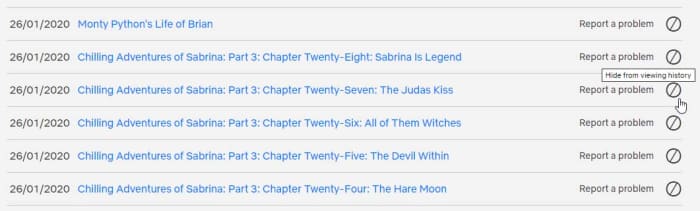
Another way to get some fresh content showing up on your homepage is to reset your Netflix viewing history. This is the data that Netflix uses to recommend new TV shows and movies so when you reset it, the recommendations will reset too. To reset your Netflix viewing history go into the app settings and go to Account, then My Activity, and then hit the small block switch that’s next to each title you want to remove from your history.

Netflix VR Download Free ►
8

Help Netflix recommend the right shows

Rate your Netflix shows and movies

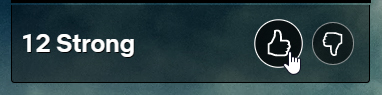
Knowing that Netflix is constantly showing you the content it thinks you’ll want to see should change the way you use it. Basically, if you like a show, you should give it a thumbs up and if you don’t like a show, you should give it a thumbs down. Netflix will then use this data next time it thinks about what shows it thinks you will like.

To binge or not to binge

If you think you’re definitely going to settle into a binge-watching session and get through a full season or two, you can actually disable the Are you still watching prompt? And, even better still, completely skip out the title sequence of every show in the season. The bad news, however, is that you’re going to need a Chrome extension to do this, so you’ll only be able to do it on Netflix on your laptop or desktop PC. The extension is called Never Ending Netflix and is completely free to download.

The flip of this is that you only want to watch a single episode, but you know what you’re like and so want to disable the Auto-Play feature altogether. To disable the Netflix Auto-Play feature go to the Account menu, then hit Playback settings, and then uncheck the box next to Play next episode automatically.

The Netflix keyboard shortcuts

Netflix keyboard shortcuts

If you are watching Netflix on a PC or laptop, you might want to know that there are a number of Netflix hotkeys you can use to control media playback. If you want to make it easier to watch Netflix and don’t want to fumble around looking for your mouse every time you to pause the action, remember these hotkeys:

Play/Pause – Spacebar or Enter

Full Screen – F

Exit Full Screen – Esc

Mute – M

Volume Up – Up Arrow

Volume Down – Down Arrow

Fast Forward – Shift + Right Arrow

Rewind – Shift + Left Arrow

Ask Netflix to add shows or movies

Request a new title on Netflix

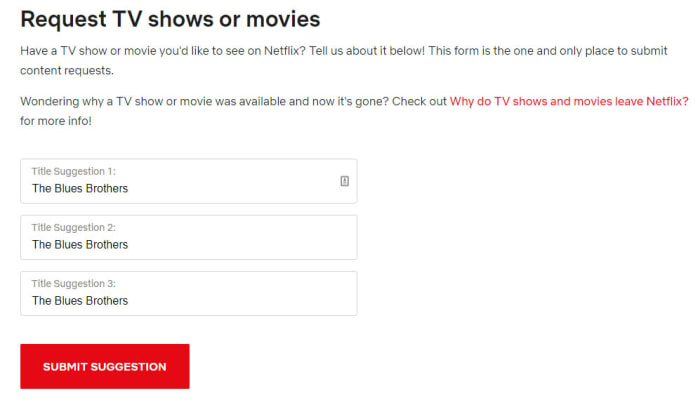
A direct way you can try and get more of the content you want on Netflix is to ask for it. Netflix has its very own web form you can fill out to request new titles be added to the Netflix content library. It is as simple as typing in the title and hitting submit. The form gives you three boxes too meaning you can request three titles at a time, but there is also nothing stopping you from using the form many times.

Take control of “Your” list

The My List section of the web browser takes quite a prominent place when you open Netflix. The default setting for My List is that Netflix will use it to suggest new shows for you to watch. You can change this, however, and add shows to the My List yourself. To do so you need to go to the Netflix Account menu, then go to My Profile, and then finally hit the Order in My List option. Here you’ll find the option to order the titles in My List yourself, curating your own watch list that will show highly every time you open Netflix.

Wrapping up

There you have the best Netflix tips and tricks that will give you much greater control over your Netflix experience. If you’re still finding your experience isn’t up to scratch, maybe you should think about another streaming service.