 Without wishing to be the bearer of bad news, your computer now has a one in four chance of being under the influence of a botnet. According to Google Vice President Vint Cerf, approximately 600 million computers are now connected to the Internet and around 150 million of them could be unwilling participants in a botnet – an application which can be used to deliver spam, launch denial of service attacks and read usernames and passwords.
Reporting from the World Economic Forum in Switzerland, the BBC’s Tim Weber claims that botnets could eventually overwhelm the Internet and cause it to disintegrate. While there is no hard evidence to predict that this doomsday scenario will occur, security experts are warning that new Net technologies such as VOIP are leaving machines even more vulnerable to attack. According to managed security firm Network Box, the last few months has seen an increase in the number of worm variants designed to aid botnets.
Simon Heron, Technical Director of Network Box, told us: “These worms will continue to be produced, as botnets are one of the attack vectors being used to target individuals and companies. It would seem that VoIP is an ideal target for hackers in 2007. It’s a new protocol and as it’s quite complicated, it has not been integrated well into firewalls.”
Admittedly, it’s difficult to know whether IT security firms are playing on the fear factor in order to shift more solutions, but it’s fair to say that it would be foolish to ignore these warnings about the dangers of botnets. In practical terms, the installation of an antivirus suite such as AVG Antivirus, plus a decent firewall like Outpost, is a good start. However, because of the differing guises in which a botnet can mask itself (denial of service, spamming, phishing etc.) there is currently no quick fix to guarantee that you’re botnet free. There’s been a certain amount of research into ways of tracking and tackling botnets but clearly this is something that the security software industry needs to address. A cynic might argue though that while a threat remains, users are actually being cowed into buying yet another piece of security software.


 The
The  If you fancy designing a new website for yourself, then turn back now, Twisted Brush has not been developed to give clean crisp graphics, and will frustrate you unless you use it for what it was designed for, art. Having established that this is a program for drawing, it follows that the most natural way to sketch anything and in turn to use this software effectively is with a pen and a drawing tablet.
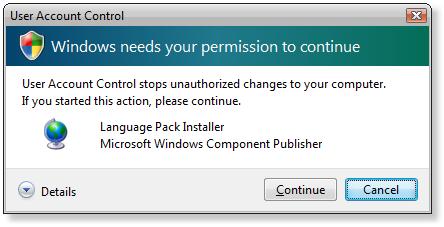
 If you too feel the urge to test Microsoft’s new OS, you’ll be glad to know that you don’t need to reformat your hard-disk and start from scratch. You can just upgrade your system and Vista will keep everything you had (applications, documents) in its place. That said, a word to the wise: always remember to create a backup copy of your most valuable digital possessions before performing any serious upgrade like changing the OS. You know, just in case.
 The world of video has changed almost completely over the last decade. No longer are we chained to the antiquated video player and its poor playback, tape-chewing ways. The DVD revolution has not only transformed the quality of movies but has made it possible to watch films conveniently from the comfort of your PC.The price of hardware DVD players is falling all the time and software behemoths such as Microsoft and Apple are finally waking up to the potential of the digital media industry and emptying their bulging wallets into producing their own solutions.
 PowerDVD was first launched in 1998. It was the triumph of a small team of eight engineers – including myself – who had a passion to create the best DVD decoder in the world. Of course, in some way we have to thank our first lot of users – mainly tech-savvy early adopters who had actually heard of MPEG-2! Without their enthusiasm for the product, PowerDVD would never have got off the ground.
 Opinions in the game playing world seem to be deeply divided over this multiplayer war shoot-em-up. Whilst Softonic users have made it one of the most popular game downloads on the site, one game player says, “Its so bad that it’s a crime against humanity that makes the holocaust seem like a stubbed toe in comparison.”
 If you spend most of your time in front of a computer with a sore wrist, then maybe reducing the amount of double clicking you do may help.
  iTunes may be one of the most popular media players around but that doesn’t stop it being irritating sometimes. How annoying is it when you come across a classic tune in your Library only to select it and find out the file no longer exists or can’t be found on your machine? While you’re waiting for Apple to put directory synching into the player, grab yourself a copy of