Find a job in Second Life

Second LifeIf you’re not having much luck with job hunting in the real world, then why not try the world of fantasy? A story at CNNMoney.com tells how some Second Life gamers have been targeted by IT firms who are more than happy to conduct virtual interviews with them based on the impressive work they’ve done within the game. It seems that corporate America is finally catching onto the Second Life craze that already has around 2.6 million registered users. One IT recruiter who has employed several Second Lifers says:

People who have been in Second Life since its inception might not be professional content developers, but they have become experts.

So even if you’re no Bill Gates, there’s hope for you if your online creations inspire the imagination of employers. Another recruiter adds:

We hired people we had never met in the real world because we’d spent a year looking at the work they produced within Second Life, and the way that they approached the community…we knew that in Second Life, they were the best.

So the next time you log on, remember to put your best virtual suit on – you never know who could be watching.

Adobe sets off Fireworks

firworks1.pngFinally taking advantage of its acquisition of Macromedia back in 2005, Adobe is set to announce the release of Fireworks CS3. The web graphics app will replace ImageReady and, not surprisingly, has been designed to better integrate with the rest of Adone’s Creative Suite, including Photoshop and Illustrator.

Besides support for sharing objects with the rest of the suite, the editor has pumped with a range of new tools lifted from Photoshop, including drop shadows, glows, overlays and layer blending effects. There’s also album creator that strings photo collections into a slideshow that uses HTML or Flash – even if the user has no experience with either.

While many fans of Fireworks will be relieved that can now combine the app with their other favourite design tools to produce slick web sites, many will argue that this is a program that simply isn’t needed – or at least it shouldn’t be needed. What it amounts to is Adobe canning its web editing tool, ImageReady, which came bundled with Photoshop, and forcing users to purchase a separate app for optimising their programs for the web.
Continue reading “Adobe sets off Fireworks”

A free alternative to Photoshop

The GimpAlthough Photoshop is the world’s leading photo maniupulation tool, its not exactly cheap. If you are looking for a free alternative but don’t want to lose all the things that make Photoshop so great, then The GIMP is worth a try.

It’s not often that a program migrates from Linux to Windows but that’s what happened with The GIMP (GNU Image Manipulation Programme). The program is completely free, available on all platforms and best of all, it has most of the features that you’ll find in Photoshop. You can save and open files in 34 different formats and its also useful for quick-converting image sizes. And what’s more, if it’s extensibility you’re after, the GIMP can handle most Photoshop plugins.

A handy menu at the top of the program gives you access to all of The GIMP’s key features and a navigation palette helps you steer your way through an image when you’ve zoomed-in to work on details.

Of course, The GIMP can’t compete with Photoshop in every test (like certain image rendering tasks) but it’s about as close as you will get to the real thing without spending the dollars.

Make Firefox tabbed browsing even better

tabmixplus.jpgTabs are the greatest invention ever – okay, only after the wheel. Firefox knows this and offers tabbed web browsing for a more comfortable web experience. It just feels so good to be able to open a dozen websites in one single window, without cluttering up your taskbar!

Anyway, did you know you can improve the way Firefox handles tabs? The only thing you need is to install Tab Mix Plus. This extension adds many handy functionalities to Firefox tabs, allowing you to manage them in a more convenient way.

You can decide whether to open links in a new tab or a new window depending on their origin, assign tab actions to mouse clicks, choose which options should appear in tab context menu or even customize tab appearance to distinguish them more clearly. Tab Mix Plus also remembers sessions, something that you will be extremely grateful for in case your browser ever crashes.

If you thought that Firefox was good, just install this extension and see how it can get even better.

The first ten applications on your PC

install.jpgOk, so you’ve just reinstalled your Windows operating system. Your PC runs as smoothly as ever and now it’s time to reinstall all those apps you use in your daily life. Each one of us has different favorite apps for different tasks and those are the ones that obviously get installed first. But everytime you reinstall from scratch there’s a chance to discover new applications and who knows, maybe that new program you just tested earns a place in your favorites list.

Here’s a list of the first ten applications everyone should install on their brand new – or freshly reinstalled – PC. At least, the ones I would install. Any other essentials we missed?

  1. Firefox, the web browser
  2. Picasa, the photo organizer
  3. WinRAR, the file compressor
  4. iTunes, the music manager
  5. Nero, the CD & DVD recorder
  6. OpenOffice, the open source suite
  7. AVG, the antivirus
  8. PhotoFiltre, the photo editor
  9. Zoom Player, the video player
  10. XP Codec Pack, all the codecs you need

Back up your DVD collection with AnyDVD

boxshot_anydvd.gifCopying DVDs (for your own use, of course) is becoming increasingly difficult as manufacturers improve the security encoding on DVDs. AnyDVD however claims to be able to crack any DVD encryption code and judging by the number of downloads, Softonic users are certainly endorsing it too.

The beauty of AnyDVD is that it simply works in the background to automatically remove the copy protection of a DVD movie as soon as it’s inserted into the drive. In this way, it can decrypt data without actually saving it to your hard-disk. You can watch the DVD at the same time or just insert a disk and let AnyDVD do its stuff. When you insert a disk, you are automatically prompted whether you want to decrypt it. When it has finished inspecting the disk, the program prompts you to backup the DVD using your preferred backup tool such as CloneDVD or Power DVD Copy.

Continue reading “Back up your DVD collection with AnyDVD”

Make history with Softonic

rise-and-fall-pic-1.pngThe Christmas season is over but you’re probably still grinding through those new games. While some exciting consoles have been launched recently, the PC still plays host to countless reputable titles. Softonic has some real classics in store for you this week, among which are two of the greatest strategy games ever launched: Civilizations and Age of Empire. Let’s take you through them.
Rise & Fall: Civilizations at War, the latest in the series, gives you the chance to command some of the greatest empires in history: Rome, Greece, Persia and Egypt. You’ll have to organize your troops and set out your plans to become the dominant civilization on the planet. We really like the graphics, particularly the third-person perspectives, and the level of freedom the game gives you in developing your armies. Few feelings compare to that special rush you get from launching a massive attack on your enemies while you just sit back and watch events unfold.

Age of Empires III takes you to a different era and a different continent. Carry out various missions through Latin and North America, defending the Aztecs against the Spanish conquistadors or assisting Simon Bolivar with his South American revolution. The game is scenario-oriented and you’ll only be able to choose one side, that of Morgan Black and his family, but you’ll participate in many historic events that shaped the American continent.

Both of these games are thrilling historical military strategy games. Choosing the right one for you will depend on the era you’re interested in and whether you like to follow a scenario, or plan everything yourself. Or you just play them both.

McAfee AVERT Stinger hunts down viruses

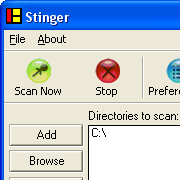
networks-associates-mcafee-avert-stinger.pngWhen protecting your PC from online threats, any weapon you come across is welcome, especially if they can take care of what other security applications don’t. McAfee AVERT Stinger is a small virus extractor specialized in hunting the viruses listed by McAfee.

Because it is lightweight, the program saves you the hassle of big and cumbersome antivirus applications and you can easily run it in the background while you carry out another task. Just launch McAfee AVERT Stinger, select your directory, press the scan now button, and wait for the results to come. The application runs relatively quickly depending on the size of the directory you have chosen to scan and if McAfee AVERT Stinger finds any malware it will pop up on the screen. The application is very basic but it can scan self-extracting executables and compressed files and will automatically remove viruses it comes across. To find out which viruses McAfee AVERT Stinger recognizes just click on the list button and scroll the names of all malware recognized by the antivirus manufacturer.

Continue reading “McAfee AVERT Stinger hunts down viruses”

Moving from Kubuntu Linux to Mac

macvskubuntu1.pngBlog posts relating the tale of moving from Windows to a Linux distribution seem to be ten a penny these days, with large numbers of users growing tired of struggling with a costly, unsecure operating system. I’ve done things slightly differently. I’ve been using Kubuntu Linux at home for over a year but in December, I made the decision to go Mac.

For many Linux users, choosing to move to a closed-source system (even if it is based on Unix) is the worst mixture of foolishness and treachery. The problem for me was that at times, I couldn’t get Linux to do what I wanted it to do. When I desperately wanted to get a P2P TV application working, I laboured for two hours with no success. By that time, the game was over. I’m not averse to working with the console, adding restricted repositories or even compiling the odd app but I became sick and tired of having to use special tricks to get my computer to do fairly simple things which I could achieve with ease on a Windows machine. Also, I wanted a new iMac.

So, over the next few weeks, I’m going to post some articles about my experiences and grievances moving from Kubuntu to MacOS X. For example: why doesn’t Apple just accept that the right-click makes sense? And will I ever be able to get Amarok to run on my Mac? I’d also be very happy to hear from people who’ve made this change themselves: which programs did you find hardest to live without?

MySpace develops child monitoring app

ms.jpgIt was bound to happen, it just did. Four families have sued News Corp and the MySpace social networking site after their daughters were sexually assaulted by offenders they had met on the site.

In response, MySpace will release Zephyr, an application for parents to closely monitor the description their children use on the social networking site. The program should in principle help ensure that children or teenagers do not give away sensible information or enter a false profile (ie older age). Monkey Bites, however, sees through the monitoring app, claiming:

For all practical purposes Zephyr seems to do little more than possibly give MySpace some wiggle room in its many pending lawsuits.

And that’s not forgetting the skepticism Zephyr has received from other Web companies. According to MSNBC, both Facebook, the social network site and Xanga , a weblog community, declined to take part in Zephyr. Other bigger companies like Google or Yahoo have yet to say whether they will join.

While parents who install Zephyr on their PCs won’t be able to view the content posted on MySpace, they’ll be kept informed every time a profile is updated. The program will also let monitored users know that it’s keeping an eye on them. For this reason, you start to wonder if Zephyr might not instead lead teenage users of MySpace to move on to other social networking sites where they know their parents can’t monitor them. We’ll have to wait till June to test out Zephyr’s effectiveness and see the consequences of it on MySpace’s popularity.