You’ve probably noticed by now the large number of good, free video players available. We’ve decided to compare contenders KMPlayer and VLC Media Player and see how they fare.
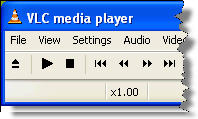 First off, let’s look at the interface. KMPLayer is fully customizable and, like Winamp, allows you to open multiple windows for controls, playlist or equalizer. You can move these around and adjust them to your liking. VLC has a very basic and intuitive interface, but also supports a number of skins. Each program offers a basic menu and hotkeys, giving you quick access to the playback functions.
Compatibility with a great deal of video formats is what makes both of these video players extremely popular. However VLC Media Player probably has the edge here, because, Real video being an exception, it seems to cover all existing video files. It can also play incomplete videos and will try to play an unknown format in its raw form. Each player has a large array of audio and video filters to process and enhance your videos. However, KMPlayer adds a feature for effects like aspect ratio or colors, to improve playback quality, not available in VLC.
 If the advent of
  In most cases, privacy and security are crucial to maintaining a business afloat. Making sure you have the right application on your PC can avoid you the risk of information theft. East-Tec Eraser caters to users by offering all the tools to fully erase files and information from your computer.
 To coincide with the release of Sid Meier’s Railroads, the original
  Security is one of the main concerns among computer users. This is why it’s important to count on reliable applications that can protect our system and data from potential dangers, especially when going online. Sometimes, free security apps are regarded as being less safe but you might change your mind after testing AVG Antivirus.
 The big buzz in software currently surrounds peer-to-peer and streaming television. TV is big business and companies like Microsoft have spent years trying to get us to watch it on our computers. For a while, it looked as if the public were resolutely committed to a separation of TV and PC but with the advent of YouTube, BitTorrent and the iTunes store, more and more users seem to be happy watching TV shows on the smaller screen. Clearly, though, with the exception of Apple’s deals with various TV networks and movie studios, the popular, viral content distribution model is far from what Microsoft
  Morpheus is one of those age old P2P applications and, with support for Gnutella, eDonkey, Bittorrent and many others, probably the most versatile you can find on the market. The new version aims to turn the P2P client into the ultimate multimedia application. Does it succeed?
 You’ve probably noticed the increasing expansion of web-based applications as a quick and convenient replacement for the traditional desktop software we’ve all been using so far. The list is pretty impressive: online email, word processors, personal organizers, RSS managers… Even if you’re not an Internet guru, it’s still easy to understand the reasons for this gradual change.
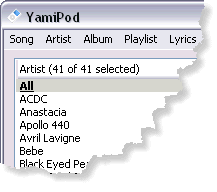 Sometimes, the most popular apps are not always the best choice. For instance iTunes, which may be too big a download for someone who just wants to manage the songs stored in their iPod. If this is your case, take a look at this little app.
 Whenever a security flaw is found within a popular application it’s usually nothing more than a chance for tech reporters to take a cheap shot at a major developer. That’s what we thought when we read about the