Softonic Special Deal: Get 1 month of Ghostery Premium FREE

There’s been something of a gap in the software security world. It’s easy to find VPN (virtual private network) providers that help mask your location as you surf, but don’t necessarily stop you from being tracked when you’re not tunnelled into a remote location. And there are privacy apps that shield you from trackers, but don’t provide a VPN option. 

Stepping into this gap is Ghostery Midnight, an enhanced offering from long-respected tracker-blocking company, Ghostery – and they’re now offering a special trial discount to Softonic readers. To redeem, simply create your account here using your credit card and code GHOSTYTONIC, and you’ll get one month of Ghostery’s Premium tier free which unlocks all the advanced features and VPN in Midnight. The regular price is $14 per month, but you can cancel during this trial period at any time. 

How Midnight works

Like Ghostery’s free browser plug-ins and light version of its software, Midnight is fast and easy to install and super simple to navigate. Once loaded on your computer, it automatically gets to work blocking ads and trackers not only in any browser you launch, but also on any app on your computer that connects to the internet.

This is a key difference between Ghostery’s free version and Premium version of Midnight. When you go free, you’ll only have basic browser protection, typically by installing the plug-in on each browser you use. But Midnight offers you device-level security in a very user-friendly way. Load it, run it, and relax – it will do all its work efficiently in the background.

Its quiet operation is a welcome relief from other ad-blockers that continuously pop-up with notifications telling you how many trackers it’s blocked. Ghostery provides this information as well, but only when you want to dive in and see it through the main dashboard. 
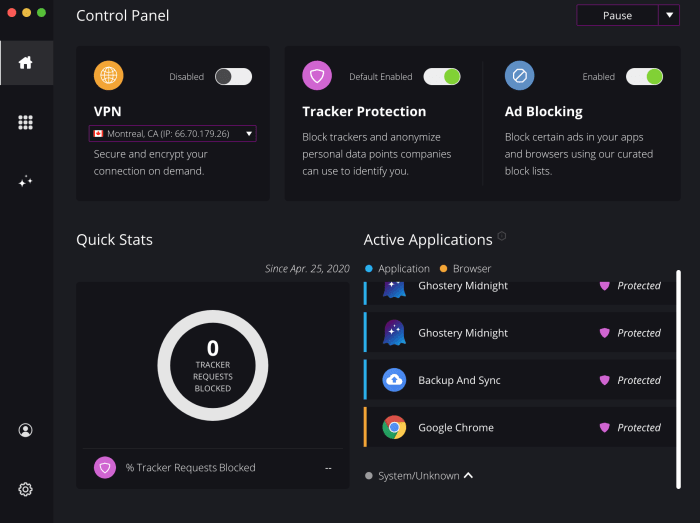
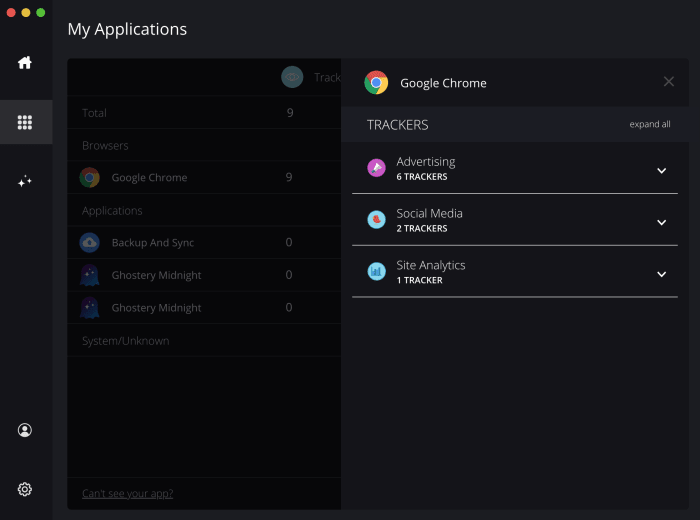
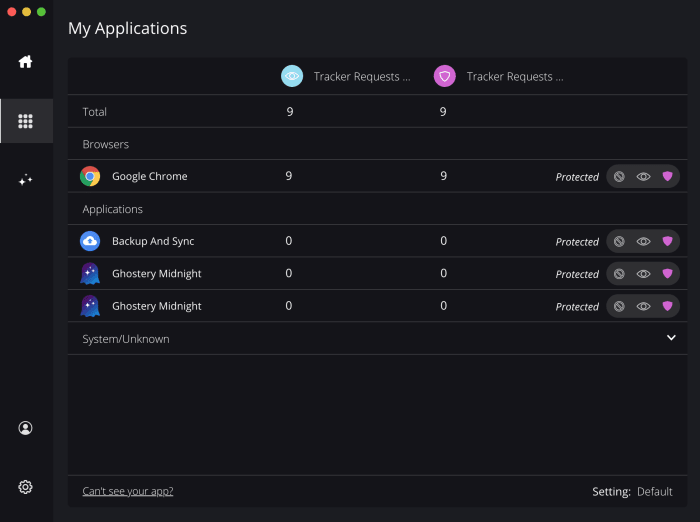
Ghostery MidnightFrom that same dashboard, you can toggle overall tracker and ad-blocking protections, as well as select any running apps you’d like to exclude from Midnight’s protection. Clicking on individual apps also provides you with the stats on how much and what specifically was blocked such as advertising, social media trackers and site statistics trackers

Ghostery MidnightGhostery Midnight

A handy “pause” switch lets you suspend Ghostery Midnight for 30 minutes, one hour or 24 hours. This is helpful if you’re having trouble following a link through which you’ll be tracked, but one that you want to access nonetheless. 

Added bonus

As we mentioned, what makes Ghostery Midnight truly impressive is its easy built-in VPN service. As the third toggle switch on your dashboard, it’s as easy as one click to turn the service on and off. Once toggled on, a drop-down window lets you choose between servers in six locations: Montreal, Singapore, Frankfurt, London, and Los Angeles and Atlanta in the US. While this isn’t nearly as many servers as offered by the top VPN providers, the benefit here is that you have all your privacy options in one place. And truthfully, most users can be perfectly happy using just a handful of VPN servers.

The deal

As a Softonic reader, you can access one full-featured month of Ghostery Midnight free when you use the link below to sign up, along with code: GHOSTYTONIC. You’ll need to create an account with a credit card, but you can cancel at any time. After your trial period, the monthly subscription would cost $14 per month. 


Is the free version of Ad Guardian Plus all you need for surfing sanity?

If you’ve ever shopped for an item online and then had an ad for that same item appear on practically any site you visit, then you’ve experienced the complicated world of online tracking. At their best, browsers that track your movements across the web can serve up ads that are relevant to your interests. But more often, ads are major annoyances – sometimes advertising the very thing you just bought.

Ad Guardian Plus is a lightweight yet powerful Windows-only solution to swatting trackers and ads off your devices. BitGuardian, the company that developed the software offers a free and several paid versions of Ad Guardian Plus. Here we’ll tell you what you need to know to choose the right version for your online lifestyle.

The free version

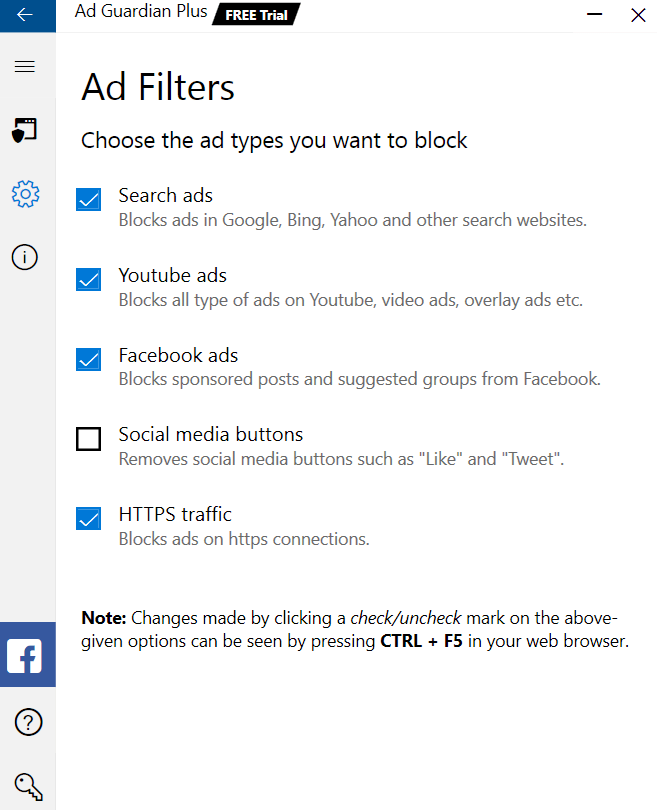
While you can read our complete review of Ad Guardian Plus here, what you need to know is that the software offers free-for-life cross-browser ad blocking. Unlike plug-ins that need to be installed on each browser and device you use, Ad Guardian Plus works at the network level. You install it once on your machine, then no matter which browser you use, you’ll be protected from sites serving up ads, which can often slow down your browsing experience. 

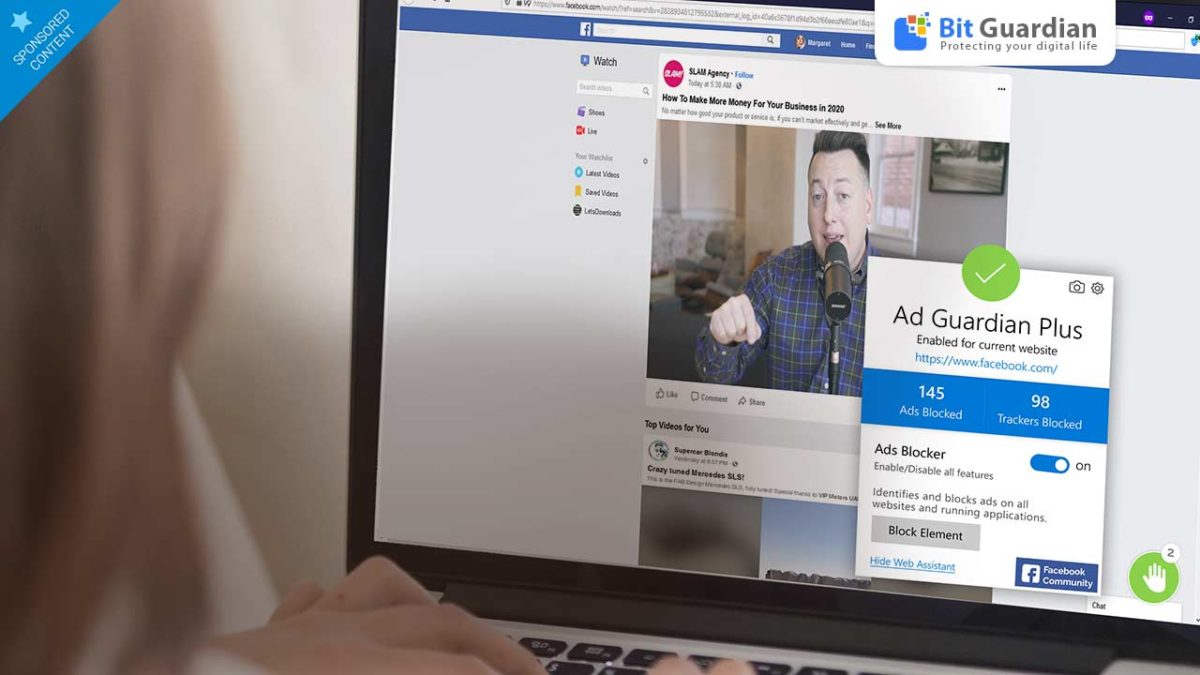
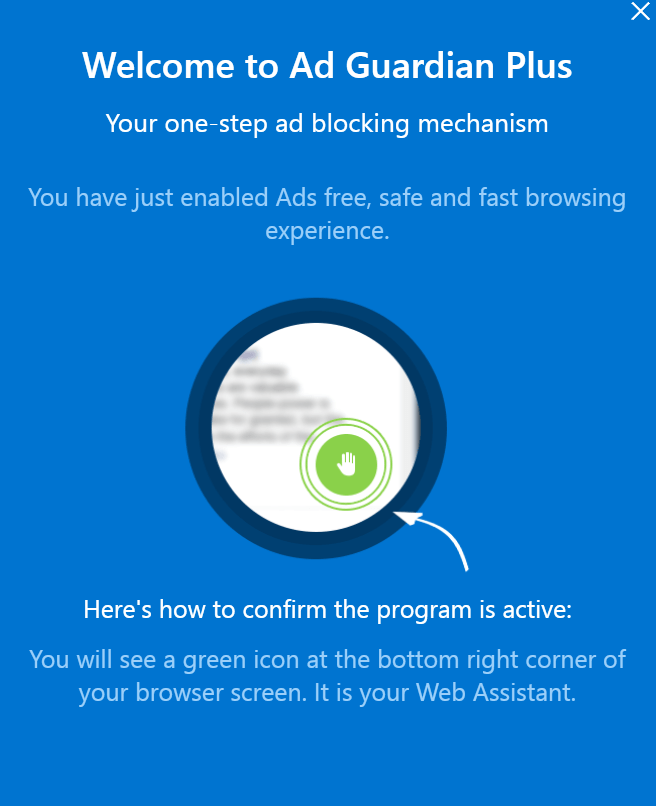
Ad Guardian PlusAmazingly, this function of the software is completely free. After you install the software package, Ad Guardian Plus gets to work in the background, automatically doing its job blocking ads. Installation is quick, hassle free, and simple. You can tailor which ads you’d like to block and even let the software know if there are sites on which you don’t want it to function.

Ad Guardian Plus

Paid Versions

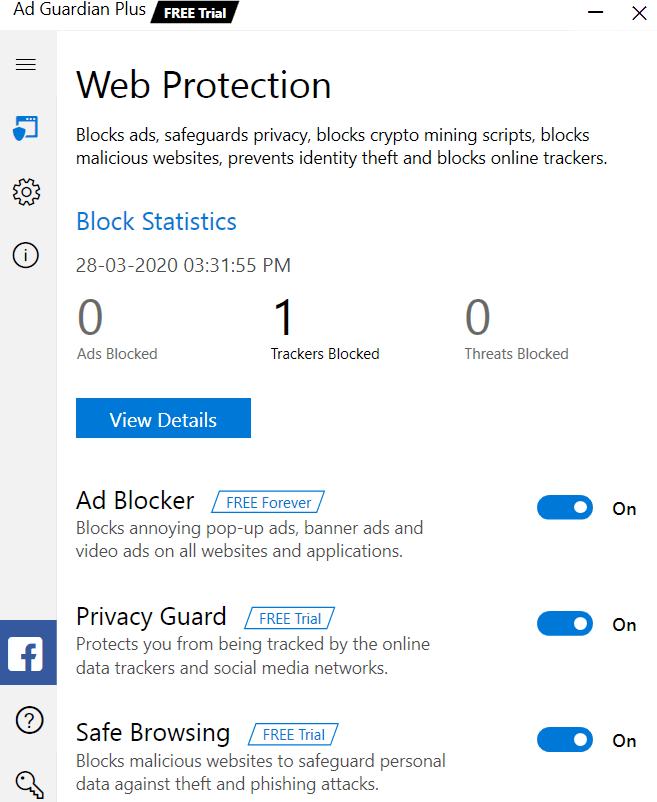
Stepping up to the Basic version of Ad Guardian Plus will get you Privacy Guard. This function adds an extra level of browsing protection by blocking trackers from social media sites, YouTube, and any other website you visit. This means that aggressive marketers won’t know which sites you frequent, what you’ve liked on Facebook, what videos you’ve watched, or what you’ve shopped for.

This Basic level of subscription, which costs $9.25 for a month-by-month payment plan, also adds on Safe Browsing, a function that blocks suspicious websites and protects you from malicious activities like phishing and data theft. You also get a 60-day money-back guarantee and email support.

Ad Guardian Plus

Stepping up to a Standard Plan ($5.25/month billed in six-month intervals) adds 24/7 live support

Going for the Premium level of subscription ($3.25/month billed as one annual payment) throws in a free copy of McAfee Internet Security, which is top-level privacy protection software.

Summary

So, which plan is right for you? 

If you’re a casual internet user who’s not too concerned about tracking, and you’re careful with how you share your personal information online, the free version may be just fine for you. In fact, we can’t think of any reason why you shouldn’t add that version to your PC right now

If you are a bit more worried about your online privacy and don’t necessarily want your browsing habits shared with marketers and corporations, moving up to the Premium plan simply makes sense. Not only is the average monthly price the lowest of all options, but the protection is top-notch, especially when you consider the inclusion of McAfee Internet Security, a $75 value.

Perhaps the best strategy is to download the free trial version of Ad Guardian Plus, which lets you try all the features it offers free for a full week. Then you can decide exactly what you’d like to keep and what, if anything, you’re willing to do without. 

Google: Pay us or your ad blocker won’t work on Chrome

Chrome’s new system hurts ad block programs and favors enterprise members.

Google Chrome

Manifest V3, a new development for Google Chrome, could spell disaster for ad blocking. 

Many ad blockers work by filtering content a certain way. When a blocker identifies an ad, it shoots it into space and you never see it. But Chrome could soon prevent those ad blockers from getting the information they need to work properly.

Google has responded to extension developers’ concerns over those changes to ad block on their forum page. However, their response came with a bit more concerning news.

“Chrome is deprecating the blocking capabilities of the webRequest API in Manifest V3, not the entire webRequest API (though blocking will still be available to enterprise deployments),” Simeon Vincent, Chrome extension developer at Google, wrote. “Extensions with appropriate permissions can still observe network requests using the webRequest API. The webRequest API’s ability to observe requests is foundational for extensions that modify their behavior based on the patterns they observe at runtime.”

Essentially what Vincent is saying is that some programs will still be able to block ads, but users would have to pay Google for that privilege. Ad blockers for free Chrome users wouldn’t work as well under the new configuration.

Back in January, Google proposed a change to Chrome that would hinder ad blocking programs such as AdGuard and uBlock Origin.

Basically, these programs blocked ads before they even popped up on the screen. The new Chrome development would stop the ad block programs’ requests since those are made before the ad is loaded onto the page.

uBlock Origin Download now ►
9

So what should I do?

If you enjoy an ad-free web-browsing experience, you have plenty of options.

The Brave browser is a logical choice. With its built-in ad blocking it can give you a nice, clean interface. You can also use your favorite Chrome extensions. And the Brave Basic Attention Token provides a way to support your favorite content providers.

Enjoy private, secure and fast browsing with Brave.

We can also recommend Firefox and Opera as great browsers with user-friendly features.

If you want to stick with Chrome, but you still want ad block, you can, but you may need to pay for Chrome Enterprise. In order to do so, you need to contact their sales team and fill out a form to make the request.

We can expect Chrome to take some backlash for this move, as they’ve already been getting it for nearly six months as it is. For current Chrome users, this might be the motivation you need to make the switch.