Google Keep finally allows us to do something we’ve been waiting for a long time

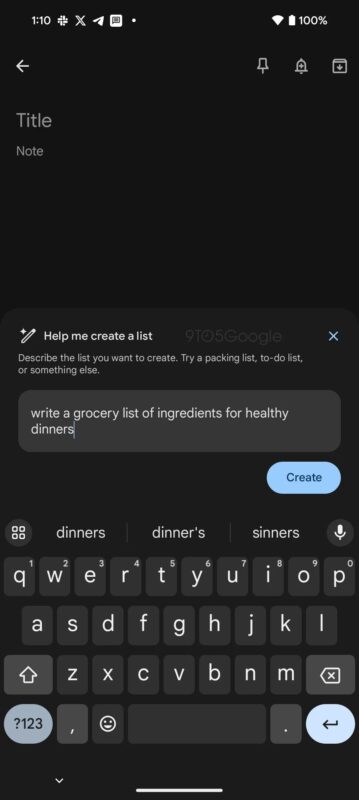
Google Keep, Google’s notes application, now allows us to format the texts of our notes, whether new or old.

If you are a forgetful person (like me), using note-taking apps must be essential in your life. Whether it’s to jot down appointments with our doctor or make a shopping list (among many other uses), these kinds of applications are lifesavers.

Google Keep DOWNLOAD

Google Keep, Google‘s note-taking app, is very popular among Android users, despite lacking many features of interest to the public. One of these features was rich text formatting, which allows us to format the notes we write, which by default are plain text.

A few months ago, Google addressed this limitation in the note-taking app. However, the company stated that the formatting could only be applied to new notes created going forward. This situation changed recently with an app update, now allowing us to format notes that we created in the past.

The first outlet to report on this update was 9to5Google, which has been keeping a record of Google Keep’s functionality for months. “Update 22/10: Google has implemented text formatting for old Keep notes. Initially, the ability to bold, italicize, or underline text was only available for newly created text entries. The underlined ‘A’ in the bottom left now appears for all notes once you start editing them.”

The option to format our notes not only allows us to bold, italicize, or underline text but also lets us create H1 and H2 headers or even remove the formatting applied to our text. It’s a simple feature, but it allows us to visually organize our notes more effectively.

Google Keep DOWNLOAD

Google Calendar and Keep apps get the dark mode treatment

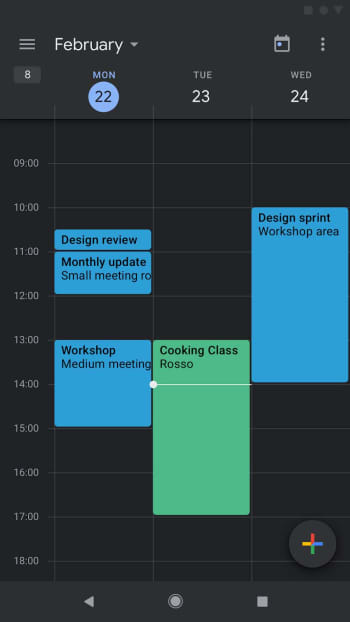
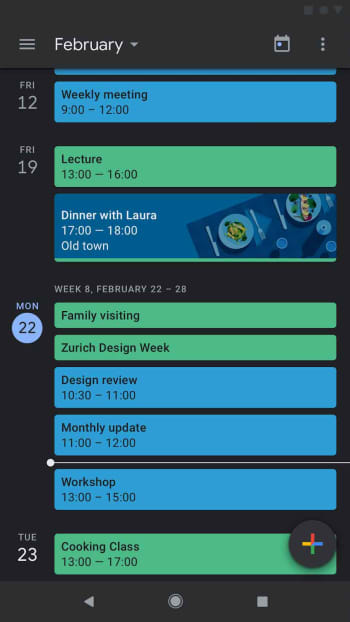
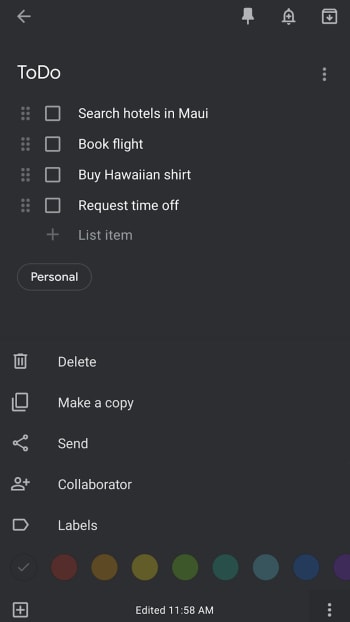
Google Calendar and Google Keep on Android get dark modes.

Google dark mode

Ever since Google released research it had done that showed darker colors require less battery power to display on OLED screens, we’ve seen a raft of apps add the dark mode feature to their setup. But dark mode has always been popular among users for both aesthetics and the eye-saving ability it offers when you’re using your phone at night.

The really hilarious thing about the Google research, however, is that it came not long after Google began implementing its Material Design philosophy, which relied heavily on clean, white backgrounds. Since then, however, Google has been moving through its core products and adding dark modes. There is also a lot of chatter going on that says when Android Q drops, it’ll have a system-wide dark mode option. For this to work though, all Google apps will need their own dark modes, and this is where we’re at today, letting you know about the newest Google apps to get dark modes.

Google Calendar and Google Keep on Android get dark modes

Google Calendar darkmode

The Google G Suites update blog has released the news that the Android versions of Google Keep and Google Calendar now have dark modes. As mentioned earlier, the release of these new dark modes relates to the upcoming system-wide dark mode that Google will introduce when it rolls out Android Q. Both apps will automatically work in dark mode when Android is set to dark mode, but there are slightly different instructions to follow to enable dark mode on both apps individually.

Google dark mode on calendar app

How to activate dark mode on Google Calendar and Google Keep

The first thing you’ll need to do is make sure that you’ve updated Google Keep and Google Calendar to the latest version. Then to enable dark mode in Google Calendar, you need to go to Settings, then General, and finally Theme. You then click Enable Dark Mode.

To enable dark mode in Google Keep, you simply need to go to Setting and hit Enable Dark Mode.

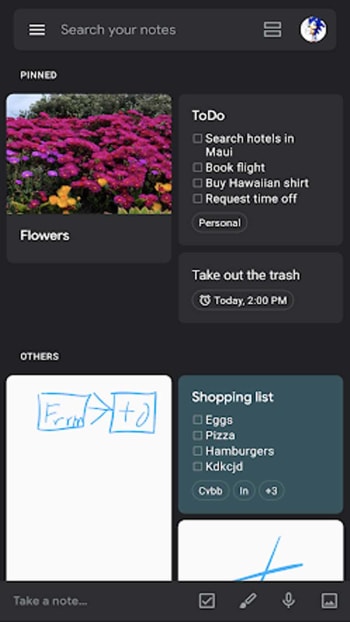
Google Keep dark mode

Google Calendar Download Free ►
8

Google Keep Download Free ►
8

The dark mode for Google Calendar is available to all users of Android versions Nougat onward and the dark mode on Google Keep is available to users of Android versions Lollipop through Pie.

Google Keep's new dark mode

If you can’t see the dark modes in our versions of the apps just yet, don’t worry. The roll-out for Calendar began on May 16 and the roll-out for Keep began on May 20. In both cases, Google has said that the feature is getting a gradual roll-out and should take up to 15 days for full feature visibility. Don’t worry, you’ll be able to go dark very soon.

How to use Google Keep to take notes while you work

Never used Google Keep? Here’s why you should.

Keep track of your life with Google Keep

How many times do you browse the internet, find something interesting, and then (within a matter of minutes) forget all about it? If you ever thought you needed a simple way to take notes, you’re not alone. That’s why Google Keep may be just what you’re looking for.

How to use Google Keep to take notes while you work

What does Google Keep do?

Google Keep is a simple tool, but that’s what people love about it! Once you download it, you can create a title and start taking notes. It really is this simple to use.

You may have heard about it previously (or its biggest rival, Evernote). But, Keep is a bit unique in the features it offers, and the tool makes it possible for users to easily create and track notes.

You can use it on your personal computer and any device using iOS or Android. If you use it with your Google account, it will sync to your account for easy access. Do this through this Chrome extension.

Google Keep Download Free ►
8

7

So what can you do with it?

Once you download Google Keep and open it, you’ll find it easy to get started. But how can you benefit from it? Use it for just about anything, including planning your to-do lists, meals, work ideas, project notes, and so on. Once you start using it, you’ll appreciate how easy it is to make it work for you.

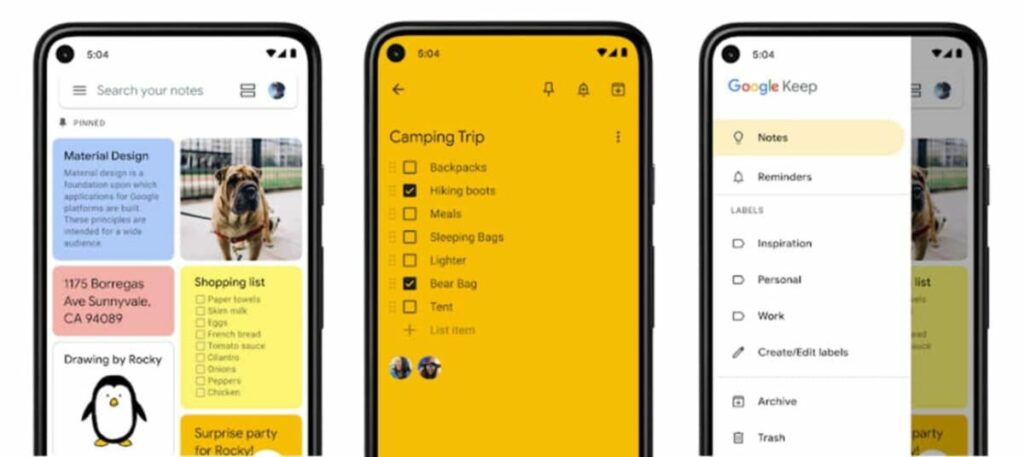
For example, in a matter of seconds, you can color-code your notes. That way, you can easily move through them to find exactly what you are looking for. Keep allows you to change the color easily so you can just link similar topics. For example, you can keep all of your meal ideas in one place with a single color. You can also label your notes, which then allows you to browse through all notes with the same label.

Google Keep is full of other features, too. For example, you can create a to-do list for a project with little boxes next to each item. Check them off as you go — and you can even share them. Why not send that to-do list to your spouse so they’re on top of the tasks?

This feature is also fantastic for work collaboration. Plus, you can set up reminders, so you’ll receive a notification when something needs to be done. You can also customize your notes with images, memos, voice messages, and much more.

As you can tell, this is the type of note-taking you want to do but don’t have time to do. Google Keep is simple, and you’ll love using it once you get started.

Google Keep note-taking app finally gets reminders

Google’s Keep note-taking app was pretty lackluster when it first debuted in March. While simple and intuitive, it lacked many of the more advanced features that competitors like Evernote and Wunderlist offered. While Keep still isn’t as powerful as some other note-taking apps out there, it is getting one often-requested feature: reminders.

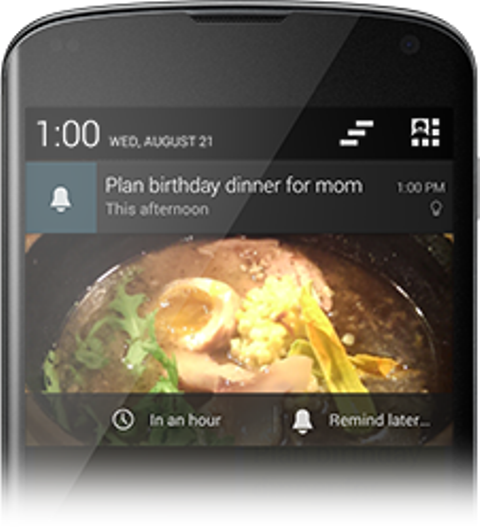
The beauty behind Google Keep is its deep integration with Google’s other apps and Android operating system. Keep will integrate with Google Now’s reminders to give users time-based or location-based reminders. To add a reminder, tap on the “Remind me” button at the bottom of a note to set when you want to be reminded. The reminders integrate nicely into the Android notification tray. Swiping down expands the reminder and allows you to snooze the reminder or change it to another time entirely.

google keep notifications

Additionally, there’s now multiple account support and an easier way to add photos to your notes. Users can choose to take a picture or choose a photo from the Gallery.

The app is rolling out today in the Google Play store and is available now on the web.

Download Google Keep

Source: Official Android Blog

Google Keep now available in Chrome

google keep iconGoogle’s minimalist note taking app, Google Keep, is now available as a Chrome extension. Last month, Google released Keep for Android and now you can quickly jot down thoughts in Chrome as well. This makes it easier to access your notes without having to go to your phone or into Google Drive.

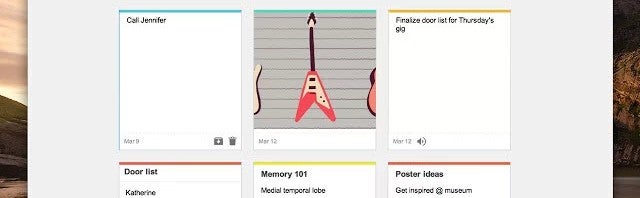
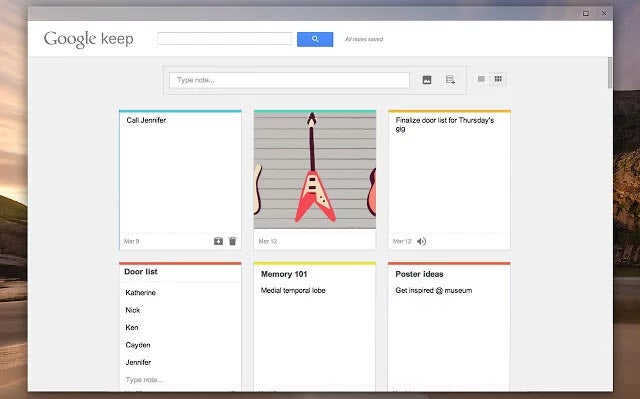
The Google Keep Chrome extension will open up in its own window so users can easily create notes, check off to-do lists, attach photos, and more. For those with spotty internet connections, you can rest easy as the extension will work offline.

While Google Keep is a solid note taking tool, its features are very basic. Competitors like Evernote have a more fleshed out ecosystem of apps for the desktop, browser, and phones that make it more useful for advanced users.

google keep extension

If you just want a service to jot down simple notes or to create basic to-do lists, Google Keep will work well for you.

Source: Google Chrome Blog