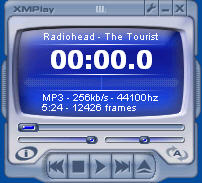
 Winamp and XMPlay are two solid audio players that, while in appearance are very similar, serve different purposes. We’ve decided to pit the two applications in a little face-off to see how they compare in a number of features like appearance, playback, managing media and extra tools.
Let’s start with the installation process. XMPlay beats Winamp hands downs here simply because it doesn’t need any installing. Once you’ve unzipped the application it’s on your PC. For that reason you can perfectly carry it around on a USB stick and install it on any PC you use. However, do keep in mind that Winamp does also install very quickly.
While the two applications have similar, multi windowed interface, Winamp might have the edge in appearance. The program is slightly more polished and all the windows can be dragged together. Also, while both programs can be customized, it seems Winamp has much more skins to offer, and these can also be tweaked by adjusting alpha blending or color themes. The XMPlay window is a bit smaller and less polished and doesn’t let you modify skins.
 Let’s begin with a very simple question: why should we surrender to the most downloaded software when there are good but not so popular alternatives? Robert Frost said: “Two roads diverged in a wood, and I took the one less travelled by” which, applied to software, may be translated as “take a risk and use new apps… even if they’re not that famous”. So, if you’re looking for a free, fast, simple MP3 player, and don’t feel like bowing down to Winamp the Almighty, just give XMplay a chance.