China’s Secret Submarine Base Uncovered Amid Military Expansion

Recent satellite imagery has unveiled significant military advancements in China, revealing a previously hidden submarine base in Qingdao, Shandong Province.

This facility reportedly houses at least six nuclear submarines and is strategically located for direct access to key maritime regions, including the Yellow Sea and the Sea of Japan.

Notably, this discovery comes amidst a period of intensified scrutiny regarding China’s military capabilities.

China’s Strategic Shift: Nuclear Submarines at Newly Discovered Base

The findings, highlighted by naval analyst Alex Luck, suggest that the First Submarine Base of Qingdao has become a focal point in China’s expanding naval capabilities.

Among the visible vessels are two Type 091 submarines, two Type 093A submarines, one unidentified submarine, plus a Type 092 currently decommissioned. This base, once shrouded in secrecy, reflects China’s strategic shift towards enhancing its naval deterrence through a diversified submarine fleet.

China’s nuclear arsenal is estimated at around 600 warheads, a number significantly lower than the United States’ over 5,000. However, experts underscore that China’s growing reliance on its submarine fleet for nuclear deterrence marks a critical evolution in its defense posture.

As Beijing shifts away from land and air-based nuclear capabilities, its focus on modernizing and expanding its underwater fleet is indicative of a concerted effort to strengthen its military presence.

The development of China’s submarine force, which includes a mix of nuclear and diesel-electric submarines, illustrates a strategic pivot that could reshape the Western Pacific’s geopolitical landscape. As the People’s Liberation Army Navy (PLAN) seeks to expand its fleet to 65 submarines by 2025 and potentially 80 by 2035, the implications for global security remain profound.

Observers can note that this increase in maritime deterrence capacity may elevate tensions among regional powers and fundamentally alter existing power dynamics.

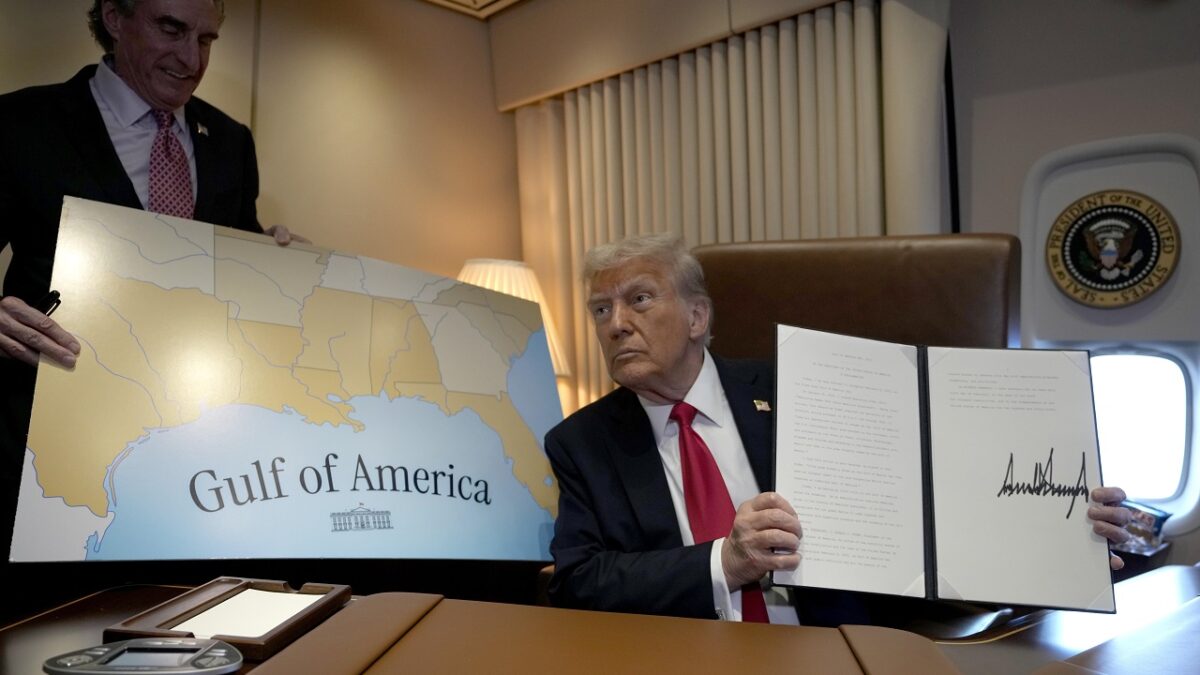
Google's dilemma with the Gulf of Mexico because of Donald Trump

Donald Trump, after taking the oath of office as president of the United States, signed an executive order that will change the name of the Gulf of Mexico to Gulf of America. This decision has sparked a debate about how the body of water will be referred to, eliciting multiple reactions in different regions of the world. Google Maps has implemented the name change on its platform, but the label displayed will depend on the user’s location. How will Google handle the name change of the gulf According to the new nomenclature, the inhabitants of Mexico will continue to call it Gulf of Mexico, while […]

Donald Trump, after taking office as President of the United States, signed an executive order that will change the name of the Gulf of Mexico to Gulf of America.

Google Maps DOWNLOAD

This decision has sparked a debate on how to refer to the body of water, eliciting multiple reactions in different regions of the world.

Google Maps has implemented the name change on its platform, but the label displayed will depend on the user’s location.

How Google Will Handle the Gulf Name Change

According to the new nomenclature, the inhabitants of Mexico will continue to call it the Gulf of Mexico, while in the United States the body of water will appear as the Gulf of America. For users in the rest of the world, Google Maps will indicate the name as “Gulf of Mexico (Gulf of America)”, thus adopting an approach that seeks to recognize both terms.

This change in nomenclature has not been widely explained by the company, but it has shared that the display of the name will depend on the device settings and the user’s geographical location.

Google has indicated that the names displayed in the application are determined by the country where the user is located, which includes information from the operating system of their device, such as iOS or Android, as well as the configuration of their network and SIM.

With the change now implemented, the question arises as to how daily use will adapt to the new name in light of the persistence of the previous designation. Some users will continue to use the traditional term, while others will adopt the updated designation.

Google Maps DOWNLOAD

This phenomenon could lead to a cohabitation of names in maps and everyday conversations, reflecting a diversity of approaches and perceptions regarding the identity of the Gulf in different sociocultural contexts.

Google Maps incorporates two useful novelties in its latest update

This will be a big week for Google, as on Tuesday, May 14th, the Google I/O 2024 software developer event will take place.

Google usually doesn’t skimp on updates to Google Maps, and users are discovering two new settings that have been quietly introduced in the Android app, covering electric vehicle navigation and the identification of specific roads.

Google Maps DOWNLOAD

Firstly, there is the electric vehicle charging, as discovered by SmartDroid (via 9to5Google): in the Android app you can see nearby charging stations with a tap on the corresponding filter button located below the main search bar, at the top of the screen.

However, you need to have your car set up as electric to see it, which you can do from the Your vehicle option in Google Maps Settings. The default option is the gasoline vehicle type, in which case you will see a quick link to gas stations.

A similar update was applied to Android Auto last year, so now it seems to have also arrived to the Android app. Last month, Google announced some new features based on artificial intelligence to facilitate access to an electric vehicle charging point.

The second adjustment of Google Maps will show you the entire length of a road highlighted in blue when you search for it. Previously, you only had a pin stuck in the middle of the road to help you find your way.

This gives you a better idea of the extent of the road you are looking for, in terms of where it starts and ends, and how much space it occupies on the map. Of course, you can continue navigating to any specific point on the road if necessary.

Google Maps DOWNLOAD

These are two minor adjustments, but both should make Google Maps easier and more convenient to use. It is still unknown if iOS will receive the same updates, but we assume so.

This will be a great week for Google, as on Tuesday, May 14, the Google I/O 2024 software developer event will take place. It is very possible that we will then know more about the updates to Google Maps, and you will be able to watch it live from wherever you are.

Google Maps will expand the use of generative AI and bring it to Labs

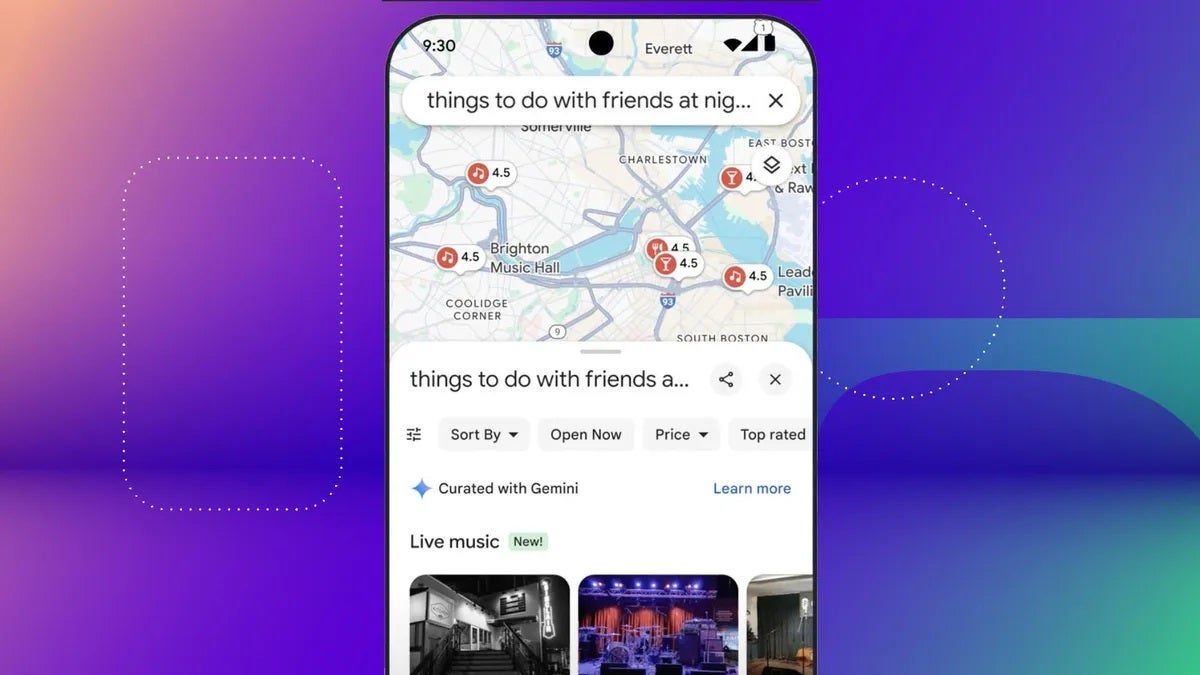
As you may already know, in the past month of February, Google implemented the use of generative AI in Maps to assist in the discovery of new places, things to do, and different businesses in the locations that are of interest to us. However, this feature is only available to local guides in the United States, although this is about to change, as reported by Android Authority.

Google Maps Download

That’s right, the aforementioned source indicates that Google Maps intends to expand the use of generative AI to all those who want to make use of this feature of the Mountain View service. The way to expand this use will be to bring it to Labs, Google’s experimentation laboratory where functions can be tested before their official release, and for this, you just have to be registered (and anyone can do this). This upcoming arrival of AI to Labs has been discovered through the code of Google Maps.

Google Maps will bring the use of generative AI to Labs

The mentioned Maps code, which you can read in full on Android Authority, indicates that this implementation is a “generative AI experiment from Labs” with which users can “supercharge their search” with this technology to “find new ideas, inspiration, and adventures in a faster and easier way”. Likewise, they also warn in this that this feature is still in its early stages and that, based on the experience of different participants, they intend to improve it.

What seems evident with all this is that, with its arrival to Google Labs, this experimental feature will eventually reach Google Maps and all its users. Everything points to that, without a doubt, but only time will tell when it gets implemented, if it happens at all. On the other hand, its arrival to Labs doesn’t have an exact date yet, but it doesn’t seem like it will take too long to land in the mentioned experimentation laboratory of Mountain View.

Google Maps Download

As we mentioned before, this experimental generative AI function shows, through a chat interface, new places, things to do, and different businesses to discover in a locality. It achieves this by analyzing community contributions and then offering suggestions that are categorized and accompanied by images and reviews. In addition, you can also ask follow-up questions to Maps to get results related to the topic. We will see when this outstanding feature arrives in Labs.

Google Maps is finalizing an ambitious improvement in its 3D maps

Google Maps, the well-known maps, location, and GPS service application from Google, is already in beta phase with an important improvement that will directly affect the 3D maps offered by the service within the app. With this, Google continues to show interest in aesthetic changes for Maps after also updating the 2D version of the maps by changing the color palette in the last months of 2023.

It is something common within the design areas, since the canons keep evolving, and applications and services gradually adapt to the changes that become a trend. In fact, even applications like Google Maps have undergone major changes over the course of a decade.

Google Maps Download

3D Enhancements for Google Maps

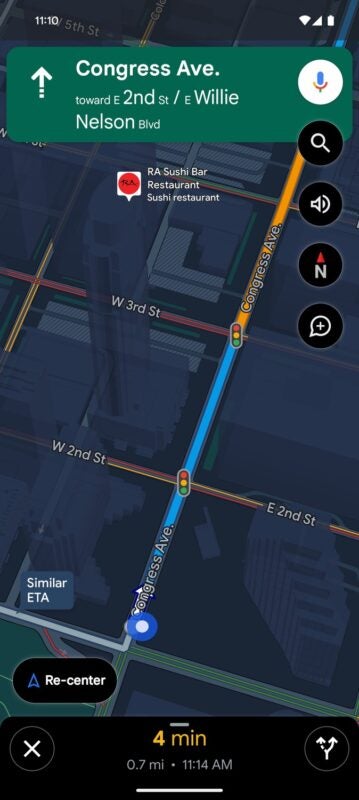
According to Androidpolice’s findings, the 3D upgrade will provide Google Maps navigation with translucent models of different buildings that emerge along the route. This means that, in a shape and size similar to scale to what can be seen in the app, users will have more information on the screen of Google Maps.

As can be seen in the screenshot, buildings can now be seen through the navigation so that they can serve as reference points for better orientation. In this way, without interfering with the navigation itself, the user has more resources to know exactly the correlation between the map itself and what they see in front of their eyes in the vehicle.

Your recent change in 2D

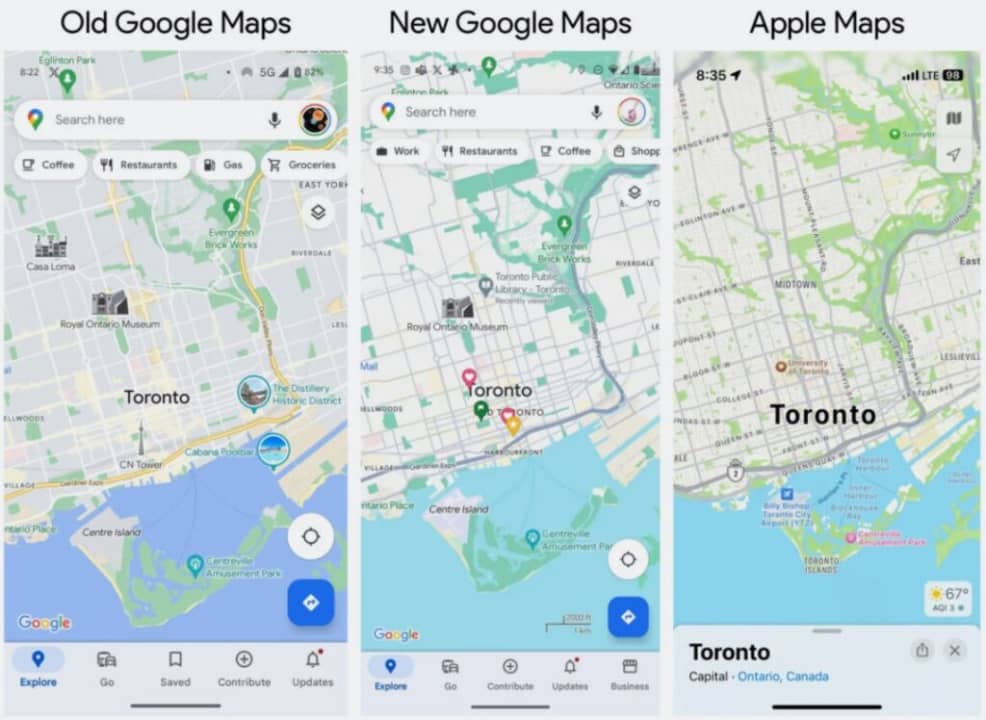
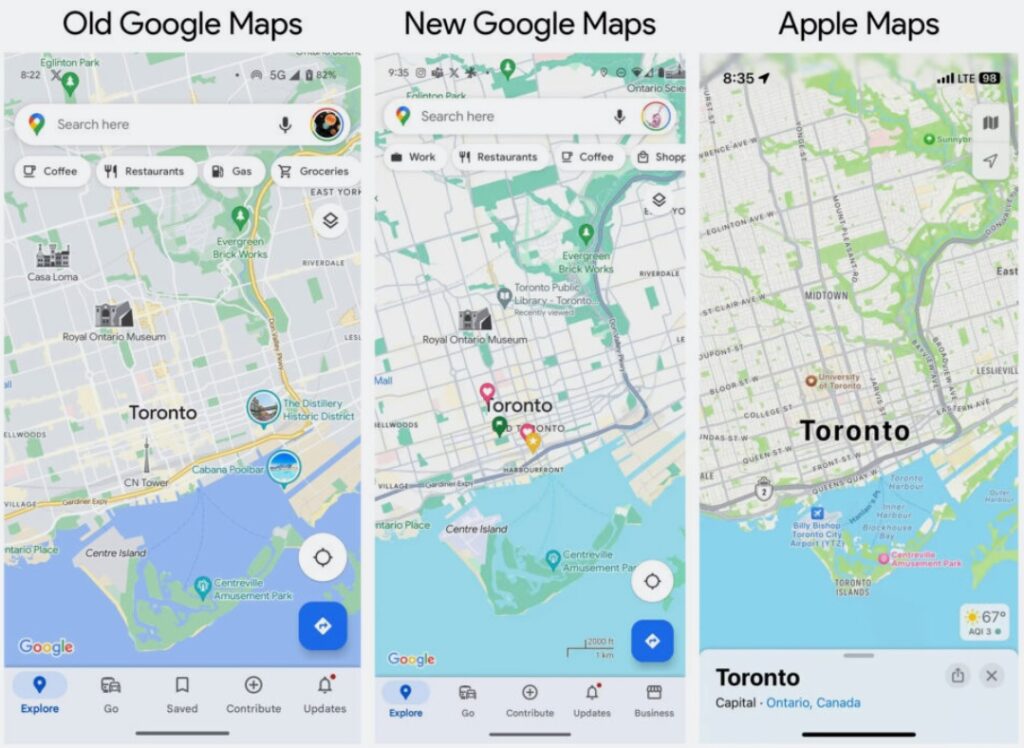
This is not the only important change that Google Maps would make visually. In the last months of 2023, Google Maps also updated the appearance of its 2D maps, making visible changes in its color palette to opt for a more minimalist, colder and lighter design, with the aim of making the objectives to highlight easier to detect at a glance. However, this also brought them certain criticisms because the new maps have less vibrant and cheerful colors.

The new 2D design of Maps is displayed in a cooler and more sober color palette

Google Maps has also worked on improving its synergies within the Android system, one of the most recent priorities because it is a service that is much more used through mobile phones than on computer screens. As a result, another improvement that came to Maps in recent months was the ability to share location with other contacts, a feature that also exists in other applications like WhatsApp and provides added value to users.

Google Maps Download

Google Maps will allow you to quickly delete photos and history

Google Maps is fully committed to continue updating and improving the service it offers to users. In addition to the recent change in terms of storing location history, tools have also been improved so that anyone can easily delete photos and history linked to certain days.

This is another improvement from Google aimed at enhancing the quality of user control over the information that Google records from their activity. In a time where privacy is essential for digital development, this update will give users even more control over the information that remains

Google Maps Download

Deleting the history in one fell swoop

As highlighted by Google in its corporate blog, Google Maps offers users the ability to now manage their history and images associated with certain locations more easily. In fact, you can even set it up so that, after a certain time, the location history will delete your trips as time passes. This way, your older trips that you prefer to delete will automatically disappear.

Today it is crucial that digital services give users the option to erase their traces, since it is about allowing those who wish to keep their past private and have the freedom to decide whether they prefer to keep the routes and trips made in the past, or if they choose to delete those traces.

Google Maps records all the trips and locations you pass through

Closing 2023 as a new Maps

With 2023 coming to an end, just a few days away from the end of the year, Google Maps is showing a series of updates that undoubtedly represents one of the most radical changes within the application in the last decade. In addition to improving its privacy services by enhancing control of information for users, services such as routes focused on electric cars have also been enhanced, a type of vehicle that is increasingly present in the current fleet.

On the other hand, its design has also changed in a quite noticeable way, opting for a colder, more minimalist and institutional image. The warm tones have been muted, the greenish tones have been blued, and the blues have been lightened in a map that, for example, has eliminated the orange color of the roads to replace it with gray, a color palette that certain Maps developers in the past don’t like as much.

Google Maps Download

Google Maps changes forever: this will be its new location history

Google Maps, the most widely used mapping and geolocation service in the world, continues to evolve to offer the best possible service to users. On this occasion, it has also been revamped its location history, which will now have a new design that prioritizes device storage, providing greater privacy to users initially.

In addition, there will still be the possibility to synchronize this history on other devices with the same Google account, so anyone who considers it useful to have their location history synchronized on different devices will be able to continue enjoying this functionality that has always worked in the cloud.

Google Maps Download

This is how your new history works

The new Google Maps history is very important. The service provided by Google has taken a step forward in this service to offer better quality in the possibilities it offers to its users. In fact, in this case, the improvement is in the path of privacy, since Google will start storing the Maps history on the same device, and as Google explains in its blog, you can even delete your history at specific times according to your interests.

Many of the current improvements are going in the direction of giving the user, not only greater privacy, but also greater control over their data. Thus, this change made in Maps will provide the possibility of this, taking a step forward in terms of user rights.

A time of great changes for Maps

Google Maps has not stopped making changes in recent months, and some of them, even bigger than its location history. For example, just recently, in the past few months Google Maps changed the design of its interface, using a new color palette that leaves behind the tones that the application had always used. That is why, from now on, the greens have a more “mint” tone, the roads have turned to a more grayish color, and the blue of the sea has become lighter.

Maps also strives to enhance its service in the face of advances in automobiles, and as a result, there are improvements focused on electric cars, being able to select that only gas stations with charging posts appear in the routes, an infrastructure that not all service stations have in Spain.

Google Maps Download

An error in Google Maps left them lost in the middle of the desert

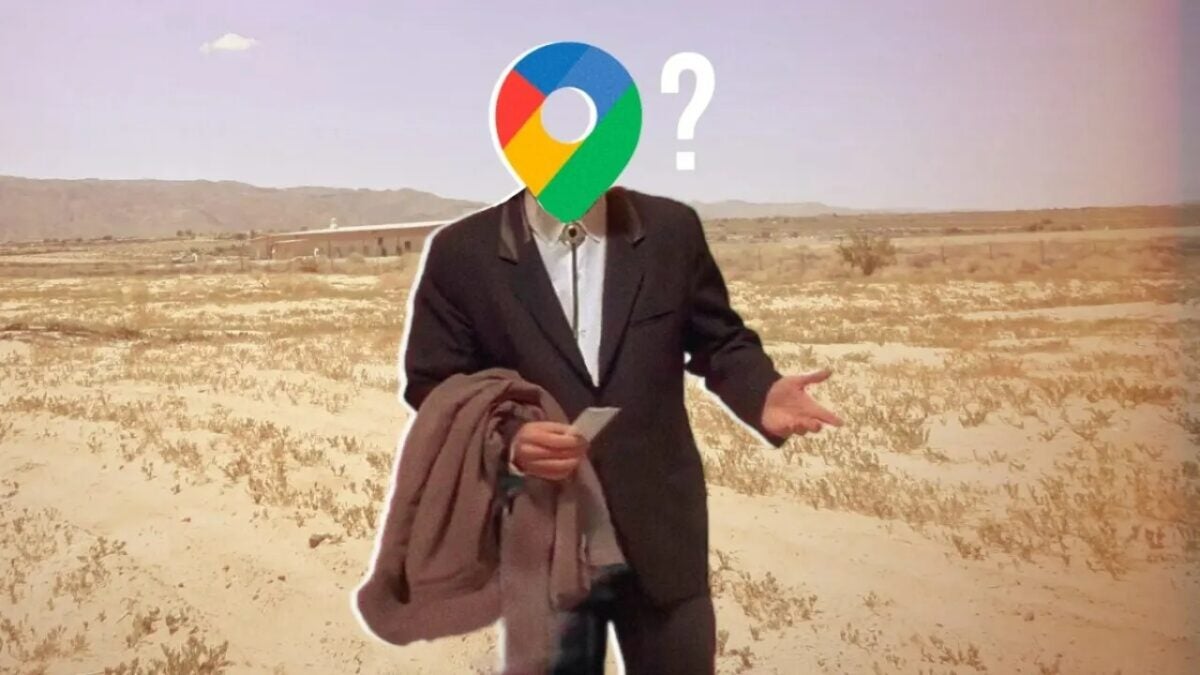
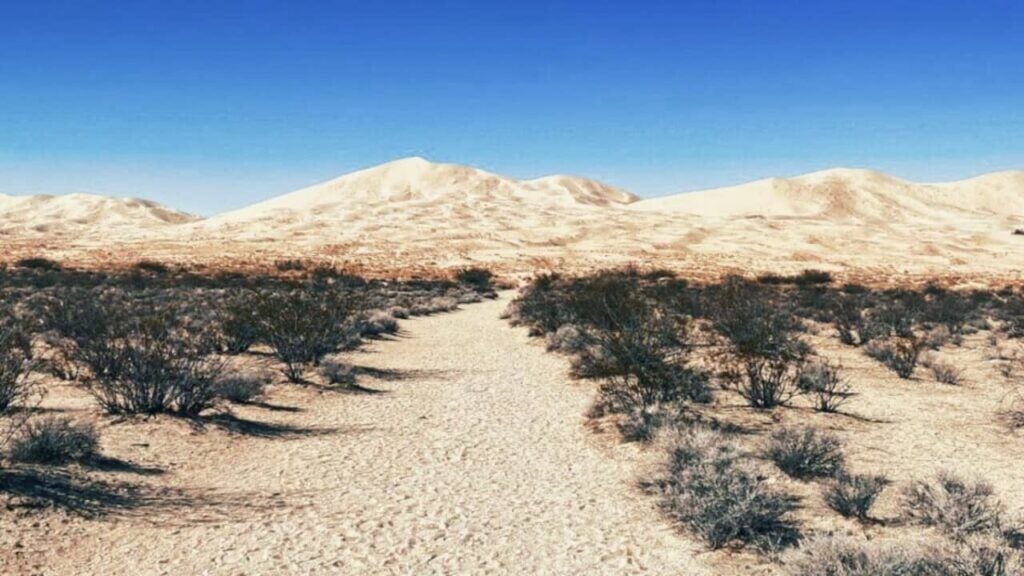
A group of Californians ended up lost in the middle of the Mojave Desert because of Google Maps.

The popularization of apps like Google Maps has made getting lost a much more complicated task than in the past. However, these apps aren’t perfect and sometimes can have glitches, some with dire consequences. This was the case for a group of Californians who, unintentionally, found themselves lost in the middle of the Mojave Desert in the United States.

Google Maps DOWNLOAD

Shelby Easler, her brother Austin, and their respective partners attended the Formula One Grand Prix, held in Las Vegas last November 19th. After the event, the group decided to use Google Maps to head back home. Following the navigator’s directions, the Californians took an alternate route after the app informed them that a dust storm was causing delays on the highway.

That alternative route ended rather strangely. After many turns, Google Maps directed the group straight into the Mojave Desert. According to Easler, upon realizing they were lost in the middle of the desert, they attempted to turn back, navigating through sand and bushes. However, the dust storm and rough terrain severely damaged the car they were traveling in, leaving them stranded.

Eventually, the group managed to reach a relatively nearby gas station and then headed to the airport to fly home. The car was towed to a Las Vegas mechanic center.

Interestingly, they weren’t the only ones affected. Google Maps’ “error” led numerous families to become stranded in the middle of the desert, prompting many to call 911 for help. However, few could receive assistance as the California Highway Patrol was already overwhelmed due to the storm.

Source: Techspot

Google Maps DOWNLOAD

Former Google Maps designer criticizes the new look of the application

Google Maps, a crucial application in the lives of hundreds of millions of people worldwide, is also subject to criticism from its former developers. In fact, a former designer who worked with Maps in the past has expressed her dissatisfaction with the significant changes that have recently been made to the application.

The Google Maps application, which was recently revamped to change its appearance and, above all, its color palette design, has generated varied opinions among users. It’s worth noting that one of the most critical voices is that of a former employee who laments the changes in Maps, considering them cold and bland.

Google Maps DOWNLOAD

Discontent with the new Maps

Elizabeth Laraki is the author of these criticisms made through Twitter, where she thoroughly examined the changes made by Maps and the elements that, in her opinion, would have been better left unaltered. Among other things, for example, she disagrees with the gray color of the roads, which stands out less than the orange that had always prevailed in Google Maps roads.

On the other hand, she is also dissatisfied with the new color palette, where the blue of the sea turns into an almost turquoise blue, and the green of the areas has become a more ‘mint green’ tone, thus prevailing the more subdued and minimalist tones than have been seen previously in the application. Laraki believes that these changes strip Google Maps of its personality and make it less ‘human’.

The new map design is shown in a colder and more sober color palette

Maps and its new design

This new design for Maps is not implemented by chance, but because Google wanted its maps, location, and GPS application to align with the design standards that have become popular in recent years: soft tones, simple environments, and usability over aesthetics. That’s why, even though it may seem less ‘human’ to many, the usability improvements of the application outweigh the aesthetic loss.

For over 15 years, Google Maps has been illustrating maps worldwide, covering a vast number of roads in every country, and documenting businesses and points of interest that can be directly marked as a route from the application. Additionally, it is also being updated in line with advancements such as Artificial Intelligence to continually enhance the user experience.

Google Maps DOWNLOAD