Shopify makes it so easy to launch a store, automate sales, shipping, and marketing like it’s no big deal.
However, once you’ve got your store set up, you may be wondering how to make the most out of your brand-new business.
Shopify’s App Store boasts literally thousands of apps — so whether you’re a drop-shipper, super-niche e-commerce store, an online coach, or whatever else, there’s an app (or 20) for you.

The 7 best Shopify Apps of 2019
1. Bold Upsell
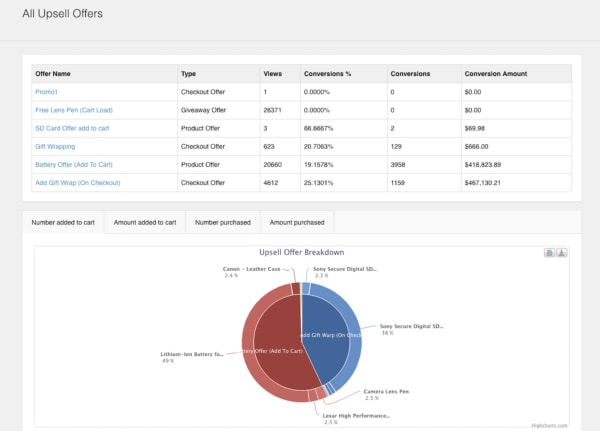
Want to make more on each sale? We’re going to go ahead and assume that the answer is probably “yes.” Bold Upsell is a Shopify app designed to help you increase your average sale size by going after the low-hanging fruit—upsells and cross-sells.
The add-on allows users to run BOGO or free gift campaigns. You can trigger offers based on whether a customer accepts or declines an offer, and push out one-click offers customers can add to their cart just like that.
Key Features:
- Smart upset funnels
- Upsells
- Cross-sells
- BOGO/free gift campaigns
- Post-checkout upsells
- Integrates with Google Analytics
- Dashboard view of upsell performance
2. Sumo
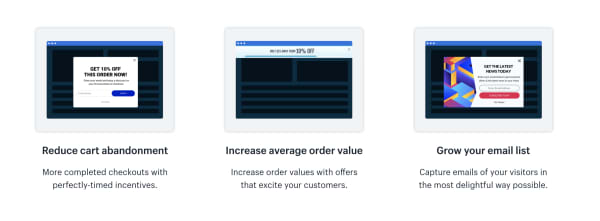
Sumo’s Shopify app integrates with your e-commerce store and helps users reduce cart abandonment, increase average order size, and collect more subscribers.
Sumo makes it easy to automate the little things that add up to better retention and more sales.
Key Features:
- Reduce shopping cart abandonment
- Increase order size
- Grow your email list
- Offer unique discount codes
- Send automated follow-ups to shoppers who leave without purchasing
- Easy-to-use reporting tools
Sumo offers a free plan and a pro plan. The free plan allows for unlimited subscribers and you can send up to 10,000 emails a month, customize forms, and use the system’s targeting tools. That said, the app is free until you’ve hit $500 in Sumo-generated revenue. While we’re not totally sure what Sumo takes credit for, you’ll likely burn through that $500 pretty quickly.
The Pro plan is $49 per month or $468 per year. Here, there are no caps on Sumo-driven revenue and you’ll now have access to advanced targeting and unlimited emails.
3. Smile.io
To any online seller, customer loyalty is the gold standard when it comes to setting the tone for long-term success.
Loyalty programs give brands a chance to strengthen their relationship with their customers, driving more sales, and increasing brand awareness.
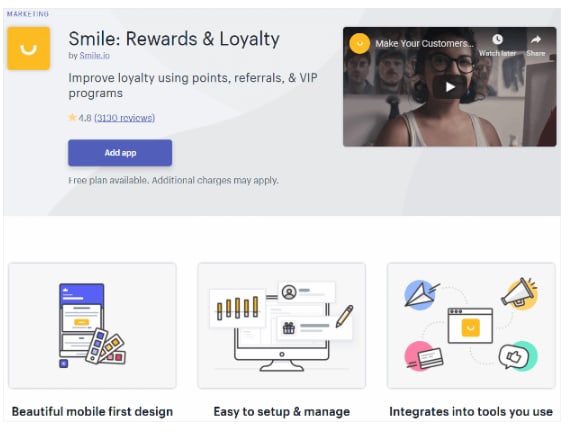
Smile.io is an app that allows you to offer personalized rewards to your customers (by the way, customers LOVE personalization).
Offer your visitors points when they join an email list, spend a certain amount, refer a friend, and more.
Key Features:
- Offer multiple rewards programs at once.
- Engage top customers with VIP status rewards.
- Points system allows you to reward customers for a range of actions from social shares to account creation, purchases, and more.
- Users can customize programs and associated branding — add a logo, update colors, etc.
Smile.io is free for Shopify owners with up to 500 loyalty members. After you’ve hit that threshold, plans start at $59 a month. What’s nice about their pricing system is that it gives new shop owners the chance to build up their program before investing in a new tool.
4. Oberlo
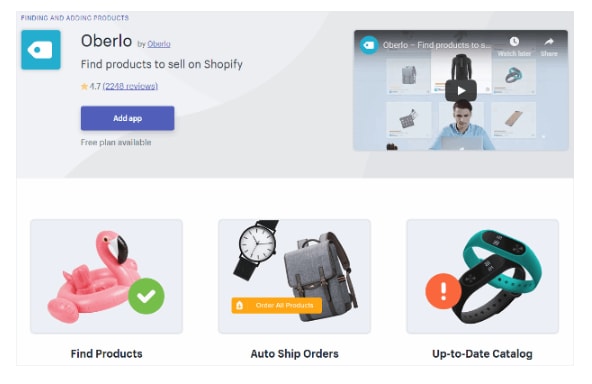
Oberlo is a drop shipper’s dream. The Shopify app allows you to find new products to add to your store and helps you find a supplier, calculate your profit.
You’ll connect Oberlo to your Shopify store (as a quick point of reference, Oberlo only works with Shopify stores not BigCommerce or Squarespace) and browse through their product marketplace.
Add products to your store and choose a supplier. The benefit for drop shippers is that Shopify orders are sent directly to Oberlo and your suppliers will fulfill them for you. It will then ship directly to your customers.
All you need to do is promote the store — and well, be good at identifying the types of products people actually want.
Key features:
- Product page customization
- Track orders and sales
- Set pricing automations
- Change suppliers
- Identify suppliers with the fastest shipping times
5. Kit
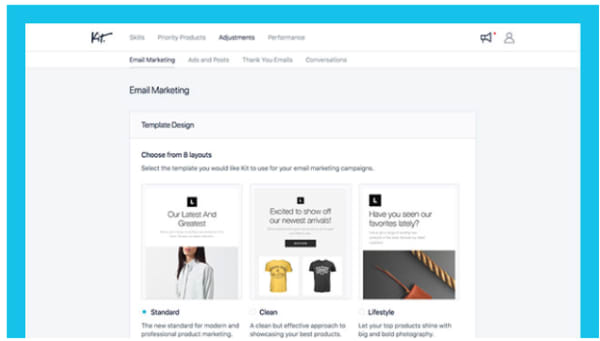
Kit positions itself as your Shopify store’s very first employee whose job is to increase traffic, and, by extension, boost your conversion rate.
Where Kit shines is in its ability to offload some of the digital marketing tasks that e-commerce sellers need, but may not have time to obtain. Kit will help out with Facebook and Instagram ads, send emails to your customers, make “expert recommendations,” and use your other apps so you don’t have to.
Kit is powered by AI and knows just when to send out targeted social media campaigns or say thank you to a customer.
Key Features:
- Automate Facebook and Instagram ad creation
- Sets up pixels for retargeting
- Sends email marketing campaigns
- Integrates with other apps and “uses” them for you
- Set goals
- AI-based recommendations
6. Snapppt
Something like 65% of Instagram users head toward their feed to find new products and discover brands they never knew existed. Meaning, if you’re a retailer, you need to get busy when it comes to managing your Instagram presence.
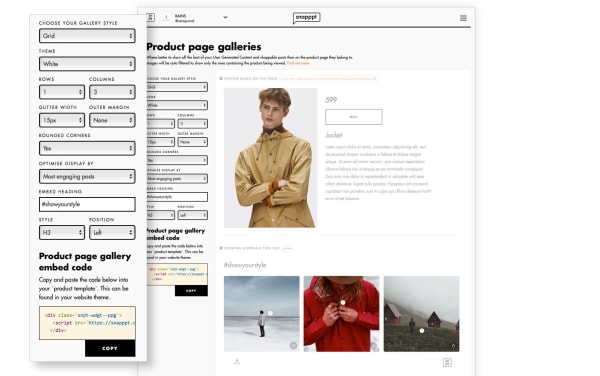
Snapppt helps Shopify users capitalize on Instagram’s natural connection with shopping by turning your link in bio into a shoppable product feed.
Add product links to Instagram posts so shoppers can click on the items they like, on the spot. No need to dig around the web trying to find an item they love.
Snapppt also works in reverse — you can embed your feed on any page in your Shopify store, encouraging shoppers to follow your account and keep track of new products.
Key Features:
- Show off user-generated content
- Visual marketing analytics
- Turn your Instagram feed into a shop
- Embed feed into website pages
- Connect with Influencers
7. Privy
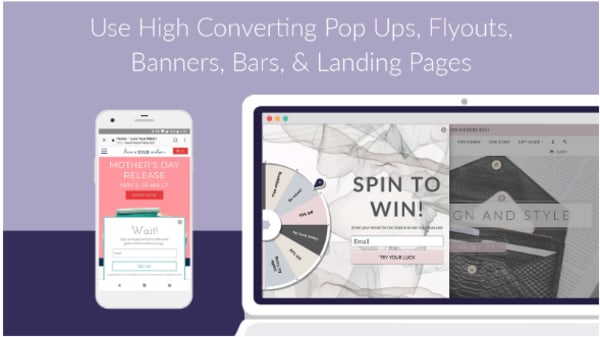
Privy is the perfect tool for Shopify owners who use email marketing to keep in touch with their customers.
This app helps users grow their subscriber list with perfectly-timed pop-ups, automates email marketing, and capture users on their way off of the page with exit-intent pop-ups.
Privy comes with a straightforward drag-and-drop editor that makes it easy to design high-converting landing pages, overlays, pop-ups, and other methods of capturing emails and driving more sales.
What’s more, you can connect Privy with your email service provider and existing marketing tools for complete visibility into your store’s performance. This includes the factors influencing sales.
Key Features:
- Create custom discounts and offers
- Design landing pages, pop-ups, bars, banners, and fly-outs
- Automate email marketing
- Send abandoned cart recovery emails
- Add free shipping bars to any page
- Target campaigns based on timer, location, referral site, and more
- Real-time reporting
- Integrates with Klaviyo, MailChimp, Bronto, Smile.io, dotmailer, plus 50+ marketing tools
Wrapping up
Did we miss your favorite Shopify app? Let us know about it in the comments below!

 Whether for work or school, somewhere down the line you will probably have to dabble in building a website.