Top 4 online clothing services to upgrade your style

Dazzle your friends, family, and your cute coworker with the help of these clothing services!

Tie Fighters

Clothing apps are a fascinating trend.

Long gone are the days when your style options were limited to the items in your wardrobe. Now, you can use digital programs to extend the range of your threads, as long as you’re fine with the subscription price. Be prepared: some of the top options are more than $100 a month!

Still, some people may find even that worth the price. Others may simply be interested in how these websites work out of pure curiosity (sure, it killed the cat, but we strongly argue that curiosity makes the world go round).

Top 4 clothing apps

Stitch Fix

Stitch Fix

Stitch Fix is the current leader of “online personal styling services.” As the name implies, you can expect great personalization and attention to detail!

So, how does it work?

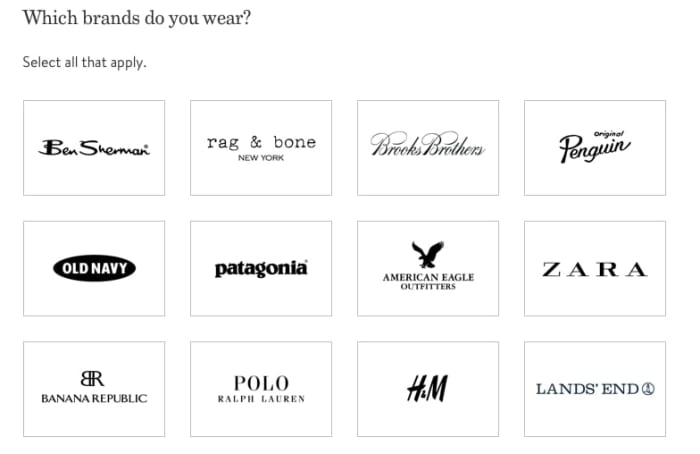
Before anything else, you’ll run through an expansive questionnaire that asks you everything from your sizes (you may want to be prepared with an internet guide if you’re new to this) to your clothing and brand preferences. This is your “Style Profile,” and it’ll help their designers pick out options!
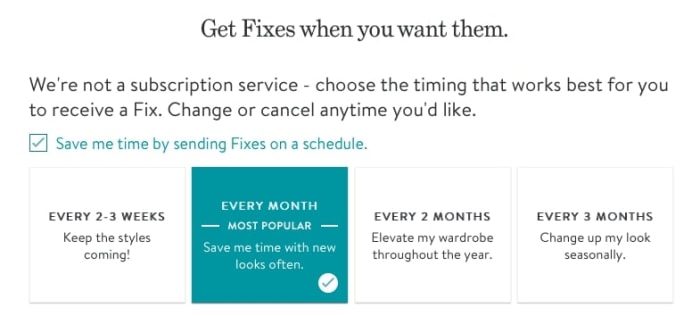
After this, you can choose when to receive your “Fixes.” Based on this information, the website will generate an initial shipment date.
Fixes

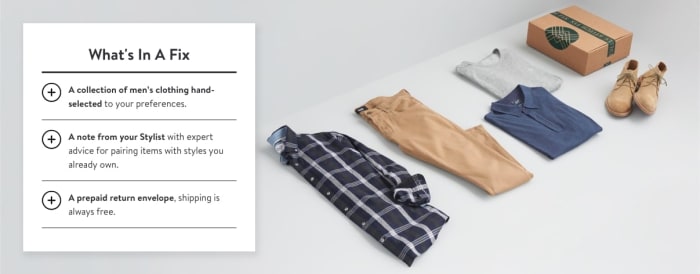
After that, your journey begins! At the frequency you set, you’ll receive your regular fixes, which cost $20 each. You can send everything back without paying a dime (they provide free return shipping) or buy anything that stands out to you. The original $20 will even go toward that purchase, and there’s a 25% discount for buying all items!
SFPic

New styles introduced at your pace, for a small fee without return shipping cost…whether you love clothes or simply have too little time for shopping, what’s not to like?

Stitch Fix Download now ►
9

Rent the Runway

RTRRent the Runway (RTR) takes a different approach, intended to put excellent but unnoticed clothing items to good use. Rather than providing new options for purchase, this program offers varying levels of clothing rentals that range from a few outfits to constant rentals in perpetuity.

(Note: whereas Stitch Fix has sections for women, men, and children, RTR focuses exclusively on women.)
 

Dresses

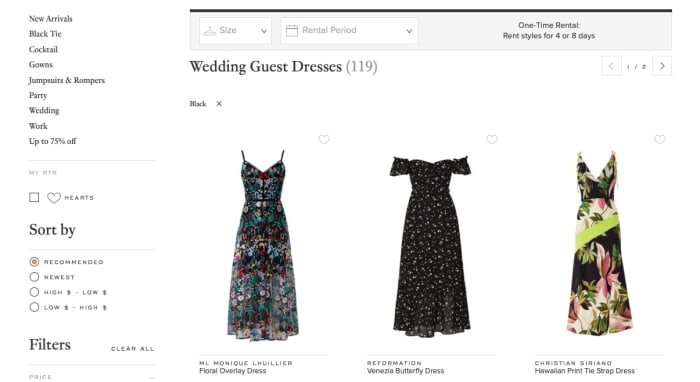
If you’re looking for a one-time rental, you can visit the main page and search through an enormous list of clothing and accessories. Be warned, a one-time rental has its own set cost.
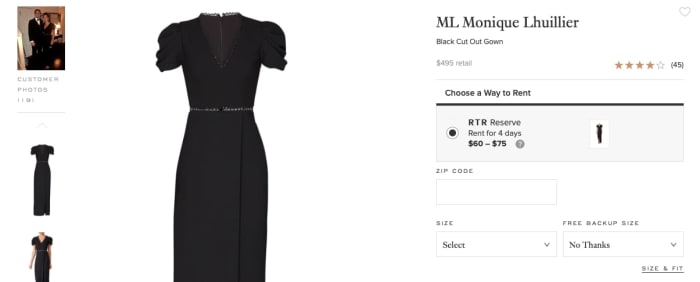
1DressHowever, if you’re looking for the subscription, there are two options: Update and Unlimited, which cost $90 and $160 respectively. Updated offers a monthly change of 4 or more pieces. Unlimited adds more clothing options and allows any number of pieces on rotation whenever you wish. It’s far more expensive, but lives up to the name “Unlimited”!

Rent the Runway Download now ►
9

ThreadBeast

TBThreadBeast caters mainly to men, with a mix of business casual and streetwear. The styles are generally comfortable, everyday looks, and are intended to be rentals. All in all, not a bad deal:
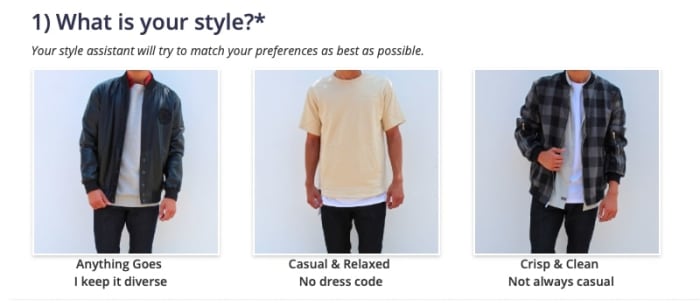
OptionsWhen you begin, prepare for a Style Profile questionnaire similar to Stitch Fix. Unlike theirs, however, the questions appear sequentially, rather than page after page. Also, the process runs faster and includes an option to input your Instagram link. The stylist choosing your clothes will use the your pictures to pick options!
Question

Once that’s all finished, you’ll be ready to receive the first shipment, which generally arrives within two weeks of your first order. The styles might look something like these posts from their Facebook page:
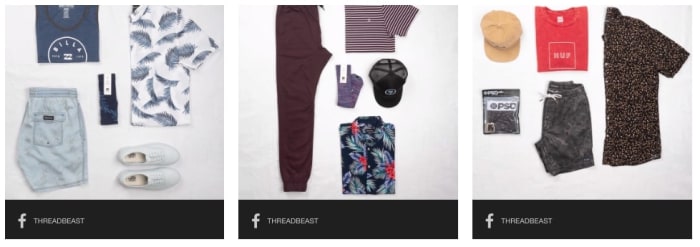
Facebook Posts

If these styles look great to you, consider using ThreadBeast!

Armoire

ArmoireArmoire combines a few aspects we’ve seen already, for a wholly unique experience you might love.

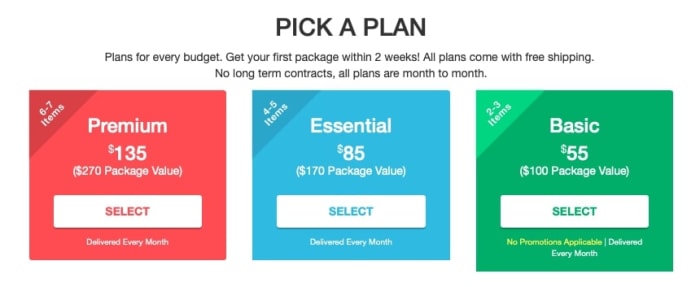
Targeted exclusively at women, the program offers unlimited clothing rentals (4 pieces at a time, adding more will increase the cost) that can be changed out at any time during the month. You can buy what you want, ship back and forth absolutely free, and exchange anything that doesn’t fit. The cost: $150 per month.
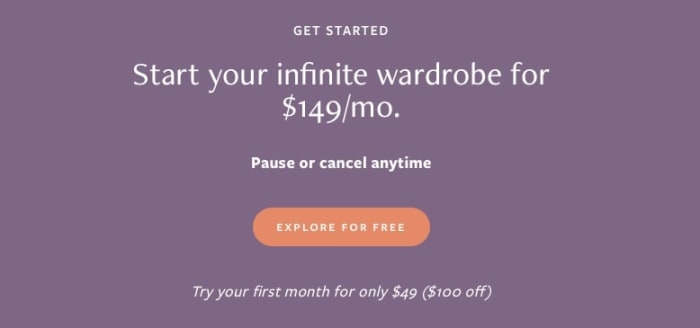
PricingMuch akin to Stitch Fix and ThreadBeast, you’ll be able to choose your style. Get ready for a friendly box-selection window that begins with your preferences, then runs through your dislikes, and finally sizes.
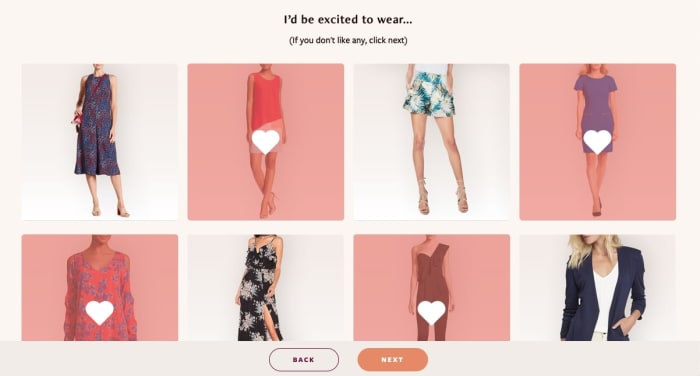
PreferencesWhen you have your subscription and log your preferences, you can begin to choose whatever you wish for the first shipment. Any four items!
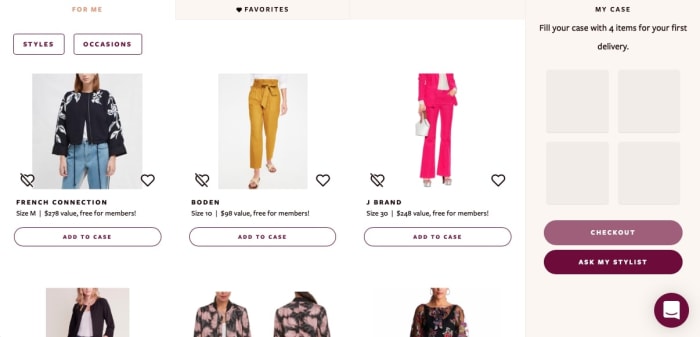
Lotta clothes

While this shares many similarities to Rent the Runway’s “Ultimate” subscription, the ability to log preferences and pay $10 less per month may seal the deal for some. Look into both; they’re great services!

Conclusion

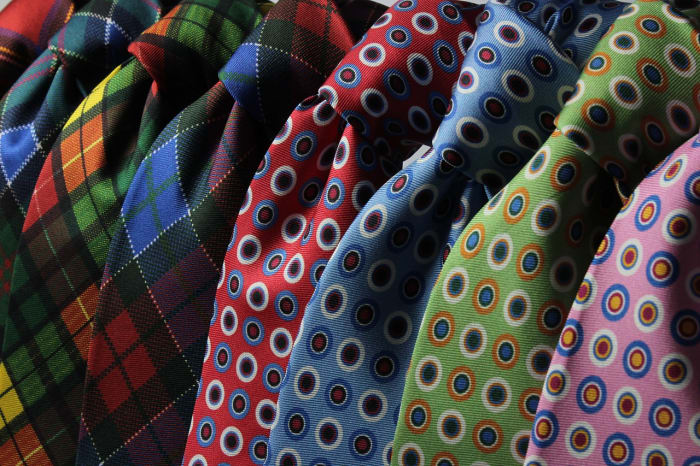
Quick suggestion: someone should make a clothing website called Tie Fighters, exclusively for ties. Just saying.

(Make it happen, readers.)

Thanks for joining us! We hope that clothing aficionados will be interested in one or more of these websites, and casual readers will find a compelling option in something they didn’t expect.
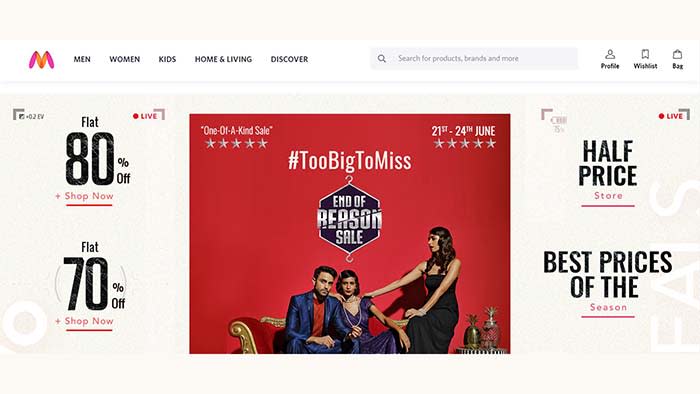
Guide to Myntra: India’s most popular fashion app

Myntra offers huge discounts on name-brand clothes!

Myntra

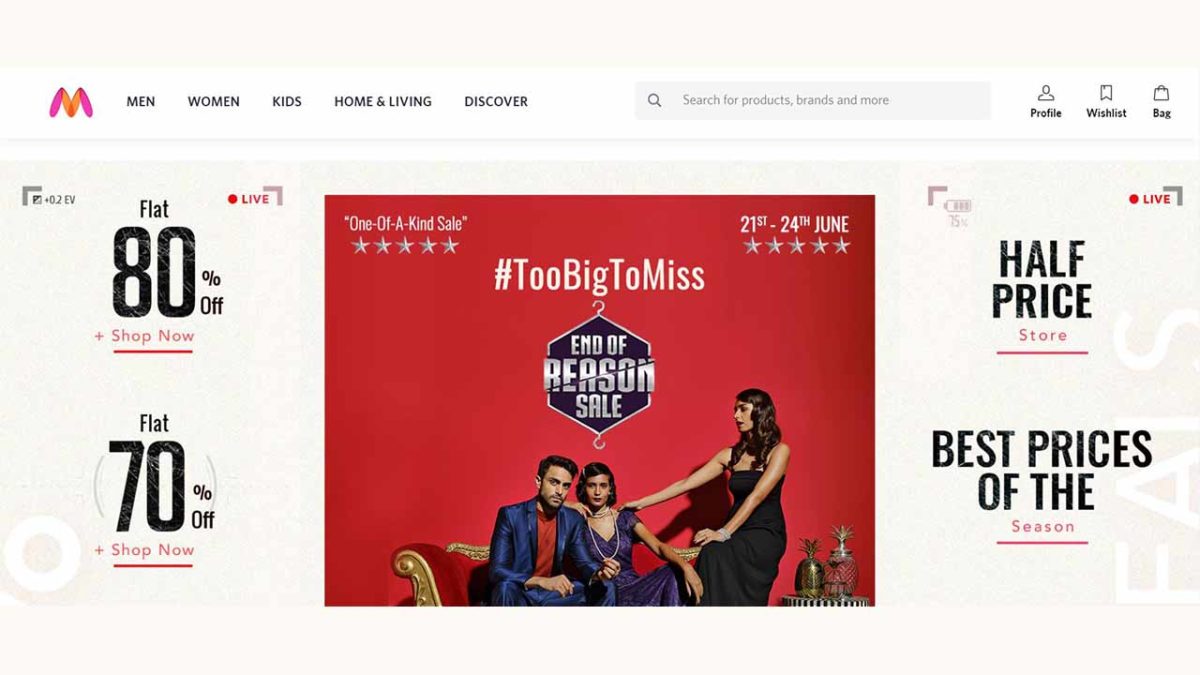
Myntra is a hit fashion app in India. It’ll knock your reasonably priced, fashionable socks off!

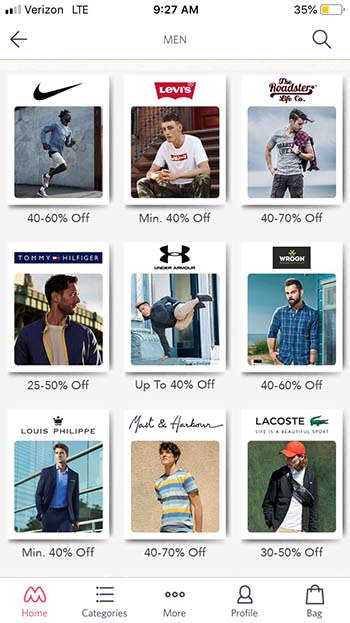
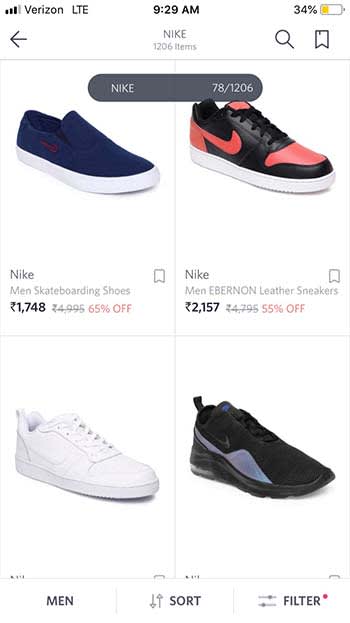
The app offers huge discounts on name-brand clothing companies like Nike, Wrangler, and Tommy Hilfiger. After spending only a few minutes on the app, we found awesome name-brand shoes for 70% off retail price! Now that’s a deal!

MyntraThe app offers clothes for men, women, and children. However, pay attention to sizes as they tend to run on the smaller side. You’re probably not going to find much larger than a men’s size 11 and a women’s size 8 for shoes.

With that being said, the clothes you will find are very modern and stylish.

Myntra
A fresh pair of Nikes for 65% off? You can’t beat that!

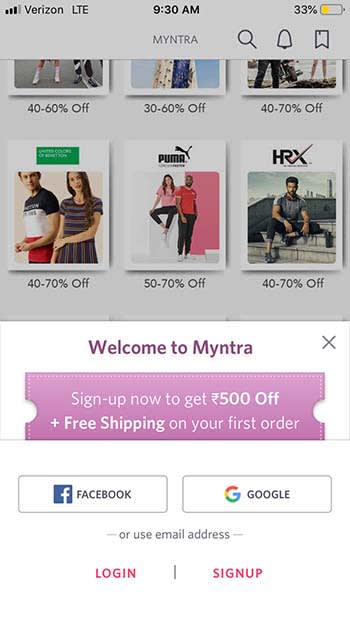
When you first download the app, you can get free shipping and 500 Rupees (about $7) off your first order.

Myntra

The app only ships clothes to India, so you’re out of luck if you don’t live there. Also, everything is priced in Indian Rupees, so make sure you are familiar with conversion rates before making a purchase.

If you are getting married soon, or if you have been invited to a wedding, the app also has a great variety of wedding clothes for between 30% and 70% off.

Myntra

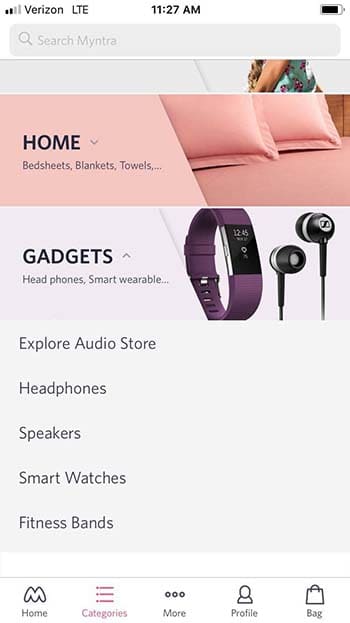
If you’re happy with your wardrobe, you can also by electronics, gadgets, and even linens on Myntra.

Myntra

Wrapping up

If you live in India, there is no reason why you shouldn’t download Myntra. It offers incredible deals and can make you the envy of the town!

The 7 best Shopify Apps of 2019

These apps can help you make the most out of your experience with Shopify!

SHopify

Shopify makes it so easy to launch a store, automate sales, shipping, and marketing like it’s no big deal.

However, once you’ve got your store set up, you may be wondering how to make the most out of your brand-new business.

Shopify’s App Store boasts literally thousands of apps — so whether you’re a drop-shipper, super-niche e-commerce store, an online coach, or whatever else, there’s an app (or 20) for you.

9

The 7 best Shopify Apps of 2019

1. Bold Upsell

bold upsell shopify app

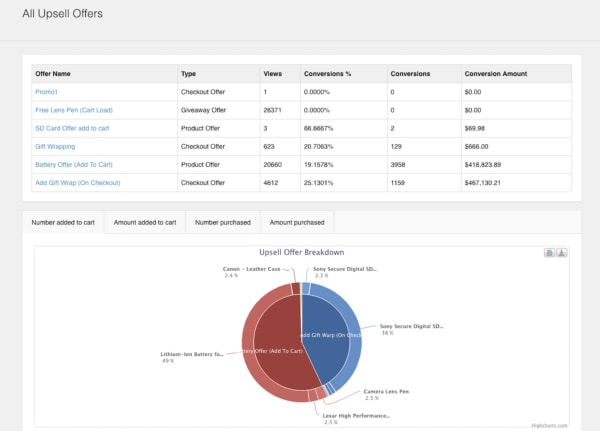
Want to make more on each sale? We’re going to go ahead and assume that the answer is probably “yes.” Bold Upsell is a Shopify app designed to help you increase your average sale size by going after the low-hanging fruit—upsells and cross-sells.

The add-on allows users to run BOGO or free gift campaigns. You can trigger offers based on whether a customer accepts or declines an offer, and push out one-click offers customers can add to their cart just like that.

Key Features:

  • Smart upset funnels
  • Upsells
  • Cross-sells
  • BOGO/free gift campaigns
  • Post-checkout upsells
  • Integrates with Google Analytics
  • Dashboard view of upsell performance

2. Sumo

sumo app

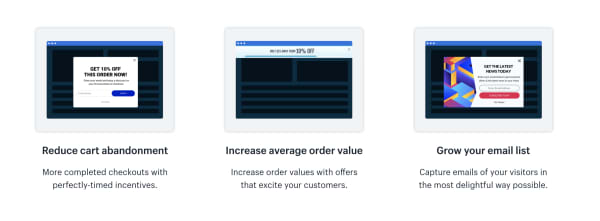
Sumo’s Shopify app integrates with your e-commerce store and helps users reduce cart abandonment, increase average order size, and collect more subscribers.

Sumo makes it easy to automate the little things that add up to better retention and more sales.

Key Features:

  • Reduce shopping cart abandonment
  • Increase order size
  • Grow your email list
  • Offer unique discount codes
  • Send automated follow-ups to shoppers who leave without purchasing
  • Easy-to-use reporting tools

Sumo offers a free plan and a pro plan. The free plan allows for unlimited subscribers and you can send up to 10,000 emails a month, customize forms, and use the system’s targeting tools. That said, the app is free until you’ve hit $500 in Sumo-generated revenue. While we’re not totally sure what Sumo takes credit for, you’ll likely burn through that $500 pretty quickly.

The Pro plan is $49 per month or $468 per year. Here, there are no caps on Sumo-driven revenue and you’ll now have access to advanced targeting and unlimited emails.

3. Smile.io

smile.io for shopify

To any online seller, customer loyalty is the gold standard when it comes to setting the tone for long-term success.

Loyalty programs give brands a chance to strengthen their relationship with their customers, driving more sales, and increasing brand awareness.

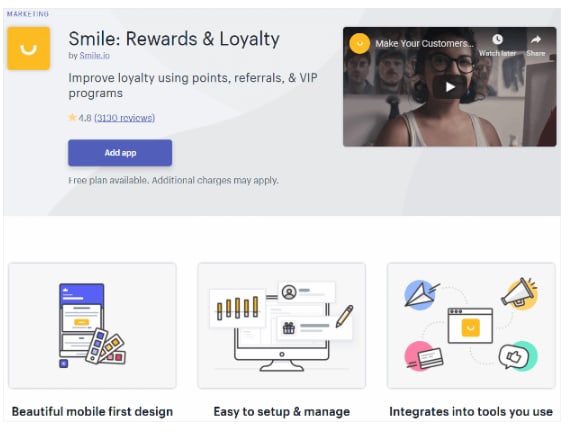
Smile.io is an app that allows you to offer personalized rewards to your customers (by the way, customers LOVE personalization).

Offer your visitors points when they join an email list, spend a certain amount, refer a friend, and more.

Key Features:

  • Offer multiple rewards programs at once.
  • Engage top customers with VIP status rewards.
  • Points system allows you to reward customers for a range of actions from social shares to account creation, purchases, and more.
  • Users can customize programs and associated branding — add a logo, update colors, etc.

Smile.io is free for Shopify owners with up to 500 loyalty members. After you’ve hit that threshold, plans start at $59 a month. What’s nice about their pricing system is that it gives new shop owners the chance to build up their program before investing in a new tool.

4. Oberlo

oberlo app

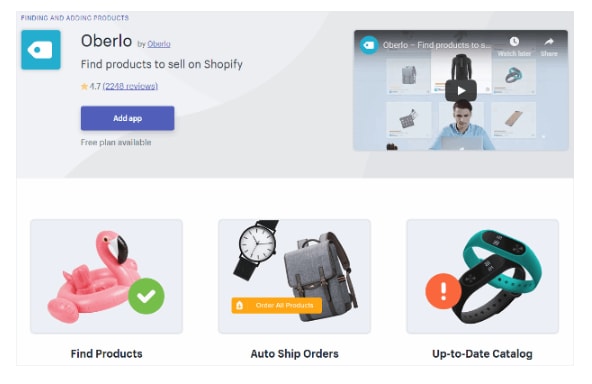
Oberlo is a drop shipper’s dream. The Shopify app allows you to find new products to add to your store and helps you find a supplier, calculate your profit.

You’ll connect Oberlo to your Shopify store (as a quick point of reference, Oberlo only works with Shopify stores not BigCommerce or Squarespace) and browse through their product marketplace.

Add products to your store and choose a supplier. The benefit for drop shippers is that Shopify orders are sent directly to Oberlo and your suppliers will fulfill them for you. It will then ship directly to your customers.

All you need to do is promote the store — and well, be good at identifying the types of products people actually want.

Key features:

  • Product page customization
  • Track orders and sales
  • Set pricing automations
  • Change suppliers
  • Identify suppliers with the fastest shipping times

5. Kit

kit shopify ai

Kit positions itself as your Shopify store’s very first employee whose job is to increase traffic, and, by extension, boost your conversion rate.

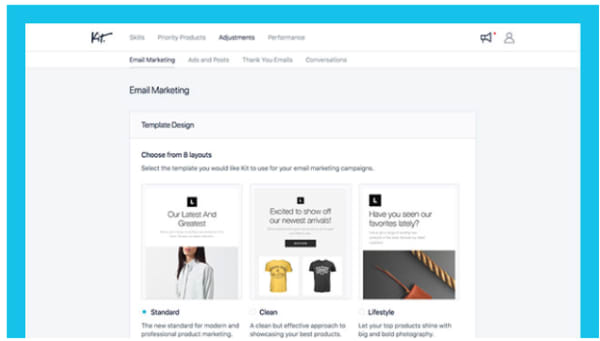
Where Kit shines is in its ability to offload some of the digital marketing tasks that e-commerce sellers need, but may not have time to obtain. Kit will help out with Facebook and Instagram ads, send emails to your customers, make “expert recommendations,” and use your other apps so you don’t have to.

Kit is powered by AI and knows just when to send out targeted social media campaigns or say thank you to a customer.

Key Features:

  • Automate Facebook and Instagram ad creation
  • Sets up pixels for retargeting
  • Sends email marketing campaigns
  • Integrates with other apps and “uses” them for you
  • Set goals
  • AI-based recommendations

6. Snapppt

snapppt for shopify

Something like 65% of Instagram users head toward their feed to find new products and discover brands they never knew existed. Meaning, if you’re a retailer, you need to get busy when it comes to managing your Instagram presence.

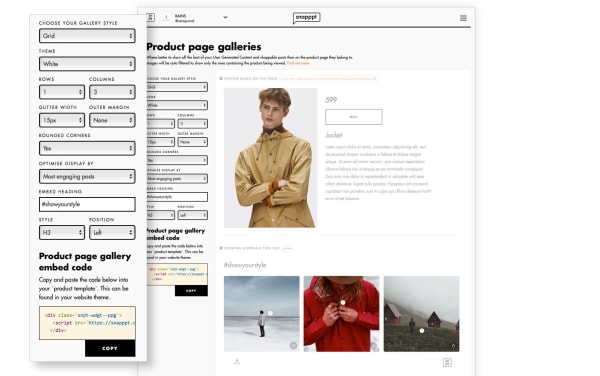
Snapppt helps Shopify users capitalize on Instagram’s natural connection with shopping by turning your link in bio into a shoppable product feed.

Add product links to Instagram posts so shoppers can click on the items they like, on the spot. No need to dig around the web trying to find an item they love.

Snapppt also works in reverse — you can embed your feed on any page in your Shopify store, encouraging shoppers to follow your account and keep track of new products.

Key Features:

  • Show off user-generated content
  • Visual marketing analytics
  • Turn your Instagram feed into a shop
  • Embed feed into website pages
  • Connect with Influencers

7. Privy

privy app popup tool

Privy is the perfect tool for Shopify owners who use email marketing to keep in touch with their customers.

This app helps users grow their subscriber list with perfectly-timed pop-ups, automates email marketing, and capture users on their way off of the page with exit-intent pop-ups.

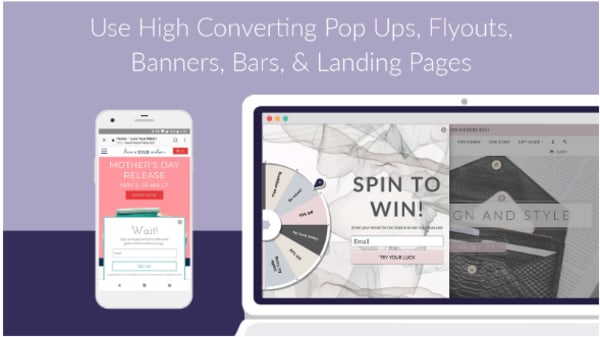
Privy comes with a straightforward drag-and-drop editor that makes it easy to design high-converting landing pages, overlays, pop-ups, and other methods of capturing emails and driving more sales.

What’s more, you can connect Privy with your email service provider and existing marketing tools for complete visibility into your store’s performance. This includes the factors influencing sales.

Key Features:

  • Create custom discounts and offers
  • Design landing pages, pop-ups, bars, banners, and fly-outs
  • Automate email marketing
  • Send abandoned cart recovery emails
  • Add free shipping bars to any page
  • Target campaigns based on timer, location, referral site, and more
  • Real-time reporting
  • Integrates with Klaviyo, MailChimp, Bronto, Smile.io, dotmailer, plus 50+ marketing tools

Wrapping up

Did we miss your favorite Shopify app? Let us know about it in the comments below!

How to become a power shopper with Wish

Wish could save you a ton of money. What’s the catch?

Wish app

Originally designed as a simple app that allowed users to save items they liked to a list, Wish has steadily grown since 2010 to become a powerful online shopping portal. The site allows individual merchants, overwhelmingly based in China, to sell products directly to consumers. Without the middlemen, this means exceptionally low prices for users. Looking for a $6 watch? Check. A $2 necklace? You got it. An $81 refurbished Chromebook. Sure thing.

Of course, with prices this low, quality sometimes suffers and delivery times can exceed three weeks. But if you know how to work Wish, it can be a good tool for getting fun gadgets, interesting fashion and other items without crushing your credit card.

Here’s what you need to know to shop successfully with Wish.

Pick A Platform

Wish’s photo-based interface makes the phone shopping experience very appealing, and the app is available for both iOS and Android platforms. It is also possible – and pleasant – to shop through Wish’s app for Windows or the company’s web-based storefront, which is what we will focus on in this article. All of the same functionality exists in the app, so the lessons here apply to mobile shopping as well.

Sign Up

Wish Sign UpThe Wish site and app require that you sign up, which consists of providing your name and email address, or using your Facebook or Google accounts to log on. Once you satisfy this requirement, you are free to get shopping.

After logging in, you are frequently greeted with an announcement offering some kind of discount. While these discounts don’t often amount to much savings, it’s worth jotting down the code you are given to shave a little more of your grand total when you are ready to check out (although the code will likely also appear as a banner as you shop).

Shop

Wish Main Page

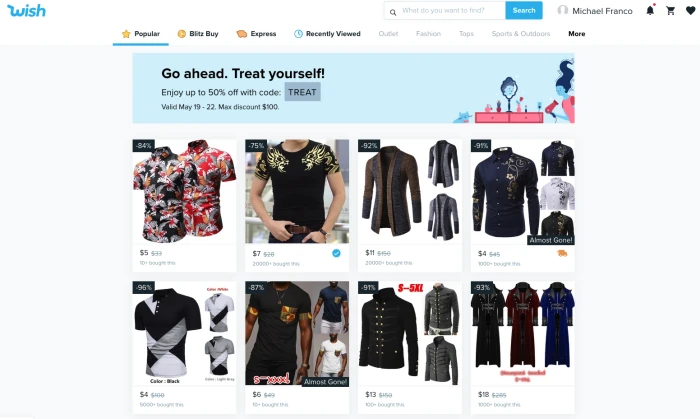
The main Wish screen will show you a random selection of items in which the AI thinks you might be interested. As you use the platform more, the selection will become tailored to your apparent interests. If that selection doesn’t appeal, or you’re looking for something specific, use the search box at the top of the screen.

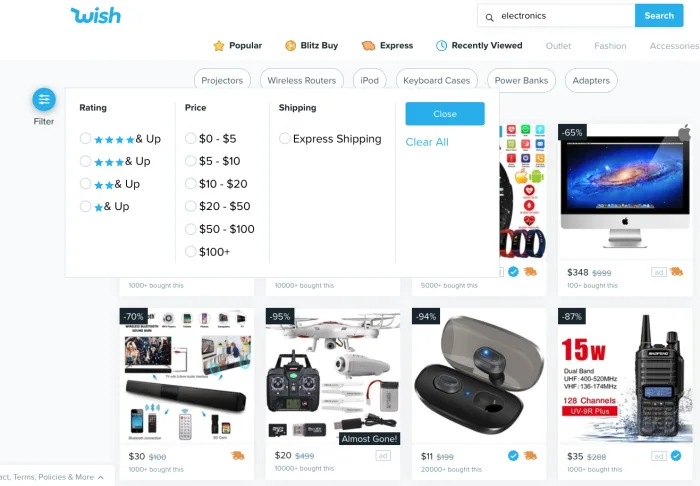
You can also use the “filter” option on the right side of the screen (or by tapping the slider icon in the app) to sort products according to star rating, price and shipping speed.

Wish Filter Feature

Once you find an item you like, click it and you’ll be able to choose your size and color (if applicable). Oddly enough, the Wish interface doesn’t allow you to choose your quantity from this page. To do that you first have to click the “buy” button, and then visit your cart to adjust quantities.

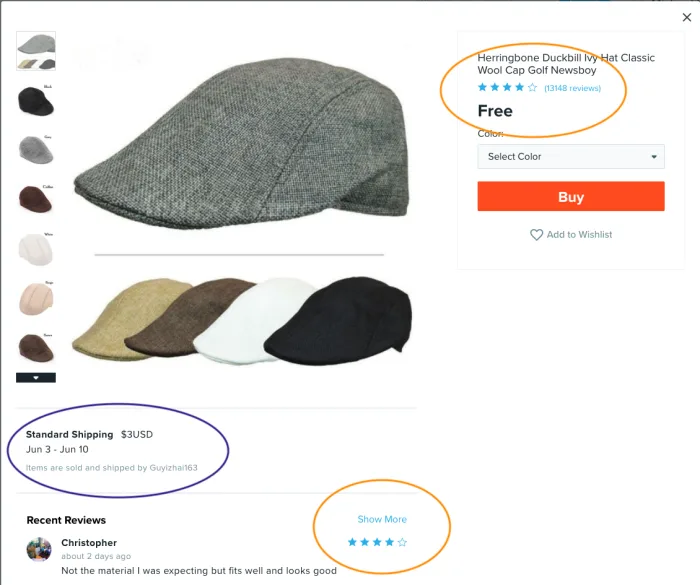
First thing to note here is your shipping cost. It’s a figure that can often be as much or more than the product itself, so pay close attention. This field also shows you how long the product will take to arrive.

Wish Product Page

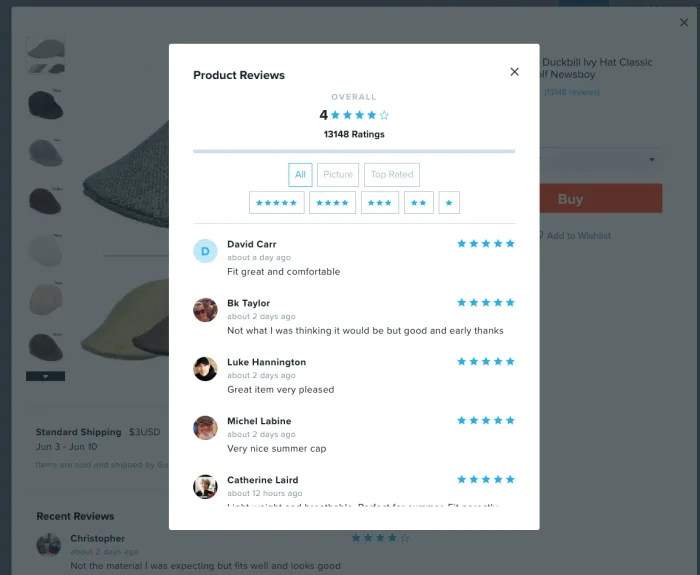
After determining the shipping cost, you’ll want to take a few moments and research your product. Particularly helpful here are the reviews, which you can access by clicking on the blue stars at the top of the screen or on the “show more” link further down. Once in the reviews section, you can sort by star rating or you can see only the reviews featuring photos. Because quality can vary wildly on Wish, the reviews are key to helping you make a good purchasing decision.

Wish Reviews Screen

If you scroll down a bit on the product screen, you’ll also find the “Description” category.

Wish Description OptionClick into this to get more details about the item. This is where you’ll find out what material a piece of clothing or an accessory is made from and also get a sizing chart if you’re shopping for clothes. Here’s where you can also see what condition electronics are in (refurbished, scratched, etc) and find out if accessories like power cables and other cords will be included in your purchase. The description field is hidden until you click on “Show More,” so it’s easy to miss this step – and important not to.
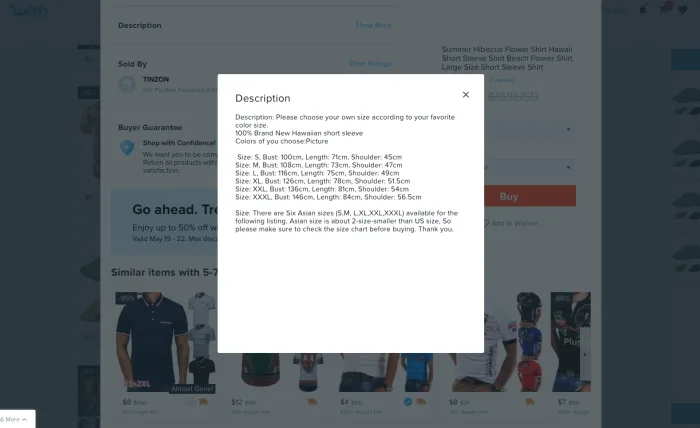
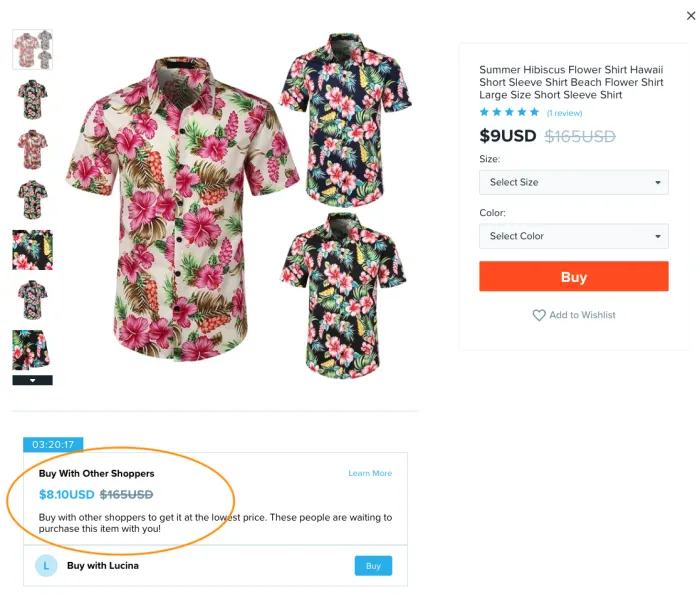
Wish Description Pop UpLastly, the product screen will occasionally show you a “Buy With Other Shoppers” field.

This is a feature that gives you a slightly better price on some items if someone else is shopping for it at the same time as you. To get the savings, be sure to click the buy button in this field instead of the main buy button. This feature is limited by a countdown clock, so to get the deal you need to complete your purchase in the time shown. The timer will also appear next to the item in your cart. Is it a gimmick? Sure. But it can save you some cash.

Wish Other Shoppers

Other ways to shop on Wish

Blitz Buy

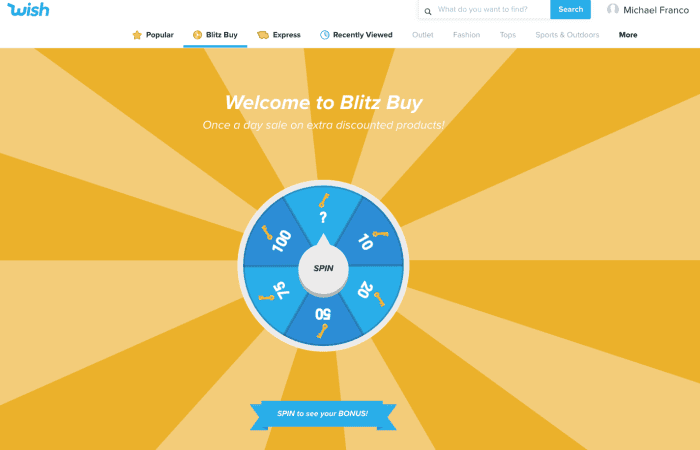
Wish Blitz Buy

At the top of the main screen, you’ll see a golden wheel (which is also labeled “Blitz Buy” on the web store). Clicking here will bring up a game that allows you to spin a wheel to see products that are discounted for one day only. The wheel determines how many of these products you can view by somewhat counterintuitively clicking “Play Now.” The whole thing is pretty much a gimmick and in a recent test, the products revealed after spinning the wheel were no cheaper than they were in the standard store interface, so you might just want to skip the whole thing.

Express

Clicking the orange truck at the top of the screen (labeled “Express” on the web store) will result in a list of products that will arrive in 3-7 business days, which can be a helpful way to sort the products if you are in a hurry to receive something.

Outlet

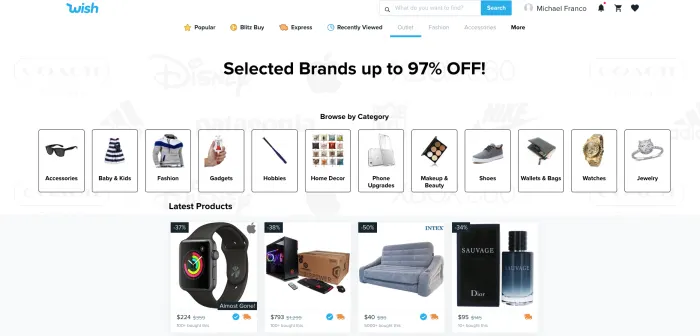
Wish OutletClicking on the word “Outlet” on the web shopping page or on the shopping bag icon in the app will bring you to the Wish Outlet. Unlike many of the products in the main store, all products featured here are from popular brands, so shopping through this interface improves your chances of getting higher quality items still at impressive prices.
Cart and check out

Wish Cart

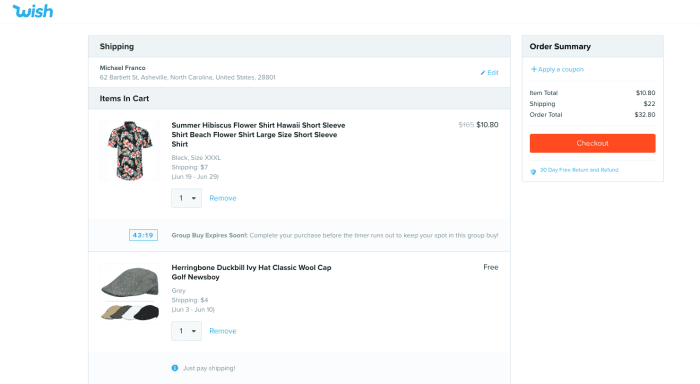
The shopping cart interface on Wish is clean and simple to understand and is accessed by clicking the cart icon at the top of the page. It’s where you can adjust quantities, or set them to “0” if you want to remove something. It also shows you any countdown clocks or group buy deals you might be involved in which ostensibly pushes you to make your purchase decision a little faster, but can also save you a bit of coin.

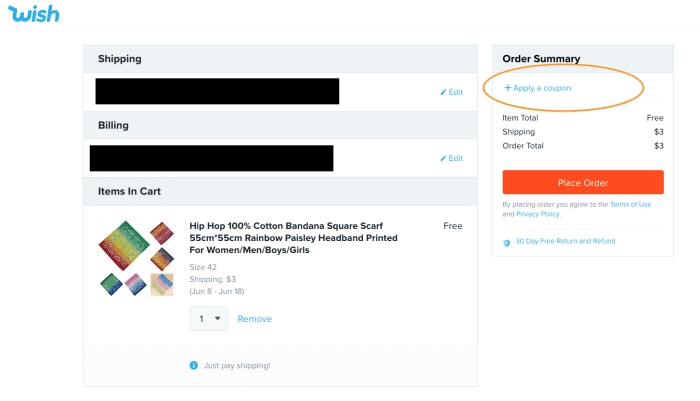
After clicking “checkout,” you’ll be taken to the payment page where you can enter your payment details. Here is where you can also enter that code we discussed earlier to take a few more percentage points off your total sale. On the app, you can find the box to input the code by scrolling down, while on the website, you simply click “Apply a coupon.”

Wish Check OutAlso, be on the lookout on this screen for any last-minute promotions. Sometimes you are given a free gift for purchasing a certain amount, and the gift actually is free – you don’t even need to pay shipping, so it’s worth tossing in to your order.

Slide the orange bar on the app to pay, or click the red “Place Order” button on the web store and you’ll be all set.

Post Order

After placing your order, the company does a good job of keeping you up-to-date on its progress via email alerts or, if you choose the option when you check out, text messages. If you decide that your purchase was a mistake within 8 hours of placing it, you are free to cancel and receive a store credit known as Wish Cash. If your item arrives damaged (not uncommon) or the wrong item is shipped, you can apply for a refund within 30 days of receiving it. You can also apply for a refund if your item never arrives.

Happy bargain hunting!