Ebay: How to Detect Scams and Other Useful Tips

Ebay is a true paradise for collectors and compulsive shoppers who love to snag the most unlikely items for the lowest prices. This online marketplace was not only a pioneer, the first of its kind on the internet, but also allows any user to seamlessly purchase or sell whatever they desire. However, in this wonderful environment of free buying and selling around the globe, there is always some scammer waiting patiently for unsuspecting users to fall into their web of deceit.

Comprar por Ebay

No doubt you have seen more than a few ads offering the latest Samsung Galaxy, brand new, for half the price it sells for in other online stores. There’s only one unit left, and the ad urges you to act fast or risk losing your new phone. Believing yourself to be the luckiest person alive, you purchase the phone and can’t wait to enjoy your new Samsung. But when your package finally arrives in the mail, inside is just a photo of the phone. You’ve been scammed!

These kinds of situations and many others happen on Ebay on a daily basis. And although the website normally works like a charm, con artists keep finding new methods and tricks to avoid being caught. Don’t be fooled, and make sure to protect yourself from their scams!

Ebay (Firefox Extension) DOWNLOAD
8

To save you and your wallet from more than one unpleasant experience, in today’s article, we’re going to tell you about the most common scams on Ebay, how to sniff them out, and of course, what to do if you’ve been ripped off. We hope you find them helpful!

The most common scams on Ebay

Ebay logo

Since it’s an extremely popular platform, a large number of scams are circulating on Ebay with the sole objective of stealing your money. Keep reading to learn about the ones that have been the most prolific in recent years.

The photo scam

This con is intended to trick anyone who visits Ebay to buy expensive products, such as a TV, gaming console, laptop or high-end phone. The Ebay ad seems reliable and shows you the exact product you want for a great price. After you make the purchase, the scammer prints out a photo of your item and mails it to you. So instead of a half-price iPhone 11, you receive a photo of the phone.

The fake PayPal payment

Instead of targeting Ebay buyers, this scam is directed at sellers. As you probably know, when an article is sold to a buyer using PayPal, the seller receives an email confirming payment and asking for the product to be shipped. In this scam, a fake email, supposedly from PayPal, is sent to announce the payment and request shipment of the item. However, the payment was never made, so the seller ends up sending the scammer an expensive item for free.

Fraudulent car sales

You can find anything on Ebay these days, even used cars. In this type of scam, the con artist will copy a real used-car ad and post it on Ebay. When you purchase the vehicle, the scammer will ask you to pay them outside of the platform (big mistake!) to make everything easier. Once you’ve paid thousands of euros and go to pick up your car, the real seller obviously won’t give you anything, since you were never really in contact with him or her. What’s more, Ebay doesn’t insure car sales, so the scammer will have made off with your money, and you won’t be able to do anything about it.

The item that supposedly arrives in bad condition

This is another scam targeting Ebay sellers. This time, the con artist will look for an expensive item (normally high-end phones) and purchase it for any price you ask for. Once he or she receives the purchase, the scammer will contact you with a photo of the supposedly broken item and ask Ebay for a refund. If it’s the first time, and the platform has no reason not to trust the buyer, Ebay will take the scammer’s side and require you to return their money. As you can imagine, the hustler already owns a broken copy of the stolen item, and he or she gets a new one completely free at your expense.

Payment through a stolen PayPal account

This scam is impossible to detect, but fortunately, it will only affect you if a payment is made outside of the platform. The scammer goes to buy an article using a PayPal account stolen from another user. Obviously, the payment will be reversed, because PayPal will detect that the transaction was fraudulent, so you’ll lose the money they paid.

The “chargeback scam”

In this type of scheme, the buyer purchases a product, and after receiving it, requests a refund by supposedly returning the product. But the scammer sends back an empty box or an item that’s completely different from the one purchased, so the seller will not only lose their money, but also the product they sold.

How to avoid scams on Ebay

Mujer pensando

After reading the above, you are likely terrified of buying anything on Ebay again. Don’t worry, because even though there are scams and dishonest users ready to steal your wallet, the platform is generally safe. That said, here are some tips to give you peace of mind the next time you buy something on Ebay:

Always do research on a potential buyer or seller

Fortunately, Ebay uses a reputation system through which both buyers and sellers can leave reviews of the transaction and the condition of the item received. Before making any payment or selling any item, make sure the other person has a good reputation on the platform.

Carefully read the description of the item you’re going to buy

To avoid any kind of scam, for instance, buying a photo, make sure to carefully read the description of the item. If you find the description very vague, or the specifications or condition of the item you are going to buy are never mentioned, it’s probably a con. To clear up any doubts, it’s best to send a message to the seller asking explicitly about the item. That way, if it’s a scam, you can use this message to file a claim with Ebay and recover your money.

If a price seems too good to be true, it probably is

When searching on Ebay, you’ve likely found high-end products for very cheap, when they’re usually sold for high prices. Don’t trust these ads, and don’t click the buy button just yet, because you could end up disappointed. Read the seller’s reviews, and never buy anything from a seller who just registered on the platform.

Don’t agree to complete transactions outside of the platform

Often buyers can be annoying for whatever reason and insist on paying you outside of the Ebay platform. Never accept that. If you sell an item without Ebay’s system, you’re giving up all the sales protection offered by the platform. That way, if you end up being the victim of a scan, you can’t open a dispute or ask for your money back.

Confirm any email from PayPal 

Since PayPal is the most commonly used and secure payment method for buying anything online, it’s also the one that scammers use the most to steal your money or items with fake emails. Always confirm the sender of any email you receive from PayPal, and never click on the links in any suspicious email. If you receive an email from PayPal, always visit the platform by going directly to the address and never through a link.

What to do if you’ve been a victim of a scam on Ebay

Mujer enfadada

Fortunately, Ebay has a protection system for both buyers and sellers. Still, we reiterate that to make use of it, you need to carry out all transactions through the platform, otherwise you won’t be able to file a claim.

To recover the money you have lost as a result of fraud via Ebay, you’ll need to open a dispute with the buyer or seller through the resolution center. You can access it by clicking here. After you explain your problem and experience with the buyer or seller, Ebay will examine your case, and if you have been a victim of a scam, your money will be returned to you.

If you have been conned and paid for the item through PayPal, you can also visit the resolution center in your account and challenge the fraudulent seller’s transaction. PayPal will review the case, and in most situations, return your money without problem.

We hope that our guide to avoiding scams and cons through Ebay has helped you. Have you ever been the victim of a scam on the internet? Tell us about it in the comments section!

The best Black Friday deals

These are all the best software deals you’ll find this Black Friday.

When Black Friday comes around, we’re inundated with limited-time special offers for all sorts of products like headphones, wearable tech, charging cases, video games, SSD hard drives, smart home devices, and iPads. With so many deals from the likes of Amazon, Walmart, Best Buy, Newegg, and Samsung, however, it can be hard to know where to start. Well, at Softonic, we’re specialists in software so you can trust us to bring you the best Black Friday sale software deals. Let’s get into it then, these are the best Black Friday deals for software and online subscriptions.

Disclosure: Softonic may receive a referral fee if you click or buy any of the products featured here.

The best Black Friday software deals 2019

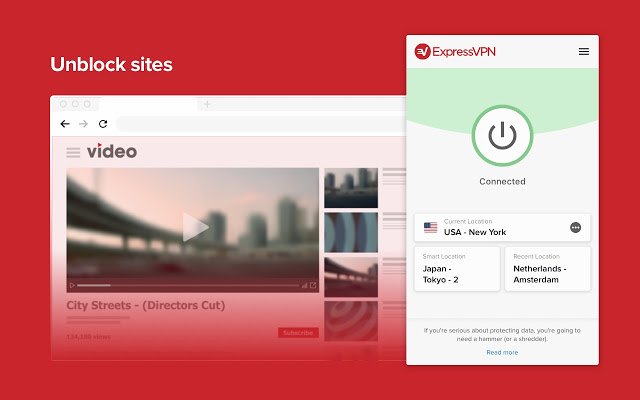
ExpressVPN

Virtual Private Networks (VPNS) allow you to mask the IP address of your Microsoft PC, Macbook, iPhone, or Android phone and encrypt all of your internet data. They have become essential for anybody who wants to surf the web safely. Add to that the fact that VPNs open up global content that would normally be locked due to your geographic location and you quickly realize that you need a powerful VPN on your machine.

The problem with VPNs, however, is that many of them are not that reliable. This is simply not the case with ExpressVPN though, which is widely regarded as the best VPN in the business. An ExpressVPN subscription will give you reliable access to over 3,000 servers round the world allowing you to protect your data and simulate your location in over 160 locations spread across 94 countries. If that sounds like something you want, act now to get three months free subscription to ExpressVPN.

Express VPN Save $$$ Now
10

Adobe Creative Cloud

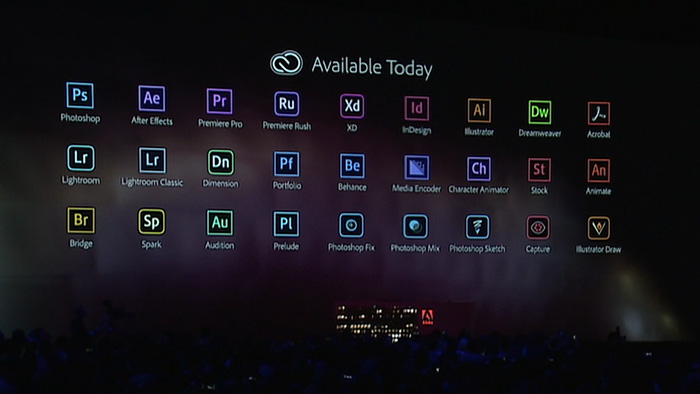
If you’ve never heard of Photoshop, then you must have been living in a cave or something. Photoshop and all the other programs in the Adobe Creative Cloud design suite are the best in their class. No matter your design job, the Adobe Creative Cloud will give you the best tools available to get it done.

Now’s your chance to get yourself a full subscription to the Adobe Creative Cloud package with massive savings of 40% off the normal price for all and 80% for students. Take advantage of early Black Friday savings that could end up saving you hundreds of dollars every year.

iObit

iObit Black Friday deal

Keeping yourself safe online is a tough job these days. Online threats and more advanced types of malware hit the internet all the time. As well as online threats, as software gets more and more complicated we can experience inexplicable slowdowns on our PCs. This is why it is more important than ever to have a robust cybersecurity suite protecting you every time you’re online and to keep your PC working as well as it should.

With that being the case, you do not want to miss out on the eye watering  discounts that iOBit is offering on its line of PC optimization and protection software. You can save up to 80% on complete packages of iObit cyber security software. iObit is also giving away $60 worth of software for free with every purchase made. Check out these deals now and save yourself some money.

iObit Special Offer Save Save Save
10

MacPaw CleanMyMac

CleanMyMac black Friday deal

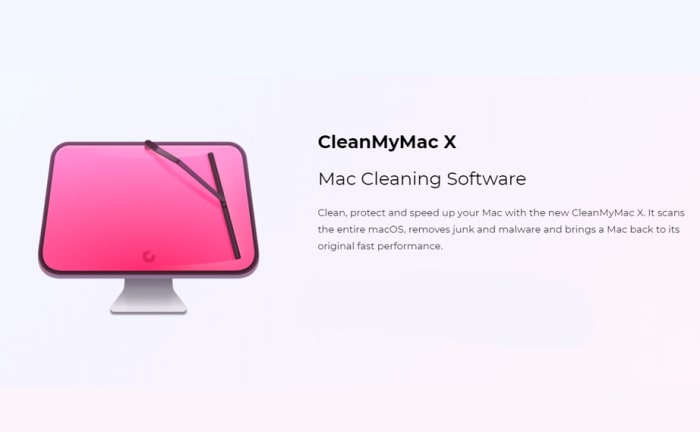
MacPaw’s CleanMyMac optimization suite offers the industry standard that all other Mac cleanup programs try to match. CleanMyMac makes it a quick and simple process to clear up space on your Mac and get your Apple Mac back to its best. With MacPaw’s amazing Black Friday deals, you can save 30% on a CleanMyMac subscription. You need to act fast, however, as MacPaw discounts are rare, and it won’t be Black Friday forever.

CleanMyMac Clean for less
10

CCleaner

CCleaner Professional is a veritable institution in PC optimization. It has been around for years and is well-known for offering a quick, safe, and reliable disk cleaning service. Regularly regarded as the most efficient tool for identifying gigabytes of erroneous files and delivering noticeable boosts to your PC’s performance every time you use it. If your PC needs a boost, act now and save 50% on a CCleaner subscription.

CCleaner Click to Save
10

Sony Vegas

If you’re a video editor you need a feature packed video-editing suite offering full video production capabilities, audio editing, special effects, and more. Sony Vegas has all of these and more. If you’re an Instagram or YouTube video blogger then you should think seriously about this Sony Vegas Black Friday deal. Act now and you could save yourself hundreds of dollars and massively upgrade your video-making capabilities.

Sony Vegas Save $$$
10

Norton Antivirus

Norton Antivirus

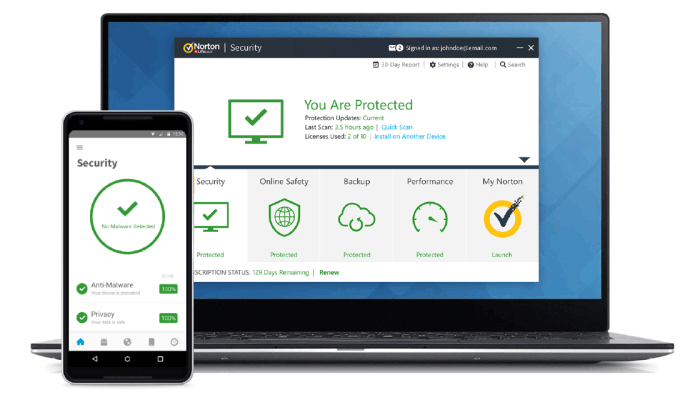
Our final Black Friday deal comes from Norton Antivirus, which is offering savings of up to $60. Protect yourself from threats including ransomware, malware, spyware, and more.  Norton will also protect your identity from potential hacks and  potential online scams and phishing attempts. Act now to save a massive $40 and protect your PC or Mac for an amazingly low $19.99. Protect up to 5 devices with the full Norton package and save a massive $60. Don’t wait to stay safe and save money.

Norton Antivirus Protect and Save
10

How to save money with Ibotta

Hopefully, this article can help give Ibotta some of the attention it deserves.

Gen X had Pong, while Millenials have Halo, Uncharted, and now Fortnite! Once there was The Brick (yeah, we know what that is) and dial-up telephones, now we have powerful cell phones with relatively godlike internet capabilities in our pockets.

There once were coupons…now there’s Ibotta.

Ibotta is the natural, digitized step up from coupons and coupon books: by partnering with hundreds of stores both physical and online, it’s able to give buyers considerable savings in a user-friendly way! For older users, it’ll be an upgrade. For younger users, it’ll be a fresh experince with savings.

And if you still don’t believe us, check the all-knowing reviews on the Apple store: 5 stars from over 600k responses! That’s a TON!

How to save money with Ibotta!

Getting the App

Ibotta Download


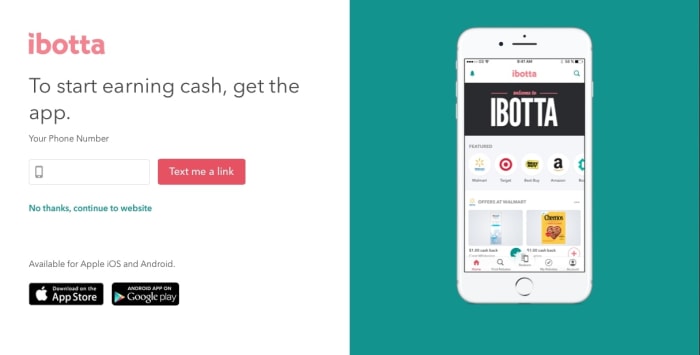
We have the app in our Softonic catalog. Click here to download Ibotta.

Making Your Account

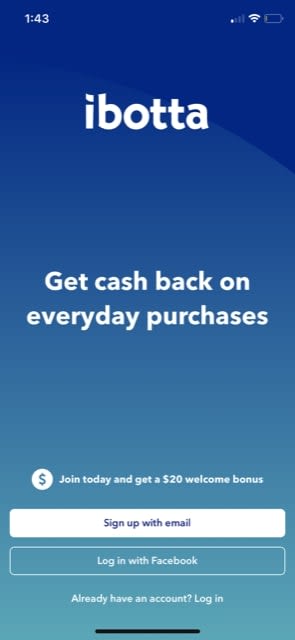
StartThere are two options: email and Facebook.
You don’t even need to enter your bank information at this time, so that’s really all there is to it! Once that’s finished, you’ll find yourself in:

The App

Start

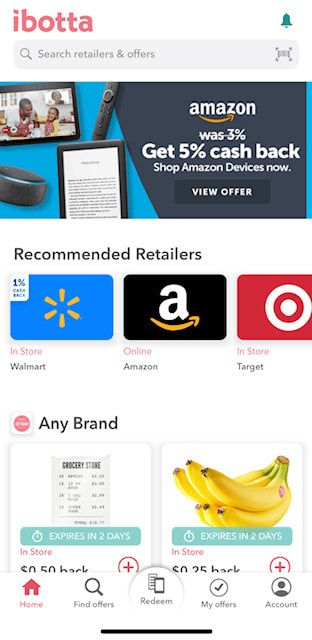
Welcome to the Ibotta app! Everything happens here.

We recommend poking around and exploring the offers available. At the top, you’ll find links to online retailers, where you can engage in some realtime Ibotta refunds. Below that, there will be specific deals for products (like the bananas) and finally, if you scroll further down, you’ll discover seller categories, deals of the week, events, and more!

More Ibotta

Honestly, we were a little intimidated at first. The Ibotta system looks and feels a lot like a shopping app, but don’t worry: while some of these buttons will link you to other places (after asking for your permission), you can press whatever you like and add whatever coupons necessary without expecting a penalty. It’s safe, so have a good time with it!

Saving Money

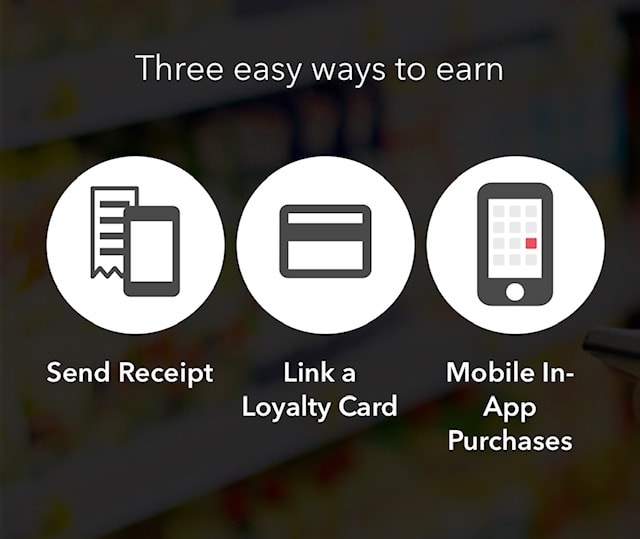
OptionsThe important stuff! There are three ways to save:
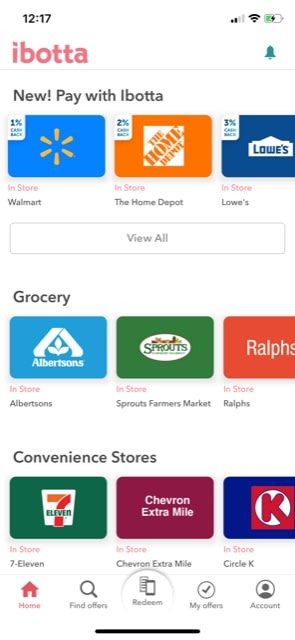
  1. Sending a receipt: when you find a deal you want to use, save it for later. After buying the product, simply scan your receipt! This may feel a lot like using coupons, with a few notable benefits: rather than dragging out tons of papers at the cash register, you can save your deals beforehand and apply them by scanning your receipt in a second.
  2. Link a loyalty card: this works like your average loyalty card. You use the card with supported retailers, and get the Ibotta discount through the app.
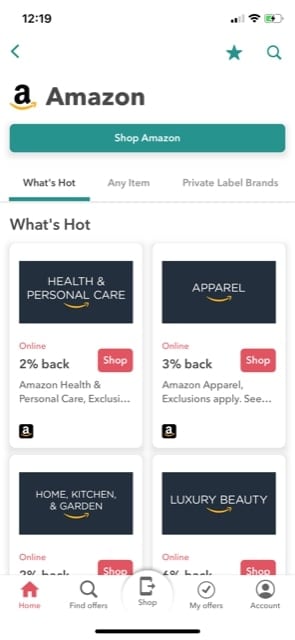
  3. Mobile App Purchases: Ibotta offers links to many supported retailers. When you select their icon, you’ll be greeted by a few categories to choose from. Once you’ve decided upon one, you can select “Shop” to open the shopping app within your Ibotta session:

Amabotta

In this case, you can then shop on Amazon’s services with the expectation of a discount!

How does this Work? Why does this work?

It’s only natural to pose the question: who’s losing out here? And while it may be surprising, we believe Ibotta has created a clever win-win-win situation (which would account for the love it’s received through user reviews). Here’s how it works: retailers that partner with Ibotta win thanks to the increased traffic in their stores and on their websites. Ibotta wins through partner contracts. Finally, shoppers win when, at the end of the month, they get money back from expenses paid and discounts used!

Conclusion

Ibotta works as well as the reviews suggest, give the app a try if you haven’t already!

8 best T-shirt sites for geeks like us

Show off your fashion sense with these graphic T-shirts!

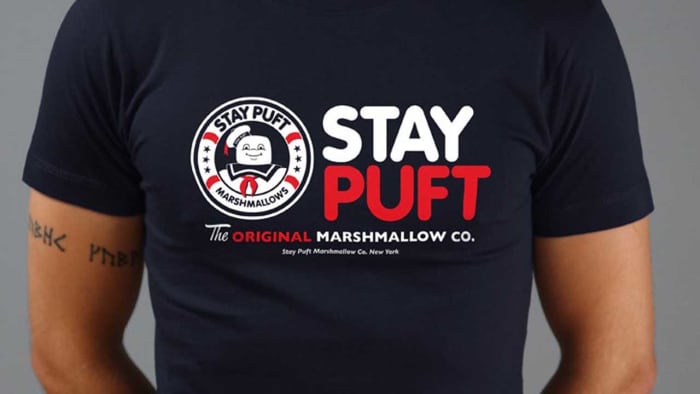
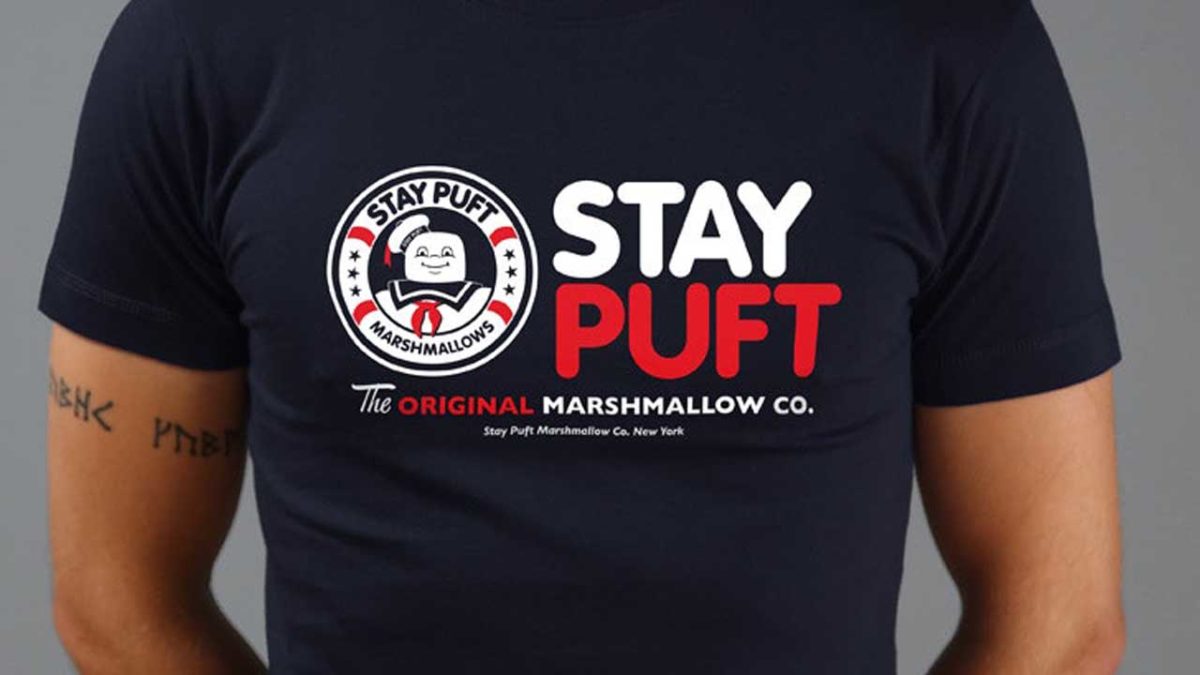
Ghostbusters T-shirt

A bold T-shirt design is a bold statement on style. Many people are surprisingly afraid of this and settle for plain colors and simple designs. But not us!

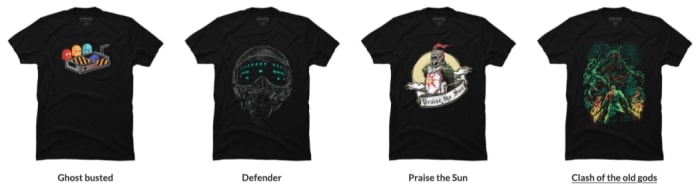
You want to wear a shirt that has crazy moon slices!

Moon Slices
Source: DesignByHumans

Alright, sometimes it’s not fruity moons. It’s Halo, Legend of Zelda, Call of Duty, C’thulu, Japanese chibi artwork, horror movies, Marvel, or perhaps just a singular, mind-bending design. If you’re looking for an unusual shirt that connects with your interests, helps you start a conversation, or generally just look awesome, check out our:

7 Best T-shirt sites for geeks like us!

Design by Humans

Designbyhumans

If you’re looking for great designs inspired by a fandom, along with original artwork you’ve never seen before, Design by Humans is the place to visit!

When you step onto the website, you’ll discover their hipster logo is complemented by a similarly well-designed, modern website with excellent panels to direct you down your next T-shirt shopping rabbit hole. Come along, it’s going to be a good time!

Options

One of the things we love most is the “Discover Art” section. We recommend trying it out! While their “Gaming” area will have tees related to Mass Effect, Galaga, Spider-Man, Mario, and beyond, Design by Humans grants a huge platform to original artists doing their own thing.

Or just stick with gaming!

Shirts DBH

ForFansByFans

FFBF

ForFansbyFans.com, which also goes by the title “welovefine.com” acts as a pipeline between artists who love movies, video games, TV shows, and the rest of us who want to buy their designs!

Fandoms

Unlike Design by Human, ForFansByFans focuses on a smaller number of categories. Make sure to check out their entire fandom page to see whether your favorite title can be found inside! If you’re lucky, there will be a “Fan Forge” of artists hard at work making great apparel and accessories.

Shirts WLF

ThinkGeek

ThinkGeek

ThinkGeek works like ForFansByFans, in that it excels in a number of fandoms and offers a range of new products. Unlike the others, it also offers a relatively gigantic range of collectibles.

Fandoms TG

Shirts TG

While not our personal favorite, ThinkGeek holds top-tier workmanship for some of the best pop culture sensations ever released. Sure, it may lack the somewhat grassroots feel of the others, but the “geek’s warehouse” vibe might be up your alley!

Last Exit to Nowhere

Last Exit to NowhereSometimes, you want to share your fandom but you only want the cool kids to be able to identify the reference. That’s where Last Exit to Nowhere excels. Their designs are subtle and cool, and unless you’re sitting across from a big fan, it’s possible you might go the whole day with your geek pride undetected except by the biggest fans.
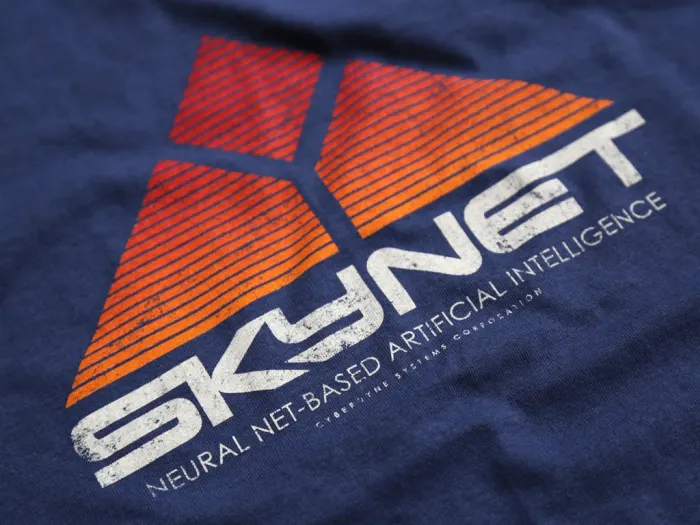


Skynet T-shirt
Alert any Terminator robots you’re on their side with this Skynet shirt.
Nakatomi T-shirt
Only true “Die Hard” fans will recognize that this tasteful design commemorates the Nakatomi plaza, which was home to a pretty rough Christmas party back in 1988.
There Will Be Blood T-shirt
If you recognized this design as a reference to “There Will Be Blood,” Daniel Day-Lewis would give you a high five.

One downside to this great site is that you’ll have to have everything shipped from England, and with the exchange rate, that means prices will be on the high side. Get some friends together and buy in bulk to cut down on the shipping costs.

Etsy

Etsy

Admittedly, if you’re going to Etsy, you might be grasping at straws. On the other hand, the Etsy website was intended to help individual creators sell well-made and highly-specialized crafts projects, which fits perfectly with what we’ve seen so far!

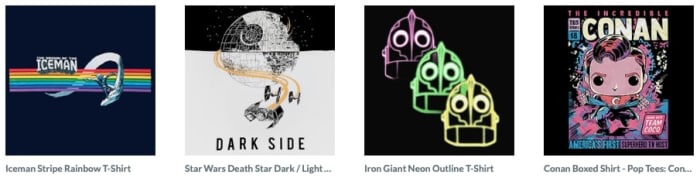
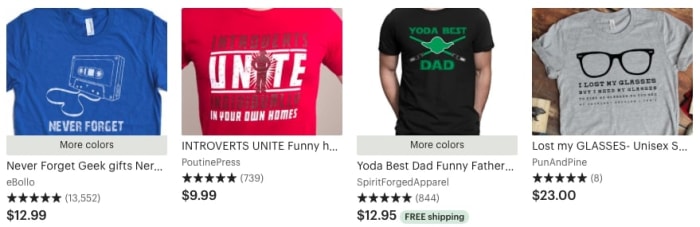
As you might expect, Etsy has a nice t-shirt section. Search “Nerdy” or “Geeky” and see what comes up, or directly check for your game/movie/TV show of choice:

Shirts by Etsy

Steven Universe Etsy

Zazzle

Zazzle

“Geek” and “nerd” are often used interchangeably by some, but to others can mean greatly different things.

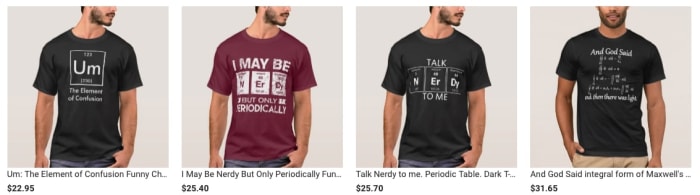
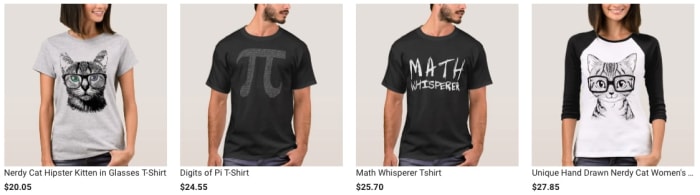
Zazzle offers “nerdy” outfits, but not in the gaming, anime, and cartoon sense. These clothes are designed for people who love science, mathematics, and other intellectual pursuits!

Shirts by Zazzle

ZazzleOptions!

Being fully aware that this version of nerdiness isn’t mutually exclusive with geekiness, we said “heck it” and included Zazzle for your viewing pleasure! No need to say thanks; you’re welcome.

Custom Ink

CustomInk

Yep: this is one of the best websites for custom t-shirts. And that’s totally not cheating! Do you think it’s cheating? We don’t think it’s cheating…

Because sometimes you just can’t find the perfect shirt on any site. Sometimes, the exact design you’ve been searching for is in your own heart and needs to come out on ProCreate, Gimp, or Adobe Illustrator! After that, you can try to sell it on the other t-shirt websites and become a creator yourself, or print off the design right here.

CustomInk has great tools for downloading artwork, bringing a design together, and printing on good materials with timely shipping. We haven’t been disappointed by them yet, and believe you won’t be either!

Conclusion

We hope you find your next favorite shirt on one of these sites! Personally, we’ve had a hankering for something space-related recently. Maybe a Halo, Steven Universe, or Interstellar-themed design? Who knows! The possibilities are truly endless.

How to choose your graphics card

From price to speed, there are so many things to consider when buying a graphics card!

GPU

When you’re building your new gaming PC, one of the most expensive single pieces you’ll end up buying is your graphics card. If you’re going to dish out a few hundred bucks for one, you better make sure that you are getting the best one for all of your needs.

We took a look at some of the best graphics cards on the market, and what you should consider before adding it to your cart. Price is far from the only thing you should consider as some of these can make all of the difference depending on your needs.

How to choose your graphics card

The main things you need to look into when choosing a graphics card are GPU/memory, cooling, noise, size, aesthetics, and extra features. We’re going to go through these features one by one to let you know why each is important.

GPU/Memory

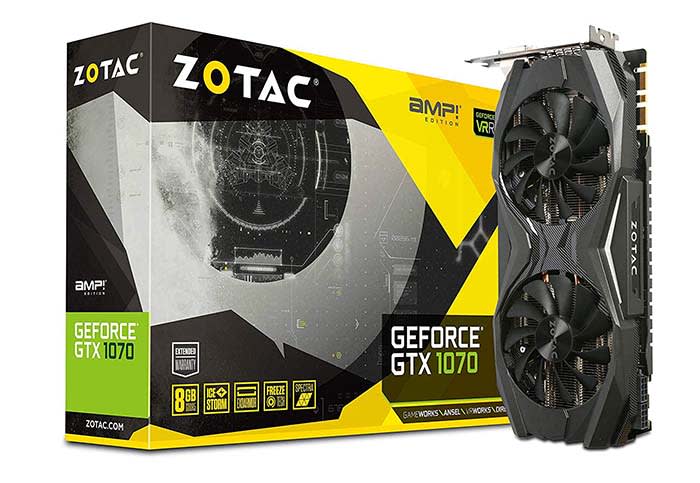
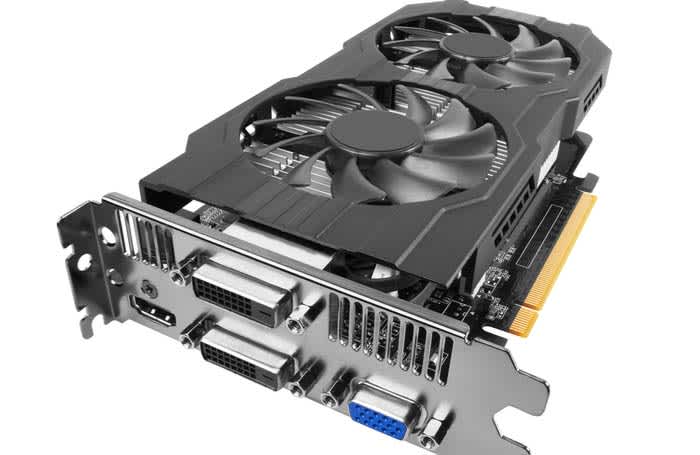
Zotac

With GPU and memory comes speed, and this can vary drastically based on what kind of graphics card you buy. On one hand, you might have a graphics card that can let you play the most heavily modded version of Skyrim you can find with no issue, or you can have one that struggles to play Tetris.

Check to see what the games you want to play require for a GPU in order to play them fluidly and fast.

If speed is the name of the game for you, we’d recommend the Zotac GeForce GTX 1070. With 1070 GPU, you get some of the highest speed you can get for the price of $350.

Cooling/Noise

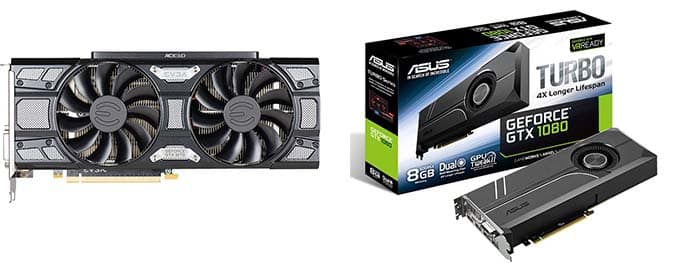
Fan comparison
You might be able to save a few bucks if you get a graphics card with a small fan or only one fan, but you risk the GPU overheating and have to deal with a lot of noise.

When buying a graphics card, take a look a the quality of fans that go into them. Fans are what keep your graphics card from overheating, and help reduce noise. If you have good fans, then your GPU stays cool and quiet. A single fan or a small fan can mean that your PC will run hot and loud.

The Zotac GeForce GTX 1070 is still a good option in this department, but if you are willing to compromise speed and memory, the Diyeeni Colorful GTX 1060 is a solid choice. Your GPU will run nice and cool, and it will be as quiet as a church mouse. You can even pick this one up for less than $300. Don’t worry, you can still play Skyrim with this bad boy.

Size

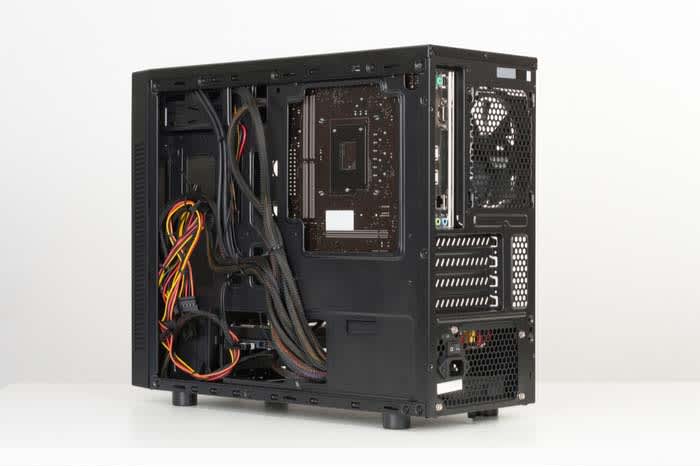
Chassis

Depending on the size of your device’s chassis, you may be limited on the size of the graphics card you can buy. Just so you know, it would really stink if you bought a big, expensive, non-refundable graphics card only to find out it’s far too big. This is why many people choose their graphics card first and then build a PC around it. 

Your typical chassis for a decent gaming PC will support a graphics card as big as 12 inches by 9.63 inches. However, if you are going to get yourself a smaller chassis, you can be limited to 9.63 inches by 9.63 inches or even 6.75 inches by 6.75 inches.

The Zotac GeForce GTX 1070 and the Diyeeni Colorful GTX 1060 can fit inside the large chassis with no issue. However, if your chassis has a smaller limit, there are other options. For the 9.63 by 9.63 chassis, the Gigabyte GeForce GTX 1050 is a great option. If you have the smallest option, go with the Gigabyte GeForce GT 1030. 

Aesthetics and extra features

graphics card

Before you buy a graphics card, make sure you are buying one that comes with a good warranty. If your graphics card gets fried because of a faulty piece, you need to make sure that you have a warranty that will cover the damage. However, there are other features you can look into to bundle into your purchase.

GeForce typically has game bundles for some of their bigger graphics cards. Be careful though; you don’t want to spend an extra $500 just to get one or two games that cost $60 each.

Wrapping up

If we had to pick the best graphics card on the market right now, we’d have to go with the Zotac GeForce GTX 1070. For the price, there just isn’t anything else on the market that will let you play games in such high quality. You can play pretty much whatever you want in beautiful 1080p at high speeds without much risk of your PC overheating. 

Guide to Myntra: India’s most popular fashion app

Myntra offers huge discounts on name-brand clothes!

Myntra

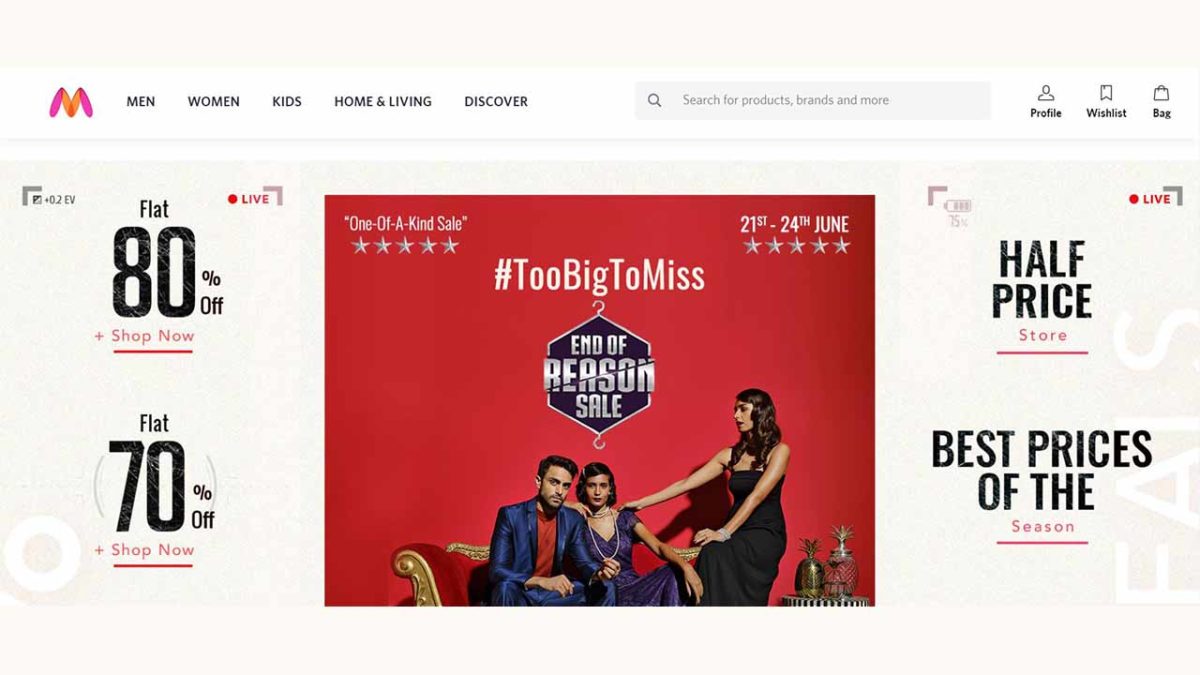
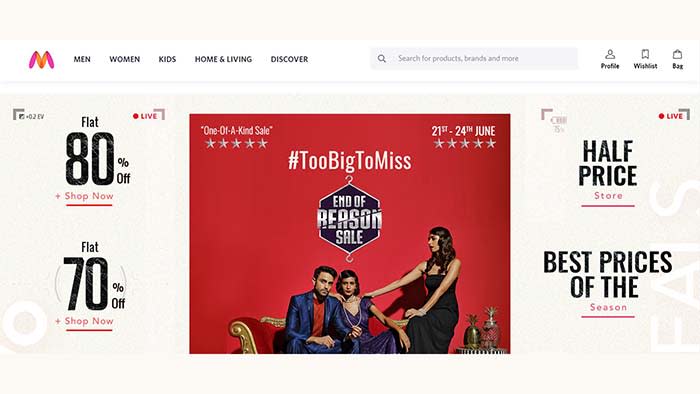
Myntra is a hit fashion app in India. It’ll knock your reasonably priced, fashionable socks off!

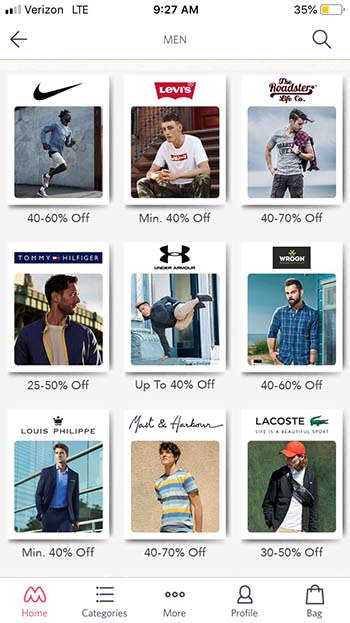
The app offers huge discounts on name-brand clothing companies like Nike, Wrangler, and Tommy Hilfiger. After spending only a few minutes on the app, we found awesome name-brand shoes for 70% off retail price! Now that’s a deal!

MyntraThe app offers clothes for men, women, and children. However, pay attention to sizes as they tend to run on the smaller side. You’re probably not going to find much larger than a men’s size 11 and a women’s size 8 for shoes.
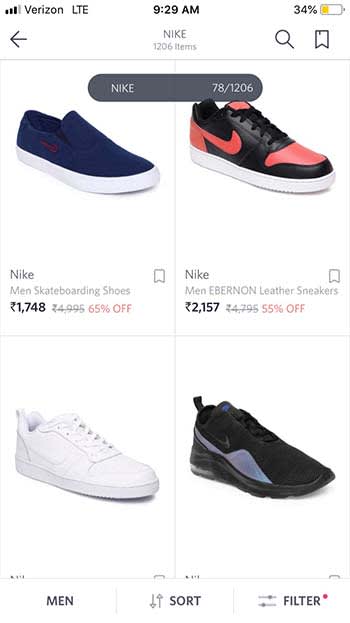
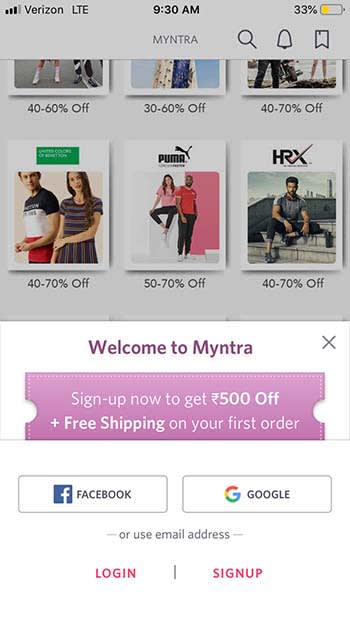

With that being said, the clothes you will find are very modern and stylish.

Myntra
A fresh pair of Nikes for 65% off? You can’t beat that!

When you first download the app, you can get free shipping and 500 Rupees (about $7) off your first order.

Myntra

The app only ships clothes to India, so you’re out of luck if you don’t live there. Also, everything is priced in Indian Rupees, so make sure you are familiar with conversion rates before making a purchase.

If you are getting married soon, or if you have been invited to a wedding, the app also has a great variety of wedding clothes for between 30% and 70% off.

Myntra

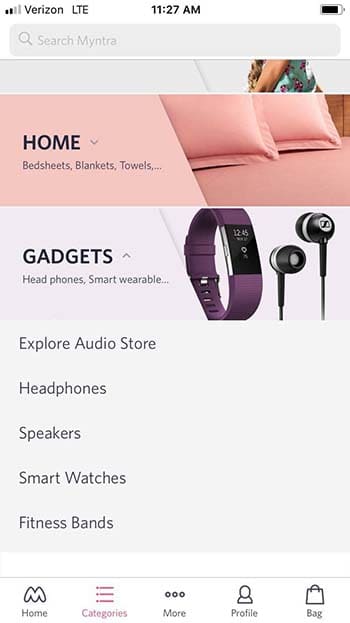
If you’re happy with your wardrobe, you can also by electronics, gadgets, and even linens on Myntra.

Myntra

Wrapping up

If you live in India, there is no reason why you shouldn’t download Myntra. It offers incredible deals and can make you the envy of the town!

The 7 best Shopify Apps of 2019

These apps can help you make the most out of your experience with Shopify!

SHopify

Shopify makes it so easy to launch a store, automate sales, shipping, and marketing like it’s no big deal.

However, once you’ve got your store set up, you may be wondering how to make the most out of your brand-new business.

Shopify’s App Store boasts literally thousands of apps — so whether you’re a drop-shipper, super-niche e-commerce store, an online coach, or whatever else, there’s an app (or 20) for you.

9

The 7 best Shopify Apps of 2019

1. Bold Upsell

bold upsell shopify app

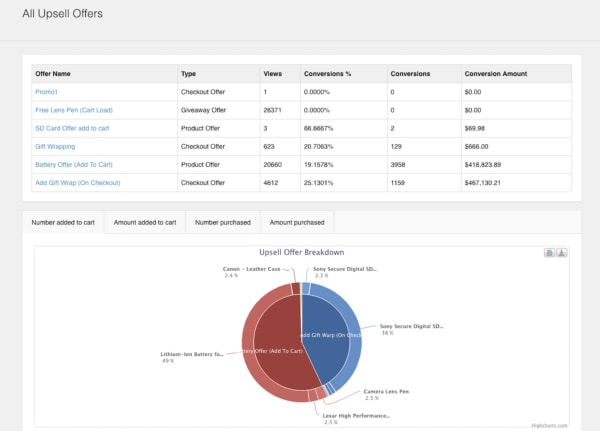
Want to make more on each sale? We’re going to go ahead and assume that the answer is probably “yes.” Bold Upsell is a Shopify app designed to help you increase your average sale size by going after the low-hanging fruit—upsells and cross-sells.

The add-on allows users to run BOGO or free gift campaigns. You can trigger offers based on whether a customer accepts or declines an offer, and push out one-click offers customers can add to their cart just like that.

Key Features:

  • Smart upset funnels
  • Upsells
  • Cross-sells
  • BOGO/free gift campaigns
  • Post-checkout upsells
  • Integrates with Google Analytics
  • Dashboard view of upsell performance

2. Sumo

sumo app

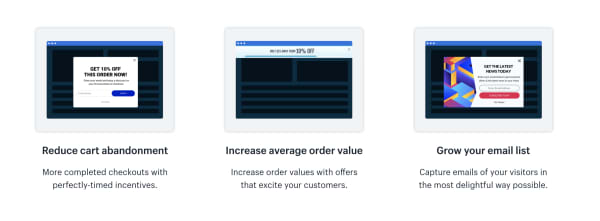
Sumo’s Shopify app integrates with your e-commerce store and helps users reduce cart abandonment, increase average order size, and collect more subscribers.

Sumo makes it easy to automate the little things that add up to better retention and more sales.
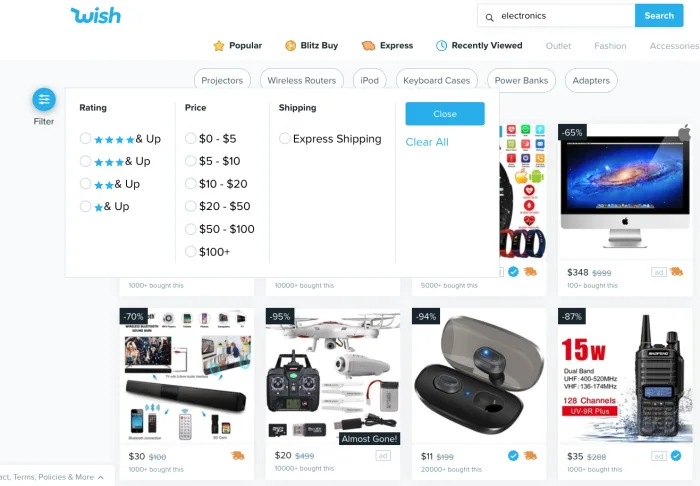
Key Features:

  • Reduce shopping cart abandonment
  • Increase order size
  • Grow your email list
  • Offer unique discount codes
  • Send automated follow-ups to shoppers who leave without purchasing
  • Easy-to-use reporting tools

Sumo offers a free plan and a pro plan. The free plan allows for unlimited subscribers and you can send up to 10,000 emails a month, customize forms, and use the system’s targeting tools. That said, the app is free until you’ve hit $500 in Sumo-generated revenue. While we’re not totally sure what Sumo takes credit for, you’ll likely burn through that $500 pretty quickly.
The Pro plan is $49 per month or $468 per year. Here, there are no caps on Sumo-driven revenue and you’ll now have access to advanced targeting and unlimited emails.

3. Smile.io

smile.io for shopify

To any online seller, customer loyalty is the gold standard when it comes to setting the tone for long-term success.

Loyalty programs give brands a chance to strengthen their relationship with their customers, driving more sales, and increasing brand awareness.

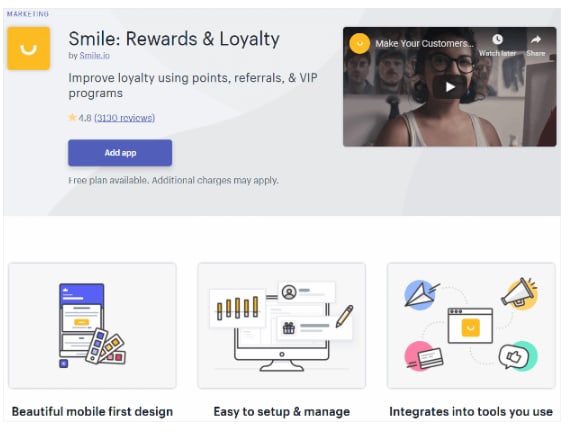
Smile.io is an app that allows you to offer personalized rewards to your customers (by the way, customers LOVE personalization).

Offer your visitors points when they join an email list, spend a certain amount, refer a friend, and more.

Key Features:

  • Offer multiple rewards programs at once.
  • Engage top customers with VIP status rewards.
  • Points system allows you to reward customers for a range of actions from social shares to account creation, purchases, and more.
  • Users can customize programs and associated branding — add a logo, update colors, etc.

Smile.io is free for Shopify owners with up to 500 loyalty members. After you’ve hit that threshold, plans start at $59 a month. What’s nice about their pricing system is that it gives new shop owners the chance to build up their program before investing in a new tool.

4. Oberlo

oberlo app

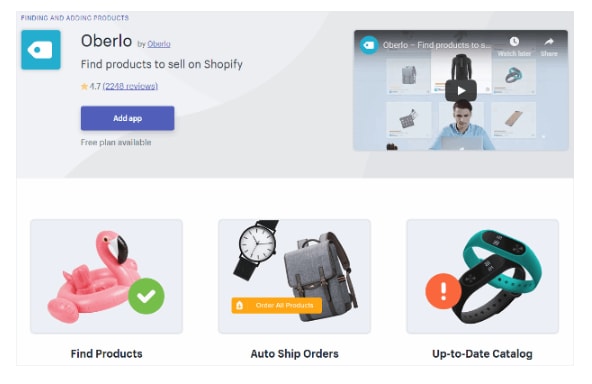
Oberlo is a drop shipper’s dream. The Shopify app allows you to find new products to add to your store and helps you find a supplier, calculate your profit.

You’ll connect Oberlo to your Shopify store (as a quick point of reference, Oberlo only works with Shopify stores not BigCommerce or Squarespace) and browse through their product marketplace.

Add products to your store and choose a supplier. The benefit for drop shippers is that Shopify orders are sent directly to Oberlo and your suppliers will fulfill them for you. It will then ship directly to your customers.

All you need to do is promote the store — and well, be good at identifying the types of products people actually want.

Key features:

  • Product page customization
  • Track orders and sales
  • Set pricing automations
  • Change suppliers
  • Identify suppliers with the fastest shipping times

5. Kit

kit shopify ai

Kit positions itself as your Shopify store’s very first employee whose job is to increase traffic, and, by extension, boost your conversion rate.

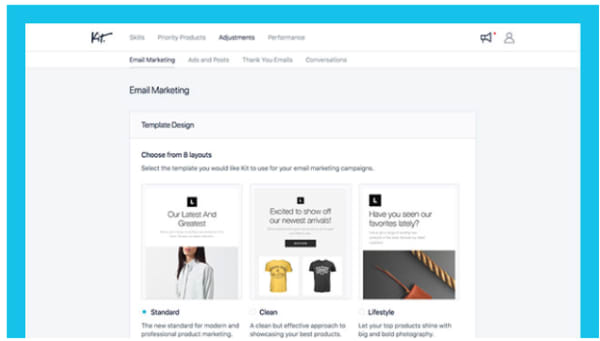
Where Kit shines is in its ability to offload some of the digital marketing tasks that e-commerce sellers need, but may not have time to obtain. Kit will help out with Facebook and Instagram ads, send emails to your customers, make “expert recommendations,” and use your other apps so you don’t have to.

Kit is powered by AI and knows just when to send out targeted social media campaigns or say thank you to a customer.

Key Features:

  • Automate Facebook and Instagram ad creation
  • Sets up pixels for retargeting
  • Sends email marketing campaigns
  • Integrates with other apps and “uses” them for you
  • Set goals
  • AI-based recommendations

6. Snapppt

snapppt for shopify

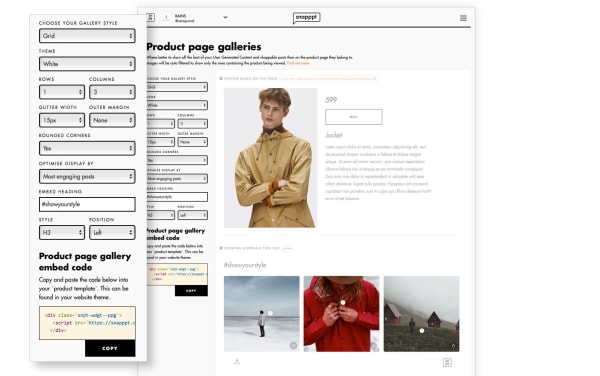
Something like 65% of Instagram users head toward their feed to find new products and discover brands they never knew existed. Meaning, if you’re a retailer, you need to get busy when it comes to managing your Instagram presence.

Snapppt helps Shopify users capitalize on Instagram’s natural connection with shopping by turning your link in bio into a shoppable product feed.

Add product links to Instagram posts so shoppers can click on the items they like, on the spot. No need to dig around the web trying to find an item they love.

Snapppt also works in reverse — you can embed your feed on any page in your Shopify store, encouraging shoppers to follow your account and keep track of new products.

Key Features:

  • Show off user-generated content
  • Visual marketing analytics
  • Turn your Instagram feed into a shop
  • Embed feed into website pages
  • Connect with Influencers

7. Privy

privy app popup tool

Privy is the perfect tool for Shopify owners who use email marketing to keep in touch with their customers.

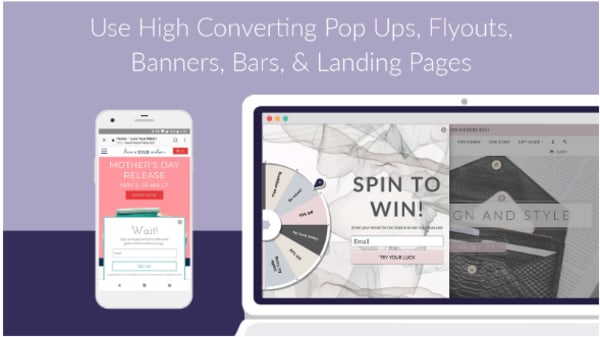
This app helps users grow their subscriber list with perfectly-timed pop-ups, automates email marketing, and capture users on their way off of the page with exit-intent pop-ups.

Privy comes with a straightforward drag-and-drop editor that makes it easy to design high-converting landing pages, overlays, pop-ups, and other methods of capturing emails and driving more sales.

What’s more, you can connect Privy with your email service provider and existing marketing tools for complete visibility into your store’s performance. This includes the factors influencing sales.

Key Features:

  • Create custom discounts and offers
  • Design landing pages, pop-ups, bars, banners, and fly-outs
  • Automate email marketing
  • Send abandoned cart recovery emails
  • Add free shipping bars to any page
  • Target campaigns based on timer, location, referral site, and more
  • Real-time reporting
  • Integrates with Klaviyo, MailChimp, Bronto, Smile.io, dotmailer, plus 50+ marketing tools

Wrapping up

Did we miss your favorite Shopify app? Let us know about it in the comments below!

Facebook Libra: Social Giant signs massive deal with Visa, Mastercard, PayPal, and more

Facebook’s crypto coin will receive more than $100 million from more than a dozen major backers.

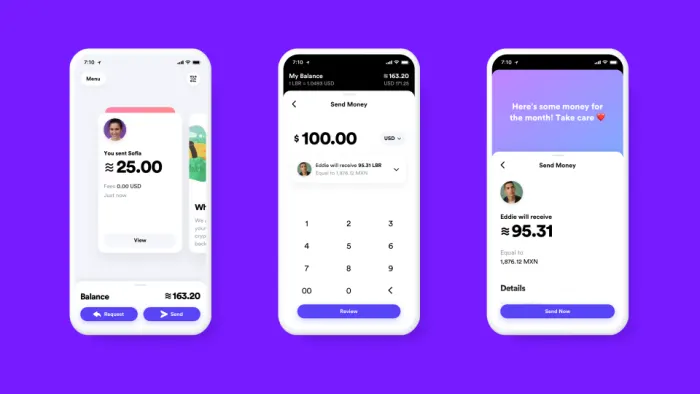
Facebook is branching out from its core social media offering yet again. It has been rumored for a while that the big blue social network has been working on its very own cryptocurrency and Facebook made the plan official today. The launch of Facebook’s virtual currency will be unlike other cryptocurrencies as the company has reportedly signed deals with some of the world’s leading financial institutions, who’ll back Facebook’s new crypto-coin, Libra. You’ll keep your Libra in a digital wallet app called Calibra.

Facebook Calibra

According to a report by the Wall Street Journal, Facebook’s crypto-coin will receive around $10 million worth of investment from each of more than a dozen major backers. Facebook plans to use the funds, which will total over $100 million, to assist in the development of the coin as well as the infrastructure needed to support it and the blockchain technology it will need.

Rumors around Facebook’s virtual coin had been swirling for months. The coin first hit the news in December and the BBC reported in May that Facebook is planning to launch the crypto-coin in the first quarter of 2020 and that at the time Zuckerberg and his company had already signed up at least 12 countries where Facebook users could use the cryptocurrency as a digital payment. It was also reported in May that Facebook had set up a financial services company in Switzerland.

7

Why is Facebook making a crypto-coin?

Facebook wants to create an affordable and secure way for Facebook, WhatsApp, and Instagram users to make and send payments, even if they don’t have a bank account. With smartphones putting Facebook into the hands of billions of users around the world, who wouldn’t otherwise have access to a PC, more and more Facebook users don’t have access to things most of us take for granted. Making a card payment online is impossible to many and Facebook is working on a way to allow these users to buy things both on Facebook or through third-party partners, and send money to other users across Facebook, Instagram, and WhatsApp.

Facebook wants to help you buy things online, even if you don’t have a bank account.

It isn’t just for users without bank accounts, however. Fintech companies that offer online banking services via apps, like Revolut, have been winning lots of customers recently, and it seems Facebook wants a part of the action. We all like it when apps make things easier and they’ve been making banking easier for some time now. With its new cryptocurrency, Facebook is trying to bring together the ease of use offered by these new types of banking apps and the security that comes with cryptocurrencies stored on the blockchain.

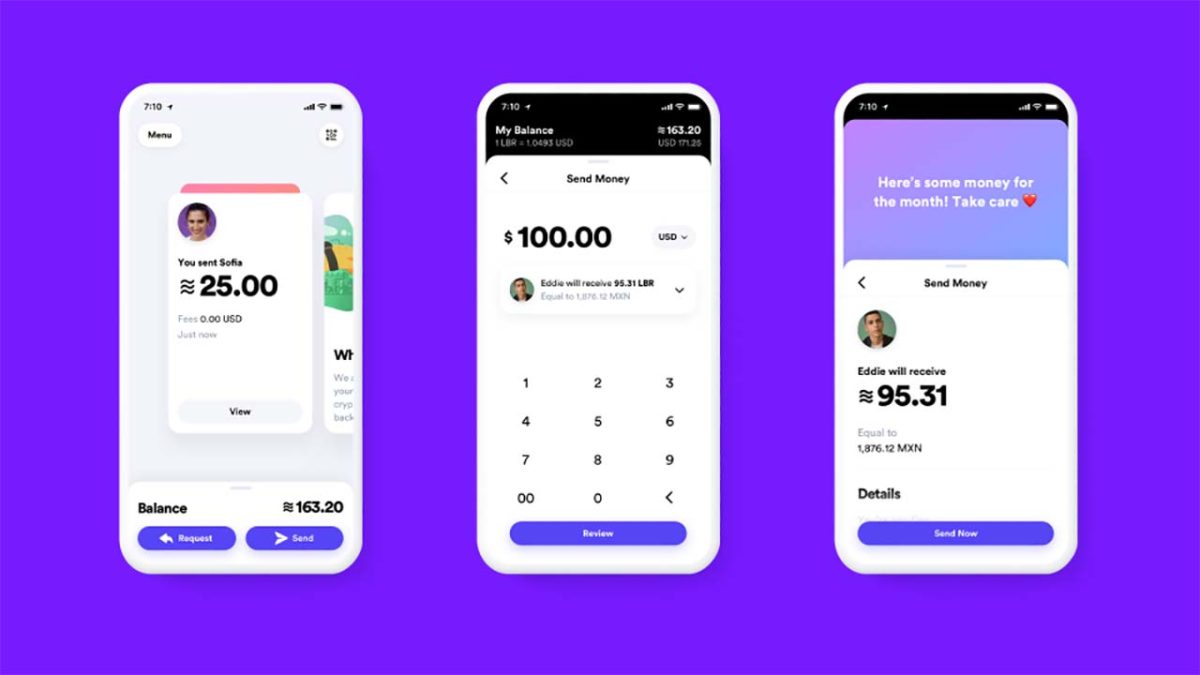
Calibra app
First look at the Calibra app

The fact that Facebook now has major backing for its new coin puts it in a very strong position. Cryptocurrencies are famous for being unstable in value but with major financial backers and a number of nations behind it, Facebook’s Libra has a very solid foundation indeed.

8 best places to buy glasses online

There’s no need to spend hundreds or even thousands of dollars on glasses. These sites have them at fair prices!

Glasses

The cat’s out of the bag — the glasses game is a total scam.

According to Vox, eyeglasses from your typical brick-and-mortar can come with a markup of nearly 1,000%.

The LA Times says eyewear is a “nearly monopolistic” industry worth a cool $100 billion.

The lion’s share of the glasses market is controlled by one company, Luxottica. They’re responsible for branded frames by everyone from Chanel to Versace to Ray-Ban. Oh, and they run the Sunglass Hut, Sears Optical, Lens Crafters, and more.

Luckily, there are plenty of online options that offer style, convenience, and best of all—aren’t $800.

Here are some of our top picks for going the direct-to-customer route for your next pair of frames and finally leaving Big Glasses behind.

8 excellent places to buy eyeglasses online

Before you buy

wallet

If you plan on ordering online, we recommend getting your eyes checked first. After that, ask your eye doctor for an updated copy of your prescription.

Some sites will ask you to submit a photo of your prescription while others just ask that you type it in manually. In any case, if you’re going to get new glasses, start fresh.

The second thing you’ll need to know is your pupillary distance or PD. Your PD represents, in millimeters, the distance between the center of your two pupils.

Oh, and if your doctor is shady about all this, there’s something called the Eyeglasses Rule (who knew?!). It states that your doctor must provide you with a prescription at the end of an exam.

Basically, the rule prevents your eye doctor from holding your prescription hostage and making you buy glasses from them.

Once you’ve got your prescription and PD in hand, you’re good to start shopping around.

Oh, and before you start freaking out about what happens if you make the wrong choice, most companies let you return frames and lenses that aren’t quite right.

1. Zenni Optical

Zenni Glasses Site

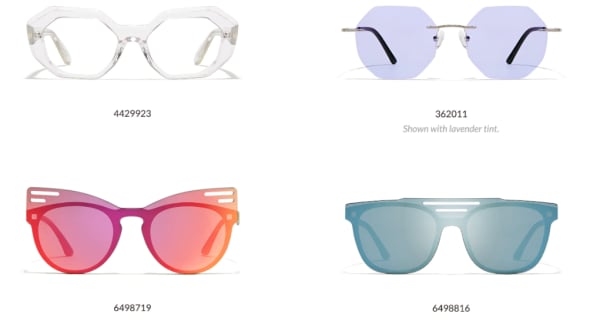
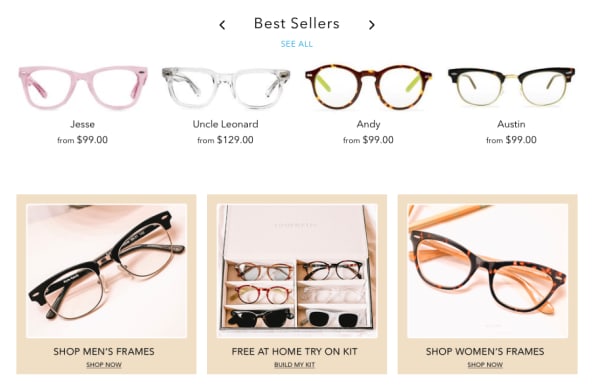
Zenni Optical has a ton of frames, starting at $6.95 a pair. They’ve got everything from prescription lavender sunglasses to a lot of looks that you could also find on the rack at your local supermarket.

That said, they have regular glasses, “cool” glasses, and nondescript glasses, too. We like the price as well as the variety, but if you shop Zenni, be prepared to sort through hundreds of frames before finding “the one.”

Consider it an experience akin to shopping on eBay or hunting for gems at the local Goodwill or TJ Maxx.

2. Warby Parker

warby parker try at home

Warby Parker is the most recognizable name in the online glasses game. The online store has a decent-sized selection of modern, stylish frames, and glasses start at around $95 a pair.

Glasses come in narrow, medium, or wide fit, which is a specification you won’t necessarily find on every website. It can be difficult to gauge the fit by looking at the website.

The site allows you to try on five pairs at home, free of charge. All you need to do is pick out your top choices and they’ll mail you a set of prescription-less frames with a pre-paid shipping label for easy returns. From there, you can purchase the pair you liked best.

3. Eye Buy Direct

eye buy direct bogo home page

Eye Buy Direct hits a sweet spot. They offer a ton of BOGOs and discounts. Even when they’re not running some kind of promo, the most expensive pairs are only about $70.

Most frames are comparable in quality to Warby Parker, but cost a lot less and provide more options.

Unlike Zenni, most of the Eye Buy Direct frames are either fashion-forward or sort of neutral. — They’re perfect for the person who, say, accidentally throws their glasses away or leaves them in an Uber.

What we like about Eye Buy Direct is that there are tons of options, they’re cheap, and the quality is pretty decent for the price. That said, the brand doesn’t provide any warranties, nor do they offer a home try-on option.

4. Glasses USA

Glasses USA website

Glasses USA has been around for a while, at least a decade or so as far as we know. They’re not known for being cool or sustainable, but they’ve come a long way in recent years.

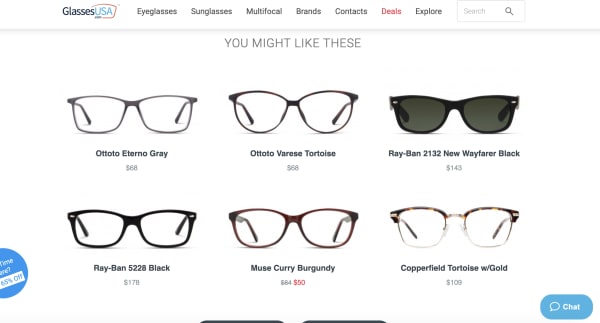
The site features name brands like RayBan, Versace, and Hilary Duff (who knew she had a glasses brand?) as well as a wide selection of unbranded frames in a variety of styles and sizes.

Unlike some of the other sites like Warby Parker or David Kind, this site feels more like a Lenscrafters. Like Zenni, there are some gems if you dig through the site.

5. Lookmatic

lookmatic order online

Lookmatic is another D2C glasses company that has been around for a while. It was formerly known as Spex Club.

In any case, the price point and selection is pretty much in line with what you’d find at Warby Parker. The only real difference between the two brands is WP has way more options than Lookmatic, which doesn’t offer a ton of variety.

Still, if you’re a fan of acetate frames, this is a good bet. Glasses start around $100 and you can take advantage of at-home try-on if you’re so inclined.

6. David Kind

David Kind online glasses selection

If Eye Buy Direct is the fast-fashion of eyewear, David Kind is something of an Everlane.  It’s a millennial-friendly online store that caters to buyers that care about sustainability and quality.

David Kind falls on the more expensive side of the online spectrum. There aren’t any $6.95 frames here, but they guarantee a perfect fit and are still cheaper than what you’d find at a specialty glasses shop.

Glasses start at $350 and there’s a real emphasis on quality that you don’t necessarily see on some of these other sites.

If you’re used to paying for Ray-Bans from your local optometrist, the sticker shock won’t hurt so much. Plus, glasses come with a 10-year warranty and they’ll even file a claim with your insurance company for reimbursement.

7. Felix & Iris

glasses felix and iris

We have to admit, we don’t love the look of the Felix & Iris website, but the glasses are priced fairly and they’ve got a decent selection of frames. While style is subjective, Felix & Iris doesn’t feel quite as hip as its competitors, regardless of price point. Warby Parker, Eye Buy Direct, and David Kind all have them beat in that regard.

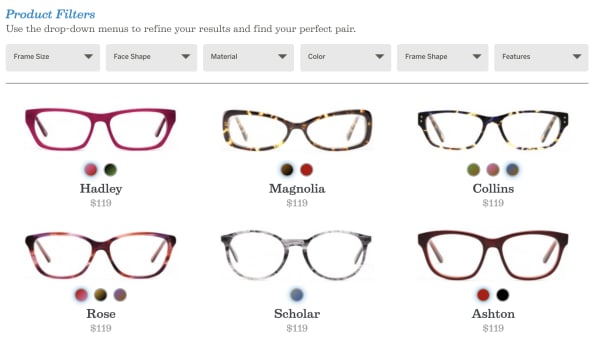
Still, it might be worth looking through the site. Frames start at $119 and you may be able to get them reimbursed through your insurance company.

The brand will send you four pairs for at-home try on and it has a 30-day return policy. That said, the warranty isn’t great; it only covers factory defects for up to a year.

8. Fetch Eyewear

Fetch Glasses

Fetch Eyewear is new on our radar, but the Portland-based glasses brand brings stylish frames at a reasonable price. Glasses start at $145 a pair, and the company gives all profits to local pet rescue, the Pixie Project.

Fetch also has the offer to “pick five” frames to try at home and the glasses come with a lifetime warranty.

Wrapping Up

In all, any of these online shops are a solid choice for the glasses-wearer looking for cool glasses at a reasonable price. The best part is, a reasonable price could be $300, $6.95, or somewhere in between.

How to become a power shopper with Wish

Wish could save you a ton of money. What’s the catch?

Wish app

Originally designed as a simple app that allowed users to save items they liked to a list, Wish has steadily grown since 2010 to become a powerful online shopping portal. The site allows individual merchants, overwhelmingly based in China, to sell products directly to consumers. Without the middlemen, this means exceptionally low prices for users. Looking for a $6 watch? Check. A $2 necklace? You got it. An $81 refurbished Chromebook. Sure thing.

Of course, with prices this low, quality sometimes suffers and delivery times can exceed three weeks. But if you know how to work Wish, it can be a good tool for getting fun gadgets, interesting fashion and other items without crushing your credit card.

Here’s what you need to know to shop successfully with Wish.

Pick A Platform

Wish’s photo-based interface makes the phone shopping experience very appealing, and the app is available for both iOS and Android platforms. It is also possible – and pleasant – to shop through Wish’s app for Windows or the company’s web-based storefront, which is what we will focus on in this article. All of the same functionality exists in the app, so the lessons here apply to mobile shopping as well.

Sign Up

Wish Sign UpThe Wish site and app require that you sign up, which consists of providing your name and email address, or using your Facebook or Google accounts to log on. Once you satisfy this requirement, you are free to get shopping.

After logging in, you are frequently greeted with an announcement offering some kind of discount. While these discounts don’t often amount to much savings, it’s worth jotting down the code you are given to shave a little more of your grand total when you are ready to check out (although the code will likely also appear as a banner as you shop).

Shop

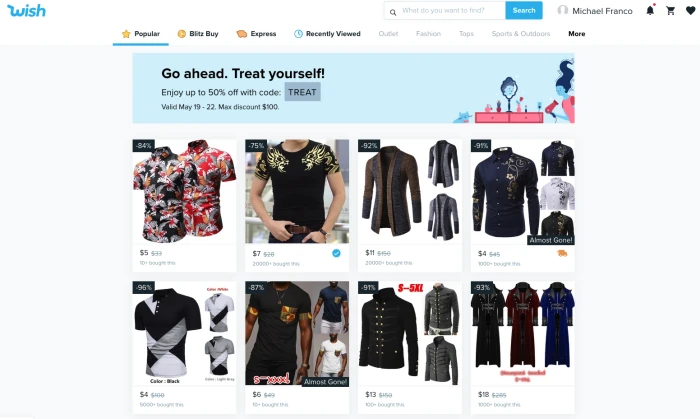
Wish Main Page

The main Wish screen will show you a random selection of items in which the AI thinks you might be interested. As you use the platform more, the selection will become tailored to your apparent interests. If that selection doesn’t appeal, or you’re looking for something specific, use the search box at the top of the screen.

You can also use the “filter” option on the right side of the screen (or by tapping the slider icon in the app) to sort products according to star rating, price and shipping speed.

Wish Filter Feature

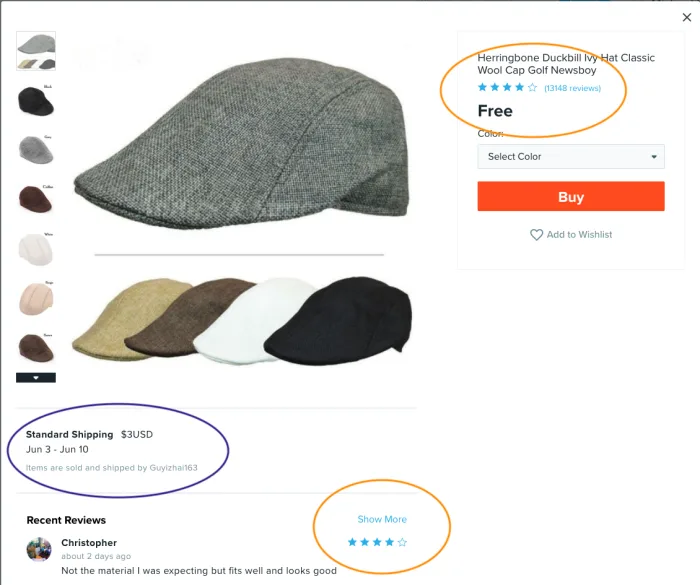
Once you find an item you like, click it and you’ll be able to choose your size and color (if applicable). Oddly enough, the Wish interface doesn’t allow you to choose your quantity from this page. To do that you first have to click the “buy” button, and then visit your cart to adjust quantities.

First thing to note here is your shipping cost. It’s a figure that can often be as much or more than the product itself, so pay close attention. This field also shows you how long the product will take to arrive.

Wish Product Page

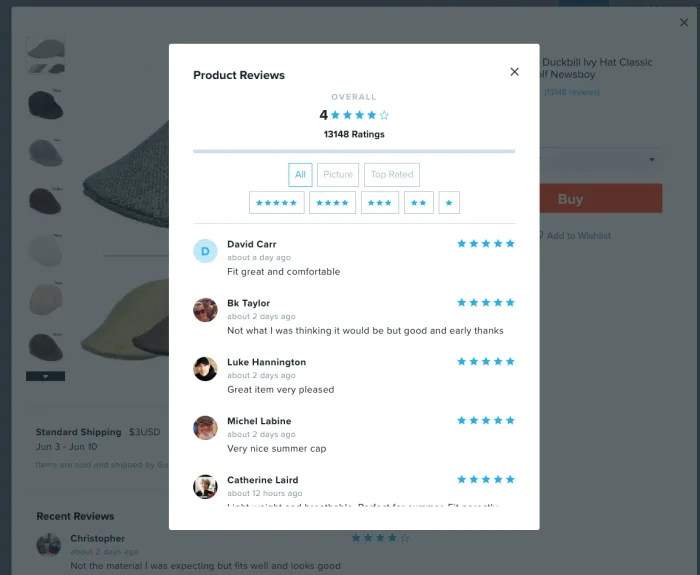
After determining the shipping cost, you’ll want to take a few moments and research your product. Particularly helpful here are the reviews, which you can access by clicking on the blue stars at the top of the screen or on the “show more” link further down. Once in the reviews section, you can sort by star rating or you can see only the reviews featuring photos. Because quality can vary wildly on Wish, the reviews are key to helping you make a good purchasing decision.

Wish Reviews Screen

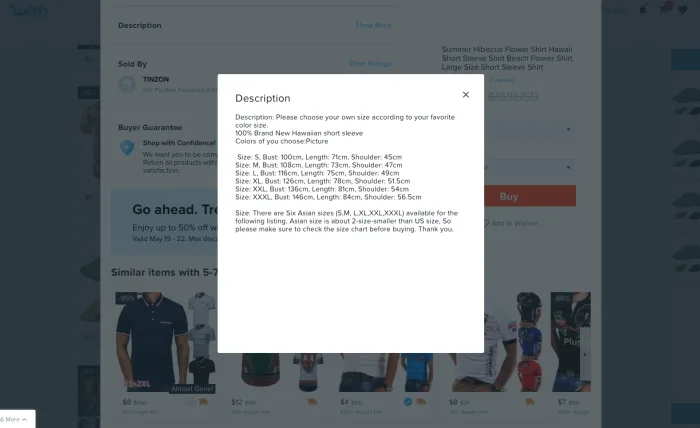
If you scroll down a bit on the product screen, you’ll also find the “Description” category.

Wish Description OptionClick into this to get more details about the item. This is where you’ll find out what material a piece of clothing or an accessory is made from and also get a sizing chart if you’re shopping for clothes. Here’s where you can also see what condition electronics are in (refurbished, scratched, etc) and find out if accessories like power cables and other cords will be included in your purchase. The description field is hidden until you click on “Show More,” so it’s easy to miss this step – and important not to.
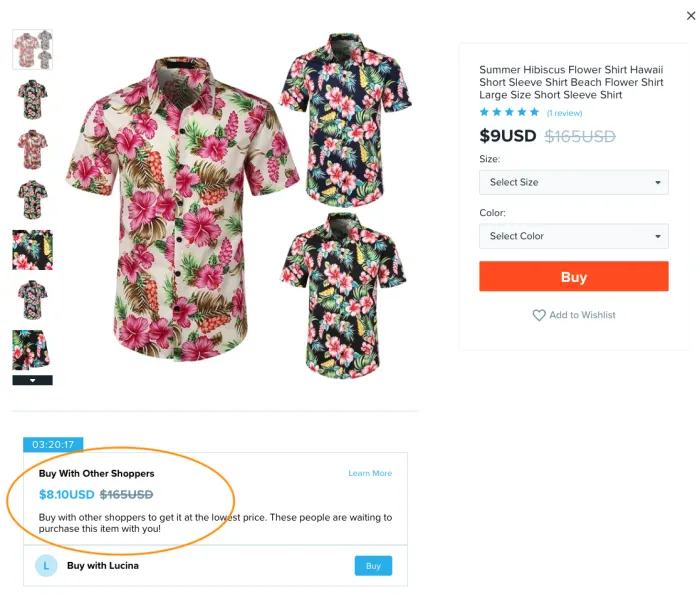
Wish Description Pop UpLastly, the product screen will occasionally show you a “Buy With Other Shoppers” field.

This is a feature that gives you a slightly better price on some items if someone else is shopping for it at the same time as you. To get the savings, be sure to click the buy button in this field instead of the main buy button. This feature is limited by a countdown clock, so to get the deal you need to complete your purchase in the time shown. The timer will also appear next to the item in your cart. Is it a gimmick? Sure. But it can save you some cash.

Wish Other Shoppers

Other ways to shop on Wish

Blitz Buy

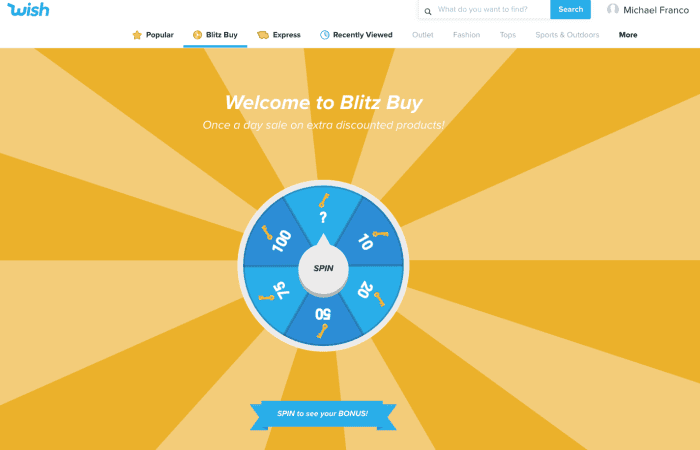
Wish Blitz Buy

At the top of the main screen, you’ll see a golden wheel (which is also labeled “Blitz Buy” on the web store). Clicking here will bring up a game that allows you to spin a wheel to see products that are discounted for one day only. The wheel determines how many of these products you can view by somewhat counterintuitively clicking “Play Now.” The whole thing is pretty much a gimmick and in a recent test, the products revealed after spinning the wheel were no cheaper than they were in the standard store interface, so you might just want to skip the whole thing.

Express

Clicking the orange truck at the top of the screen (labeled “Express” on the web store) will result in a list of products that will arrive in 3-7 business days, which can be a helpful way to sort the products if you are in a hurry to receive something.

Outlet

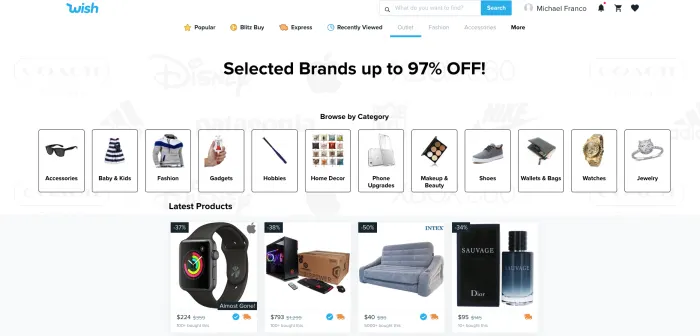
Wish OutletClicking on the word “Outlet” on the web shopping page or on the shopping bag icon in the app will bring you to the Wish Outlet. Unlike many of the products in the main store, all products featured here are from popular brands, so shopping through this interface improves your chances of getting higher quality items still at impressive prices.
Cart and check out

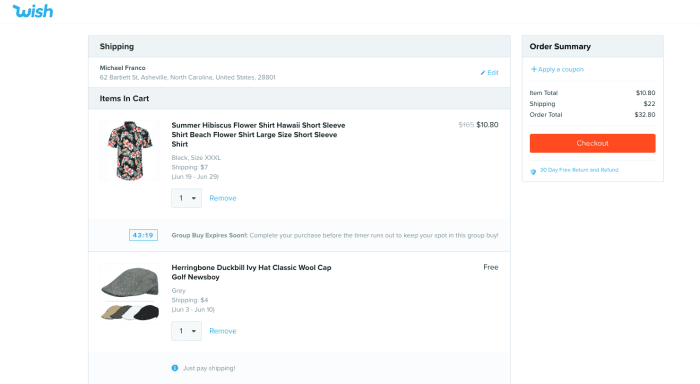
Wish Cart

The shopping cart interface on Wish is clean and simple to understand and is accessed by clicking the cart icon at the top of the page. It’s where you can adjust quantities, or set them to “0” if you want to remove something. It also shows you any countdown clocks or group buy deals you might be involved in which ostensibly pushes you to make your purchase decision a little faster, but can also save you a bit of coin.

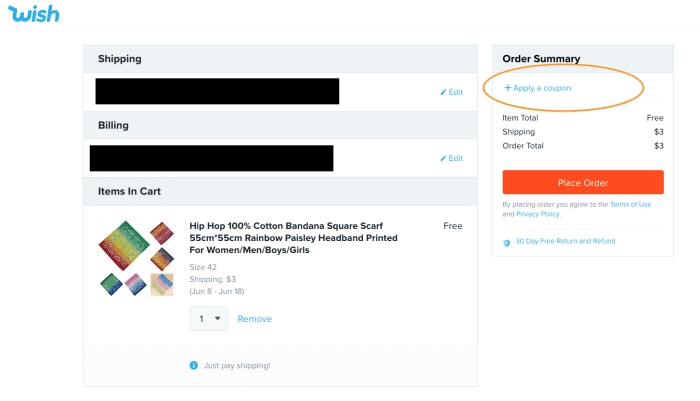
After clicking “checkout,” you’ll be taken to the payment page where you can enter your payment details. Here is where you can also enter that code we discussed earlier to take a few more percentage points off your total sale. On the app, you can find the box to input the code by scrolling down, while on the website, you simply click “Apply a coupon.”

Wish Check OutAlso, be on the lookout on this screen for any last-minute promotions. Sometimes you are given a free gift for purchasing a certain amount, and the gift actually is free – you don’t even need to pay shipping, so it’s worth tossing in to your order.

Slide the orange bar on the app to pay, or click the red “Place Order” button on the web store and you’ll be all set.

Post Order

After placing your order, the company does a good job of keeping you up-to-date on its progress via email alerts or, if you choose the option when you check out, text messages. If you decide that your purchase was a mistake within 8 hours of placing it, you are free to cancel and receive a store credit known as Wish Cash. If your item arrives damaged (not uncommon) or the wrong item is shipped, you can apply for a refund within 30 days of receiving it. You can also apply for a refund if your item never arrives.

Happy bargain hunting!