 Opera have released the first public download of the latest version of their ever popular browser. Codenamed ‘Kestrel’, Opera 9.5 alpha is a fairly major update and adds various new features as well as improving the already impressive tool set of the program.
The first thing I noticed on testing Kestrel was a definite improvement in speed. Opera’s always been fairly good in this respect but the developers have clearly pulled out all the stops to tweak yet more power from it. It also uses slightly less memory than before – which makes the performance improvements all the more impressive.
In terms of new features, Opera has introduced a more complete caching system which allows for the introduction of Full History Search. FHS lets you search within every page you’ve visited – for example when you’ve seen something interesting but forgot to bookmark it. Assuming you don’t delete your cache, Opera will search through every page you’ve visited, and not just the URIs of pages in your history. You can access this new interface directly from the address bar, so it’s pretty seamlessly implemented.
The new ‘Synchronize With My Opera’ feature is less exciting. It doesn’t really seem to do much but share your bookmarks and Speed Dial settings automatically onto a my.opera.com profile page. The aim seems to be to link the browser directly to a sort of del.icio.us and ‘blog this’ functionality. But the synchronization feature is poorly documented and so doesn’t really seem to be of much use. Those who accuse Firefox of feature-bloat would do well to take a closer look at the behemoth that Opera has become.
In summary: Opera 9.5 is faster and more efficient than previous versions. It still passes the Acid Test and has made improvements to text and bitmap rendering. The Full History Search feature is pretty cool but I’m not that keen on the Synchronize feature: not when I’ve got better solutions which I’m already using. Download from Opera.com here.
 With the Penelope project, Mozilla developers are looking to blend Eudora and Thunderbird into one. Set to be an extension that can be installed on either mail client, Penelope is currently available in a Eudora installer provided on the
  One way to dramatically speed-up your productivity and PC’s performance is to automate tasks. Sometimes, this can be done to simply create a few hotkeys to reduce the amount of mouse work you do. Alternatively, it can involve automating defrags, shut-downs etc.
 I usually use RSS feeds to keep track of my favourite sites although in recent times, I’ve been an increasing convert to the use of news tickers. News tickers avoid the need to visit websites or check RSS feeds by sitting on your desktop and scrolling content vertically or horizontally. These can be used to cover just about any topic. Here’s a selection of some of the best:
 Nokia Maps promises to be the mobile solution to navigating around the world and with free maps for 150 countries they could be right. In terms of content Nokia Maps has a lot to get excited about. Of course it provides a comprehensive route-finder facility. But more than that, with Nokia Maps you can locate 15 million tourist spots meaning whenever you’re in a new city the software will tell you exactly where to go.
 CyberHawk has changed its name to ThreatFire but still offers the same effective protection against spyware, trojans, rootkits and other creatures. ThreatFire monitors your PC in real time and warns you immediately upon detecting any abnormal behavior that could be a sign of malware. The program can also run scans on your PC, either by user demand or via the built-in scheduling tool.
 Zattoo brings genuine TV to the Mac via peer-to-peer technology, indicating the appropriate selection of television channels based on the country you live in, something that no Internet TV app has done successfully to date. The program works pretty smoothly, making easy to watch your favourite programs.
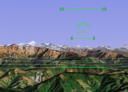 So you thought you knew it all. Well think again because the world has one more secret to reveal. There is a flight simulator in Google Earth. That’s right. And it’s very realistic. Choose from one of two planes – an F16 Jet or SR22 propellor plane – both incredibly difficult to control. Or for me they were. To find these hidden treasures simply download the
  Interesting news for enemies of the USA – a maritime buff has just discovered a top secret new propeller on a submarine in dry dock at a US Navy base using Microsoft’s
  Although the English version of Softonic only launched in November 2005, the original Spanish language site celebrates its 10th anniversary this week. In honour of the big day, the website is throwing a birthday party here in Barcelona. All our users are welcome to attend, and you can get your free invitation by visiting the Spanish site