 I’ve never used a dating site or a “perfect match” piece of software but I wouldn’t be averse to giving it a go. In theory it sounds like you can cut out a lot of hassle – just match a few essentials on a database and Bob’s your uncle – you’ve got a ready made wife.
Of course, in reality it’s not as simple as that. There are many things that can go wrong. People often, let’s say, “stretch the truth” when it comes to filling in dating forms, their photos have been doctored in Photoshop or they simply don’t live up to your expectations. Then you’ve got people that take advantage of the system completely and treat it as some kind of slightly more sophisticated meat market. So bearing in mind that I ain’t much of a Casanova, here’s my 5 step plan to getting back in the dating game if you’ve been on the shelf a while:
1. Get in touch with your inner self – Before you take the plunge into dating sites, you might like to prepare with Natural Biorhythms. This software helps you discover your natural strengths and weaknesses and also your ideal biological match.
2. Prepare yourself with some smooth lyrics – Ladies like to feel wooed with complements and such but flattery will only get you so far. There comes a point when you have to step-up a gear and tell her things that make her heart flutter. What better then than Love Quotes to sweep her off her feet.
3. Use a love calculator – Download A-Toolbar which, amongst 50 useful tools such as an RSS Reader, Currency Converter and Horoscope, also features a Love Calculator. Simply enter the name of the person you desire, plus your own, and the calculator will work-out whether the relationship has a future.
4. Join a dating site – There are literally hundreds to choose from and which one you do depends on where you live. One of the best starting points is Datingsites.org which profiles the most popular sites on the net. One of the sites is Great Expectations which is the agency that Borat used while looking for a wife “with plough experience” in America.
5. Start your own dating agency – If all of the above has failed, start your own dating agency with Dating Pro – that way you can cherry pick the best candidates and “sort the wheat from the chaff” at source rather than risk any disappointment or rejection.
Remember however that dating via agencies can be a very risky game to play as David Brent discovered while waiting for the woman of his dreams in The Office:
[youtube]XB24zxYNNA4[/youtube]
 No plans for Easter holidays? Download Project Torque and join exciting driving competitions against players worldwide. This free online racing game, which could be defined as a Gran Turismo clone for PC, features several game modes, amazing graphics, realistic physic effects and a very active social component with embedded chat and email clients.
 Fancy a cool mobile game to help you while away the bank holiday weekend? MadBeetle fits the bill perfectly, providing level after level of involving gameplay. Your mission? To guide your angry little critter out of the underground caverns by negotiating monsters, blowing up doors and dodging cannon fire.
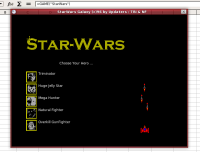 Having already tapped into Easter eggs inside Microsoft’s
  I always prefer subtitling over dubbing. Dubbing can often make a mockery of a good film, especially if it’s done badly. I once saw The Godfather in German and Marlon Brando just sounded ridiculous – I just don’t believe that dubbing does anyone any good. If you’re a video enthusiast, or you’ve got tons of DivX films that are without subtitles in your own language, then here are some tools to help you make professional looking subtitles.
 Microsoft Office is one of the most popular and widespread office suites for everyday tasks. Most companies install it on their employees’ computers and this enables them to open documents, work on spreadsheets or view a presentation in a comfortable way, all from the same software package.
 We all use it on a regular basis, but how many of us know about the hidden Easter eggs in Adobe
  Being such a smart browser, Firefox uses a very clever method to store your user information. It’s called profile and it’s a set of files where Firefox saves all your bookmarks, browsing history, extensions, passwords and personal settings.
 Now why would you want to create another profile? Two possible answers come to mind: one, separate profiles are an excellent way to get to test new Firefox versions when they’re still at a very early stage of development (and therefore, quite unstable); and two, profiles also allow you to have completely different Firefox settings and configurations for two or more different users, which is really useful when you share your PC – and your browser – with the rest of the household.
 It’s the sixth day of my software Easter egg search and today I’m exploring the hidden mysteries of
  Are the days of PCs and Windows really numbered? Will the world eventually convert to Macs? Maybe these sound like rather wild suggestions but what’s clear is that Apple Macs are selling better than ever before – and in a time when economies around the world have started to slow down.
 So the first major update to Windows Vista is here at last, fourteen months after Microsoft’s latest operating system was finally released. Many potential Vista customers were advised at launch to “Wait for Service Pack 1” – so was this advice valid?