 Do you want to know what people say about a web site in terms of security, reliability and privacy? It’s not just a matter of curiosity: having user ratings on websites can save you lots of time and trouble. There are many services you could try to know more about the number of visitors a web site has, the server location, the visitor location, etc. We have found one though that includes all the information you might need to know about a web site: WOT.
This is a Firefox and IE add-on that adds a colored ring near the home page button of your browser. This lets you know easily, by changing color, if a web site is trusted, safe to use and whether the general reputation among end-users is good. You can also add your own rating by clicking the colored ring and give your score on trustworthiness, vendor reliability, privacy and child safety. If you click on the “View scorecard for rating details” option, you’ll be able to write a comment and read what other people have said about that website.
What about all that useful hidden data you wanted to know? In the rating details page, the application displays the references found for a website on other sites. In this page you will also find the ‘Whois’ function which provides interesting information about indexed, registry and server data. You can even find a physical address behind a web site, which can be extremely useful, for example in cases of commercial fraud.
Other services that provide you information about websites are:
WhoIsTheOwner.net – If you want to know the contact address, email and phone number of the website owner, this free service will help.
WhoIsHostingThis.com – Enter the URL of any website and this online service will display that site’s hosting details.
SocialMeter.com – This service helps you determine the popularity of a web page on social sites like Digg, del.icio.us, Google Bookmarks, etc.
Popuri.us is for estimating the relative popularity of a website with ranking data and inbound links from sites like Compete, Quantcast Google, Yahoo!, Windows Live, etc.
OthersOnline is a Firefox and IE add-on that gives you the list of people interested in a particular website and if they are online, you can chat with them and exchange opinions.
 Windows: A hat, a whip, a rhythmic trumpet melody sounding in the background… need more clues? Yes, Indy is back! The fourth movie is only a week away but meanwhile you can have fun with LEGO Indiana Jones: The Original Adventures, a fun 3D platform game that includes the most famous scenes in all three previous movies, all recreated with Lego blocks.
 Mac: Want to make a comic strip out of your holidays pictures? Comic Life Magiq is what you need. This highly intuitive app makes great use of Leopard technology and offers loads of templates and original text bubbles. The effects you can add to your photos are really impressive. Plus it’s very easy to use: drag and drop your images, add in text and you’re done!
 Smartphone: All too many of us know how annoying it is when your phone gets stolen, but thanks to RobLock you can now minimize the damage if thieves strike. The program sends an alert to a predefined number (a friend’s phone, for instance), when your phone is stolen, providing you with details of the robber’s SIM.
 Sex and the City has been recently in the news for the world premier in London of the cinematic follow-up to the successful TV series. According to the film’s marketing team, they are creating smallish premieres in Europe, the next one will be in Berlin, in order to create enough suspense for the New York premier which will be ‘enormous’ and will happen just before the film opens worldwide, which is set for May the 30th.
 If you’re a
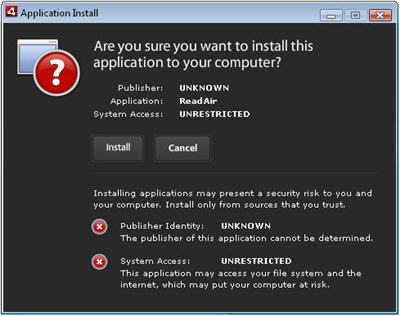
  However, the big downside of twhirl is that it requires installation of Adobe Air. In my opinion, it’s worth doing this although if you’re working a low spec machine, then it may be wise to avoid it. If this is your case, then you’d be much better seeking a lightweight solution in the form of
  If you only use your iPod to listen to music, you’re missing out on loads of extra things you can do with it. There are many utilities out there to help you convert and transform your iPod into an array of tools such as a video player, storage device, news reader and note taker. Of course, if you’re going to fill it with movies then you’ll need to delete all those albums that are hogging space on your iPod’s hard drive but it’s worth doing, considering you can get all of this out of it:
 Widgets are all the rage now enabling users to drag and drop their favourite applications and functions onto their desktop for easy access. However, until now, the widget phenomenon hadn’t caught up with video players (except arguably
 Adobe AIR (which used to be know as Apollo,