 It’s only February, and already we have a contender for game of the year: Mass Effect 3. The PC demo really shows off the drama and action of the game well. We’ll have to wait until March to see whether BioWare has created a game that fittingly ends the trilogy, but it certainly starts off well. You can choose to be a male or female Commander Shepard, and also choose the type of gameplay you want.
 Nick took a look at a browser add-on called Do Not Track Plus, which allows you to stop websites tracking your behavior and giving you targeted advertising etcetera. If you’ve ever wondered why you keep seeing that pair of shoes you were looking at in advertising while you are browsing, try this out! Do Not Track Plus is compatible with Mac or PC for Chrome, Firefox, Safari, and Internet Explorer, which should just about cover all bases!
 One of the best security suites around, you can now try out the beta version of avast! 7. Niamh put it through its paces. Read more in her post and see what changes are being introduced, from the new interface to cloud services and remote access. Maybe the biggest change is the avast application market – will it be the iTunes Store of security?
 On March 1st, Google will make an important and much publicized change to their privacy policy. This means Google searches and web history will no longer be treated separately from other products such as YouTube, Google Docs etc.




 After almost two-and-a-half years in the making,
 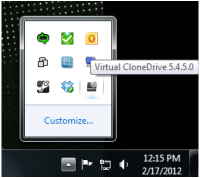 If you want to inspect or watch ISO files – archives of optical discs like DVDs –
  Apple has taken another step forward to transforming OS X into iOS with the developer release of