Protect yourself online: 10 apps to secure online privacy

Anything you transmit over the Internet can be intercepted, heard, or stolen: the emails you send, the files you share, even the photos you upload.By whom? It could be anyone. It could be the government. But it could just as easily be an anonymous hacker monitoring your network like a nosy neighbor. The point is, it’s easy. And not only that, it’s cheap.

But you’re not helpless. There are tools that, when used properly, can improve the privacy of your data without forcing you to give up the conveniences of the Internet. Below are some essential tips that’ll give you all the information you need to protect yourself and increase the security of your data online.

1. A secure connection

No connection ensures privacy and total anonymity, but you can get close to it if you use a combination of anonymizers and encrypted tunnels.

The program Tor, available for many operating systems, routes your traffic through a series of nodes, making navigation anonymous. Thanks to the installation package, it’s very easy to use and configure.
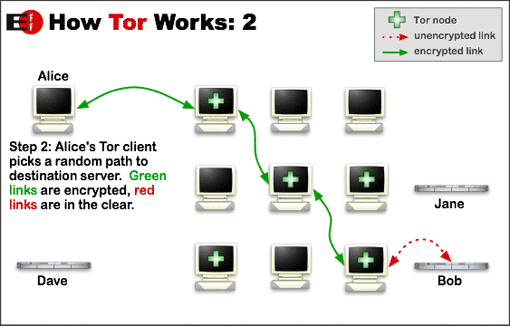
But while Tor encrypts your traffic to and within the Tor network, it doesn’t make your traffic completely soundproof. For that, you need to encrypt your connection, passing it through a tunnel, known as a Virtual Private Network or VPN. The most well known VPN clients are Hotspot Shield and Ultrasurf.
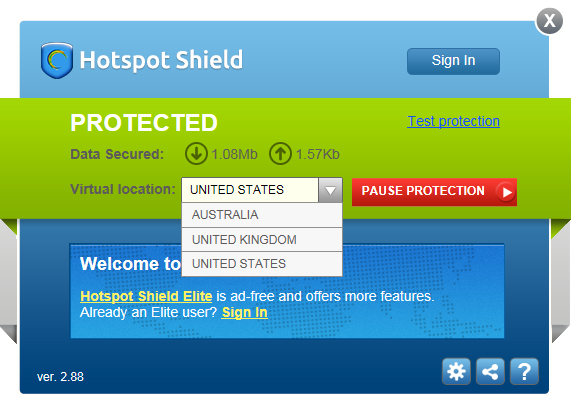
Tor can be used in conjunction with a VPN: in exchange for the loss of speed that involves using both systems, you gain anonymity and privacy, as well as the ability to open websites that may be unavailable in your country.

2. A secure browser

A web browser is where most people spend the majority of their time, and for that reason, it should be safe and offer a wide selection of security plugins. Above all, however, it should be an open source browser.

A good one is Tor Browser, a browser based on Mozilla Firefox which is pre-configured to use the Tor anonymity service. You can also use SRWare Iron, a secure version of Chrome that doesn’t send data to Google. The portable versions add a further layer of security.
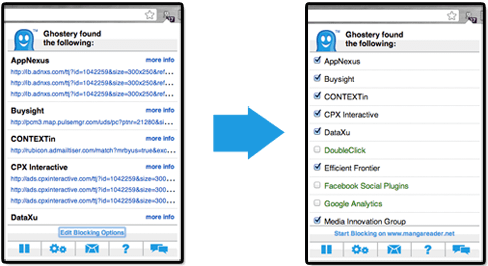
Ghostery identifies all kinds of cookie tracers on any website you visit.
To maximize your browser’s security, you can also install extensions like Ghostery or DoNotTrackMe, which deactivate trackers. Remember that most of these programs help you stay anonymous, but don’t encrypt your traffic. For that you need to use encryption, which we’ll go into further detail about later.

3. A secure search engine

Browsing almost always begins with a search, and what you search says a lot about you. Another key to increasing privacy is, of course, a secure search engine.

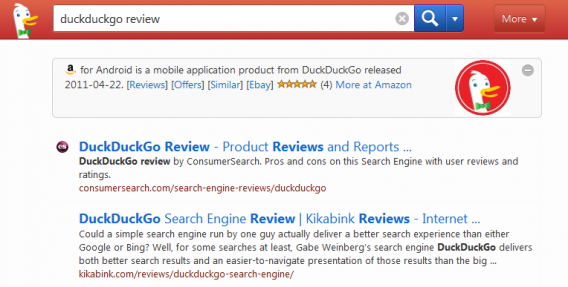
Since the PRISM scandal broke, the independent search engine DuckDuckGo has emerged as one of the best secure alternatives to Google: their results are of similar quality, but DuckDuckGo doesn’t store your searches, preventing them from being associated with you.
If you want to keep using Google, a safe option is GoogleSharing, a browser extension that passes all your search requests through an anonymous server and prevents Google associating them with you.

4. Secure email

An email account contains a wealth of personal information, whether in items you’ve sent or received, which is why it’s important to protect it.

SecureGmail is an open source extension that adds encryption to your communications with Gmail (for those that use this service). To go one step further, you should use PGP or GPG, which is currently the most widely used system of encryption and secure communications. For convenience, use extensions like MailEnvelope and SecureGmail.
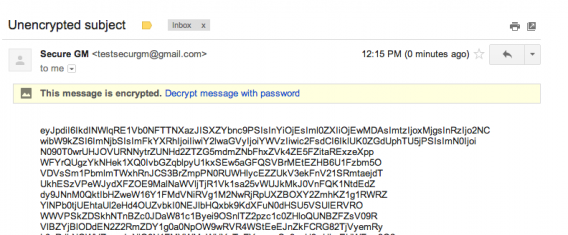
An encrypted email with SecureGmail.
Still want more security? Create an account with CounterMail or HushMail, both secure mail services with integrated encryption. The alternative is to use temporary ‘disposable’ email accounts such as Guerrilla Mail or Mailinator.

5. A secure messaging app

Can’t tear yourself away from WhatsApp? You should know that it’s not a very secure app: until recently, its traffic was not encrypted and the app stored all your message history on your phone.

If the idea of using an insecure messaging app doesn’t sit well, don’t despair: there are alternatives. For mobile phones, the two most interesting are Wickr (iOS) and Gryphn (Android), which allow you to encrypt your messages using a very powerful algorithm.
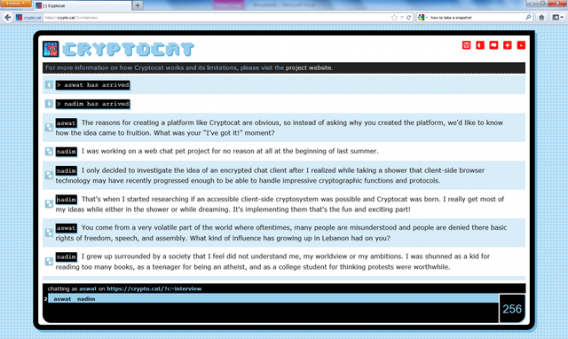
When using your PC, Cryptocat is a good option, a Firefox extension that lets you chat with strong encryption. It’s available in 32 languages ​​and there are many journalists who use it for their confidential conversations. Used along with Tor, Cryptocat provides encryption and anonymity for your chats.

6. Secure file hosting

At some point, you might have to share large files. If you’re working with sensitive information, uploading files using certain services can be risky, especially if your servers are in countries with laws that guarantee little privacy.

A system like BitTorrent Sync, whose use is explained here, uses an ingenious system of secret keys and 256-bit encryption, making file and folder sharing both easy and safe.
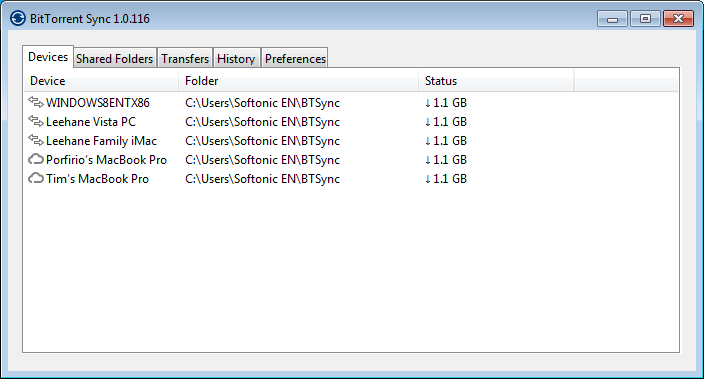
With a private substitute like Dropbox, BitTorrent Sync is excellent. But there are other options too: Mega and Bitcasa use encryption to store files on their servers so that only the user knows its contents.

7. A place to copy text and images

Sometimes you might need to copy text or share photos publicly but would rather do so anonymously.

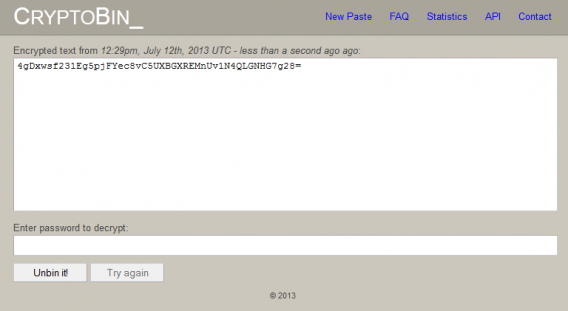
The undisputed leader for copying text is PasteBin, a kind of ‘clipboard in the cloud’ in which people share all kinds of documents and leaks with a good level of privacy. Even more secure is CryptoBin, which encrypts the text using a key.
For images, services like Imgur allow you to post images or upload files anonymously. Imgur makes it very clear: if the photo you upload is not shared publicly, it will not be seen by anyone. Make note: it’s up to you not to share the unique image links that Imgur creates if you don’t want anyone to see them.

8. An application to clean your metadata

All documents you produce contain metadata, information that may violate your privacy and expose your identity to the public.

As safe as you may think the communication channel you’re using is, the GPS coordinates on a photo or your name in a .DOC file an ruin your attempts to go unnoticed.

There are tools capable of collecting metadata from many documents in seconds, and with such programs out there, you want to make sure that your documents are clean.
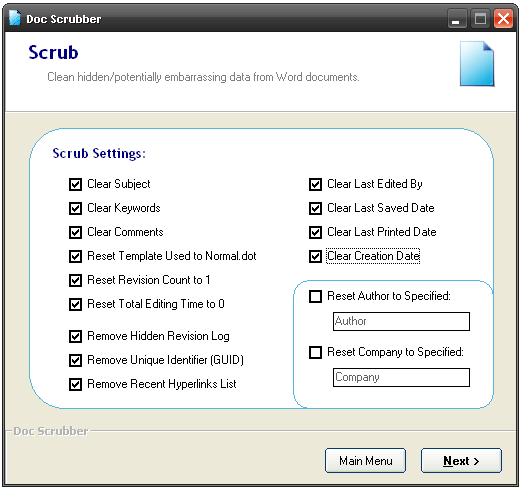
Cleaning out this information isn’t hard, you just have to know how to do it, and utilities like Doc Scrubber or MetaStripper make it very easy. In general, never share a file or a picture online without having removed its metadata.

9. A respectable online presence

Your online presence can say a lot about you, and it could be harmful if you don’t know what’s out there. Clearing your tracks is one way to stay ahead of the game.

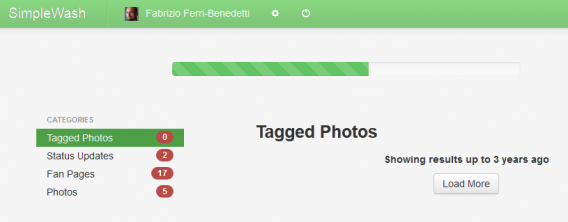
Simplewash is an application that helps you erase your past activity on social networks. Another tool, Safe Shepherd, makes a detailed diagnosis of your online presence.
Another solution is to keep your official profiles but to create separate, or alternative, profiles for online activities that you may not want to be easily associated with you. Many people opt for this method to remain active but less visible online. Just remember to make these profiles credible and not create completely false identities.

10. A secure hard drive in your PC and the Cloud

As much as you can store in the Cloud, at the end of the day, your hard drive is still where most of your personal information is stored.

To keep your data safe from prying eyes, like a thief who has stolen your laptop or an intruder who want to tinker with your data, it’s best to encrypt your hard drive, if only partially. A program like PGP can do it, but there are free solutions just as powerful, like TrueCrypt, which encrypts virtual drives at once.

If your files are stored in Box, Dropbox and other cloud services, then you might also be interested in trying BoxCryptor, which groups together and encrypts files on your hard drive before they are synchronized to the remote server. Be careful though: as is the case of TrueCrypt, if you lose the password, you have no way to recover your files.

Cautionary note

The applications listed above can help you more effectively protect your privacy and identity online, but don’t replace them with common sense. These applications don’t always work perfectly, especially when used without previous experience, so please use discretion online.

The Softonic Minute: Android 4.3, Open Office, Assassin’s Creed and VLC for iOS

Google introduces Android 4.3, Open Office releases its fourth edition, Assassin’s Creed gives a 15-minute gameplay preview, and VLC returns it iOS three years after being removed from the app store.

This week’s top news stories, all on the Softonic Minute!

brightcove.createExperiences();

OpenOffice releases its fourth edition. The free alternative to Office now includes a new sidebar that lets you access menus more clearly and directly. It also includes other improvements such as expanding the color palette and the inclusion of new languages.

Assassins Creed 4: 15 minute gameplay. The video shows the open world of Assassin’s Creed 4 in almost fifteen minutes of pure gameplay. The video is demonstrated from the game director’s own hand, showing the fast paced life of a pirate. Get ready for battles, treasure hunts and adventure as you control the new murderer of the series, Edward Kenway.

VLC returns to iOS. The famous video player launches its second version three years after having been removed from the App Store. VLC can play any video clip on iPhone and iPad. It also includes sync via Wi-Fi and Dropbox. As is typical for VLC, it’s all free!

Android 4.3 has arrived. The latest version of the Android operating system offers improvements but no radical changes. Restricted profiles, better 3D graphics support and Bluetooth low energy are the developments we’ve been given for now until the expected big changes of Android 5.0 Key Lime Pie.

Mercenary Kings: Timed missions, weapon customization, and 2D action

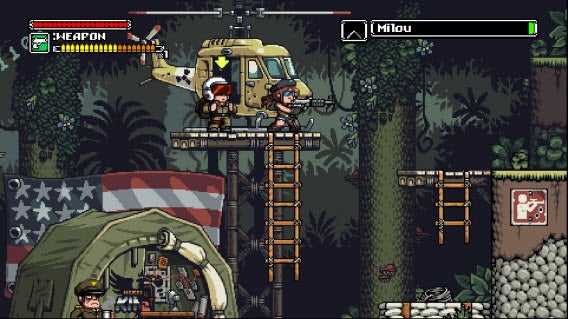
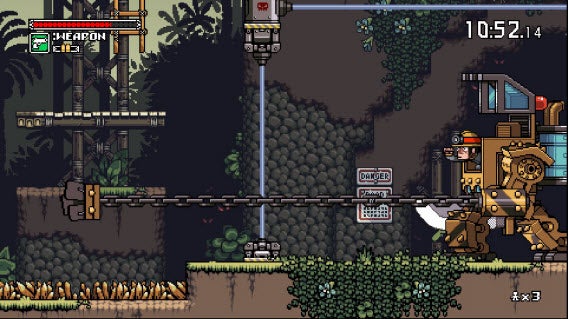
Mercenary Kings is a 2D sprite action game. It handles like Contra, features weapon customization like Loadout, and provides excellent gameplay.

On the surface, Mercenary Kings looks like a game from the 16-bit era. The visuals are simple compared to more recent games, but it still offers addictive gameplay.

The early access version of Mercenary Kings is a great preview of what the final game will present and you can help by offering feedback to Tribute Games, the developer. Right now, the preview version features 60 missions, more than enough to get a feel for the gameplay, customization options, and the different missions offered.

Easy to get addicted to the gameplay

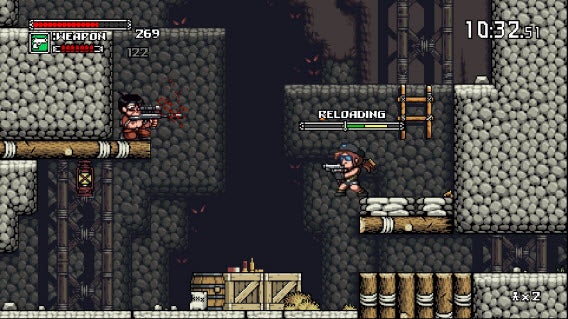
The core gameplay in Mercenary Kings is an action shooter. Armed with different weapons, you explore the level to accomplish a selected mission. The enemy in the game, CLAW, is trying to take over the world and you are tasked with stopping them at their “top secret Laboratory Base.” Each level features different enemy types, from melee, spear-wielding savages to snipers that you have to defeat using your gun and knife.

Along with the action, you collect items from fallen enemies and crates. These item pieces are used to craft weapon parts, new knives, and armor. Mercenary Kings is great because it never forces you to pick up dropped items. Instead, you actively search for them because you want to craft new weapons.

The mission structure is introduced with different rankings that you have to complete. The different rankings also signify the difficulty of the mission and it’s smart to completely finish a rank before moving forward. Mission types range from rescuing hostages, clearing enemies from an area, and gathering supplies. Later missions add secondary objectives that give bonus money if accomplished.

Each mission is timed so you’re always on the lookout to complete the main objective. This does lead to some issues when you’re trying to find a specific person or gather enough supplies, and can cause a lot of backtracking through a mission. It’s also possible to get a little lost in the bigger levels because they cover a lot of ground.

The learning curve isn’t too steep, but it does take a few missions to get a handle on how to progress properly. Mercenary Kings supports controllers and that’s the best way to play. It supports keyboards too, but it’s not properly mapped to play the game successfully.

Craft your tools

The money and items collected from missions are used to build weapon parts, improve armor, and purchase items and mods. At the start of Mercenary Kings, all you have is a pistol and knife, but after a few missions you have enough parts and money to craft a couple of cheap customizations.

Weapon parts range from the barrel and magazine to the stock and scope. Each part has an effect on your weapon stats. Adding a long magazine will give you lots of bullets, but it will probably lower your attack power. Weapon customization is big on experimentation and the type of gun you prefer. It’s possible to make a trombone that shoots caustic (poison) bullets, but the accuracy is so low that it becomes annoying to use it.

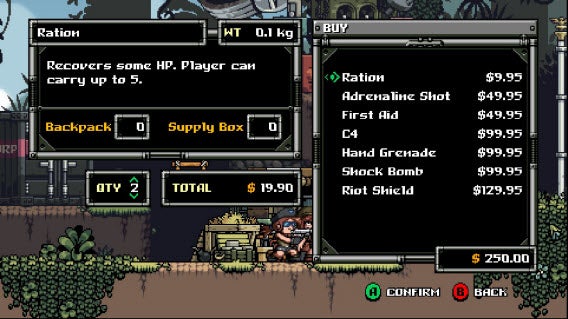
Creating mods gives you some added abilities, but the required parts aren’t as plentiful. You can upgrade your knife and armor with items at a lower cost. Buying items like rations and shock grenades is useful because you can carry a limited amount in your backpack inventory, but can also request airdrops from base when you are in dire situations.

It’s a lot of fun experimenting with different weapons to suit your personal style of playing and it doesn’t take long until you have enough money to craft a decent weapon that’s just to your liking.

Mercenary Kings will only improve

In its early access form, there are some bugs in Mercenary Kings. Tribute Games wants feedback from players so they can polish the game and fix as many bugs as possible before it officially launches.

Mercenary Kings keeps the gameplay fresh with the different missions and the countdown timer. The action is very familiar for people who enjoy 2D shooters, especially Contra fans. The weapon customization is great because you can be serious and make a gun that performs similar to real life or just make a bizarre combination of parts will different bullet attributes.

There’s no word on when the full release of the game will happen, but Tribute Games’ has released a developed preview version that’s a lot of fun to play.

Give Mercenary Kings a try and help them polish the game.

LibreOffice 4.1 arrives, borrows OpenOffice features

Not to be outdone by the recent update to Apache OpenOffice, rival LibreOffice has updated to version 4.1 , which borrows some of OpenOffice’s features. There are over 3,000 bugfixes in this version so updating will provide a more stable experience, even if you don’t care about all of the new features.

OpenOffice debuted its new sidebar in yesterday’s announcement and LibreOffice has included that in version 4.1 as an experimental feature. While it may seem odd for one office suite to take a feature of another, it actually makes sense as many Apache developers could be developing for LibreOffice as well.

Beyond the new sidebar, version 4.1 of LibreOffice brings the ability to rotate pictures in Writer, create slideshows in Impress, embed fonts in documents, and improved compatibility with Microsoft Office files. Microsoft Office is still the de facto office suite that most users use so it’s nice to see that LibreOffice will play well with Microsoft’s proprietary file types.

“Numerous improvements have been made to Microsoft OOXML import and export filters, as well as to legacy Microsoft Office and RTF file filters. Most of these improvements derive from the fundamental activity of certified developers backing migration projects, based on a professional support agreement,” writes Italo Vignoli in the LibreOffice announcement.

For the full changelog, see the source link below.

Source: The Document Foundation Blog

Download: LibreOffice

Internet Explorer 11 developer preview for Windows 7 out now

We reported last month that Internet Explorer 11 would be coming to Windows 7 and now you get can your hands on the first developer preview of the browser. There were worries that IE11 would only be available on Windows 8.1 machines but now it’s been revealed that the browser is coming to Microsoft’s last-gen operating system.

This developer preview of Internet Explorer 11 shows off the enhanced performance that Microsoft claims beats the competition, including Chrome and Firefox. IE11 will support hardware acceleration, which uses your graphics processing unit to render graphics so that your CPU isn’t taxed with the task. Microsoft claims that “IE11 is 4% faster than IE10, and nearly 30% faster than the nearest competitive browser.”

While Windows 8.1 will get a version of IE11 that doesn’t require installing Silverlight to stream from services like Netflix, Windows 7 users will still have to install Silverlight for streaming.

Check out the video below for more information about IE 11 for Windows 7.

Download the Internet Explorer 11 preview for 32bit and 64bit.

Source: IEBlog

Amazon Cloud Drive Photos Android app now supports video uploads and playback

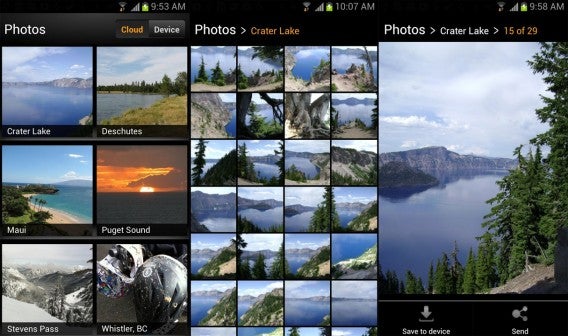
It may be time for a name change for Amazon’s Cloud Drive Photos app as it has been updated to support videos as well. The updated app gains support for video uploads as well as playback. This brings Amazon’s mobile cloud solution one step closer to Google Drive, which supports photos, videos, and documents.

Amazon Cloud Drive Photos works similarly to the auto-upload photo features from Facebook, Dropbox, and Google+. There’s currently no support to auto-upload videos, which may be just as well since video takes up a lot of data.

cloud drive photos combined

While you can upload videos now, you want to make sure they’re under 2GB and less than 20 minutes long, otherwise Amazon Cloud Drive Photos won’t take them. The app supports a myriad of different video file formats and codecs; 20 formats and 40 video codecs to be exact. Amazon will also be leveraging its huge cloud storage infrastructure to transcode video, which can take up to 15 minutes but can be as quick as one or two minutes. This means you can enjoy playback of video on your devices within several minutes.

There’s no word on when the iOS version will receive the update to support video.

Click on the download link below to get the latest version of Amazon Cloud Drive Photos for Android.

Source: Amazon

Download: Cloud Drive Photos for Android

Chromecast support rolls out to Google Play Movies and Music Android apps

Tuesday’s Google event officially announced Android 4.3, the next small improvement to Google’s “Jelly Bean” code named operating system. Alongside the release of Android 4.3 and updated devices, Google announced Chromecast, a small HDMI dongle that would allow you to push content from Android devices into HDTVs from apps like YouTube and Netflix.

The Google Play Store released the Chromecast app to allow users to set up the dongle to work through Wi-Fi and the manage internal settings.

Today, Google is updating its core apps to support Chromecast and they are starting with Google Play Movies & TV and Google Play Music.

The updates to both apps are mainly adding support for Chromecast and features like virtual surround sound for devices running Android 4.3.

It’s too early to say if Chromecast will succeed, but it looks like the successor to the Nexus Q misstep.

Source: Google Play Store

Download: Google Play Movies & TV | Google Play Music

Battlefield 4 Battlelog trailer shows better mobile integration

Electronic Arts’ original Battlelog app was a window into the stats of your progression in Battlefield 3. Initially, it didn’t allow any interaction with the two supported games, Battlefield 3 and Medal of Honor: Warfighter, and was a light social app offering limited interaction with friends.

The new Battlelog designed for Battlefield 4 adds a lot more functionality for mobile devices to act as second screen support. The second screen can be used for things like a mini-map to set attack points. You can use the Battlelog app or a browser to change your loadout. An interesting feature is the ability to search for servers through Battlelog without exiting your existing game.

Take a look at the video to see all the features explained in more detail.

Source: Battlefield 4 (YouTube)

Nokia releases YouTube Upload app for Windows Phone 8

Hot off the heels of the Nokia Lumia 1020 announcement, the company has now released their YouTube Upload app, which allows Lumia devices running Windows Phone 8 to upload their videos to Google’s video sharing service.

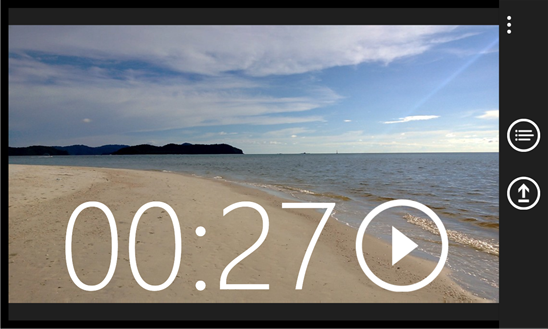
YouTube Upload works by selecting the specific video file you want uploaded from the device. Nokia also has its own Video Trimmer app, which you can use to modify your videos before sending them off to YouTube.

YouTube Uploader screenshot

Microsoft and Google have had quite a bit of drama over bringing YouTube to the Windows Phone platform. Microsoft had to develop its own YouTube app but Google wanted it taken down as it didn’t serve ads. Microsoft quickly rectified the situation by including ads within their YouTube app.

The YouTube Upload app is listed as working with any Nokia Lumia device running Windows Phone 8 but many users are reporting that it only works on the Lumina 1020. You can try it for yourself at the link below.

Source: Windows Phone Store

Become Kanye West for a day in indie RPG Kanye Quest 3030

Kanye Quest 3030 is a bizarre fan made role playing game, about ‘Kanye West, hip-hop, life The BasedGod and the Future’.

Follow Kanye as he gets transported to the year 3030, and has to battle Tupac, Jay Z, Snoop Lion, Ice Cube, Dr. Dre, and Eminem clones, who are under the control of an evil dictator (The BasedGod Lil B!). The battles see you taking on these hip hop legends by dissing them, bragging and using your amazing production skills to win.


brightcove.createExperiences();

Kanye Quest 3030 uses the Windows only RPG Maker VX Ace Run Time Package, and you need to download and install that first, before you can play the game. Kanye Quest 3030’s creator Phenix says because it was made in RPG Maker, it won’t be possible to port it to other platforms like iOS or Android.

Download RPG Maker VX Ace Run Time Package.
Download Kanye Quest 3030.