Google launches new Zagat for Android and iOS

Last week, Google announced that it would be killing the Google+ Local app for iOS. Not to worry though as Google is making its retirement more bearable with a completely redesigned Zagat app.

The app features a brand new design that will be consistent with the other Google Apps on iOS and Android. There’s a left column navigation menu when you swipe from the left with options for lists, videos, favorites, nearby places, and more. The new Zagat app integrates with Google Maps and provides location-based search results on a map.

Google hopes the new Zagat app will be used for more than just looking up places to eat as there’s sections for watching video interviews and reading articles about food. The content provided by Zagat is great, seeing as it’s a professional reviews site. There are curated top 10 lists as well as “Editor’s Picks.”

The competition is strong between Google’s Zagat/Local services and Yelp so the new apps should help Google steal some market share from the user reviews site. To check it out for yourself, download it from the links below.

Download Zagat for Android and iOS

Phil Fish cancels Fez II in epic Twitter meltdown

The sequel to the popular puzzle platformer, Fez, has been killed by its creator, Phil Fish in an epic Twitter battle with Marcus Beer of GameTrailers.  The fight between Beer and Fish got so heated that Fish decided to cancel Fez II altogether.

The drama started when Beer wanted to reach out to independent game developers to interview them about Microsoft’s decision to let indie devs self-publish. Fish didn’t want to comment about Microsoft’s, which lead Beer to release some choice words about Fish being a “”tosspot” and a f—ing hipster.

Fish demanded a public apology from Beer but, as you can imagine, that never happened. By the end of their internet spat, Fish canceled Fez II, saying, “im done. FEZ II is canceled. goodbye.” Later, Fish’s development studio Polytron wrote an official post on the cancellation of Fez II.

FEZ II is cancelled.

i am done.
i take the money and i run.
this is as much as i can stomach.
this is isn’t the result of any one thing, but the end of a long, bloody campaign.

you win.

Polytron followed up with a tweet apologizing to fans “for the disappointment.”

Head over to Game Front at the source link below.

Source: Game Front | Polytron

Saints Row 4 denied Australian classification in re-review, devs working on ‘Low Violence’ version

The Australian Classification Board (ACB) has reaffirmed its denial of Volition’s Saints Row 4 game. The three-person panel unanimously voted to ban the game in its current form from being sold in Australia, citing drugs and “sexual violence” as reasons for its censure. The game was first denied classification back in June but now the verdict has been reaffirmed by the ACB.

“Saints Row IV could not be accommodated within the R18+ classification as drug use related to incentives and rewards is not permitted,” writes the ACB. The R18+ classified was first introduced in Australia at the beginning of the year, allowing games to be sold that were targeted toward audiences 15 years old and up. Saints Row 4 is the first game to be denied classification since the introduction of the new R18+ rating.

Still, Volition hopes to bring the game to Australia by its August 23rd release date with a “Low Violence” version, which is currently listed on the Australian Steam page for Saints Row 4. The reworked game will likely leave gamers dissatisfied as violence, sex, and drugs are all part of the humor that make the Saints Row franchise great.

Source: ACB

Rockstar teases Grand Theft Auto V’s ‘The Fast Life’ with more screens

Rockstar Games has been quiet since the release of the first GTA V gameplay trailer. As always, the company is secretive about details until it decides to release them.

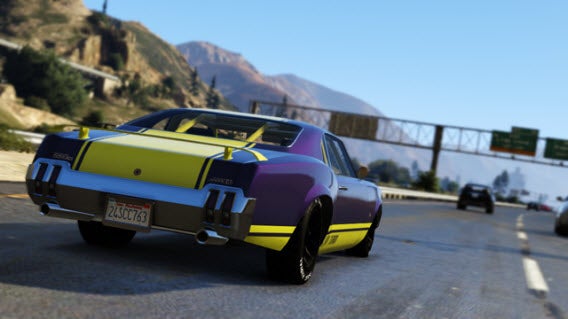
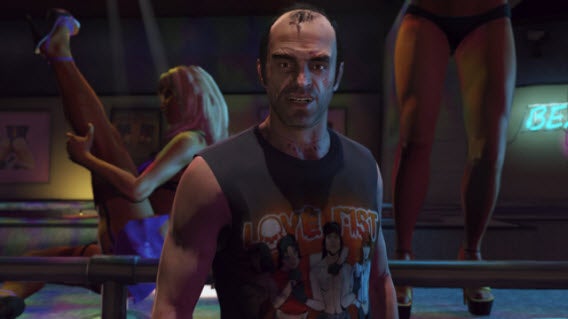
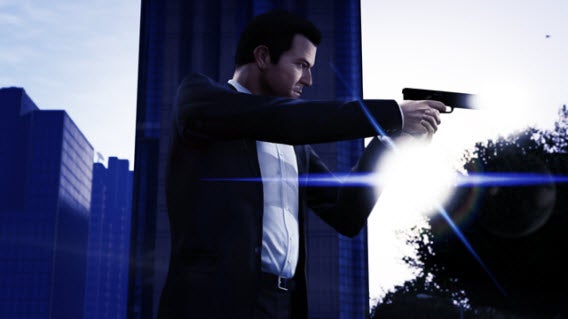
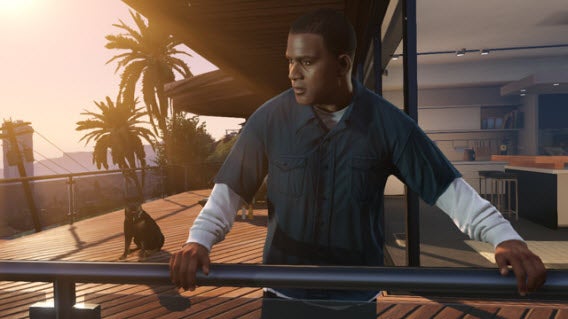
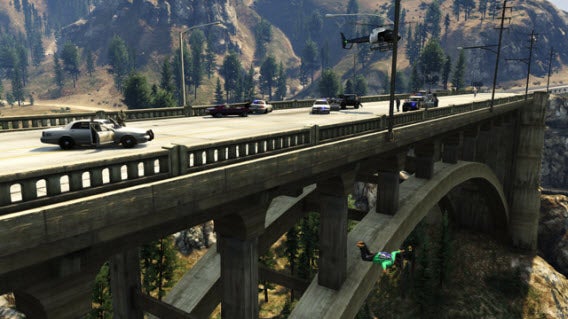
Today, Rockstar Games released new screens with file names called “The Fast Life.” From the screens, this looks like a preview of all types of “Fast Life” that players can experience in Los Santos.

The screens show different vehicles, after-hours activities, and skydiving. This could be another hint to how large the game’s world will be.

There are sure to be secrets inside these screens so take a close look and try to find the hints that Rockstar Games implanted.

Rockstar also hinted that August will reveal more details about Grand Theft Auto V including the “first proper unveiling of Grand Theft Auto Online.”

GTA IV mod coming soon to give you GTA V-style character switching

One of the most eye catching features in GTA V is the character switching which sees the camera pan out above San Andreas and zoom back in to another character. While we wait until September 17th, a group of modders are working on a mod to bring the feature to GTA IV, switching you between Niko Bellic, The Lost and Damned’s Johnny, and Ballad of Gay Tony’s Luis.

Default player


brightcove.createExperiences();

The mod is still under construction, so we have no idea how this will work. Normally Niko, Johnny and Luis are not in Liberty City at the same time (apart from a couple of special missions), and they also don’t have AI to go and do things by themselves.

Modding GTA games is still hugely popular, even six years after the last game came out on PC. We still don’t have confirmation of whether GTA V will get a PC release, though it is likely to happen six to eight months after the console release.

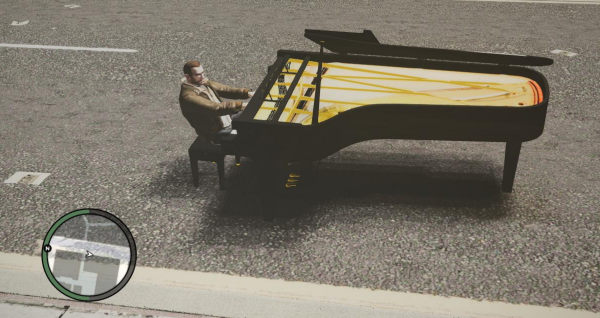
While there’s no concrete date for the character switching mod, there are plenty of other mods for you to play around with, like this silly Piano Car mod, that lets you drive around Liberty City driving a piano.

Android 4.3 has a hidden app permission manager

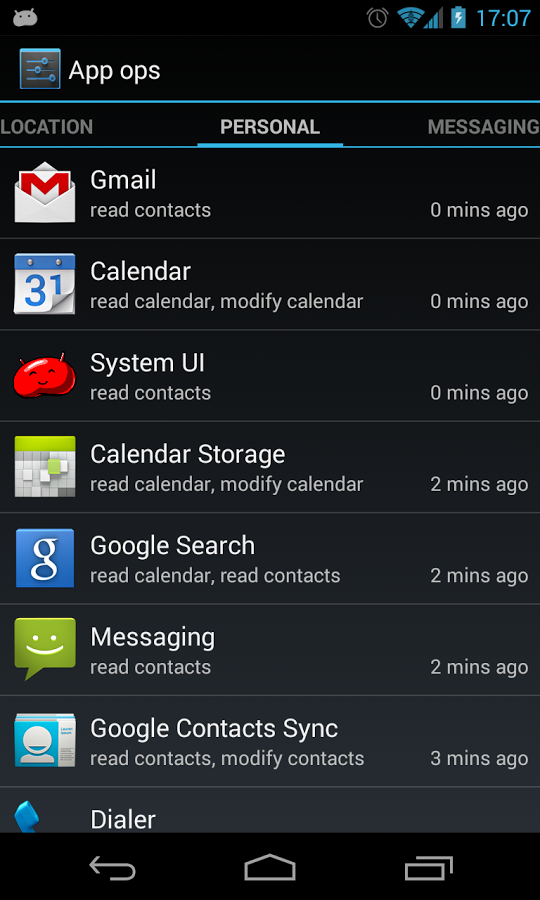
Although it has been available since last week, Android 4.3 Jelly Bean is still giving up secrets and surprises. Here’s proof: a new hidden feature has been found, that allows you to manage and set the permissions of applications installed on your phone.

A new menu in settings called App Ops allows you to check and manually change the permissions your apps have to access data on your device. These permissions are the ones you give the apps on installation – for example access to your photos, camera or contacts.

Apps from Google Play already have the option to alter permissions, but this is the first time the option has been integrated into Android. However, as the feature is still hidden away in Settings it may not be quite ready yet. We can expect it to be visible in a later Android update.

In the meantime you can get quick access to this hidden feature by downloading the free app launcher AppOps. This gives you access to App Ops in a single click.

Download AppOps.

[Source: Android Police]

Play the free indie game collaboration Experiment 12

VVVVVV developer Terry Cavanagh has got together with eleven other indie developers to create the free indie game Experiment 12. It’s Windows only at the moment, although it will be available on Mac ‘soonish’, according to Cavanagh’s blog.

Experiment 12 was made as a ‘chain game’. Terry Cavanagh made the first level, and then the next developer had three days to create their level, following on from the last, until all 12 were completed. The result is a very unusual, thoughtful and varied indie game. As a showcase for the often weird world of indie games, Experiment 12 works really well.

If you enjoy playing Experiment 12, you could try the following games from some of the developers involved.

Download Experiment 12

[Source: Distractionware blog]

Google Hangouts for Android updated, adds more emoji

Hangouts for Android is already a solid application but there’s still room for improvement. Version 1.1 doesn’t have any major new updates but the company has polished up the responsiveness of the app as well as adding more emoji icons.

Performance is probably the first thing users will notice. Google says, “We added some butter to Hangouts,” referencing the company’s “Project Butter,” which improved the responsiveness of the Android 4.1 operating system.

Additionally, Google has squashed a bunch of bugs in version 1.1 of Hangouts. The app is currently averaging 3.3 stars in Google Play, with many users complaining about missing features like picture zooming, lack of SMS support, and poor video quality. There’s still a lot to be done but frequent updates shows that Google is committed to Hangouts.

Download: Hangouts for Android

Source: Google Play

Google+ Local on iOS irrelevant with Google Maps using same features, retiring August 7th

The standalone Google+ Local app for iOS didn’t gain much traction with users. It never felt integrated into the whole Google+ experience even though it offered the ability to search for restaurants and read reviews from  Google+ and Zagat.

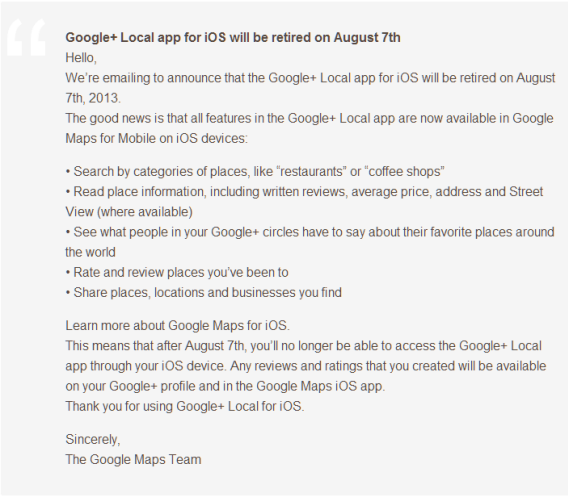
After Google I/O 2013 and the launch of the new Google Maps on Android and iOS, Google+ Local is a redundant app. Google announced, via email, that Google+ Local on iOS will be “retired on August 7th, 2013.”

All the features in Google+ Local are already included in the updated Google Maps on iOS. It’s no longer necessary to have two apps that do the same thing.

Google has been streamlining its products and spent I/O focusing on improving its core apps. Since Google Maps is more useful and users will be searching for points of interest, integrating Google+ Local’s features is an intelligent move.

Source: 9to5Mac

Download: Google Maps for iOS

Apps to help you find and read comic books

Comic-con took place during this last week in San Diego and many major comic book publishers updated their mobile apps. Some of the changes were superficial or minor, while others were overhauls to make the browsing experience better and solve major bugs. Overall each of them offer ways to purchase digital comics or acquire a select of free ones, making it very handy to have a comic book collection on the go. Whether you’re into DC’s New 52, Marvel Now, Image’s The Walking Dead, or another brand we’ll show you how to make the best of digital comic apps for your Android and iOS devices.

Comixology

A good number of comic book store apps use Comixology as their backbone, having virtually the same interface and feel. Marvel, DC, and Image comics all have a Comixology app on iOS, while Marvel and DC also have one on Android as well. Before going into each publisher’s individual app, it’s worth checking out the main Comixology app. It’s content includes the mentioned publishers and access to other productions such as manga.
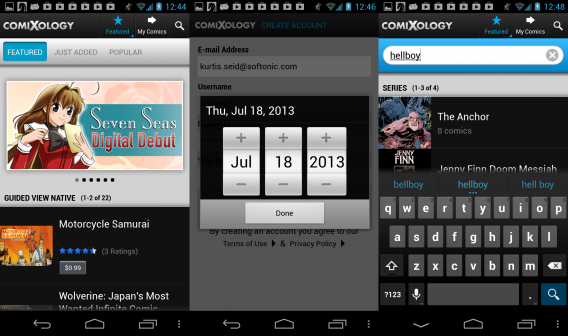
account and browsing

The main focus of Comixology is the purchase of comics or the discovery of free ones. From the main page tabs will allow browsing of featured, popular, and new releases. On the upper is a magnifying glass icon that allows for searches of specific titles, characters, publishers, and authors.
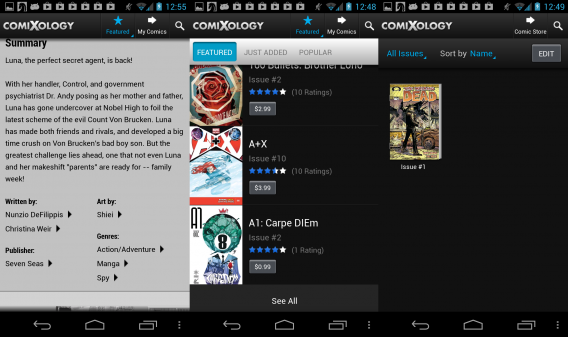
details and library

Before downloading any comics, you will need to create a Comixology account. Doing so will allow you to also access the content of the DC and Image apps, but a separate Marvel account is required for their corresponding app. Comics are listed out, allowing quick purchase and download, or you can tap on the title for a page containing more details. This expanded page includes several sample images, a summery, links to writers/artist and genres, the ability to rate the comic, and even share to social media such as Facebook.
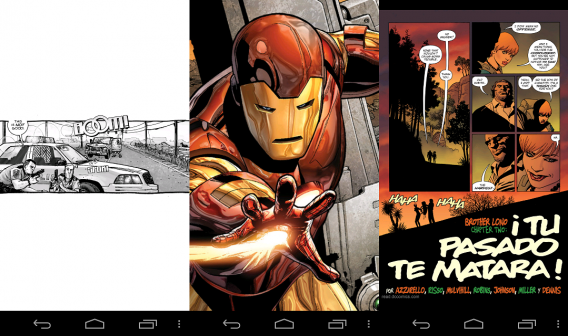
viewing comics

Once a comic is downloaded it can be viewed in the “My Comics” tab at the top. The comics can be sorted by issue, series, name, author, and publisher. By default a comic is shown in a dynamic and letterbox view, presenting individual panels with some minor animations to help direct focus and make the experience more lively. However, at any time the comic can be pinched or zoomed to see the entire comic page.
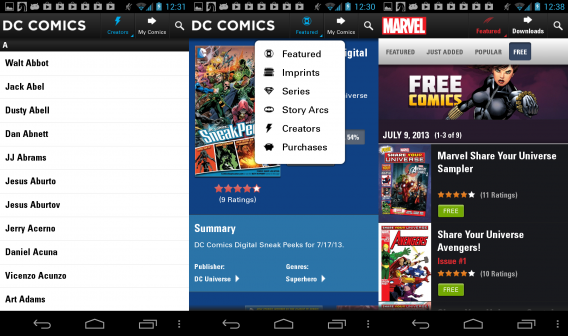
marvel_dc

Marvel, DC, and Image have their own version of the Comixology app that only contains their library of content. They aren’t identical clones, though. For example the DC version allows even more browsing options including direct browsing of imprints, series, story arcs, and creators. The Image version likewise has an emphasis on browsing by story arcs and creators, and adds in a button to quickly check all of your purchases, even if they are currently not downloaded to your library.
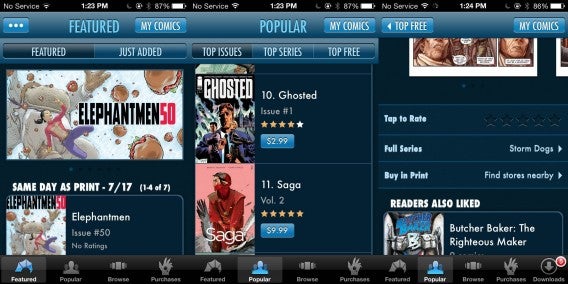
image comics

The Marvel version of the app has a greater emphasis on pointing you towards free content, sharing on social media, and quickly accessing the app’s setting menu. This is more predominate in Marvel’s case, as they have a separate Marvel Unlimited app that doesn’t work as well.

Marvel Unlimited

Marvel has a secondary app designed for their Unlimited subscribers. This one does not use the Comixology design, making it much harder to navigate. To even view free content requires a new account, and most of the content is stripped if you don’t opt into a paid subscription.
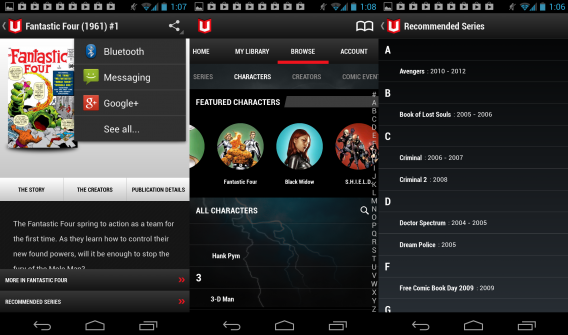
unlimited interface

Navigating for specific comics is a little hard, with a jumble of letters listed out on the right and series first being listed but expand with image previews upon tapping. The nice addition at least is that you can browse for items related to comic conventions, such as Comic-con and other events.
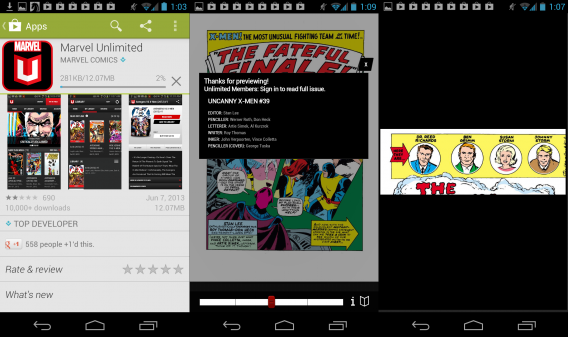
unlimted poor rating

The Unlimited app’s dynamic view does a worse job of highlighting important action in the comic, though its navigation bar makes it very simple and fast to swipe between pages. We ran into constant minor bugs such as random logouts, slowdown, and occasional crashing. As some users lamented in the Google Play Store, Marvel should really make the Marvel Unlimited app function more like their Comixology counterpart.

Dark Horse

Dark Horse Comics has their own unique app. There is a larger emphasis on big banners for featured and bestselling comics, these take up a lot of room, requiring swiping to see what you’re really looking at. When you tap on a comic title it leads to a simple white and black page with a short summery and a list of creators. These credits don’t link to more of their work, and the lower half of the app is obstructed by the glaring purchase button.
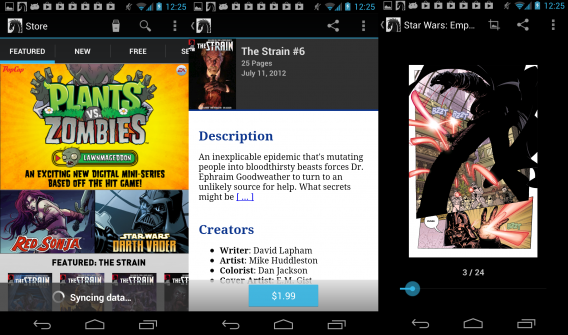
darkhorse

Viewing a comic on the Dark Horse app is less exciting than with Comixology. You can zoom in and out, but the page quickly snaps back into a medium view, and there are no engaging animations to help guide the story; the page just sits there mundanely.

A reason for multiple apps?

At the end of the day it seems better to just stick with the primary Comixology app, as it allows access to all the big name publishers and even smaller and foreign labels. The separate DC, Marvel, and Image apps seem better suited for diehard fans who only follow a particular company, making it an odd fit to someone who wants to discovery something new. The biggest thing to take away is that Comixology also functions reliably, something that the Marvel Unlimited app still needs updates to fix. If you’re a long time comic reader, or just want a few issues on your device, there is a good selection.

What about you? Do you read comic books on your mobile device? Do you use the listed apps, or is there another that’s you’re favorite?