Best free iPad apps

Whether you want to relax, get some work done, or watch some videos, if you download the right app, your iPad can function as a jack of all trades.

What makes apps better for an iPad than say, your iPhone or Android? It’s a combination of practicality, usability, and design– some things just make more sense on a big screen.

These free apps cover the basics and can help you take advantage of your favorite functions and services to make the most of your iPad.

Reading
Pocket

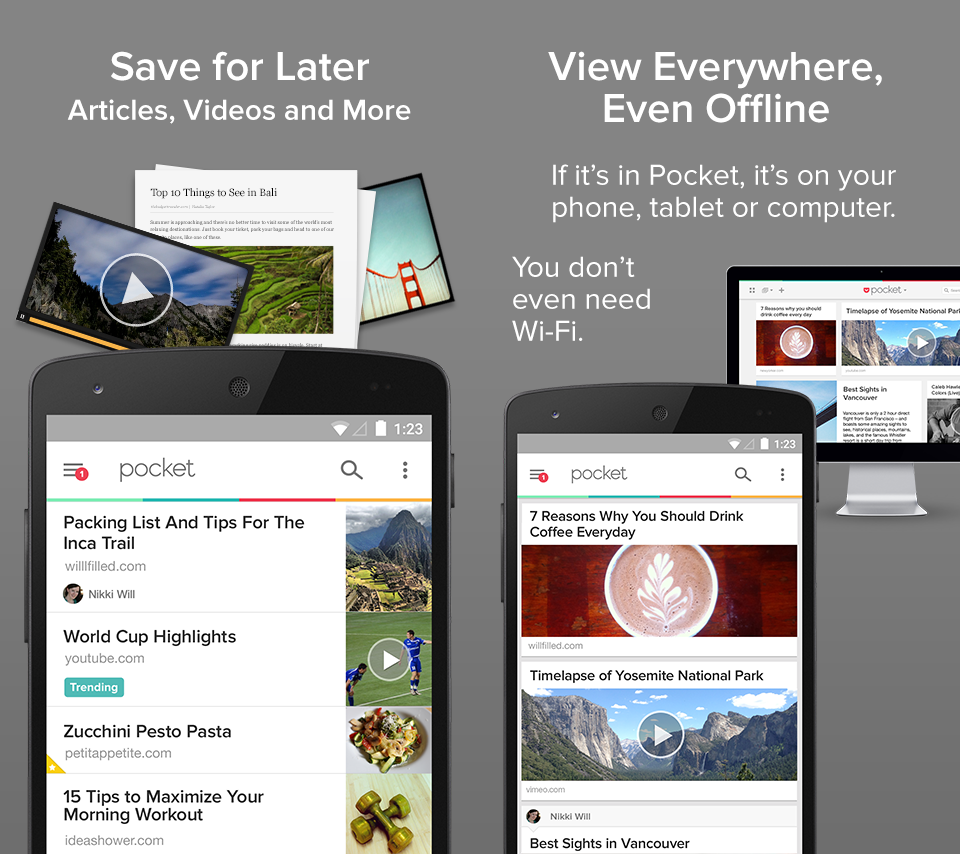
Pocket is all about saving things to read or watch later, and what better ‘later’ is there than seeing it on a bigger screen? If you have Pocket on your iPhone or Android, or  the browser add-on, you can use the same account on your iPad so that when you see something you’d rather read or watch on a big screen, you can easily sync it with Pocket for iPad.

The app saves things offline, meaning you don’t have to be connected in order to access articles. It also scales content to whatever screen size you’re using, making it perfect for the iPad.

Download Pocket for iPad

Flipboard

This aggregated digital magazine feels perfectly at home on an iPad. Similar to an RSS feed, the app pulls content from sources that you choose, ranging from news sites, to blogs, to people, to hashtags.

The real beauty of the app is the swiping gestures that let you turn the page as if you’re flipping through a real magazine, making both the interface and its navigation really intuitive. Like Pocket, Flipboard lets you save articles to read later, even if you’re offline.

Download Flipboard for iPad

Browsing

Chrome

Google’s Chrome browser is a good alternative to Safari for your iPad; it’s quicker, has a simpler interface, and gives all the convenience of Chrome for desktop on your mobile device. If you use other Google services like Gmail or YouTube, having your accounts synced on your iPad is a must. Along with tabbed browsing and a smart search in the address bar, you have access to incognito mode, bookmarks, and voice search.

Overall, Chrome’s browser does a pretty good job of giving a seamless mobile browsing experience without making you feel like you’re compromising functionality or speed.

Download Chrome for iPad

Dolphin

If you’re not a big fan of Chrome, you can try Dolphin, a browser that offers more versatility than even some desktop browsers. Its tabbed browsing feels comfortable on the bigger iPad screen, and it intelligently scales web pages to fit any screen size. You’ve got the option to use either the mobile or desktop view of a website, and load times of both are really fast. You’ll get access to all your bookmarks, including those in Chrome and Firefox, and can even clip things to Evernote.

If gesture controls are more your thing, you can create your very own custom gestures, although you’ll have to access them in a separate menu.

Download Dolphin for iPad

Games

Asphalt 8: Airborne

The newest iteration of this free-to-play arcade racer is probably one of the best free racing games available on mobile. Like previous Asphalt installations, you have a ton of different game modes, including a Career Mode that lasts 8 racing seasons, a Quick Race mode with 6 different types of races, and a Multiplayer Mode that lets you play against friends over the internet. This time though, unlike previous versions, you’ll be able to race without waiting.

The controls are easy and intuitive, making accelerating and drifting a lot of fun, but what’s best about Asphalt 8 is the number of new car models available, with over 47 to choose from.

Download Asphalt 8: Airborne for iPad

Plants vs Zombies 2

The second installment of the super popular Plants vs Zombies game has proven just as successful as the first. Like the first game, Plants vs Zombies 2 involves zapping zombies using strategic gardening methods. With a collection of plants including a pea shooter, a sunflower, and a cabbage thrower, you’ll have to prevent zombies from getting to your house.

Full of new worlds including the Wild West, Ancient Egypt, and the Dark Ages, you’ll never get bored with each world’s distinctly unique challenges and appropriately characterized zombies (think mummified zombies in Ancient Egypt). Depsite being free-to-play, the game does a very good job of balancing gameplay without getting overly frustrating, and if you’re good, you can easily get through worlds without having to shell out any money.

Download Plants vs Zombies 2 for iPad

Productivity
Evernote

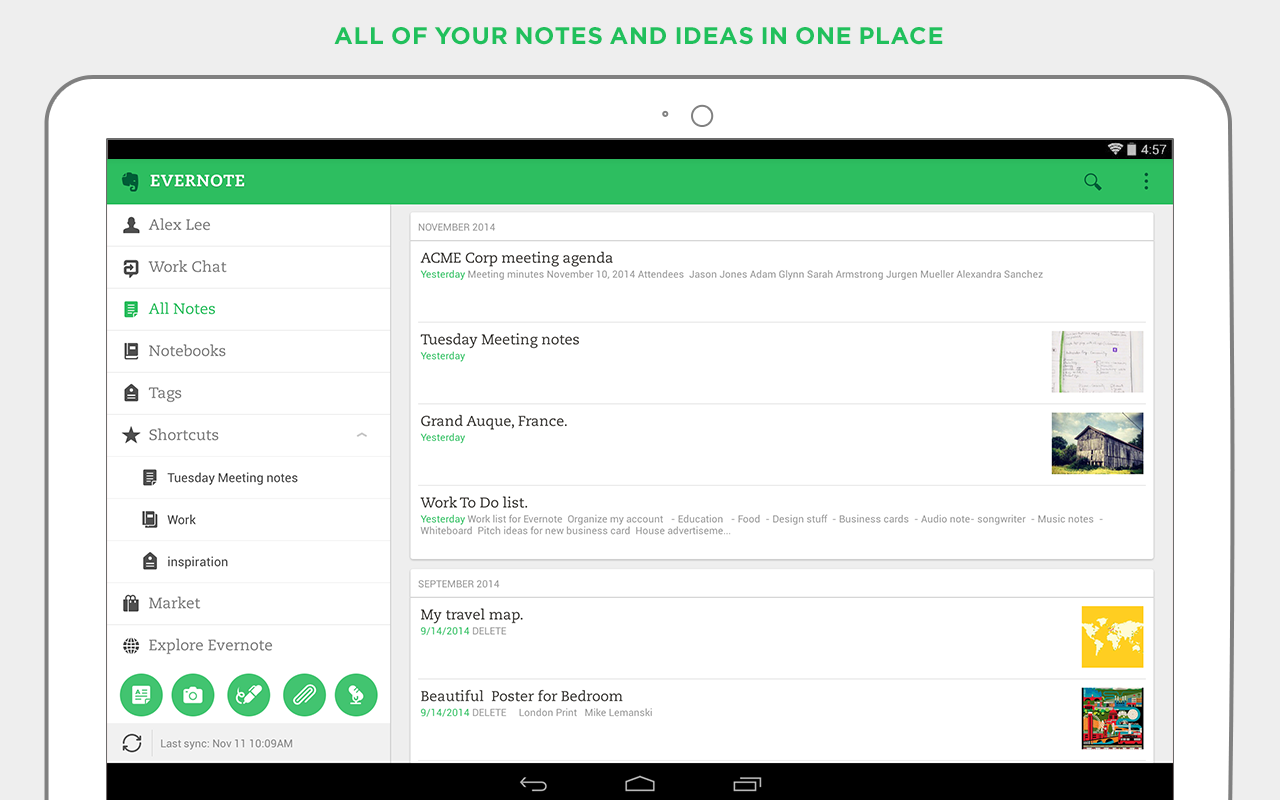
The file organization and note-taking productivity app is perfect for getting things done with your iPad. Primarily, the app is perfect for taking notes, especially if you have an external keyboard for your iPad. You can also manage and share files, collect articles, and store images. One of Evernote’s best features is it’s ability to create shared notebooks to collaborate, as well as it’s tagging system that lets you easily organize all your notes and quickly find them later.

If you feel like upgrading to the Premium version, you’ll be able to do even more, like annotate PDF files, use AirPlay to present your work, and use notebooks offline. Regardless, the free version still provides a ton of useful features to help you stay productive.
Download Evernote for iPad

Adobe Photoshop Mix

Designed specifically for iPad, Adobe Photoshop Mix is Adobe’s free photo editing app for the Apple tablet. It excels in touch-friendly photo editing, giving you the quality tools you’d expect from Adobe to let you edit photos on a mobile device (although it doesn’t have the same quantity of tools as Adobe Lightroom).

Photoshop Mix stands our for its ease of use, much easier than the classic Photoshop or Lightroom, but still with enough advanced features to make editing an image worthwhile. You can precisely edit parts of an image, or even cut and paste multiple images together, all without losing the original (everything is reversible). On top of that, it also syncs with Adobe’s Creative Cloud, letting you edit photos stored in the cloud, or upload your edited photos to the service.

Download Adobe Photoshop Mix for iPad

Video

YouTube

A staple on any mobile device, YouTube is a must for iPads too. While the iOS version doesn’t have as many features as the Google-owned Android version, you’ll have all the necessities for finding your favorite videos on the video streaming service.

Signing in with your Google account will give you all the benefits of the desktop version, including a personalized ‘What to Watch’ section, videos you’ve marked to watch later, and playlists. It’s great streaming quality, especially on newer devices, and the ability to change the resolution for iPad screens, makes it perfect for the iPad.

Download YouTube for iPad

TED

If you’re a big fan of TED Talks, the TED app will give you your daily fix of knowledge and inspiration. You can browse for and search thousands of motivational talks ranging from professionals in the field of business, to music, to education. The app updates almost every day, so there’ll always be new talks available to stream.

The discovery feature will help you find exactly what kind of talks you’re looking for, and you can star talks you find to watch them later. You can watch videos directly within the app, or use AirPlay to watch on an even bigger screen. If you constantly have the urge to learn something new, TED for iPad is a good option.

Download TED for iPad

Subscription

Netflix

Netflix subscribers shouldn’t forget about the Netflix app for iPad. If you’ve got an account, you’d be smart to make use of it on any and every mobile device you have.

Much like the web app, Netflix lets you browse titles and gives you recommendations based on what you’ve watched before. Video streaming works with both Wi-Fi and data connection, but remember that streaming over data could get costly if you don’t have a data cap. Video buffering means that as long as you have a solid connection, playback will be smooth. Like TED, you can stream via AirPlay to other connected devices.

Download Netflix for iPad

Hulu Plus

Much like Netflix, if you want to make good use of your online streaming subscription, download the Hulu Plus app on your iPad. The service lets you watch all your favorite TV shows and movies at your convenience, including episodes of shows currently airing on TV.

Integration between devices means that you can continue watching from where you left off on any device. You can stream to your TV using Wi-Fi or data, and use the app to control what you’re watching via AirPlay, Chromecast, Xbox One, and Playstation 3 and 4.

If you want to sign up for Hulu Plus, you can also do so through the iOS app, which will charge the monthly subscription fee ($7.99) to your iTunes account.

Download HuluPlus for iPad

Communication

Skype for iPad

To optimize the Skype experience, Microsoft has developed a version optimized for iPad. The tailored VOIP calling app is noticeably more comfortable than the iPhone version, working in both landscape and portrait mode. Split into two panels, you can access contacts, recent chats, and history in one panel, while you’ll find your actual conversations and Skype calls in the second panel.

While group video chats are limited to four people, and call quality can be pretty hit and miss, Skype for iPad is a definite must-have if you use the service on mobile or desktop.
Download Skype for iPad

Hangouts

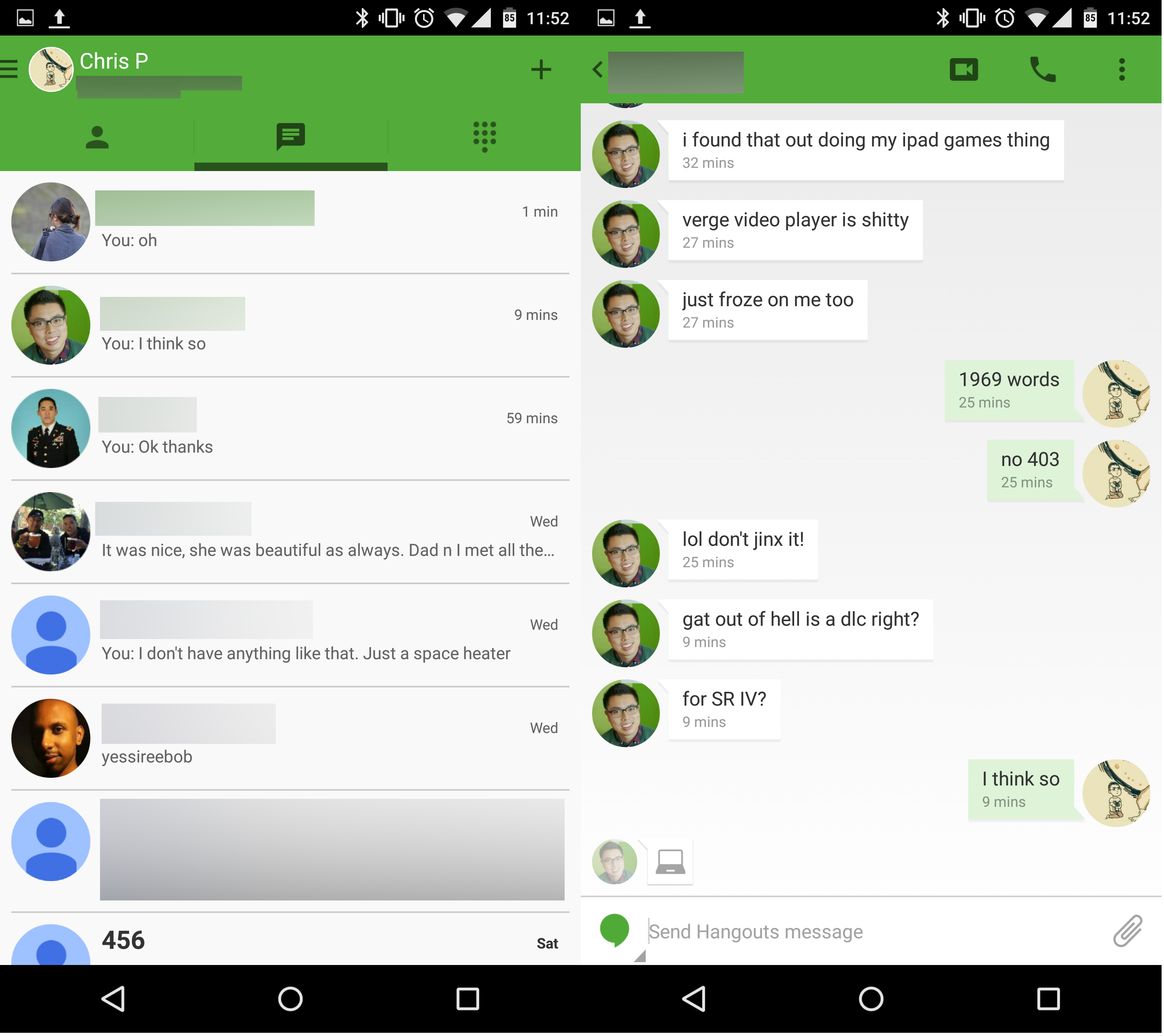
Google’s chat app is a good choice if you’re looking for a way to chat with friends without a SIM card or phone number tied to your account, like you would need with WhatsApp.

The app has a surprising number of features, one of the best being a group video chat function that lets you talk with up to 10 people at once. Aside from that, it’s got the benefit of syncing your Gmail contacts so that you don’t have to worry about adding people manually to your contact list.

Download Hangouts for iPad

Audio

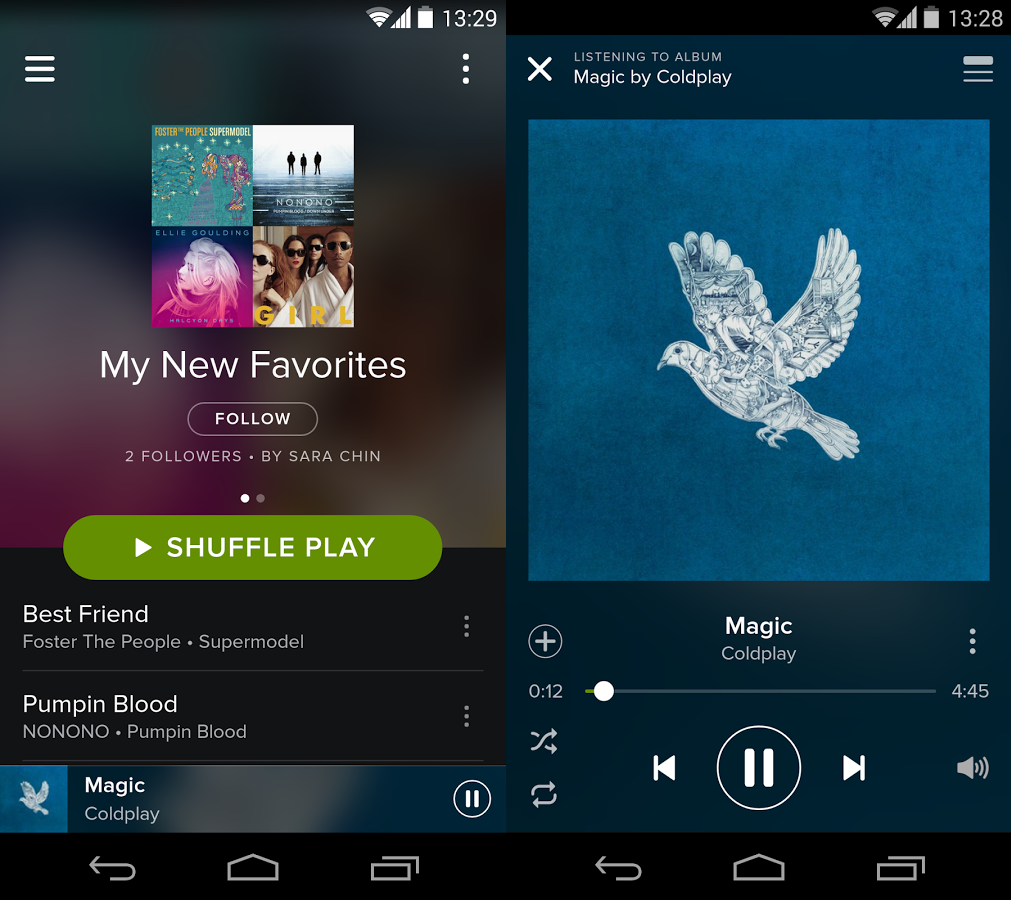
Spotify

The leader in music streaming got a huge redsign this year for its iOS apps, making the Spotify mobile experience even more streamlined. A slide-out side bar lets you access all the app’s features including playlists, ‘Your Music’, and any additional apps you’ve installed. Streaming is of a high quality, typical for Spotify.

Unlike video streaming services Netflix and Hulu, you’ll be able to use Spotify on mobile for free, but you’ll be plagued with ads, limited to radio listening only, and no offline listening unless you upgrade to the premium version.

Download Spotify for iPad

Stitcher

As a radio and podcast app, Stitcher is a great option to manage all your audio content on your iPad. If you’re a podcast lover, it’s good to search for, discover, and manage your podcasts. If news is more your thing, you can check out the Front Page, which you can filter by headlines, news content from your playlists, or recommended content.

As an added bonus, you can share files via Facebook, as well as save them to listen later.

Download Stitcher for iPad

Shopping

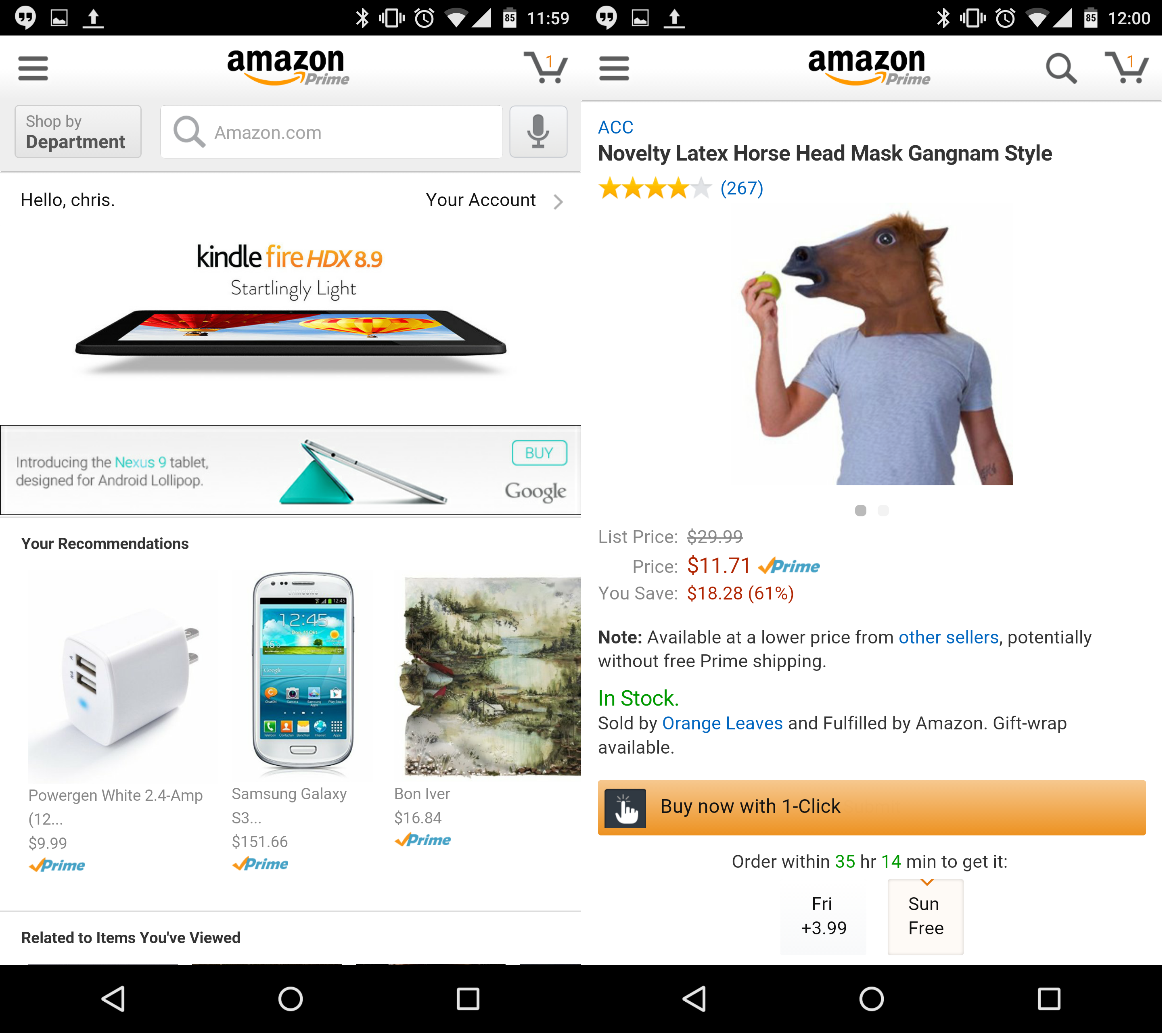
Amazon

If you’re a big fan of the online shopping service, you won’t be able to live without the Amazon app. Whether you’re just browsing or are looking for something specific, you’re almost guaranteed to find it with the search function. Logging in gives you access to all your information, including wishlists, purchase history, and recommendations, which are also housed on the home page of the app.

There are a few limitations in the mobile version when compared to the web, like the inability to play product videos or to access user-submitted photos, but if you want to shop around on your iPad, the Amazon app is one of the best options.

Download Amazon for iPad

Target

The Target app brings one of the largest US retailers to your iPad, and in a surprisingly complete way– you can buy almost anything online that you’d expect to see in an actual Target store. With the tailor-made iPad app, you can shop even easier, set favorite stores, check pick-up locations, get weekly ads for stores near you, and even shop via Instagram.

The tiled design makes browsing products a lot easier, while your personalized homepage will show you your top categories and even stuff that’s trending on Pinterest.

Download Target for iPad

When bigger is better

Some things are just easier on an iPad, and whether you want to read, watch videos, get something done, or shop around, there are plenty of iPad apps that’ll help optimize any and all of these experiences.

Related articles

Best free iPhone apps

Best free iPhone games

Best free Android apps

Follow me on Twitter @suzieblaszQwicz
The best PC games of 2014

Choosing the best PC game of the year for our Best apps of 2014 series wasn’t easy. The year has seen many great games hit computer screens; Titanfall was the first major title to be released this year, rounded out by games like FIFA 15 and The Crew, just in time for the holiday season.

With our panel of app experts, we narrowed down the choice to 5 finalists, and ultimately, one winner. Gameplay, graphics, story, controls, replayability, and entertainment value were all considered, and with these criteria in mind, one game came out on top: Dark Souls II. Have a sneak peak in the video below to see the rest of the finalists, and read on to see what put them on the list.

Default player


brightcove.createExperiences();

Dark Souls II

After a heated discussion, this title from Namco Bandai won over our editors, not only in terms of gameplay, and controls, but also for its replay value.

Dark Souls II is more accessible than its predecessor, and while it can still be both difficult and frustrating, this is exactly what makes it so satisfying. The combat system, along with an open world which you can fully explore, help make the game as good as it is, and with a lot of DLC, you’ll almost never get bored.

Download Dark Souls II for PC

Alien Isolation

Alien Isolation was at the top of our list thanks to its story and graphics. The title from SEGA is undoubtedly the first high quality game from the Alien franchise, taking full advantage of the most recent movies in the series.

In terms of originality, gameplay in Alien Isolation takes the cake; the game is a combination of survival horror and  FPS, keeping you in a constant state of tension. In a year in which women have claimed their rightful place in the video game industry, it can’t go without mentioning the strong female lead of in the game, definitely earning Alien Isolation some bonus points.

Download Alien Isolation for PC

TowerFall Ascension

If you thought local multiplayer mode was relegated to the 90’s, think again. This year, TowerFall Ascenion has proven that it’s back in full swing.

Fast, frenetic, and elegant gameplay, lots of content, fighting arenas, and bonuses make for a lot of old school entertainment. The game brings back that ‘not gone but forgotten’ multiplayer feeling from old school console and PC games, but with a modern twist. The nostalgia alone is enough to put it on our list.

Download TowerFall Ascensiom for PC

Luftrausers

A great game doesn’t need to have an open world that you can explore freely. Sometimes, it only takes one environment, several small aircrafts, and one level of difficulty. Welcome, Luftrausers.

On one hand, Luftrausers is a very old-school game; on the other, it has a very similar dynamic to other popular games (think Flappy Bird) that make you feel like they could go on forever, but in fact, end quite abruptly.

The end goal of continuously striving to beat your previous score is what makes the game so addictive. But in no way does that make the game monotonous, because after each game, you gain experience and can modify your plane to improve it, further preparing yourself for battle.

Download  Luftrausers for PC

Far Cry 4: a place for sequels

Sequels can be very hit and miss, especially when you think about recent issues with games like Assassin’s Creed Unity, which was plagued with bugs. With Far Cry 4, however, it seems as if Ubisoft has gone big.

Despite the series having been around for almost 10 years now, Far Cry 4 once again makes you feel like you’re exploring a whole new world. Overall, the gameplay is quite diverse, with lots of content available. More importantly, the co-op mode gives for a much more exciting experience, extending far beyond the traditional campaign mode.

Download Far Cry 4 for PC

What’s in store for 2015?

Will next year’s batch of games bring the same level of quality as this year’s bunch? With titles like The Witcher 3 and Batman Arkham Knight getting big hype and set to hit the market in Q1, you can almost bet on it.

Check out the rest of the articles in our Best apps of 2014 series.

Follow me on Twitter @zoltan__v

Facebook now auto-enhances your photos because your phone’s camera sucks (update)

Facebook is copying one of Google+’s best features: auto-enhanced photos. Google calls their version “auto-awesome“, which debuted May of 2013. Both social networks now automatically enhance your photos to look better, but Google+ still wins for cuteness.

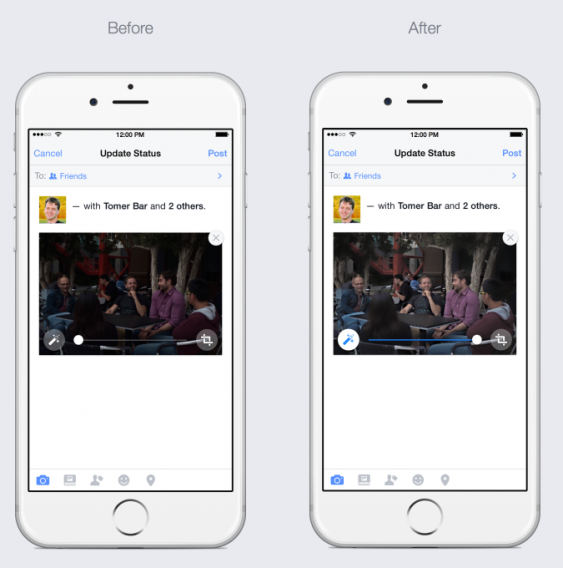
The auto-enhance feature uses computers to figure out what will make a photo look better. If your picture is too dark, the computer algorithm will boost the exposure. If your picture is too blue, it’ll adjust the temperature.

Facebook auto-enhance iPhone

Users still get some control over how their photos look. They’ll be able to adjust the intensity of the auto-enhanced feature. By defaulting to auto-enhanced images, Facebook hopes it’ll take the guess work out of editing your photos before posting them.

The auto-enhance feature has existed in Facebook’s apps for a while but it was never enabled by default until now. You still have the option to edit your photos with filters and other enhancements if you want manual control.

The announcement follows Instagram’s release of five new photo filters.

Facebook for iOS users will be getting auto-enhanced photos starting today. The feature is coming soon to Android as well, though a specific date wasn’t mentioned.

UPDATE: If you don’t want Facebook to aut0-enhance your photos by default because you trust your photography skills, you can do so pretty easily. Gizmodo has a guide on how to do it. Simply navigate to the More button from the sidebar and tap on Video and Photos. Under that menu you will see the option to toggle Enhance automatically.

Source: TechCrunch

Related Stories

The best photo and video app of 2014

Instagram gets five new photo filters, lets you hide filters you don’t use

Try Skype’s real-time translator

Rumor: WhatsApp to launch web version

Follow me on Twitter: @lewisleong

Nexus 9 review

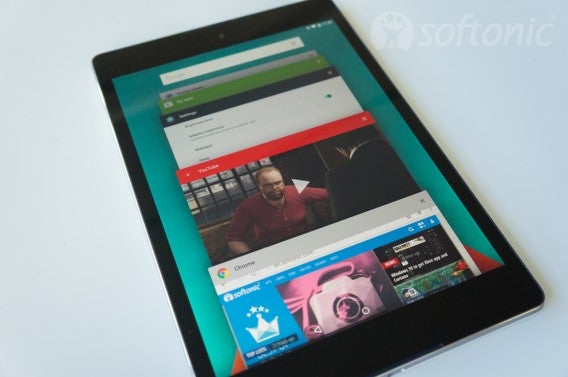
Tablets are made for media. Whether it’s reading, listening to music, or watching videos; people use tablets differently from smartphones. The Nexus 9 is Google’s showcase of Android 5.0 Lollipop installed in a premium device that should be future proof for at least a few years.

But if you don’t own a tablet, is the Nexus 9 the tablet you should buy? It depends on how it’s going to be used. If it’s a family device, then parents will want to get one for multi-user accounts for their kids and screen pinning, which locks a single app to the screen. For students, it’s great for school. Paired with a Bluetooth keyboard and note-taking apps, you can replace your notebooks.
Buy the Nexus 9

Tablet-sharing families

Watch lots of streaming video

New Android tablet users

Students for productivity

Don’t buy the Nexus 9

Existing Android tablet owners

iPad owners expecting the same experience

Expecting a laptop replacement

Build and design

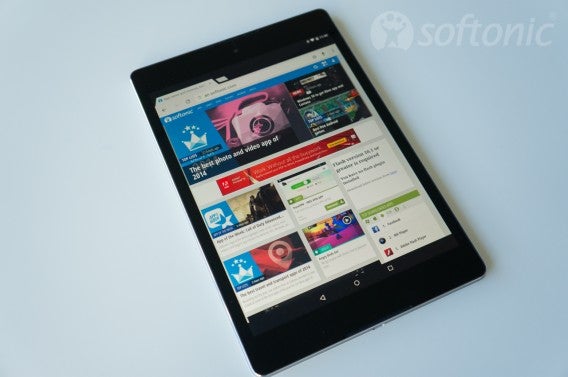
Changing from a widescreen to portrait screen doesn’t change the usability of the tablet. It would have been nice to have the dimensions a little smaller considering there’s a lot of bezel space at the top and bottom. The camera sits at the top and the speaker grills sit at the edges, but there are no OS buttons, it could have been a little shorter while keeping the screen size.

The power and volume buttons sit at the top right side when looking at it in portrait. The original Nexus 9 had shallow buttons, sticking out slightly from the metal frame. The newer revised Nexus 9 has more pronounced power and volume buttons. It’s lightweight and easy to hold in one hand. The headphone jack is located at the top and there’s a micro-USB port at the bottom.

Nexus 9

Screen resolution is 2048 X 1536 on a 8.9″ screen, which means it’s very crisp and reading text is easy. It also means that lower resolution photos will look really pixelated. The screen is great, the colors look good. Honestly, even though there have been reports of LCD backlight bleed, it’s not something I noticed in day to day use. You’re not going to notice any problems with color balance unless you’re using full brightness.

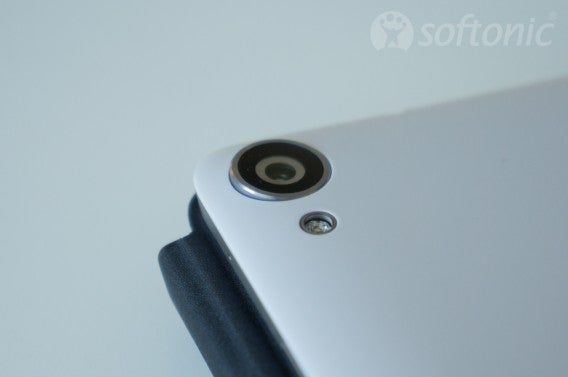
The camera sits on the back and is mediocre. The Google Camera app takes average pictures, but there are alternative apps you can try. Almost any phone camera will take better pictures, but you might be able to edit photos with another app and at least have them presentable.

Nexus 9

If you showed someone an iPad and Nexus 9, at first glance they would probably confuse the two until you saw the iPad’s home button. While not having a “premium” all metal shell, it’s built with a premium look and finish. Even though the back is plastic, it doesn’t feel cheap.

Audio/Video

I watch a lot of YouTube, Netflix, and listen to Google Play Music. In every case, the speakers play loudly and produced sound without any distortion. There’s a decent amount of bass, but don’t expect huge impact or detailed treble.

Nexus 9

The screen is large so that full screen videos are easily viewed. The larger size also makes web browsing and photo viewing very simple. When viewing websites in Chrome, most of them will load the desktop version so you’re not stuck with non-optimized mobile versions.

Apps

The only problem with apps is that some still aren’t updated to fit the portrait layout of the tablet. Android apps are designed to scale, but since the Nexus 7 was designed with a widescreen display, apps still use that aspect ratio. It’s also unfortunate that many apps are still blown up phone versions rather than tablet-specific releases. Apps like Instagram and Facebook really show this issue. A lot of messaging apps are designed for phones as opposed to tablets so you might not want to install those.

Nexus 9

But even with some apps lacking optimization, there are plenty of apps that work with the portrait display with no problems. When you go to the Google Play Store, there is a section for tablet-specific apps.  If you enjoy playing Android games, these apps are optimized very quickly and the majority work perfectly on the 4:3 screen.

Android Lollipop

Nexus 9 is the first Android device to have a 64-bit processor. While this doesn’t sound impressive, that means the tablet will be able to run faster once apps are updated to support it. It also means that the tablet won’t be useless within a year and Android updates will lengthen the life of it. If you’re worried about your data, the Nexus 9 is encrypted by default.

Nexus 9

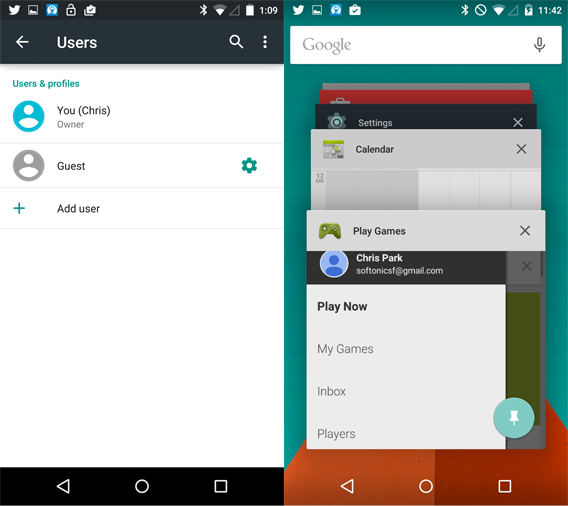
One nice feature is that you can double-tap the screen to wake it instead of using the power button. However, this feature only worked about 85% of the time for me. Adding additional users can protect your kids by limiting what they can do on the tablet. Parents can have the primary account and create separate accounts for their kids. These other accounts can be blocked from making unwanted purchases or accessing specific apps. Parents can also “pin” apps to the main screen which can’t be locked so kids can access other apps.

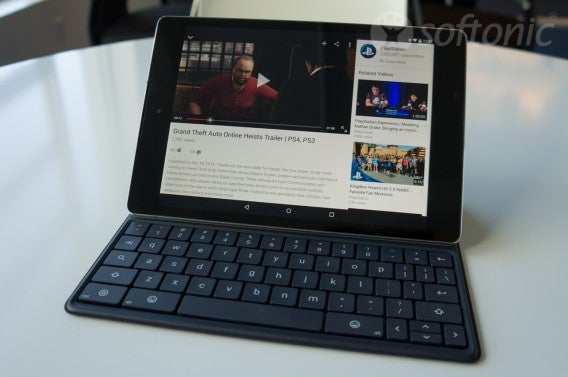
For students, you can use the tablet as an easy replacement for a notebook. While the on-screen keyboard isn’t fast enough to take notes (unless you’re a master with Swype), pairing it with a Bluetooth keyboard can replace taking your laptop to class every day. You can use Evernote or Google Docs for notes or install your favorite productivity app (if it supports offline use).

Android lollipop

Since the Nexus 9 is a Google device, you’ll get updates much faster than waiting for third party Android tablets. Android 5.0.1 is already fixing bugs across all Nexus devices.

Great for beginners

If you don’t have a tablet, the Nexus 9 is a great place to start. If you’re coming from an iPad, then switching to the Nexus 9 is easy since it feels like a scaled down iPad with it’s square aspect ratio. The strongest reason to get the Nexus 9 is that it comes with a pure Android experience and will receive updates faster than other devices.

While there are a lot of different Android tablets, if you want a premium tablet that’s designed by Google, then the Nexus 9 is the one you should buy.

Related Articles

Best free Android apps

Best free Android games

The best health and fitness apps of 2014

Instagram gets five new photo filters, lets you hide filters you don’t use

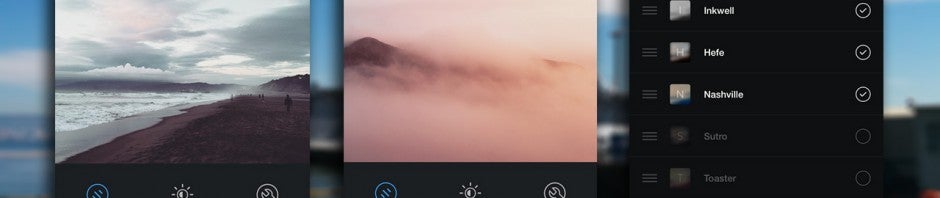
Image sharing app Instagram is getting five all new photo filters today. Starting today, users will start to see these filters appear when editing: Slumber, Crema, Ludwig, Aden, and Perpetua.

What are the best Instagram Filters? And the best ones for food?

The filters look really good and mobile photographers should be able to create some stunning looking images. The filters remind me a lot of those found in VSCO Cam (Android | iOS). VSCO still offers a ton more filters, but you’ll have to pay for most of them.

Instagram Slumber filterThe new ‘Slumber’ filter.

Instagram is also changing previews for the filters, giving you a blurred thumbnail of the filter in the filter tray. This gives you an idea of the colors the filters will generate without having you agonize about the details.

Last but not least, you’ll finally be able to reorganize filters to your liking. There’s a new Manage button next to the last filter, which pulls up a list of all your filters. You can drag and drop to rearrange the order as well as hide ones that you don’t use.

You can find the Instagram update in your app store app on your phone but if you haven’t downloaded it yet, you can do so below.

Download Instagram for Android

Download Instagram for iOS

Source: Instagram

Related Stories

Rumor: WhatsApp to launch web version

The best photo and video app of 2014

The best travel and transport apps of 2014

Google’s most popular apps and games of 2014

Follow me on Twitter: @lewisleong

Leak: Windows 10 to get Xbox app and Cortana

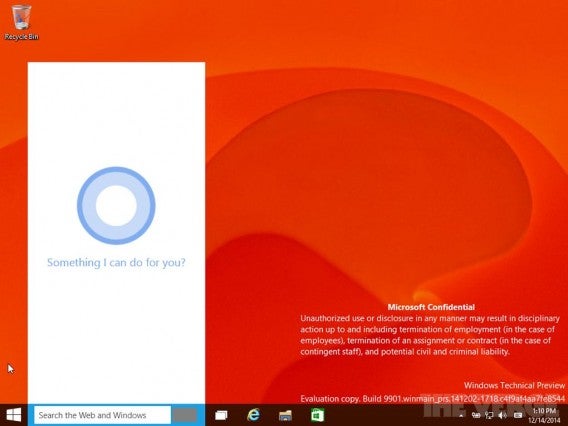
A leaked version of Windows 10 shows Microsoft is working on an Xbox app and integrating Cortana into the operating system. The inclusion of Cortana shouldn’t come as a surprise since we’ve already seen leaks in the past.

It’s logical for Microsoft to build an Xbox app since it wants to unify its operating systems. The Xbox app for Windows 10 will serve as a hub for all things Xbox, including your friends list, achievements, activity feeds, and the digital store to buy games for your console.

Cortana Windows 10 via The Verge

This isn’t the first time Microsoft created an app for the Xbox. The SmartGlass app (Android | iOS) uses your phone or tablet as a second screen and controller for your console. The SmartGlass offers a richer content experience and could be rolled into the Xbox app.

This leaked Windows 10 build is extremely experimental, even more so than the technical preview so don’t expect everything to work. For example, Cortana is still very limited and relies on Microsoft’s cloud to function (which hasn’t been switched on).

Windows 10 will be released sometime in the middle of 2015.

Source: The Verge

Related Stories

Try Skype’s real-time translator

Rumor: WhatsApp to launch web version

The best photo and video app of 2014

Microsoft turns MSN mobile in a big way

Follow me on Twitter: @lewisleong

Try Skype’s real-time translator

Microsoft teased Skype’s real-time translation abilities several times already but now you can finally try it out. The Skype Translator Preview lets you speak in your native language and have it translated in real-time and works vice versa. The app will also translate your instant messages in over forty languages.

Skype envisions this feature being used in schools as evidenced by the marketing video below. Microsoft has tested the feature in schools in both the US and Mexico. However, international businesses who have employees from around the world will also benefit greatly from real-time translations.

Default player


brightcove.createExperiences();

Since this is a preview, Skype Translator only works with English and Spanish at the moment. You’ll also have to be running Windows 8.1 or the Windows 10 preview.

You can sign up to preview Skype translator here.

Source: Skype

Related Stories

Rumor: WhatsApp to launch web version

YouTube gets an animated GIF creator

Microsoft turns MSN mobile in a big way

Follow me on Twitter: @lewisleong

Rumor: WhatsApp to launch web version

One of the most requested apps we know of is “WhatsApp for desktop“. But the app, which is tied to your phone number, has only been available for mobile devices so far. Now, references to a WhatsApp Web have been discovered in an Android version of the app.

Dutch website AndroidWorld looked at the code of the current Android beta APK in search of evidence of a web version of WhatsApp, after Telegram founder Pavel Durov claimed that WhatsApp tried to poach his web developer.

From what we can see, it looks likely that WhatsApp is developing a web app so that you can access the service through your browser. This would also mean that you could finally use WhatsApp from your tablet, as well as your desktop computer. Telegram has a web app, which you can use by signing in with your phone number, and then a special code sent to your device. It would seem likely that a WhatsApp web app would work in the same way.

As well as this rumored web app, Facebook-owned WhatsApp is supposed to be getting video calls sometime in early 2015. The hugely popular app has fallen behind its competition recently in terms of features, with Telegram, LINE and Viber notably offering users more features without the yearly subscription charge.

Source: AndroidWorld, Cult of Android

Related Stories

Twitter’s app graph checks what you have installed on your device

Facebook at Work: should the social network quit while it’s ahead?

Regin – the software that’s been spying on users since 2008

Follow Jonathan on Twitter: @jonathanriggall

The best photo and video app of 2014

For photography lovers and video fanatics, 2014 has seen lots of innovation, making it a natural category for our Best apps of 2014 series. As always, social networks have come to rely even more on photos, and with the introduction of new video techniques like time lapse, there’s been no shortage of new apps that cater to the latest photo and video trends.

After a heated debate, our Softonic editors were able to decide on the best photo and video app of 2014, Hyperlapse, and its 4 runners-up.

Default player


brightcove.createExperiences();

Hyperlapse

hyperlapse-iconThis latest release from Instagram was an insta-success, and not just because of its ties to the already successful social network. Its biggest strength lies in innovation; the app combines both video stabilization and this year’s trend of time-lapse videos, the result of recent developments in mobile technology. Hyperlapse proves to be the perfect example of putting these two things to good use on mobile phones.

Not only that, the app’s simple and streamlined interface makes using it really easy, letting anyone with an iPhone turn their shaky videos into a beautiful Hyperlapse.

Download Hyperlapse for iOS

Facetune

Facetune-iconIn the year of the ‘selfie’, Facetune has some major selling points. Notability, its high quality tools, usually relegated for professionals, makes it the perfect choice for quick and effective photo editing for even the most basic users. Perfect skin, teeth, and hair are all within reach thanks to Facetune.

It gives a much more instinctive approach to photo editing, especially on touch devices, and it takes all of the best photo-editing features of other apps to make it one of the most complete photo editing tools for mobile.

Download Facetune for AndroidiPhone | iPad | Windows Phone

Adobe Lightroom

LightroomWhen Apple announced that it’d cease development of pro photo-editing app Aperture in favor of OS X Yosemite’s new Photos apps, Adobe Lightroom became the natural replacement. Having released a version for iPad this year, Lightroom has emerged as the most complete multi-platform service for professionally managing and editing photos.

Aside from a bunch of really professional tools, Adobe Lightroom shines when it comes to multi-platform integration. The iPad, PC, and Mac versions integrate seamlessly so that you can organize and edit your pictures on any platform. The PC and Mac versions prove its high quality and effectiveness, while the iPad version is like a completely different app, and not in a bad way– not only has it been adapted, but it’s been completely redesigned for tablet, opening up a world of possibilities for touch screen photo editing.

Download Lightroom for iPhone | iPadMacWindows

Emulsio

Emulsio-iconThis video stabilization app deserved to be included in Macworld/iWorld’s Best of Show at this year’s expo, standing out for its ease of use, price (free), and for keeping up with trends. Like Hyperlapse, it offers video stabilization to give a steady hand to your shaky videos, and it’s all done behind the scenes, making the app super user-friendly.

Download Emulsio for iOS

FotoSwipe

PhotoSwipeFotoSwipe is an app for sharing photos between cell phones in real time. You might be asking yourself what the big deal is; people share photos this way all the time. But it’s not what it does– it’s how it does it. To send photos, you simply put two phones next to each other, and slide the image all the way across to the other screen. Just like that, you can exchange photos between iOS and Android with a simple swipe, a novel function which solidifies this app firmly on our list.

Download FotoSwipe for AndroidiOS

A golden year for photographers and digital filmmakers

As of late, there’s been an obvious increase in quality and affordability when it comes to photo and video apps for mobile and PC. 2014 in particular has seen a lot of growth, especially when it comes to new technologies that allow for big improvements in photo and video quality.

In 2015, we except much of the same, with a greater focus on photo storage, sharing, and security.

Check out the rest of our Best apps of 2014 series.

New ‘Just Cause 3’ screenshots

Avalanche Studios has released three new screenshots of next year’s Just Cause 3. The game is the next in the series of much loved, chaotic, sandbox action games.

Scheduled for a May 2015 release, Just Cause 3 will be set on a Mediterranean island, and of course, features the game’s signature parachute and grapple hook. These are used to speed up travel – you shoot the grapple hook and let it propel you into the air, then use the parachute to glide through the air – while the hook also doubles as a very creative weapon. Avalanche say, unsurprisingly, that Just Cause 3 has ‘vastly improved parachute and grapple mechanics.’

Game Informer has an exclusive on the game, and fans will be delighted to hear that early rumors that Just Cause 3 would be free-to-play are unfounded. JC 3 will likely get some expansion DLC (downloadable content), but will not feature micro-transactions.

Just Cause 3 will be available on PC, Xbox One and PlayStation 4.

Source: IGN

Related Stories

Best free Android games

App of the Week: Call of Duty Advanced Warfare

Google’s most popular apps and games of 2014

Follow Jonathan on Twitter: @jonathanriggall